



WordPress sends emails for almost everything — contact form notifications, WooCommerce order receipts, password resets, comment alerts, and user registration confirmations. The problem is that WordPress’s default email method, the PHP mail() function, lacks proper authentication. Spam filters treat it with suspicion, and on shared hosting, those emails often disappear before they reach anyone’s inbox.
An SMTP plugin fixes that by routing your WordPress emails through a trusted third-party email service instead of your hosting server. But with nearly a dozen options on WordPress.org, and most comparison articles written by teams with a financial stake in recommending one specific plugin, finding an honest breakdown takes more digging than it should.
This guide covers seven of the most-used WordPress SMTP plugins, with verified pricing (including renewal rates — not just promotional first-year prices), a feature comparison table, and a use-case section that matches specific scenarios to specific plugins.

The Quick Answer (If You’re in a Hurry)
If you need a fast recommendation before diving into the details, here’s where each plugin fits:
- Best overall (most features, free tier available): WP Mail SMTP
- Best completely free option: FluentSMTP — all features included, no paid version exists
- Best for debugging and mobile alerts: Post SMTP
- Best lightweight alternative: Easy WP SMTP or Solid Mail
- Best for Amazon SES-only setups: WP Offload SES
Not sure which one fits your situation? Use this quick decision checklist:
| Your Situation | Start Here |
|---|---|
| WooCommerce store — order emails must arrive | WP Mail SMTP Pro (backup connections) |
| Budget is $0, need everything free | FluentSMTP |
| Complete beginner, want the simplest setup | WP Mail SMTP free (setup wizard) |
| Need mobile push alerts for email failures | Post SMTP (iOS/Android app included) |
| Already using Amazon SES and want deep integration | WP Offload SES |
| Managing 20+ client sites | WP Mail SMTP Developer or Agency plan |
| Development/staging — need to prevent real email sends | FluentSMTP simulation mode |
If none of these fit cleanly, the full reviews and use-case section below will help you narrow it down.
wplasma.com — WordPress tutorials and plugin guides
Why WordPress Emails Go to Spam (And What Actually Fixes It)
Out of the box, WordPress uses PHP’s mail() function to send every email your site generates. That function has no authentication mechanism — it just fires an email from your server without any proof that your domain authorized the send. Email providers have trained their spam filters to distrust exactly this kind of unauthenticated mail.
Shared hosting environments make this worse. When dozens or hundreds of sites share the same server IP address, spam sent by any one of those sites damages the reputation of the entire server. Your completely legitimate WooCommerce receipt can get flagged simply because your server’s IP appears on a blocklist maintained by another site’s behavior.
An SMTP plugin solves this by replacing the wp_mail() call with a connection to a dedicated email service — providers like SendLayer, Mailgun, SendGrid, or Brevo that have established sending reputations and proper authentication infrastructure.
One important thing most tutorials gloss over: the plugin itself doesn’t send your emails. It’s an integration layer — it configures WordPress to hand email off to a third-party service. You need both the plugin (to connect WordPress) and an account with a sending service (to actually deliver the email). Most sending services have free tiers that work fine for personal sites and small businesses.

Alongside your SMTP plugin, you’ll also want your domain’s DNS records configured with SPF, DKIM, and DMARC entries. These records tell receiving email servers that your domain authorized the sending service to send mail on your behalf. Most email service providers walk you through this setup — it’s a one-time task, but skipping it limits how much an SMTP plugin can help your deliverability.
The 7 Best WordPress SMTP Plugins Reviewed
1. WP Mail SMTP — Most Feature-Complete Option
Four million active installs and 5,000+ five-star reviews on WordPress.org make WP Mail SMTP the most widely adopted SMTP plugin by a significant margin. It’s owned by Awesome Motive, the same team behind WPForms, MonsterInsights, and several other popular WordPress tools.

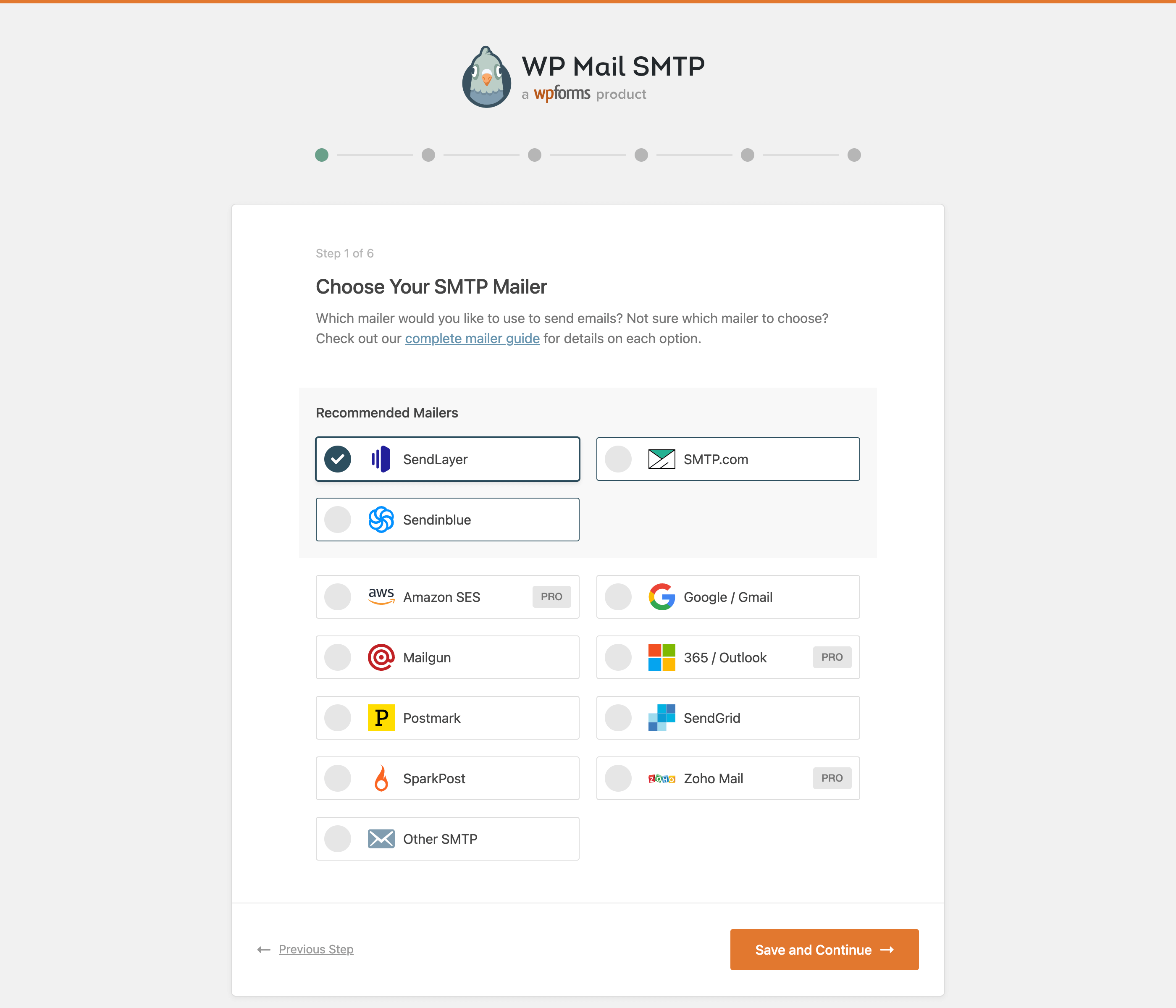
The free version covers most use cases well. You get a guided setup wizard, support for 12+ mailer services (SendLayer, SMTP.com, Brevo, Gmail/Google Workspace, Mailgun, SendGrid, Postmark, SparkPost, SMTP2GO, Mailjet, Elastic Email, Resend, MailerSend, and a generic “Other SMTP” option), and a test email tool to confirm everything’s working. Setting the “From” name and email address is also included for free.
Where the Pro version earns its keep is in features that matter once sites grow past basic needs:
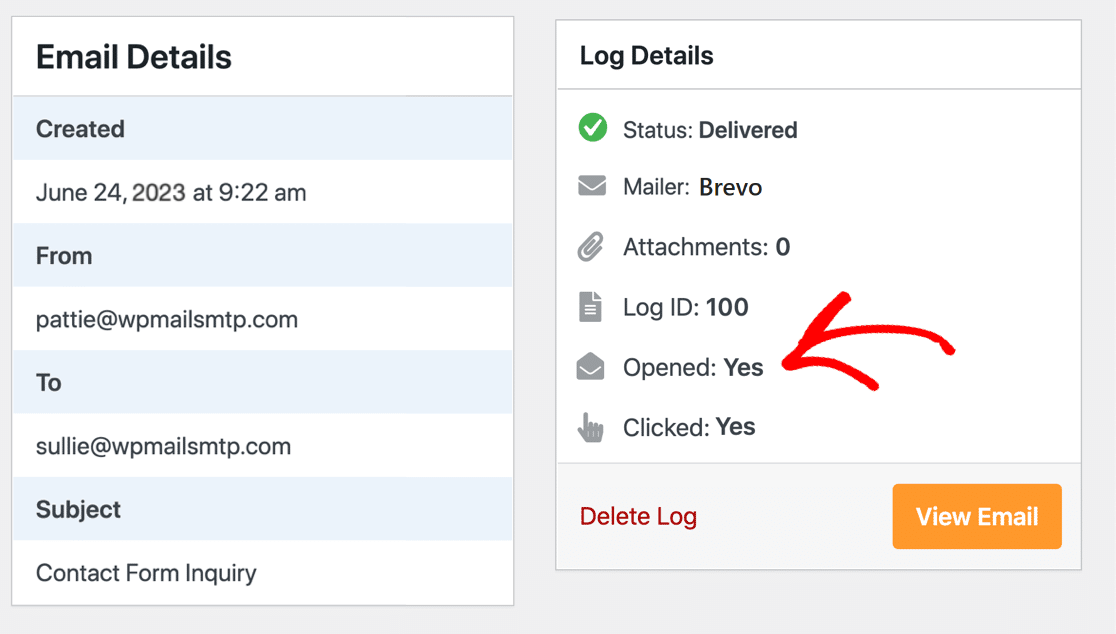
- Email logging — keeps a searchable record of every email sent, including content, headers, delivery status, and open/click rates
- Backup connections — automatically switches to a secondary mailer if the primary fails
- Email alerts — instant notifications via Slack, Microsoft Teams, Discord, SMS/Twilio, or email if an email fails to send
- Smart conditional routing — sends different email types through different mailer accounts (e.g., WooCommerce through SendLayer, WordPress admin notices through Gmail)
- Rate limiting — stays within your email service’s sending quotas automatically
- White Glove Setup — the WP Mail SMTP team installs and configures everything for you (available on Elite plan and up, for SendLayer, SMTP.com, or Brevo)
Two mailer integrations worth noting are newer additions: MailerSend was added in June 2025 and Resend.com in November 2025. Both are modern transactional email services with generous free tiers, so they’re good choices if you’re evaluating which sending service to pair with the plugin.
Pricing (March 2026):
- Lite: Free
- Pro: $49/yr first year (renews at $99/yr, 1 site)
- Elite: $99/yr first year (renews at $149/yr, includes White Glove Setup)
- Developer: $199/yr first year (renews at $249/yr, 20 sites)
- Agency: $399/yr first year (renews at $449/yr, 100 sites)
The promotional pricing is a first-year discount only — renewals are charged at the higher regular rates. That’s worth factoring into long-term budget planning. (Verified at wpmailsmtp.com/pricing, March 2026)
Best for: WooCommerce stores, membership sites, anyone who needs email logging and failure alerts. The free version is also the easiest starting point for beginners who want a guided setup.
2. FluentSMTP — Best Completely Free Option
FluentSMTP is the rare exception in this category: a plugin with a genuinely full feature set and no paid version. The developers from WPManageNinja (also behind FluentCRM, Fluent Forms, and Fluent Support) have publicly committed to keeping it free and open-source permanently.
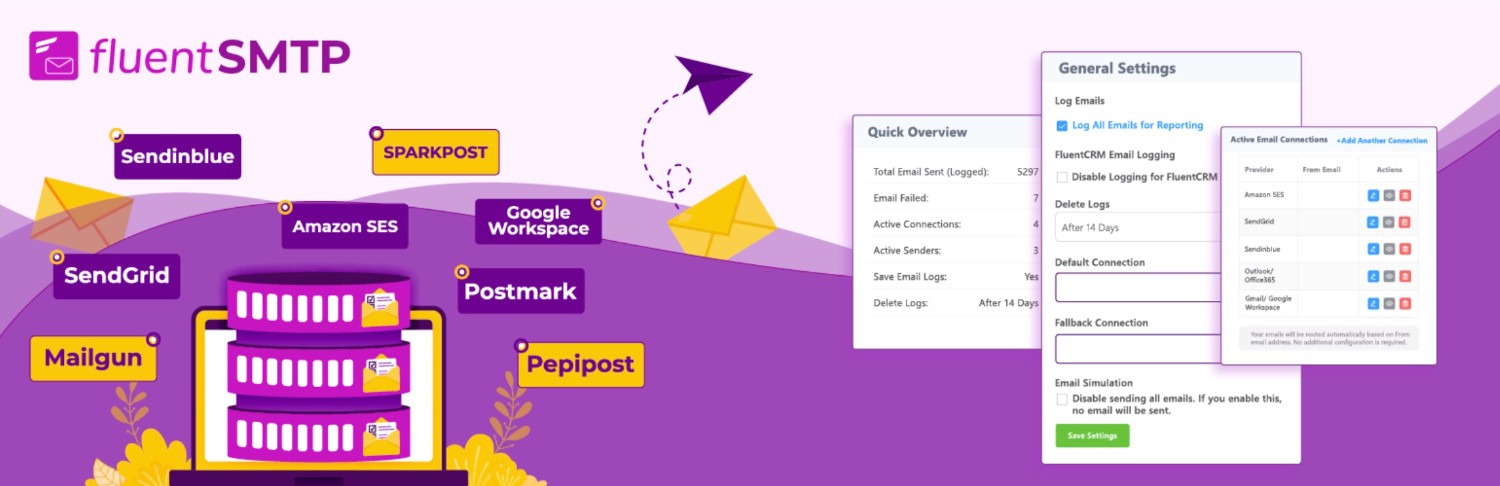
With nearly 4 million active installs and a 4.8/5 rating, it’s nearly as popular as WP Mail SMTP — and this is while offering everything for free that WP Mail SMTP charges for in its Pro tier.
Features included at no cost:
- Email logging with resend functionality
- Automatic fallback mailer (switches to backup if primary fails)
- Email routing by “From” address (route different sender addresses through different services)
- Real-time failure notifications via Slack, Discord, or Telegram
- Email simulation mode — logs emails without sending them (useful for staging sites)
- Dashboard reporting with charts
Mailer support is broad: Amazon SES, Gmail OAuth, Google Workspace, Outlook/Office 365, SendGrid, Mailgun, Brevo, Postmark, SparkPost, Elastic Email, SMTP2GO, Zoho ZeptoMail, and custom SMTP. This includes several integrations that WP Mail SMTP locks behind its paid Pro tier (Amazon SES, Microsoft 365).
The one honest trade-off: FluentSMTP doesn’t have the same level of community documentation or beginner-focused tutorials as WP Mail SMTP. Setup is still guided, but if you run into edge cases, the support resources are thinner. For technically comfortable users, that’s not a problem.
Pricing: Free, always. No premium version.
Best for: Budget-conscious users who need a full-featured plugin without paying. Also excellent for developers managing staging environments (simulation mode prevents test sites from firing real emails).
3. Post SMTP — Best for Troubleshooting
Post SMTP started as a fork of the now-defunct Postman SMTP plugin in 2017. WPExperts acquired it in 2022 and has continued active development — the plugin was updated as recently as March 17, 2026 (version 3.9.0), which signals a well-maintained codebase.
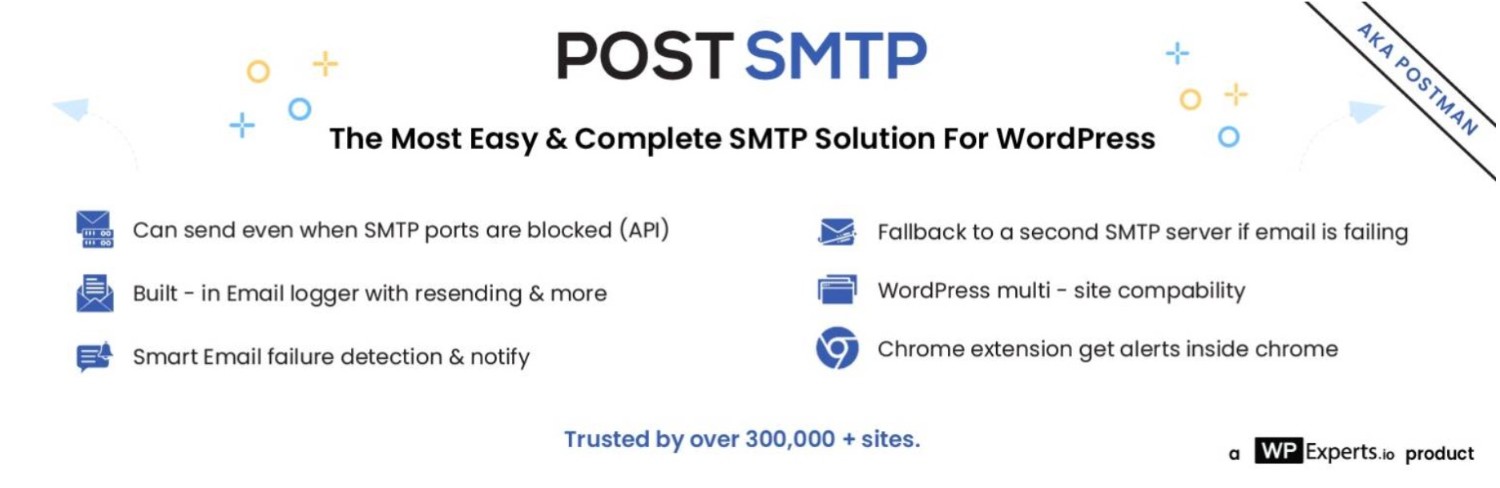
What distinguishes Post SMTP from competitors is its debugging and monitoring toolkit. Free features include a Chrome extension that alerts you to email failures in the browser, a mobile app for iOS and Android that sends push notifications when emails fail, and built-in SPF/DKIM/DMARC checks that flag authentication configuration problems. The email log stores up to 250 entries in the free version.
On the technical side, Post SMTP replaces WordPress’s default PHP mail library with zend_mail, which handles edge cases more reliably. This matters on some server configurations where the standard PHP mail implementation drops messages silently.
The free fallback mailer is also worth noting — if your primary connection fails, Post SMTP automatically attempts to resend through a secondary connection, and this doesn’t require upgrading to Pro.
Pro features add auto-resend for failed emails, email batching and scheduling, advanced notifications (Teams, Slack, Twilio SMS), and extended log storage.
Pricing (approximate, March 2026):
- Free version: Available on WordPress.org
- Basic (1 site): approximately $59.99/yr
- Elite (1 site): approximately $99/yr
- Check postmansmtp.com for current pricing — it has changed since older reviews were written
Best for: Site administrators who want mobile monitoring and detailed debugging tools. The free version’s feature set is generous enough that many sites won’t need the paid upgrade.
4. Easy WP SMTP — Straightforward Alternative
Easy WP SMTP comes from SendLayer, which is owned by the same parent company (Awesome Motive) as WP Mail SMTP. That shared lineage is worth knowing: the two plugins overlap significantly, and WP Mail SMTP’s Pro version offers more functionality than Easy WP SMTP’s paid tier.

The free version supports SendLayer, Mailgun, Mailjet, SendGrid, Brevo, SMTP.com, Postmark, SparkPost, SMTP2GO, and a generic “Other SMTP” option. Gmail, Amazon SES, and Microsoft 365 are reserved for the paid version — which is a notable restriction compared to FluentSMTP, where those are free.
Pro features mirror WP Mail SMTP: email logging, backup connections, smart routing, email alerts, rate limiting. If you’re comparing the two, WP Mail SMTP has broader mailer support and a longer track record. Easy WP SMTP makes sense if you’re specifically building around the SendLayer service or prefer a slightly simpler interface.
Pricing: Free; Pro from $49.50/yr first year (renews at $99/yr)
Best for: Beginners who want straightforward setup without WP Mail SMTP’s more complex settings panel. Not a strong choice if you need Amazon SES or Gmail integration without paying.
5. Solid Mail — Lightweight with a Clean History
Solid Mail (previously WP-SMTP) has been around for over a decade. SolidWP — the same company behind Solid Security and Solid Backups — acquired and rebranded it. With 80,000+ active installs, it’s considerably smaller than the other options here, but it has a consistent 4.5/5 rating and a track record of reliability.
Setup is intentionally minimal: connect to an ESP and send. The plugin handles SendGrid, Mailgun, Postmark, Brevo, and Amazon SES with guided setup. Any other ESP connects via standard SMTP credentials. Email logging is included for free.
There’s no paid version. If you’re already using SolidWP products and want a plugin that fits cleanly into that ecosystem, Solid Mail is the natural choice. If you’re not in the SolidWP ecosystem, it offers less than FluentSMTP for the same price (free) and lacks the notification and routing features that make FluentSMTP stand out.
Pricing: Free
Best for: Sites already using Solid Security or Solid Backups; users who want email logging without any configuration complexity.
6. Gmail SMTP — Only If Your Setup Is Gmail-Specific
The Gmail SMTP plugin does exactly one thing: connects your WordPress site to a Gmail or Google Workspace account for outbound email using OAuth 2.0. It’s free, lightweight, and does its job reliably for that narrow use case.
The limitations are real. Gmail imposes daily sending limits (typically 500 emails/day for regular Gmail, higher for Google Workspace accounts). There’s no email logging, no fallback, and no failure alerts. Setup requires configuring a Google OAuth application, which is more involved than the setup wizards of other plugins on this list.
Most users are better served by WP Mail SMTP’s free Gmail integration, which provides the same OAuth connection alongside additional features. Gmail SMTP only makes sense if you specifically want a single-purpose, minimal plugin with no other features.
Pricing: Free
Best for: Personal WordPress blogs sending through a Gmail account. Not recommended for business sites or WooCommerce stores.
7. WP Offload SES — Built for Amazon SES Power Users
WP Offload SES from Delicious Brains (acquired by WP Engine in 2022) is the only plugin on this list built around a single sending service — Amazon SES. That focus comes with advantages: the integration is optimized specifically for SES, setup is cleaner than configuring SES through a generic SMTP plugin, and the feature set is tailored to high-volume sending scenarios where SES is popular.
The free Lite version supports full SES sending with basic logging and test email functionality. Premium adds open and click tracking, auto-retry for failed emails, and advanced log features that let you view the full content of every sent email.
Amazon SES itself costs roughly $0.10 per 1,000 emails for most users, making it one of the most cost-effective sending services at higher volumes. If you know Amazon SES is your long-term sending infrastructure, WP Offload SES gives you the best native WordPress integration for it.
Pricing: Free (Lite); Premium from $99/yr (1 site)
Best for: Developers and high-volume senders committed to Amazon SES. Not suitable if you might need to switch to a different sending service later.
Feature & Pricing Comparison
Most comparison tables in articles like this show only promotional first-year pricing. The table below includes both the introductory and renewal rates where known, and clearly marks which features require a paid upgrade.
| Plugin | Free Version | Email Logging (free) | Alerts/Notifications (free) | Backup/Fallback (free) | Gmail/Google (free) | Amazon SES (free) | Microsoft 365 (free) | Paid Plans (from) | Renewal Rate |
|---|---|---|---|---|---|---|---|---|---|
| WP Mail SMTP | ✅ | ❌ (Pro) | ❌ (Pro) | ❌ (Pro) | ✅ | ❌ (Pro) | ❌ (Pro) | $49/yr | $99/yr |
| FluentSMTP | ✅ (full) | ✅ | ✅ Slack/Discord/Telegram | ✅ | ✅ | ✅ | ✅ | N/A — free forever | N/A |
| Post SMTP | ✅ | ✅ (250 entries) | ✅ Slack/Pushover + mobile app | ✅ | ✅ | ✅ | ✅ | ~$59.99/yr | check site* |
| Easy WP SMTP | ✅ | ❌ (Pro) | ❌ (Pro) | ❌ (Pro) | ❌ (Pro) | ❌ (Pro) | ❌ (Pro) | $49.50/yr | $99/yr |
| Solid Mail | ✅ (full) | ✅ | ❌ | ❌ | ✅ (manual SMTP) | ✅ | ❌ | N/A — free | N/A |
| Gmail SMTP | ✅ (full) | ❌ | ❌ | ❌ | ✅ (Gmail only) | ❌ | ❌ | N/A — free | N/A |
| WP Offload SES | ✅ (Lite) | ✅ (basic) | ❌ | ❌ | ❌ | ✅ (only SES) | ❌ | $99/yr | check site* |
*Pricing for Post SMTP (postmansmtp.com/pricing) and WP Offload SES (deliciousbrains.com) has changed in recent months. Always verify at the plugin developer’s official website before purchasing. Prices current as of March 2026.
Before You Install Any SMTP Plugin
There are two components to making WordPress email work reliably, and a plugin handles only one of them.
The plugin configures WordPress to use your chosen sending service instead of PHP mail(). The email service (SendLayer, Mailgun, Brevo, Amazon SES, or whichever you choose) is what actually delivers your email to recipients. You need both. Most sending services offer free tiers that are sufficient for personal sites and light business use — Brevo provides 300 free emails per day, Mailgun includes 5,000 free emails per month for three months, and SendGrid offers 100 emails per day indefinitely on their free plan.
The second piece — DNS authentication records — is separate from both. SPF, DKIM, and DMARC records tell email providers that your domain authorized your sending service to deliver mail on your behalf. Without these records, even a perfectly configured SMTP plugin can’t guarantee inbox delivery. Most email services provide step-by-step DNS setup instructions when you create an account. It’s a one-time configuration task, but it’s an important one.
On credential security: if you use a direct API integration (the recommended approach with services like SendLayer, Mailgun, SendGrid, or Postmark), your password is never stored in WordPress at all — only an API key is needed. If you use the generic “Other SMTP” option with a username and password, WP Mail SMTP and FluentSMTP both support storing credentials in wp-config.php as constants rather than in the database, which is the more secure option.
A note on staging and development sites: FluentSMTP’s email simulation mode and Gravity SMTP’s test mode both log emails internally without sending them to real recipients. This prevents test purchases, form submissions, or user registrations on staging environments from firing emails to real people.
Which Plugin Fits Your Situation?
The “best” plugin depends on what your site actually does with email and how much you’re willing to spend. Here’s how different scenarios map to specific recommendations:
| Situation | Recommended Plugin | Why It Fits |
|---|---|---|
| WooCommerce store — order confirmations and receipts must arrive | WP Mail SMTP Pro | Backup connections automatically switch mailers if delivery fails; email alerts notify you immediately if orders are missing emails |
| Membership site with user registration emails | WP Mail SMTP Pro or FluentSMTP | Either handles transactional volume; FluentSMTP if cost matters, WP Mail SMTP Pro if you need logging and smart routing |
| Budget of $0, need everything without paying | FluentSMTP | Full feature set at no cost — logging, fallback, alerts, all major email services including Amazon SES and Microsoft 365 |
| Personal blog or small site, want the easiest setup | WP Mail SMTP free | Setup wizard is the most beginner-friendly; massive documentation library covers virtually every configuration question |
| High-traffic site sending through Amazon SES | WP Offload SES | Purpose-built for SES with auto-retry and optimized integration; SES is cost-effective at scale ($0.10/1,000 emails) |
| Agency managing 20+ WordPress client sites | WP Mail SMTP Developer or Agency plan | 20-site and 100-site licenses; centralized multisite network settings |
| Developer building on staging — want to prevent real sends | FluentSMTP (simulation mode) | Logs emails without sending them; free; easy to toggle off when deploying to production |
| Want mobile push alerts for email failures | Post SMTP | iOS/Android app sends push notifications for failed emails; only plugin with a mobile app |
| Already using SolidWP tools (Solid Security, Solid Backups) | Solid Mail | Consistent ecosystem, free, includes email logging; integrates well with existing SolidWP setup |
Frequently Asked Questions
What is an SMTP plugin for WordPress?
An SMTP plugin replaces WordPress’s default PHP mail() function with a connection to a dedicated email sending service. This adds proper authentication to outgoing emails, which helps them reach recipients’ inboxes instead of landing in spam. The plugin handles the WordPress integration — you also need an account with an email service (like SendLayer, Mailgun, or Brevo) that does the actual sending.
Does WordPress actually fail to send emails by default?
Not always — but it fails more than most site owners realize. On properly configured dedicated or VPS hosting, PHP mail() can work reliably. On shared hosting, the story is different. Shared server IPs often carry poor sending reputations due to other tenants, and many hosting providers disable or restrict PHP mail() to prevent abuse. WooCommerce stores, contact forms, and membership sites are especially vulnerable because their transactional emails are time-sensitive and business-critical.
Which is the best free WordPress SMTP plugin?
FluentSMTP offers the most complete free feature set of any plugin in this category. It includes email logging, fallback mailer support, failure alerts (Slack/Discord/Telegram), email simulation mode, and integrations with Amazon SES, Gmail, Google Workspace, and Microsoft 365 — all without a paid version. WP Mail SMTP’s free tier is a strong second choice with its setup wizard, but several key features (logging, alerts, backup connections) require upgrading.
Is FluentSMTP really free forever?
Yes. The developers from WPManageNinja have made this commitment publicly and the plugin’s own WordPress.org listing describes it as “100% Free (Forever).” There is no premium version and no upsell. The plugin is also open-source with its code publicly available on GitHub.
Do I need both an SMTP plugin AND a separate email service?
Yes. The plugin is the connection layer between WordPress and your email service. The email service is the infrastructure that actually delivers mail. Most email services have free tiers (Brevo: 300 emails/day free; SendGrid: 100/day free; Mailgun: 5,000/month for 3 months) that cover light-to-moderate sending volumes without any cost.
What does WP Mail SMTP Pro actually add over the free version?
The most significant Pro features are email logging (searchable record of all sent emails with content, headers, and delivery status), backup connections (automatic failover to a secondary mailer), email alerts (notifications via Slack, SMS, or email when sending fails), and smart conditional routing (send different email types through different mailer accounts). The free version handles basic deliverability but lacks these monitoring and redundancy tools.
Which plugin works best for WooCommerce?
WP Mail SMTP Pro is the safest choice for WooCommerce specifically because of backup connections. If your primary mailer goes down during a purchase spike, a secondary connection automatically takes over — preventing order confirmation emails from being lost. FluentSMTP also includes free fallback routing, making it a capable option if you’re working within a zero budget. Post SMTP’s free fallback mailer is also available at no cost.
Can I use Gmail as my WordPress SMTP server?
Technically yes, but it has meaningful limitations. Gmail accounts can send roughly 500 emails per day; Google Workspace accounts can send significantly more. Gmail’s OAuth setup requires creating a Google Cloud project, which is more involved than connecting to a transactional email service. For anything beyond a small personal blog, a dedicated transactional service (SendLayer, Mailgun, Brevo) provides better deliverability, higher sending limits, and more reliable infrastructure.
Will installing an SMTP plugin slow down my WordPress site?
No — not in any meaningful way. SMTP plugins are lightweight and only activate when an email is being sent. WP Mail SMTP specifically notes it was “carefully built with performance in mind.” WP Mail SMTP Pro’s optimized sending feature actually offloads email processing to background tasks, which can speed up pages that would otherwise wait for email sends to complete before loading.
Wrapping Up
Most WordPress sites benefit from switching off PHP mail() and connecting to a dedicated sending service. The good news is that doing this doesn’t have to cost anything — FluentSMTP and Post SMTP both offer genuinely complete free options, and Solid Mail covers basic needs without a price tag.
For sites where email reliability is directly tied to revenue or user trust — WooCommerce orders, membership sign-ups, time-sensitive notifications — the monitoring and redundancy features in WP Mail SMTP Pro or Post SMTP Pro are worth considering. Backup connections and instant failure alerts are the difference between discovering a delivery problem in your error logs days later and knowing about it within minutes.
Whichever plugin you choose, pair it with a reputable sending service and configure your domain’s SPF, DKIM, and DMARC records. The plugin gets you halfway there — the DNS setup completes the picture.
