


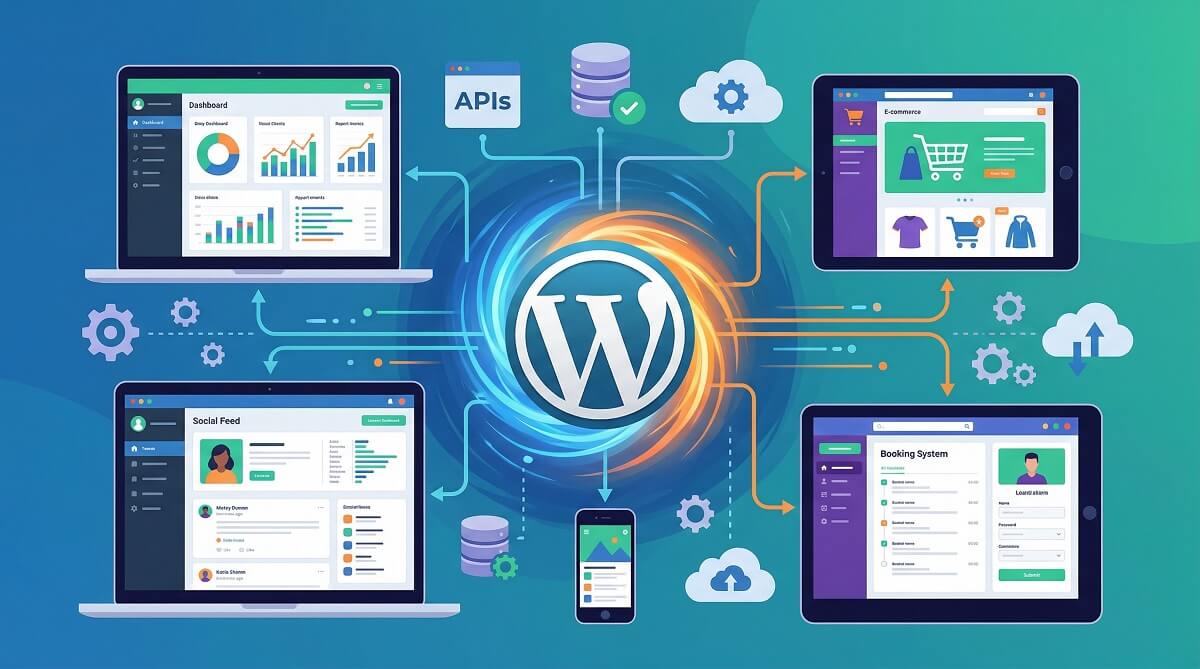
Most developers still instinctively reach for React, Node.js, or Django when someone says “build me an app.” But over 43% of all live websites run on WordPress — and a growing number of them are full web applications, not just blogs or brochure sites. Booking systems, member directories, job boards, SaaS prototypes, client portals: they’re all running on WordPress, quietly, in production.
So the question isn’t really “can WordPress handle a web app?” — it can. The real question is which approach fits your project, your skills, and your budget. This guide breaks down four distinct paths, from zero-code plugin stacks to fully decoupled headless architecture, with honest comparisons of what each one actually costs and requires.

WordPress guides and resources
Quick Answer — What This Guide Covers
If you’re short on time, here’s the decision matrix before you dive into the details:
| Approach | Skill Level | Timeline | Best For |
|---|---|---|---|
| No-Code (Plugins only) | Beginner | 1–3 days | Directories, job boards, simple member portals |
| Low-Code (Page builders + custom fields) | Intermediate | 1–2 weeks | Client portals, dynamic listing sites, multi-step forms |
| Developer (Custom plugins + REST API) | Advanced | Weeks to months | Custom SaaS apps, complex CRUD systems |
| Headless/Decoupled (WordPress + Next.js) | Advanced | 2–6 weeks minimum | High-performance apps, multi-channel publishing |
WordPress web apps work best for: MVPs, content-heavy applications, member sites, directories, e-commerce extensions, and projects where launch speed matters more than raw performance.
Consider alternatives if: you need real-time collaboration, heavy algorithmic computation, or immediate scale to millions of concurrent users.
What Makes a WordPress Site a “Web App”?
A static website presents information. A web app lets users do things — create accounts, submit data, see personalized content, interact with records in a database. That distinction matters more than it might seem, because it changes how you build everything from authentication to data storage.
Three features define a web app, regardless of the platform:
- Task-based interactions — Users accomplish something: book a time slot, submit an expense report, apply for a job listing, search a member directory.
- User accounts and personalization — The app remembers who you are and shows you relevant, personalized content or dashboards.
- Dynamic content — Pages aren’t static HTML. They pull from a database and update based on user input or state.
WordPress handles all three natively. It ships with a MySQL database, a built-in user management system with roles and permissions, a REST API for external data consumption, and a plugin ecosystem of over 60,000 extensions. That infrastructure is exactly what most web apps need — and with WordPress, you don’t build it from scratch.

Why WordPress Works as a Web App Platform
Saying WordPress “can” build web apps doesn’t tell you why it’s often a smart choice. Here’s an honest breakdown of what you actually get:
- 60,000+ plugins — including CRUD systems, form builders, payment gateways, membership managers, and REST API clients. Most common app requirements already have a plugin solution. You’re assembling rather than building from scratch.
- Built-in user roles and permissions — Administrator, Editor, Author, Subscriber, and fully custom roles. You don’t need to engineer an authentication system; it’s already there.
- REST API — Every WordPress site ships with a REST API at
/wp-json/wp/v2/. It enables headless/decoupled architecture, mobile app integration, and third-party data consumption without extra configuration. - Open-source cost structure — The CMS itself is free. Your budget goes to hosting, premium plugins if needed, and development time. Compare that to proprietary platforms that charge monthly SaaS fees from day one.
- Community scale — WordPress powers roughly 43.6% of all websites globally as of early 2026, according to DemandSage. That means a massive pool of developers, answers on Stack Overflow, and plugins that get updated because so many people use them.
learn more about WordPress development
On the cost side, here’s a realistic breakdown for different project scales:
| Budget Tier | Hosting/Month | Plugin Cost/Year | Dev Cost (est.) | Total Year 1 (est.) |
|---|---|---|---|---|
| DIY / Starter | $14–25 (Cloudways) | $0–200 (free plugins) | $0 (self-built) | $168–$500 |
| Small Business | $35–80 (Kinsta Starter / SiteGround) | $200–600 | $500–3,000 | $1,120–$4,560 |
| Professional / Agency | $80–200 (Kinsta Pro / WP Engine) | $500–1,200 | $3,000–15,000+ | $4,460–$17,600+ |
| Enterprise | $200–1,650+ (Kinsta Business) | $1,000+ | $15,000+ | $17,400+ |
Hosting prices from Kinsta and Cloudways official pricing pages (March 2026). Verify current rates before committing.
The 4 Approaches to Building a Web App with WordPress
You have an idea for a web app. Now comes the part no tutorial likes to admit: there’s no single “right” way to build it on WordPress. The approach that works for a solo founder with no coding background looks nothing like what a development team would use for a client-facing SaaS product. Here are the four main paths.
Approach 1 — No-Code (Plugins Only)
Assemble your application entirely with WordPress plugins, no custom code. This path has become remarkably capable in recent years — you can put together sophisticated member directories, job boards, event registration systems, and data-driven portals without touching a line of PHP or JavaScript.
Core tools for this approach: Gravity Forms (data collection), GravityView (front-end data display), WPForms (simpler form workflows), Pods or JetEngine (custom post types and dynamic content).
Typical use cases: Business directories, membership portals, simple booking systems, application management tools, expense trackers, document libraries.
Skill level: Beginner. If you can configure a WordPress plugin from the dashboard, you can build this.
Realistic timeline: 1–3 days for a basic build; 1–2 weeks for a polished product with multiple user roles and views.
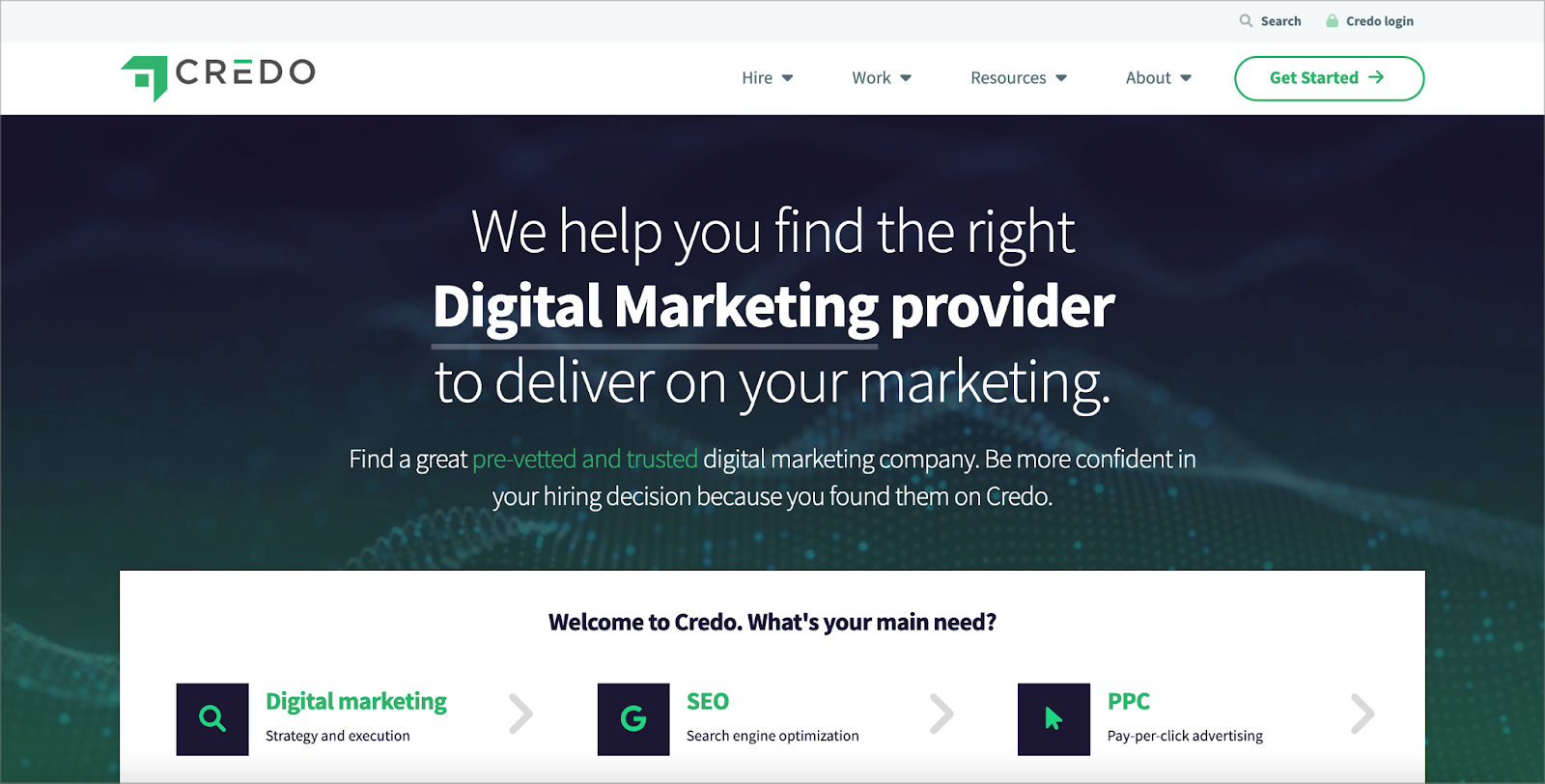
A real example: Credo, the agency-matching platform, was built on WordPress + Gravity Forms + GravityView by founder John Doherty — and scaled to $400,000/year in revenue without ever switching to a custom framework.
Approach 2 — Low-Code (Page Builders + Custom Fields)
Combine a visual page builder with custom data structures. You’re not developing plugins from scratch, but you’ll configure complex field relationships, set up custom templates, and connect data sources to front-end layouts. Some HTML and CSS knowledge helps, but PHP is not required.
Core tools: Elementor Pro or Bricks Builder (visual layout), Advanced Custom Fields Pro (structured data), JetEngine (dynamic content, query loops, listings), Pods (relational data).
Typical use cases: Client portals, real estate listings, product catalogs, multi-step onboarding flows, staff directories with filtering.
Skill level: Intermediate. Familiarity with WordPress theming concepts and willingness to learn query loops and custom post type relationships.
Realistic timeline: 1–2 weeks for a solid MVP; 3–4 weeks for a production-ready build.
Approach 3 — Developer Path (Custom Plugins + REST API)
WordPress as your back-end framework: you’re writing custom PHP plugins, registering custom post types and taxonomies in code, exposing custom REST API endpoints, and potentially using a JavaScript front-end (React, Vue, or vanilla JS) that communicates with WordPress via API calls.
Core tools: WordPress REST API (built-in), custom plugin development (PHP), jQuery or React for front-end interactivity, Application Passwords or JWT authentication for API access.
Authentication options:
- Application Passwords (built into WordPress since v5.6) — best for server-to-server integrations; straightforward to configure; no plugins required
- JWT (JSON Web Token) — best for stateless, distributed systems and mobile apps; tokens expire 1–24 hours with refresh mechanisms; requires a plugin
- OAuth 2.0 — most complex; best for enterprise or third-party integrations
Typical use cases: Custom SaaS applications, multi-tenant platforms, complex CRUD systems, apps requiring custom API endpoints beyond what plugins provide.
Skill level: Advanced. PHP knowledge is required; JavaScript helpful for front-end interactivity.
Realistic timeline: Several weeks to months depending on complexity.
Approach 4 — Headless/Decoupled WordPress
WordPress handles the back-end: content management, user data, and business logic. A completely separate front-end application (typically Next.js or Gatsby built on React) fetches data from WordPress via API and renders the UI. The two layers communicate through the REST API or, increasingly, via GraphQL using WPGraphQL.
WordPress REST API and headless development guide

Why WPGraphQL? The free WPGraphQL plugin (v2.10.0, 30,000+ active installs as of March 2026, and on track to become a canonical WordPress plugin) exposes WordPress data as a GraphQL API. Compared to the REST API, it eliminates over-fetching, supports nested queries in a single request, and reduces database queries by 60–80% through built-in dataloader batching.
Core tools: WPGraphQL (free, WordPress.org), Next.js or Gatsby (React-based front-end), Vercel or Netlify (front-end hosting), WordPress (back-end/CMS).
Typical use cases: High-performance web applications, JAMstack sites, publishing platforms that distribute content to multiple channels (web, mobile, email), apps where front-end performance is critical.
Skill level: Advanced. Requires React/Next.js proficiency plus WordPress API knowledge.
Realistic timeline: 2–6 weeks for initial setup; longer for complex builds.
Plugin and Tool Comparison
Picking the right tools upfront saves significant time later. Here’s a verified pricing comparison for the most-used WordPress web app tools as of March 2026:
| Tool | Category | Free Version | Premium (1 site/yr) | Best For |
|---|---|---|---|---|
| Gravity Forms | Form builder + data mgmt | ❌ | $59 (Basic) | CRUD apps, data collection, payment forms |
| GravityView | Front-end data display | ❌ | $149 | Directories, member portals, listings |
| ACF Pro | Custom fields | ✅ (limited) | $49 | Custom data structures, developer builds |
| Elementor Pro | Page builder | ✅ (limited) | $59 (Essential) | Visual UI building, dynamic templates |
| JetEngine | Dynamic content/listings | ❌ | $43 | Dynamic post types, query loops, listings |
| WPGraphQL | Headless GraphQL API | ✅ (fully free) | Free | Headless WordPress, Next.js integration |
| WooCommerce | E-commerce | ✅ (core free) | Free (extensions extra) | Product catalogs, subscription billing |
| SuperPWA | Progressive Web App | ✅ | ~$59/yr | PWA conversion, offline mode, home screen install |
Prices as of March 2026. Sources: Gravity Forms, ACF Pro, Elementor, JetEngine, WPGraphQL. Confirm current pricing before purchasing.
WordPress vs. Traditional Development Frameworks
Most developers have heard some version of “don’t use WordPress for real applications.” That argument made more sense a decade ago. Here’s an honest, current comparison:
| Factor | WordPress | React + Node.js | Django (Python) | Laravel (PHP) |
|---|---|---|---|---|
| Dev speed for MVP | ⚡ Fast (days to weeks) | Moderate (weeks) | Moderate (weeks) | Moderate (weeks) |
| Core platform cost | $0 (open source) | $0 (open source) | $0 (open source) | $0 (open source) |
| Hosting (entry level) | $14–35/mo | $20–100+/mo | $20–100+/mo | $15–80/mo |
| Built-in CMS | ✅ Full CMS included | ❌ Build or buy | ⚠️ Basic admin only | ❌ Build or buy |
| Plugin ecosystem | 60,000+ plugins | npm (massive) | pip packages | Composer packages |
| User management | ✅ Built-in roles + caps | ❌ Build from scratch | ✅ Built-in auth system | ⚠️ Partial (Laravel Breeze) |
| Scalability ceiling | Medium-High (with caching) | Very High | High | High |
| Learning curve | Low–Medium | Medium–High | Medium–High | Medium |
| Best for | MVPs, CMSs, SMBs, content apps | SPAs, real-time, complex UIs | Data-heavy, scientific apps | API-first, rapid backend dev |
The honest verdict: for content-driven web apps and MVPs where CMS functionality matters, WordPress has a legitimate speed and cost advantage. For real-time applications, highly complex data processing, or projects where the development team has zero WordPress experience, a purpose-built framework makes more sense.
Real-World WordPress Web Apps That Actually Work
Abstract arguments about platforms are less useful than actual evidence. These are verified examples of web applications running on WordPress:

- Credo — A SaaS platform that matches businesses with digital marketing agencies. Built by John Doherty using WordPress, Gravity Forms, and GravityView. Scaled to $400,000/year in annual revenue on this stack.
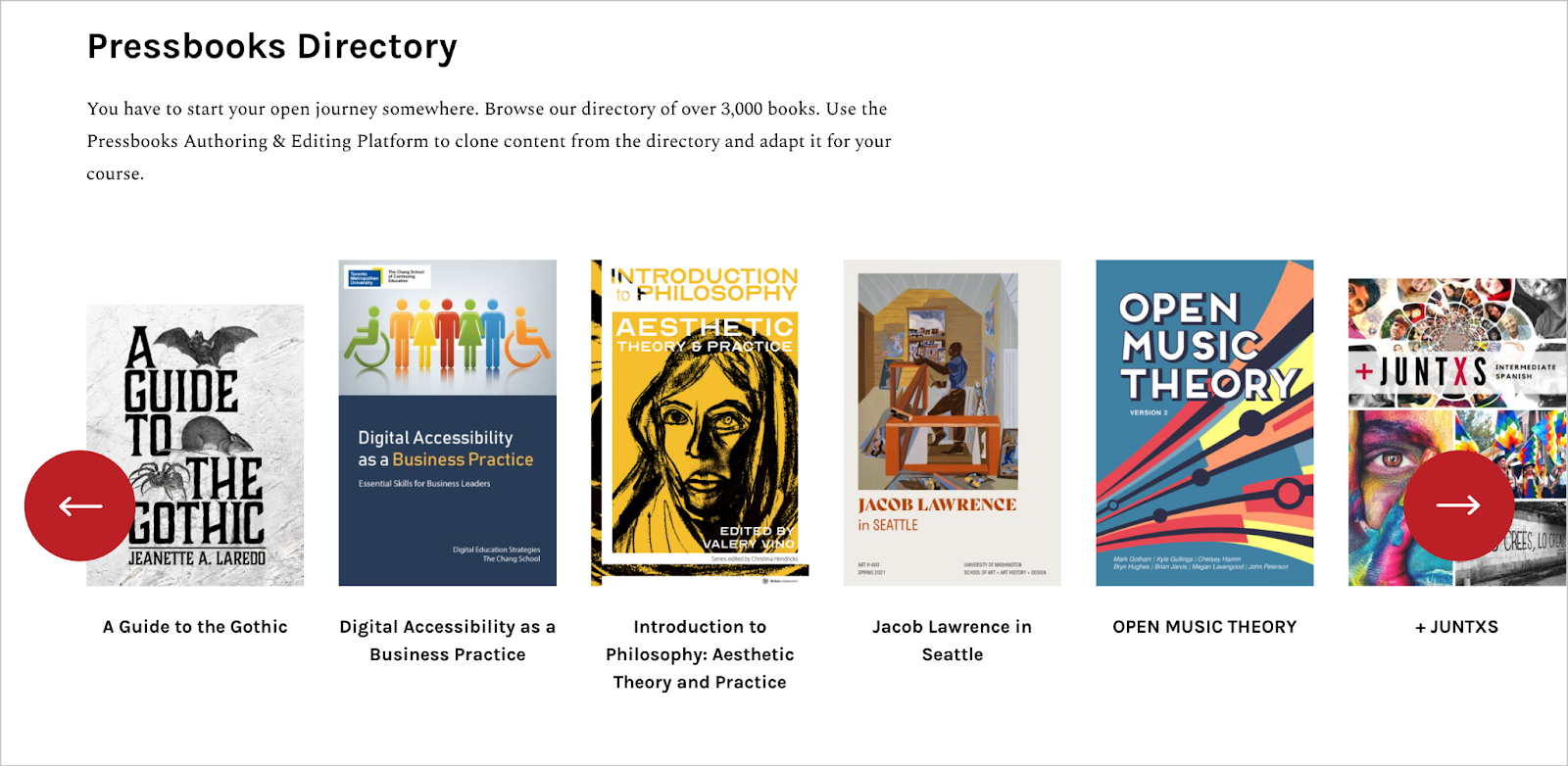
- Pressbooks — Educational publishing platform used by universities worldwide to create and distribute textbooks and course materials. Built on WordPress Multisite, with a hosted version and an open-source GitHub plugin.
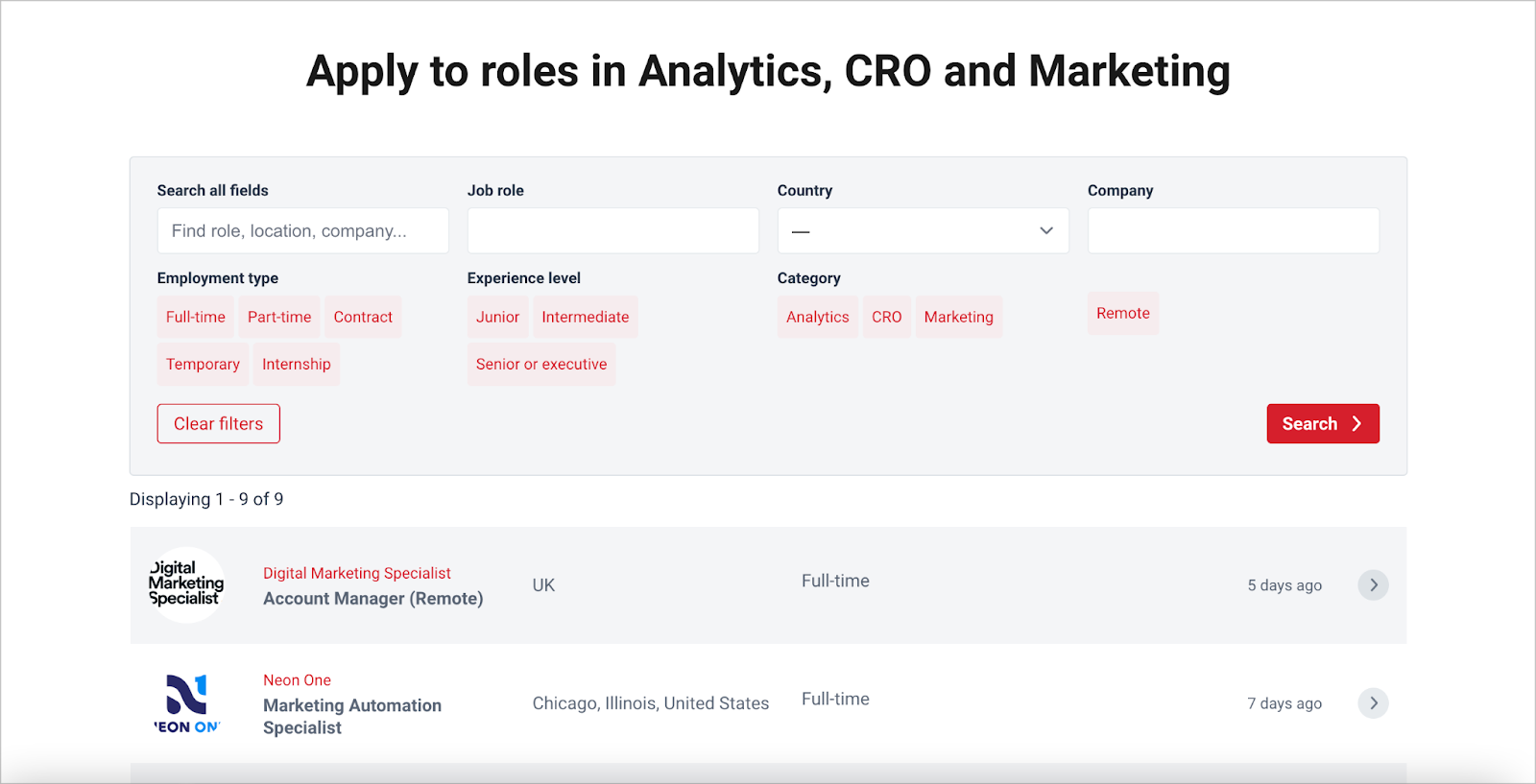
- CXL Jobs — Marketing industry job board on CXL.com, powered by WordPress + Gravity Forms + GravityView. Handles job postings, applications, and front-end filtering entirely through WordPress.
- StudyChurch — Community web app for church groups to collaborate on study materials, write lessons, manage members, and run discussions — all on a custom WordPress build.
- Pieroth Wine PIM — German wine company built a product information management system on WordPress with Gravity Forms and GravityView to manage wine catalogs across multiple international markets.
These aren’t toy projects. They’re production systems handling real business operations — which should settle the “but can WordPress handle real apps?” debate.
explore more WordPress case studies and tutorials
When NOT to Use WordPress for a Web App
WordPress advocates sometimes oversell the platform. Here are the honest cases where you should look elsewhere:
- Real-time applications — Chat apps, live collaborative document editing, live dashboards with sub-second updates. WordPress’s synchronous, request-response PHP architecture isn’t suited for this. Use Node.js with Socket.io or a purpose-built real-time platform.
- Heavy computational workloads — Machine learning inference, complex numerical modeling, scientific computing. PHP isn’t the tool for this; Python (Django/FastAPI) or Go are better choices.
- True native mobile apps — WordPress can power the back-end via REST API for a React Native or Flutter app, but WordPress itself is not a mobile app builder. If your primary deliverable is a native iOS/Android app, plan accordingly.
- Very complex relational data models — If your application requires 20+ interconnected entity types with complex many-to-many relationships and heavy JOIN queries, a purpose-built database framework (Django ORM, Laravel Eloquent, or a dedicated relational database tool) will handle the data layer more cleanly than WordPress’s post-meta pattern.
- Teams with no WordPress background — There’s a learning curve to WordPress’s plugin architecture, hook system, and template hierarchy. A team that lives in Next.js and Prisma will ship faster by staying in their stack.
Is a Web App with WordPress Right for Your Project?
Use this checklist before committing to any platform. The more boxes you check in the first group, the better WordPress fits your situation.
Strong indicators WordPress is a good fit:
- ☑ Your app needs a content management layer (articles, pages, media)
- ☑ User accounts and role-based access are required, but complex OAuth flows aren’t
- ☑ You need to launch in days or weeks, not months
- ☑ Your infrastructure budget is under $500/month
- ☑ Your team has WordPress experience or is comfortable learning it
- ☑ The app is data-entry or content-driven, not computation-heavy
- ☑ You’re building a MVP or PoC to validate an idea quickly
Indicators to consider alternatives:
- ⚠ The app requires real-time features (live chat, collaborative editing)
- ⚠ You need native iOS/Android performance (not just a mobile-friendly web app)
- ⚠ Your data model is highly complex with 15+ interconnected entity types
- ⚠ You need to handle 100,000+ concurrent users from launch (WordPress can scale, but it requires proper infrastructure — plan hosting costs accordingly)
- ⚠ Your development team has no WordPress experience and a tight deadline
Who typically uses WordPress for web apps:
| Profile | Best Approach | Reason |
|---|---|---|
| Solo founder / entrepreneur | No-code plugins | Speed to market, low cost, no dev required |
| Small business owner | No-code or low-code | Manageable complexity, affordable tooling |
| Freelance WordPress developer | Low-code or developer path | Faster delivery for clients using familiar tools |
| Agency building client apps | Developer path or headless | Custom requirements, performance, maintainability |
| Team with existing WordPress site | Any — extend what exists | Building on existing infrastructure reduces cost |
FAQ — Frequently Asked Questions About Web Apps with WordPress
- Can WordPress really be used as a web app framework?
- Yes. WordPress includes the core infrastructure most web apps need: a relational database (MySQL), a user management system with roles and permissions, a REST API, and a 60,000+ plugin ecosystem. It’s not a traditional application framework like Django or Laravel, but it provides the same building blocks. Real-world examples like Credo ($400k/year revenue) and Pressbooks (used by universities globally) demonstrate that production-grade web apps can be — and are — built on WordPress.
- What’s the difference between a WordPress website and a WordPress web app?
- A website primarily presents static or editorial content: pages, blog posts, images. A web app is task-focused and interactive — it lets users create accounts, submit data, manage records, and see personalized content. The underlying WordPress installation can be identical; the difference is what you build on top of it using plugins, custom code, or API integrations.
- Do I need coding skills to build a web app with WordPress?
- Not necessarily. The no-code approach (Gravity Forms, GravityView, WPForms, JetEngine) lets you build surprisingly capable applications entirely through WordPress admin dashboards without writing a single line of code. Page builders like Elementor Pro extend that further with visual design tools. Custom code becomes necessary only for the developer path (custom plugins, REST API endpoints) or headless architecture.
- Is WordPress secure enough for web apps?
- WordPress has a solid security track record for a platform its size. Core security vulnerabilities are patched promptly. The main risk factors are outdated plugins/themes, weak credentials, and cheap shared hosting rather than WordPress core itself. For web apps, use HTTPS, keep everything updated, choose reputable plugins with active maintenance, and pick a managed hosting provider that handles server-level security. Application Passwords (built-in since WordPress 5.6) and JWT plugins provide secure API authentication for headless and mobile app builds.
- What is headless WordPress and when should I use it?
- Headless WordPress means using WordPress purely as a back-end CMS and data API, while a separate front-end application (typically Next.js or Gatsby) fetches data and handles the presentation layer. The WPGraphQL plugin provides a GraphQL API for this purpose — it’s free, has 30,000+ active installs, and reduces database queries by 60–80% compared to the REST API. Consider headless when front-end performance is critical, when you need to distribute content to multiple channels (web, mobile, email), or when your development team prefers React-based frameworks.
- How much does it cost to build a web app with WordPress?
- It depends heavily on the approach. A no-code MVP using free or low-cost plugins can go live for under $500/year (hosting: $14–35/month on Cloudways or Kinsta’s starter plan; plugins: often free or under $200/year). A professionally built small business web app typically runs $1,000–$5,000 for year one including development. Enterprise builds with custom development and premium managed hosting can exceed $20,000/year. The open-source core (WordPress itself) is always free.
- What are Progressive Web Apps (PWAs) and can WordPress support them?
- A Progressive Web App is a website that behaves like a native mobile app: it can be installed on a user’s home screen, load fast, work offline via service workers, and send push notifications. WordPress supports PWA conversion through plugins like SuperPWA (~$59/year for premium) and PWA for WP & AMP. PWAs are particularly useful if you want mobile app-like experiences without publishing to the App Store or Google Play. Google’s PWA baseline requires HTTPS, responsive design, offline functionality, and fast loading — all achievable on a well-configured WordPress setup.
- Can I migrate a WordPress web app to a different platform later?
- Yes, with varying levels of effort depending on your architecture. If you used the headless/decoupled approach, your front-end is already decoupled from WordPress and could be pointed at a different back-end API with relatively contained changes. If your app is tightly integrated with WordPress plugins (no-code or low-code builds), migration requires rebuilding the data layer and workflows on the new platform. Either way, your content and data can be exported via WordPress’s built-in export tools or via the REST API. Choosing a headless approach from the start makes future migration significantly easier.
Conclusion
WordPress is a legitimate web application platform — not just a blogging tool people use out of habit. Over 43% of the web runs on it, including a meaningful share of applications that go well beyond content display: booking systems, member directories, SaaS prototypes, and publishing platforms that run in production for real businesses.
The key is matching the approach to your actual requirements. No-code plugin stacks (Gravity Forms, GravityView, JetEngine) handle most small-to-medium app needs without any custom development. Page builders combined with custom field plugins cover more complex UI requirements at an intermediate skill level. The developer path and headless architecture open the door to highly custom, high-performance applications when you need full control.
Start with the simplest approach that meets your project’s requirements. You can always layer in complexity — add a REST API integration, migrate to headless, or introduce custom plugins — as your needs grow. The worst outcome is over-engineering a system that needed a few well-chosen plugins to get the job done.
