



Every time you rename a page, restructure your URLs, or delete old content, you create a potential dead end. Without a redirect in place, visitors — and search engine crawlers — land on a 404 error page instead of your actual content. That wasted visit costs you ranking signals, frustrates real users, and burns crawl budget Google could spend indexing pages that actually exist.
WordPress does not handle redirects automatically. Rename a post slug and the old URL simply breaks. Move a product to a different category and every link pointing to the old address stops working. A dedicated redirect plugin closes that gap — and the best WordPress plugins for this job range from completely free tools with advanced features to premium SEO suites that automate the whole process.
This comparison covers ten plugins in depth: their feature sets, verified 2026 pricing, real active install counts, and exactly which type of site each one suits best. No affiliate links, no sponsored placements — just a direct assessment of what each plugin does well and where it falls short.

- Best overall free plugin: Redirection by John Godley
- Best free SEO + redirect combo: Rank Math
- Best for existing Yoast users: Yoast SEO Premium
- Best for login-based redirects: LoginWP
- Best for affiliate link management: Pretty Links
- Best for developers: Safe Redirect Manager
What WordPress Redirect Plugins Actually Do (and Why You Need One)
When Broken Links Hurt More Than You Think
A 404 error is not just an inconvenience. When a page that once earned backlinks — from other websites, social shares, or internal links — is deleted or moved without a redirect, all the ranking authority those links carried evaporates. Search engines interpret a 404 as a dead end, eventually dropping the URL from their index. Repeat that across dozens of renamed posts or a site migration and the cumulative SEO cost is real.
Crawl budget compounds the problem. On larger sites, Googlebot has a limited number of URLs it will crawl per day. Spending that budget on 404 errors means fewer of your live, indexed pages get checked. Fixing broken links by learning to fix 404 errors in WordPress is one of the highest-return technical SEO tasks available to site owners.
The Difference Between 301, 302, and 307 Redirects
Most redirect plugins support multiple HTTP redirect types. Choosing the right one matters for both SEO and technical correctness.
- 301 (Permanent Redirect): Tells search engines the move is permanent. The destination URL inherits approximately 95% of the original page’s link equity. Use this for any content that has genuinely moved to a new address.
- 302 (Temporary Redirect): Signals that the original URL is still the canonical address. Search engines do not transfer link equity. Use this for temporary promotions or maintenance pages where the original URL will return.
- 307 (Temporary Redirect): Similar to 302 but strictly preserves the HTTP method of the original request (important for POST requests in web applications). Rarely needed for standard WordPress use.
- 308 (Permanent Redirect): The permanent equivalent of 307 — preserves HTTP method. Used by developers building specific application flows, not typical content sites.
For the vast majority of WordPress sites, you will use 301 for permanent moves and 302 for short-term situations. Understanding the distinction is foundational to any WordPress SEO strategy.
How We Evaluated These Plugins
Ten plugins were assessed against six criteria:
- Ease of use: Can a non-developer set up a redirect in under two minutes?
- Feature depth: Does the plugin handle 404 monitoring, conditional redirects, regex patterns, and import/export?
- Performance impact: Does the plugin process redirects in PHP (slight overhead) or at the server level via
.htaccess? - Pricing transparency: Are renewal prices clearly disclosed? Is there a meaningful free tier?
- Support quality: Is the plugin actively maintained? Are support threads answered promptly?
- SEO impact: Does the plugin correctly implement redirect types? Does it auto-redirect on slug changes?
Active install counts and review scores from the WordPress.org plugin repository were used as secondary signals, not primary ranking factors. A plugin with 200K installs and strong maintenance is often more trustworthy than one with 2M installs that hasn’t been updated in two years.
The Best Standalone Redirect Plugins
These plugins exist solely to manage redirects. They add no SEO features, no keyword tools, no sitemap generation. If you already have an SEO plugin and simply need reliable redirect management, one of these four is the right choice.
Redirection by John Godley – The Gold Standard (Free)
Redirection is the most installed dedicated redirect plugin in the WordPress ecosystem, with over 2 million active installations and a 4.4-star rating based on 689 reviews (as of March 2026). It has been maintained by John Godley for over a decade, with version 5.7.5 released in March 2026. There is no paid version — every feature is free.

The feature set covers everything most sites will ever need: 404 error logging, conditional redirects (you can fire rules based on referrer, login status, user agent, or IP address), full regex support, CSV import/export, and auto-redirect when you change a post’s slug. It can write rules to .htaccess for Apache servers, which moves redirect processing out of PHP and reduces server overhead.
The one genuine limitation is that there is no premium version. Advanced users who want dedicated support or additional enterprise features have nowhere to upgrade within the Redirection ecosystem. For most sites, this is never an issue — the free feature set is comprehensive.
Price: Free (no premium tier)
Best for: Any WordPress site that needs a standalone, full-featured redirect manager without paying anything.
Safe Redirect Manager – Built for Developers (Free)
Safe Redirect Manager takes a fundamentally different architectural approach. Rather than storing redirects in a custom database table, each redirect entry is a custom post type (CPT). This makes redirect entries version-controllable, queryable via standard WordPress APIs, and auditable — exactly what developers and agencies need when managing redirects across multiple environments.

The plugin is maintained by 10up, one of the most respected WordPress development agencies, and has over 100,000 active installations. It supports wildcard and regex patterns, and all processing happens at the WordPress level. What it deliberately lacks: 404 monitoring, conditional redirect logic, and an import/export interface. This is intentional minimalism, not an oversight.
For a non-developer managing a content site who needs to see what’s breaking and why, Safe Redirect Manager will feel underpowered. For a developer deploying a site via version control who wants redirects to live in a predictable, structured format, it’s the cleanest option available.
Price: Free
Best for: Developers, agencies, and teams managing redirects as part of a version-controlled deployment workflow.
Simple 301 Redirects – No-Frills Basics (Free)
Simple 301 Redirects does exactly what its name suggests. You enter an old URL, enter a new URL, and the redirect is live. It supports basic wildcard patterns using an asterisk (*) and allows import/export via the WordPress settings page. There is no 404 monitoring, no conditional redirect logic, and no analytics dashboard.
With over 200,000 active installations, it’s a reliable tool for sites that need to manage a handful of straightforward redirects and don’t want any additional interface complexity. If you have more than 50–100 redirects to manage, or if you need to diagnose what’s generating 404 errors on your site, you’ll outgrow it quickly.
Price: Free
Best for: Small sites with a limited number of simple URL-to-URL redirects and no need for monitoring or diagnostics.
Quick Page/Post Redirect – Works in the Block Editor (Free)
Quick Page/Post Redirect solves a specific workflow problem: setting a redirect while editing a page, without navigating to a separate admin screen. The plugin adds a redirect panel directly to the block editor sidebar. While editing any post or page, you can enter a destination URL and redirect type right there.
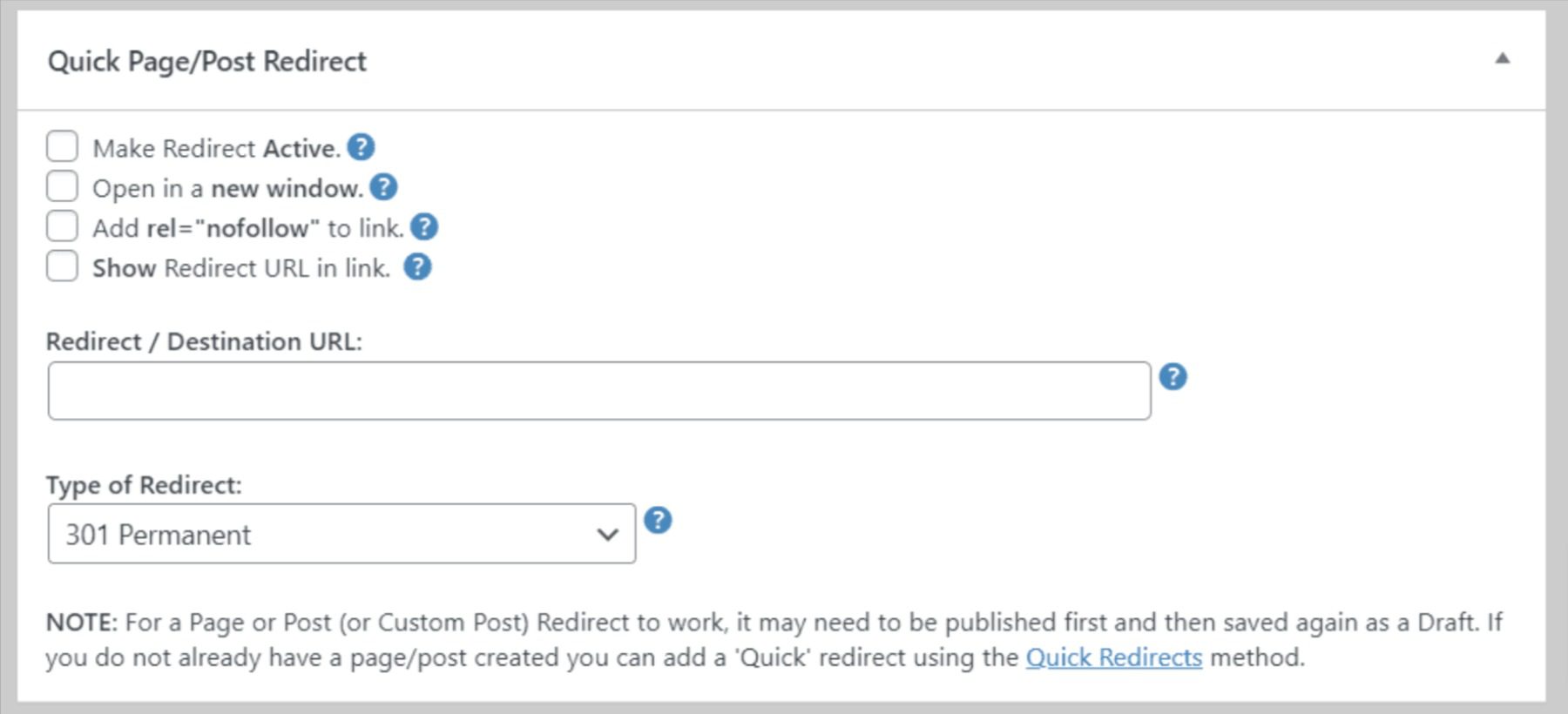
The tradeoff is that it lacks a centralized management interface. There’s no master list of all your redirects, no 404 monitoring, and no import/export. Over 200,000 sites use it. For content editors who want to set up a redirect on a page they’re already editing without switching screens, it’s a genuinely convenient option.
Price: Free
Best for: Content editors who prefer handling redirects from within the block editor while working on individual posts or pages.
SEO Plugins With Built-In Redirect Management
Running a dedicated redirect plugin alongside a full SEO plugin is the most common WordPress configuration — but it’s not always necessary. The three major SEO plugins each include redirect management at some tier, and for sites already invested in one of these ecosystems, using the built-in redirect manager avoids plugin conflicts and simplifies the toolset. For a broader comparison of SEO options, see the best WordPress SEO plugins guide.
Rank Math – Best Free SEO+Redirect Combo
Rank Math is the only major SEO plugin that includes a full redirect manager — complete with 404 monitoring, conditional redirects, regex support, import/export, and auto-redirect on slug change — in its free version. That’s a significant differentiator. Most competitors either lock redirect features behind a paid plan or offer only basic redirect functionality for free.
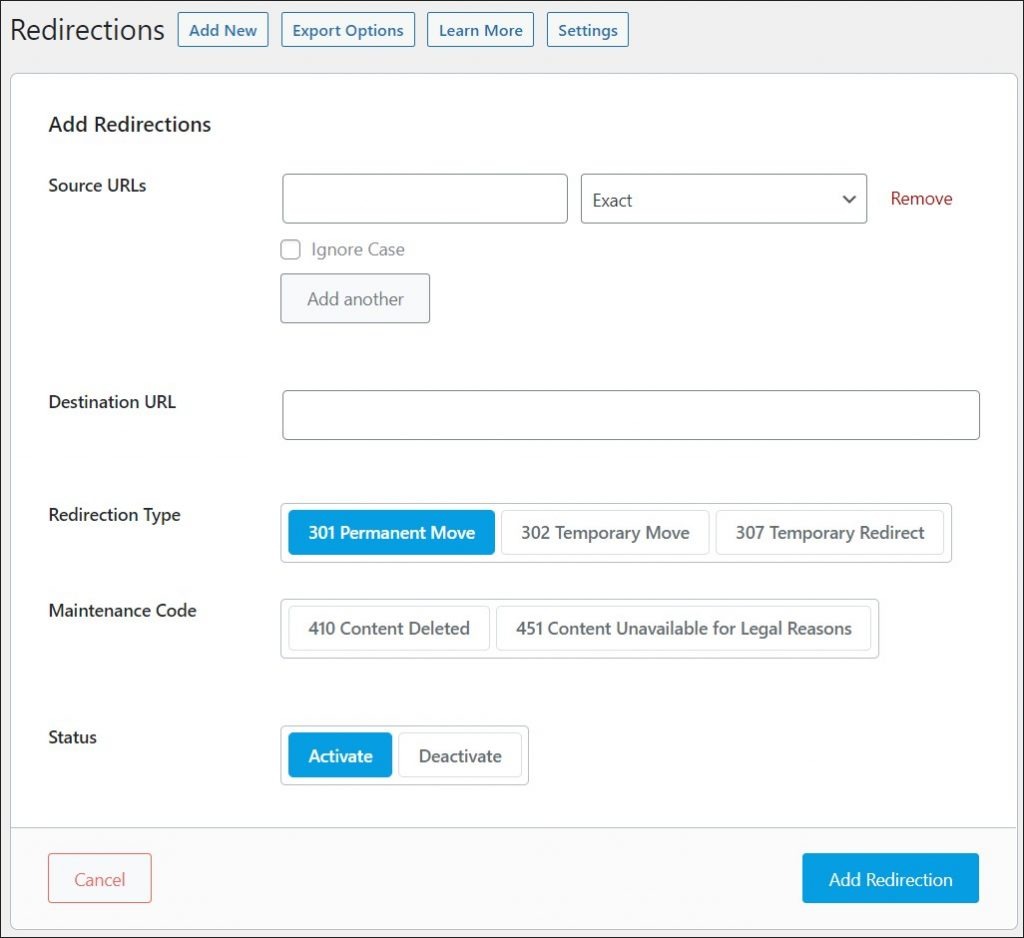
With over 2 million active installations, Rank Math has grown from a challenger to one of the two most-installed SEO plugins in the WordPress ecosystem. The redirect module handles 301, 302, 307, 308, 410 (Gone), and 451 (Unavailable for Legal Reasons) redirect types. It automatically suggests a redirect when you modify a post slug, catching the most common source of broken links without any manual intervention.
The Pro version starts at $59/year introductory pricing and renews at $107.88/year. It adds advanced schema markup, Google Analytics integration, rank tracking, and other SEO features — but for redirects specifically, the free tier is complete.
Price: Free / $59 first year, renews at $107.88/year (Pro)
Best for: Sites that want one plugin handling both SEO and redirects without paying anything extra.
All in One SEO (AIOSEO) – Premium Automation
All in One SEO has over 3 million active installations and a long history as one of the original WordPress SEO plugins. Its redirect manager is a capable tool — but it requires the Pro plan ($199.60/year) to access. The Basic plan ($49.60/year) does not include redirect management or 404 error tracking.
For sites already on AIOSEO Pro, the redirect module makes sense: it includes 404 monitoring, conditional redirects, regex support, import/export, and automatic redirect suggestions when post URLs change. The Smart Redirect feature is particularly useful — it detects URL changes across site migrations and automatically creates the necessary rules.
For sites that don’t already need AIOSEO Pro for other reasons, paying $199.60/year specifically to access the redirect manager is hard to justify when Rank Math’s free tier covers the same ground.
Price: Free (basic SEO only) / Pro from $199.60/year (includes redirect manager)
Best for: Sites already on AIOSEO Pro that want a unified SEO and redirect management workflow.
Yoast SEO Premium – For Existing Yoast Users
Yoast SEO is the most installed WordPress SEO plugin with over 5 million active installations for the free version. But the redirect manager is strictly a premium feature — it is not available in the free version at all. Yoast SEO Premium costs $99/year per site.

When you do have Yoast Premium, the redirect experience is smooth. The plugin automatically detects slug changes and prompts you to create a redirect immediately. It supports 301, 302, 307, 308, and 410 types, and handles import/export from other redirect plugins including the Redirection plugin. Regex support is also included at the premium tier.
The practical implication: if you’re currently using the free Yoast plugin and need redirect management, you have two choices — upgrade to Yoast Premium ($99/year) or add a free standalone plugin like Redirection. For most sites, adding Redirection for free is the more economical path unless you already have other reasons to upgrade to Yoast Premium.
Price: $99/year per site (Premium; free version excludes redirects)
Best for: Sites already paying for Yoast SEO Premium — no need to install a second redirect plugin.
Specialty Redirect Plugins Worth Knowing
Three plugins serve redirect use cases that fall outside the standard “old URL → new URL” scenario. If your site involves user authentication, affiliate links, or a need for memorable branded links, these tools are worth evaluating.
LoginWP – Redirects Based on Login Status
LoginWP (formerly Peter’s Login Redirect) handles a fundamentally different type of redirect: where to send a user after they log in, log out, register, or reset their password. You can set different destination URLs based on user role (administrator, editor, subscriber), specific user capability, or an individual user account.
The free version on WordPress.org is limited. The Pro version (Standard plan: $49/year for one site; Agency: $99/year for unlimited sites) unlocks advanced conditions, custom placeholder variables, and integrations with membership plugins. The plugin has over 100,000 active installations.
Price: Free (limited) / $49/year Standard / $99/year Agency
Best for: Membership sites, subscription platforms, and any multi-role site where different user types need different post-login destinations.
Pretty Links – Affiliate and Link Cloaking
Pretty Links occupies a different niche entirely. Its primary purpose is link shortening, link cloaking (masking affiliate URLs behind clean branded links), and link tracking. It creates custom short URLs on your own domain (e.g., yoursite.com/go/product-name) that redirect to any destination.
With over 300,000 active installations and a version (3.6.20) released in January 2026, it’s actively maintained. The free version handles basic 301 and 302 redirects with click tracking. The Pro version (Beginner: $99.50/year for one site) adds cloaked redirects, JavaScript redirects, meta-refresh redirects, geographic redirects, and product display features for affiliate marketers.
Pretty Links is not the right tool for managing broken URLs or site migrations. It’s built for link marketing — creating clean, trackable, memorable links for affiliate programs, podcast show notes, and email campaigns.
Price: Free (limited) / $99.50/year Beginner (1 site)
Best for: Affiliate marketers, content creators, and anyone who needs branded, trackable short links on their own domain.
301 Redirects by WP 301 Redirects – Simple and Reliable
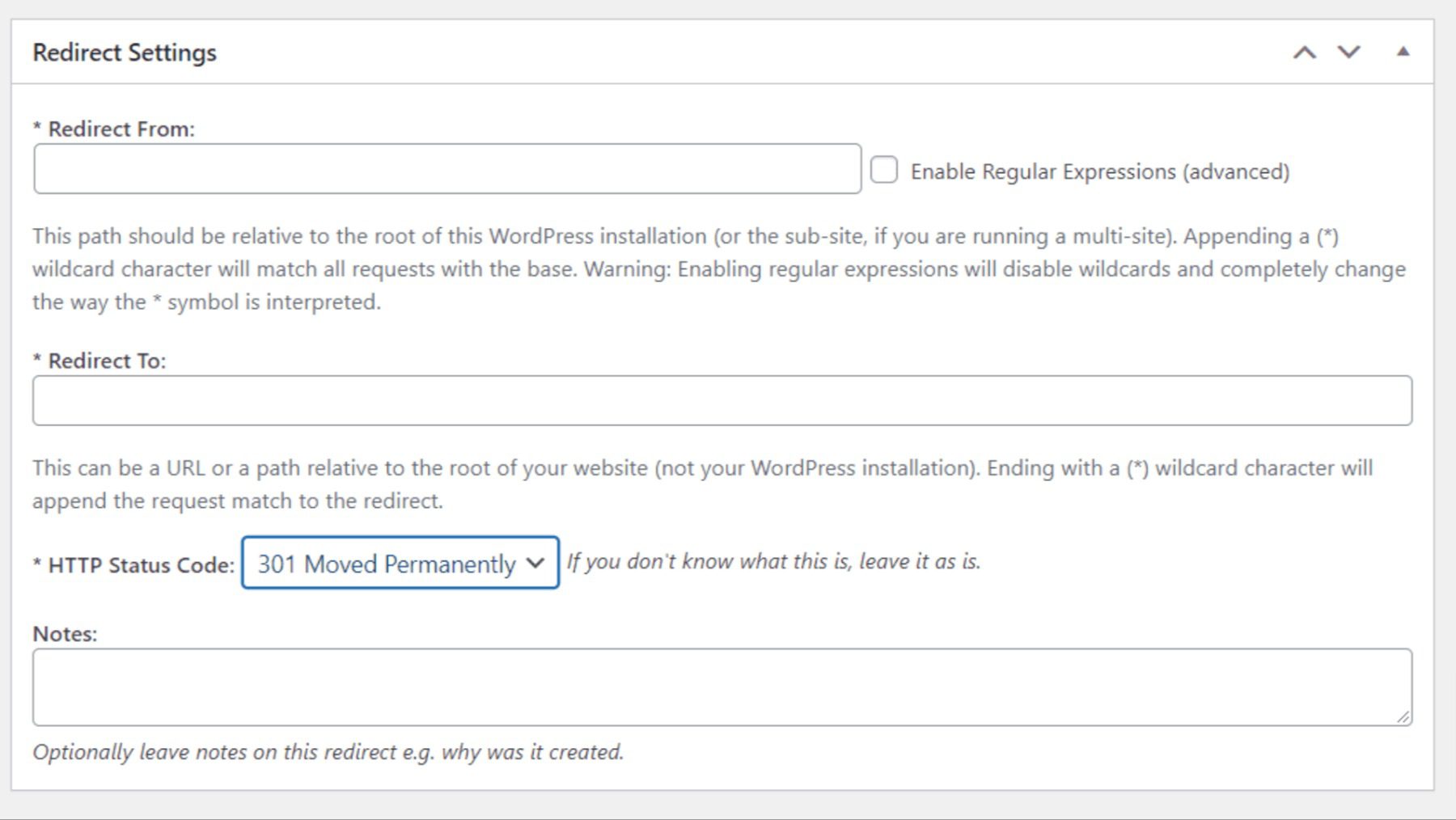
WP 301 Redirects sits between Simple 301 Redirects and Redirection in terms of feature depth. The free version handles standard redirects, logs 404 errors (up to 50 in the free tier), and supports import/export. The interface is clean and non-technical — dropdown menus let you target posts, pages, or product URLs as destinations rather than requiring you to type full paths.

With over 200,000 active installations and 575 reviews, it’s a well-established choice. The Pro version ($49+/year) adds regex/wildcard support, unlimited 404 logging, and priority support. For non-technical users who want a cleaner interface than Redirection’s more developer-oriented UI, WP 301 Redirects is a reasonable alternative.
Price: Free / $49+/year Pro (adds regex, unlimited 404 logs)
Best for: Non-technical users who prefer dropdown-based redirect configuration over manual URL entry.
Side-by-Side Feature Comparison
The table below compares all ten plugins across the features most relevant to purchasing decisions. Pricing reflects 2026 verified data; “free version” indicates a meaningful no-cost tier is available. For more context on how these integrate with broader SEO strategies, the best WordPress SEO plugins comparison covers feature overlap in detail.
| Plugin | Price | Free Version | Active Installs | 404 Monitoring | Conditional Redirects | Wildcard / Regex | Import / Export | Auto-Redirects on Slug Change |
|---|---|---|---|---|---|---|---|---|
| Redirection | Free | ✅ | 2M+ | ✅ | ✅ | ✅ | ✅ | ✅ |
| Rank Math | Free / $59 intro, $107.88/yr renew | ✅ | 2M+ | ✅ | ✅ | ✅ | ✅ | ✅ |
| AIOSEO | Free / $49.60+/yr (redirects: $199.60/yr Pro) | ✅ (basic SEO only) | 3M+ | ✅ (Pro) | ✅ (Pro) | ✅ (Pro) | ✅ (Pro) | ✅ (Pro) |
| Yoast SEO | Free / $99/yr Premium | ✅ (no redirects) | 5M+ | ❌ (free) / ✅ (Premium) | ❌ | ✅ (Premium) | ✅ (Premium) | ✅ (Premium) |
| Safe Redirect Manager | Free | ✅ | 100K+ | ❌ | ❌ | ✅ | ❌ | ❌ |
| WP 301 Redirects | Free / $49+/yr Pro | ✅ | 200K+ | ✅ (50-entry limit free) | ❌ (free) | ❌ (free) / ✅ (Pro) | ✅ | ❌ |
| Simple 301 Redirects | Free | ✅ | 200K+ | ❌ | ❌ | ✅ (basic) | ✅ | ❌ |
| Quick Page/Post Redirect | Free | ✅ | 200K+ | ❌ | ❌ | ❌ | ❌ | ❌ |
| LoginWP | Free (limited) / $49/yr Standard | ✅ (limited) | 100K+ | ❌ | ✅ | ❌ | ❌ | ✅ (post-login) |
| Pretty Links | Free (limited) / $99.50/yr Beginner | ✅ (limited) | 300K+ | ❌ | ❌ | ❌ | ✅ | ❌ |
Which Plugin Fits Your Situation?
The right plugin depends less on feature counts and more on your site type, existing tool stack, and how technically comfortable you are with redirect management. For sites running WooCommerce, the WooCommerce SEO guide covers URL management in the context of product catalogs and category structures.
| Situation | Recommended Plugin | Reason |
|---|---|---|
| Blog or content site, no existing SEO plugin | Redirection | Free, full-featured, handles everything a content site needs |
| Blog or content site, want SEO + redirects in one | Rank Math (free) | Full redirect manager included in the free SEO plugin |
| Small business site | Rank Math or Redirection | Both handle slug changes and 404 monitoring; choose based on whether you need SEO features too |
| WooCommerce store | Rank Math or AIOSEO Pro | Auto-redirect on product URL changes prevents broken product links after catalog restructuring |
| Developer or agency | Safe Redirect Manager or Redirection with regex | Safe Redirect Manager’s CPT structure is auditable; Redirection handles complex conditional rules |
| Membership or subscription site | LoginWP | Role-based post-login redirects are its core function |
| Affiliate marketer or content creator | Pretty Links | Branded cloaked links with click tracking are its core function |
| Already using Yoast SEO Premium | Yoast SEO Premium (built-in) | No additional plugin needed; redirect manager is included |
| Non-technical user wanting a clean UI | WP 301 Redirects | Dropdown-based destination selection requires no manual URL entry |
| Minimal site, just a few redirects needed | Simple 301 Redirects | Zero interface complexity; handles basic use cases without overhead |
Common Redirect Mistakes and How to Avoid Them
Redirect plugins reduce errors when used correctly — but they also make it easy to create new problems if you don’t understand a few common failure modes. Understanding the WordPress .htaccess file and how server-level redirects interact with plugin-managed redirects is valuable context before configuring rules at scale.
Redirect Chains
A redirect chain occurs when a URL redirects to an intermediate URL before reaching the final destination — for example, URL A redirects to URL B, which redirects to URL C. Each hop adds an additional HTTP round-trip, increasing page load time. More importantly, search engines have historically applied a small link equity discount at each redirect hop. The fix is simple: update the original redirect to point directly to the final destination, bypassing the intermediate URL entirely.
Most redirect plugins don’t automatically detect chains. Run a periodic audit using a tool like Screaming Frog or Redirect Checker to identify multi-hop chains and collapse them.
Redirect Loops
A redirect loop happens when URL A redirects to URL B, and URL B redirects back to URL A — or any circular path of any length. The browser returns an ERR_TOO_MANY_REDIRECTS error and the page never loads. Loops are most commonly caused by conflicting rules: one redirect rule in a plugin and a contradictory rule in .htaccess, or two redirect plugins with overlapping rules.
If you encounter a loop, temporarily disable all redirect plugins and test the URL. Then re-enable them one at a time to identify the conflict.
Running Two Redirect Plugins Simultaneously
This is one of the most overlooked sources of conflict. Running Redirection alongside Rank Math’s redirect manager, or any two plugins that both process redirects, creates the potential for competing rules and loops. Unless you have a specific reason to run both (for example, using Redirection for its conditional logic while using Rank Math’s auto-redirect for slug changes), choose one and disable the redirect module in the other.
Over-Redirecting Minor URL Variations
Creating redirects for every possible URL variant — trailing slash vs. no slash, www vs. non-www, http vs. https — using a plugin is unnecessary overhead when these are handled better at the server level or in WordPress core settings. Use your redirect plugin for content-level URL changes. Handle protocol and canonical domain redirects in your server configuration or via your hosting panel.
Frequently Asked Questions
What is the best free WordPress redirect plugin?
Redirection by John Godley is the most feature-complete free option. It includes 404 monitoring, conditional redirects, regex support, import/export, and auto-redirect on slug change — all at no cost, with no premium version upselling you on features. Rank Math is the best free option if you also want a full SEO plugin bundled with redirect management.
Do I need a redirect plugin if I already have Yoast SEO?
It depends on which version you have. The free version of Yoast SEO does not include a redirect manager. You either need to add a standalone plugin like Redirection, or upgrade to Yoast SEO Premium ($99/year per site) to access the built-in redirect functionality. If you’re using Yoast SEO Premium, the built-in redirect manager is sufficient and you do not need a second plugin.
What is the difference between a 301 and 302 redirect?
A 301 redirect is permanent. It tells search engines that the original URL has moved for good, and transfers approximately 95% of the original page’s link equity to the new destination. A 302 redirect is temporary. Search engines keep the original URL in their index and do not transfer link equity. Use 301 for any content that has genuinely moved to a new permanent address. Use 302 only when you intend the original URL to return, such as during a short-term A/B test or a temporary promotional landing page.
Will using a redirect plugin slow down my WordPress site?
PHP-based redirect plugins add a small amount of processing overhead because WordPress must boot before the redirect fires. The performance impact is minimal for most sites. For high-traffic sites with hundreds of redirects, using a plugin that writes rules to .htaccess (like Redirection on Apache servers) moves processing to the server level, bypassing PHP entirely and reducing load time. On Nginx servers, server-level redirect rules require manual configuration or a server management panel — most plugins cannot write to Nginx config files directly.
How do I redirect an old URL to a new one in WordPress?
Install the Redirection plugin, navigate to Tools → Redirection in your WordPress admin, and click Add New. Enter the source URL (the old address), the target URL (the new address), and select 301 as the redirect type. Save the rule. The redirect is active immediately. Redirection also handles import/export if you’re migrating a large number of rules from another system.
Can I import redirects from another plugin or a CSV file?
Several plugins support import/export: Redirection, Rank Math, AIOSEO Pro, Yoast SEO Premium, Simple 301 Redirects, and WP 301 Redirects all offer this functionality. Redirection supports import from CSV, Apache .htaccess files, and several other redirect plugins. Rank Math can import from Redirection, Yoast, AIOSEO, and CSV. If you’re migrating between plugins, check whether your target plugin supports direct import from your current one — it often does.
What causes a redirect loop in WordPress?
Redirect loops most commonly occur when two redirect rules contradict each other. This can happen when a plugin rule and an .htaccess rule point in opposite directions, when two redirect plugins are both active with conflicting rules, or when a redirect rule points back to the same URL through a chain. To diagnose: disable all redirect plugins, test the URL, then re-enable plugins one at a time to find the conflict.
Does Rank Math’s free version include a redirect manager?
Yes. Rank Math’s free version includes a full redirect manager with 404 monitoring, conditional redirects, regex support, import/export, and automatic redirect suggestions when post slugs change. This is one of the most compelling features of the free tier — it matches or exceeds the redirect functionality of plugins that charge for the same features. You do not need to upgrade to Rank Math Pro to use the redirect manager.
Is there a WordPress redirect plugin that works well with WooCommerce?
Rank Math and AIOSEO Pro both handle WooCommerce-specific URL changes well. Rank Math’s free tier includes auto-redirect on slug change, which applies to WooCommerce products and categories as well as standard posts and pages. AIOSEO Pro’s Smart Redirect feature is designed with e-commerce catalog restructuring in mind. For most WooCommerce stores, Rank Math’s free version is sufficient unless you’re already using AIOSEO for its other WooCommerce SEO features.
What happens to my redirects if I deactivate the plugin?
Deactivating a redirect plugin disables all redirects managed by that plugin. Your redirect rules remain stored in the database (they are not deleted on deactivation), but they stop firing until the plugin is reactivated. If you delete the plugin rather than just deactivating it, most plugins will remove their database tables on uninstall, deleting your redirect rules permanently. Before switching redirect plugins, export your redirect rules as a CSV backup.
Final Thoughts
For most WordPress sites, the choice comes down to two scenarios. If you want a standalone, dedicated redirect manager with no other functions, Redirection by John Godley is the answer — it’s completely free, handles everything from basic 301s to complex conditional rules, and has 2 million sites worth of real-world testing behind it. If you want redirect management bundled with a full SEO toolkit, Rank Math’s free tier delivers both without additional cost.
The paid options — Yoast SEO Premium, AIOSEO Pro, Rank Math Pro — make sense when you’re already paying for those platforms and want to consolidate tools rather than run a separate redirect plugin. LoginWP and Pretty Links are purpose-built for specific use cases (login flows and affiliate links, respectively) and are not substitutes for a general-purpose redirect manager.
Safe Redirect Manager is the best choice for developers and agencies who want clean, auditable redirect storage in a version-controlled environment. Simple 301 Redirects and Quick Page/Post Redirect serve minimal use cases where simplicity and low overhead are more important than feature depth.
The one thing to avoid regardless of which plugin you choose: running more than one redirect plugin simultaneously. Pick one, configure it well, and export a backup of your rules periodically. That’s the entire maintenance burden.
