



Picking a gallery plugin feels straightforward until you realize just how many options exist — and how different they are from each other. Some are built for photographers who sell prints online. Others are lightweight tools that simply clean up what the default WordPress gallery block already does. And a few land somewhere in the middle, offering a solid drag-and-drop builder without the complexity that drives beginners away.
This guide cuts through the noise. We’ve looked at nine of the most-used WordPress photo gallery plugins in 2026 — tested by the community, verified by active install counts, and compared on pricing that’s accurate as of March 2026. The goal isn’t to pick a winner, but to help you figure out which plugin fits what you actually need.

More WordPress plugin guides on wplasma.com
Quick Summary: Best WordPress Photo Gallery Plugins at a Glance
If you’re short on time, here’s the bottom line before we get into the details.
- Best overall: Envira Gallery — fast, beginner-friendly, versatile
- Best for photographers: NextGEN Gallery — print sales, client proofing, Lightroom sync
- Best free option: FooGallery — generous free tier, lightweight, 7 built-in layouts
- Best for custom layouts: Modula Gallery — resize individual images within the grid
- Best generous free tier: Photo Gallery by 10Web — video support, watermarking, mosaic — all free
- Best lightweight option: Meow Gallery — extends the native Gutenberg block with zero bloat
- Best modular option: Responsive Lightbox & Gallery — buy only the extensions you actually need
| Your Situation | Best Match |
|---|---|
| Need a fast, all-around gallery for any site type | Envira Gallery |
| Photographer who wants to sell prints online | NextGEN Gallery |
| Budget is zero — need a capable free solution | FooGallery or Meow Gallery |
| Portfolio with creative, custom-sized grid | Modula Gallery |
| WooCommerce product gallery | Envira Gallery or Modula |
| Simple blog with minimal plugin footprint | Meow Gallery or FooGallery |
| Video + photo galleries included free | Photo Gallery by 10Web |
Why the Default WordPress Gallery Block Isn’t Always Enough
WordPress ships with a native gallery block built into the editor, and for simple situations — a few same-size photos arranged in a basic grid — it genuinely works fine. You don’t always need a plugin.
That said, the native block has hard limits. There’s no lightbox — clicking an image either opens a new tab or does nothing. Hover effects aren’t available. Layouts are limited to a basic grid with no masonry, no justified view, no tiled or mosaic option. Image sorting, filtering, and album organization aren’t there either.
Gallery plugins solve exactly these problems. They add the lightbox functionality, give you control over layout styles, let you set hover animations, and in most cases handle lazy loading automatically — which means your galleries don’t tank page load speed as they scale.
There’s one situation where the native block is the smarter choice: if you’re already using a page builder like Elementor, Divi, or Beaver Builder, check what gallery functionality that builder already includes. You may not need a separate plugin at all. We’ll cover this more in the buying criteria section below.
Browse all WordPress plugin comparisons on wplasma.com
The 7 Best WordPress Photo Gallery Plugins Reviewed

1. Envira Gallery — Best All-Around Option
Envira Gallery is the most widely recommended all-around gallery plugin right now, and for good reason. It combines a drag-and-drop builder with a clean interface that beginners can actually figure out — usually within a few minutes of installing it. The plugin is trusted by over 150,000 websites according to its official site, and holds a 4.7/5 rating on WordPress.org based on more than 1,500 user reviews.

The free lite version (available on WordPress.org) covers the basics well: responsive layouts, lightbox, masonry and grid views, album support, and a Gutenberg block. For most personal blogs and small business sites, this is enough to get started.
Where Envira really shines is in the paid plans. The Basic plan ($39.50/year as of March 2026) unlocks lazy loading, image protection, slideshows, and captions. Higher tiers add video galleries, audio, watermarking, scheduled galleries, password protection, and WooCommerce integration. Social sharing comes baked in across most plans.
Free version reality check: The lite version is functional but deliberately limited. You won’t have lazy loading or advanced layouts without upgrading. If those matter for your site, plan for the paid version from the start.
- Pros: Fast loading, easiest setup of any plugin here, WooCommerce integration, social sharing, wide page builder support (Elementor, Divi, Beaver Builder)
- Cons: Free version is deliberately limited; paid pricing adds up for multi-site use
- Pricing (March 2026): Free lite / from $39.50/year (1 site) — verify at enviragallery.com
- WordPress.org: 4.7/5 (1,588 reviews)
- Best for: Beginners, bloggers, WooCommerce store owners, small businesses
2. NextGEN Gallery — Best for Professional Photographers
NextGEN Gallery has been around since 2007 and is the most downloaded gallery plugin in WordPress history — over 44 million downloads on WordPress.org. It has a level of depth that no other plugin in this list can match when it comes to photography-specific needs: client proofing, Adobe Lightroom integration, automated print fulfillment, and a built-in eCommerce system that accepts Stripe and PayPal payments without requiring WooCommerce.

The free version covers basic gallery styles (thumbnails, slideshows, image browser), watermarking, and Gutenberg block support. But the real value is in the Pro plans, which unlock masonry, filmstrip, tiled layouts, hover effects, social sharing, image deeplinking for SEO, and the full eCommerce suite.
Important caveat: The v4.0 update (released in 2025) received significant negative user feedback on WordPress.org, with reports of bugs, missing features, and broken compatibility with previous Pro setups. If you’re on an older NextGEN version and considering upgrading, read the recent reviews on WordPress.org before proceeding. The overall rating sits at 4.3/5 — lower than most competitors here.
What the free version actually includes: Basic gallery styles and watermarking work well without paying. The features that justify NextGEN’s reputation — eCommerce, proofing, Lightroom — are firmly in the paid tiers, starting at $69.50/year.
- Pros: Deepest feature set for photographers, built-in print fulfillment, Lightroom sync, client proofing, handles large image libraries efficiently
- Cons: More complex interface than beginner-friendly alternatives; v4.0 update issues; lower WP.org rating than peers
- Pricing (March 2026): Free / from $69.50/year (1 site) — verify at imagely.com
- WordPress.org: 4.3/5 (4,337 reviews)
- Best for: Professional photographers, visual artists, anyone who needs to sell prints or offer client proofing
Read our full WordPress tools guide on wplasma.com
3. FooGallery — Best Free Option
Most gallery plugins treat the free version as a teaser. FooGallery doesn’t — the free tier ships with seven gallery layout templates, hover effects, basic lightbox functionality (via the separate free FooBox add-on), lazy loading in pro, and a live preview so you see your changes in real time before saving. That’s genuinely more than what you get free from most competitors.

The code is lightweight, which keeps page performance solid even in the free version. FooGallery stores gallery data as custom post types in the WordPress database, so your data is preserved if you back up your site normally.
One note: lightbox functionality in FooGallery requires a separate plugin (FooBox, which is also free). It’s a minor inconvenience but worth knowing upfront. Video galleries, image filtering, and infinite scroll are all behind the paid PRO plans.
Bottom line on the free version: Seven layouts, hover effects, basic customization, and custom URL linking — genuinely usable for most standard gallery needs, at zero cost.
- Pros: Most capable free tier in this list, lightweight code, live preview, developer-friendly, WooCommerce compatible in paid plans
- Cons: Lightbox requires separate FooBox plugin; video and filtering behind paywall; lazy loading only in Pro
- Pricing (March 2026): Free / PRO Starter from ~$33.99–$39.99/year — verify at fooplugins.com
- WordPress.org: 4.8/5 (968 reviews)
- Best for: Budget-conscious users, developers, anyone who needs a capable free gallery
4. Modula Gallery — Best for Custom Grid Layouts
Modula’s standout feature is something no other plugin on this list does quite the same way: a custom grid builder where you can drag and resize individual images within the gallery container. Rather than forcing every photo into a uniform grid, you can highlight a key image by making it larger, or arrange them in a mosaic-like layout without writing any CSS.

The free version covers the custom grid, masonry, and creative gallery layouts, with lightbox and basic hover effects included. Page builder support is solid — it integrates with Elementor, Beaver Builder, and Divi for both free and paid users.
The main free tier limitation: galleries are capped at 25 images. If you have larger collections, you’ll need to upgrade. Video galleries, Instagram import, category filtering, and advanced hover effects are also behind the paid plans.
No-cost version in practice: Custom grid, masonry, and lightbox are all included — genuinely useful for portfolios and smaller collections. The 25-image limit is where most users will eventually need to upgrade.
- Pros: Unique custom grid for creative layouts, clean interface, filterable galleries in paid, Instagram integration, WooCommerce compatible
- Cons: 25-image limit in free version; video and advanced features require paid plan
- Pricing (March 2026): Free / from $39/year (1 site) — verify at wp-modula.com
- WordPress.org: 4.7/5 (604 reviews)
- Best for: Portfolio sites, creative agencies, anyone wanting unique image-size control
5. Photo Gallery by 10Web — Best Generous Free Tier for Features
Photo Gallery by 10Web ships one of the most complete free gallery experiences available. The free version includes masonry, mosaic, slideshow, thumbnail, image browser, and blog-style layouts. Beyond that, it supports video galleries (YouTube, Vimeo, Instagram, Dailymotion), image watermarking, right-click protection, and a powerful lightbox with 15 different transition effects — all without spending anything.
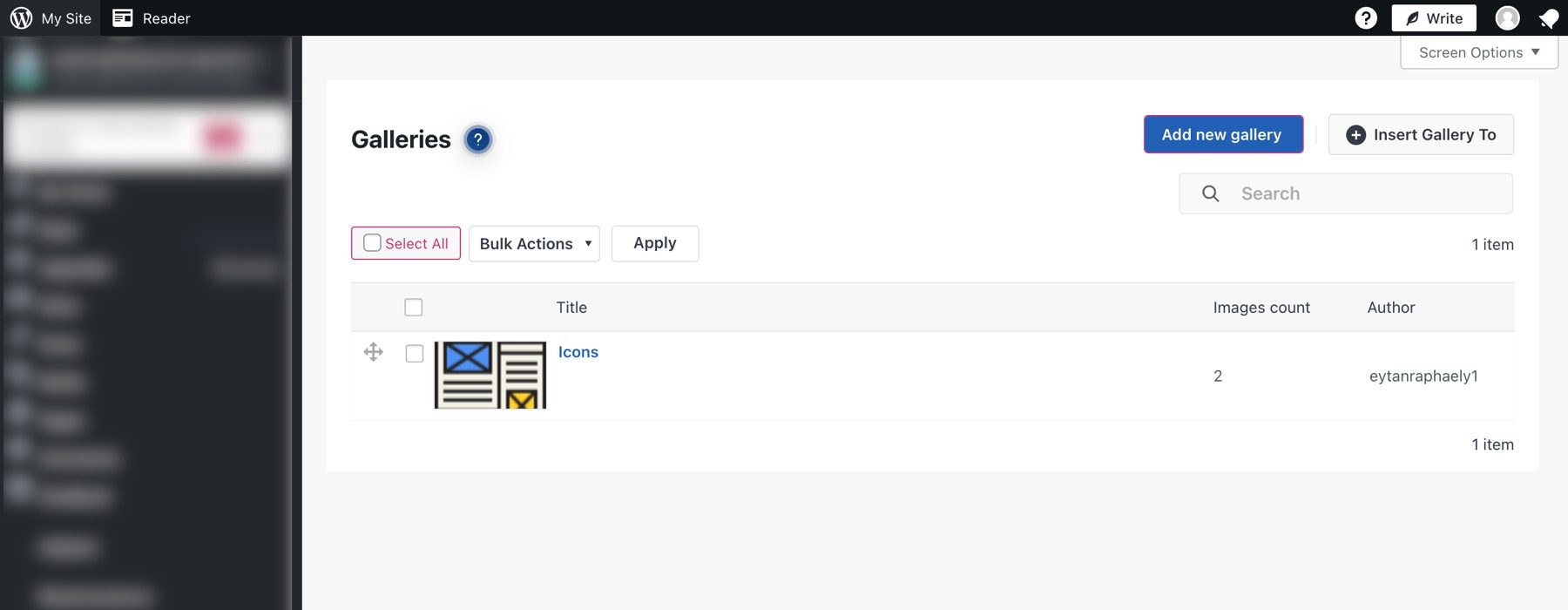
It also handles SEO reasonably well — images can have alt text, and there’s an optimization section that can reduce image file size by up to 40% without noticeable quality loss. With over 19 million downloads and a 4.5/5 rating on WordPress.org, it’s clearly a plugin that a lot of people find useful.
The tradeoff is interface complexity. Settings are organized in a way that can feel overwhelming if you just want to build a simple gallery quickly. If you’re comfortable with a slightly steeper setup curve, you get a lot for free.
- Pros: Video support free, watermarking free, huge number of layout options, good SEO features, 4.5/5 with 1,581 reviews
- Cons: Interface can feel complex; premium pricing structure can be unclear
- Pricing (March 2026): Free / premium available — verify current pricing at 10web.io
- WordPress.org: 4.5/5 (1,581 reviews)
- Best for: Users who want strong free functionality including video, without an immediate premium investment
6. Meow Gallery — Best Lightweight/Minimal Option
Meow Gallery takes a different approach from every other plugin here. Rather than creating a separate gallery management system, it extends what the native WordPress gallery block already does. You create galleries directly in the editor — no separate interface, no separate menu item, no shortcodes unless you prefer them.
The free version comes with six layout options: tiles, masonry, justified (Flickr-style), square (Instagram-style), cascade, and horizontal. The code is deliberately lightweight, which is why users consistently rate it highly for performance. With a 4.9/5 rating based on 193 reviews and a last-update date of February 2026, it’s an actively maintained plugin.
Lightbox functionality requires a companion plugin (Meow Lightbox, also free). For photographers, the Pro version adds Lightroom integration (via Photo Engine), a carousel layout, and a map layout that pins photos to GPS coordinates — an interesting differentiator for travel photographers.
For the minimal-footprint user: Meow Gallery paired with the free Meow Lightbox companion plugin is one of the cleanest gallery setups available for WordPress — fast, native, and non-intrusive.
- Pros: Extremely lightweight, native WordPress integration, no lock-in, fast page performance, clean layouts, Yoast SEO compatible sitemap integration
- Cons: Lightbox requires separate Meow Lightbox plugin; fewer advanced features than Envira or NextGEN; smaller user community
- Pricing (March 2026): Free / Pro from $19/year — verify at meowapps.com
- WordPress.org: 4.9/5 (193 reviews)
- Best for: Bloggers, photographers who want minimal plugin footprint, developers preferring native WP integration
7. Responsive Lightbox & Gallery — Best Modular Option
Not every WordPress site needs a full premium gallery suite. Responsive Lightbox & Gallery makes that case with a free core plugin that ships three gallery templates (grid, slider, masonry) and eight lightbox options — genuinely covering most standard display needs. From there, individual paid extensions handle specific additions like more gallery views, external image support, and advanced effects.
Pay for the pieces you actually use, rather than a bundled premium tier where half the features go untouched. The community has responded well: a 4.9/5 rating based on nearly 2,000 reviews on WordPress.org, with a last update recorded March 12, 2026.
- Pros: Modular pricing (pay for specific features), 8 lightbox options, WooCommerce support in free version, Gutenberg compatible, highest WordPress.org ratings in this list
- Cons: Feature-by-feature purchasing can add up; less polished UI than Envira or Modula; smaller brand recognition
- Pricing (March 2026): Free core / individual add-ons available — verify at dfactory.co
- WordPress.org: 4.9/5 (1,991 reviews)
- Best for: Users who want a lean free core and the flexibility to add only specific paid features
Feature Comparison: What Each Plugin Offers
Six features tend to matter most when comparing gallery plugins: lightbox availability, lazy loading, video support, WooCommerce compatibility, eCommerce/print sales, and Lightroom sync. Here’s how the seven plugins stack up across each. “Free” = available without paying; “Paid” = requires a premium plan.
See more WordPress comparison guides at wplasma.com
| Plugin | Lightbox (free) | Lazy Loading | Video (free) | WooCommerce | eCommerce / Print Sales | Lightroom Sync |
|---|---|---|---|---|---|---|
| Envira Gallery | ✅ Free | ✅ Paid | ❌ | ✅ Paid | ✅ Paid | ✅ Paid |
| NextGEN Gallery | ✅ Free | ✅ | ❌ | ✅ Paid | ✅ Native (Paid) | ✅ Paid |
| FooGallery | FooBox add-on | ✅ Paid | ❌ | ✅ Paid | ✅ Paid | ❌ |
| Modula Gallery | ✅ Free | ✅ | ❌ | ✅ Paid | ✅ Paid | ❌ |
| Photo Gallery 10Web | ✅ Free (15 effects) | ✅ | ✅ Free | ✅ Paid | ❌ | ❌ |
| Meow Gallery | Meow Lightbox add-on | ✅ Paid | ❌ | ❌ | ❌ | ✅ Paid |
| Responsive Lightbox | ✅ Free (8 styles) | ✅ | ✅ | ✅ Free | ❌ | ❌ |
Verified Pricing Comparison (March 2026)
Pricing for gallery plugins changes frequently, and introductory discounts are common — renewal rates are often higher than first-year prices. The table below reflects published pricing as of March 2026. Always verify at the plugin’s official website before purchasing.
| Plugin | Free Version | Paid Starting Price | WordPress.org Rating | Total Downloads |
|---|---|---|---|---|
| Envira Gallery | ✅ | $39.50/year (1 site) | 4.7/5 (1,588 reviews) | 7.5M+ |
| NextGEN Gallery | ✅ | $69.50/year (1 site) | 4.3/5 (4,337 reviews) | 44.3M+ |
| FooGallery | ✅ | ~$33.99–$39.99/year (1 site) | 4.8/5 (968 reviews) | 6.3M+ |
| Modula Gallery | ✅ | $39/year (1 site) | 4.7/5 (604 reviews) | 6.3M+ |
| Photo Gallery 10Web | ✅ | Verify at 10web.io | 4.5/5 (1,581 reviews) | 19.5M+ |
| Meow Gallery | ✅ | $19/year | 4.9/5 (193 reviews) | 491k+ |
| Responsive Lightbox | ✅ | Add-ons available | 4.9/5 (1,991 reviews) | 6.5M+ |
Which Gallery Plugin Is Right for Your Situation?
There’s no single “best” gallery plugin for WordPress — the right choice depends on what you’re actually building. Here’s a practical breakdown by situation.
You’re a blogger or personal site owner with a basic gallery need.
Start with FooGallery’s free version (seven templates, hover effects, no cost) or Meow Gallery (clean layouts, zero bloat, native Gutenberg integration). Either works well without spending anything.
You’re a photographer who wants to sell prints and manage client work.
NextGEN Gallery is the only plugin here with built-in print fulfillment (automated, with no commission taken), client proofing galleries, and Lightroom integration. That said, check recent WordPress.org reviews for the v4.0 update situation before committing.
You run a WooCommerce store and want polished product galleries.
Envira Gallery and Modula both integrate well with WooCommerce. Envira is slightly easier to set up; Modula gives you more control over the grid layout if product presentation is a priority.
You want maximum creative control over how images are sized and arranged.
Modula is the choice here. The custom grid builder lets you drag and resize individual photos within the container — something no other plugin does in quite the same way.
You need the lightest possible impact on your site’s performance.
Meow Gallery or FooGallery’s free version. Both are built with performance as a priority, and neither adds unnecessary assets to pages where galleries aren’t active.
What to Look for Before Choosing a Gallery Plugin
Before installing anything, it’s worth thinking through a few practical questions.
Performance impact. Gallery plugins load CSS, JavaScript, and images. Look for plugins that support lazy loading (defers off-screen images until the user scrolls to them) and allow you to disable assets on pages where no gallery appears. Most of the plugins in this list handle this reasonably well.
Free tier honestly assessed. The free versions of most gallery plugins are limited by design — they exist partly to introduce you to the paid tier. FooGallery and Photo Gallery by 10Web are exceptions: their free versions are genuinely capable for many use cases. For the others, budget for the paid plan if your site has professional requirements.
Page builder compatibility. If you’re building with Elementor, Divi, or Beaver Builder, verify that the plugin integrates natively. Envira Gallery works with all three. Modula also has good coverage. Meow Gallery is primarily Gutenberg-focused. If you already use a page builder, check whether that builder’s own gallery block is sufficient before adding another plugin.
Data storage approach. Most plugins here store galleries as custom post types in the WordPress database, which means standard backups cover your gallery data. NextGEN Gallery stores data in its own separate database tables — important to know when setting up backup procedures.
Support and update activity. Check the “Last Updated” date on WordPress.org. All seven plugins in this list were updated within the last few months as of March 2026, which is a good sign for long-term reliability.
More WordPress plugin tips on wplasma.com
Gallery Plugins and Image SEO: What You Should Know
Gallery plugins can help or hurt your image SEO depending on how you use them — and a few things are worth being intentional about.
Alt text management. Every gallery plugin reviewed here lets you add alt text per image. Actually fill it in — descriptive alt text helps search engines understand your images and improves accessibility. Use descriptive phrases, not just “image1” or file names.
Lazy loading and Core Web Vitals. Lazy loading defers off-screen images until the user scrolls to them, which reduces initial page weight and can improve your Largest Contentful Paint (LCP) score — one of Google’s core ranking signals. Most plugins in this list support lazy loading, but it’s typically a paid feature in Envira and FooGallery’s free versions.
Gallery page indexing. Some plugins (particularly NextGEN Gallery) can create standalone gallery pages as separate URLs. If those pages duplicate content from elsewhere on your site, that creates an indexing problem. Most plugins allow you to disable standalone gallery pages — enable that setting if you’re only embedding galleries within existing posts or pages.
Image file names. Rename images before uploading. A file named “golden-retriever-puppy-sitting.jpg” is more useful to search engines than “IMG_4532.jpg.” This is independent of which gallery plugin you use, but it matters for image search visibility.
Structured data. None of the plugins here automatically add image structured data (schema markup). If image structured data is a priority for your site, you’d need to handle that separately — typically via your SEO plugin’s settings or custom implementation.
Frequently Asked Questions About WordPress Photo Gallery Plugins
What is the best WordPress photo gallery plugin overall?
For most use cases, Envira Gallery is the strongest all-around option — it’s fast, easy to set up, and the feature set covers everything from basic image grids to WooCommerce integration. FooGallery is the best choice if budget is a constraint, since its free tier is genuinely capable. For professional photographers, NextGEN Gallery’s eCommerce and print fulfillment features are hard to match, despite the recent v4.0 update concerns.
What is the best free WordPress gallery plugin?
FooGallery offers the most useful free tier — seven layout templates, hover effects, and live preview without spending anything. Photo Gallery by 10Web is a close second, with free video support, watermarking, and multiple layout options. Meow Gallery is the best free option for anyone prioritizing minimal site weight and native WordPress integration.
Which gallery plugin is best for photographers?
NextGEN Gallery is built specifically for photographers who need client proofing, print sales, automated print fulfillment, and Adobe Lightroom sync. If you just need a clean display for your portfolio without eCommerce, Envira Gallery or Meow Gallery work well and are easier to set up.
Do gallery plugins slow down WordPress sites?
They can, but most modern gallery plugins include lazy loading and conditional asset loading (only loading plugin scripts on pages that actually use galleries). FooGallery and Meow Gallery are particularly lightweight. The key things to check: does the plugin support lazy loading? Does it load its CSS and JS only where needed? Most plugins reviewed here handle this adequately.
Can I switch gallery plugins without losing my photos?
Your actual image files, stored in WordPress’s media library, stay intact regardless of which gallery plugin you use or remove. What changes is the gallery organization and display settings, which are stored differently by each plugin. Envira Gallery offers an import/export feature for individual galleries, making migration easier. NextGEN stores data in separate database tables, so migration requires more care. Always back up before switching plugins.
Which gallery plugin works best with Elementor?
Envira Gallery has the deepest Elementor integration and is consistently mentioned alongside Beaver Builder and Divi as fully supported builders. Modula also works well with Elementor. FooGallery supports Gutenberg and Elementor. Worth checking: Elementor itself includes gallery functionality in its free widget set — for simple grids, you may not need a separate plugin at all.
What is the difference between a lightbox and a gallery?
A gallery is the collection of images displayed on a page — the layout, the grid, the thumbnails. A lightbox is what happens when a user clicks an image — it opens in a popup overlay that dims the background and shows the full-size version with navigation arrows. Most gallery plugins include a built-in lightbox. FooGallery and Meow Gallery use separate lightbox plugins (FooBox and Meow Lightbox respectively), both of which are free.
Do I need a gallery plugin if I already use a page builder?
Not necessarily. Elementor, Divi, and Beaver Builder all include gallery functionality in their native widget sets. For basic grids and simple lightbox popups, the built-in gallery widgets often cover the need without adding another plugin. A dedicated gallery plugin makes sense when you need things like lazy loading, album management, hover effect variety, eCommerce integration, or features those builders don’t natively offer.
Final Thoughts
The WordPress gallery plugin space is well-established — there are solid free options, capable mid-range paid tools, and specialized solutions for professional photographers. The worst outcome isn’t picking the “wrong” plugin; it’s installing a complex one when a simpler option would have served just as well, or using a free tier that’s too limited for your actual needs and spending time working around it.
If you’re just starting out, FooGallery or Meow Gallery free covers the basics cleanly. If you need a professional all-around solution, Envira Gallery at $39.50/year is the most common recommendation for good reason. And if photography is your livelihood and you need print sales and client proofing, NextGEN Gallery’s depth justifies the higher price — just check the recent reviews before you upgrade from v3 to v4.
All seven plugins reviewed here offer a free version or free tier. The best way to make a final decision is to install the free version, try creating a real gallery on your actual site, and see how it feels before committing to a paid plan.
