



Embedding an Instagram feed on a WordPress site sounds straightforward. Install a plugin, connect your account, paste a shortcode. Done. In practice, the experience varies enormously depending on which plugin you pick, which version of the Instagram API it supports, and how much you actually need out of the free tier.
For most WordPress sites, Smash Balloon Social Photo Feed (free) or Spotlight Social Photo Feeds (free) will cover the majority of use cases — both are actively maintained, handle Instagram’s current API requirements, and work with all major page builders. If neither fits, there are four other options worth knowing about.
Before anything else, one thing to get straight: since December 2024, Instagram’s Basic Display API was shut down. Every plugin on this list now connects through the official Instagram Graph API, which requires a Business or Creator Instagram account. Personal accounts no longer work. If you’re running one, you’ll need to convert before any plugin will connect successfully.
The six plugins below were verified in March 2026. Pricing and features were confirmed via live data.
What to Look for in a WordPress Instagram Feed Plugin
Not all Instagram feed plugins are built the same, and the differences that matter most aren’t always obvious from the plugin listing.
API stability is the most important factor. Instagram has broken third-party integrations multiple times. The December 2024 Basic Display API shutdown is the most recent example. Plugins that updated quickly and maintained compatibility during that transition have demonstrated they’re actively maintained. Plugins that went quiet or left users without a feed for weeks are a red flag.
Caching and performance matter more than most plugin roundups acknowledge. Instagram’s API has rate limits, which means plugins need to cache feed data locally rather than hitting the API on every page load. Better plugins also cache images locally — either as WebP copies or via CDN — so your page load times don’t depend on Instagram’s servers responding quickly. This directly affects Core Web Vitals scores.
Free tier usefulness varies wildly. Some plugins offer genuinely functional free versions. Others give you just enough to see what the plugin does before requiring payment. Knowing which is which saves frustration.
Other factors worth checking: layout variety (grid, masonry, carousel), hashtag feed support, page builder compatibility, and whether the plugin is a native WordPress plugin or a cloud widget that embeds an external script. That last distinction matters more than it seems — more on it in its own section below.
Quick Comparison: Best WordPress Instagram Feed Plugins
Here’s the at-a-glance view. Detail on each plugin follows below.
| Plugin | Free tier? | Paid from | Hashtag feeds | Layouts (free) | Page builders | Best for |
|---|---|---|---|---|---|---|
| Smash Balloon Social Photo Feed | Yes — functional | $49/year | Pro only | Grid | Elementor, Divi, Beaver Builder | Most sites — best balance |
| Spotlight Social Photo Feeds | Yes — solid | $59/year | PRO only | Grid, lightbox included | Elementor, block, widget, shortcode | Sites wanting lightbox for free |
| WPZoom Social Feed Widget | Yes — limited | $49 one-time | Pro only | Grid | Elementor, Beaver Builder, Divi, WPBakery | Lightweight setups, WPZOOM theme users |
| Feed Them Social | Yes — multi-platform | Extensions vary | Extension required | Grid, list | Elementor, Beaver Builder, Gutenberg | Sites managing multiple social platforms |
| Elevated Instagram Feed | No | $49/year | No | Grid, Mosaic, Slider | Classic Editor, Block Editor, page builders | Guided setup, clean aesthetic |
| Elfsight Instagram Feed | 200 views/month only | Paid plan required | Yes (paid) | Various (cloud-rendered) | Any (HTML embed) | Very low-traffic or testing only |
Note: Elfsight is a cloud-based widget — it embeds an external script rather than running as a native WordPress plugin. See the dedicated section below for what that means in practice.
Best Overall: Smash Balloon Social Photo Feed
With over 1 million active installs and 4,333+ reviews averaging 4.9 out of 5 stars, Smash Balloon Social Photo Feed is the most trusted option in the WordPress ecosystem (verified via WordPress.org). The numbers reflect genuine user satisfaction — not just install volume.
Free version: what you actually get
The free version is genuinely useful, which puts it ahead of most “freemium” plugins. You get a responsive grid layout, support for multiple Instagram accounts, a visual drag-and-drop customizer, a “Load More” button with infinite scroll, and full block editor and widget support. Images are optimized using WebP locally — a real performance benefit that many plugins skip. GDPR compliance via cookie consent integration is also included at no cost.
Page builder users are well covered. The plugin works with Elementor, Divi, and Beaver Builder out of the box. The shortcode-based approach means it also drops into almost any other theme or builder without friction.
Pro pricing: what actually requires an upgrade
The feature you’re most likely to need a paid plan for is hashtag feed display — that’s locked behind the Plus plan ($99/year, up to 5 sites). If you only need your own account’s posts in a grid layout, the free version handles it indefinitely.
Other Pro-only features: lightbox for photos and Reels, carousel and slider layouts, masonry and Highlight layouts, feed moderation, post filtering by keywords, shoppable feeds with custom links, and pre-designed feed themes. Priority support is included from the Basic plan upward.
Smash Balloon’s pricing as of March 2026:
- Basic — $49/year (1 site): lightbox, carousels, multiple layouts, Instagram Stories, comments and likes display, WebP optimization
- Plus — $99/year (5 sites): everything in Basic, plus visual moderation, keyword filtering, feed templates, hashtag feeds
- Elite — $149/year (10 sites): everything in Plus, plus tagged feeds, shoppable feeds, professionally styled themes, priority support
- All Access — $299/year (unlimited sites): all Elite features plus Facebook, YouTube, TikTok, Reviews, and Social Wall plugins
Best for: Almost any WordPress site that wants a reliable, low-maintenance Instagram feed. The free version is genuinely usable for basic use cases. The Plus plan covers nearly every requirement a small business or personal site would have.
Best Runner-Up: Spotlight Social Photo Feeds
Spotlight is a strong alternative to Smash Balloon, and on one specific point it’s actually better: the free version includes a popup lightbox. With Smash Balloon, lightbox is a Pro feature. If your visitors need to click through to full-size images without leaving your site, Spotlight saves you the upgrade cost.
Free version capabilities
The free tier is generous. You can connect unlimited Instagram accounts, display unlimited feeds, and support all content types: photos, videos, Reels, and gallery posts. There are 20+ design customization options, free pre-designed templates, a custom feed header with account avatar and bio, and per-device responsive customization. The plugin embeds via block, widget, or shortcode — more flexibility than some alternatives. It’s also fully accessible and SEO-friendly, with clean HTML output.
Spotlight was last updated on March 10, 2026, showing it’s actively maintained. It has 1.5M+ active installs and a 4.7-star rating from 169 reviews — a smaller review pool than Smash Balloon, but still respectable (WordPress.org listing).
PRO and Agency tiers
Upgrading to PRO ($99/year for 1 site) unlocks hashtag feeds, tagged post feeds, combined multi-source feeds, caption and hashtag filtering, feed moderation, Instagram link-in-bio pages, shoppable feeds, and WooCommerce integration. The Agency tier ($199/year for up to 20 sites) adds account and post insights, engagement analytics, Google Analytics integration, and media management tools.
One pricing note worth mentioning: Spotlight advertises a “price locked for life” policy, meaning the rate you subscribe at won’t increase at renewal. That’s unusual and worth considering if you’re comparing long-term costs. There’s also a 30-day money-back guarantee.
Best for: Sites where visitors regularly engage with Instagram content and the lightbox experience matters, or agencies managing multiple accounts who want analytics without a third-party tool.
Other Notable Plugins Worth Knowing
The two options above cover most scenarios. These three fit specific situations better.
WPZoom Social Feed Widget & Block
WPZoom’s plugin is the lightweight option — 60,000+ installs, version 2.3.4, and a clean feature set without the bulk of the larger plugins. The free version includes a grid layout with lightbox, lazy loading, AJAX load, a custom header, and a Gutenberg block plus shortcode for page builder compatibility. It works with Elementor, Beaver Builder, Divi, and WPBakery.
The review count is notably low — 48 reviews total giving a 4.3-star average — which means less community data to draw on when troubleshooting. That’s not a dealbreaker, but it’s the honest context.
For Pro features, WPZoom sells the Instagram Widget as a standalone purchase ($49 one-time) or bundles it in the All Themes Package ($99/year) or All Access Pass ($179/year). Pro adds masonry layout, carousel/slider, Instagram Stories, multi-account feeds, WooCommerce product tagging, feed moderation, and Instagram Insights analytics.
Best for: Sites that want a simple, lightweight feed without investing in a larger plugin ecosystem. Existing WPZOOM theme users get good value from the bundle pricing.
Feed Them Social
Feed Them Social takes a different approach: it’s a multi-platform plugin handling Instagram, Facebook, TikTok, and YouTube under one roof. The free core is functional and has attracted 4M+ downloads with a 4.7-star rating from 637 reviews. It updated as recently as January 2026, and the codebase follows PSR-4 standards — a sign of active, organized development.
The Instagram-specific limitation is that some advanced features (like the Instagram Slider) require purchasing a separate extension rather than upgrading the whole plugin. That can get expensive if you need several capabilities. The base plugin does cover grid and list layouts for free with Instagram content.
Best for: WordPress sites running multiple social media channels that want one plugin managing all of them rather than separate installs for each platform.
Elevated Instagram Feed
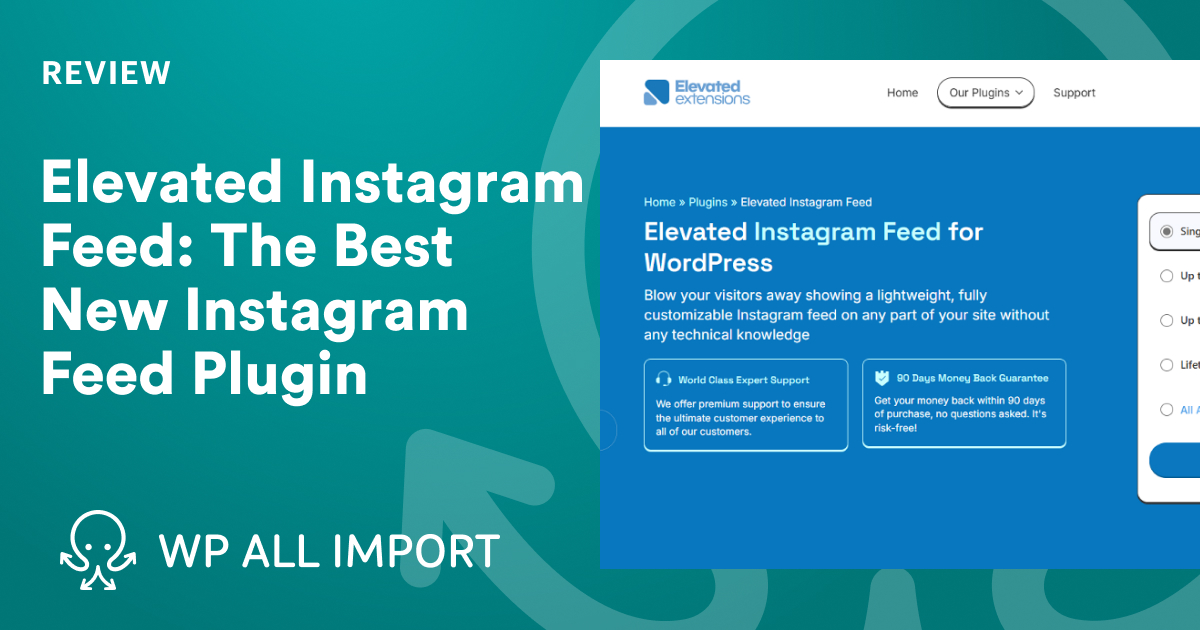
Elevated Instagram Feed is a newer entrant with a strong focus on setup experience and visual quality. The 7-step wizard walks you through account connection, template selection, and customization without any configuration guesswork. Six templates cover the most common presentation styles: Grid Header, Grid Clean, Grid Slider Header, Grid Slider Clean, Mosaic Header, and Mosaic Clean.
The trade-offs are real. There is no free version — it starts at $49/year for a single site. And it only supports user timeline feeds; hashtag feeds and location feeds are not on offer. Images also load from Instagram’s servers rather than being cached locally, which can affect load times depending on Instagram’s CDN performance at any given moment.
For users who want a simple, guided path to a visually polished feed and don’t need hashtag aggregation, it’s a clean solution. Lifetime pricing ($149 one-time for a single site, $199 one-time All Access Pass) makes the long-term cost attractive compared to annual subscriptions.
Best for: Personal brands or small businesses that want a premium-looking feed with minimal configuration time, and don’t need hashtag or location feeds.
What About Elfsight? Cloud Widgets vs Native Plugins
Elfsight appears in many roundups, so it’s worth understanding what it actually is. Elfsight is not a WordPress plugin in the traditional sense. It’s a cloud-based widget — you create your feed on Elfsight’s servers, copy an HTML embed code, and paste it into your WordPress page. The feed renders by loading a JavaScript file from Elfsight’s CDN.
That distinction has practical implications. On the upside: there’s no plugin to install, no WordPress plugin updates to manage, and Elfsight handles its own API maintenance. If Instagram changes something, Elfsight updates the widget on their end without requiring you to update a plugin.
On the downside: your feed depends on Elfsight’s servers staying online, their pricing staying reasonable, and external scripts loading on your pages (which has Core Web Vitals implications). Your feed data lives on Elfsight’s infrastructure, not yours. And the “free” plan caps out at 200 views per month — not enough for any real-world site. You’ll need a paid plan to use it meaningfully, and pricing wasn’t transparently available at time of writing.
For developers who want to avoid any plugin at all, a different option exists: Instafeed.js, an open-source JavaScript library (v2.0.0 available via unpkg.com) that fetches Instagram feeds directly using an access token from a service like instant-tokens.com. It requires custom HTML and CSS to implement, offers no UI, and has no support — but it adds zero WordPress overhead and works as a lightweight DIY solution for developers comfortable with JavaScript.
Best for: Elfsight suits very low-traffic sites or situations where you’re prototyping and don’t want to install a plugin yet. Instafeed.js suits developers building custom themes who want minimal dependencies.
Performance and Instagram API Considerations
This is the section most plugin roundups skip, but it matters if you care about page speed.
Image caching is the biggest variable. Smash Balloon’s newer versions store local WebP copies of Instagram images, meaning your server (or CDN) delivers them rather than Instagram’s. That reduces your reliance on Instagram’s CDN response times and improves Largest Contentful Paint (LCP) scores — a Core Web Vitals metric. Elevated Instagram Feed, by contrast, loads images directly from Instagram’s servers, which means you’re dependent on their CDN.
API rate limiting is another consideration. Instagram’s Graph API caps how often a plugin can fetch new posts. Well-maintained plugins cache feed data locally and use configurable refresh intervals — fetching every hour or every few hours rather than on every page load. Smash Balloon, Spotlight, and WPZoom all handle this. When evaluating a plugin, look for configurable cache settings in its documentation.
JavaScript overhead varies. Cloud widgets like Elfsight inject external scripts that browsers load as render-blocking resources unless deferred. Native WordPress plugins load their own lightweight JavaScript files, which you can defer or combine using a caching plugin. Most of the native plugins on this list are compatible with WP Rocket, W3 Total Cache, and LiteSpeed Cache — the WPZoom changelog specifically calls this out as of version 2.3.0.
The practical takeaway: for Core Web Vitals performance, native plugins with local image caching (Smash Balloon, Spotlight) have a structural advantage over cloud widgets and plugins that serve images directly from Instagram.
Frequently Asked Questions
Do I need a Business Instagram account to use these plugins?
Yes. Instagram shut down the Basic Display API in December 2024. All current Instagram feed plugins connect through the Instagram Graph API, which requires a Business or Creator account. Personal Instagram accounts are not supported by any of the plugins on this list. You can convert a personal account to a Creator or Business account through the Instagram app at no cost.
What happens if my Instagram account is personal — can I still display a feed?
Not with any of the standard plugin approaches. The Instagram Graph API does not allow personal account access for third-party applications. You have two options: convert your Instagram account to a Creator or Business account (free, reversible), or explore the Instafeed.js developer approach, which also requires an access token that is no longer available for pure personal accounts as of late 2024.
Which WordPress Instagram feed plugin is completely free?
Smash Balloon Social Photo Feed, Spotlight Social Photo Feeds, WPZoom Social Feed Widget, and Feed Them Social all have genuinely functional free versions available on WordPress.org. Of these, Smash Balloon and Spotlight offer the most capable free tiers for typical use cases. Elevated Instagram Feed has no free version. Elfsight has a free tier capped at 200 views per month, which is too low for most real-world sites.
Can these plugins display Instagram Reels?
Yes — Smash Balloon, Spotlight, and WPZoom all support Reels display. Smash Balloon includes lightbox playback for Reels in its Pro tier. Feed Them Social’s support depends on which features the free core includes versus extensions. Always check the current plugin changelog for Reels-specific notes, as support for content types can change when Instagram updates its API.
Do Instagram feed plugins slow down my WordPress site?
They can, but the impact varies by plugin and configuration. The main performance risks are: images loaded directly from Instagram’s servers (slow CDN = slow page), API calls on every page load (fixed by caching), and JavaScript files loading synchronously. Smash Balloon and Spotlight mitigate most of these with local image caching, configurable cache intervals, and deferred script loading. Cloud widgets like Elfsight introduce external script dependencies. Run a PageSpeed Insights test before and after installing any feed plugin to measure the actual impact on your specific site.
Which plugin works best with Elementor?
All six plugins on this list are compatible with Elementor via shortcode or block. Smash Balloon has the deepest Elementor integration and is the most commonly recommended option in the Elementor community. Spotlight also has explicit Elementor integration in its Essentials paid tier. WPZoom’s shortcode works cleanly inside Elementor without a dedicated widget. For Elementor-specific use, Smash Balloon’s free version is a safe starting point.
Can I display feeds from multiple Instagram accounts?
Yes. Smash Balloon, Spotlight, and WPZoom all support multiple Instagram accounts in their free versions. Spotlight explicitly states “unlimited accounts” in the free tier. Feed Them Social also supports multiple accounts. If you’re managing Instagram feeds for multiple clients or brands from a single WordPress installation, Spotlight’s Agency plan (up to 20 sites, $199/year) or Smash Balloon’s All Access plan ($299/year) are the most cost-effective options at scale.
Do any of these plugins support hashtag feeds?
Several do, but all require a paid plan for hashtag feed support. Smash Balloon includes hashtag feeds from the Plus plan ($99/year). Spotlight includes hashtag feeds in the PRO tier ($99/year). WPZoom adds hashtag feeds in the Pro version. Elevated Instagram Feed does not support hashtag feeds at any price point — it’s timeline-only by design. Feed Them Social may support hashtag feeds via a paid extension. Note that Instagram’s API imposes its own restrictions on hashtag search access, and availability can change based on your account status.
What is the difference between a cloud widget and a native WordPress plugin?
A native WordPress plugin installs into your WordPress installation and runs on your server. Your data, images, and feed configuration stay within your WordPress environment. A cloud widget (like Elfsight) hosts the feed engine on external servers and embeds it on your site via an HTML script tag. Cloud widgets mean one less plugin to update, but you’re dependent on a third-party service — if that service goes down, changes its pricing, or closes, your feed disappears. Native plugins keep control on your server. For most WordPress sites, native plugins are the more stable long-term choice.
Wrapping Up
For the majority of WordPress users — personal sites, small businesses, entrepreneurs — the decision is straightforward. Start with the free version of Smash Balloon Social Photo Feed. It handles the most common use case (displaying your own account’s posts in a grid) without spending anything. If you need a lightbox without paying, or you want analytics later, Spotlight Social Photo Feeds is the right alternative.
Need hashtag feeds, shoppable posts, or advanced layouts? Either plugin’s entry-level paid tier ($49–$59/year) covers it. Running multiple social platforms from one plugin? Feed Them Social is worth a look. Want a guided setup with clean templates but don’t need hashtag capability? Elevated Instagram Feed fills that gap.
Before setting up any plugin, make sure your Instagram account is set to Business or Creator. That step unblocks everything else.
