



Most guides to WordPress Google reviews plugins just list seven tools and call it a day. What they skip is the part that actually matters: how hard is it to connect, what do you actually get for free, and which plugins won’t hand your visitors’ data off to a third-party server every time someone loads your page.
This guide covers seven solid options — with honest notes on setup complexity, free tier limits, GDPR considerations, and who each plugin actually makes sense for. No winner declared until you know your situation.

Quick Answer — Best WordPress Google Reviews Plugins at a Glance
Here’s the short version if you’re in a hurry:
- Best overall (multi-platform): Smash Balloon Reviews Feed Pro
- Best free plugin: Widgets for Google Reviews (by Trustindex)
- Best free (GDPR-focused): Rich Showcase for Google Reviews (by RichPlugins)
- Best for multi-platform + social feeds: WP Social Ninja
- Best for review collection + display: Trustmary
- Best free for on-site review collection: Site Reviews
- Best for service-area businesses: WP Google Review Slider
| Your Situation | Recommended Plugin |
|---|---|
| Need a free, beginner-friendly widget | Widgets for Google Reviews |
| Want reviews from Google + Yelp + Facebook in one feed | Smash Balloon Reviews Feed Pro |
| EU visitors / GDPR compliance matters | Rich Showcase for Google Reviews |
| Service business with no physical storefront | WP Google Review Slider |
| Managing reviews across multiple business locations | WP Social Ninja or Smash Balloon |
| Want to actively grow your review count | Trustmary |
| Want to collect product reviews directly on your site | Site Reviews |
Why Google Reviews on Your WordPress Site Actually Matter
Around 93% of consumers read online reviews before making a purchase. That number has been consistent for years, and it shows no signs of changing. The question isn’t whether reviews matter — it’s whether your potential customers are seeing yours at the right moment.
Google reviews already appear in search results when someone searches for your business. But displaying them on your own site adds a second touchpoint: a visitor lands on your page, sees real customer feedback without having to go back to Google, and makes a faster decision. Products with visible reviews are 270% more likely to convert than those without.
There’s also an SEO angle worth knowing about. Plugins that generate review schema markup (structured data) can trigger star ratings to appear directly in Google search results — what’s called a rich snippet. Those gold stars in search results tend to attract significantly more clicks than listings without them.

One distinction worth making early: displaying existing Google reviews and collecting new ones are different goals. Most plugins in this list focus on display. A few, like Trustmary, handle both. If growing your review count is a priority, that difference will matter when you choose.
What to Know Before Installing a Google Reviews Plugin
Before jumping to the plugin list, three things trip people up when setting these up. Understanding them upfront will save you a frustrating afternoon.
The Google API Key Question — Do You Actually Need One?
Some Google reviews plugins require a Google Places API key to connect your business account. Others connect without one. This matters because setting up an API key involves creating a Google Cloud project, enabling billing, and finding your Google Place ID — the unique identifier for your business in Google Maps.
For a developer, that’s a ten-minute task. For a small business owner who just wants reviews on their homepage, it’s a roadblock that leads to a lot of abandoned installs.
Here’s the practical breakdown:
- No API key needed: Widgets for Google Reviews (Trustindex), Smash Balloon, WP Social Ninja, Trustmary — these connect via your Google Business Profile URL or a simple search
- API key optional: Rich Showcase for Google Reviews (works without one, but an API key enables automatic daily review refresh)
- API key optional or uses crawl method: WP Google Review Slider (can pull up to 40 reviews without an API key using its Google Crawl method)
If you’re non-technical, stick to plugins that don’t require an API key. You’ll have a working widget in under five minutes.
The Free Review Limit — Why You’re Capped at 5 or 10 Reviews
If you’ve installed a free Google reviews plugin before, you’ve probably noticed the review count is capped. Usually at 5 or 10. This frustrates a lot of users, and it’s worth understanding why it happens.
The Google Places API itself only returns 5 reviews by default for a business listing — the ones Google considers most relevant. Getting more reviews typically requires either a paid API plan or a workaround like crawling. So when a free plugin limits you to 10 reviews, it’s partly a Google API constraint, not just the plugin being stingy.
| Plugin | Max Reviews on Free Plan | Notes |
|---|---|---|
| Widgets for Google Reviews (Trustindex) | 10 reviews | 1 widget on free plan |
| Rich Showcase for Google Reviews | 10 reviews | Unlimited widgets; needs API key for more |
| Smash Balloon Reviews Feed (free) | 10 reviews | Google + Yelp only on free version |
| WP Social Ninja (free) | 10 reviews | Multi-platform locked to Pro |
| WP Google Review Slider (free) | Up to 40 (crawl method) | No API key; crawl-based retrieval |
| Trustmary (free plan) | Limited by 200 views/month | View cap rather than review cap |
| Site Reviews | N/A — collects on-site reviews | Unlimited; not a Google import tool |
GDPR and Privacy — Not All Plugins Store Data the Same Way
This one rarely gets mentioned. There are two technical approaches to how Google reviews plugins work:
- External API call on page load: Every time a visitor opens your page, the plugin makes a live request to Google’s API. This means an external server request happens with every page view — potentially passing visitor IP data to a third-party service.
- Local storage: The plugin fetches reviews once (or on a schedule) and stores them in your WordPress database. When a visitor loads your page, reviews are served from your own server — no external request, no data passing to Google on page load.
For businesses with EU visitors or any site subject to GDPR, the local storage approach is safer. Rich Showcase for Google Reviews is explicit about this: its official listing states it is “Fully GDPR-compliant — no external requests, all data loads from your own website.” Widgets for Google Reviews (Trustindex) also stores reviews in the WordPress database. WP Google Review Slider stores everything on your server too.
WordPress security and privacy
The 7 Best WordPress Google Reviews Plugins Compared
Before the individual breakdowns, here’s how all seven stack up side by side:
| Plugin | Free Plan | API Key Needed | Multi-Platform | GDPR-Friendly | Schema Markup | Starting Price (Paid) |
|---|---|---|---|---|---|---|
| Smash Balloon Reviews Feed | ✅ (limited) | No | ✅ (7 platforms) | ✅ (local caching) | ✅ | ~$49/year |
| Widgets for Google Reviews | ✅ | No | ❌ free / ✅ Pro | ✅ (local DB) | ❌ free | $65/year (Trustindex) |
| Rich Showcase for Google Reviews | ✅ | Optional | ❌ free / ✅ Biz | ✅ (no ext. requests) | ❌ free | ~$49/year (Business) |
| WP Social Ninja | ✅ | No | ✅ (9+ platforms) | ✅ | ✅ | ~$44–89/year |
| WP Google Review Slider | ✅ | Optional | ❌ free / ✅ Pro | ✅ (local storage) | ❌ free / ✅ Pro | ~$29/year |
| Trustmary | ✅ (200 views/mo) | No | ✅ (6 platforms) | ✅ | ✅ (paid plans) | Build Your Plan |
| Site Reviews | ✅ (fully free) | N/A | N/A (on-site) | ✅ | ✅ (JSON-LD) | Free |
1. Smash Balloon Reviews Feed — Best for Multi-Platform Display
Smash Balloon is the go-to choice if your reviews are spread across multiple platforms. One feed can pull from Google, Yelp, Facebook, TripAdvisor, Trustpilot, WordPress.org, and WooCommerce — updated automatically without any manual work.
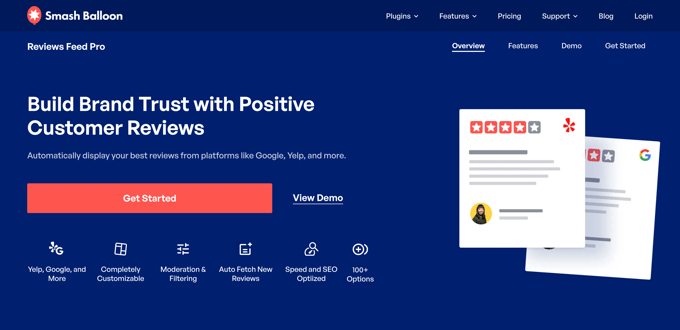
Setup takes under 60 seconds per platform. No API key required — you connect via your business profile URL. The visual editor lets you build the display layout in real time, and reviews are cached locally, so there’s no performance hit from live API calls on every page load.
Review moderation is solid: you can filter by star rating, block reviews containing specific words, or manually approve what appears. The plugin handles layout options (carousel, grid, list, masonry) and automatically inherits your WordPress theme’s font and color settings.
Free version: Available on WordPress.org, limited to Google and Yelp feeds with fewer display options.
Paid: Starts around $49/year for one site (as of March 2026 — sale pricing applies; verify at smashballoon.com).
Best for: Businesses that collect reviews on Google, Yelp, and Facebook and want one consolidated, auto-updating display.
Not ideal for: Pure free solution seekers — the free version is fairly restricted.
2. Widgets for Google Reviews — Best Free Option
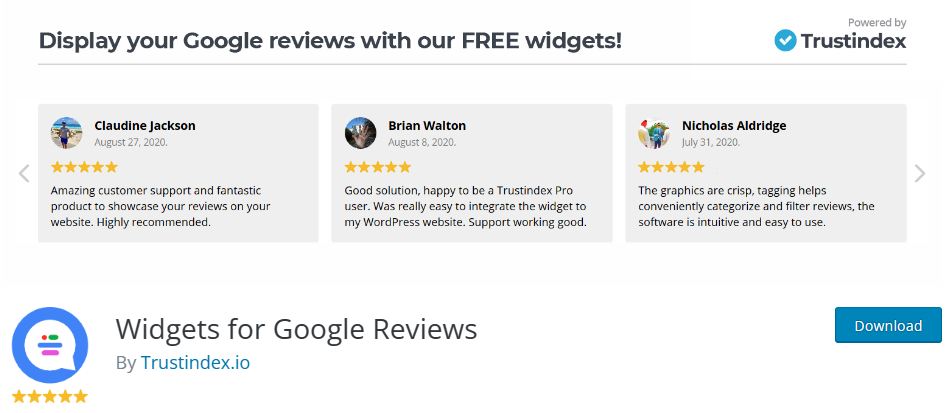
With 2,484 reviews on WordPress.org and 300,000+ active installs, Widgets for Google Reviews (by Trustindex) is the most popular free Google reviews plugin available. The install-to-working time is genuinely under two minutes: paste your Google Business URL, pick a layout, copy the shortcode.
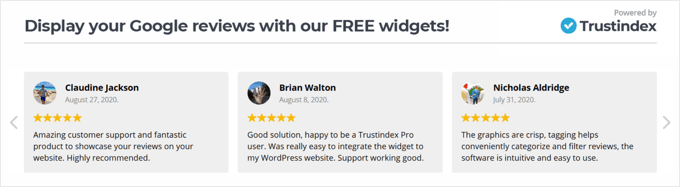
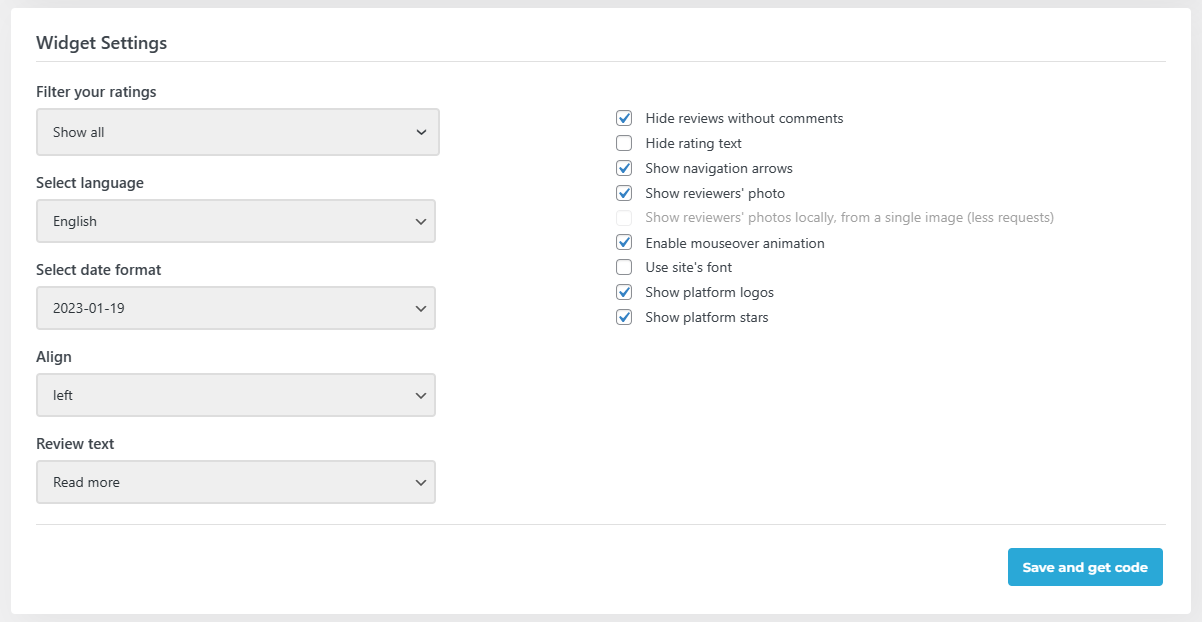
The free version gives you 40+ widget layouts, 25+ design styles, and review filtering by star rating. Reviews are stored in your WordPress database — no live API calls on page load, which is better for performance and privacy. The plugin works with every major page builder: Gutenberg, Elementor, Divi, Beaver Builder, WPBakery.
One limitation: the free plan is Google-only and capped at one widget. If you want support for multiple review platforms or multiple widgets, you’d need the paid Trustindex Pro platform.
Free version: 10 reviews, 1 widget, Google only, 40+ layouts.
Paid: $65/year via Trustindex Pro (multi-platform, unlimited widgets, automated review invitations).
Best for: Beginners and small businesses wanting a polished Google reviews widget fast, for free.
Not ideal for: Multi-platform review aggregation without upgrading.
3. Rich Showcase for Google Reviews — Best GDPR-Compliant Free Option
Rich Showcase for Google Reviews (by RichPlugins) takes a notably privacy-first approach. According to its official plugin listing, it is “Fully GDPR-compliant — no external requests, all data loads from your own website.” This means the plugin doesn’t make a live API call every time a visitor loads your page — reviews are stored locally and served from your own server.
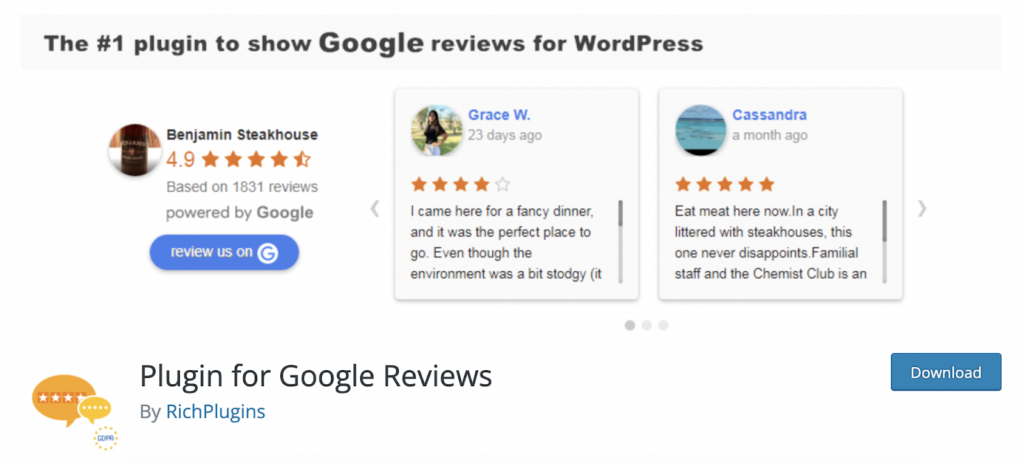
The free version supports unlimited widgets and shortcodes, multiple Google business locations with no connection limit, and displays up to 10 reviews in slider, grid, list, or rating layouts. An API key is optional — you can connect initially without one, but you’ll need your own key if you want reviews to auto-refresh daily.
With 1,574 WordPress.org reviews and active development (the changelog shows regular security fixes and feature additions through 2025–2026), it’s a well-maintained option that doesn’t get enough attention in most comparison articles.
Free version: 10 reviews, unlimited widgets, multiple locations, GDPR-compliant.
Paid (Business version): Multi-platform support (Facebook, Yelp, etc.) — pricing verify at richplugins.com.
Best for: European businesses, privacy-conscious site owners, agencies managing multiple client locations on one install.
Not ideal for: Businesses that need to pull reviews from Yelp, Facebook, or other platforms without upgrading.
4. WP Social Ninja — Best for Multi-Platform + Social Feeds
WP Social Ninja is the choice when you want Google reviews as part of a broader social media presence. The plugin connects to 9+ review platforms and 29+ social platforms — Google reviews, Yelp, Facebook, Airbnb, Aliexpress, and more, all from one dashboard. It also handles social feeds (Instagram, Twitter/X, Facebook posts) and chat widgets.

One feature worth calling out: the AI review summarizer, which generates a summary of your reviews automatically. There’s also a QR code generator for collecting new reviews, a “Write a Review” button, and an import/export tool for review data in CSV format. Review schema markup is included.
The Google reviews widget is available in the free version. Full multi-platform access and advanced features are in the Pro plan.
Free version: Google reviews widget included, with limited templates and features.
Paid: Starting around $44–89/year — check wpsocialninja.com for current pricing.
Best for: Businesses managing reviews across multiple platforms and wanting a single plugin for social proof, social feeds, and chat support.
Not ideal for: Users who just need a simple Google reviews widget — WP Social Ninja has a lot of features you won’t use.
5. WP Google Review Slider — Best for Service-Area Businesses
Most Google reviews plugins require a physical business address to connect. WP Google Review Slider doesn’t. If you’re a plumber, electrician, cleaning service, or any other business without a storefront, this is one of the few free options that genuinely works for your situation.
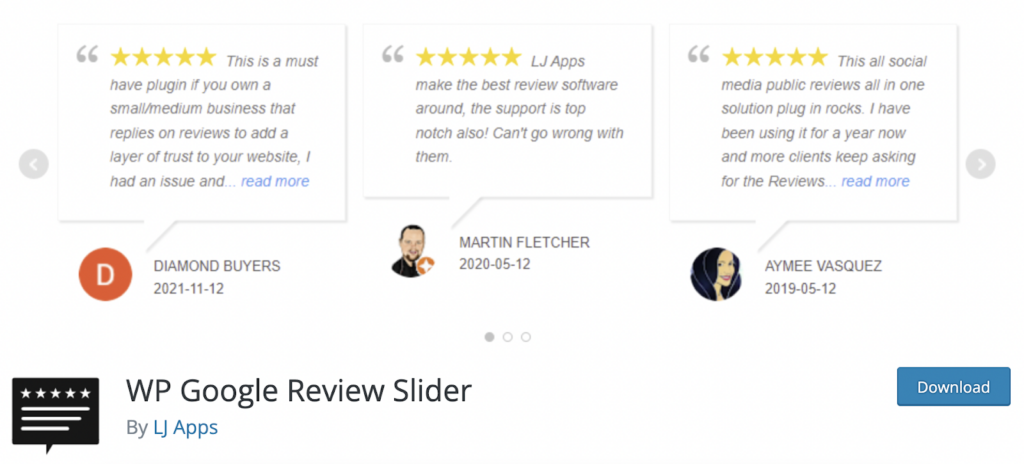
The free version has a useful trick: the Google Crawl method pulls up to 40 reviews without requiring an API key. That’s more than most free plugins offer. If you want daily automatic updates, you can add an API key — but it’s not required to get started.
With 1.5 million downloads and a 4.9/5 rating on WordPress.org, it’s one of the more popular plugins in this space. The last update was December 2025. Display options include slider, grid, and list formats with review filtering and custom CSS. Schema markup is available in the Pro version.
Free version: Up to 40 reviews (crawl method), slider/grid/list layouts, filtering, no API key required.
Paid Pro: ~$29/year — schema markup, 90+ review platforms, advanced charts, CSV export.
Best for: Service-area businesses; budget-conscious users who want more than 10 free reviews.
Not ideal for: Beginners uncomfortable with the initial setup process; those who need schema markup without paying.
6. Trustmary — Best for Review Collection + Display
Trustmary sits in a different category from the rest of this list. Where most plugins focus on displaying the reviews you already have, Trustmary is built around actively collecting more of them. The platform runs review request campaigns via email, QR codes, SMS (in Europe), and embedded forms — then displays the results with an intelligent algorithm that surfaces your strongest feedback.
Setup is unusually simple: search for your business name in the dashboard, connect it — no Place ID hunting, no API key. The widget editor lives on Trustmary’s platform (separate from WordPress), which gives you a clean real-time preview without touching your site.
The free plan limits you to 200 widget views per month, which is fine for a low-traffic site but will run out quickly if your pages get decent traffic. Review schema markup, which enables star ratings in Google search results, is only available on paid plans.
Free version: 200 widget views/month, basic review display, no schema markup.
Paid: Build Your Plan starting at 5,000 views/month — check trustmary.com for current pricing.
Best for: Businesses that want to actively grow their review count alongside displaying existing ones — particularly useful if you have a customer email list to work with.
Not ideal for: Pure display-only needs, or high-traffic sites on a free plan.
7. Site Reviews — Best Free Option for On-Site Review Collection
Site Reviews fills a different need than the other plugins here. Rather than importing reviews from Google, it lets you collect original reviews directly on your WordPress site — think Amazon or TripAdvisor-style review forms on your own pages. It’s free, actively maintained (last updated March 15, 2026, version 8.0.6), and has 3 million+ downloads.
JSON-LD schema markup is built in — no separate SEO plugin needed to get review stars into Google search results. There’s a full spam protection stack (honeypot, Akismet, CAPTCHA options), WooCommerce and SureCart integration for product reviews, and support for pinning your best reviews at the top.
The five-layer spam protection is worth mentioning specifically — low-quality review plugins often get spammed quickly, and Site Reviews handles it properly out of the box.
Free version: Fully featured, no artificial limits on reviews collected.
Paid addons: Optional premium addons (Review Images, Review Themes, etc.) available.
Best for: Businesses that want to build their own review database on their site, with full schema markup and spam control, completely free.
Not ideal for: Importing your existing Google Business Profile reviews — Site Reviews doesn’t pull from Google. It collects new reviews directly on your site.
Which Plugin Should You Choose? A Simple Decision Guide
Two businesses can have the exact same goal — “I want reviews on my website” — and need completely different tools. The right choice comes down to three questions: Do you need reviews from Google specifically, or are you open to collecting them on-site? Do you need multi-platform support? And what’s your technical comfort level?
| Your Situation | Best Pick | Reason |
|---|---|---|
| Non-technical, just want something that works | Widgets for Google Reviews | Easiest setup, no API key, 40+ layouts, fully free |
| EU visitors / GDPR compliance required | Rich Showcase for Google Reviews | Explicitly GDPR-compliant; local storage, no external requests on page load |
| Reviews across Google, Yelp, Facebook, and more | Smash Balloon Reviews Feed Pro | Best multi-platform aggregation; real-time sync; local caching for speed |
| Service business, no physical address | WP Google Review Slider | Works with service-area businesses; no API key needed; 40 free reviews via crawl |
| Want to grow review count AND display them | Trustmary | Built-in review collection campaigns; intelligent display algorithm |
| Need full social media presence (feeds + reviews + chat) | WP Social Ninja | One plugin for reviews, social feeds, chat widgets; AI summarizer |
| Collect product reviews on your own site (free) | Site Reviews | Fully free, schema markup included, 3M+ installs, updated March 2026 |
One general recommendation that applies regardless of which plugin you choose: check the last updated date on the WordPress.org plugin page before installing. Plugins that haven’t been updated in over a year carry compatibility risks with the latest WordPress versions. Every plugin in this list has been updated within the last few months — that’s a baseline worth maintaining.
Frequently Asked Questions About WordPress Google Reviews Plugins
- Do I need a Google API key to display Google reviews on WordPress?
- Not necessarily. Several plugins — including Widgets for Google Reviews, Smash Balloon, and WP Social Ninja — connect without a Google API key. WP Google Review Slider can pull up to 40 reviews using a Google Crawl method that also doesn’t require one. Rich Showcase for Google Reviews works without an API key but needs one if you want reviews to auto-refresh daily. If you’re not comfortable with API setup, choose any of the first three options.
- How many Google reviews can I display for free?
- Most free plugins cap you at 10 reviews per widget. This is partly a Google Places API limitation — the API only returns 5 reviews by default, and plugins work around this in different ways. WP Google Review Slider’s crawl method can retrieve up to 40 reviews without an API key. If you need to display more reviews, you’ll typically need a paid plan or your own Google Places API key.
- Will a Google reviews plugin slow down my website?
- It depends on how the plugin handles data. Plugins that make live API calls on every page load add latency and external dependencies. Plugins that store reviews locally in your WordPress database (Widgets for Google Reviews, Rich Showcase, WP Google Review Slider, Smash Balloon with caching) are much faster — your server serves the review data directly without an external request. For page speed, look for plugins that explicitly mention local storage, CDN-hosted assets, and lazy loading.
- Are Google reviews plugins GDPR-compliant?
- It varies. Rich Showcase for Google Reviews explicitly states GDPR compliance — it makes no external requests on page load. Widgets for Google Reviews and WP Google Review Slider also store reviews locally. Plugins that make live API calls on every page load are less clear-cut from a GDPR perspective, as external requests may pass visitor data to third-party servers. If GDPR compliance is a priority, Rich Showcase for Google Reviews is your safest starting point.
- Can I hide or filter negative Google reviews?
- Yes — every plugin in this list includes some form of review filtering. At minimum, you can filter by star rating to only show 4- and 5-star reviews. Some plugins (Smash Balloon, WP Social Ninja, WP Google Review Slider) let you also filter by keyword — blocking reviews that contain competitor names, inappropriate language, or other content you’d prefer not to display. Keep in mind this filtering only affects your website display — the original reviews remain on Google regardless.
- Can I display Google reviews from multiple business locations?
- Rich Showcase for Google Reviews allows unlimited Google location connections with no cap even on the free version. WP Social Ninja supports multiple accounts across platforms. Smash Balloon and Widgets for Google Reviews handle multiple locations on paid plans. WP Google Review Slider can gather from multiple locations as well. If you manage more than one location, check each plugin’s docs to confirm how many connections the free tier allows.
- Will displaying Google reviews improve my SEO?
- Displaying reviews helps SEO in a few ways. Review content adds relevant keyword-rich text to your pages. Visitors who spend more time reading reviews send a positive engagement signal to Google. Most importantly, plugins that generate review schema markup can trigger star ratings to appear in Google search results — rich snippets that increase click-through rates. Smash Balloon, WP Social Ninja, Trustmary (paid), and Site Reviews all generate schema markup. Widgets for Google Reviews and Rich Showcase do not include schema in the free version.
- Can I display reviews from Yelp, Facebook, and TripAdvisor too?
- Yes, with the right plugin. Smash Balloon Reviews Feed Pro aggregates Google, Yelp, Facebook, TripAdvisor, Trustpilot, WordPress.org, and WooCommerce. WP Social Ninja covers 9+ review platforms. Widgets for Google Reviews and Rich Showcase are Google-only on free plans but add other platforms in paid versions. If multi-platform support is essential, Smash Balloon is the most complete option.
- What’s the difference between Google reviews plugins and on-site review plugins?
- Google reviews plugins import and display reviews that already exist on your Google Business Profile. They don’t collect new reviews — they just pull what’s already there. On-site review plugins like Site Reviews let visitors write new reviews directly on your website. These are two different tools for different goals. If you want to display your existing Google star ratings, use a Google reviews plugin. If you want Amazon-style product review forms on your own pages, use Site Reviews.
- What happens if Google changes its API again?
- Google updated its Places API in March 2025 with a new version that changed how plugins connect. Well-maintained plugins like Rich Showcase for Google Reviews and WP Google Review Slider updated their connection methods quickly. This is exactly why the “last updated” date on WordPress.org matters: plugins with active development teams adapt to API changes; abandoned plugins break. All seven plugins in this list have been updated within the last few months as of early 2026.
Final Thoughts
The right Google reviews plugin for your WordPress site comes down to three things: how much technical setup you’re comfortable with, whether GDPR compliance matters for your audience, and whether you need to display reviews, collect them, or both.
For most small businesses, Widgets for Google Reviews does the job cleanly and for free — no API key, no complicated setup, a working widget in minutes. If GDPR compliance is a concern, Rich Showcase for Google Reviews is the better choice, with local storage and no external requests. If you’re pulling reviews from multiple platforms, Smash Balloon Reviews Feed Pro handles that better than anything else available.
None of these plugins require you to be a developer. The setup difficulty ratings throughout this guide reflect what an average business owner — not a developer — can reasonably handle. Start with the free options, and only upgrade if you hit specific limitations you actually need to solve.
