


Most articles about WordPress coupon plugins throw 10 tools into a list and call it a day. That approach misses the most important thing: two completely different types of people are searching for this information, and they need different tools.
If you run a WooCommerce store, you need a plugin that creates and applies discount logic at checkout. If you’re an affiliate blogger or deal site owner, you need a plugin that displays third-party coupon codes attractively and protects your affiliate links. Mixing these up wastes time and money.

This guide covers 8 plugins across both categories, with verified March 2026 pricing, real WordPress.org ratings, and honest notes on where each one falls short. No plugin here is perfect for every situation — the goal is to help you find the right fit for your specific setup.
Quick Answers: Best WordPress Coupon Code Plugins at a Glance
Short on time? Here’s where each plugin stands before you read the full breakdown:
| Use Case | Recommended Plugin |
|---|---|
| WooCommerce store — all-in-one coupon management | Advanced Coupons |
| WooCommerce store — free discount engine | Smart Coupons for WooCommerce |
| WooCommerce store — complex pricing rules | Discount Rules for WooCommerce |
| Selling or gifting gift cards | YITH WooCommerce Gift Cards |
| Affiliate blog / deal site | WP Coupons and Deals |
| Free display plugin (shortcode-based) | Coupon Creator |
| Coupon popups and exit-intent lead gen | OptinMonster |
| Automated coupon emails and abandoned cart | FunnelKit Automations |
Two Types of Coupon Plugins — Know Which One You Actually Need
Before installing anything, it helps to understand a distinction that most comparison articles skip over entirely.
Type 1: Discount engine plugins — These create real coupon codes in your WooCommerce store. When a customer enters a code at checkout, the plugin applies the discount, enforces restrictions, logs the usage, and adjusts the order total. Examples: Advanced Coupons, Smart Coupons for WooCommerce, Discount Rules for WooCommerce.
Type 2: Display/showcase plugins — These present coupon codes on your website attractively. They don’t generate codes or interact with WooCommerce checkout. They’re for bloggers and affiliate marketers who collect discount codes from external brands and want to show them to readers in a click-to-copy format. Examples: WP Coupons and Deals, Coupon Creator.
There’s a third category worth knowing: delivery tools — plugins like OptinMonster (popups) and FunnelKit Automations (email automation) that don’t create coupons themselves but distribute them via popups, banners, or automated email sequences.
WooCommerce tutorial for beginners
If you’re building a WooCommerce store and want to run sales, BOGO deals, or loyalty rewards, you need a Type 1 plugin. If you’re a blogger promoting deals from Amazon, hosting companies, or other brands, you need a Type 2 plugin. These are not interchangeable.
Full Plugin Comparison — Pricing, Ratings, and Features (March 2026)
Here’s a side-by-side view of all 8 plugins covered in this article, with current pricing verified from official sources in March 2026:
| Plugin | Type | Free Plan | Paid Price (annual) | WP.org Rating | Best For |
|---|---|---|---|---|---|
| Advanced Coupons | WooCommerce discount | Yes (basic) | $99.50–$249/yr | — | All-in-one WooCommerce coupon management |
| Smart Coupons for WooCommerce | WooCommerce discount | Yes | Premium available | 4.7/5 (131 reviews) | Free BOGO + bulk discounts |
| Discount Rules for WooCommerce | WooCommerce discount | Yes | Premium available | 4.8/5 (1,241 reviews) | Complex tiered + conditional pricing |
| YITH WooCommerce Gift Cards | Gift cards | Yes (basic) | Premium available | 3.3/5 (52 reviews) | Digital and physical gift cards |
| WP Coupons and Deals | Affiliate display | Yes | Pro upgrade available | 4.7/5 (124 reviews) | Affiliate bloggers and deal sites |
| Coupon Creator | Display / shortcode | Yes | Pro add-ons available | 4.3/5 (37 reviews) | Simple printable or shortcode coupons |
| OptinMonster | Popup / lead gen | No | $84–$588/yr | N/A (SaaS tool) | Coupon delivery via exit-intent popups |
| FunnelKit Automations | Email automation | Yes (Lite) | $99.50+/yr | 5.0/5 (327 reviews) | Automated coupon emails + cart recovery |
Pricing as of March 2026. Introductory rates may differ from renewal rates — verify at each vendor’s official site before purchasing.
Best WooCommerce Coupon Code Plugins
These four plugins integrate directly with WooCommerce to create, apply, and manage discount logic in your store. Each handles different aspects of discount strategy.
Advanced Coupons — Best All-in-One WooCommerce Coupon Plugin
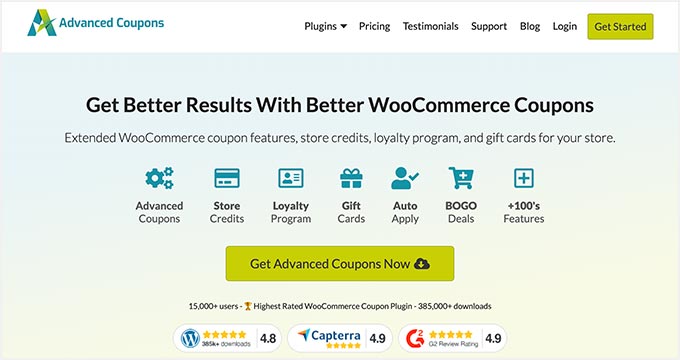
Advanced Coupons builds on WooCommerce’s built-in coupon system and adds the features most store owners eventually realize they’re missing: scheduled coupons, cart condition rules, BOGO deals, store credits, and a loyalty points module.
The free version gives you access to basic extensions like coupon URLs and role restrictions. The paid Growth plan ($99.50/year for one site, introductory pricing as of March 2026) unlocks payment method restrictions, dashboard reports, and WooCommerce gift cards. The All Access Bundle at $249/year adds the full loyalty program module and 85 pre-designed gift card templates — useful if you plan to run multi-touch discount strategies.
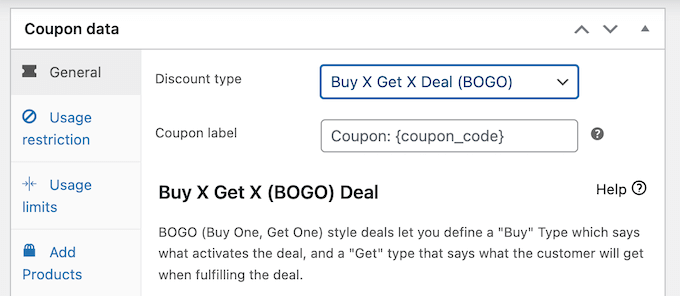
One genuinely useful feature is the smart-apply system: coupons can auto-apply when a customer’s cart meets specific conditions, trigger from a URL, or show as a notification on the cart/checkout page. This removes the friction of customers having to know a code exists.
Pros:
- Comprehensive all-in-one solution — coupons, loyalty, gift cards, store credits
- Scheduled coupons for seasonal promotions
- Cart conditions for automatic coupon application
- 14-day money-back guarantee
Cons:
- Free version is noticeably limited — most useful features need the paid plan
- Can feel heavy if you only need basic discount functionality
Best for: WooCommerce store owners who want one plugin to handle discounts, loyalty, and gift cards together. Not ideal for: Simple stores that only need percentage-off or fixed-amount coupons — the free tier of Smart Coupons covers those cases without cost.
Smart Coupons for WooCommerce — Best Free Discount Engine
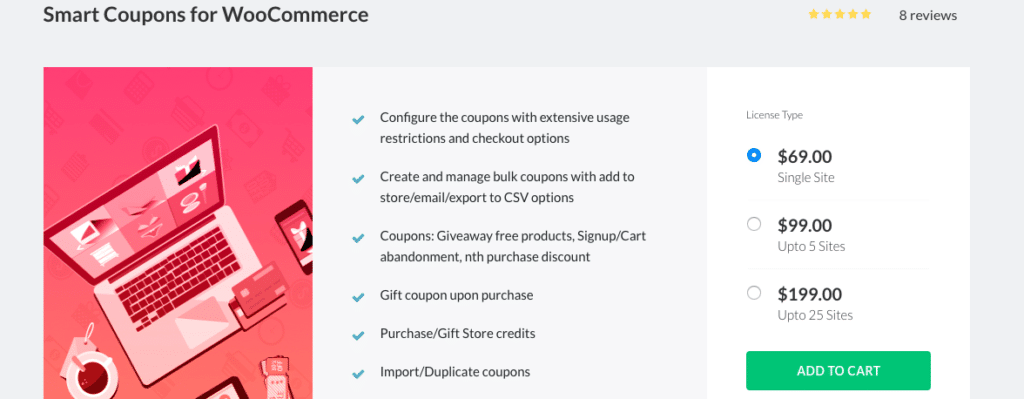
Most WooCommerce discount plugins put their best features behind a paywall. Smart Coupons is an exception — the free version includes BOGO deals, auto-apply coupons, cart condition restrictions (by product, category, user role, payment method, and shipping method), product giveaways, and coupon URLs. That’s a substantial free tier.
Version 2.2.7 (updated January 2026) holds a 4.7/5 rating from 131 reviews on WordPress.org. The premium version adds purchase-history coupons (first order, nth order), bulk generation, cart abandonment coupons, and gift vouchers.
Some users have reported occasional issues with coupon combination limits and a UI that can take a few minutes to navigate. These are worth noting but haven’t significantly dented the rating.
Pros:
- BOGO and auto-apply coupons in the free version
- Wide cart condition restrictions without paying
- Active development — updated January 2026
- Product giveaway functionality included free
Cons:
- Some users report bugs with coupon combination limits
- Interface has a learning curve for beginners
Best for: Store owners who want advanced discount features without a paid license. Not ideal for: Stores that need bulk coupon generation or cart abandonment automation — those require the premium version.
Discount Rules for WooCommerce — Best for Complex Pricing Rules

Discount Rules for WooCommerce is the most widely used plugin in this category — over 2.7 million downloads and a 4.8/5 rating from 1,241 reviews on WordPress.org make it one of the most established discount tools available (verified March 2026).
Where it shines is tiered and conditional pricing: you can set rules like “10% off when 3–5 items are in the cart, 15% off when 6–10” or “20% off for customers in the ‘Wholesale’ user role.” The free version handles percentage discounts, bulk/tiered pricing, and product-specific discounts. The Pro version adds BOGO, user role pricing, first-order discounts, and sale badges.
This isn’t a traditional coupon plugin in the sense that customers enter a code — it’s a pricing rules engine that applies discounts automatically based on conditions. For stores running volume pricing or membership pricing, that distinction matters.
Pros:
- Highest-rated plugin in this category (4.8/5 from 1,241 reviews)
- Tiered and bulk pricing in the free version
- Conditional discounts based on cart, user role, purchase history
- Sale badges and “You Saved $X” notes included
Cons:
- BOGO and user role pricing require the Pro plan
- Rules-based approach can be overkill for simple percentage-off promotions
Best for: Stores with volume pricing, wholesale tiers, or conditional discount strategies. Not ideal for: Stores that just need standard coupon codes for customers to enter at checkout — the interface is built for rule automation, not code-entry discounts.
YITH WooCommerce Gift Cards — Best for Gift Cards
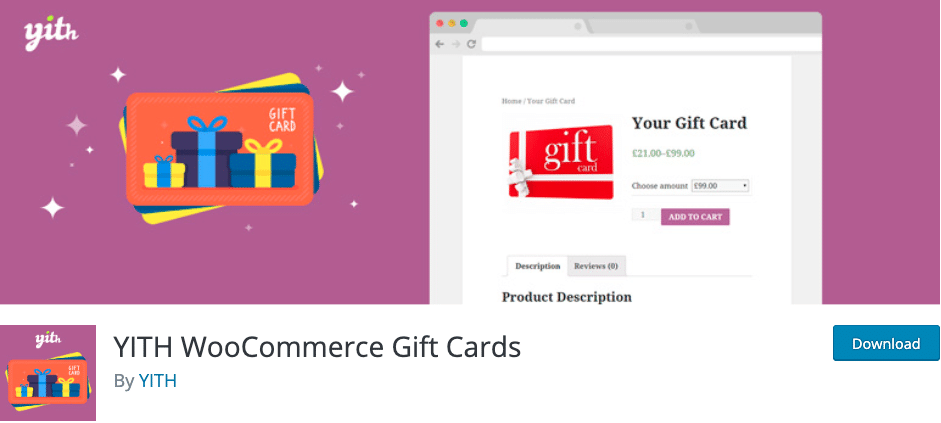
If your goal is specifically to sell or offer gift cards, YITH WooCommerce Gift Cards is the most feature-complete option in the WordPress ecosystem. The free version supports virtual and physical gift cards, email delivery, partial payments with gift card balance, and basic gift card management from the admin dashboard.
The premium version adds bulk generation, CSV import/export, expiration dates, QR codes, scheduled delivery, and multi-vendor support. It also achieved HPOS (High Performance Order Storage) compatibility starting from version 4.0.0 — important if your store is on a modern WooCommerce setup.
One honest note: YITH Gift Cards has a 3.3/5 rating from 52 reviews on WordPress.org — notably lower than other plugins in this roundup. User reviews frequently mention performance/bloat concerns and limited email template customization. The plugin works, but you should test it on a staging environment before deploying on a production store, particularly if performance is a priority.
Pros:
- Most feature-complete gift card solution for WooCommerce
- Digital and physical gift card support
- HPOS compatible (v4.0.0+)
- Customers can customize gift card designs, amounts, and recipients
Cons:
- Lower WordPress.org rating (3.3/5) with performance concerns noted in reviews
- Email template customization is limited in the free version
- No free plan for premium-exclusive features like expiration dates and QR codes
Best for: Stores that specifically need to sell or offer gift cards as a product. Not ideal for: Stores looking for a general-purpose coupon plugin or those on shared hosting where every plugin’s performance impact matters.
Best Coupon Plugins for Affiliate Bloggers and Deal Sites
These two plugins serve a fundamentally different purpose. They don’t generate discount codes or touch WooCommerce checkout — they display promotional codes from external brands in an attractive, user-friendly format on your blog or deal site.
WP Coupons and Deals — Best for Affiliate Bloggers


WP Coupons and Deals is purpose-built for affiliate marketers who promote third-party coupon codes on their WordPress sites. The free version handles the core workflow well: you enter a coupon code, it displays attractively with the discount amount, expiration date, and a click-to-copy button. When a visitor clicks to copy the code, your affiliate link opens in a new tab — a clean way to protect and monetize your coupon content.
The plugin has a 4.7/5 rating from 124 reviews and 2,000+ active installs as of January 2026. It’s lightweight and loads scripts conditionally (only on pages where coupons appear), which is a thoughtful performance decision most plugins skip.
The Pro version adds code-hiding (so visitors must click to reveal the code, generating an affiliate link click in the process), expiration countdowns, multiple coupon templates, and a coupon archive page. These are standard features for affiliate coupon sites.
Pros:
- Clean click-to-copy functionality with affiliate link integration
- Lightweight — scripts loaded only where needed
- Social share buttons per coupon
- Three coupon types: coupon code, deal, image coupon
- Voting system lets visitors rate coupon codes
Cons:
- Code-hiding (critical for affiliate protection) requires Pro
- Expiration countdowns are Pro-only
- 2,000+ active installs is modest compared to store-focused plugins
Best for: Bloggers and affiliate marketers who display coupon codes from external brands. Not ideal for: WooCommerce store owners — this plugin doesn’t create or apply WooCommerce discount codes.
Coupon Creator — Best Free Display Plugin
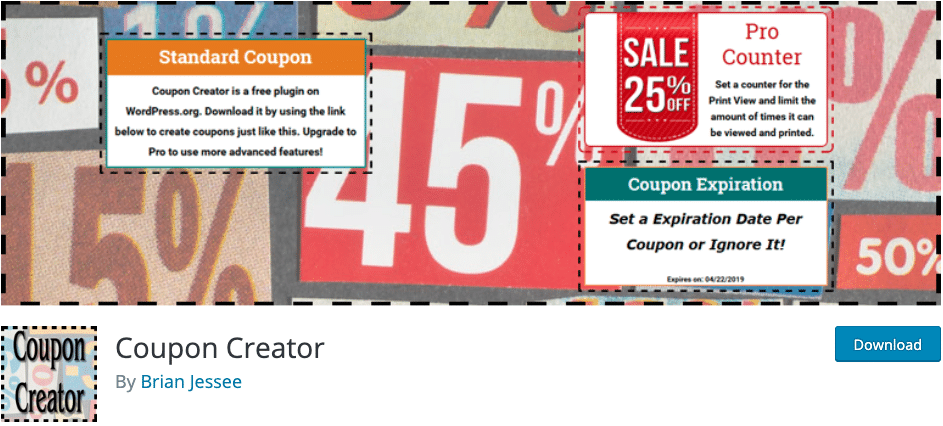
Coupon Creator takes a different approach: instead of importing existing coupon codes, it generates stylized coupon displays that you embed in posts and pages via shortcode or the Block Editor. It has a 4.3/5 rating on WordPress.org (37 reviews) and was last updated in November 2025.
The free version covers the basics — customizable colors and fonts, expiration date display, print functionality, and a WooCommerce add-on that lets you connect coupons to specific WooCommerce offers. The paid Pro version adds advanced design templates, bulk printing, coupon usage counters, and dynamic code reveal.
It’s worth being upfront about the limitations: the review base is smaller (37 reviews), and some users have noted limited support response times. It’s a solid free option for simple use cases but probably not the right choice if you’re building a dedicated coupon/deal site with hundreds of promotions to manage.
WordPress affiliate marketing guide
Free vs. Pro comparison:
| Plugin | Free Features | Paid-Only Features |
|---|---|---|
| WP Coupons and Deals | Click-to-copy, voting, categories, expiration display, 3 coupon types | Hidden coupons, countdown timer, templates, stats, archive page |
| Coupon Creator | Shortcode display, expiration, print, color customization, Block Editor | WooCommerce integration, advanced templates, multiprint, coupon counters |
Best for: Sites that need a simple, free way to display print-style or styled coupons on WordPress pages. Not ideal for: High-volume affiliate sites where code management, hiding, and analytics matter.
Coupon Delivery via Popups and Email Automation
Neither OptinMonster nor FunnelKit Automations creates coupon codes — they deliver them. Both complement the WooCommerce discount plugins above rather than replace them.
OptinMonster — Best for Coupon Popups and Lead Generation

OptinMonster is a popup and lead generation platform. It doesn’t touch WooCommerce checkout — instead, it shows visitors your coupon code (or a discount offer) through a popup at a strategically timed moment. Exit intent is one of its most-used features: when the system detects a visitor’s cursor moving toward the browser’s close button, it triggers a popup with a discount offer.
Pricing starts at $7/month ($84/year) for the Basic plan, which supports a single site with 2,500 campaign impressions per month. Exit intent requires the Pro plan at $29/month ($348/year). A/B testing becomes available on the Plus plan ($19/month). OptinMonster is a SaaS product — there’s no self-hosted version, and pricing renews at higher rates after the introductory period (as of March 2026).
Pros:
- Exit intent technology to catch visitors before they leave
- 700+ campaign templates including coupon-specific designs
- A/B testing for comparing coupon offers
- Integrates with major email marketing services (Mailchimp, Constant Contact, etc.)
Cons:
- Exit intent requires the Pro plan ($29/month) — not available on the base tier
- SaaS pricing model means ongoing subscription cost
- Can add noticeable page overhead on lower-traffic sites
Best for: Stores or blogs that want to use discount popups to grow their email list while delivering coupons. Not ideal for: Simple stores that just need coupon code generation — OptinMonster is overkill for that use case.
FunnelKit Automations — Best for Automated Coupon Emails
FunnelKit Automations is a WooCommerce email marketing and CRM plugin. Where it stands out for coupon delivery is dynamic coupon generation: you can set up automated sequences that create and send unique one-time coupon codes to individual customers based on their behavior — abandoned cart, first purchase, post-purchase follow-up, or any WooCommerce event trigger.
The free Lite version includes abandoned cart recovery, post-purchase follow-ups, and welcome email sequences. Dynamic coupons (unique per-customer codes) and the drag-and-drop email builder require the Pro plan starting at $99.50/year (introductory pricing as of March 2026).
FunnelKit Automations holds a 5.0/5 rating from 327 reviews on WordPress.org — the highest in this group — with 677,568+ downloads as of February 2026. The active community and strong review base are worth factoring in alongside the features.
WordPress email marketing guide
Pros:
- Dynamic coupon codes (unique per customer) for personalized offers
- Highest-rated plugin in this comparison (5.0/5, 327 reviews)
- Free Lite version includes abandoned cart recovery
- Merge tags for personalized coupon codes (customer first name, etc.)
- 60+ integrations including Zapier, SendGrid, Mailgun
Cons:
- Dynamic coupons require Pro ($99.50+/year)
- Broad feature set can feel overwhelming for simple email automation needs
- No monthly billing option on most plans
Best for: WooCommerce stores that want to send personalized coupon codes via email as part of automated cart recovery or win-back sequences. Not ideal for: Simple stores that don’t need email automation — there are lighter options for basic follow-up emails.
How to Choose the Right WordPress Coupon Plugin
Five questions narrow the field quickly:
1. Do I have a WooCommerce store, or am I promoting affiliate deals?
Store owners need a discount engine (Advanced Coupons, Smart Coupons, Discount Rules). Affiliate bloggers need a display tool (WP Coupons and Deals, Coupon Creator). Mixing these up is the most common mistake in this category.
2. Do I need to create codes or just display ones I already have?
If your store generates the coupon codes and customers enter them at checkout, you need a WooCommerce discount plugin. If you’re showing codes from Amazon, Airbnb, or any external brand, you need a display plugin.
3. Do I need email automation?
If abandoned cart recovery or post-purchase coupon sequences are part of your strategy, FunnelKit Automations is worth evaluating. If you just need static coupon codes, you don’t need an automation tool.
4. What’s my actual budget?
Smart Coupons for WooCommerce and WP Coupons and Deals both offer genuinely useful free versions. Advanced Coupons and OptinMonster offer more power at a cost. Don’t pay for features you won’t use.
5. Do I need gift cards, points/rewards, or standard discounts?
These are three different product categories. Gift cards → YITH WooCommerce Gift Cards. Points and loyalty → Advanced Coupons All Access Bundle or a dedicated loyalty plugin. Standard percentage/fixed discounts → Smart Coupons or Discount Rules (both free tiers are solid).
Essential WordPress plugins guide
Frequently Asked Questions
What is the difference between a coupon plugin and a discount plugin?
A coupon plugin typically refers to tools that create customer-facing coupon codes (entered at checkout) or display affiliate codes on blogs. A discount plugin — like Discount Rules for WooCommerce — applies price reductions automatically based on cart conditions, without requiring a code at all. In practice, many plugins blur this line by supporting both approaches.
Do I need WooCommerce to use a coupon plugin?
It depends on the plugin type. Display plugins like WP Coupons and Deals and Coupon Creator work on any WordPress site — no WooCommerce needed. Discount engine plugins (Advanced Coupons, Smart Coupons, Discount Rules) require WooCommerce to function. OptinMonster and FunnelKit Automations work best with WooCommerce but aren’t strictly dependent on it.
Are there genuinely good free WordPress coupon plugins?
Yes. Smart Coupons for WooCommerce offers a strong free tier that includes BOGO deals, auto-apply coupons, and cart condition restrictions. WP Coupons and Deals has a solid free version for affiliate bloggers. Coupon Creator is fully free for basic shortcode display. These aren’t feature-restricted bait for paid upgrades — the free versions work for the majority of straightforward use cases.
Which coupon plugins support BOGO deals?
Advanced Coupons (paid), Smart Coupons for WooCommerce (free), and Discount Rules for WooCommerce (Pro plan). If BOGO support in the free tier is a requirement, Smart Coupons is currently the only option that includes it without payment.
Can I use a coupon plugin on a membership or course site?
It depends on your setup. If your membership or course platform has WooCommerce as its payment layer (many do, including MemberPress and WooCommerce Memberships), then WooCommerce-based discount plugins will work. If your platform uses a different checkout system, check compatibility documentation before installing — most discount plugins are WooCommerce-specific.
Which plugin is best if I’m just starting out?
For a WooCommerce store beginner: start with Smart Coupons for WooCommerce (free). It covers BOGO, basic restrictions, and auto-apply without any cost. For an affiliate blogger just starting: WP Coupons and Deals free version is the clearest starting point.
Do coupon plugins affect site speed?
Most well-maintained plugins are careful about this. WP Coupons and Deals loads scripts conditionally (only on pages with coupons). YITH WooCommerce Gift Cards has received some user complaints about added overhead. Discount Rules for WooCommerce’s large install base (2.7M+ downloads) with a 4.8/5 rating suggests it manages performance reasonably well. For any plugin, test on a staging site before deploying and check load time before and after with a tool like GT Metrix or PageSpeed Insights.
Can I use multiple coupon plugins at the same time?
Technically yes, but it’s worth being cautious about conflicts between discount engine plugins. Running Advanced Coupons and Discount Rules simultaneously, for example, could create unexpected interactions if both apply discounts to the same cart. Display plugins (WP Coupons and Deals, Coupon Creator) are generally safe to run alongside WooCommerce discount plugins since they don’t touch checkout logic. If you use a delivery tool like OptinMonster alongside a discount engine, conflicts are unlikely since they operate at different layers.
Conclusion
The right coupon plugin depends almost entirely on what your site does. Store owners running WooCommerce promotions need a different toolset than affiliate bloggers curating deal pages — and neither group needs a six-plugin stack to accomplish their goals.
For most WooCommerce store owners starting out, Smart Coupons for WooCommerce covers the fundamentals for free. For stores that need loyalty programs, gift cards, and automated email sequences, Advanced Coupons plus FunnelKit Automations is a well-regarded combination. Affiliate bloggers promoting third-party codes will find WP Coupons and Deals well-suited to that specific workflow.
Verify pricing at each vendor’s official site before purchasing — introductory rates in this category are common, and renewal prices are typically higher than the first-year cost.
