


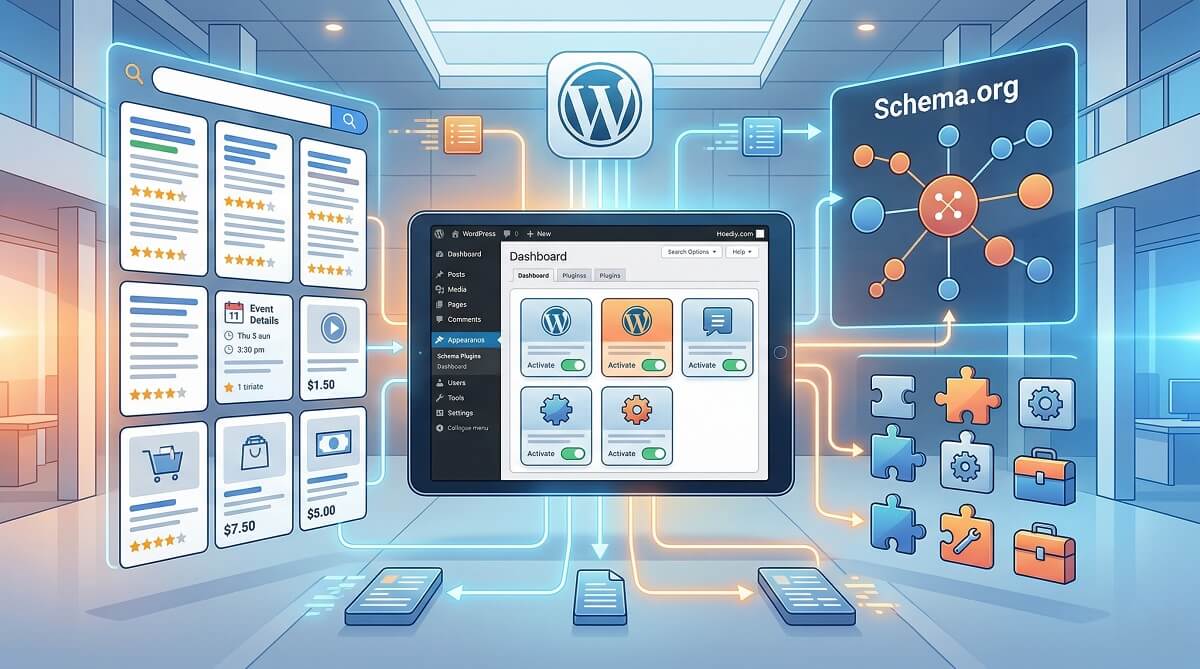
Schema markup is one of the most underused SEO tools on WordPress. Install the right plugin, configure it once, and search engines can start displaying your content as rich snippets — star ratings on product pages, FAQs that expand directly in Google results, recipe cards with cook times, event listings with dates. The difference is visible in your click-through rate almost immediately.
The tricky part is that there are a dozen schema plugins to choose from, and most comparison articles treat them interchangeably. They are not. A plugin that is ideal for a recipe blogger is the wrong choice for a local dental clinic. What works perfectly for a news publisher is overkill for a five-page brochure site. This guide matches each plugin to the site type it actually suits best — with verified 2026 pricing and a full feature comparison table.
wplasma.com — WordPress tutorials and plugin guides
Quick Picks: Best Schema Plugin by Use Case
If you are short on time, here are the top recommendations by site type. Details and full reviews follow below.
| Your Site Type | Best Schema Plugin | Why |
|---|---|---|
| Blogger / content site | Rank Math (free) | Best free tier; 18+ schema types; built into a full SEO plugin |
| Large site / agency | Schema Pro | Site-wide automation; unlimited sites at $69/year; custom field mapping |
| WooCommerce / eCommerce | AIOSEO or Schema Pro | Product schema, offers, WooCommerce integration built in |
| Local business | AIOSEO or WP SEO Structured Data Schema | Address, hours, phone, geo-coordinates schema; local SEO focused |
| News publisher | Schema & Structured Data for WP & AMP | NewsArticle, LiveBlogPosting; updated March 2026; 50+ schema types |
| Already using Yoast SEO | Stay with Yoast | Built-in FAQ/HowTo/Article schema; no extra plugin needed |
| Budget is $0 | SASWP free tier | Most schema types of any free WordPress plugin (35+) |
| Minimal personal blog | Schema by schema.press | Lightweight, set-and-forget Article/BlogPosting markup |
One important note before diving in: if you are already running Yoast SEO, Rank Math, or AIOSEO, check whether their built-in schema module covers your needs before adding a dedicated schema plugin. Running two schema plugins at the same time creates duplicate JSON-LD markup in your page source — a known SEO issue covered in the section below.
What Schema Markup Does (and Why WordPress Needs a Plugin for It)
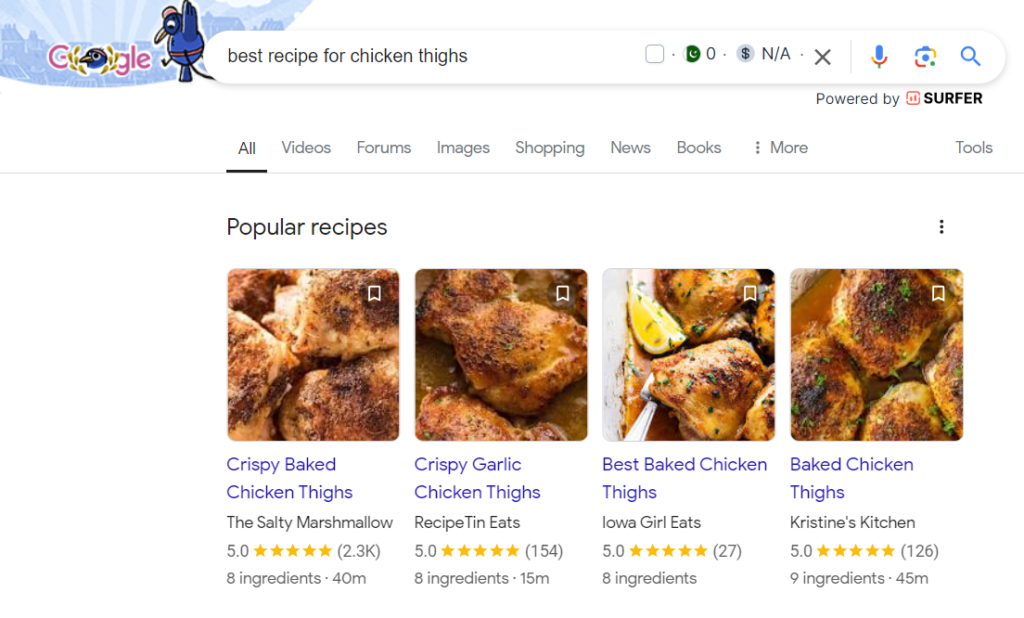
Schema markup is structured code added to your page HTML that describes your content to search engines in a standardized vocabulary called Schema.org. Google and other search engines use this information to generate rich results — the enhanced listings you see in search with star ratings, prices, event dates, FAQ dropdowns, and step-by-step recipe cards.
The preferred format is JSON-LD (JavaScript Object Notation for Linked Data), a small script block embedded in your page’s <head> or <body>. Google explicitly recommends JSON-LD over older approaches like Microdata.
WordPress adds some basic structured data by default, but it is minimal and does not cover most rich result types. To implement product schema, recipe schema, local business markup, or FAQ schema, you need either a dedicated schema plugin or an SEO plugin with a solid schema module. The plugins below handle that — without requiring you to write a line of JSON-LD manually.
What to Look for Before Choosing a Schema Plugin
Not every schema plugin is a good fit for every site. Here are the criteria worth checking before committing:
- Schema type coverage: Does it support the types your site actually uses? A WooCommerce store needs product schema with price and availability. A local business needs address, hours, and geo-coordinates. A recipe site needs the full Recipe type with ingredients and ratings.
- Output format: Make sure the plugin uses JSON-LD. Avoid older plugins that output Microdata or RDFa — these are harder to debug and Google processes them less efficiently.
- Automation vs. manual control: Large sites benefit from site-wide schema automation (Schema Pro, AIOSEO). Smaller sites might prefer per-post manual control (Rank Math, SASWP).
- Free tier usefulness: Some plugins offer a genuinely capable free version (Rank Math, SASWP). Others essentially require the paid upgrade for anything useful (Schema by schema.press).
- WooCommerce compatibility: If you run an online store, confirm the plugin supports product offers, price, currency, and availability schema for WooCommerce products.
- Plugin conflicts — this is important: Running two WordPress plugins that both output schema for the same page creates duplicate JSON-LD markup. This confuses search engine crawlers and can suppress your rich results. Hostinger, in their own review of schema plugins, puts it plainly: “We don’t recommend using multiple WordPress schema plugins simultaneously. Doing so can result in conflicting or duplicate schema markups, which can negatively affect your SEO.” The same warning appears across expert WordPress communities. If you already use Yoast, Rank Math, or AIOSEO for SEO — check their built-in schema first.
- Validation built in: The best plugins connect directly to Google’s Rich Results Test so you can verify markup immediately after setup.
See our full WordPress SEO guide for more structured data best practices
The 8 Best WordPress Schema Plugins Reviewed
Each review below covers: what the plugin does best, key features, what the free version actually includes, and verified pricing as of March 2026.
1. Rank Math — Best Free Schema Plugin for Content Sites
Rank Math is the most capable free option in this list. The free tier includes a schema generator with 18 predefined types — Article, FAQ, HowTo, Recipe, Product, Video, Software, Service, Event, and more. That covers the vast majority of what most content sites and small businesses need.
One feature that sets Rank Math apart even at the free level: it lets you add FAQ and HowTo blocks directly in the WordPress editor, which automatically generates the correct JSON-LD. For content-heavy sites that want FAQ rich results, this alone is worth the installation.
The Pro plan ($7.99/month billed annually, approximately $95.88/year for unlimited personal sites) expands schema capabilities significantly — including 840+ total schema types, schema import from competitor URLs, and Google validation built into the dashboard. The schema import feature is genuinely useful for SEO research: paste a competitor’s URL and Rank Math pulls their structured data so you can analyze and replicate their approach.
Free version includes: 18+ schema types, FAQ/HowTo blocks, Article, Product, Event schema. Requires Pro: Schema import, automatic Google schema validation, full 840+ type library.
Active installs: 3M+ on WordPress.org | Pricing: Free / Pro from $95.88/year
Best for: Bloggers, content sites, affiliate sites, SEO-focused small businesses
2. Schema Pro (wpschema.com) — Best for Automation Across Large Sites
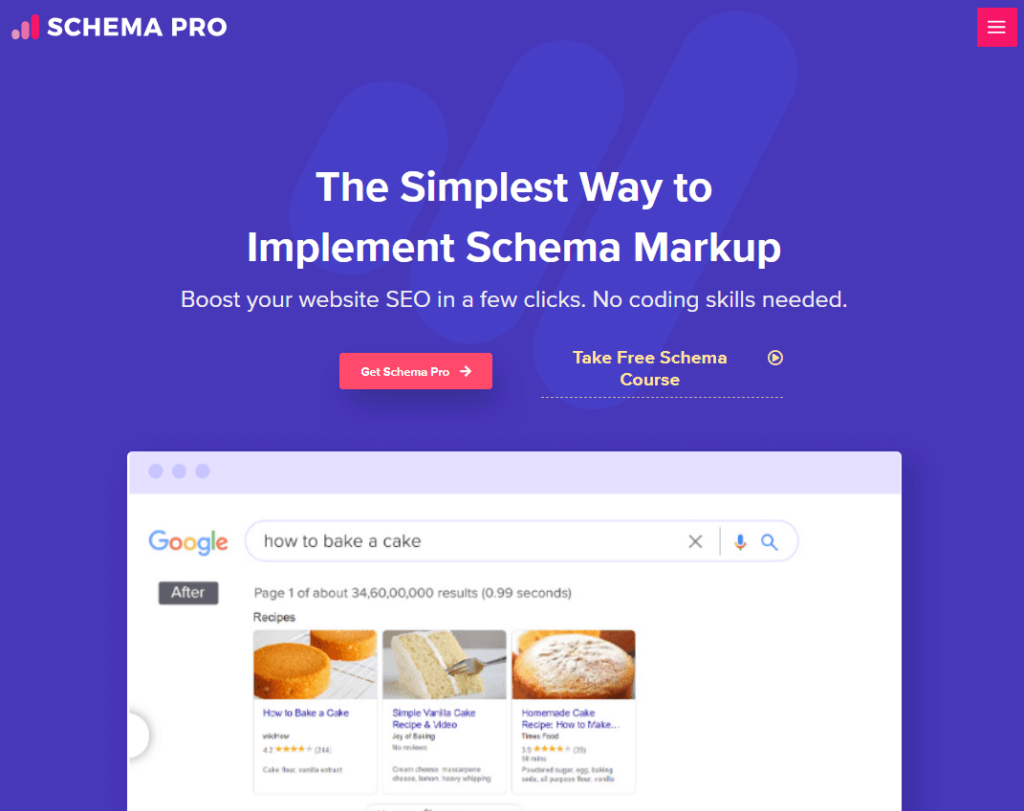
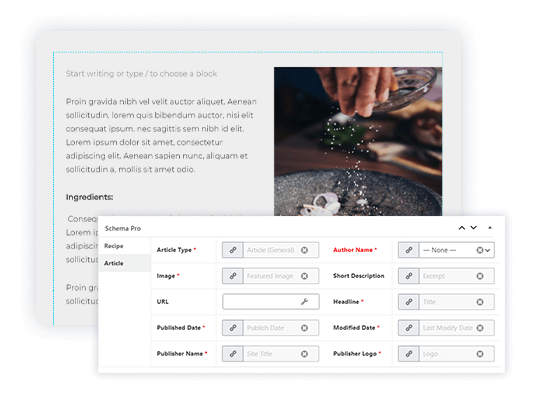
Schema Pro is the closest thing to a dedicated professional schema tool for WordPress. Unlike most plugins that bolt schema onto an existing SEO plugin, Schema Pro is built entirely around structured data. Its core strength is site-wide automation: you select a schema type, define where it applies (specific post types, categories, pages), map data fields, and the plugin handles every page from there. No per-post work required.
The custom field mapping is what agencies tend to appreciate most. You can map standard WordPress fields (title, featured image, author, date) or pull from custom fields created by ACF, so the schema accurately reflects your actual content. Real-time testing via a built-in link to Google’s Rich Results Test means you can catch configuration errors immediately.
There is no free version. Schema Pro is premium-only, priced at $69/year (current promotional rate, regular $79/year) or $229 for a lifetime license — both covering unlimited websites. The Brainstorm Force team, which also builds the Astra theme, maintains it actively. Trusted by 174,239+ websites with a 4.9/5 overall satisfaction rating.
Requires paid (no free tier).
Pricing: $69/year (promo, regular $79/year); $229 lifetime | Unlimited sites | 14-day money-back guarantee
Best for: Agencies managing multiple client sites, large WordPress sites needing automated structured data, eCommerce stores
3. AIOSEO — Best All-In-One SEO + Schema Combo
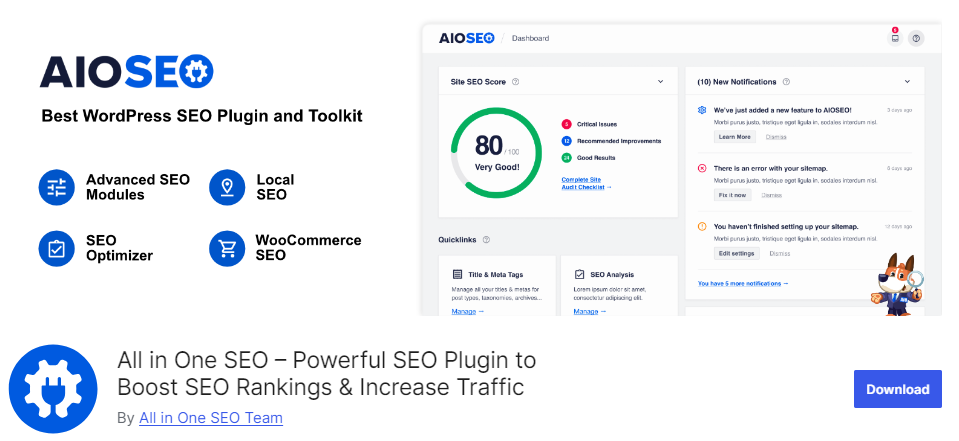
If you are looking for a single plugin to handle both SEO and schema markup, AIOSEO is the strongest option. Its “Next-Gen Schema Generator” covers 20+ schema types including product, recipe, FAQ, course, software application, and local business. For WooCommerce stores, AIOSEO’s WooCommerce integration automatically adds product schema with price, availability, and currency — a real time saver compared to configuring this manually.
AIOSEO also handles the Knowledge Graph markup (your site’s entity information for Google) and adds structured data to author pages, date archives, and 404 pages — which most schema-only plugins miss entirely.
The free version includes basic article schema. Local business markup and product schema require the paid plan. AIOSEO Basic starts at $49.60/year for a single site; the Elite plan ($299.60/year) covers up to 100 sites.
Free version includes: Basic article schema, XML sitemap, basic SEO features. Requires paid: Local business schema, product schema (WooCommerce), advanced schema generator.
Active installs: 3M+ | Pricing: Free / Basic from $49.60/year
Best for: Sites already using AIOSEO for SEO, local businesses, WooCommerce stores
4. Schema & Structured Data for WP & AMP (SASWP) — Best Free Plugin with the Most Schema Types
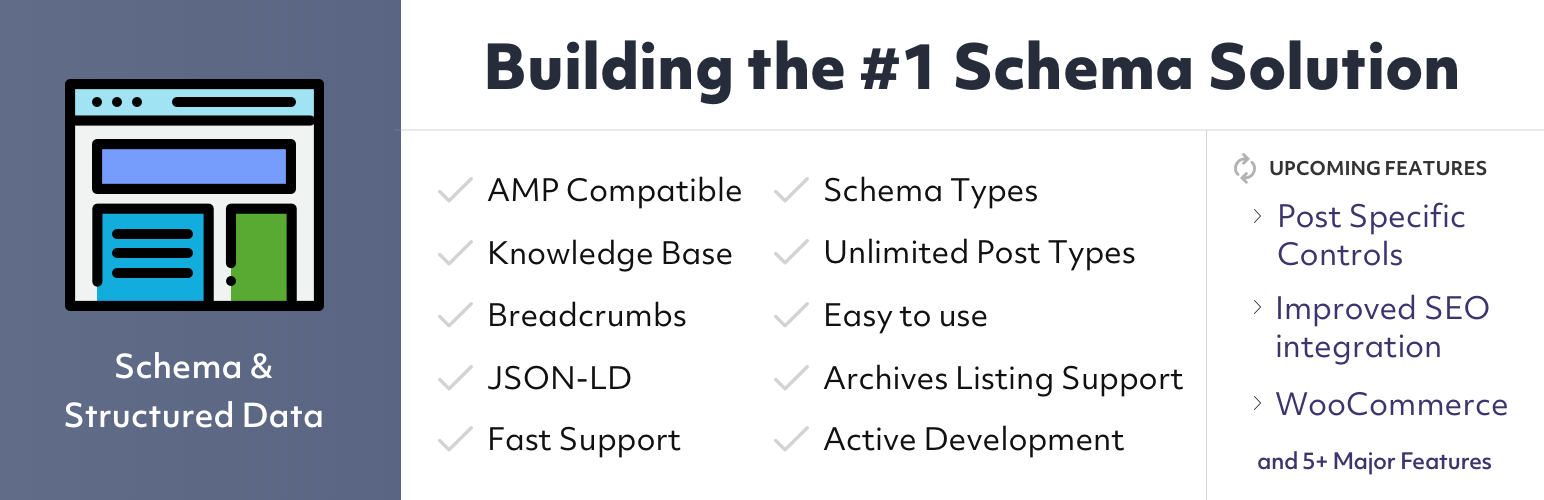
If you want the widest schema type coverage without spending money, SASWP is the clear choice. The free version supports 35+ schema types — more than any other free plugin in this list. This includes specialized types like VacationRental, MedicalCondition, TouristAttraction, LiveBlogPosting, and Game that no other free plugin covers. For publishers and content-heavy sites with diverse content types, that breadth matters.
SASWP is also one of the most actively maintained plugins in this space. Its changelog shows consistent updates through 2025 and into 2026 — version 1.57 was released March 13, 2026, fixing PHP errors and adding SportsTeam schema. That kind of ongoing development is reassuring for a plugin that sits in your SEO stack long-term.
Other notable features: AMP compatibility (for both AMP for WP and AMP by Automattic), schema templates, migration from other schema plugins (SEO Pressor, WP SEO Schema), and 11 Gutenberg schema blocks. The plugin also has a review collection module that can pull ratings from 75+ external platforms — though that feature requires the pro upgrade.
WooCommerce product schema requires a paid add-on; the pro tier starts at approximately $99/year based on competitor data (verify at structured-data-for-wp.com for current pricing).
Free version includes: 35+ schema types, AMP support, Gutenberg blocks, schema templates, conditional display. Requires paid/add-on: WooCommerce schema, external platform review fetching (75+ platforms).
Downloads: 7.2M+ | Rating: 4.5/5 (251 reviews) | Last updated: March 13, 2026 | Pricing: Free / Pro ~$99/year
Best for: Sites needing diverse schema types on a budget; AMP publishers; news/media sites
5. Yoast SEO — Best Option If You’re Already on Yoast

Yoast SEO is the most installed WordPress plugin of any kind, with 10M+ active installations. Its schema module is built directly into the plugin and adds appropriate schema.org markup automatically depending on your page type — Article for posts, WebPage for pages, SearchResultsPage for search, and so on.
For FAQ and HowTo content specifically, Yoast works particularly well with the Gutenberg block editor. Add a Yoast FAQ block or HowTo block to your post, and the structured data is generated automatically in the background. No additional configuration needed.
The important consideration: if Yoast is already handling your SEO, you almost certainly do not need a separate schema plugin. Adding one creates exactly the duplicate markup conflict described in the buying criteria section above. Yoast’s built-in schema is solid enough for most WordPress sites. The paid version ($99/year) unlocks local business schema, advanced article types, and additional page-type schema.
Free version includes: Article schema, FAQ/HowTo schema blocks, automatic page-type schema. Requires paid: Local business schema, advanced article types.
Active installs: 10M+ | Pricing: Free / Premium $99/year
Best for: Any WordPress site already using Yoast SEO — no reason to install a separate schema plugin
6. SEOPress — Best Budget Premium Schema Plugin
SEOPress offers strong schema coverage at a price point that undercuts most competitors. The Pro plan costs $49/year for a single site (or $149/year for unlimited sites) with no price increase at renewal. The feature set is genuinely comprehensive: video schema, event schema, product schema with WooCommerce support, job posting schema, local business schema, FAQ schema, HowTo schema, article schema, course schema, and custom schema types.
Custom schema type creation is where SEOPress stands out in the pro tier — you can define entirely new schema types tailored to content that doesn’t fit standard categories. For sites with unique structured data needs, this flexibility is worth the upgrade from the free version.
The free version of SEOPress provides a capable SEO foundation but locks most schema customization and custom schema creation behind the paid plan.
Free version includes: Basic article schema, XML sitemaps, basic SEO features. Requires paid: Custom schema types, video/event/product schema, WooCommerce schema.
Pricing: Free / Pro $49/year (1 site), $149/year (unlimited) | Active installs: 300K+
Best for: Budget-conscious sites needing solid schema coverage; developers and agencies on tight budgets
7. WP SEO Structured Data Schema — Best for Local Business Schema
WP SEO Structured Data Schema is a focused plugin that handles the essentials cleanly without the overhead of a full SEO toolkit. The free version provides 11 schema types, including Local Business, Organization, Article, Blog Post, Events, Products, and Video. The interface auto-populates fields from your existing page content, which reduces setup time significantly.
The local business implementation is particularly thorough. The plugin supports geo-coordinates (latitude and longitude), full address fields (street, locality, postal code, country), operating hours, and phone numbers. For brick-and-mortar businesses that want their Google Business Profile information reflected in structured data on their WordPress site, this plugin handles it without requiring a full SEO platform.
Third-party plugin compatibility is another strength: it works alongside Yoast SEO’s default schema output (with settings to prevent conflicts), WooCommerce, and Easy Digital Downloads.
Free version includes: 11 schema types including Local Business, Organization, Article, Blog, Events. Requires paid: Auto-populate feature, additional schema types.
Pricing: Free / Pro from $49/year | Active installs: 30K+
Best for: Local businesses, restaurants, service providers needing address/hours/phone schema
8. Schema by schema.press — Best Lightweight “Set and Forget” Option

If your site is a straightforward blog or personal site and you want basic Article and BlogPosting schema without touching settings repeatedly, the Schema plugin by schema.press is worth considering. It is lightweight, outputs valid JSON-LD, and works with a minimal configuration wizard. Set your site type, add your publisher logo, and it runs on its own.
The plugin also automatically detects embedded videos and audio via oEmbed and adds VideoObject/AudioObject schema — a useful passive feature for sites that embed YouTube or Vimeo content regularly.
The main caveat: the free version is limited to a handful of core schema types (Article, BlogPosting, Person, VideoObject, BreadcrumbList). Most additional types — FAQ, HowTo, Local Business, Product, Recipe, WooCommerce — require either the premium version or separate paid extensions. The plugin was last updated June 2025 (version 1.7.9.6), which is fine but less actively developed than SASWP.
Free version includes: Article, BlogPosting, Person, VideoObject, BreadcrumbList schema. Requires paid/extensions: FAQ, HowTo, Recipe, Product, Local Business, WooCommerce.
Downloads: 1.4M+ | Rating: 4.3/5 (221 reviews) | Pricing: Free / Premium (check schema.press/pricing)
Best for: Minimal personal blogs and portfolios that just need basic article markup
Compare more WordPress SEO tools on wplasma.com
Full Feature Comparison: All 8 Schema Plugins Side by Side
This table uses verified data from official sources as of March 2026. Prices shown are starting annual rates for the paid tier.
| Plugin | Free Tier | Schema Types (Free / Total) | JSON-LD | AMP | WooCommerce | WPML | Active Installs | Paid Tier Starts At |
|---|---|---|---|---|---|---|---|---|
| Rank Math | ✅ | 18 / 840+ | ✅ | ✅ | ✅ (paid) | ✅ | 3M+ | $95.88/year |
| Schema Pro | ❌ | — / 20+ | ✅ | ✅ | ✅ | ✅ | 174K+ sites | $69/year |
| AIOSEO | ✅ | Basic / 20+ | ✅ | ✅ | ✅ (paid) | ✅ | 3M+ | $49.60/year |
| SASWP | ✅ | 35+ / 50+ | ✅ | ✅ | ✅ (add-on) | ✅ | 7.2M downloads | ~$99/year |
| Yoast SEO | ✅ | 10+ (auto) / 15+ | ✅ | ✅ | ✅ | ✅ | 10M+ | $99/year |
| SEOPress | ✅ | Basic / 15+ | ✅ | ✅ | ✅ (paid) | ✅ | 300K+ | $49/year |
| WP SEO Struct. Data | ✅ | 11 / 20+ | ✅ | ❌ | ✅ | ❌ | 30K+ | $49/year |
| Schema (schema.press) | ✅ | 5 core / 15+ (ext.) | ✅ | ✅ | ✅ (ext.) | ❌ | 1.4M downloads | Check schema.press |
Prices verified March 2026 from official sources. SASWP Pro pricing sourced from competitor data — verify at structured-data-for-wp.com. Schema (schema.press) premium pricing not publicly listed; check schema.press/pricing.
Which Schema Plugin Fits Your Site Type?
Here is the practical breakdown. These recommendations follow from the feature data above, not from affiliate arrangements or generic rankings.
See all WordPress plugin comparisons on wplasma.com
Personal blog or content site: Start with Rank Math’s free version. The 18 schema types cover Article, FAQ, HowTo, and Video — everything a standard content site needs. If you later need more, the Pro upgrade is straightforward.
WooCommerce store: AIOSEO ($49.60/year Basic) or Schema Pro ($69/year) are the cleanest integrations. Both handle product schema with price, availability, and currency automatically. AIOSEO is better if you want all your SEO in one plugin; Schema Pro is better if you need schema across a large catalog with custom field mapping.
Local business (restaurant, clinic, service provider): AIOSEO’s Plus plan includes local SEO schema with business hours, address, and phone. WP SEO Structured Data Schema (free) is a simpler option if you only need the local business markup without a full SEO suite.
News publisher or media site: SASWP is the strongest choice. It is the only free plugin that covers NewsArticle, LiveBlogPosting, and ImageGallery schema — all relevant to publishers. Its March 2026 changelog update shows active maintenance for news-specific schemas.
Recipe or food blog: Both Rank Math (free) and SASWP (free) handle Recipe schema with ratings, preparation time, cook time, ingredients, and nutrition. Either works; choose based on which SEO plugin you prefer overall.
Agency or developer managing multiple sites: Schema Pro at $69/year for unlimited sites is the most cost-effective professional option. The automation and custom field mapping mean you can deploy accurate schema across dozens of client sites quickly.
Already on Yoast SEO: Do not install a separate schema plugin. Yoast’s built-in schema handles articles, FAQ blocks, HowTo blocks, and basic page types — adding another plugin creates duplicate markup. Upgrade to Yoast Premium if you need local business or advanced schema.
Multilingual / WPML site: Rank Math, AIOSEO, SASWP, Yoast, and SEOPress all support WPML. WP SEO Structured Data Schema and Schema by schema.press do not list WPML compatibility.
How to Test If Your Schema Markup Is Actually Working
Installing a schema plugin does not guarantee your rich snippets will appear in Google. Schema must be valid, correctly structured, and meet Google’s content policies for each markup type. Here is how to verify it is working:
- Google Rich Results Test (rich.results.google.com): Paste any URL and it shows which rich result types Google detected, any errors or warnings, and a preview of how the result might display. This is your first check after setup.
- Schema.org Markup Validator (validator.schema.org): Checks your markup against Schema.org specifications specifically, rather than Google’s guidelines. Useful for catching schema errors that Google’s tool might not surface.
- Google Search Console → Enhancements: After Google has crawled your pages, the Enhancements section shows confirmed rich result types (FAQ, HowTo, Article, Product, Recipe, etc.) along with any coverage errors. This is the most reliable long-term monitoring tool.
Common issues to watch for:
- Missing required fields — FAQ schema needs both Question and Answer properties; Recipe schema requires name and either recipeIngredient or recipeInstructions
- Duplicate schema output from two active schema plugins — check your page source for multiple
<script type="application/ld+json">blocks covering the same content type - Schema type mismatch — using Article schema on a product page, or Recipe schema on a general blog post, does not produce rich results
Learn how to use Google Search Console for WordPress SEO
Frequently Asked Questions
- What is the best free schema plugin for WordPress?
- For the widest schema type coverage, Schema & Structured Data for WP & AMP (SASWP) offers 35+ types free. For content and SEO-focused sites, Rank Math‘s free tier is stronger overall because it is part of a full SEO plugin with 18 schema types, FAQ blocks, and HowTo blocks built in. Your choice depends on whether you need niche schema types or a well-rounded SEO tool.
- Do I need a separate schema plugin if I already use Yoast SEO or Rank Math?
- Probably not. Both Yoast and Rank Math include solid built-in schema modules. Check whether their schema features cover your use case before adding another plugin. Running two schema plugins simultaneously creates duplicate JSON-LD output, which is a known SEO risk — most WordPress experts advise against it.
- Can I use two schema plugins at the same time?
- You can install two, but you should not run both outputting schema for the same pages. Doing so results in duplicate structured data markup, which search engine crawlers may treat as conflicting signals. If you need to switch schema plugins, deactivate the old one completely before activating the new one. Some plugins (like SASWP) have import tools to migrate your existing schema configuration.
- Will adding schema markup directly improve my Google rankings?
- Schema markup does not guarantee higher rankings, but it does affect how your results look in SERPs. Rich snippets — star ratings, FAQ dropdowns, recipe cards, event listings — often increase click-through rates substantially. Higher CTR sends Google positive engagement signals, which can indirectly improve your ranking over time. Schema is a mid-to-long-term SEO investment, not a quick ranking fix.
- Which schema plugin is best for WooCommerce?
- AIOSEO and Schema Pro both offer strong WooCommerce integration. AIOSEO’s Basic plan ($49.60/year) includes product schema with price, availability, and currency for WooCommerce products. Schema Pro ($69/year) offers the same plus more granular automation across large product catalogs. SASWP also supports WooCommerce schema but requires a separate paid add-on.
- How do I switch from one schema plugin to another without losing data?
- Schema & Structured Data for WP & AMP (SASWP) has a migration import tool that can pull data from several older schema plugins (SEO Pressor, WP SEO Schema, the Schema plugin). For other transitions, the main consideration is deactivating your old plugin before activating the new one to prevent duplicate markup. Your actual post content does not change — schema is output dynamically, not stored in your content. Revalidate your key pages in Google’s Rich Results Test after switching.
- Does adding a schema plugin slow down my WordPress site?
- A well-coded schema plugin adds a small JSON-LD script block to your page head — the performance impact is negligible in practice. The lightweight Schema plugin by schema.press is specifically optimized for minimal footprint. Heavier plugins like AIOSEO or Rank Math include many features beyond schema, so their overall site impact depends on which features you enable, not schema specifically. Schema Pro is designed to be lean on the front end.
- What is JSON-LD and why do all the best schema plugins use it?
- JSON-LD (JavaScript Object Notation for Linked Data) is a structured data format that lives in a separate
<script>tag in your page, completely separate from your visible HTML content. Google recommends it over older formats like Microdata (which embeds markup inside your HTML elements) because it is easier to implement, easier to debug, and does not risk breaking your page layout if there is an error. All modern schema plugins output JSON-LD by default.
Wrapping Up: Schema Markup Is Worth the 10-Minute Setup
Schema markup sits in a rare category of technical SEO work: the effort is low, the setup is one-time, and the payoff — rich snippets in Google results — is visible and measurable. For most WordPress sites, a free plugin like Rank Math or SASWP covers everything needed. For sites that need site-wide automation or WooCommerce product schema, Schema Pro or AIOSEO are worth the investment.
The main pitfall to avoid is installing two plugins that both output schema for the same content. Check your existing SEO plugin’s schema module first. If it covers your needs, stick with it. If it does not, pick one dedicated plugin — not two.
Most installations take under ten minutes: activate the plugin, run through the setup wizard, validate a page in Google’s Rich Results Test, and you are done. The structured data runs quietly in the background from that point on.
