



Most WordPress sites convert less than 2% of their visitors into leads or customers. That’s not a traffic problem — it’s a capture problem. The right lead generation plugin can change that without a developer or a redesign, often within an afternoon of setup.
This guide covers the top WordPress plugins for lead generation, organized by what they actually do. Instead of listing 15 tools in random order, we’ve grouped them by function: form builders, popup and opt-in tools, live chat, funnel builders, push notifications, and giveaway plugins. That way, you can jump straight to the category that fits your site.
We looked at current pricing (verified March 2026), WordPress.org install counts and ratings, free plan limitations, and which features actually require a paid upgrade — because several popular plugins advertise a “free” version that’s barely functional in practice.

What to Look for in a WordPress Lead Generation Plugin
Before installing any plugin, it helps to understand what type of lead capture you’re actually building. A contact form, an exit-intent popup, and a live chat widget are all “lead generation tools,” but they work very differently and suit different situations.
Types of Lead Capture on WordPress
- Form builders: Embedded forms for contact, newsletter signup, quote requests
- Popup & opt-in tools: Lightboxes, slide-ins, floating bars with trigger rules
- Live chat & chatbots: Real-time or automated conversations that capture contact info
- Landing page builders: Dedicated pages optimized entirely for lead conversion
- Sales funnel builders: Multi-step sequences, upsells, and WooCommerce checkout optimization
- Push notification tools: Re-engagement after visitors leave your site
- Giveaway & contest plugins: Viral list-building through incentivized sharing
Key Features to Evaluate
When comparing plugins, these are the criteria that actually separate good tools from great ones:
- Behavioral triggers: Exit-intent, scroll depth, time-on-page, and click triggers dramatically outperform time-delayed popups alone
- A/B testing: Essential if you’re serious about optimizing conversions over time
- Email/CRM integrations: Confirm your specific email platform is natively supported, not just available via Zapier
- GDPR compliance: Consent checkboxes and data handling controls matter for any site with EU visitors
- Page speed impact: Heavier SaaS-based plugins load external scripts — check how they affect your Core Web Vitals
- Free plan limits: Several popular tools have severe restrictions on their free tiers (impressions caps, subscriber limits)
One practical note: most successful lead generation setups use two or three tools working together — typically a form plugin for embedded captures, a popup tool for exit and behavioral triggers, and an analytics integration to measure what’s actually converting.
Best WordPress Lead Generation Plugins by Category
Best Form Builders for Lead Capture
Form builders are the foundation of any lead generation setup. They handle embedded opt-in forms, contact forms, quote requests, and newsletter signups directly inside your content and pages.
1. WPForms — Best for Embedded Forms & Beginners
WPForms is the most widely used form plugin on WordPress — over 6 million active installs and a 4.9/5 rating from 11,000+ reviews on WordPress.org. That kind of adoption is earned: the drag-and-drop builder genuinely works well, and the 2,000+ templates cover nearly every form use case you might encounter.
For lead generation specifically, WPForms handles email newsletter signups, contact forms, quote request forms, event registration, and conditional logic forms that adapt based on user input. The Calculations addon lets you build dynamic pricing estimators that capture leads while providing immediate value to visitors.
It integrates natively with Mailchimp, ActiveCampaign, Constant Contact, AWeber, GetResponse, and most major email marketing platforms. Each form submission triggers an email notification and gets stored in your WordPress database.
Pricing (verified March 2026):
- Free (WPForms Lite): Basic forms, no email marketing integrations
- Basic: $49.50/year — 1 site, email marketing integrations, payment forms
- Plus: $99.50/year — 3 sites
- Pro: $199.50/year — 5 sites, advanced features
Free plan reality: WPForms Lite covers basic contact forms well. However, connecting a form to Mailchimp or any other email service requires the paid Basic plan ($49.50/year minimum). If email list building is your goal, the free version won’t get you there without an upgrade.
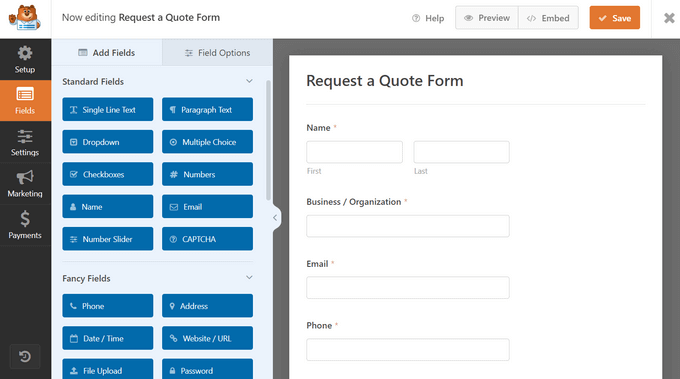
Best for: Beginners, bloggers, service businesses, and any site that primarily needs embedded forms rather than popups.
Not ideal for: Exit-intent capture, popup campaigns, or behavioral targeting — that’s a different category of tool.
Quick Alternative: Gravity Forms
Gravity Forms ($59/year) is the go-to for developers who need complex conditional logic, multi-page forms, and tight integration with custom workflows. Less beginner-friendly than WPForms, but more powerful for advanced use cases.
Best Popup & Opt-in Plugins
Popup and opt-in tools serve a different purpose than form builders. They’re proactive — they reach out to visitors based on behavior (about to leave, scrolled 50%, spent 30 seconds on page) rather than waiting for visitors to find a form on their own. According to OptinMonster’s published data, over 70% of visitors who abandon a site never return, which is the core argument for exit-intent capture.
2. OptinMonster — Best for Popup Campaigns & Advanced Targeting
OptinMonster is the dominant popup and conversion optimization tool in the WordPress ecosystem, used by 1.2 million websites according to the company. The WordPress.org connector plugin has 1M+ active installs and 800+ reviews. It operates as a SaaS platform — the WordPress plugin connects your site to the OptinMonster app where campaigns are built and managed.
What separates OptinMonster from simpler popup plugins is its behavioral targeting engine. Exit Intent® technology detects when a visitor’s mouse movement indicates they’re about to leave and fires a popup at that precise moment. Beyond exit intent, you can trigger campaigns by scroll depth, time on page, inactivity, specific page visits, user’s geolocation, referral source, and past behavior (whether they’ve already seen or interacted with another campaign).
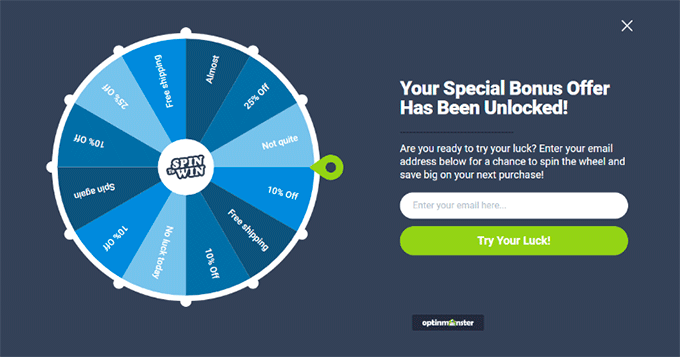
The campaign types include lightbox popups, floating bars, slide-ins, fullscreen welcome mats, gamified spin wheels, inline forms, sidebar widgets, and content-locked sections. A/B testing runs on all plan levels. Integration support spans 30+ email platforms natively, plus WooCommerce and custom webhook support.
Pricing (verified March 2026):
- Free: 3 campaigns, 500 lifetime impressions — strictly for testing
- Basic: $9/month (billed annually, $108/year) — 1 site, 2,500 impressions/month, A/B testing
- Plus: $19/month (annually) — 2 sites, 10,000 impressions/month
- Pro: $29/month (annually) — includes Exit Intent®, geolocation targeting
- Growth: $49/month (annually) — 5 sites, all features
Free plan reality: The free account gives you 3 campaigns and 500 total impression credits — those are lifetime credits, not monthly. Once used, the account upgrades automatically. This is enough to experiment with the interface, but it isn’t a functional free tier for ongoing lead generation.
GDPR: OptinMonster includes GDPR consent checkboxes and integrates with cookie consent platforms.
Best for: Marketers running active campaigns, eCommerce stores reducing cart abandonment, any site wanting behavioral targeting and A/B testing.
Not ideal for: Sites with very low traffic (the impression limits matter less, but the per-month cost is harder to justify).
3. Thrive Leads — Best for Serious A/B Testing
Thrive Leads is built for conversion-focused marketers who want to run controlled experiments across opt-in types, designs, and trigger rules. Its SmartLinks feature lets you show different opt-in content to subscribers vs. non-subscribers, which is genuinely useful for avoiding repeated opt-in prompts to people already on your list.
The A/B testing functionality goes deeper than most competitors — you can test different opt-in types against each other (e.g., 2-step ThriveBox vs. inline form), not just design variations of the same format.
Pricing: $99/year as part of the Thrive Suite membership (includes access to all Thrive Themes products)
Free plan: None
Best for: Marketers who are already using Thrive Themes products (Thrive Architect, Thrive Apprentice) and want tight integration within that ecosystem. Also strong for anyone whose primary focus is split-testing opt-in strategies.
4. Convert Pro — Best for Speed-Sensitive Sites

Convert Pro comes from Brainstorm Force, the same team behind the popular Astra theme. Speed is their stated design priority — the plugin is built to have minimal impact on page load times, which matters if your site is already optimized for Core Web Vitals.
Features include exit intent, A/B testing, multi-step popups (including yes/no flows and age verification), behavioral triggers, and a template cloud approach where you install only the designs you need rather than loading a full template library. Integration support covers all major email platforms.
Pricing (verified March 2026): $99/year, or $249 one-time payment for a lifetime license
Free plan: None
Best for: Sites already using Astra or other Brainstorm Force products; performance-conscious developers who want a capable popup tool without the SaaS overhead of OptinMonster.
Best Live Chat & Chatbot Plugins
Live chat and chatbot tools capture leads differently from forms and popups — they engage visitors in conversation, often qualifying them before capturing contact information. For service businesses, agencies, and B2B sites where questions drive conversions, this category can outperform static forms significantly.
5. LiveChat — Best for Real-Time Lead Qualification
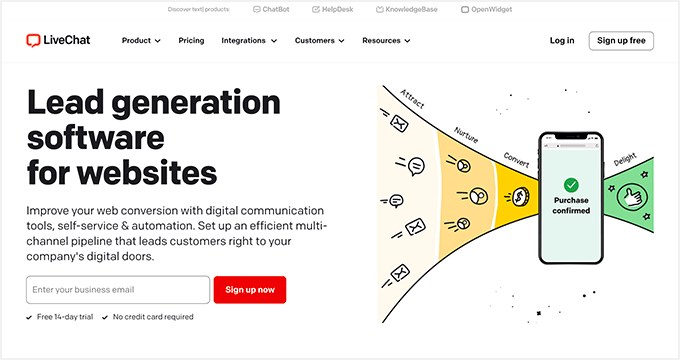
LiveChat adds a persistent chat widget to your WordPress site and handles the support workflow on the agent side through a dedicated app (no need to stay logged into WordPress). The lead capture feature shows a pre-chat form before the conversation begins — collecting a name and email before the visitor types their first message.
It integrates with CRM platforms, help desk software, and email marketing services. The agent-side interface supports canned responses, visitor browsing data, file sharing, and multi-channel management if you’re handling chat from multiple properties.
Pricing (verified March 2026): $20/agent/month (billed annually); 14-day free trial available
Free plan: Trial only — no permanent free tier
Best for: Service businesses, agencies, SaaS products, and eCommerce sites where pre-sale questions are common. Works best when you have staff to actually respond during business hours.
6. HubSpot WordPress Plugin — Best Free All-in-One Option
The HubSpot WordPress plugin stands out because the free version is genuinely functional — not a stripped-down teaser. It includes a free CRM, live chat widget, chatbot builder, basic opt-in forms, email marketing, and analytics. For small businesses that need multiple tools but want to minimize costs, this is one of the most practical free options available.
The trade-off is design flexibility — the forms and chat widgets are less customizable than dedicated tools like OptinMonster or WPForms. For straightforward lead capture connected directly to a CRM, though, it’s hard to beat as a starting point.
Pricing: Free plan available (includes CRM, forms, chat); Marketing Hub Starter from $20/month for additional features
WordPress.org: 200K+ active installs, 4.4/5 rating (400+ reviews)
Best for: Small businesses starting out with CRM-connected lead generation who want a single free platform covering forms, chat, and basic email marketing.
Best Sales Funnel Builders
Funnel builders focus on a different conversion problem: creating a structured path from first visit through to a captured lead or completed sale. Rather than adding capture elements to existing pages, funnel builders let you build dedicated pages where every element is optimized for a single goal.
7. SeedProd — Best for Landing Pages & Coming Soon Pages
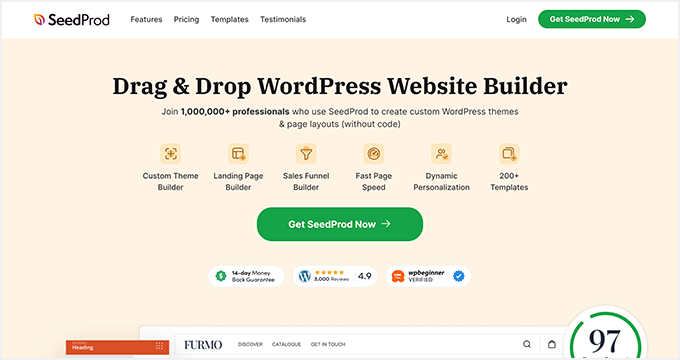
SeedProd is primarily known as the best coming soon and maintenance mode plugin, but its landing page capabilities have grown significantly. It now functions as a full website builder with a landing page focused on conversion: templates for opt-in pages, webinar registration, sales pages, and lead magnet downloads. The drag-and-drop builder requires no code, and an AI assistant can generate copy and images for a page directly.
It integrates with all major email marketing platforms and connects to thousands of third-party tools via Zapier. For WooCommerce stores, dedicated WooCommerce blocks let you build custom product pages and checkout flows optimized for conversions.
Pricing (verified March 2026):
- Free (SeedProd Lite): Coming soon & maintenance pages, basic landing pages
- Basic: $39.50/year — unlimited landing pages, 1 site, email integrations
- Plus: $99.50/year — 3 sites
- Pro: $199.50/year — 5 sites, includes theme builder capabilities
WordPress.org: 1M+ active installs (SeedProd Lite), 4.9/5 rating, 7,000+ reviews
Best for: Building dedicated lead capture pages, product launch pages, webinar registration pages. Works best alongside a separate popup tool — SeedProd creates the destination, something like OptinMonster handles the proactive capture.
8. FunnelKit (formerly WooFunnels) — Best for WooCommerce Sales Funnels
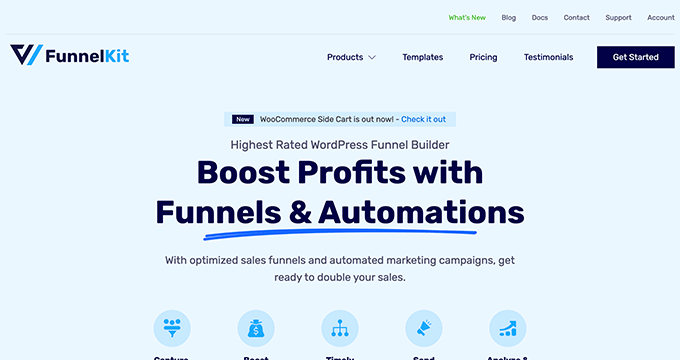
FunnelKit is built specifically for WooCommerce stores that need a complete funnel infrastructure: lead capture pages, optimized checkout, one-click upsells, order bumps, and A/B tested funnel variants. It’s the closest WordPress equivalent to ClickFunnels for eCommerce.
The FunnelKit Automations add-on extends this with email and SMS sequences for abandoned cart recovery, welcome series, and post-purchase upsells. Templates are importable in one click and work with Elementor, Divi, or the native block editor.
Pricing (verified March 2026):
- Basic: $99.50/year — funnel builder, A/B testing
- Professional: $249.50/year — includes unlimited automations (email/SMS)
Free plan: None
Best for: WooCommerce stores building full conversion funnels. Overkill for simple lead capture; genuinely valuable for stores with complex purchase flows and abandoned cart problems.
Best Push Notification Plugin
9. PushEngage — Best for Re-Engaging Past Visitors
Push notifications work differently from every other tool on this list — they capture permission once (a single browser click) and then let you re-engage that visitor with targeted messages even after they’ve left your site. PushEngage is the market leader in this category, used by major publishers including Harvard University, Domino’s, and Business Insider.
Beyond standard push notifications, PushEngage supports WhatsApp message campaigns, abandoned cart sequences for WooCommerce, A/B tested notification copy, and custom drip campaigns. The analytics dashboard tracks subscriber engagement and transaction revenue attributed to specific campaigns.
Pricing (verified March 2026):
- Free: 200 subscribers, 30 campaigns/month
- Business: $9/month — 50,000 subscribers, unlimited campaigns, A/B testing
WordPress.org: 30K+ active installs, 4.8/5 rating
Best for: Content publishers and eCommerce sites with consistent traffic looking to build a re-engagement channel. Complements email list building rather than replacing it — push and email reach different segments of your audience.
Best Giveaway & Contest Plugin
10. RafflePress — Best for Viral List Building
Giveaways are one of the fastest ways to grow an email list in a short period — the incentive drives signups, and refer-a-friend mechanics multiply the reach without additional ad spend. RafflePress is the leading giveaway plugin for WordPress, built around a drag-and-drop contest builder with built-in viral sharing mechanics.
Key features include fraud protection, email verification, social login options, giveaway landing pages, and tracking for which sharing actions drove the most entries. It integrates with major email platforms to automatically add contest entrants to your lists.
Pricing (verified March 2026):
- Free (RafflePress Lite): Basic giveaway functionality
- Starter: $39.50/year — unlimited giveaways, email integrations, 1 site
WordPress.org: 100K+ active installs, 4.9/5 rating, 1,400+ reviews
Best for: Bloggers and eCommerce stores running product launches, seasonal promotions, or audience growth campaigns. Less suited as a permanent, ongoing lead generation strategy.
Feature & Pricing Comparison
The table below summarizes key features and verified pricing for all ten plugins covered in this guide. Pricing is as of March 2026 — confirm current rates at each plugin’s official website before purchasing, as promotional pricing changes frequently.
| Plugin | Type | Free Plan | Starting Price | Exit Intent | A/B Testing | WooCommerce | WP.org Rating |
|---|---|---|---|---|---|---|---|
| WPForms | Form Builder | ✓ (Lite) | $49.50/yr | ✗ | ✗ | ✓ | 4.9/5 (11K+) |
| OptinMonster | Popup / Opt-in | Limited (500 impressions) | $9/mo (annually) | ✓ (Pro+) | ✓ | ✓ | 4.3/5 (800+) |
| Thrive Leads | Popup / Opt-in | ✗ | $99/yr (suite) | ✓ | ✓ | ✓ | N/A (premium) |
| Convert Pro | Popup / Opt-in | ✗ | $99/yr | ✓ | ✓ | ✓ | N/A (premium) |
| LiveChat | Live Chat | Trial only | $20/agent/mo | ✗ | ✗ | ✓ | 4.5/5 |
| HubSpot WP | CRM + Chat + Forms | ✓ (generous) | Free / $20/mo | ✗ | ✗ | ✓ | 4.4/5 (400+) |
| SeedProd | Landing Page Builder | ✓ (Lite) | $39.50/yr | ✗ | ✗ | ✓ | 4.9/5 (7K+) |
| FunnelKit | Funnel Builder | ✗ | $99.50/yr | ✗ | ✓ | ✓ | 4.7/5 |
| PushEngage | Push Notifications | ✓ (200 subs) | $9/mo | ✗ | ✓ | ✓ | 4.8/5 (200+) |
| RafflePress | Giveaway | ✓ (Lite) | $39.50/yr | ✗ | ✗ | ✓ | 4.9/5 (1.4K+) |
Pricing verified March 2026. WP.org ratings from wordpress.org plugin directory.
Which Lead Generation Plugin Is Right for You?
The “best” plugin depends entirely on your situation. Here’s a direct decision guide based on common use cases:
| Your Situation | Best Pick |
|---|---|
| Just need a simple contact or newsletter form | WPForms (free version works for basics) |
| Want popups with behavioral targeting | OptinMonster (Pro plan for Exit Intent) |
| Need serious A/B testing across opt-in types | Thrive Leads |
| Building dedicated lead capture landing pages | SeedProd |
| Running a WooCommerce store with complex funnels | FunnelKit + OptinMonster |
| Need live chat for pre-sale qualification | LiveChat (paid) or HubSpot (free) |
| Want to grow an email list quickly with a contest | RafflePress |
| Re-engaging visitors who’ve already left | PushEngage |
| Need free all-in-one CRM + forms + live chat | HubSpot WordPress Plugin (free tier) |
| Tight budget (under $50/year total) | WPForms Lite + HubSpot free + RafflePress Lite |
For most small business sites and personal sites, a combination of WPForms (for embedded forms) and OptinMonster or Convert Pro (for popup-based capture) covers the majority of lead generation use cases. Add SeedProd if you’re building dedicated landing pages, or HubSpot if you want a free CRM integration from day one.
Free WordPress Lead Generation Plugins: What You Actually Get
Several tools on this list offer free versions, but the limitations vary significantly. Here’s an honest breakdown:
| Plugin | Free Version Available? | Real Limitations |
|---|---|---|
| WPForms Lite | ✓ | No email marketing integrations; basic forms only. Paid required for Mailchimp, ActiveCampaign, etc. |
| OptinMonster Free | Limited | 3 campaigns, 500 lifetime impressions. Not a viable ongoing free tier. |
| HubSpot WordPress (Free) | ✓ | Genuinely functional: CRM, basic forms, live chat, email marketing. Limited design customization. |
| SeedProd Lite | ✓ | Coming soon and maintenance pages; basic landing page. No email integrations in free version. |
| PushEngage Free | ✓ | 200 subscribers max, 30 campaigns/month. Fine for testing; outgrown quickly by active sites. |
| RafflePress Lite | ✓ | Basic giveaway setup. No email platform integrations or advanced sharing mechanics in free version. |
The most genuinely useful free option is the HubSpot WordPress Plugin. Its free tier includes functional CRM, live chat, and basic forms — enough for a new or small site to run a real lead generation operation before investing in paid tools.
Frequently Asked Questions
What is the best lead generation plugin for WordPress?
There isn’t a single best plugin — it depends on what type of lead capture you need. For embedded forms, WPForms is the most widely used and beginner-friendly option with 6M+ active installs. For popup-based capture and behavioral targeting, OptinMonster has the most comprehensive feature set. If you need a free all-in-one option (forms + chat + CRM), the HubSpot WordPress Plugin is worth considering before paying for anything else.
Can I use multiple lead generation plugins at once?
Yes, and many sites do. A common setup combines WPForms (for embedded forms in content and sidebars) with OptinMonster (for exit-intent and triggered popups) and MonsterInsights or a similar analytics tool to track conversions. The key is avoiding two heavy SaaS plugins loading external scripts — that can noticeably impact page load times.
Do lead generation plugins slow down my WordPress site?
Some can. SaaS-based tools like OptinMonster and LiveChat load external scripts that add to page load time. Lightweight alternatives like Convert Pro (built with performance as a priority) or WPForms (locally hosted) have less impact. If WordPress performance is a concern, check whether the plugin loads scripts globally or only on pages where campaigns are active — most modern tools give you control over this.
Which lead generation plugin is best for beginners?
WPForms is consistently the most beginner-friendly option for form-based capture. Its drag-and-drop builder, template library, and documentation are well-suited for users with no developer background. For popups, SeedProd is accessible for beginners building landing pages. HubSpot’s WordPress plugin is also very approachable if you want forms and chat in one install.
Are WordPress lead generation plugins GDPR compliant?
The major plugins (WPForms, OptinMonster, HubSpot, SeedProd, Thrive Leads) all include GDPR compliance features: consent checkboxes for forms, data deletion capabilities, and integration with cookie consent platforms. GDPR compliance is ultimately your responsibility as the site owner — the plugin provides the tools, but you need to configure them correctly for your specific situation and consult legal guidance if operating in EU markets.
What’s the difference between a form plugin and a popup plugin?
Form plugins (WPForms, Gravity Forms) create HTML forms that sit passively inside your content, sidebar, or pages — visitors fill them out when they choose to. Popup plugins (OptinMonster, Thrive Leads, Convert Pro) display overlay campaigns triggered by visitor behavior — when they’re about to leave, after they’ve scrolled halfway, or after spending time on a page. Both capture leads; popups are more proactive but can feel intrusive if poorly configured.
Do I need a lead generation plugin if I already have a contact form?
A contact form captures visitors who seek you out. A lead generation plugin — particularly a popup or push notification tool — captures visitors who wouldn’t have filled out a contact form on their own. If your contact form conversion rate is the only measure you’re watching, you’re missing a significant portion of potential leads. Most email marketing strategies for WordPress rely on both passive forms and active pop-in capture to build lists efficiently.
How do I know if my lead generation plugin is working?
Track conversion rate per campaign: the percentage of visitors who see a form or popup and actually submit it. Most popup tools (OptinMonster, Thrive Leads, PushEngage) include built-in analytics dashboards. For form plugins, WPForms stores entries in the database and can integrate with Google Analytics via MonsterInsights for conversion tracking. A healthy opt-in rate varies by form type — exit-intent popups typically see 2-5%; sidebar forms often convert at under 1%.
Final Thoughts
Lead generation plugins aren’t a “set one and forget it” category. The tools that work best depend on your site type, traffic level, and how much you’re willing to invest in optimization. For most sites, starting with WPForms for embedded forms and adding a popup tool when you’re ready for more aggressive capture covers the primary use cases without overcomplicating your plugin stack.
The free options — HubSpot’s WordPress plugin in particular — are worth testing before committing to paid plans. For stores on WooCommerce or sites with significant traffic, the more advanced tools (FunnelKit, OptinMonster Pro, Thrive Leads) start to justify their cost through the conversion improvements they enable.
Whatever combination you choose, tracking your opt-in rates and testing different approaches consistently is more important than which specific plugin you start with.
