



WP Engine built its reputation as one of the most polished managed WordPress hosts on the market. Fast, reliable, and full of developer-friendly features — for years, it was the default recommendation for anyone who needed serious WordPress hosting without managing a server themselves. Then September 2024 changed the conversation.
Between a very public dispute with WordPress co-founder Matt Mullenweg, rising renewal prices, and plugin restrictions that frustrated developers, a growing number of site owners started asking whether WP Engine was still the right choice. The short answer: it depends. The honest answer: there are genuinely strong alternatives that cost less and restrict you less. This guide breaks down who they are, what they cost, and which one fits your situation.
Learn more about managed WordPress hosting

Quick Summary: Best WP Engine Alternatives for 2026
| Alternative | Best For | Entry Price |
|---|---|---|
| Kinsta | Performance-first teams, agencies | $35/month |
| Cloudways | Developers wanting cloud flexibility | $11/month |
| SiteGround | Small sites on a tight budget | $17.99/month (renewal) |
| WPX Hosting | Bloggers and small agencies | $24.99/month |
| Nexcess | WooCommerce and business sites | $5/month (annual) |
| Pressable | Automattic ecosystem users | ~$19/month |
Why People Are Looking for WP Engine Alternatives
Two things accelerated the search for WP Engine alternatives in 2024 and into 2026: pricing and politics.
On the pricing side, WP Engine’s plans have climbed steadily. The Startup plan — the entry-level option — sits at $20/month on annual billing for a single site handling just 25,000 visits per month. Overage fees apply if you exceed your limits. For a personal blog or a small business site, that cost structure becomes hard to justify when alternatives offer similar or better infrastructure at lower prices.
On the politics side, the September 2024 dispute between Matt Mullenweg (co-founder of WordPress and CEO of Automattic) and WP Engine became one of the most talked-about events in WordPress history. Mullenweg publicly criticized WP Engine for what he described as inadequate contributions to the open-source WordPress project. For a period, WP Engine was restricted from accessing WordPress.org resources — including the endpoints that serve plugin and theme updates. Sites on WP Engine could not reliably auto-update their plugins during this period.
The dispute eventually moved toward legal territory. But the practical effect on site owners was clear: WP Engine operates separately from Automattic and WordPress.org. It is a commercial company, not part of the open-source project. That distinction matters when you’re deciding which host to trust with your site long-term. (You can read WP Engine’s own position on the matter on the WP Engine blog.)
There are also ongoing technical restrictions. WP Engine does not support .htaccess files (it runs Nginx, not Apache), and certain plugins are restricted or prohibited on the platform. For developers who rely on specific tooling, these limitations are a real friction point.
Compare all major WordPress hosts
What WP Engine Actually Costs in 2026
Before evaluating alternatives, it helps to know exactly what WP Engine charges — including tiers that most comparison articles gloss over. The figures below are sourced directly from WP Engine’s plans page (March 2026).
| Plan | Monthly (Annual) | Sites | Visits/Month | Storage | Bandwidth |
|---|---|---|---|---|---|
| Startup | $20 | 1 | 25,000 | 10 GB | 75 GB |
| Professional | $55 | 3 | 75,000 | 15 GB | 150 GB |
| Growth | $109 | 10 | 100,000 | 20 GB | 240 GB |
| Scale | $276 | 30 | 400,000 | 50 GB | 550 GB |
| Core | $400+ | Custom | Custom | Custom | Custom |
The visit limits deserve attention. If your Startup plan site gets a traffic spike — a Reddit mention, a viral post, a product launch — you pay overage fees. WP Engine charges per 1,000 extra visits. On a $20/month plan, that can add up quickly during a good month.
The CDN and advanced features like the Application Performance Monitoring (APM) tool are available, but some are add-ons or restricted to higher tiers. For the features you get, the pricing is competitive at the enterprise level — but on the small-to-medium site tier, there are better options.
Top WP Engine Alternatives Compared
Here is a feature-by-feature comparison of the six strongest WP Engine alternatives alongside WP Engine itself. This table is designed for quick scanning — detailed breakdowns follow below.
| Feature | WP Engine | Kinsta | Cloudways | SiteGround | WPX | Nexcess |
|---|---|---|---|---|---|---|
| Entry price | $20/mo | $35/mo | $11/mo | ~$18/mo* | $24.99/mo | $5/mo |
| Sites (entry) | 1 | 1 | Unlimited | 1 | 5 | 1 |
| Visit limits | 25,000/mo | 35,000/mo | None | ~10,000/mo | None listed | None |
| Free migrations | Yes | Yes (unlimited) | Yes | Yes | Yes (unlimited) | Yes |
| CDN included | Yes | CF Enterprise | Add-on | Yes | Yes | Yes |
| Plugin restrictions | Yes | None | None | None | None | None |
| Staging | Yes | Yes | Yes | Yes (GrowBig+) | Yes | Yes |
| Data centers | 13+ | 27 | 100+ (via clouds) | 6 | Global CDN | Global |
| 24/7 support | Yes | Yes | Yes | Yes | Yes | Yes |
| Money-back | 60 days | 30 days | 3-day trial | 30 days | 30 days | 30 days |
*SiteGround’s introductory rate starts at $2.99/month but the realistic ongoing price is $17.99/month (Startup renewal). Promotional pricing is noted separately throughout this article.
See our full WordPress hosting comparison
Kinsta — The Premium Alternative to WP Engine
Kinsta is the alternative that most directly competes with WP Engine’s target market: agencies, developers, and businesses that need performance and reliability without managing their own infrastructure. The two hosts are genuinely similar in positioning, which makes the comparison between them more meaningful than most.
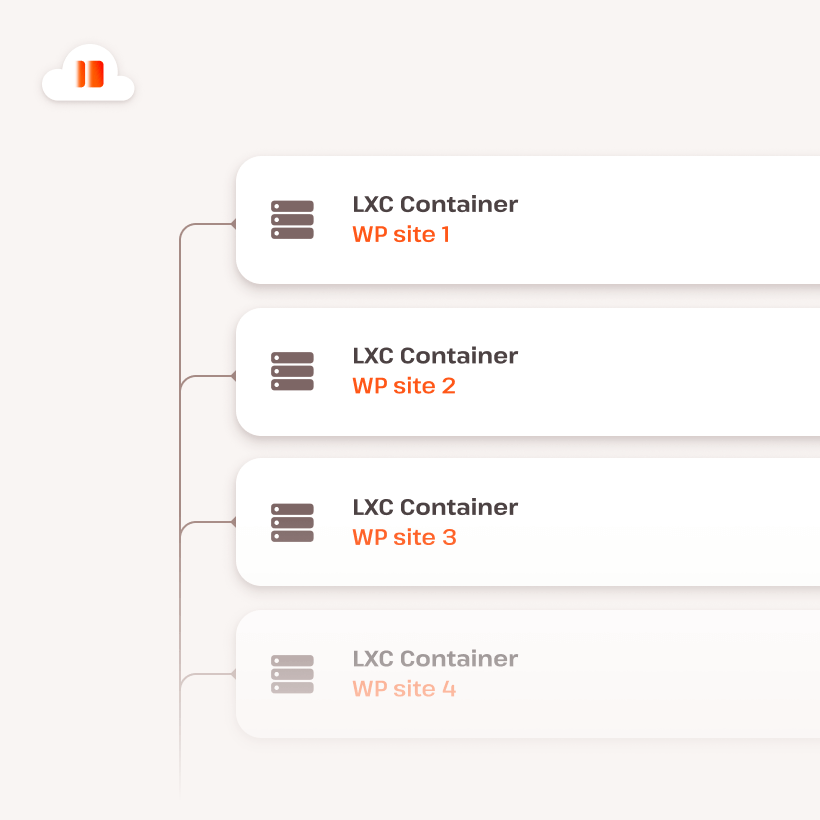
Kinsta runs on Google Cloud Platform using C2 compute-optimized machines — the same class of servers Google uses for high-performance workloads. Every WordPress site runs inside an isolated container, meaning your site’s resources are not shared with other customers. On shared-infrastructure hosts, a spike in traffic on a neighbor’s site can slow yours down. That does not happen with isolated containers.
The data center count matters for global audiences. Kinsta offers 27 locations worldwide, compared to WP Engine’s approximately 13. If your visitors are in Europe, Asia, or South America, the ability to host closer to them — rather than defaulting to US-based servers — produces measurably faster response times.
Cloudflare Enterprise CDN is included on every Kinsta plan, including the entry-level $35/month tier. WP Engine includes CDN on its plans but Cloudflare Enterprise — with 260+ edge locations — is generally only available on WP Engine’s higher-tier plans. Six backup types are available (hourly, daily, weekly, monthly, manual, and downloadable), compared to more limited options at WP Engine’s entry level. The APM (Application Performance Monitoring) tool is free on all Kinsta plans; at WP Engine, access depends on the tier.
The honest limitation: Kinsta’s entry price is $35/month — $15 more than WP Engine’s Startup plan. For a single site that does not need enterprise features, that gap is real. Kinsta’s pricing makes more sense when you’re managing multiple sites or when support response time is critical to your business. The company claims support response times under two minutes on average, based on their own published comparison data.
Best for: Agencies, developers, and businesses where site speed and support availability are worth paying more for. Not the first choice if you just need basic managed hosting for a single low-traffic site.
Cloudways — Flexibility and Lower Cost at Scale
Cloudways operates differently from every other host on this list. Rather than running its own data centers, Cloudways sits as a managed WordPress layer on top of five major cloud providers: DigitalOcean, AWS, Google Cloud, Vultr, and Linode. You choose the underlying cloud, the server size, and the region. Cloudways handles the WordPress management on top.
The practical result: you can start with a DigitalOcean instance for $11/month, host unlimited WordPress websites on it, and scale the server up as your traffic grows — without migrating to a different host. No visit caps. No per-site pricing. No banned plugins. If WP Engine’s pricing structure frustrates you because you’re paying per site or per visit, Cloudways is a fundamentally different model.
Cloudways also offers an “Autonomous” tier, which is a more fully-managed experience starting at $16/month. This is closer to traditional managed WordPress hosting in simplicity, while still sitting on DigitalOcean infrastructure.
The trade-off is setup complexity. WP Engine and Kinsta abstract away nearly everything — you sign up, and a WordPress site appears. Cloudways requires more configuration decisions upfront: which cloud provider, which region, which server size. For developers or technically confident site owners, this is a feature. For someone who just wants a site to work without thinking about infrastructure, it may be overwhelming.
CDN is also not included by default — it is a paid add-on at $4.99/month via Cloudflare integration. If CDN matters to you (and it should for most sites), factor that into the price comparison.
Read our full Cloudways review
Best for: Developers and technically confident site owners who want cloud-level infrastructure at managed-hosting prices. Excellent value for agencies running multiple client sites.
SiteGround, WPX Hosting, and Nexcess
These three hosts occupy the middle of the market — strong options for personal sites, small businesses, and anyone who found WP Engine’s pricing difficult to justify.
SiteGround
SiteGround’s promotional pricing is misleading if you take it at face value. The advertised rate of $2.99/month is a first-term promotion. The realistic ongoing price for the Startup plan is approximately $17.99/month — which is still slightly cheaper than WP Engine’s $20/month and includes a 10 GB storage, managed updates, CDN, and 24/7 support.
SiteGround runs on Google Cloud infrastructure with its proprietary SuperCacher technology, which handles page and object caching at the server level. The platform has earned strong user reviews — a 4.9 out of 5 rating on Trustpilot across more than 27,000 reviews, according to publicly available data. The GrowBig plan ($25.99/month renewal) adds staging environments and on-demand backups, which makes it more comparable to WP Engine’s feature set.
Staging is only available on GrowBig and above, which is a genuine limitation on the entry Startup plan. For a single site where you want to test changes before going live, budget for at least GrowBig.
Read our full SiteGround review
WPX Hosting

WPX Hosting is not as well-known as Kinsta or SiteGround, but it has a devoted following among bloggers and small agencies — particularly those who migrated away from Flywheel (a WP Engine-owned brand) in 2024. The Business plan at $24.99/month includes five websites, a free CDN, unlimited migrations, and email hosting. For someone running multiple personal sites, the per-site cost works out considerably cheaper than WP Engine.
The feature most consistently mentioned by WPX customers is support speed. WPX markets their average live chat response time as under 30 seconds. That claim is based on their own data, but real-world accounts — including the migration story covered by Karvel Digital after the 2024 WP Engine dispute — describe support that was fast and hands-on during DNS changes and SSL setup.
One account from 2024 documented migrating four sites from Flywheel to WPX and saving approximately $951 per year — moving from roughly $100/month on Flywheel to $249/year on WPX’s annual Business plan. Individual savings will vary significantly, but the pricing differential is real.
Nexcess
Nexcess, now part of Liquid Web, targets a different segment: WooCommerce stores and business sites where traffic spikes and resource demands are unpredictable. The entry plan starts at $5/month annually for a single site with 15 GB storage and 2 TB bandwidth — with no pageview caps and no overage fees. That last point matters for e-commerce sites during sales events.
Autoscaling is built in: when your traffic spikes, Nexcess scales resources automatically without charging overages. Free premium plugins are included with some plans. Pricing does not increase at renewal — the rate you sign up at is the rate you keep. That stands in contrast to SiteGround’s promotional model and makes long-term budgeting more predictable.
Best WordPress hosting for small business
SiteGround best for: Small sites on a modest budget that want managed hosting with good support and Google Cloud infrastructure.
WPX best for: Personal bloggers and small agencies running 3–5 sites who prioritize support speed and value.
Nexcess best for: WooCommerce stores and business sites that need autoscaling and predictable pricing.
Performance and Speed — What to Expect
All six alternatives on this list run on modern cloud infrastructure. The days when “managed WordPress hosting” meant a slightly-less-crowded shared server are over — every host mentioned here offers dedicated resources, server-level caching, and CDN integration. The performance differences between them are real but often subtle for sites with moderate traffic.

The most reliable predictor of performance is server proximity. Hosting your site in a data center close to your primary audience produces lower Time to First Byte (TTFB) than any caching optimization can compensate for. Kinsta’s 27 locations and Cloudways’ access to multiple cloud providers across hundreds of regions give you the most flexibility here. WP Engine’s 13 locations are sufficient for most US and European audiences but may be limiting if your traffic is primarily in Asia-Pacific or Latin America.
Caching strategy matters as much as the underlying hardware. Kinsta uses full-page caching at the server level alongside the Cloudflare Enterprise CDN. SiteGround’s SuperCacher applies multiple caching layers. WPX uses a proprietary CDN. Cloudways gives you control over caching configuration, which is more flexible but requires correct setup to be effective.
One important caveat: independent benchmark results for any host can become outdated quickly, and performance varies by site complexity, plugin load, theme, and geography. All of the hosts listed here offer either a free trial or a money-back guarantee. The most reliable way to evaluate performance for your specific site is to migrate a test copy during the trial period and run your own tests.
Migrating Away from WP Engine
The practical question many WP Engine customers face is not whether to leave, but how complex the process is. The good news: every host on this list offers free migration assistance, and the process is generally straightforward for standard WordPress sites.
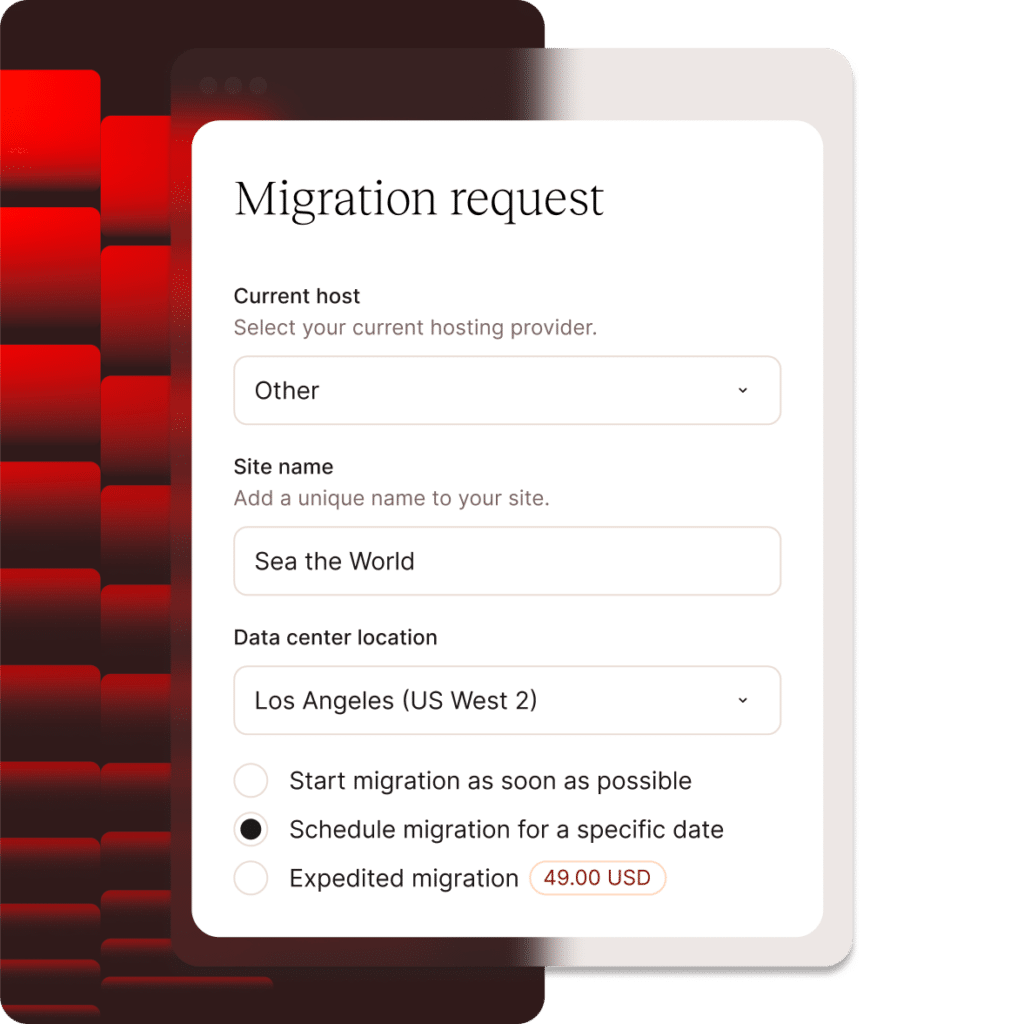
What migration involves: the host team copies your WordPress files and database to the new server, updates configuration settings, and then you point your domain’s DNS to the new host. There is typically a period of a few hours where both the old and new host are live; the transition is designed to be seamless. Most migrations complete in 24–72 hours.
A few things to check before migrating away from WP Engine:
- Plugin compatibility: If you are using WP Engine’s proprietary plugins (like their caching plugin), you will need to replace them. Most alternatives have equivalent tools.
- Custom server configuration: WP Engine does not support
.htaccess. If you added redirect rules via WP Engine’s custom rules interface, those need to be recreated at the new host — either via.htaccess(on Apache-based hosts) or via the host’s redirect manager. - Staging environments: If you have active staging sites, coordinate their migration with the live site.
- Email hosting: WP Engine does not provide email hosting. If you are using a third-party email provider, migration does not affect your email.
Kinsta handles unlimited free migrations via their expert team with no per-migration fees. WPX completes migrations within 24 hours with live chat support throughout. Cloudways provides a migration plugin and support assistance. SiteGround and Nexcess both offer assisted migration at no additional cost.
Complete guide to migrating your WordPress site
Who Should Switch — and Who Should Stay on WP Engine
Most comparison articles are written to convince you to switch. This one is not. WP Engine has real strengths, and for certain use cases, it remains a strong choice.
Stay on WP Engine if:
- You are on the Core or Enterprise plan with a dedicated support team and custom SLA. The value proposition at that level is different from the Startup plan.
- Your development workflow is built around WP Engine’s Git push deployment. While other hosts support Git, the integration depth at WP Engine is hard to replicate without setup effort.
- Your team uses WP Engine’s Local development tool heavily and the workflow is working. The tool is well-made and the integration with production environments is tight.
- You have a negotiated enterprise contract with pricing below the listed rates. Enterprise customers often have deals that make alternatives less compelling on price.
Consider switching if:
- You are paying $55+/month on a Professional plan and primarily using features available at lower cost elsewhere.
- Plugin restrictions have affected your workflow. WP Engine’s disallowed plugin list (available on their support site) is not long, but if any of your required tools are on it, you have no workaround on WP Engine.
- Your site serves a global audience and you need more data center options than WP Engine’s current locations provide.
- You want Cloudflare Enterprise CDN without paying extra — Kinsta includes it on all plans, WP Engine reserves it for higher tiers.
- The 2024 dispute made you want a host with no dependency on the Automattic ecosystem. Both WP Engine and Automattic (which owns WordPress.com) operate in a contested space. Kinsta, Cloudways, SiteGround, WPX, and Nexcess are fully independent.
- You are running multiple sites and the per-site pricing at WP Engine is adding up. Cloudways (unlimited sites), WPX (5 sites on the entry plan), and Nexcess offer better per-site economics for multi-site operations.
Frequently Asked Questions
What is the cheapest WP Engine alternative that is still reliable?
Nexcess starts at $5/month annually and includes no pageview caps or overage fees, making it one of the most affordable genuine managed WordPress hosts. SiteGround’s renewal price of approximately $17.99/month for the Startup plan is also competitive. Cloudways at $11/month offers more flexibility but requires more setup. Budget-focused options like Hostinger exist at lower prices still, but offer less WordPress-specific management depth.
Is Kinsta actually better than WP Engine?
For many use cases, yes. Kinsta offers more data centers (27 vs approximately 13), Cloudflare Enterprise CDN on all plans including the entry level, no plugin restrictions, and an APM tool included at no extra cost. The entry price is higher ($35/month vs $20/month), so it depends on whether those extra features justify the cost for your specific situation.
Can I migrate from WP Engine for free?
Yes. Every host on this list — Kinsta, Cloudways, SiteGround, WPX, and Nexcess — offers free migration assistance. Kinsta handles unlimited migrations via their expert team. WPX typically completes migrations within 24 hours. The process is generally smooth for standard WordPress sites; sites with complex custom server configurations may require additional steps.
Does WP Engine ban plugins?
WP Engine maintains a list of prohibited plugins — plugins that are either not allowed at all or that require alternatives. The list includes some caching plugins (since WP Engine uses its own caching), and a small number of other tools. The list is available on WP Engine’s support documentation. None of the alternatives on this list maintain a comparable prohibited plugin list.
What happened between WP Engine and WordPress.org in 2024?
In September 2024, Matt Mullenweg — co-founder of WordPress and CEO of Automattic — publicly criticized WP Engine for what he described as insufficient contributions to the open-source WordPress project relative to its commercial revenue. WP Engine was temporarily blocked from accessing WordPress.org resources, including plugin and theme update endpoints. The dispute escalated into legal proceedings. The core takeaway for site owners: WP Engine is a commercial company independent of Automattic and WordPress.org, and its access to WordPress.org infrastructure is not guaranteed.
Is Cloudways a good long-term alternative to WP Engine?
Yes, particularly for developers and agencies. Cloudways has been operating since 2012, has a large customer base, and was acquired by DigitalOcean in 2022 — which provides financial stability. The model (managed layer on top of cloud providers) is technically sound. The main caveat is that you are dependent on both Cloudways and your chosen underlying cloud provider. Most users running on DigitalOcean or AWS infrastructure through Cloudways report high stability.
Which WP Engine alternative is best for WooCommerce?
Nexcess is built specifically with WooCommerce in mind — autoscaling, no visit caps, and free premium WooCommerce-related plugins make it a strong fit. Kinsta also handles WooCommerce very well on its Google Cloud infrastructure. Cloudways on a mid-tier server (4 GB RAM or above) is a cost-effective option for stores with significant catalog size or traffic. SiteGround’s WooCommerce-specific plans are designed for smaller stores.
Will my site be slower if I switch from WP Engine?
Not if you choose the right alternative and configure it correctly. Kinsta’s Google Cloud C2 machines are widely regarded as among the fastest WordPress infrastructure available. Cloudways on Google Cloud or AWS is comparable to WP Engine’s infrastructure in raw performance. SiteGround and WPX consistently produce strong TTFB results in independent tests. The key factors are server location (choose one close to your audience), caching configuration, and image optimization — all of which are controllable on any of these hosts.
The Bottom Line
WP Engine is a capable, well-built managed WordPress host. The 2024 dispute and rising prices did not make it a bad product — they made a large number of site owners look at the market more carefully. That turned out to be a useful exercise, because the market in 2026 is genuinely strong.
Kinsta matches or exceeds WP Engine on most technical metrics while giving you more data center choices and no plugin restrictions — at a higher entry price that is worth it for performance-critical sites. Cloudways offers the most flexibility and the best per-site economics for multi-site operations. SiteGround and WPX serve the personal blog and small business market well at lower price points. Nexcess fills the WooCommerce niche with autoscaling and predictable pricing.
The right choice depends on your site count, traffic patterns, technical comfort level, and budget. Most hosts on this list offer a free trial or a 30-day money-back guarantee. There is no reason not to test your top two candidates before committing — and migration back is as straightforward as migration away.
Full guide to managed WordPress hosting
WordPress hosting comparison tool
