



Picking a community platform is trickier than it looks. A quick search turns up a dozen options, all claiming to be the best, and most comparison articles end with some version of “it depends on your needs” — which isn’t particularly helpful when you’re staring at a $99-to-$499/month price range and trying to figure out what you actually need.
This guide cuts through that. We cover nine of the most widely used online community platforms, compare their real costs (including the transaction fees most reviews bury in the fine print), and give you a clear framework for picking the right one based on your community type, technical setup, and budget. WordPress site owners get their own section, because the best path for you might not be a SaaS tool at all.

Quick Summary — What to Know Before You Start
If you’re short on time, here’s the bottom line before we get into the detail:
- Community platforms range from free (Discord, Discourse self-hosted) to $499+/month (Kajabi, enterprise tools)
- Transaction fees vary significantly — Skool’s Hobby plan charges 10%; Mighty Networks charges 3% on the entry plan. These costs add up fast once you’re charging for membership access
- WordPress site owners have a strong native option in BuddyBoss — you keep control of your data and skip the monthly SaaS fee
- No single platform is best for everyone. Your community type, monetization model, and comfort with technical setup all matter
| Your situation | Best starting point |
|---|---|
| Free community, no monetization needed | Discord or Facebook Groups |
| Selling courses + community together | Kajabi or Mighty Networks |
| Simple paid membership with flat pricing | Skool (Pro) or Circle |
| Already running WordPress | BuddyBoss or bbPress |
| Technical background, tight budget | Discourse (self-hosted, free) |
| B2B customer support community | Bettermode or Discourse hosted |
Back to wplasma.com — WordPress tips and plugin reviews
What Is an Online Community Platform — and Do You Actually Need One?
An online community platform is dedicated software for building, managing, and — if you choose — monetizing a member-based group. Members join your space, participate in discussions, consume content (courses, events, resources), and interact with each other. You control the experience: the branding, the access levels, the content rules.
That’s different from hosting your community on a social network. When you use Facebook Groups or Reddit, you’re a tenant. The algorithm decides who sees your posts. The platform can change the rules overnight, and you have no way to export your members and move them somewhere else. Owned community platforms flip that equation: you own the space and the member relationships.
The community platform market reflects how seriously businesses take this distinction. The global market for community engagement platforms was valued at approximately $26.2 billion in 2026 and is projected to reach $119.6 billion by 2035, according to GlobalMarketStatistics research — a 16.2% annual growth rate that reflects accelerating demand from businesses of all sizes looking for direct audience relationships outside social media’s reach.
That said, you don’t necessarily need a dedicated platform. If your goal is casual connection rather than a structured member experience, a well-managed Discord server or a Facebook Group might serve you just fine. The key question is whether you want control, monetization, or both — because those needs push you toward purpose-built community software.
There are four main community types most platforms are built around:
- Discussion/forum communities — members post, reply, and engage asynchronously around shared topics
- Course-based communities — a learning space where community reinforces and extends course content
- Customer support communities — members help each other solve product problems, reducing support burden for the business
- Niche membership communities — paid or free groups around a specific interest, profession, or brand
Most platforms handle more than one type, but they’re usually optimized for one. Understanding which type fits your goals is the fastest way to narrow the field.
How to Choose the Right Platform — 6 Questions to Ask First
Before comparing platforms by feature, answer these six questions. They’ll filter out half the options immediately.

1. Do you need to charge members for access?
If yes, you’ll need a platform that supports paid memberships natively — and you’ll need to factor transaction fees into your total cost. Discord and Discourse (self-hosted) don’t offer native monetization. Skool, Circle, Mighty Networks, and Kajabi all do, but each handles payment processing differently.
2. What’s the primary engagement format?
Discussion-heavy communities thrive in forum-style platforms (Discourse, Circle). Course-plus-community setups fit Mighty Networks or Kajabi better. Video-first engagement works well on tools like Swarm. Match the platform’s strengths to how your members will actually spend their time.
3. Do you already run a WordPress website?
If yes, adding a community through a WordPress plugin like BuddyBoss or bbPress keeps everything on your existing infrastructure. You pay once annually rather than monthly, keep full data ownership, and your members never have to log into a separate system. For WordPress-heavy businesses, this path often beats any SaaS tool.
4. How large will your community realistically grow?
Some platforms restrict member counts or storage on lower-tier plans. Circle’s Professional plan is unlimited on members but caps storage at 200GB — important if you’re storing video content. Bettermode’s free tier (now discontinued as of March 2026) allowed only 100 members. Always check the growth ceiling before committing.
5. Do you need CRM or email marketing integrations?
Standalone community tools (Circle, Bettermode) typically integrate with external CRMs and email platforms via Zapier or native connections. All-in-one tools (Kajabi) bundle email marketing into the platform. If you already have a CRM stack you’re happy with, a standalone community tool with solid integration support often makes more sense than migrating to a new ecosystem.
6. What’s your technical comfort level?
Discourse is free and extremely powerful when self-hosted, but setting it up requires server access and some technical patience. SaaS platforms like Circle, Skool, and Kajabi handle all the infrastructure — you just configure your community. Be honest about how much time you want to spend on setup vs. running your actual community.
| Use case | Best platform options | Why |
|---|---|---|
| Personal/hobby community, no charge | Discord, Facebook Groups | Free, easy to set up, no commitment |
| Creator selling courses + community | Kajabi, Mighty Networks | Course and community tools in one system |
| Simple paid membership community | Skool (Pro), Circle | Clean interface, predictable pricing |
| Forum-style discussion community | Discourse, Circle | Purpose-built for threaded discussions |
| WordPress site owner | BuddyBoss, bbPress | Native WP integration, no SaaS dependency |
| B2B customer support community | Bettermode, Discourse (hosted) | Q&A features, knowledge base, API access |
| Large association / enterprise | Hivebrite, Higher Logic | Enterprise features, dedicated support, SSO |
The 9 Best Online Community Platforms — Compared Honestly
These are the platforms that appear most consistently in real-world use among small businesses, creators, and solopreneurs. Each review covers what the platform does well, where it falls short, and its actual starting price.

1. Circle
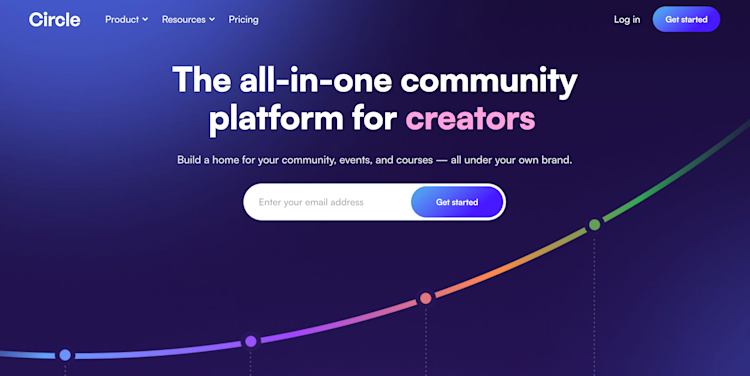
Circle is a dedicated community platform built specifically for creators and businesses that want a clean, well-structured member space. It handles discussions, events, courses, and live streams under one roof, with strong customization options and a member directory.
Best for: Creators and small businesses wanting a polished, standalone community without the bulk of an all-in-one business platform.
Key limitation: Transaction fees apply on all plans — 2% on Professional, 1% on Business. Storage caps at 200GB on the Professional tier.
Starting price: $89/month (Professional), $199/month (Business). No free plan; 30-day money-back guarantee. (Pricing as of March 2026, circle.so)
2. Skool
Skool keeps things simple: courses, community posts, and gamification (leaderboards, points) in a single clean interface. It runs on flat pricing rather than per-feature tiers, which makes budgeting straightforward.
Best for: Course creators who want community features without a complicated setup, especially if their audience responds to gamification.
Key limitation: The Hobby plan’s 10% transaction fee is steep. The Pro plan at $99/month brings this down to ~2.9% + $0.30 per transaction, but you pay for each additional community at $99/month each.
Starting price: $9/month (Hobby, 10% transaction fee) or $99/month (Pro, 2.9% + $0.30 fee). 14-day free trial. (Pricing as of March 2026)
3. Mighty Networks
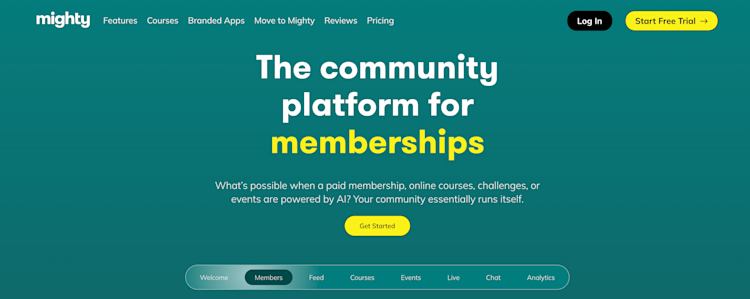
Mighty Networks has been in the community space for over a decade. It supports live streaming, courses, events, and private groups, and a growing roster of well-known brands uses it — including TED and KonMari. Their AI-powered member matching is a notable differentiator.
Best for: Established creators who need both course hosting and a community in one place, and who have enough revenue to absorb the transaction fees.
Key limitation: Transaction fees are real — 3% on the Community plan, 2% on Courses and Business. At scale, these add up faster than a flat monthly fee would.
Starting price: $41/month (annual, Community plan) — $179/month for the Business plan. No free plan; 14-day trial. (As of March 2026, mightynetworks.com)
4. Discourse
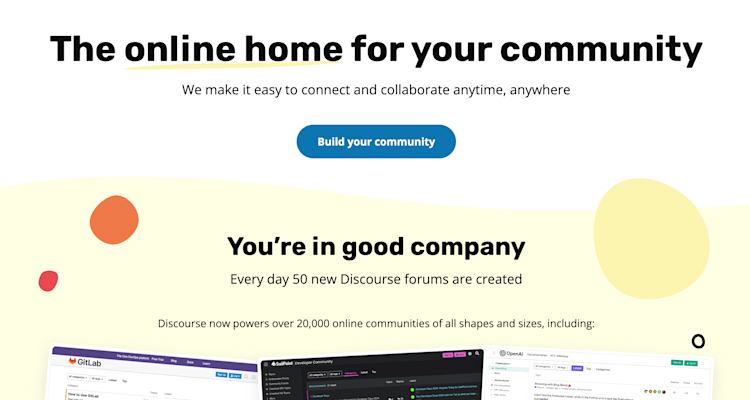
Discourse is open-source forum software that powers some of the most active discussion communities on the internet. If you’re comfortable with a basic server setup, the self-hosted version is free. If you prefer managed hosting, their Starter plan runs $20/month.
Best for: Technical teams, developers, or businesses that want a robust, searchable forum community without paying SaaS prices — or large communities with high traffic that need custom control.
Key limitation: Self-hosted setup requires technical knowledge. No native payment/membership features — you’d need a separate tool to charge for access.
Starting price: Free (self-hosted, requires server ~$5-10/month), $20/month (Starter hosted), $100/month (Pro hosted). (As of March 2026, discourse.org)
5. Discord
Discord started as a gaming tool and grew into one of the largest free community platforms available. Channels, threads, voice rooms, video calls, and screen sharing are all included at no cost. Its user base is enormous — if your audience is already there, the barrier to getting them into your server is low.
Best for: Communities that prioritize real-time chat and voice interaction, especially gaming, tech, and younger audiences. Works well as a free add-on community for an existing audience.
Key limitation: You can’t natively charge for access. Monetizing a Discord community requires third-party tools. Discord is also designed for casual conversation, not structured content or learning.
Starting price: Free. Discord Nitro (for users) costs $4.99–$9.99/month. No server-level paid tiers for community builders. (As of March 2026, discord.com)

6. Bettermode
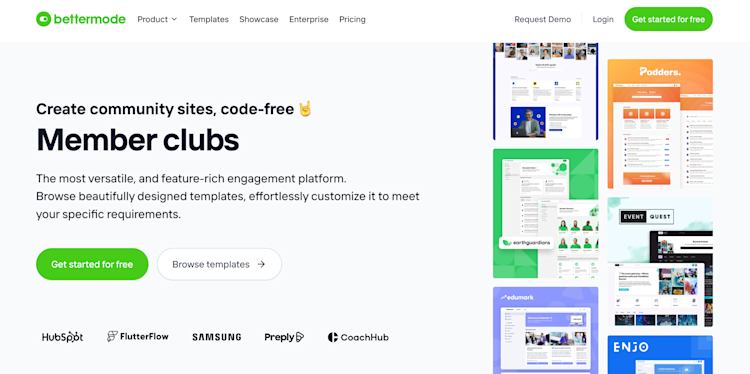
Bettermode is designed specifically for B2B companies that want a customer-facing community — think software companies building a user forum, knowledge base, and feedback hub under their own brand. Their Design Studio lets you build community layouts without code, and it integrates well with HubSpot, Salesforce, and Zendesk.
Best for: B2B SaaS companies and businesses wanting a branded customer portal with Q&A, ideation boards, and knowledge base features.
Key limitation: Bettermode discontinued its free plan as of March 15, 2026. Paid plans start around $49/month. Not ideal for creator communities or course-based memberships.
Starting price: ~$49/month (annual). Enterprise pricing available via contact. No current free tier. (Pricing as of March 2026, bettermode.com)
7. Kajabi
Kajabi is an all-in-one platform for knowledge businesses: courses, communities, email marketing, website builder, and digital products, all connected. It’s the most expensive option on this list, but it genuinely replaces multiple tools at once — which can be cost-effective if you’d otherwise pay for several separate subscriptions.
Best for: Established creators or coaches who want one platform to handle everything (website, email, courses, community) without managing integrations.
Key limitation: High entry price. The Basic plan starts at $179/month ($143/month annually) — more than twice the cost of Circle. Not the right choice if you only need community features.
Starting price: $179/month (Basic, monthly) / $143/month (annual). No transaction fees. 14-day trial. (Pricing as of March 2026, kajabi.com)
8. Thinkific
Thinkific is primarily a course platform that added community features as an upgrade. If courses are your core product and community is supplemental, Thinkific’s pricing model makes sense — particularly at the entry level, where it’s more affordable than Kajabi.
Best for: Course creators who want community features without paying Kajabi prices, and where the community serves the course rather than the other way around.
Key limitation: Community features are limited on lower-tier plans. Multiple communities require the Grow plan ($149/month or above).
Starting price: $36/month (basic plan, annual). Community features vary by plan. (Check thinkific.com for current pricing)
9. Slack
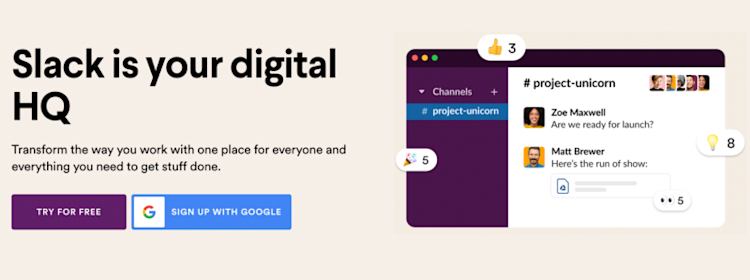
Slack wasn’t built for public-facing communities — it’s workplace communication software. That said, some small professional communities use it effectively for tight-knit groups, particularly where members are already Slack users and where real-time messaging is more valuable than structured content.
Best for: Small, exclusive professional communities where members already use Slack and where structured content isn’t the priority. Better as an internal tool than a customer-facing community.
Key limitation: On the free plan, search is limited to the 90 most recent days of messages. Paid plans charge per user, which becomes expensive for large communities. No native monetization.
Starting price: Free (90-day message history limit). Pro: $7.25/month per user (annual). (As of March 2026, slack.com)
Community Platforms for WordPress Sites — A Different Path
If your website runs on WordPress, you have an option most SaaS-platform comparisons overlook: building your community directly inside your existing WordPress installation. No separate platform, no monthly SaaS fee, and your members never need to log in to a second service.
BuddyBoss
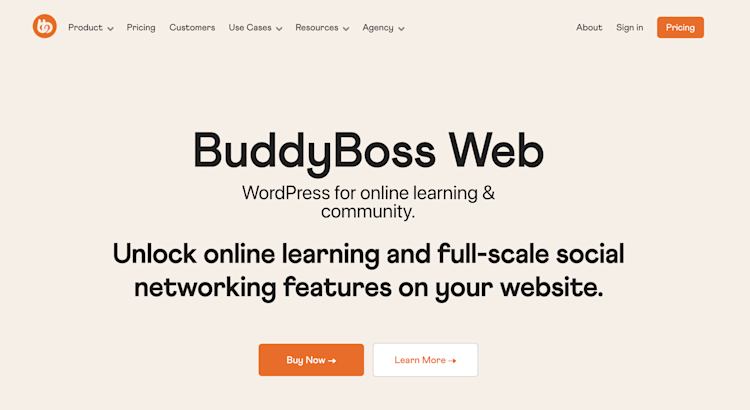
BuddyBoss is the most complete WordPress community plugin available. It creates a social network layer on top of your WordPress site: member profiles, activity feeds, private messaging, groups, forums (via bbPress integration), and optional course delivery through LearnDash.
The BuddyBoss Plus bundle includes the platform, theme, gamification, and media offloading features in one package. First-year cost is $349; renewal runs $599/year (verify current pricing at buddyboss.com before purchase). You’ll also need WordPress hosting — budget an additional $10-30/month for a solid managed host, depending on community size. No transaction fees apply, since you control your own payment processing through WooCommerce or a membership plugin.
Best for: WordPress site owners who want full data control, community features deeply integrated with their existing content, and no ongoing SaaS subscription per seat or percentage fee.
Not ideal for: Businesses starting from scratch with no WordPress foundation, or those who don’t want to manage server infrastructure.
bbPress
bbPress is a free, lightweight forum plugin maintained by the WordPress core team. It adds traditional forum functionality (discussion boards, threads, reply notifications) to any WordPress site. It doesn’t have the social features of BuddyBoss, but it’s free and battle-tested for communities that primarily need a discussion board rather than a full social network.
Best for: Simple support forums or discussion boards on an existing WordPress site, where the community doesn’t need profiles, private messaging, or gamification.
WordPress-native vs. SaaS platform — when to choose each
| Consideration | WordPress-native (BuddyBoss/bbPress) | SaaS platform (Circle, Skool, etc.) |
|---|---|---|
| Data ownership | ✅ Full control | ⚠️ Platform holds data |
| Setup complexity | Medium (plugin setup + hosting config) | Low (sign up and go) |
| Transaction fees | ✅ None (you choose payment processor) | ⚠️ 1-10% depending on platform/plan |
| Integration with WP content | ✅ Native — same site, same login | ⚠️ Requires integration/SSO setup |
| Monthly cost at scale | Lower (hosting + annual plugin fee) | Higher (monthly SaaS subscription) |
| Built-in mobile app | ❌ Requires BuddyBoss App add-on | ✅ Most SaaS platforms include mobile |
| Maintenance responsibility | You (updates, backups, security) | Platform handles infrastructure |
Find more WordPress plugin guides and comparisons at wplasma.com
Pricing Breakdown — What You’ll Actually Pay
Monthly plan prices are the starting point, not the full picture. Transaction fees, storage limits, and per-feature upsells can significantly change the math depending on how you use the platform.
| Platform | Entry monthly price | Transaction fee | Free tier | Storage (entry plan) |
|---|---|---|---|---|
| Circle | $89/mo | 2% (Professional) | ❌ No (30-day trial) | 200GB |
| Skool (Hobby) | $9/mo | 10% | ❌ Trial only (14 days) | Not specified |
| Skool (Pro) | $99/mo | 2.9% + $0.30 | ❌ Trial only | Not specified |
| Mighty Networks | $41/mo (annual) | 3% (Community plan) | ❌ No (14-day trial) | 250GB (Community) |
| Bettermode | ~$49/mo (annual) | 0% | ❌ Discontinued March 2026 | Varies by plan |
| Kajabi | $143/mo (annual) | 0% | ❌ No (14-day trial) | Not restricted |
| Discourse (hosted) | $20/mo (Starter) | 0% | ✅ Free (self-hosted) | Varies by host |
| BuddyBoss Plus | $349/yr (~$29/mo equiv.) | 0% | ❌ No | Your hosting plan |
| Discord | Free | 0% | ✅ Yes (feature-limited) | 25MB file uploads (free) |
Note on transaction fees: At $2,000/month in membership revenue, a 3% transaction fee costs $60/month — more than the difference between Mighty Networks plans. If you expect to earn meaningful income from your community, run the math before choosing a plan based on the headline monthly price alone.
A few other pricing realities worth noting:
- Bettermode’s free tier was removed as of March 15, 2026 — anyone using the free plan needed to upgrade or export their data
- Discourse is legitimately free if you self-host, but you’ll need a VPS (budget $5-15/month) and some technical setup time
- Kajabi has no transaction fees, which can make its higher monthly price cost-effective for high-revenue communities
Explore WordPress membership plugin guides at wplasma.com
Which Platform Is Right for You?
By this point, you probably have 2-3 platforms in mind. This section helps you make the final call.
| Your situation | Recommended platform | Why it fits |
|---|---|---|
| Hobby/personal community with no revenue goal | Discord (free) or Facebook Groups | Free, familiar, zero setup cost |
| Creator building a paid membership community | Circle or Skool (Pro) | Clean UX, manageable fees at low-to-mid revenue |
| Course creator wanting community bundled in | Kajabi (budget-flexible) or Mighty Networks | Course + community + payments in one place |
| WordPress site owner | BuddyBoss (full features) or bbPress (forum only) | Native integration, full data ownership, no SaaS fee |
| Technical team or developer community | Discourse (self-hosted or hosted Starter) | Open-source, highly configurable, proven at scale |
| B2B company building a customer community | Bettermode or Discourse (hosted Pro) | B2B-focused features, CRM integrations, SOC2 compliance |
| Large association or nonprofit | Hivebrite or Higher Logic | Membership management, event tools, enterprise support |
Who should avoid external SaaS platforms entirely: WordPress-heavy businesses that already have hosting, a solid plugin stack, and the technical comfort to manage a BuddyBoss installation. The data ownership advantage alone is significant — if a SaaS platform shuts down or changes pricing, your community data goes with it (or becomes expensive to migrate). With a self-hosted WordPress community, you keep everything.
Who should lean toward all-in-one SaaS tools: Creators starting from scratch who don’t have a WordPress site, don’t want to manage server infrastructure, and whose community is the core business product rather than a supplement to an existing site.
FAQ — Frequently Asked Questions
What is the best online community platform for beginners?
For complete beginners with no technical background, Skool and Circle are the easiest to set up. Both have clean interfaces, good onboarding documentation, and don’t require server management. Skool’s flat pricing is particularly beginner-friendly since there’s only one plan decision to make. Discord is the easiest of all if you don’t need monetization — sign up, create a server, and you’re done.
Can I use Discord as a community platform for my business?
Discord works well as a supplementary community — especially for younger audiences in gaming, tech, or creative industries. The limitation is monetization: Discord doesn’t let you charge for server access natively. You’d need a third-party tool to gate content behind a paywall. For businesses where community is a revenue channel, a dedicated platform like Circle or Skool makes more practical sense.
What is the difference between Circle and Mighty Networks?
Both handle paid memberships and community spaces, but they’re optimized differently. Circle focuses on community experience — clean design, excellent discussion tools, strong member directory. Mighty Networks leans more toward course delivery and live events alongside community. Mighty Networks also has a longer track record and a more established brand. Circle tends to win on UX and simplicity; Mighty Networks wins if you need its specific course + live stream combination. Transaction fees are similar (2% on Circle Business vs. 2% on Mighty Networks Courses plan).
How much does it actually cost to build an online community?
Entry-level paid communities can start as low as $9/month (Skool Hobby) or $41/month (Mighty Networks annual). Realistically, a properly featured community for a small business lands between $89-199/month on most dedicated platforms. Factor in transaction fees if you charge for access — at $2,000/month revenue, a 2% fee adds $40/month to your effective cost. WordPress-based setups with BuddyBoss run closer to $40-50/month all-in (hosting + annual license pro-rated) with no transaction fees.
Can I add a community to my WordPress website?
Yes — and it’s often a better option than people realize. BuddyBoss turns a WordPress site into a full social network (profiles, feeds, groups, courses, gamification) and costs roughly $29/month equivalent on an annual plan. bbPress is a free plugin for simpler forum functionality. The trade-off is managing your own hosting and updates instead of letting a SaaS platform handle that infrastructure.
What is Skool and how does it compare to other platforms?
Skool is a community platform launched around 2019 that pairs course hosting with gamified community features (leaderboards, levels, points). It became more prominent after Alex Hormozi invested in it and promoted it publicly. Its defining trait is simplicity — one flat pricing tier (Pro at $99/month), one community type, one way to do things. That’s a plus if you want a quick setup and don’t need deep customization. It’s a limitation if you need advanced integrations, white-labeling, or multi-community management.
Do community platforms charge transaction fees?
Many do, and the rates vary significantly. Skool’s Hobby plan charges 10%; Mighty Networks charges 2-3% depending on the plan; Circle charges 1-2%. Kajabi, Bettermode, and BuddyBoss (WordPress) charge 0% platform fees — though Kajabi uses its own payment processor which has standard credit card processing rates. Always check the transaction fee structure before choosing a platform, especially if you expect meaningful revenue from memberships.
What should I look for in a community platform for a small business?
Four things matter most for small businesses: (1) Monetization support — can you charge for access without excessive fees? (2) Member ownership — can you export your member list if you ever switch platforms? (3) Integration with your existing tools — does it connect to your email list or CRM? (4) Moderation tools — can you manage content and remove problematic members easily? Research on online community toxicity has found that moderation tools and community norms significantly affect member retention and community health, so don’t treat this as an afterthought.
Final Thoughts — Platform Is Infrastructure, Community Is People
The platform you choose matters, but it matters less than you might think. A well-run Discord server with active, engaged members outperforms a beautifully designed Circle community where nobody posts. The software is infrastructure — it shapes what’s possible, but it doesn’t create belonging on its own.
That said, the wrong tool can make running a community harder than it needs to be. If your platform doesn’t match how your members want to engage, you’ll spend more time fighting the tool and less time building relationships.
A few things worth keeping in mind as you decide:
- Start with your community type (discussion, course, support, membership) and work backward to the platform
- Run the math on transaction fees before the headline monthly price convinces you
- If you’re a WordPress site owner, seriously evaluate BuddyBoss — the data ownership argument alone is worth the comparison
- Most platforms offer a free trial; use it to check the member experience, not just the admin dashboard
Prices and features change — always verify current plans directly with each platform before committing to a subscription.
