


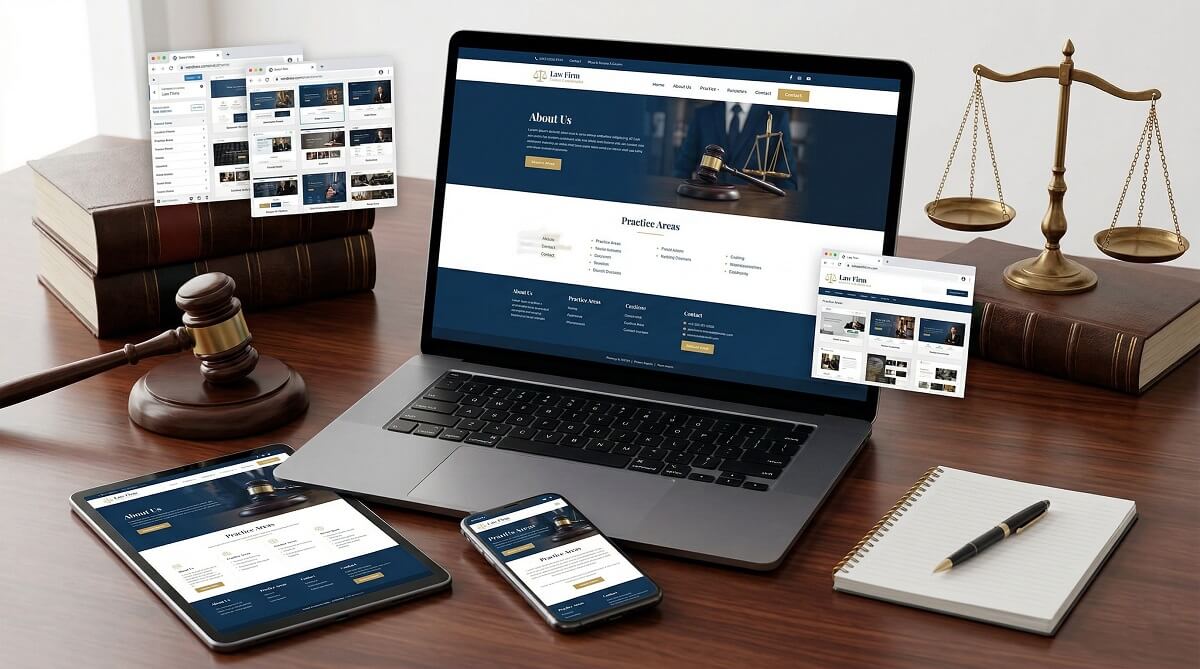
Most lawyers spend exactly zero minutes thinking about their website theme — until a prospective client mentions they almost called someone else because the site looked outdated. A law firm website carries real professional weight. Before a client dials your number or submits a consultation request, they’re already forming an opinion based on typography, layout, and whether your site loads before they give up and hit the back button.
This guide covers the best WordPress themes for lawyers across both free and premium options, with honest assessments of what each delivers — and where each falls short. Rather than throwing 20 themes at you and calling it a day, this article is organized by firm type so you can match a theme to your actual situation: solo attorney, small firm, multi-practice office, or legal clinic.
What Makes a Good WordPress Theme for a Law Website
Plenty of business themes will technically work for a law firm website. The question is whether they work well — and whether they’ll still perform six months from now when a client searches on a mobile device, or when Google’s algorithm evaluates your page speed.
Before reviewing specific themes, here’s a practical checklist of what actually matters for legal websites:
- Mobile responsiveness — Over 60% of legal-service searches happen on mobile devices. A theme that looks good on desktop but breaks on a phone is a problem from day one.
- Practice area support — Look for themes that include custom post types or sections specifically for listing practice areas (family law, personal injury, corporate law, etc.). This matters for site structure and local SEO.
- Attorney/team profile sections — Clients hire people, not firms. A theme with built-in attorney bios and credentials sections is more useful than one requiring workarounds.
- Contact and consultation form integration — The theme should work cleanly with major form plugins like WPForms or Contact Form 7. Ideally, it supports appointment scheduling plugins too.
- SEO-readiness — Clean, well-structured code that doesn’t interfere with Yoast SEO or Rank Math. Bonus if the theme or a compatible plugin supports Schema.org LegalService markup for better Google visibility.
- Page builder compatibility — Elementor, the block editor (Gutenberg), or Divi compatibility broadens your design options significantly.
- Update frequency and developer support — A theme last updated two years ago is a liability. Check the “Last Updated” date on WordPress.org before downloading anything.
- Accessibility (WCAG 2.1) — Especially relevant for legal professionals, given the legal and ethical weight around ADA compliance. Many law firm clients have accessibility needs.
WordPress SEO guide for professionals
Quick Comparison — Top WordPress Themes for Lawyers
Here’s a side-by-side snapshot of the top themes covered in this guide. All pricing and ratings are verified as of March 2026 from official sources.
| Theme | Type | Price | Page Builder | WP.org Rating | Best For |
|---|---|---|---|---|---|
| Astra | Free + Pro | Free / ~$59+/yr | Elementor, Gutenberg, Beaver Builder | 4.9★ (6,407 ratings) | Fast launch, all firm sizes |
| Sydney | Free + Pro | Free / Pro available | Elementor, Gutenberg | 4.9★ (789 ratings) | Solo attorneys, small practices |
| Neve | Free + Pro | Free / ~$99/yr | Elementor, Bricks, Oxygen | 4.7★ (1,274 ratings) | International / multilingual firms |
| Divi | Premium | $89/yr (unlimited sites) | Built-in Divi Builder | N/A (sold via ElegantThemes) | Full design control, multi-practice |
| SeedProd | Free + Pro | Free / paid plans | Built-in drag-and-drop | 4.9★ (4,500+ ratings) | Non-coders building from scratch |
| Decree | Free | $0 | Gutenberg / standard | 5★ (9 ratings) | Solo lawyers, no-budget launch |
| Lawyer Landing Page | Free | $0 | Standard / Customizer | 4.4★ (19 ratings) | Lead-gen focused homepage |
| Lawyer Firm Blocks | Free | $0 | Gutenberg FSE | N/A (new, no reviews) | Modern block editing workflow |
| Law Office Lite | Free | $0 | Standard / Customizer | N/A (new) | Modern look, fast setup |
| Digital Law | Premium | $99 (one-time) | WPBakery (included) | N/A (ThemeForest) | Established firms, niche design |
Best Free WordPress Themes for Lawyers
Free themes get dismissed too quickly. For a solo attorney or a small firm just getting started, a well-chosen free theme with the right plugins can produce a professional website that’s indistinguishable from a premium one — at a fraction of the cost.
Astra — Best Free Theme Overall for Lawyers
With over 1 million active installs and a 4.9-star rating across 6,407 reviews on WordPress.org (as of March 2026), Astra is not just popular — it’s the most-installed free WordPress theme on the planet. For lawyers, this matters because it means reliable plugin compatibility, active development, and a large community for troubleshooting.
The free version includes 240+ starter sites, several of which are tailored for law offices. You get Elementor compatibility out of the box, fast loading times (the theme is lightweight at under 50KB), and a Customizer-based setup that doesn’t require coding. The Astra Pro upgrade (verify current pricing at wpastra.com) adds WooCommerce integration, advanced header/footer builder, and schema markup support.
Best for: Firms of any size that want a proven, flexible foundation with the widest plugin compatibility.
Honest limitation: The free version’s lawyer-specific templates are basic. You’ll need Elementor or a similar builder to achieve a truly polished layout.
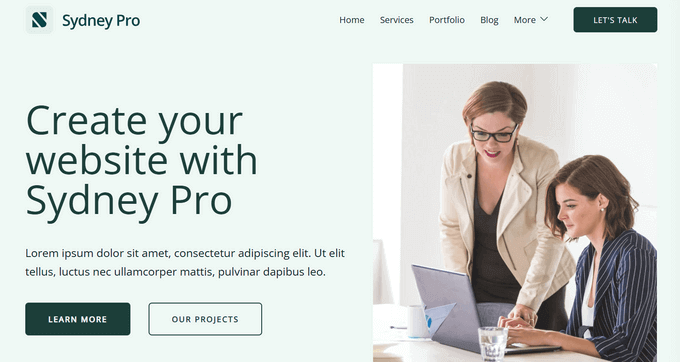
Sydney — Best for Personal Branding and Solo Practices
Sydney sits at 90,000+ active installs with a 4.9-star rating and was last updated on March 10, 2026 — signs of a healthy, maintained theme. It’s a business-focused theme built by aThemes, and it performs particularly well when a lawyer’s personal reputation is the selling point.
The Sydney Studio library gives you pre-built website sections that you can add with a few clicks. It integrates cleanly with WPForms for consultation request forms, and the extended blogging module makes it practical for legal content marketing. The free version covers most essentials; the Pro version unlocks the full starter site library and more advanced customization options.
Best for: Solo attorneys and small practices where personal credibility is the primary trust signal.
Honest limitation: The premium templates require the Sydney Pro upgrade. The free version’s demos are limited compared to Astra’s free tier.
Neve — Best for International and Multilingual Law Firms
With 200,000+ active installs and compatibility with Elementor, Bricks, and Oxygen page builders, Neve is one of the most versatile free themes on WordPress.org. It’s also WPML-compatible out of the box — a detail that matters significantly for law firms operating across language jurisdictions or serving international clients.
The theme is notably lightweight, which translates to faster page loads and better Core Web Vitals scores. It includes pre-built legal sector templates, a header/footer builder, and WooCommerce support. Neve’s rating stands at 4.7 stars across 1,274 reviews (March 2026), with the theme updated as recently as March 9, 2026.
Best for: International law firms, multilingual practices, and any legal site where page performance is a priority.
Honest limitation: The free version has feature limits; the Neve Pro upgrade (verify pricing at themeisle.com) adds the advanced custom layouts and white-label options.
Decree — Best Dedicated Free Theme for Small Law Offices
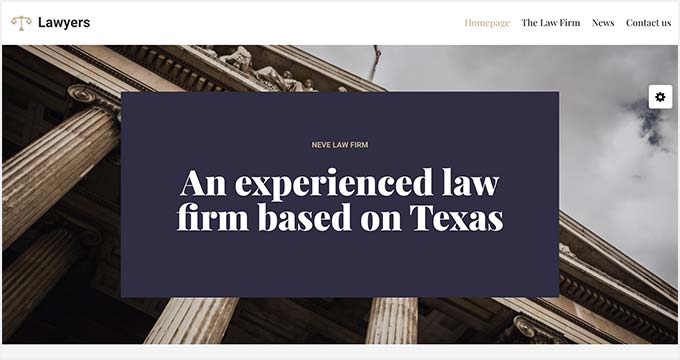
Unlike general-purpose themes repurposed for legal use, Decree was built specifically with legal professionals in mind — the WordPress.org description explicitly calls out “counsel, law firms, legal officers, advisers, solicitors, and consultants.” It holds a 5-star rating across 9 reviews and was last updated December 2025, with development managed by Catch Themes, a well-established WordPress theme developer.
Decree includes a header top section for quick contact links, right-sidebar header placement for phone numbers, and content block templates for showcasing legal services. It’s translation-ready in English, Russian, and Swedish.
Best for: Solo lawyers or small legal offices that want a purpose-built free theme without the setup overhead of a multipurpose option.
Honest limitation: At 400+ active installs, this is a smaller community than Astra or Sydney — meaning less third-party troubleshooting help if you run into issues. No major page builder integration.
Best Premium WordPress Themes for Lawyers
Premium doesn’t automatically mean better — but it does mean more. More design polish, more template options, bundled plugins, and dedicated support. For established practices or firms competing in dense legal markets, premium themes give you finer control over every detail.
Divi — Best Premium Theme for Full Design Control
Divi, from Elegant Themes, is one of the most widely used premium WordPress themes globally. At $89/year (unlimited websites, verified at elegantthemes.com March 2026), it’s positioned as an all-in-one solution: theme plus visual drag-and-drop builder in a single package.
For law firms, Divi’s value is in flexibility. Its 300+ layout packs include multiple lawyer and legal professional templates that cover home pages, attorney profile pages, practice area sections, and contact layouts. You can customize everything — colors, fonts, animations, scroll behavior — without touching code. The Divi Pro plan ($277/year) adds Divi AI for content generation, VIP support, and cloud-based asset storage.
Best for: Multi-practice law firms, legal agencies, or attorneys who want the most design flexibility without hiring a developer.
Honest limitation: Divi’s page builder is not Gutenberg-native — switching away from Divi later can leave behind shortcode residue that requires cleanup. The learning curve is moderate for first-time users.
SeedProd — Best Theme Builder for Non-Technical Lawyers
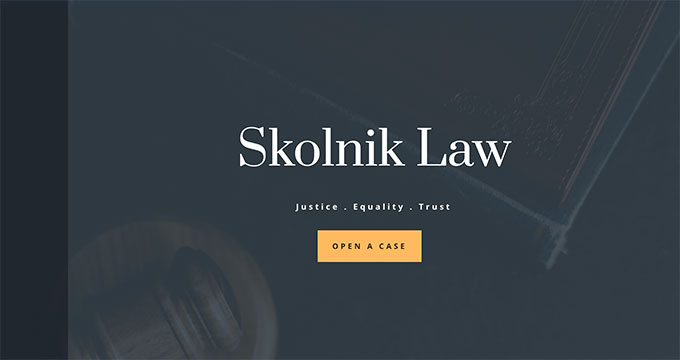
SeedProd sits in a category of its own: it’s not a traditional theme but a website and theme builder with 1 million+ active installs and 4,500+ five-star reviews on WordPress.org. Its AI website builder can generate a full lawyer site layout in seconds based on prompts — genuinely useful if the thought of configuring a page builder feels like too much.
SeedProd includes pre-built lawyer website kits — full sets of pages, not just single templates — with a drag-and-drop editor that requires no coding. It works particularly well alongside WPForms for consultation forms and integrates with email marketing tools.
Best for: Attorneys who want to build and manage their website independently, without outsourcing to a developer or learning design tools.
Honest limitation: SeedProd is a builder with a subscription model — your site’s design is partially locked to the platform. Migration away from SeedProd requires rebuilding layouts.
Digital Law (ThemeForest) — Best Niche Premium Theme for Established Firms
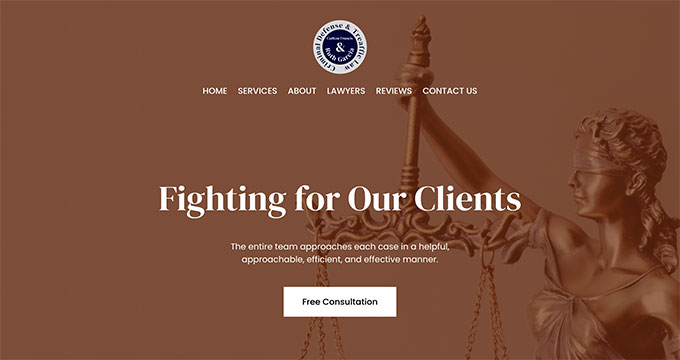
Digital Law is a dedicated law firm WordPress theme available on ThemeForest at a one-time price of $99 — no annual renewal. It bundles the WPBakery page builder and Slider Revolution, both of which would cost extra when purchased separately, making the effective price reasonable for what you receive.
The theme is built specifically for the legal industry with multiple header styles, a well-structured practice areas section, an attorney profiles post type, and a strong typographic hierarchy that reads as authoritative. It’s a good fit for firms that want a polished, industry-specific design without ongoing subscription costs.
Best for: Established law firms or solo attorneys who want a purpose-built premium theme and prefer a one-time cost over annual subscriptions.
Honest limitation: ThemeForest themes include support for only 6 months post-purchase; extended support costs extra. WPBakery is older technology — Elementor has a larger ecosystem today.
comparing WordPress page builders
Best WordPress.org Free Themes Specifically for Lawyers
Beyond general-purpose free themes that happen to work for legal sites, WordPress.org hosts a category of themes designed specifically for law firms and attorneys. These are niche-focused, require no page builder, and let you launch a professional legal site with minimal configuration.

| Theme | Rating | Active Installs | Last Updated | Best For |
|---|---|---|---|---|
| Lawyer Landing Page | 4.4★ (19 ratings) | 1,000+ | Feb 2026 | Lead generation, homepage-focused sites |
| Decree | 5★ (9 ratings) | 400+ | Dec 2025 | Small law offices, no-budget setup |
| Lawyer Firm Blocks | No reviews yet | 200+ | Feb 2026 | Modern FSE block editing workflow |
| Lawyer Hub | No reviews yet | 90+ | March 2026 | Classic homepage sections, quick setup |
| Law Advocate | 5★ (1 rating) | 70+ | Jan 2026 | Minimalist legal credibility design |
A note on Full Site Editing (FSE) themes: Lawyer Firm Blocks is a block theme — it runs on WordPress’s Full Site Editing engine, which requires WordPress 6.1 or later. FSE themes give you complete layout control using the Gutenberg block editor, with no need for Elementor or similar builders. The tradeoff is a steeper learning curve if you’re used to classic themes or the Customizer. For firms comfortable with modern WordPress editing, FSE is the future-proof direction.
understanding WordPress block themes
Choosing by Firm Type — Which Theme Fits Your Practice?
The single most useful question before picking a theme isn’t “what’s the most popular?” It’s: what kind of legal practice am I building this for? The needs of a solo immigration attorney differ substantially from those of a 15-partner corporate law firm — and the right theme for one is often the wrong choice for the other.
Solo Attorney or Personal Brand Website
Your priority is personal credibility. Clients are hiring you — not a firm name. The site needs a clear bio, credentials, case types, and a single prominent contact action.
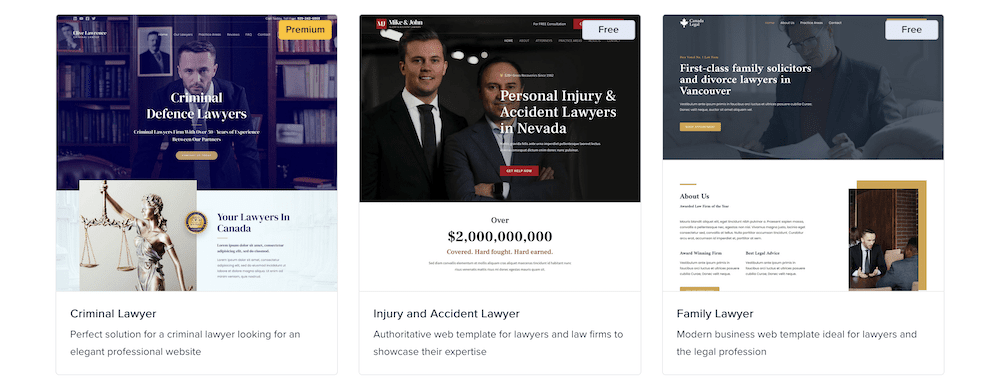
Recommended themes: Sydney (free) or Neve (free) — both are lightweight, clean, and support the kind of personal storytelling that makes a solo practice site effective. Decree is a good alternative if you want zero configuration overhead.
What you need: Attorney bio page, practice area list, testimonial section, prominent phone number or contact form, blog section (optional but useful for content SEO).
Small Law Firm (2–10 Attorneys)
Team visibility matters here. Clients want to see who they might be working with. You also need practice area pages structured well enough to serve local SEO — someone searching “personal injury lawyer [city]” should find you.
Recommended themes: Astra Pro or Divi. Astra’s starter sites and Elementor compatibility give you fast setup with professional results. Divi handles multi-page firm sites particularly well, especially when practice areas each need their own designed page.
What you need: Team profiles with individual bios, multiple practice area pages, consultation/booking form integration, Google Maps or location section.

Large or Multi-Practice Law Firm
Scalability and consistency are the main concerns. You might have 20 attorneys, eight practice areas, regional offices, and a large blog archive. The theme needs to hold up across many pages without looking inconsistent.
Recommended themes: Divi ($89/yr for unlimited sites) or a well-configured Astra Pro installation. Both scale well to complex site architectures. SeedProd is also viable if your firm prioritizes consistent branding across practice area landing pages.
What you need: Scalable page templates, consistent header/footer across dozens of pages, strong SEO architecture, possible WooCommerce integration for legal service products or webinar sales.
Legal Clinic or Non-Profit Legal Aid Organization
Budget is typically tighter. Accessibility matters more here than in private practice — your clients may include elderly, disabled, or low-income individuals. Translation-ready themes are often essential.
Recommended themes: Neve (free, WPML-compatible) or Lawyer Firm Blocks (free FSE theme). Neve handles multilingual setups well; Lawyer Firm Blocks offers strong accessibility compliance through its block-based structure.
What you need: Accessibility compliance (WCAG 2.1), translation/multilingual support, appointment booking plugin compatibility, lightweight code for users on slower connections.
Real Cost of a Professional Lawyer Website
One thing most theme comparison posts skip is the honest math. A “free” theme doesn’t mean a free website — once you add hosting, a domain, and essential plugins, costs add up. Here’s a realistic breakdown of what a professional lawyer website actually costs per year at three budget levels.
All pricing is sourced from official websites as of March 2026. Promotional prices reflect first-year costs only; renewals are higher.
| Tier | Theme | Hosting (Year 1) | Key Plugins | Approx. Year 1 Total |
|---|---|---|---|---|
| Free Setup | Neve or Astra (free) | ~$36/yr (SiteGround StartUp promo) | Elementor free, Contact Form 7 free | ~$36–50/yr |
| Budget Setup | Astra or Sydney (free theme + Elementor Pro) | ~$60/yr (SiteGround GrowBig promo) | Elementor Pro Essential $59/yr, WPForms Lite free | ~$120–160/yr |
| Professional Setup | Divi ($89/yr) or Astra Pro (~$59+/yr) | ~$180–360/yr (managed WP hosting) | Elementor Pro or included; Yoast/Rank Math ~$99/yr | ~$350–600/yr |
Important caveat: SiteGround’s promotional prices ($2.99/mo, $4.99/mo) apply to the first 12-month prepayment only. Renewal rates are substantially higher ($17.99/mo and $29.99/mo respectively). Factor renewal cost into your Year 2 budget planning.
best WordPress hosting options compared
FAQ — Common Questions About WordPress Themes for Lawyers
Are free WordPress themes good enough for a law firm website?
For many solo attorneys and small firms, yes. Themes like Astra, Neve, and Sydney are genuinely professional options with hundreds of thousands of active installs and strong developer support. The gap between free and premium isn’t about visual quality so much as depth — premium themes add more page templates, advanced customization options, and bundled plugins. If you’re starting out or have a limited budget, begin with a high-quality free theme. You can upgrade later without losing your content.
Do I need a lawyer-specific WordPress theme, or can I use any business theme?
You don’t strictly need a lawyer-specific theme — Astra, Neve, and Divi are all general business themes used successfully on thousands of law firm sites. Lawyer-specific themes (like Decree, Lawyer Landing Page, or Lawyer Firm Blocks) are useful if you want to skip configuration and get law-focused sections out of the box. General business themes with the right starter site and page builder give you more long-term flexibility.
Which WordPress theme is best for a solo attorney?
Sydney is a strong choice for solo practitioners. Its personal brand focus, clean design, and free tier with WPForms integration covers what a solo attorney needs: bio, practice areas, testimonials, and a contact form. Neve is a close alternative if you prioritize multilingual support or page speed. Both are actively maintained and have strong WordPress.org ratings.
How do I make my law firm website rank better on Google?
The theme itself contributes to SEO through code quality, loading speed, and semantic HTML structure. Lightweight themes like Astra and Neve help here. Beyond the theme, you’ll need a dedicated SEO plugin (Yoast SEO or Rank Math), well-structured practice area pages with geographic keywords, and ideally Schema.org LegalService markup implemented through your SEO plugin or theme. Page speed — something free themes often handle better than bloated premium ones — has direct correlation with ranking position for competitive legal keywords.
What is Full Site Editing (FSE) and should law firms use it?
Full Site Editing (FSE) is a WordPress feature introduced in WordPress 5.9 and significantly expanded in WordPress 6.x. It allows you to design your entire site — headers, footers, page templates — using the block editor. Lawyer Firm Blocks is a lawyer-specific FSE theme. FSE is the future direction of WordPress, and it’s particularly powerful for firms that want precise control over their layout without third-party page builders. The main consideration: FSE requires comfort with the Gutenberg editor and WordPress 6.1 or later. For firms already comfortable with Elementor, the transition isn’t urgent.
How much does it cost to build a professional lawyer website with WordPress?
At minimum, a functional lawyer website using free themes and shared hosting can cost under $50 in Year 1 (theme free + SiteGround StartUp at $2.99/mo promotional). A mid-range setup with Elementor Pro and better hosting runs $120–160/yr. A fully professional setup — premium theme, managed hosting, SEO plugin — runs $350–600/yr. These are Year 1 estimates; renewal pricing for promotional hosting plans is higher.
Which WordPress themes for lawyers are compatible with Elementor?
Most major free themes support Elementor, including Astra, Neve, Sydney, OceanWP, and Hestia. Of the lawyer-specific free themes, Lawyer Landing Page and Law Advocate work with the Elementor free version. Digital Law (ThemeForest) comes bundled with WPBakery instead of Elementor. If Elementor is your preferred builder, start with Astra or Neve — both are built with Elementor integration as a priority.
How do I add appointment booking to a lawyer WordPress theme?
Appointment booking is a plugin function, not a theme function — most quality WordPress lawyer themes are compatible with booking plugins. For legal consultations, Calendly integration (via a plugin or embed), Simply Schedule Appointments, and Amelia are popular options. WPForms also includes appointment field types in its premium plans. Install your booking plugin after choosing the theme, and test the form display on mobile before launching — mobile form usability directly affects consultation conversion rates.
Final Thoughts — Picking the Right Theme for Your Practice
There’s no single “best” WordPress theme for lawyers — there’s a best theme for your specific situation. A solo immigration attorney in a competitive urban market has different needs from a rural estate planning practice with one attorney and a three-page site.
The most important decision framework comes down to three factors: your budget, your technical comfort level, and the complexity of your practice’s site requirements. Free themes like Astra and Neve cover the fundamentals with professional results. Premium options like Divi provide deeper customization when a firm’s brand demands it. Lawyer-specific free themes on WordPress.org offer the fastest path to a law-focused layout without configuration overhead.
Whatever theme you choose, make sure it’s actively maintained (check the “Last Updated” date on WordPress.org), test it on a mobile device before committing, and verify that it plays well with your preferred contact or consultation form plugin. Those three steps filter out most poor choices before they cause problems.
