


Most “best wedding WordPress themes” lists dump 15–20 options on you and call it a day. They skip pricing, skip the trade-offs, and leave you with exactly the same question you started with: which one should I actually use?
This guide takes a different approach. After analyzing competitor articles and verifying pricing across official sources in March 2026, the themes here are organized around the one thing that actually changes the answer — who you are. A couple planning their big day has completely different needs than a wedding photographer building a client portfolio or a planner running a wedding business.
Below you’ll find verified pricing, honest limitations, and a clear segmentation of which themes work for which situations — including a full comparison table that most lists skip entirely.
The Short Answer: Top Picks by Use Case
If you already know your situation, here’s the quick reference:
| Your Situation | Best Theme | Free Version? | Starting Price (2026) |
|---|---|---|---|
| Couple building a DIY wedding site | Sydney or SeedProd | Yes (Sydney) | $39.50–$79/yr |
| Couple wanting a dedicated wedding theme | Blossom Wedding Pro | Yes (limited) | ~$69/yr |
| Zero budget — free only | Astra or Catch Wedding | Yes | $0 |
| Wedding photographer | Fargo or Iris | No | $69–$75/yr |
| Wedding planner or vendor | Divi or Astra Pro | Yes (Astra) | $49–$89/yr |
| Maximum flexibility, any use | Divi | No (trial only) | $89/yr |
The sections below explain each recommendation in detail, with verified pricing and honest drawbacks.
What Actually Makes a Wedding WordPress Theme Worth Using
Generic advice — “get a responsive theme with good support” — applies to every WordPress theme on the planet. Wedding websites have specific requirements that narrow the list considerably.
Mobile Performance — Non-Negotiable
Around 60% of wedding website visitors are on mobile devices — guests checking the venue address, schedule, or RSVP link from their phones. A theme that renders slowly or breaks on mobile creates real logistical problems for your event, not just an aesthetic inconvenience. Look for themes with Lighthouse or Core Web Vitals scores published by the developer, and check the mobile preview before committing.
RSVP Functionality
No wedding theme on WordPress includes a truly native RSVP system out of the box — they all require a form plugin. The difference between themes is how smoothly that integration works. Themes compatible with WPForms, Gravity Forms, or Formidable Forms make RSVP setup straightforward. Some dedicated wedding themes (Blossom Wedding Pro, Catch Wedding) include RSVP-ready form sections that just need a plugin connected.
Photo Gallery Display
A gallery that works on desktop but renders poorly on phones — or that forces users to load 50 full-resolution images at once — is a common problem with older themes. Look for lazy loading support, lightbox functionality, and masonry or grid layout options. For photographers, this criterion is the most important one on this list.
Page Builder Compatibility
If you plan to use , verify the theme works well with your preferred tool before installing. Not all themes play nicely with all builders — some visual glitches only show up after you’ve spent hours building a page.
Active Development and Support Quality
Check the “last updated” date on WordPress.org for any theme you’re considering. A theme that hasn’t been updated in 18+ months is a security and compatibility risk. For premium themes, check if support is included in the base license or costs extra.
Template and Demo Availability
Pre-built wedding demos save setup time significantly. A theme with 28 professionally designed starter sites (like Sydney) lets you go from install to a working site in an afternoon. A generic multipurpose theme with one vaguely wedding-adjacent demo will take considerably longer to customize into something that works for the occasion.
Total Realistic Cost
The theme price is just part of the budget. Here’s a realistic breakdown for three setup scenarios:
| Budget Tier | Theme | Hosting (Est./Yr) | Essential Plugins | Approx. Total/Year |
|---|---|---|---|---|
| Free setup | Astra or Sydney (free) | $35–60 (shared) | $0 (free plugins) | $35–60/yr |
| Mid-range | Sydney Pro ($79) or Neve Pro ($69) | $60–100 (managed) | $49–79 (form plugin, SEO) | ~$180–260/yr |
| Full-featured | Divi ($89) or SeedProd Pro ($199) | $100–200 (managed) | $79–150 (form, gallery, SEO) | ~$270–550/yr |
For most couples building a temporary wedding website, the free or mid-range tier is more than sufficient.
Best Free Wedding WordPress Themes
Free doesn’t mean limited — several well-maintained themes with hundreds of thousands of active installs will handle a wedding website without spending a dollar on the theme itself.
| Theme | Active Installs | Rating | Wedding Templates (Free) | RSVP (Free) |
|---|---|---|---|---|
| Astra | 1,000,000+ | 4.9/5 | Yes (limited selection) | Via free WPForms plugin |
| OceanWP | 500,000+ | 4.9/5 | No dedicated wedding template | Via plugin |
| Neve | 200,000+ | 4.7/5 | Limited (more in pro) | Via plugin |
| Catch Wedding | 2,000+ | 4.4/5 | Purpose-built (1 demo) | Via plugin (RSVP section included) |
| Zakra | 30,000+ | 4.9/5 | Yes (wedding demo included) | Via plugin |
| Sydney | 90,000+ | 4.9/5 | Yes (starter site included) | Via WPForms integration |
Astra (Free)
With over 1 million active installs and a 4.9/5 rating from more than 6,400 reviews on WordPress.org, Astra is the most widely used multipurpose theme available. The free version includes access to a library of starter templates — not all of them wedding-specific, but enough options to get a clean, professional-looking site running quickly. Page speed is strong out of the box, and compatibility with Elementor, Beaver Builder, and Gutenberg is well-documented.
Not ideal for: People who want a wedding-specific aesthetic without doing any customization work. The free tier’s template library is broad but shallow on dedicated wedding designs.
Neve (Free)
Neve’s free tier is worth considering specifically for its performance focus. Developed by ThemeIsle, it consistently scores well on Core Web Vitals tests and loads fast even on shared hosting. The free version includes basic starter sites; the wedding-specific starter templates are in the paid tier. But if you’re comfortable customizing a clean base template, the free Neve is a solid foundation.
Not ideal for: Anyone expecting a ready-to-use wedding demo out of the free install.
Catch Wedding (Free — Dedicated)
Catch Wedding is one of the few themes on WordPress.org built specifically for weddings rather than adapted from a multipurpose framework. It includes an image slider, RSVP-ready section, custom logo area, social icons, and a basic countdown in the pro version. With 2,000+ active installs and a dedicated wedding layout from day one, it’s the easiest free starting point for a couple with no design experience.
Not ideal for: Wedding photographers or planners who need a more robust feature set. The design options are limited compared to premium alternatives.
Sydney (Free)
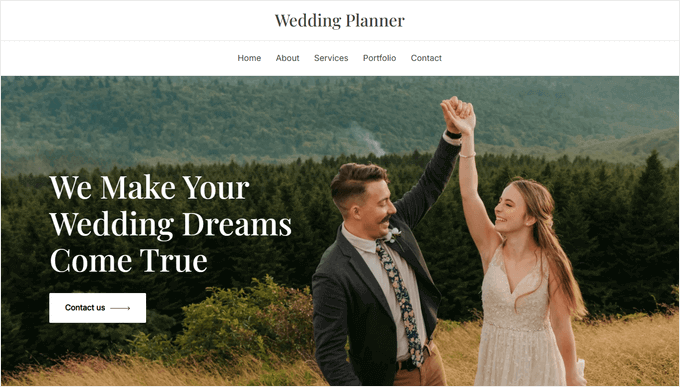
Sydney is WPBeginner’s top pick for wedding WordPress themes in 2026, and it earns that position even in its free version. The free tier includes 28+ professionally designed starter sites, one of which is specifically designed for wedding websites. It integrates well with WPForms for RSVP forms and loads fast. The free version on WordPress.org has 90,000+ active installs and a 4.9/5 rating from 739+ reviews.
Not ideal for: Advanced customization without upgrading to the Pro version.
Best WordPress Themes for Couples Building a DIY Wedding Site
The goal here is a site that goes up quickly, looks polished, and doesn’t require any coding knowledge. Guests need to find the venue, RSVP, and see your photos. That’s it. Over-engineering this with a $500/year stack is unnecessary.
Sydney Pro — $79/yr (1 site) | $149/yr (10 sites)
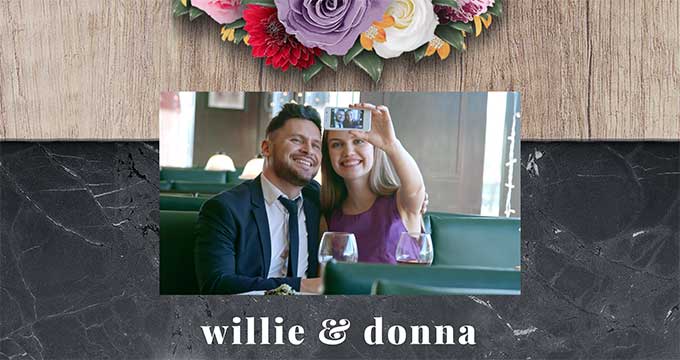
Sydney Pro is the paid upgrade to the free Sydney theme from aThemes. At $79/year for a single site, it adds extended customization options, additional starter sites, sticky navigation, and advanced header controls. The upgrade makes sense if you want more design flexibility beyond what the free version provides. For most couples, the free version is enough — the Pro version is worth it if you want the additional starter template options or more granular color/font control.
Pricing (March 2026): Free tier available. Sydney Pro Personal: $79/yr. Sydney Pro Professional (10 sites): $149/yr.
Best for: Couples who want a proven, well-supported theme with an easy setup path from free to premium.
Not ideal for: Wedding photographers who need a portfolio-first layout.
SeedProd — From $39.50/yr
SeedProd is technically a theme builder plugin rather than a traditional theme — but it’s worth including here because it’s the fastest route from “nothing installed” to a complete wedding site. With 300+ ready-made site kits including wedding-specific ones, and a no-code drag-and-drop editor, the basic plan at $39.50/year (1 site) gets you a functional, good-looking wedding website in a couple of hours. The 1M+ active installs and 4.9/5 rating on WordPress.org reflect genuine user satisfaction with the approach.
Pricing (March 2026): Free Lite version available. Basic: $39.50/yr. Plus: $99.50/yr. Pro: $199.50/yr.
Best for: Couples who want the absolute fastest setup and don’t want to learn WordPress theming.
Not ideal for: Long-term WordPress sites beyond the wedding (the site kit approach is less flexible for complex ongoing content needs).
Blossom Wedding Pro — ~$69–99/yr
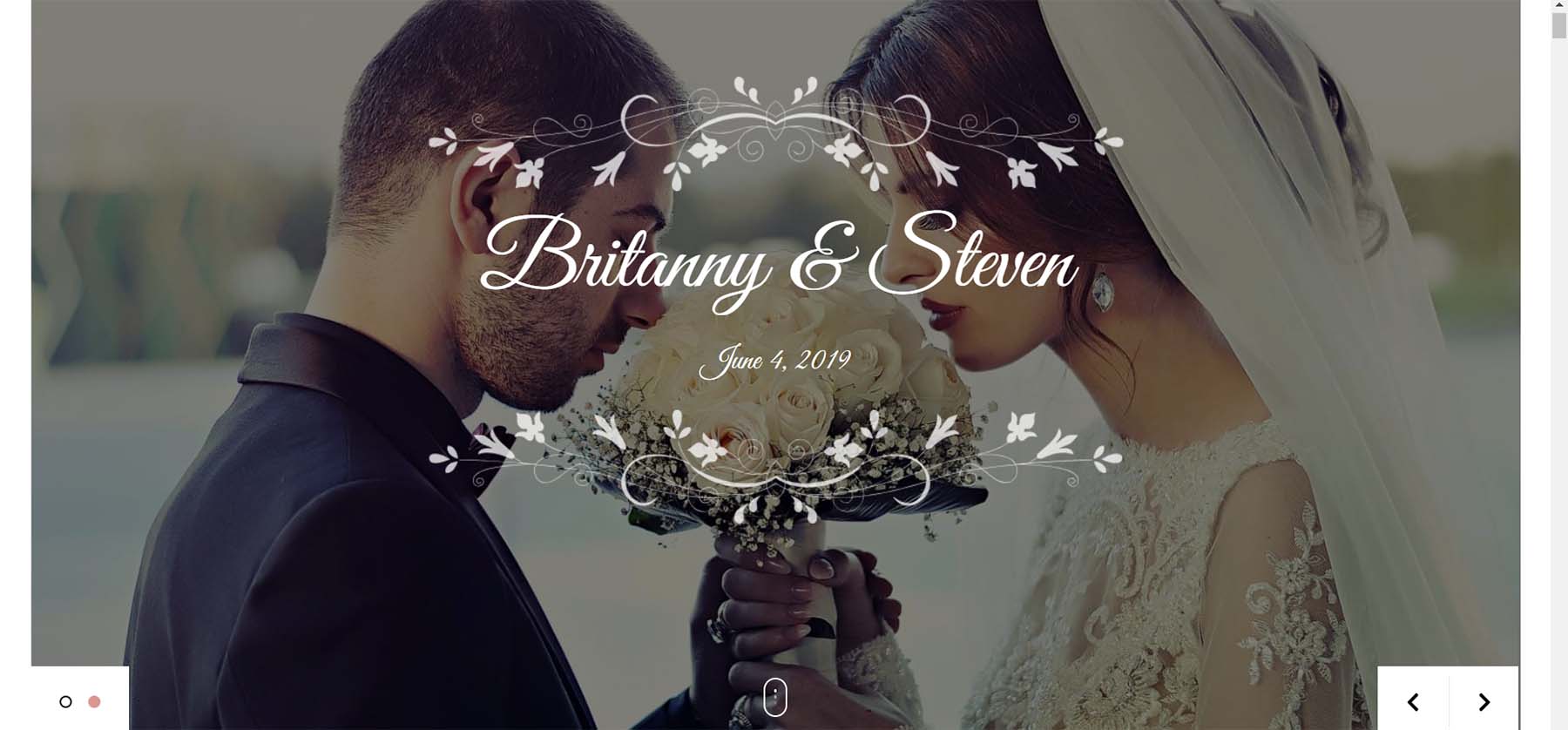
If you want a theme built specifically for weddings rather than adapted from a multipurpose framework, Blossom Wedding Pro is the most dedicated option for couples. It includes 16 homepage sections covering everything a wedding website needs: venue details, accommodation information, RSVP section, couple introduction, wedding schedule, photo gallery, and a countdown timer. Unlimited color and font options let you match your wedding palette. A free version is available on WordPress.org (though with very limited installs — 400+), so you can preview the layout before purchasing.
Pricing (March 2026): Free version available on WordPress.org. Pro: ~$69–99/yr (individual), or included in Blossom Themes All-Access bundle (~$149 one-time for all themes). Note: individual pricing could not be verified from a live-rendered page; confirm at blossomthemes.com at time of purchase.
Best for: Couples who want a purpose-built wedding theme with all the standard wedding website sections pre-designed.
Not ideal for: Professionals — it’s designed for personal wedding sites, not business use.
Neve Pro — $69/yr (Unlimited Sites)
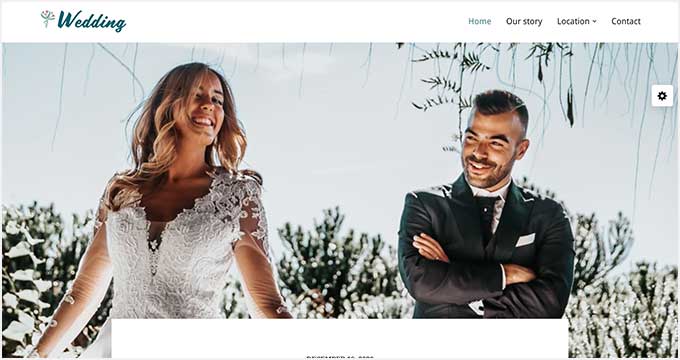
Neve Pro from ThemeIsle stands out for its performance characteristics. It consistently achieves high scores on Core Web Vitals tests, which matters when guests are loading your site over mobile data from the ceremony venue. At $69/year for unlimited sites, it’s one of the better value premium options — especially relevant if you’re a professional who manages multiple sites. The wedding starter templates are clean and modern. Compatibility with Elementor, Beaver Builder, and Gutenberg is comprehensive.
Pricing (March 2026): Free version available (200,000+ installs, 4.7/5). Pro Personal: $69/yr. Business: $149/yr. Agency: $259/yr. All plans cover unlimited sites.
Best for: Performance-conscious setups and developers managing multiple client sites.
Not ideal for: Users who want an out-of-the-box wedding-specific look without any customization.
Best WordPress Themes for Wedding Photographers
A wedding photographer’s website has fundamentally different priorities than a couple’s wedding site. The goal is attracting and converting clients — not informing guests. That means portfolio display quality, fast gallery loading, clear contact paths, and ideally WooCommerce integration for print sales or booking deposits.
Fargo — $75/yr
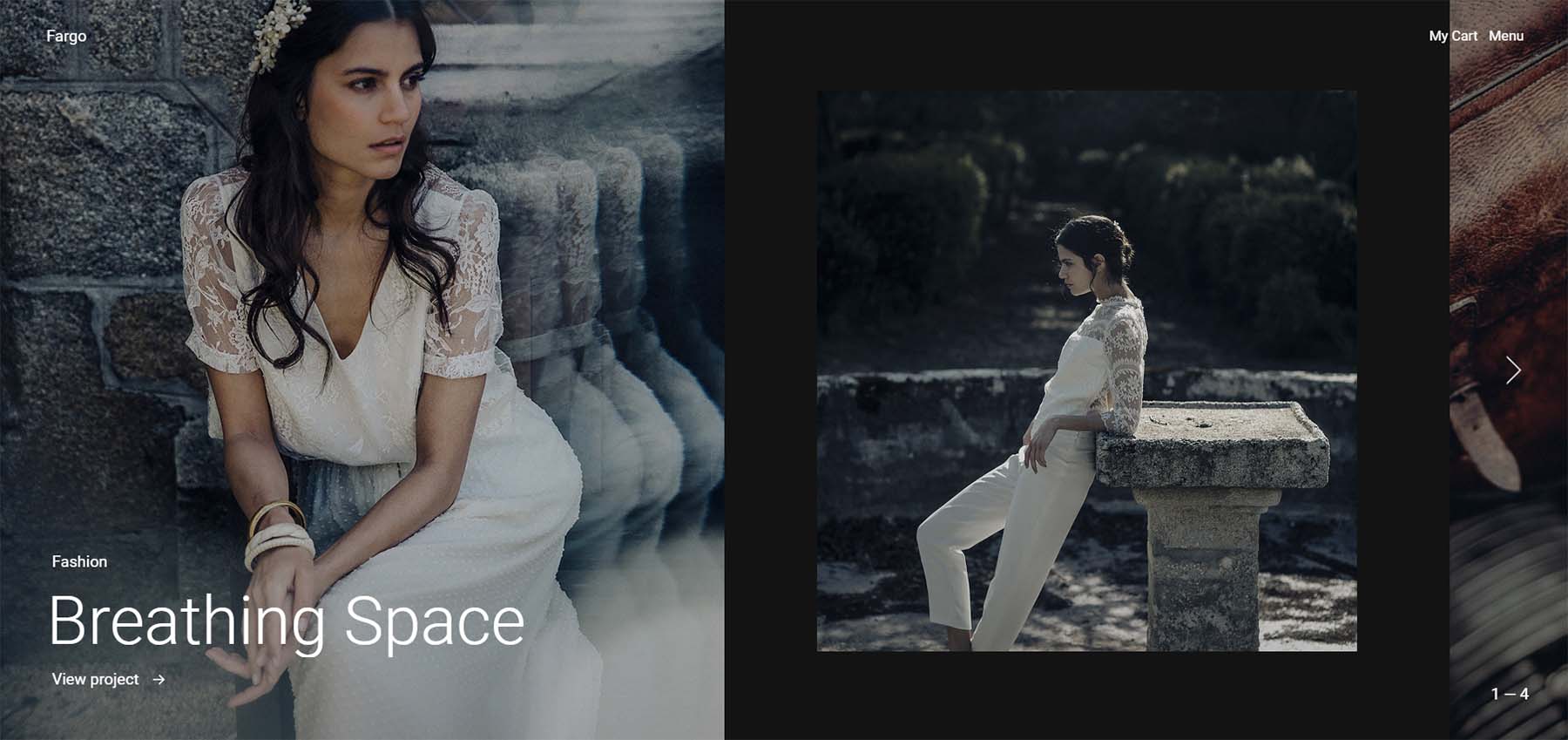
Fargo by Pixelgrade is built specifically for photography portfolios. Its homepage features a full-page masonry gallery that links directly to portfolio pieces — letting your work speak before a potential client reads a single word. The fullscreen menu uses marquee text animations for a high-end feel, and WooCommerce integration handles print sales or booking deposits. The built-in style manager lets you adjust color palettes and fonts without touching code. At $75/year, it’s positioned for photographers who take their web presence seriously.
Pricing (March 2026): $75/yr. No free version.
Best for: Wedding photographers who want an editorial, high-end portfolio site that showcases work before anything else.
Not ideal for: Couples building a personal wedding site (it’s a portfolio theme, not a wedding event site).
Iris — $69 (One-Time)
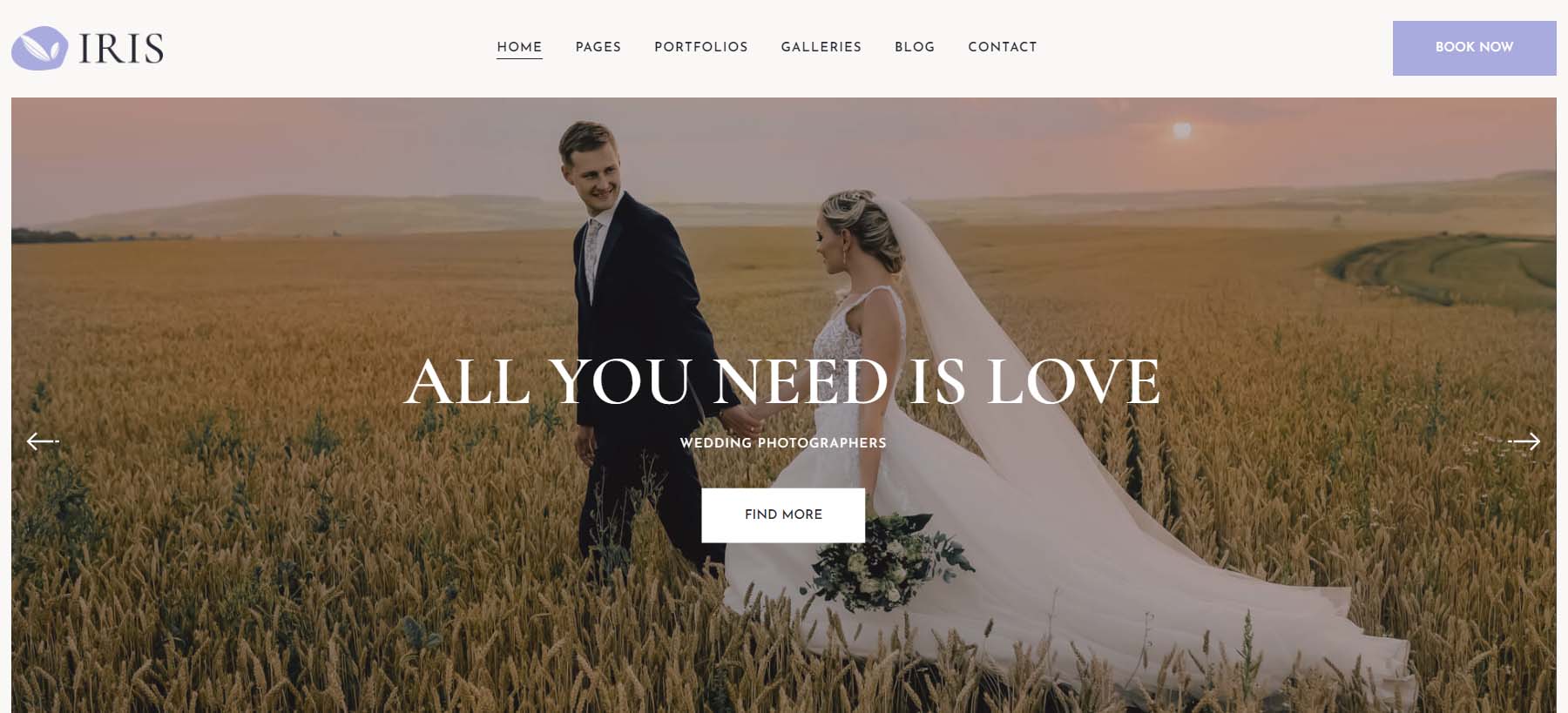
Iris from TemplateMonster offers a different value proposition: a one-time $69 purchase rather than an annual subscription. For a solo photographer who doesn’t need continuous updates or new features, this can be more cost-effective long-term. It includes 20+ portfolio page variations (grid, masonry, slider, fullscreen), six homepage layouts, and a built-in Instagram grid in the footer. Contact pages powered by Contact Form 7 make client inquiries straightforward. Elementor and Gutenberg compatibility means customization doesn’t require code.
Pricing (March 2026): $69 one-time purchase. No free version.
Best for: Wedding photographers who prefer a one-time purchase and want flexible gallery presentation options.
Not ideal for: Photographers who want long-term developer support and regular feature updates (one-time purchase themes typically have a defined support window).
Astra Pro — $49–69/yr (For Photographers Who Want Flexibility)
Wedding photographers who already know they want to grow their WordPress site beyond a simple portfolio — adding a blog for SEO, building a booking system, or running an online print shop — often find Astra Pro the most pragmatic choice. The massive template library includes photography-specific options, and the compatibility with every major page builder gives you long-term flexibility. At $49–69/year with 1 million+ active installs, the ecosystem of tutorials, support, and compatible plugins is unmatched.
Best for: Photographers who want maximum long-term flexibility and SEO growth potential.
Not ideal for: Photographers who want a design-led, portfolio-first aesthetic out of the box — Astra Pro requires more customization work than Fargo or Iris.
Best WordPress Themes for Wedding Planners and Vendors
Wedding planners, florists, venues, DJs, and other wedding industry professionals need a site that converts — not a pretty guest information page. Service pages, testimonials, pricing packages, booking forms, and local SEO are the priority.
Divi — $89/yr (Unlimited Sites)
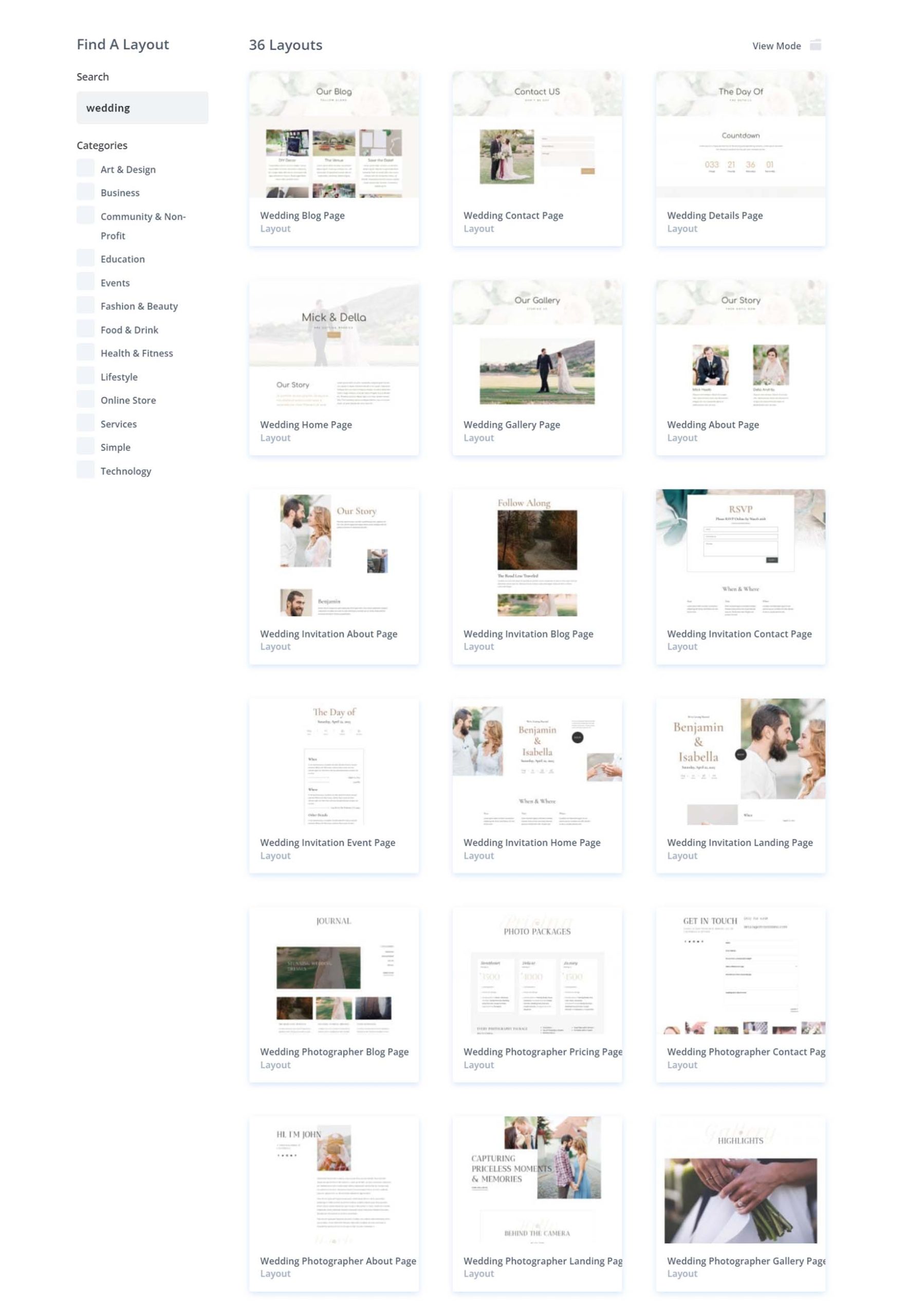
Divi from Elegant Themes is the most versatile option for wedding industry professionals who build their own sites. With five dedicated wedding layout packs and 36 wedding page templates, plus a visual frontend builder, it lets you build service pages, portfolios, testimonial sections, and pricing pages without coding. The $89/year license covers unlimited websites — practical for planners who want to test different site designs or manage multiple business properties. The Divi Marketplace adds timeline layouts, booking integrations, and other wedding-specific modules.
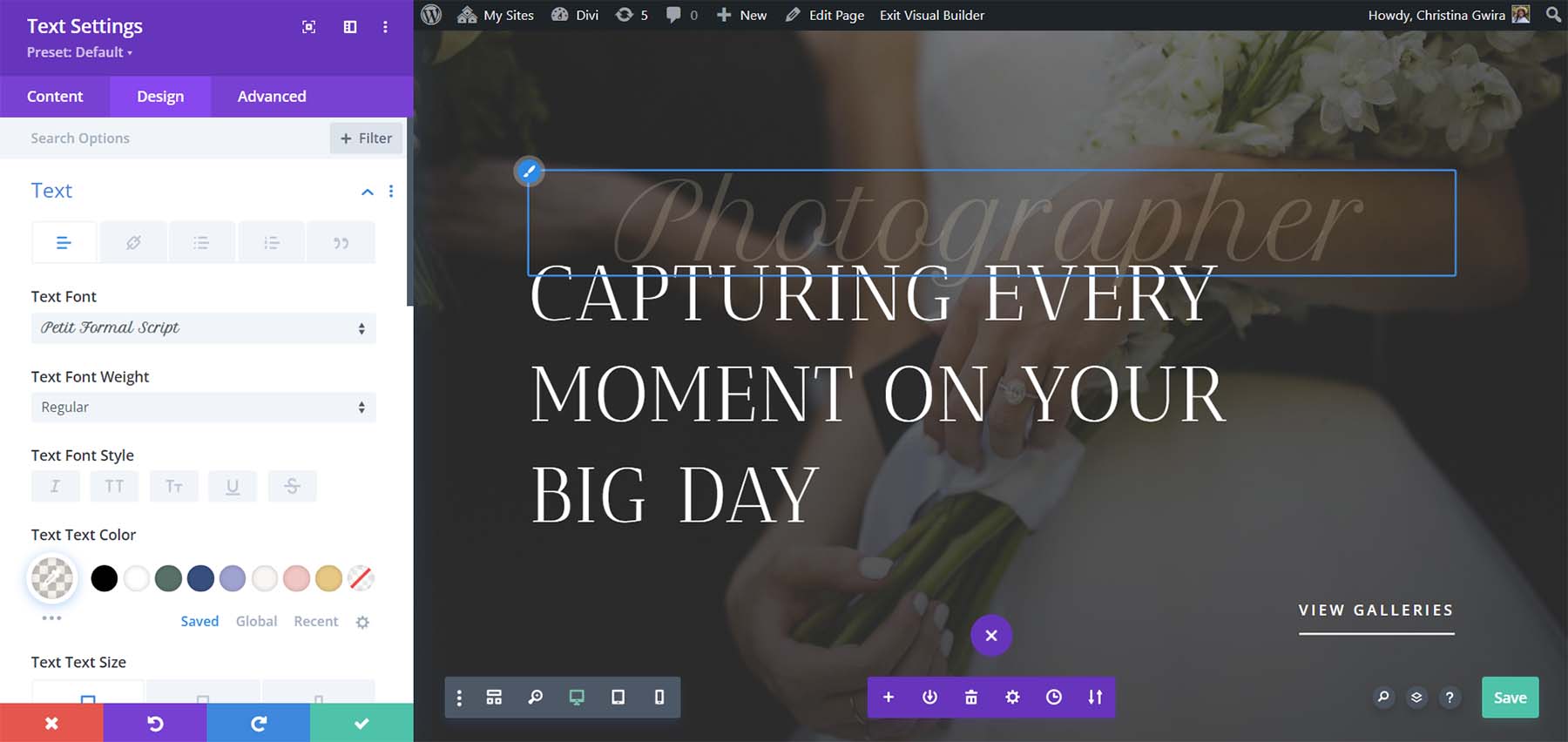
Pricing (March 2026): $89/yr (Standard, unlimited sites). $277/yr (Divi Pro — includes AI tools, VIP support, cloud storage). No permanent free version, but a 30-day money-back guarantee applies.
Best for: Wedding professionals who want the most complete toolkit for building and managing a wedding business website.
Not ideal for: Beginners who find the Divi Builder’s learning curve steep; or users who don’t want annual subscription pricing.
Astra Pro — $49–69/yr
For wedding planners who prioritize page speed, local SEO, and WooCommerce (online deposits, gift registries, merchandise), Astra Pro’s combination of performance and compatibility is hard to beat. The Business Toolkit tier adds Schema Pro for structured data markup — relevant for local business SEO — and a large library of agency-quality starter templates. With 1 million+ active installs, finding a developer who knows Astra is easier than for niche themes.
Best for: Planners who want a fast site with strong SEO capabilities and broad plugin compatibility.
ChicLuxe — $149 (One-Time)
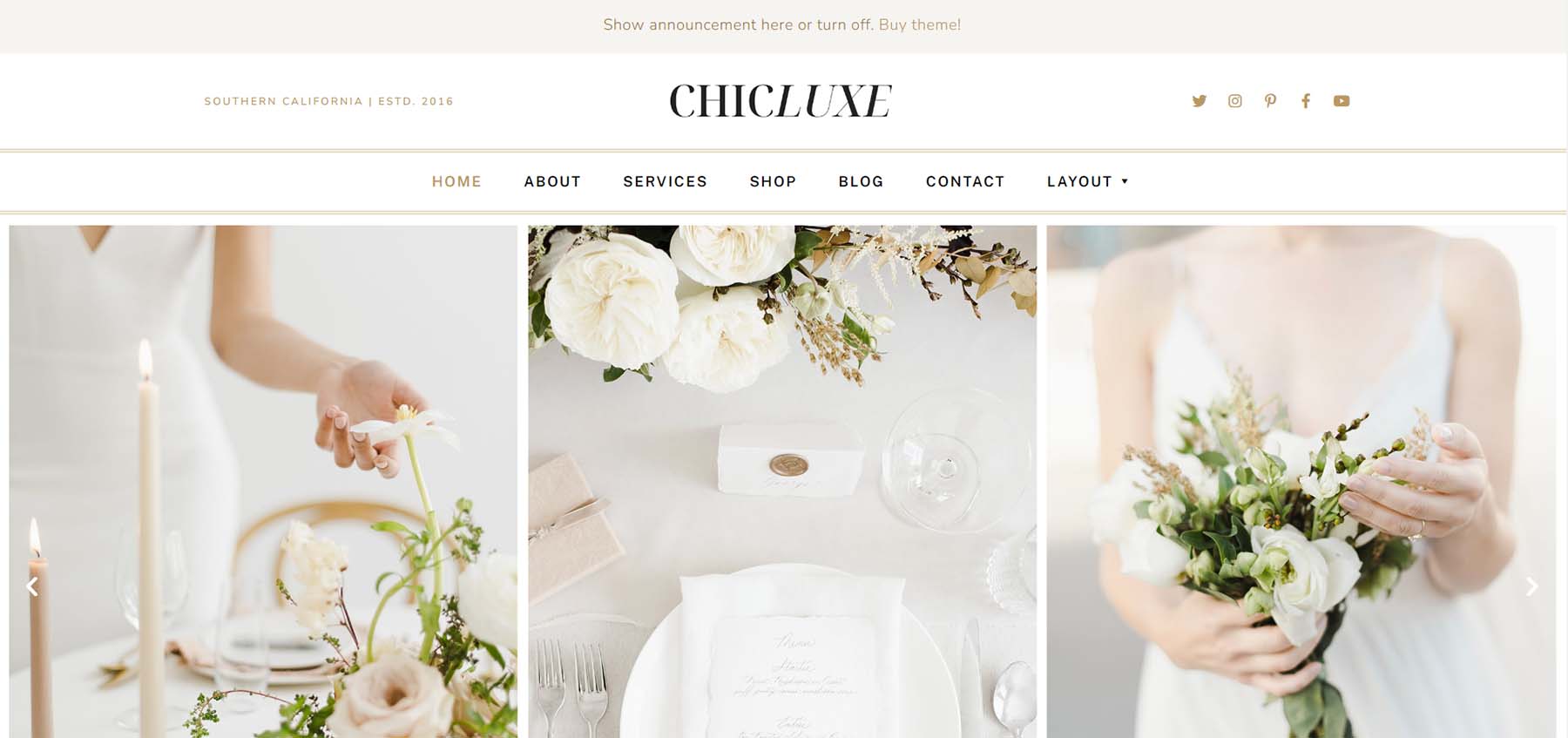
ChicLuxe is the most aesthetically specific option on this list. Built for luxury wedding professionals — florists, high-end planners, premium venues — it comes with eight pre-designed page templates, a native Instagram grid and newsletter module, and Elementor compatibility for full customization. The one-time $149 price is higher upfront than an annual subscription but has no ongoing cost. Built-in schema.org microdata supports SEO without a separate plugin.
Pricing (March 2026): $149 one-time. No free version. All stock photos from demo included.
Best for: High-end wedding professionals where brand positioning and visual elegance are more important than flexibility or budget.
Not ideal for: Couples or general-purpose businesses; it’s designed for the luxury wedding vendor niche specifically.
Full Comparison: 12 Wedding WordPress Themes Side by Side
The table most lists skip. All pricing verified March 2026.
| Theme | Free Version | Annual Price | Active Installs | Page Builder | RSVP (Native) | Best For |
|---|---|---|---|---|---|---|
| Astra | Yes (1M+ installs) | ~$49–69/yr | 1,000,000+ | Elementor, Beaver, Gutenberg | Via plugin | Any use — max flexibility |
| Divi | No (30-day trial) | $89/yr | 2,000,000+ (est.) | Divi Builder | Via plugin | Wedding pros, planners |
| SeedProd | Yes (Lite) | $39.50/yr | 1,000,000+ | Native drag-drop | Via plugin | Fast setup, couples |
| Neve | Yes (200K+ installs) | $69/yr | 200,000+ | Elementor, Beaver, Gutenberg | Via plugin | Speed, agencies |
| OceanWP | Yes (500K+ installs) | $54/yr (3 sites) | 500,000+ | Elementor, all builders | Via plugin | General, extensible |
| Sydney | Yes (90K+ installs) | $79/yr | 90,000+ | Elementor, Gutenberg | Via WPForms | Couples, beginners |
| Blossom Wedding Pro | Yes (limited) | ~$69–99/yr | 400+ (free tier) | Customizer | Via plugin | Couples, DIY weddings |
| Fargo | No | $75/yr | N/A (premium) | Style Manager | No | Wedding photographers |
| Zakra | Yes (30K+ installs) | $69/yr | 30,000+ | Elementor, Brizy, Gutenberg | Via plugin | SEO-focused sites |
| Catch Wedding | Yes (free, dedicated) | Free (Pro available) | 2,000+ | Customizer | Via plugin | Zero-budget couples |
| Iris | No | $69 (one-time) | N/A (premium) | Elementor, Gutenberg | No | Wedding photographers |
| ChicLuxe | No | $149 (one-time) | N/A (premium) | Elementor | No | Luxury wedding vendors |
How to Choose the Right Wedding WordPress Theme
Start with three questions:
1. Who is this site for? If it’s for your own wedding, you need a guest-friendly event site with RSVP and photo capabilities. If it’s for a photography or planning business, you need a site that attracts and converts clients.
2. What’s your real budget? Include hosting and plugins in the calculation, not just the theme price. A free theme + $35/year shared hosting + free plugins covers most couple use cases. A photographer building a client-acquisition machine might spend $200–400/year total and see a return on that investment.
3. How much time do you have? SeedProd and Sydney offer the fastest setup paths. Divi and Astra Pro offer the most long-term flexibility but require more setup time.
Use this as a simplified decision guide:
| Your Situation | Start Here |
|---|---|
| Couple, zero budget | Catch Wedding (free) or Sydney (free) |
| Couple, some budget, wants easy setup | SeedProd Basic ($39.50/yr) or Sydney Pro ($79/yr) |
| Couple, wants a dedicated wedding theme look | Blossom Wedding Pro (~$69/yr) |
| Wedding photographer, portfolio focus | Fargo ($75/yr) or Iris ($69 one-time) |
| Wedding photographer, wants max flexibility | Astra Pro ($49–69/yr) |
| Wedding planner or vendor | Divi ($89/yr) or Astra Pro |
| Luxury wedding professional, brand positioning priority | ChicLuxe ($149 one-time) |
Frequently Asked Questions
Are there free wedding WordPress themes worth using?
Yes. Astra, Neve, OceanWP, and Sydney all have free tiers with hundreds of thousands of active installs and high WordPress.org ratings. Catch Wedding is a free theme built specifically for wedding websites. For most couples creating a temporary event site, a free theme combined with free plugins handles every core requirement: photo galleries, event details, countdown timers, and RSVP forms through WPForms or similar.
Do I need a dedicated wedding theme, or will a multipurpose theme work?
A multipurpose theme with a wedding starter template (like Astra or Neve) works well for most people. Dedicated wedding themes like Blossom Wedding Pro offer a head start on wedding-specific sections but trade off long-term flexibility. If your site will only exist for the wedding period, a dedicated theme makes the setup faster. If you plan to reuse the WordPress site afterward — for a personal blog, photography portfolio, or business — a multipurpose theme gives you more options.
Which wedding WordPress themes have built-in RSVP forms?
No WordPress theme includes a truly complete RSVP system natively — all of them require a form plugin. However, Blossom Wedding Pro and Catch Wedding include RSVP-ready page sections that just need a form plugin (like WPForms or Gravity Forms) connected to function. SeedProd’s theme builder includes RSVP form blocks. For more advanced RSVP management (guest lists, dietary requirements, +1 tracking), a dedicated WordPress RSVP plugin is the better solution regardless of which theme you choose.
How much does it cost to build a WordPress wedding website?
The realistic minimum is $35–60/year for shared hosting plus a free theme and free plugins. A mid-range setup (premium theme + managed hosting + a form plugin) runs roughly $180–260/year. A full-featured setup with Divi or SeedProd Pro plus managed hosting and premium plugins can reach $270–550/year. The theme itself is typically the smallest line item — hosting and plugin costs add up faster.
Can I use a WordPress wedding theme with no coding experience?
Yes. SeedProd’s drag-and-drop builder is the most accessible option — you can set up a complete wedding site in a few hours with no technical background. Sydney and Blossom Wedding Pro both include 1-click demo import, which gives you a working site immediately that you customize by replacing text and images. Themes that use the native WordPress Customizer (Catch Wedding, Blossom Wedding Pro) are also beginner-friendly. Avoid Divi if you have no WordPress experience and a short timeline — the builder is powerful but has a learning curve.
Which wedding WordPress theme is fastest?
Neve consistently produces the highest Core Web Vitals scores among the themes in this guide. Astra and OceanWP are also performance-optimized. Heavy page builder themes like Divi can slow down sites if not configured carefully. For the fastest possible load times, pair a lightweight theme (Neve or Astra) with a good caching plugin and optimized images rather than relying on the theme alone to handle performance.
What happens to the wedding website after the wedding?
Multipurpose themes give you the most post-wedding flexibility. Astra, Neve, and Sydney can be repurposed for a personal blog, a photography portfolio, or a different type of website entirely by switching the starter template or redesigning around the same theme. Dedicated wedding themes like Blossom Wedding Pro or Catch Wedding are harder to repurpose for non-wedding content. If you think you might reuse the site, choose a multipurpose option from the start.
Do I need a page builder plugin with my wedding theme?
It depends on the theme. SeedProd includes its own page builder. Divi comes with the Divi Builder. Themes like Astra, Neve, OceanWP, and Sydney work well with the free Gutenberg block editor without any additional page builder plugin — and Gutenberg has improved significantly for building custom layouts. Adding Elementor (free or paid) to any of these themes gives you more drag-and-drop design control if you want it, but it’s not required for a functional wedding site.
Which themes work best for wedding photographers specifically?
Fargo and Iris are the strongest purpose-built choices. Fargo focuses on the visual impact of the portfolio with full-page masonry galleries and animated navigation. Iris offers more layout variety (20+ portfolio page variations) and includes pricing/FAQ page templates useful for photographers showing service packages. For photographers who want maximum future flexibility or plan to build out a blog for SEO purposes, Astra Pro or Neve Pro paired with Elementor is a commonly recommended path.
Is WordPress a good choice for a wedding website?
WordPress is a solid choice, particularly if you already have a hosting account, want full control over your data, or plan to reuse the site after the wedding. The alternative — Squarespace or Wix — is faster to set up for pure beginners but has limitations on mobile performance, long-term content management, and design flexibility. Showit is popular among wedding photographers for design-forward sites but carries documented technical SEO limitations. For most people, WordPress combined with a beginner-friendly theme handles everything a wedding website needs.
Wrapping Up
The right wedding WordPress theme depends on who’s building it and why. Couples planning their own wedding get the fastest, most practical results from Sydney (free and proven), SeedProd (fastest setup), or Blossom Wedding Pro (dedicated wedding features). Photographers need a portfolio-first theme — Fargo and Iris both deliver that without compromise. Wedding industry professionals who need flexible, service-focused business sites get the most long-term value from Divi or Astra Pro.
Before installing anything, verify the current pricing on the official theme website — promotional discounts change frequently, and some pricing tiers vary based on the number of sites you need. All pricing data in this article reflects confirmed figures from March 2026.
