


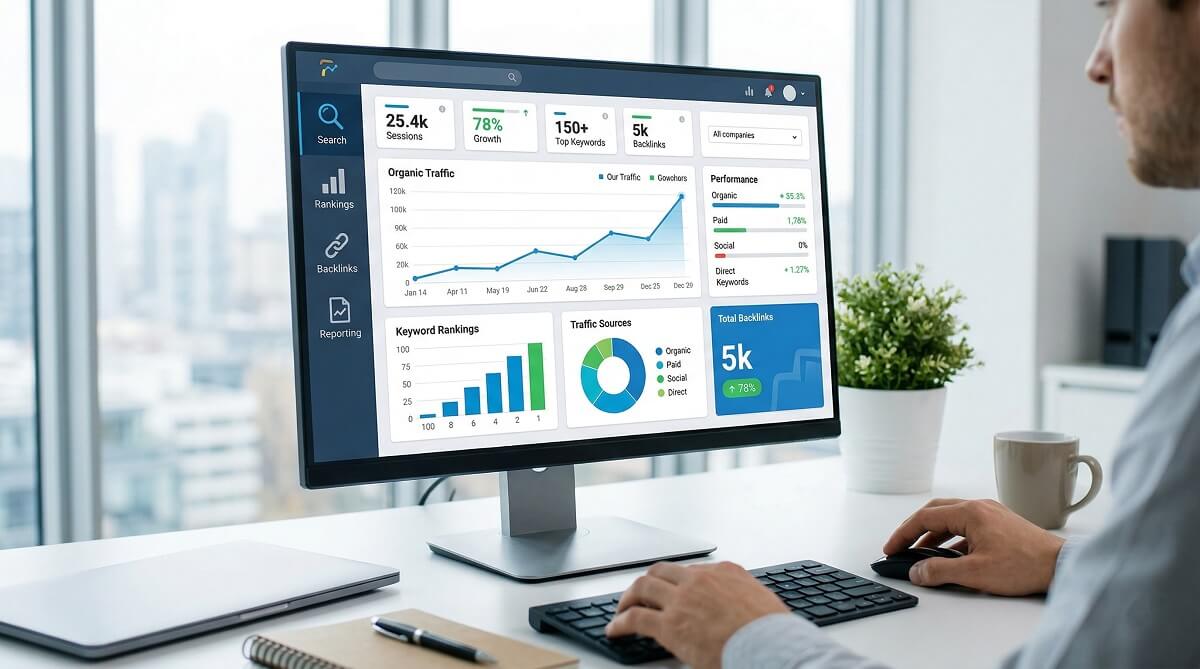
Most lists of “best SEO reporting tools” were written with agencies in mind — teams managing dozens of clients, paying $300+ a month for software, and needing white-label dashboards that impress in board meetings. If you run a personal site, a small business, or a blog, those recommendations miss the point entirely.
The real question for most people isn’t which reporting tool has the slickest UI or the most integrations. It’s: what do I actually need to track, what does it cost, and where do I start? That’s what this guide answers.

Quick Answer: Best SEO Reporting Tools at a Glance
If you’re in a hurry, here’s the short version. Every tool below gets a full breakdown in the sections that follow.
| Tool | Best For | Free Plan | Starting Price (Annual) |
|---|---|---|---|
| Google Search Console | All site owners — baseline SEO data from Google | ✅ Free forever | Free |
| Google Analytics 4 | Understanding on-site user behavior and conversions | ✅ Free forever | Free |
| Looker Studio | Building visual dashboards from free Google data | ✅ Free forever | Free |
| Semrush | All-in-one SEO + competitor research | 7-day trial | $117.33/mo |
| Ahrefs | Backlink analysis + rank tracking | $29/mo Trial | $107.50/mo (Lite) |
| SE Ranking | Best value all-in-one for small businesses | 14-day trial | $52/mo |
| Moz Pro | Beginners who find Semrush/Ahrefs overwhelming | 30-day trial | $39/mo |
| AgencyAnalytics | Agencies managing client reports with white-label | 14-day trial | $59/mo |
| Screaming Frog | Technical SEO audits and site crawls | ✅ Free (500 URLs) | £199/year |
| BrightLocal | Local businesses tracking local search rankings | 14-day trial | $29/mo |
Prices as of March 2026, billed annually where applicable.
Five metrics cover most of what any small business owner needs to watch: organic clicks and impressions (from Google Search Console), organic traffic sessions (Google Analytics 4), average keyword position (GSC), crawl and indexing errors (GSC), and top-performing pages by organic traffic (GA4). Everything beyond that depends on specific goals — link-building campaigns, competitor tracking, or managing multiple client accounts.
What Is an SEO Reporting Tool (and Do You Actually Need One)?
An SEO reporting tool pulls together data about how your site performs in search engines and turns it into something readable. That might be a simple table showing which keywords drive traffic to your site, or a full dashboard covering rankings, backlinks, technical health, and conversion data — all in one place.
There are three distinct categories worth knowing about:
- Data collection tools: Google Search Console and Google Analytics 4 are the foundational ones. They track what Google sees and what visitors do on your site.
- All-in-one SEO suites: Semrush, Ahrefs, and SE Ranking go beyond Google’s data to show competitor rankings, backlink profiles, and keyword opportunities you’d never find in GSC alone.
- Reporting and dashboard platforms: AgencyAnalytics, Whatagraph, and DashThis are built to aggregate data from multiple sources into branded, shareable reports — mainly useful for agencies and freelancers managing client accounts.
For most personal sites and small businesses, the free tools in the first category cover 80–90% of what you need. The other categories make sense once you hit specific pain points: you want competitor data, you need automated client reports, or manual reporting is eating up several hours every month.
The Best Free SEO Reporting Stack (Start Here Before Paying)
Three tools from Google — all free, all genuinely useful — cover the basics better than most paid tools priced under $50/month. Here’s what each one does and how they work together.
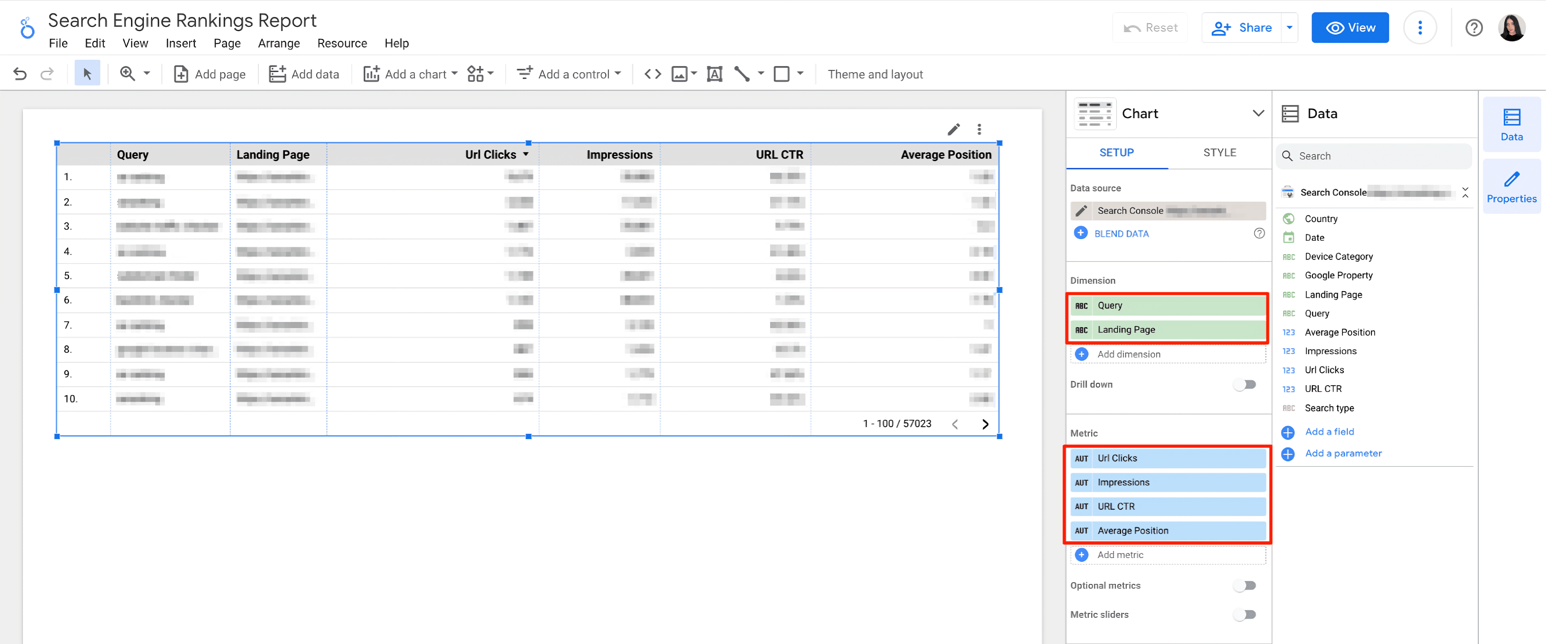
Google Search Console
GSC is the most important free SEO tool available. It shows exactly how Google sees your site — which search terms triggered impressions for your pages, how many clicks you received, your average ranking position, and whether Google has trouble crawling or indexing your content. The data comes directly from Google, which makes it uniquely reliable for understanding your organic search presence.
Its limitations are real: historical data only goes back 16 months, and there’s no competitor data at all. But for tracking your own keyword performance and catching technical issues before they hurt rankings, it’s unmatched.
Google Analytics 4
Where GSC tells you how people find your site, GA4 tells you what they do after they arrive. You can segment traffic by source (organic only), track which pages get the most engagement, measure goal completions, and connect SEO activity to actual business outcomes like contact form submissions or product purchases.
The learning curve is steeper than GSC, particularly since the transition from Universal Analytics, but the ability to tie SEO to conversions is worth the investment in learning.
Looker Studio
On its own, both GSC and GA4 require you to log into separate platforms to check different data sets. Looker Studio (Google’s free data visualization tool) solves this by pulling both into a single, customizable dashboard you can share with teammates or clients as a live link or PDF.
It takes a few hours to set up your first template, but once built, it saves significant time every month. Ready-made SEO templates are available in the Looker Studio gallery — you don’t need to build from scratch.
WordPress users: Both GSC and GA4 connect to your WordPress dashboard for free through the Google Site Kit plugin. This brings your key search metrics directly into the WordPress admin panel without switching tabs.
When is this free stack enough? If you run one or two sites, publish content regularly, and don’t need competitor keyword data, the free stack handles your reporting needs. Most solo bloggers and local small businesses who are honest about their goals never need to go further.
Best All-in-One SEO Reporting Tools for Small Businesses
Paid tools earn their place when you need data that Google doesn’t share — competitor rankings, backlink profiles, keyword difficulty scores, and automated rank tracking for hundreds of terms.
Semrush — Best for Competitor Research + Reporting
Semrush covers more ground than almost any other SEO platform. Beyond its reporting features — which include customizable dashboards, scheduled PDF exports, and branded reports — it’s a full SEO suite with keyword research, competitor gap analysis, site auditing, and backlink monitoring built in.
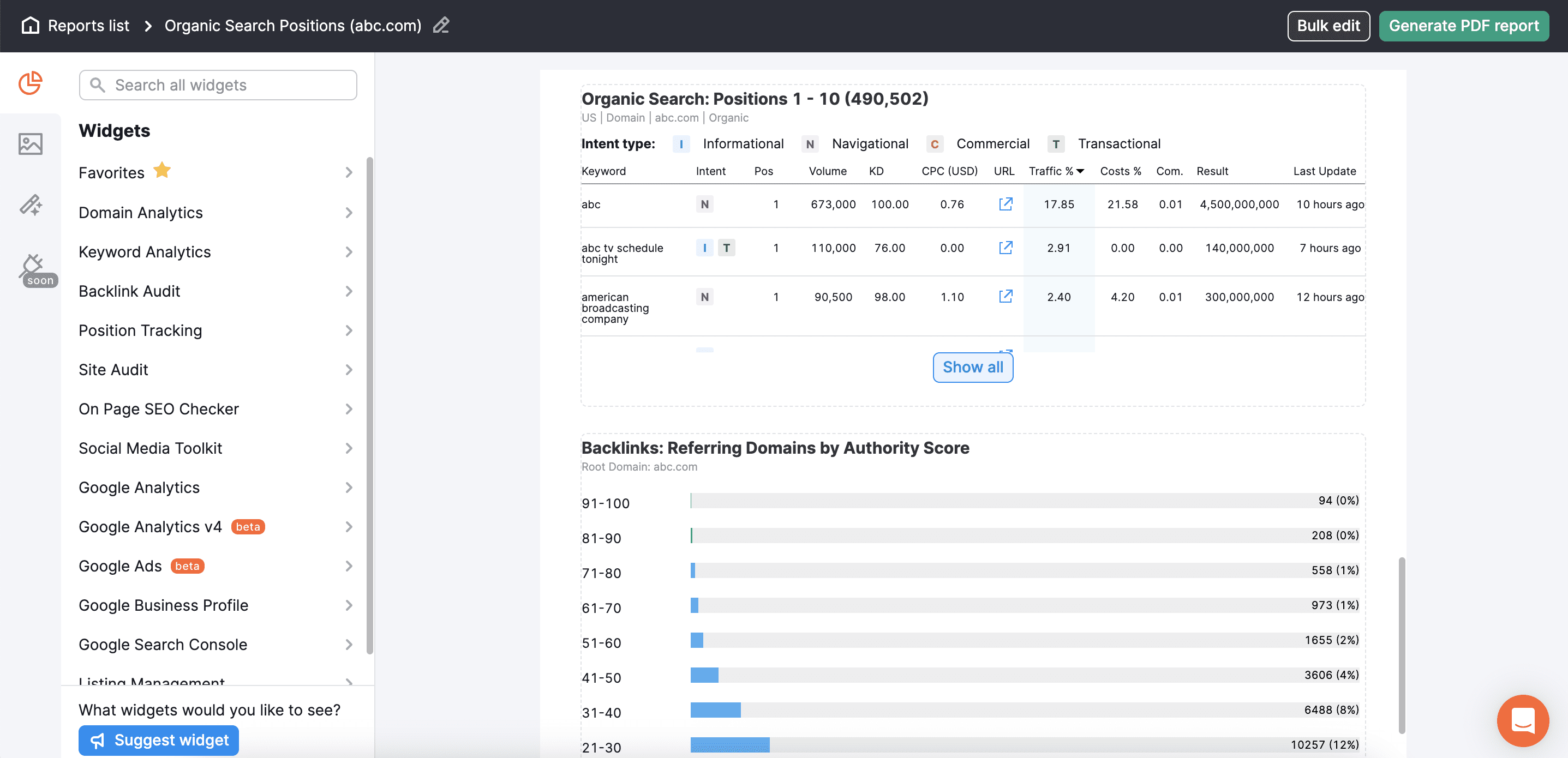
- Key features: Keyword tracking, site audit, competitor analysis, backlink audit, custom reports
- WordPress: Native integration with Yoast SEO — pulls keyword difficulty data directly into the WordPress editor
- Pricing: Pro plan $117.33/month billed annually ($139.95/month billed monthly); 7-day free trial — verify at semrush.com
- Best for: Small businesses and growing teams who want one platform for research and reporting
- Limitations: The entry price is significant for solo users; most of the value comes from using it consistently, not just for reports
Ahrefs — Best for Link Building + Backlink Reporting
Ahrefs built its reputation on having one of the most accurate and comprehensive backlink indexes available. If link-building is part of your strategy — and for many small businesses, it should be — Ahrefs gives you clearer data on which sites link to you, which links are most valuable, and where competitors are getting their links from.
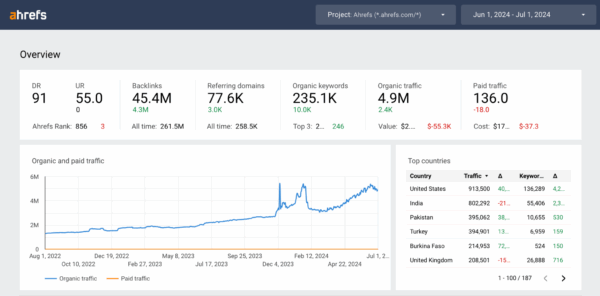
- Key features: Backlink index, Site Audit, Rank Tracker, Content Explorer, Keywords Explorer
- Pricing: Trial plan $29/month (limited); Lite plan $107.50/month billed annually; no free forever plan — verify at ahrefs.com
- Best for: Businesses and bloggers with active link-building efforts; competitive research
- Limitations: No free plan; the Trial plan has significant limitations; no WordPress plugin
SE Ranking — Best Value for Small Business Owners
SE Ranking is worth serious attention if Semrush and Ahrefs feel out of budget. It covers all the core functions — rank tracking, site audits, backlink monitoring, competitor analysis, and white-label reporting — at a noticeably lower entry price.
It also has a dedicated WordPress plugin, which makes it straightforward to track rankings without leaving your WordPress dashboard.
- Key features: Rank tracking, site audit, competitor analysis, white-label reports, keyword research
- WordPress: Dedicated WordPress plugin available on WordPress.org
- Pricing: Essential plan $52/month billed annually; Pro $95.20/month; 14-day free trial — verify at seranking.com
- Best for: Small businesses wanting a full SEO suite without the Semrush/Ahrefs price tag
- Limitations: Smaller data index than Semrush or Ahrefs; some features feel less polished
Pricing Comparison (March 2026)
| Tool | Entry Plan (Annual/mo) | Mid-Tier (Annual/mo) | Free Trial |
|---|---|---|---|
| Semrush | $117.33 (Pro) | $208.33 (Guru) | 7 days |
| Ahrefs | $107.50 (Lite) | $207.50 (Standard) | $29/mo Trial |
| SE Ranking | $52 (Essential) | $95.20 (Pro) | 14 days |
| Moz Pro | $39 (Starter) | $79 (Standard) | 30 days |
All prices in USD billed annually. Verify current pricing at each tool’s official website before purchasing.
Best SEO Reporting Tools for Agencies and Client Management
If you manage SEO for multiple clients or need to send regular reports with your branding on them, the tools above get unwieldy. These platforms are purpose-built for that workflow.
AgencyAnalytics — Best for White-Label Client Reports
AgencyAnalytics focuses on automating the reporting side of agency work. You connect a client’s marketing accounts (GSC, GA4, Semrush, Facebook Ads, and 80+ more), then build a branded dashboard or report that auto-delivers to the client on a set schedule.
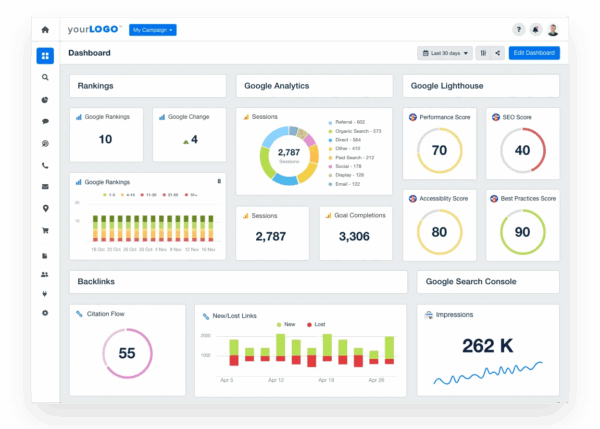
- Key features: White-label reports, automated scheduling, 80+ integrations, AI summaries, client portal
- Pricing: Freelancer $59/month (5 clients), Agency $179/month (10 clients); 14-day free trial, no credit card needed — verify at agencyanalytics.com
- Best for: Freelancers and agencies managing multiple client websites with regular reporting needs
- Limitations: Report data can take 2–3 days to refresh; limited advanced customization on lower tiers
Databox — Best for Real-Time Dashboards
Databox connects to 100+ marketing and analytics platforms and displays live performance data in dashboards you can share as real-time links. It’s particularly useful for teams that need a single view of SEO metrics across multiple campaigns without jumping between tools.
- Key features: 100+ integrations, goal tracking, custom metrics, automated scheduled reports
- Pricing: Professional $159/month, Growth $399/month; 14-day free trial (no permanent free plan)
- Best for: Teams and agencies that prioritize live dashboard access and real-time monitoring
- Limitations: No free forever plan; can require significant setup time; some users report stability issues with certain data connections
Specialized SEO Reporting Tools Worth Knowing
Three tools belong in a separate category — each one solves a very specific problem better than any all-in-one suite.
Screaming Frog — Best for Technical SEO Audits
Screaming Frog is a desktop application that crawls your website the same way a search engine does. The result is a detailed spreadsheet-style report of every URL on your site — with status codes, title tags, meta descriptions, headings, and internal links all visible at once.
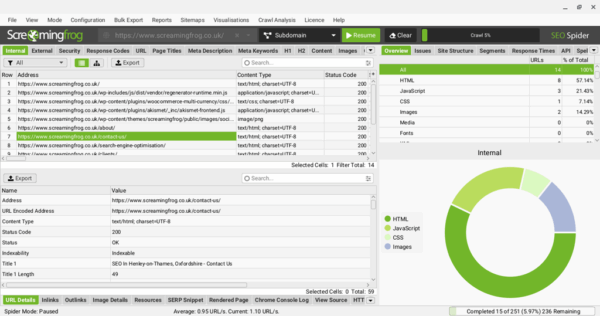
The free version crawls up to 500 URLs per session — enough for most small sites. The paid license costs £199/year and removes that limit, adding JavaScript rendering and API integrations.
It’s an industry-standard tool for technical audits and especially useful for WordPress sites where plugin conflicts or theme changes can silently break indexing. That said, it’s not a rank tracker or an ongoing dashboard — it’s best used periodically for audits.
- Pricing: Free (500 URLs), £199/year for unlimited + advanced features — verify at screamingfrog.co.uk
- Best for: Developers, SEOs, and anyone doing a thorough site health audit
- Not for: Beginners who want ongoing rank tracking or weekly reports
Moz Pro — Best for Beginners
Moz Pro offers a friendlier entry point than Semrush or Ahrefs. The Keyword Explorer is genuinely intuitive — it shows not just search volume but priority scores that factor in difficulty and click-through potential, helping beginners focus on achievable targets rather than chasing impossible high-volume terms.
- Key features: Keyword Explorer, site audits, link metrics, MozBar browser extension
- Pricing: Starter $39/month billed annually; Standard $79/month; 30-day free trial — verify at moz.com
- Best for: SEO beginners and small businesses finding Semrush/Ahrefs overwhelming
- Limitations: Smaller backlink and keyword index than Semrush or Ahrefs; fewer integrations
BrightLocal — Best for Local SEO Reporting
Local businesses — restaurants, service companies, healthcare practices, retail stores — have different SEO needs than a global e-commerce site. BrightLocal is designed specifically for that use case: it tracks local search rankings (the “near me” results), monitors your Google Business Profile performance, manages citations across local directories, and aggregates your online reviews in one place.
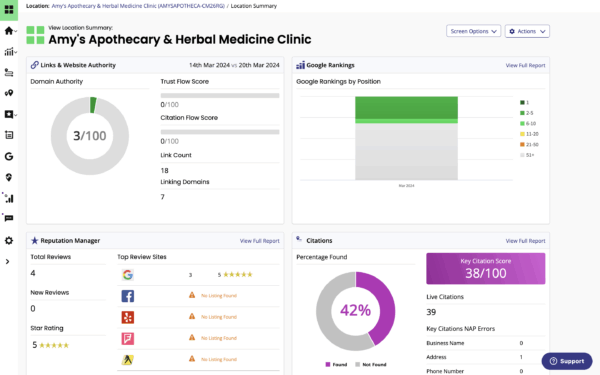
- Key features: Local rank tracking, citation checker, review monitoring, Google Business Profile audits
- Pricing: Track plan $29/month billed annually; Manage $37/month; 14-day free trial, no credit card required — verify at brightlocal.com
- Best for: Local businesses, multi-location brands, and agencies with local SEO clients
- Limitations: Limited to local SEO — not designed for national or e-commerce SEO campaigns
When Is It Worth Paying for an SEO Reporting Tool?
Honest answer: most personal sites and small businesses under 5,000 monthly organic visits don’t need to pay for SEO reporting software. The free Google stack handles the fundamentals. Upgrading makes financial sense when specific needs emerge.
| Your Situation | Recommended Approach |
|---|---|
| Personal blog or brand-new business site | Start with GSC + GA4 + Looker Studio (free). Learn what matters before spending money. |
| Small business with 1–3 sites, growing traffic | Consider SE Ranking ($52/mo) or Moz Pro ($39/mo) once you have specific questions free tools can’t answer. |
| Business doing active competitor research | Semrush or Ahrefs — the competitor keyword gap tools alone can justify the cost for growing businesses. |
| Freelancer or agency managing 3+ client sites | AgencyAnalytics ($59+/mo) or SE Ranking — white-label reports save significant time per client per month. |
| Local business (restaurant, service, retail) | BrightLocal ($29/mo) — covers the local-specific data that national tools don’t prioritize. |
| Developer or SEO doing technical audits | Screaming Frog (free up to 500 URLs, or £199/year) — purpose-built for the job. |
A useful rule of thumb: if you’re spending more than two hours per month manually compiling performance data from different platforms, a paid tool will likely save you that time and cost less than your hourly rate.
WordPress + SEO Reporting — What Works Together
WordPress users have some useful options that aren’t available on other platforms.
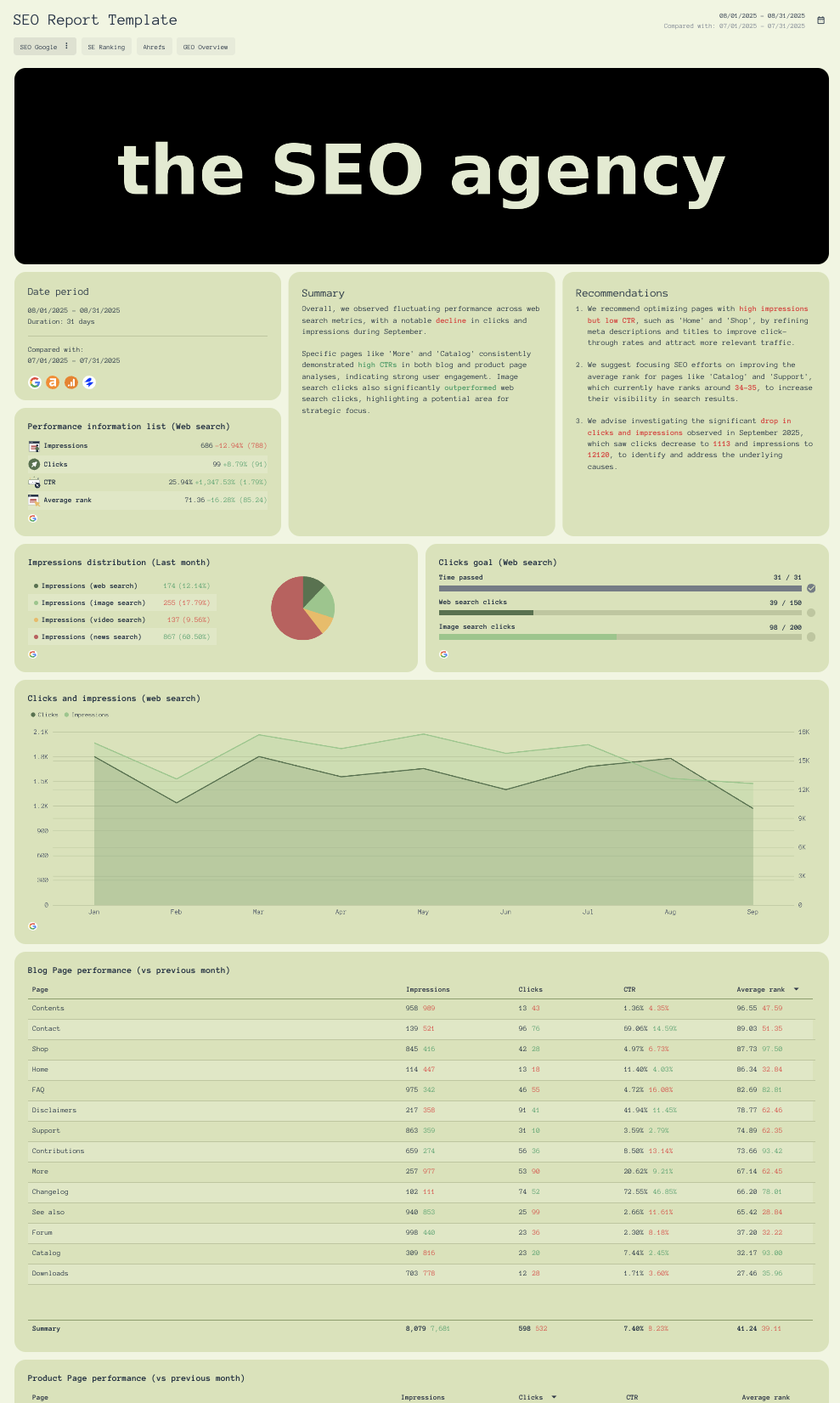
- Yoast SEO + Google Site Kit: The Site Kit plugin by Google connects GSC and GA4 directly to your WordPress dashboard. You get key SEO metrics without leaving WordPress — and it’s free.
- Semrush + Yoast SEO: A native integration shows Semrush keyword data (search volume, difficulty) in the WordPress editor as you write. Useful for on-page optimization without switching to a separate browser tab.
- SE Ranking WordPress Plugin: SE Ranking offers a dedicated plugin on WordPress.org for rank tracking, accessible directly from the WP admin panel.
- Screaming Frog for WordPress audits: While it’s not a plugin, Screaming Frog is particularly valuable for auditing WordPress sites after major theme changes, plugin updates, or migrations. It surfaces broken links, duplicate titles, and crawl issues quickly.
One important distinction: SEO plugins like Yoast SEO and RankMath give on-page SEO guidance (title optimization, readability, internal link suggestions) inside the editor. They are not replacements for analytics reporting tools. You need both: the plugin for real-time content guidance, and GSC or GA4 for actual performance tracking.
FAQ — Frequently Asked Questions
What is the best free SEO reporting tool?
Google Search Console is the most important free SEO tool available. It provides direct data from Google — which search queries trigger your pages, how many impressions and clicks you receive, and what technical issues Google encounters on your site. Paired with Google Analytics 4 (for on-site behavior tracking) and Looker Studio (for visual dashboards), you have a completely free setup that handles the needs of most personal sites and small businesses.
Do I need to pay for an SEO reporting tool?
Not necessarily. If you run one or two sites with under 10,000 monthly organic visits and don’t need competitor data, the free Google stack covers most of what matters. Paid tools become worthwhile when you need rank tracking for many keywords at once, competitor keyword analysis, automated client reports, or when manual reporting is taking several hours per month.
What SEO metrics should I track as a small business owner?
Five metrics cover the essentials: (1) organic clicks and impressions from Google Search Console, (2) organic traffic sessions from GA4, (3) average keyword position from GSC, (4) crawl and indexing errors from GSC’s Coverage report, (5) top-performing pages by organic sessions in GA4. Track these monthly and you’ll catch most meaningful changes in your SEO performance.
What is white-label SEO reporting?
White-label reporting means delivering reports to clients with your own logo, brand colors, and domain — not the reporting tool’s branding. Platforms like AgencyAnalytics, SE Ranking, and DashThis offer this. It’s mainly relevant for agencies and freelancers who send regular performance updates to clients and want to present a professional, consistent brand experience.
Which SEO reporting tool works best with WordPress?
The combination of Yoast SEO and Google Site Kit gives you free GSC and GA4 data inside your WordPress admin panel. For paid options, Semrush has a native keyword data integration with the Yoast editor, and SE Ranking has a dedicated WordPress plugin. Screaming Frog is the go-to for technical audits of WordPress sites, especially after migrations or major plugin updates.
How often should I check my SEO reports?
For a personal site or small business, monthly reviews are usually enough to catch trends and spot problems. Check for significant traffic drops, new keyword opportunities appearing in GSC, and any crawl errors in the Coverage report. Weekly monitoring makes more sense if you’re actively running link-building campaigns or publishing content at high volume.
What’s the difference between Semrush and Ahrefs for reporting?
Both are comprehensive SEO platforms with solid reporting features. Semrush has a larger keyword database and more marketing-adjacent tools (PPC research, social media, content marketing). Ahrefs is known for having a more accurate and comprehensive backlink index, which makes it the preferred choice for link-building-focused strategies. For basic rank tracking and site reporting, either works well — the choice often comes down to budget, interface preference, and which data points matter most to your business.
Is Google Search Console enough for SEO reporting?
For most personal sites and small businesses, yes — GSC provides the data that matters most: what people search to find you, how often your pages appear and get clicked, and whether Google has technical trouble accessing your content. Its main limitations are the 16-month data history cap and the absence of competitor data. If those limitations become pain points, that’s usually a sign it’s time to consider a paid tool.
Choosing the Right SEO Reporting Tool
The right SEO reporting tool depends on three things: how many sites you manage, what specific questions you need to answer, and what your budget actually allows.
For most solo site owners and small businesses, starting with the free Google stack — Search Console, Analytics 4, and Looker Studio — is the sensible move. These tools cover the fundamentals without any monthly cost, and they’re genuinely capable. Upgrading to a paid tool makes sense when you outgrow what they offer: competitor insights, automated reporting, or advanced rank tracking across hundreds of keywords.
When evaluating paid options, SE Ranking offers the best balance of features and price for growing small businesses. Semrush and Ahrefs are worth the investment for businesses making SEO a significant part of their strategy. AgencyAnalytics is the practical choice for anyone managing more than two or three client sites. And for specialized needs — technical audits on Screaming Frog, local tracking on BrightLocal — there are purpose-built tools that do those jobs better than any all-in-one platform.
No single tool is the right answer for every situation. The best SEO reporting setup is the one you’ll actually use consistently — and more often than not, that starts with what Google provides for free.
