



All in One SEO has been running on WordPress sites since 2007 — making it one of the oldest SEO plugins in the entire ecosystem. Today it’s installed on over 3 million active websites, has accumulated 5,059+ reviews on WordPress.org, and is maintained by Awesome Motive, the same company behind WPForms, MonsterInsights, and OptinMonster. The plugin handles everything from XML sitemaps and schema markup to internal link suggestions and AI-generated meta descriptions.
This review covers what AIOSEO actually does well, where it falls short, how its five pricing tiers break down, and how it compares honestly to Yoast SEO and Rank Math. Whether you run a personal blog, a WooCommerce store, or manage sites for clients, the decision comes down to specific features and budget — and this guide makes that decision straightforward.
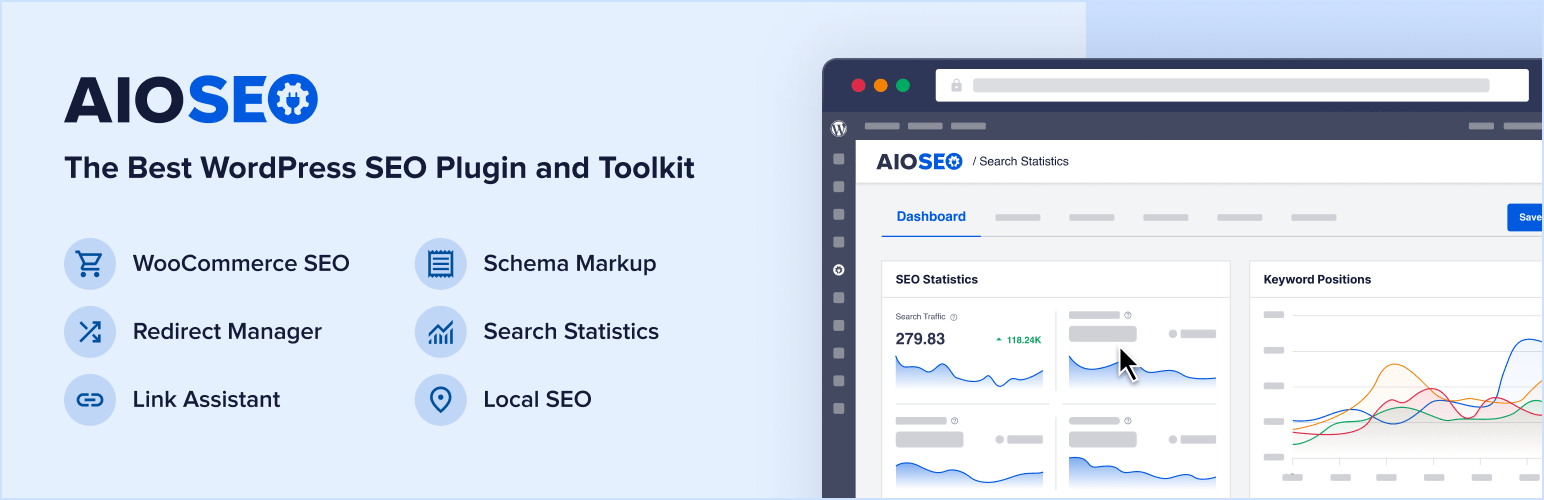
What Is All in One SEO?
AIOSEO started as “All in One SEO Pack” in 2007, built as one of the very first plugins to bring on-page SEO controls to WordPress. For over a decade it was a staple recommendation — then in 2020, Awesome Motive acquired the plugin and invested heavily in rebuilding its architecture from scratch. The result was a fully modular system where you activate only the features you need, reducing unnecessary resource usage on your server.
Semper Plugins LLC handles the development arm, headquartered in West Palm Beach, Florida. The plugin currently sits at version 4.9.5.1 and ships a free Lite version available directly through the WordPress.org plugin repository. The paid Pro versions add the heavy-hitting tools: redirects management, internal link assistant, local SEO, advanced schema, and rank tracking.
See how AIOSEO ranks among the best WordPress SEO plugins overall
AIOSEO Free vs Pro: What You Actually Get
The free version is genuinely useful — it’s not stripped to the point of being worthless. You get meta title and description editing, basic schema markup, XML sitemaps, Open Graph tags, WooCommerce basic SEO, and robots.txt editing. For a personal blog or simple informational site, the free tier is a solid starting point.
Where the free tier falls behind competitors: Rank Math’s free version includes 15+ schema types, 404 monitoring, and redirects at no cost. AIOSEO’s free tier lags on all three counts. If you need those features without paying, Rank Math’s free plugin is the stronger option. But if you’re planning to use AIOSEO Pro, the paid tiers are comprehensive and competitively priced.

| Feature | Free | Basic ($49.60/yr) | Plus ($99.60/yr) | Pro ($199.60/yr) | Elite ($299.60/yr) |
|---|---|---|---|---|---|
| Meta title & description editing | Yes | Yes | Yes | Yes | Yes |
| XML Sitemaps | Yes | Yes | Yes | Yes | Yes |
| Basic Schema Markup | Yes | Yes | Yes | Yes | Yes |
| Open Graph / Social Tags | Yes | Yes | Yes | Yes | Yes |
| Unlimited Focus Keywords | No (1 only) | Yes | Yes | Yes | Yes |
| Video & News Sitemaps | No | Yes | Yes | Yes | Yes |
| Local SEO Module | No | No | Yes | Yes | Yes |
| Image SEO | No | No | Yes | Yes | Yes |
| Redirects Manager (19 types) | No | No | No | Yes | Yes |
| 404 Error Monitor | No | No | No | Yes | Yes |
| Internal Link Assistant | No | No | No | Yes | Yes |
| Author SEO (E-E-A-T) | No | No | No | Yes | Yes |
| Keyword Rank Tracking | No | No | No | No | Yes |
| Content Decay Tracking | No | No | No | No | Yes |
| LLMs.txt Generator | No | No | No | No | Yes |
Core Features Deep Dive
TruSEO Score — On-Page Content Analysis
TruSEO is AIOSEO’s real-time content scoring system that runs in your post editor. As you write, it analyzes your content against your target focus keyword and produces a score from 0 to 100 alongside a checklist of specific items to fix. It checks keyword placement in your title, first paragraph, headings, URL slug, and meta description — plus content length and internal link presence.
The difference from Yoast’s traffic light system is practical: TruSEO gives you an itemized checklist rather than a red/yellow/green indicator. You see exactly which boxes you’re missing. The Headline Analyzer runs alongside TruSEO, scoring your post title for emotional appeal, power words, and search optimization — a useful sanity check before publishing.

Read the full AIOSEO vs Yoast SEO comparison
Smart Schema Markup
Schema markup (structured data) tells search engines what type of content you have — an article, a product, a recipe, a local business — so they can display rich results in search. AIOSEO auto-detects your content type and applies the appropriate JSON-LD schema. It supports 20+ schema types including Article, Product, LocalBusiness, FAQPage, HowTo, Recipe, Event, and more.
For WooCommerce stores, AIOSEO generates product schema automatically — price, availability, review ratings — without any manual configuration. This is where it genuinely outperforms Yoast, which requires a separate paid WooCommerce SEO add-on to unlock equivalent functionality.

XML Sitemaps and IndexNow
AIOSEO generates and maintains four sitemap types: standard XML sitemaps for all content, video sitemaps for video content, Google News sitemaps for news publishers, and an HTML sitemap for visitors. Sitemaps update automatically when you publish or update content.
Worth noting: AIOSEO integrates with the IndexNow protocol, which lets it ping Bing and other IndexNow-compatible search engines instantly when you publish new content. This can accelerate indexing compared to waiting for routine crawls. The sitemap system also lets you exclude specific post types, categories, or individual posts from the sitemap.
One real-world caveat: a documented compatibility issue with Beaver Builder can produce XML parse errors in sitemaps due to whitespace in PHP output. If you use Beaver Builder, test your sitemaps after activation and check the WP Beaver Builder community forums if issues arise.
How to set up and validate XML sitemaps in WordPress
Local SEO Module
The Local SEO module (Plus plan and above) adds LocalBusiness schema to your site, covering business name, address, phone number, hours of operation, service areas, and Google Maps integration. For businesses with multiple physical locations, AIOSEO supports multi-location configuration — each location gets its own schema block.

Best local SEO plugins for WordPress — full comparison
Internal Link Assistant
The Internal Link Assistant (Pro plan and above) scans your entire content library and identifies where you could add internal links between posts. It surfaces suggestions inside the post editor: “This post mentions Topic X — you have three posts about Topic X that aren’t linked here.” You click to insert the link without leaving the editor.
This is one of AIOSEO’s genuinely differentiated features. Rank Math and Yoast don’t offer an equivalent tool in their standard plans. For content-heavy sites with hundreds of posts, it solves a real problem that would otherwise require manual audits or third-party tools.
Best internal link plugins for WordPress
AI Features in 2026
AIOSEO has added AI capabilities across the plugin. The AI Writing Assistant generates SEO-optimized meta titles and descriptions with a single click, analyzing your content and suggesting keyword-rich options. The Headline Analyzer uses AI signals to score your titles beyond basic keyword placement.
The LLMs.txt Generator is a newer addition worth paying attention to. It creates an llms.txt file for your site — a structured file that tells AI systems like ChatGPT, Perplexity, and Claude how to index and understand your site’s content. As AI-powered search and AI agents become a larger source of traffic, having an llms.txt in place is forward-thinking. AIOSEO is currently one of the only SEO plugins to offer this automatically.
Content Decay Tracking (Elite plan) monitors which posts are losing search rankings over time and flags them for refresh — practical for sites with large content archives.
404 Monitor and Redirects Manager
The 404 Error Monitor (Pro plan) automatically logs any URLs on your site returning a 404 error. From the same dashboard, you can set up redirects for those broken URLs. AIOSEO supports 19 redirect types including 301 (permanent), 302 (temporary), 307, 410 (gone), and 451 (unavailable for legal reasons). Redirects can be written at the server level, which is faster than PHP-level processing.
Author SEO and E-E-A-T
Google’s E-E-A-T guidelines (Experience, Expertise, Authoritativeness, Trustworthiness) are particularly relevant for YMYL sites — medical, legal, financial, and health content. AIOSEO’s Author SEO module (Pro plan) adds author schema markup to your posts without requiring custom code. It lets you define each author’s credentials, publications, and social profiles, which are then embedded as structured data that search engines can verify.
This is a meaningful feature for any site where author credibility affects ranking trust. Most other SEO plugins don’t offer this as a dedicated module.
E-E-A-T for WordPress: how to implement author authority signals
AIOSEO Pricing — All 5 Plans Explained
AIOSEO offers five tiers as of March 2026. The prices shown are introductory first-year pricing — renewals are at a higher rate (Awesome Motive doesn’t publish exact renewal prices publicly, but expect 40–50% higher on renewal). All paid plans include a 14-day money-back guarantee.
| Plan | Price/Year (Intro) | Sites | Best For | Key Additions |
|---|---|---|---|---|
| Free | $0 | 1 | Personal bloggers, simple sites | Basic SEO, sitemaps, schema, OG tags |
| Basic | $49.60 | 1 | Single-site small businesses | Unlimited keywords, video sitemaps, full GSC integration |
| Plus | $99.60 | 3 | Small businesses with a few sites | Local SEO, image SEO, news sitemaps |
| Pro | $199.60 | 10 | WooCommerce stores, developers | Redirects, 404 monitor, Internal Link Assistant, Author SEO |
| Elite | $299.60 | 100 | Agencies, large sites | Rank tracking, content decay, competitor analysis, LLMs.txt, AI tools |
The Elite plan’s per-site value is exceptional for agencies: $299.60 for 100 sites works out to under $3 per site per year. By comparison, Yoast SEO Premium costs $99/year per site — scaling to 10 sites would cost $990/year. AIOSEO’s Elite plan covers 100 sites for less than one-third that cost.
For a single-site small business owner, Basic at $49.60 is the entry point. The Plus plan adds local SEO and image SEO, which most brick-and-mortar businesses will want. If you run WooCommerce and need redirects and link management, Pro is the right tier.
Compare AIOSEO pricing to other top WordPress SEO plugins
AIOSEO vs Competitors — Honest Comparison
AIOSEO vs Yoast SEO
Yoast SEO has 10 million active installs — more than triple AIOSEO’s count. It’s been the default recommendation for beginners for years because its traffic light system teaches SEO as you write: red means something’s wrong, green means you’re good. That educational approach works well for content teams and solo bloggers who are still learning SEO fundamentals.
AIOSEO’s TruSEO checklist is arguably more actionable for experienced users — you see exactly what’s missing rather than a color signal. But the real differences show up in pricing and specific features:
| Feature | AIOSEO | Yoast SEO |
|---|---|---|
| Active installs | 3M+ | 10M+ |
| Free tier quality | Solid — basic SEO + sitemaps | Strong — includes image SEO, readability |
| WooCommerce SEO (Pro) | Included in Pro plan | Separate add-on ($79/yr) |
| Multi-site license (100 sites) | $299.60/yr (Elite) | ~$990+/yr |
| Internal Link Assistant | Yes (Pro+) | No |
| Readability analysis | TruSEO checklist | Detailed traffic light + suggestions |
| Author SEO / E-E-A-T | Yes (dedicated module) | Partial (manual schema) |
| LLMs.txt Generator | Yes (Elite) | No |
| Beginner friendliness | Good | Excellent |
The short version: Yoast is better for beginners who want to learn SEO through the plugin’s guidance. AIOSEO is better for agencies, WooCommerce stores, and anyone managing more than one site where per-license costs compound.
AIOSEO vs Rank Math
Rank Math is the strongest challenger — and honestly, the most feature-rich option in the free tier. Rank Math’s free plugin includes 15+ schema types, built-in 404 monitoring, redirects, multiple focus keywords, and Google Analytics integration. Features that require AIOSEO Pro are available in Rank Math’s free version.
Where AIOSEO pulls ahead: the Internal Link Assistant has no equivalent in Rank Math’s standard plans. AIOSEO’s Elite plan licensing (100 sites for $299.60) is competitive against Rank Math’s agency pricing. For enterprise content teams, AIOSEO’s Content Decay Tracking and Competitor Site SEO Analysis add research capabilities that Rank Math doesn’t offer at the same level.
If budget is a constraint and you want maximum features without paying, Rank Math free is the stronger pick. If you’re going paid and need internal linking, multi-site management, or advanced E-E-A-T controls, AIOSEO Pro competes strongly.
AIOSEO vs SEOPress
SEOPress is often the cheapest paid option in this space — Pro costs $49/year for unlimited sites. It’s leaner than AIOSEO, which means less overhead but also fewer advanced features. SEOPress doesn’t have an internal link tool, dedicated Author SEO module, or rank tracking equivalent. For users who want a straightforward, affordable single-plugin solution for one or a handful of sites, SEOPress is worth considering. For agencies or sites needing AIOSEO’s deeper feature set, the price difference doesn’t justify the feature gap.
SEOPress review: full breakdown of features and pricing
Performance Impact — Does AIOSEO Slow Down Your Site?
This is a legitimate concern. AIOSEO has more code surface than a minimal SEO plugin, and with all modules active, it carries measurable overhead. Third-party reviews have flagged this — one independent review was headlined “Feature-Rich but Super Slow?” in reference to heavy multi-module configurations.
The mitigating factor is AIOSEO’s modular architecture. If you activate only the modules you actively use — basic SEO, sitemaps, and schema — the plugin runs reasonably lean. The performance issues reported are typically from sites running all available modules simultaneously on budget shared hosting.
Practical advice: after installing AIOSEO, go to the Feature Manager (AIOSEO → Feature Manager) and disable any modules you don’t need. For a typical small business site, you probably only need Core SEO, Sitemaps, Schema, and Social Media — leaving everything else disabled keeps the plugin light.
Setup and Ease of Use
AIOSEO ships with a setup wizard that walks you through the core configuration in under 10 minutes. It asks about your site type (blog, news, ecommerce, etc.), connects to Google Search Console, configures your homepage title and description, and sets up your sitemap. Most users are fully operational before the coffee brews.

The plugin also provides 16 Gutenberg blocks — schema blocks, breadcrumbs, table of contents, and more — that you can use directly in the block editor. For sites migrating from another plugin, AIOSEO’s migration tool imports all SEO data from Yoast SEO, Rank Math, and SEOPress with a single click, preserving your existing titles, descriptions, and redirects.
Who Should Use AIOSEO?
| User Type | Recommended Plan | Key Reason |
|---|---|---|
| Personal blogger (1 site, basic needs) | Free or Basic ($49.60) | Free tier handles the essentials; Basic adds unlimited keywords and better GSC integration |
| Small business (local, 1–3 sites) | Plus ($99.60) | Local SEO module adds business schema, address, hours — essential for local search |
| WooCommerce store owner | Pro ($199.60) | Product schema, redirects, 404 monitor, and Internal Link Assistant all relevant for ecommerce |
| YMYL site (medical/legal/financial) | Pro ($199.60) | Author SEO / E-E-A-T module adds author authority schema without coding |
| Agency or developer (multiple client sites) | Elite ($299.60) | 100-site license at <$3/site/year; rank tracking and competitor analysis included |
| Content-heavy site (100+ posts) | Pro or Elite | Internal Link Assistant and Content Decay Tracking address real scale problems |
AIOSEO is probably not the best first choice if you’re an absolute beginner to WordPress SEO and want a plugin that teaches you SEO as you go — Yoast’s educational framing is better for that. It’s also not the best choice if you want maximum free-tier features without paying — Rank Math covers more ground for free. But if you’re running a business site with specific needs (local SEO, WooCommerce, multi-site management), AIOSEO’s paid plans are well worth the investment.
WordPress SEO tips for small businesses — practical guide
Support Quality
Free users get support through the WordPress.org support forums — response times vary and there’s no SLA. The 5,059 reviews on WordPress.org indicate a large, active community, which helps with peer-to-peer problem solving.
Paid plan users get priority email support. Pro and Elite plan holders have faster response queues. Awesome Motive as a company has a reputation for maintaining its plugins well — WPForms, OptinMonster, and MonsterInsights all receive regular updates, and AIOSEO follows the same pattern with consistent version updates addressing compatibility issues as WordPress evolves.
Worth knowing: AIOSEO has a documented compatibility issue with Beaver Builder affecting sitemap XML generation (extra whitespace causing XML parse errors). If you use Beaver Builder, verify your sitemap validates correctly after installing AIOSEO. The issue is solvable but requires a manual fix in functions.php encoding.
Frequently Asked Questions
- Is All in One SEO free?
- Yes — AIOSEO has a free Lite version available on WordPress.org. It includes meta title/description editing, XML sitemaps, basic schema markup, and Open Graph tags. Paid plans start at $49.60/year for additional features.
- What is TruSEO score?
- TruSEO is AIOSEO’s real-time on-page SEO scoring system. As you write in WordPress, it analyzes your content against your focus keyword and generates a score from 0 to 100 with a specific checklist of what to fix. It’s more granular than Yoast’s traffic light system — you see exactly which optimization criteria you’re missing rather than a color indicator.
- Is AIOSEO better than Yoast SEO?
- It depends on your use case. AIOSEO is better for agencies, WooCommerce stores, and multi-site management due to more competitive licensing and included features like the Internal Link Assistant and Author SEO module. Yoast SEO is better for beginners who want guided, educational SEO feedback and for editorial content teams who use its readability analysis. Neither is universally superior.
- Does AIOSEO slow down WordPress?
- It can add overhead if you activate all modules simultaneously, particularly on budget shared hosting. The plugin uses modular architecture — activating only the features you use keeps performance reasonable. Go to AIOSEO → Feature Manager and disable modules you don’t actively need.
- Can I import my SEO data from Yoast to AIOSEO?
- Yes. AIOSEO includes a one-click migration tool that imports all SEO data from Yoast SEO, Rank Math, and SEOPress — including titles, meta descriptions, redirects, and schema settings. The import preserves your existing SEO work so you don’t lose anything during the switch.
- Does AIOSEO work with WooCommerce?
- Yes, and it’s one of AIOSEO’s strengths. The Pro plan includes WooCommerce SEO that auto-generates product schema (price, availability, reviews) for rich results. Yoast requires a separate $79/year WooCommerce SEO add-on for equivalent functionality — making AIOSEO more cost-effective for store owners.
- What is the best AIOSEO plan for a small business?
- It depends on whether you have a physical location. If yes, the Plus plan ($99.60/year for 3 sites) adds the Local SEO module you need for local search schema. For a single-site online business without local SEO needs, Basic at $49.60 is often enough. WooCommerce stores should go with Pro.
- Does AIOSEO support WordPress multisite?
- Yes. AIOSEO works with WordPress multisite installations. Third-party plugins like the Broadcast add-on from Plainview also support copying AIOSEO SEO data across multisite subsite broadcasting, extending its utility for network publishers.
- What is LLMs.txt and why does AIOSEO include it?
- LLMs.txt is a proposed standard (similar to robots.txt) that gives AI language models structured guidance about how to index and reference your site’s content. As AI-powered search tools like ChatGPT and Perplexity increasingly drive traffic, having an llms.txt file in place signals your content preferences to these systems. AIOSEO’s Elite plan generates this file automatically — currently one of the few SEO plugins to do so.
- Is AIOSEO good for beginners?
- It’s beginner-accessible but not beginner-first. The setup wizard gets you running quickly, and the TruSEO checklist is more actionable than generic advice. But AIOSEO has many modules and settings — it can feel overwhelming if you’re new to SEO entirely. For absolute beginners who want hand-holding, Yoast SEO’s traffic light and readability guidance provides more structured learning. AIOSEO rewards users who already understand what they’re trying to optimize.
Final Assessment
AIOSEO is a comprehensive, well-maintained WordPress SEO plugin that has earned its place as a top-three option in the category. The 2020 rebuild by Awesome Motive modernized its architecture significantly, and the team has been consistently forward-looking — adding IndexNow support, Author SEO for E-E-A-T, and LLMs.txt generation before most competitors.
The free tier is solid for basic needs but trails Rank Math’s free offering in raw feature count. The paid tiers are where AIOSEO shines — particularly the Pro plan for WooCommerce and developer-focused sites, and the Elite plan for agencies managing dozens of client sites. If you’re running a single personal blog and budget is tight, the free version or Rank Math free may serve you better. If you’re building a business on WordPress and want a single plugin that handles schema, sitemaps, local SEO, link management, and E-E-A-T signals without stitching together multiple tools, AIOSEO Pro is a strong foundation.
