



Pick the wrong slider plugin and you’ll spend months wondering why your PageSpeed scores keep dropping. Slider plugins are notorious performance killers — but only when chosen poorly. The right one barely registers on your load time while still delivering the visual impact you’re after.
We’ve dug through real performance benchmarks, current pricing pages, and hands-on testing notes to put this comparison together. The goal isn’t to crown a single “best” plugin and move on. Different sites need different tools, and a choice that works perfectly for a photography portfolio will frustrate a WooCommerce store owner.

Here’s what you need to know before picking one — starting with the short version for those already ready to decide. You can also find more in-depth WordPress plugin guides on wplasma.com covering the broader ecosystem.
The Short Answer (Before You Scroll)
If you want a quick answer: MetaSlider is the fastest and works well for most blogs and small business sites. Smart Slider 3 gives you the most for free. Soliloquy is the easiest for true beginners. For agencies and advanced animation work, Slider Revolution or LayerSlider are the power tools.
| Plugin | Best For | Free Version | Starting Price | WP.org Rating |
|---|---|---|---|---|
| MetaSlider | Speed + simplicity | ✅ Strong | $39.50/year | 4.6/5 (800K+ installs) |
| Smart Slider 3 | Advanced design, free tier | ✅ Strong | $49 (one-time) | 4.9/5 (900K+ installs) |
| Soliloquy | Beginners, speed | ✅ Limited | $19.50/year | 4.5/5 |
| Slider Revolution | Advanced animations, agencies | ❌ No | $35/year | N/A (Envato) |
| Envira Gallery | Photographers, image sites | ✅ Gallery only | $39.50/year | 4.4/5 |
| LayerSlider | Agencies, design-heavy sites | ❌ No | $26/year | 4.75/5 (CodeCanyon) |
| Depicter | Budget + features | ✅ Yes | $39/year | 4.8/5 (100K+ installs) |
What Actually Makes a Good WordPress Slider Plugin
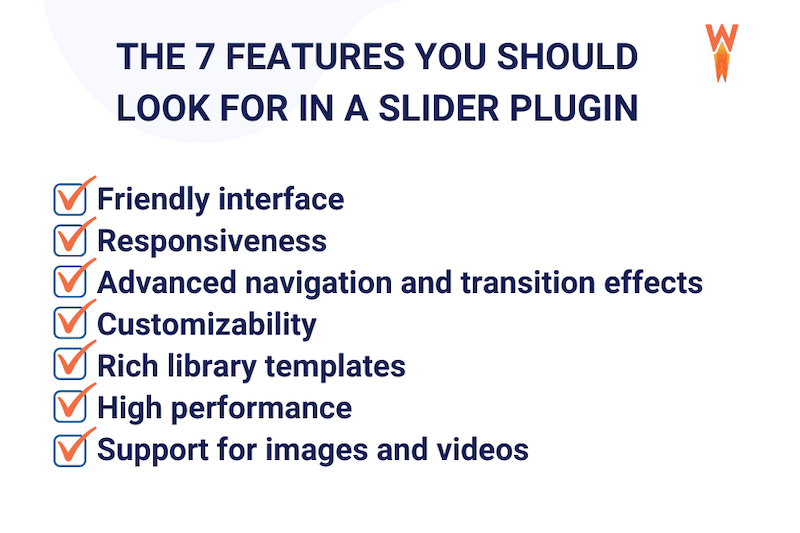
Most buyers focus on features — animations, templates, layer support — while overlooking the factors that matter more in practice. Here’s what actually separates useful slider plugins from ones that cause headaches:
Speed and Core Web Vitals impact. Slider plugins frequently become the largest element on a page, making them the Largest Contentful Paint (LCP) candidate. Google’s target for LCP is under 2.5 seconds. In 2026, only 62% of websites pass this threshold on mobile. A heavy slider plugin that loads 1MB+ of assets and takes 6+ seconds to render your hero image is a direct SEO problem.
Global script loading. Many slider plugins inject JavaScript and CSS on every page, even pages that have no slider. This drags down performance site-wide, not just on pages where you actually use the slider. A well-coded plugin loads assets conditionally.
Ease of use. A visual drag-and-drop builder matters more than you’d think. Every plugin on this list offers one, but the learning curves vary wildly — from Smart Slider 3’s photo-editor-like interface to MetaSlider’s much simpler setup.
Free tier quality. “Free version available” doesn’t mean much if the free tier is limited to a single test slider. We’ll cover what’s actually included for free in a dedicated section below.
Content type support. Basic image-only sliders work for simple use cases. But if you need product sliders for WooCommerce, post feed sliders for a news site, or video backgrounds for a landing page, you need a plugin that explicitly supports those content types.
Block theme and Gutenberg compatibility. WordPress’s shift toward block themes (Full Site Editing) is well underway. Smart Slider 3, MetaSlider, and Soliloquy all offer native Gutenberg blocks. Slider Revolution and LayerSlider both provide Elementor widgets and broader page builder support. If you’re building with a block theme, verify compatibility before committing.
Performance Test Results: Which Slider Loads Fastest?
Numbers here come from WP Rocket’s documented performance audit — five runs per plugin on mobile, using PageSpeed Insights and GTmetrix, with the same three images (527KB, 407KB, 221KB) on a blank page running the Twenty Twenty-Three theme. WPBeginner ran a parallel test using Pingdom. Both are consistent in their methodology.
The results might surprise you. A plugin with fast total load time can still have a slow LCP — because LCP measures when the largest visual element becomes visible, not just when the page starts loading.
| Plugin | Total Load Time | PageSpeed Score (Mobile) | LCP | CLS | TBT | Page Size |
|---|---|---|---|---|---|---|
| MetaSlider | 684 ms | 99/100 ✅ | 2.0s | 0.004 | 30ms | 201 KB |
| Slider Revolution | 839 ms | 86/100 | 3.3s | 0 | 60ms | 748 KB |
| Soliloquy | 876 ms | 87/100 | 4.6s | 0 | 30ms | 747 KB |
| Envira Gallery | 1.01 s | 80/100 | 4.5s | 0 | 40ms | 740 KB |
| Slider Pro | 1.02 s | 90/100 | 1.1s ⭐ | 0 | 40ms | 463 KB |
| Smart Slider 3 | 1.06 s | 76/100 | 6.4s ⚠️ | 0 | 0ms | 1.1 MB |
Source: WP Rocket performance audit. Testing conditions: mobile, Five test runs each, France servers, GTmetrix + PageSpeed Insights.
A few things jump out. MetaSlider wins on raw load speed and PageSpeed score by a wide margin — 684ms with a 99/100 score. Slider Pro, despite not being the most popular option, delivered the best LCP at 1.1 seconds, which is excellent for a Core Web Vitals standpoint. Smart Slider 3 clocks in at 1.06 seconds total, but its 6.4-second LCP is concerning if your slider is the hero element — that’s well above the 2.5-second target.
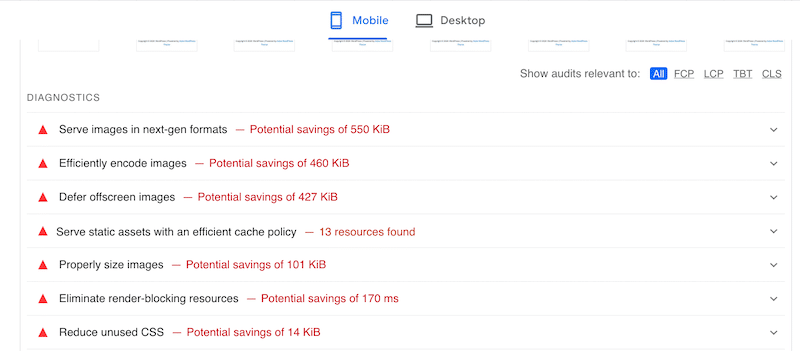
The quick fix for any slider plugin: compress your images to WebP or AVIF format before uploading. This single step — according to WPBeginner’s image optimization guide — is the most impactful change you can make. A 500KB hero image shrunk to 80KB dramatically changes your LCP score, regardless of which plugin you’re using.
The 7 Best WordPress Slider Plugins Reviewed
MetaSlider — Best Overall for Speed and Simplicity
MetaSlider earned its reputation as the speed benchmark. In the most comprehensive mobile performance test available, it hit 684ms total load time and a 99/100 PageSpeed mobile score — results that no other slider plugin in the test group came close to matching. Its page footprint of 201KB is also the smallest, less than one-fifth of Smart Slider 3’s 1.1MB.
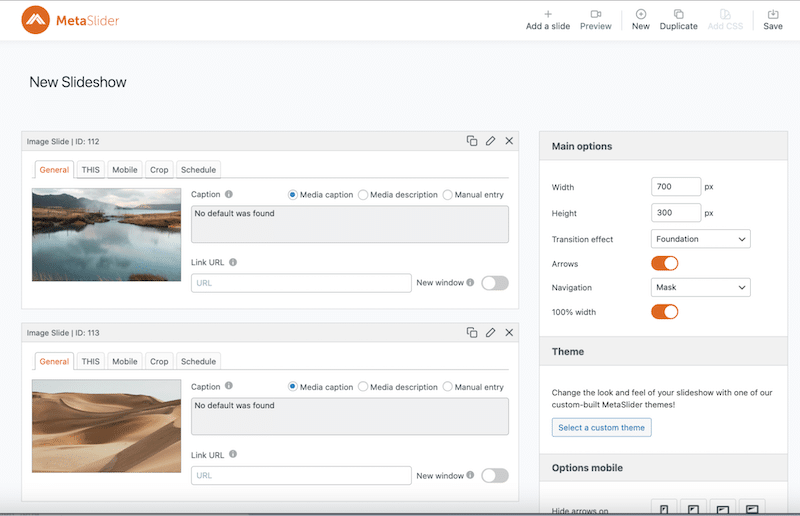
The free version is genuinely useful. You get drag-and-drop image management, Unsplash integration, real-time preview, image slides, video slides (YouTube, Vimeo), and post feed sliders — all without paying. Vimeo and NASA have reportedly used it for slider implementations, which speaks to its reliability at scale.
What’s behind the paywall: layer slides, WooCommerce product slides, HTML slides, slide scheduling, and advanced theme customization. For a blogger or small business running simple image or post sliders, the free version handles everything well.
Pricing (March 2026): Free. Pro starts at $39.50/year (1 site), $49.50/year (5 sites), $99.50/year (unlimited). 30-day money-back guarantee.
Gutenberg block: Yes. Also embeds via shortcode and widget.
Best for: Bloggers, small business homepages, anyone who prioritizes speed and doesn’t need complex layer animations.
Worth noting: MetaSlider’s LCP of 2.0s sits right at Google’s threshold. Good, but not flawless — image compression matters here.
Smart Slider 3 — Best Free Plugin for Advanced Design
With 900,000+ active installs and a 4.9/5 rating on WordPress.org, Smart Slider 3 is arguably the most popular free slider plugin in the ecosystem. That rating holds up across a substantial install base, which says something about the product’s quality.
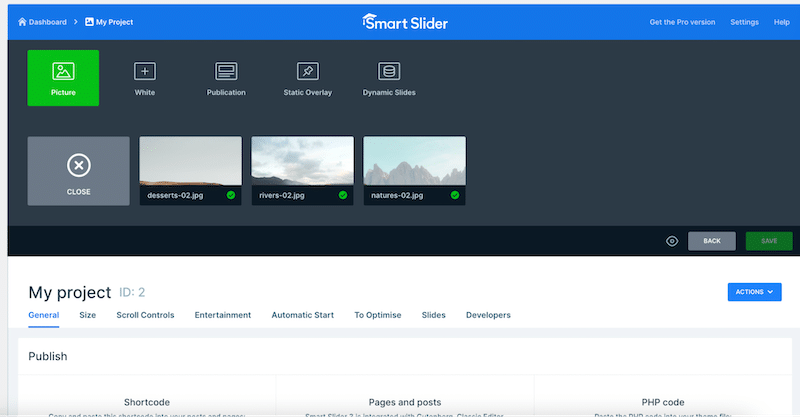
The free version gives you 2 slider types, 6 layer types, and 14 templates — enough for intermediate projects, not just placeholder demos. The Pro version (one-time payment starting at $49 for one site) unlocks 4 slider types, 26 layers, 120+ templates, and priority support.
The interface takes inspiration from photo editing software: timeline-style editing, layers stacked on top of each other, ruler guides for pixel-level precision. That’s powerful, but it’s also why beginners sometimes bounce after the first session. Give it 30 minutes before deciding.
The one performance flag: its LCP of 6.4 seconds in mobile testing is notably high. If your Smart Slider 3 slider is the hero element above the fold, this will impact your Core Web Vitals score. The fix is aggressive image compression and enabling lazy loading for any non-hero sliders.
Pricing (March 2026): Free (unlimited sites). Standard: $49 one-time (1 site). Premium: $99 one-time (3 sites), $149 (5 sites), $249 (10 sites). No annual subscription — lifetime access.
Best for: Designers, small business owners who want professional-looking results, users who prefer a one-time purchase over recurring fees.
Soliloquy — Best for Beginners Who Want Speed
Soliloquy’s claim to fame is a combination of speed and simplicity. WPBeginner’s Pingdom testing ranked it as the fastest slider in their test (860ms) — a result driven by its dynamic asynchronous AJAX preloading technique. The plugin’s codebase has reportedly been audited by Mark Jaquith, a former WordPress lead developer, which gives it credibility on the technical side.
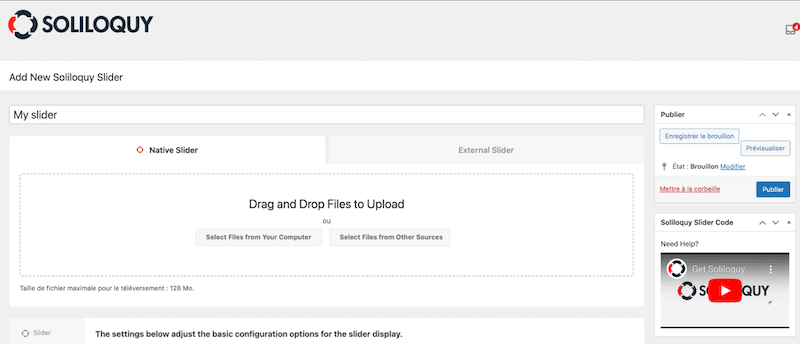
The interface is the most beginner-friendly of the bunch. Multiple embed options (Gutenberg block, classic editor button, shortcode, widget) mean it works in any editorial workflow. Add-ons extend the base plugin with dynamic content, lightbox support, WooCommerce integration, Instagram feeds, and PDF slide support.
The free version is more limited than MetaSlider’s or Smart Slider 3’s — it covers basic image slideshows, which is enough for a test, but the useful features (WooCommerce, Instagram, PDF) live behind the paid tiers.
Pricing (March 2026): Free (basic). Personal: $19.50/year (1 site). Multi: $49.50/year. Developer: $99.50/year (all add-ons). Lifetime: $349.50. 14-day refund policy.
Best for: Photographers, bloggers, small business owners who are non-technical and want a plugin that’s easy to set up and maintain.
Slider Revolution — Best for Visual Impact and Advanced Animations
Slider Revolution operates in a different category from the other tools here. It’s not a simple image rotator — it’s a full visual content builder. The 250+ one-click templates span 3D particle effects, split-screen layouts, parallax scrolling, and animated typography. The admin interface genuinely resembles professional video editing software.

Performance is reasonable given the feature set: 839ms total load time with an 86/100 PageSpeed score. Its 60ms Total Blocking Time is the highest in the test group, which reflects all that JavaScript running. For performance-critical projects, lighter options make more sense. For marketing landing pages and portfolio sites where visual impact matters more, this is the tool.
One honest note: the interface is complex enough that Chris Lema, a WordPress consultant who tested 20 slider plugins, specifically called out Slider Revolution’s click count as excessive. Budget learning time if you’re new to it.
Pricing (March 2026): No free version. Annual: $35/year (1 site), $89/year (3 sites), $139/year (5 sites). Lifetime: $89 (1 site), $227 (3 sites), $365 (5 sites).
Best for: Agencies, freelance web developers, marketing teams that need premium visual presentations and are comfortable with a steeper learning curve.
Envira Gallery — Best for Photographers and Image-Heavy Sites
Envira Gallery is primarily a photo gallery plugin, but its Slideshow Add-on turns any lightbox gallery into a fully functional image slider. The combination is powerful for image-heavy sites — multiple gallery layouts, right-click copy protection, lazy loading, and mobile-specific settings all come in the same package.

The free version includes gallery functionality, but the Slideshow Add-on requires the Basic plan or higher. If you just want a gallery without slideshow mode, the free version is solid. If you specifically need the slideshow, you’re looking at $39.50/year minimum.
The main constraint: the Slideshow Add-on only supports images. If you need video in your slider, Envira Gallery isn’t the right fit.
Pricing (March 2026): Free (gallery only). Basic: $39.50/year (includes Slideshow Add-on). Higher tiers available for advanced features.
Best for: Photographers, portfolio sites, bloggers who already want a photo gallery and also want slideshow functionality in the same plugin.
LayerSlider — Best for Agencies and Professional Designers
LayerSlider markets itself as “more than a slider plugin” — and that’s accurate. It’s a visual web content editor with a Photoshop-style interface: rulers, alignment guides, snapping, layer controls, and a Revisions system that snapshots your work like version control. The built-in Assets Library includes thousands of icons and millions of royalty-free stock photos.
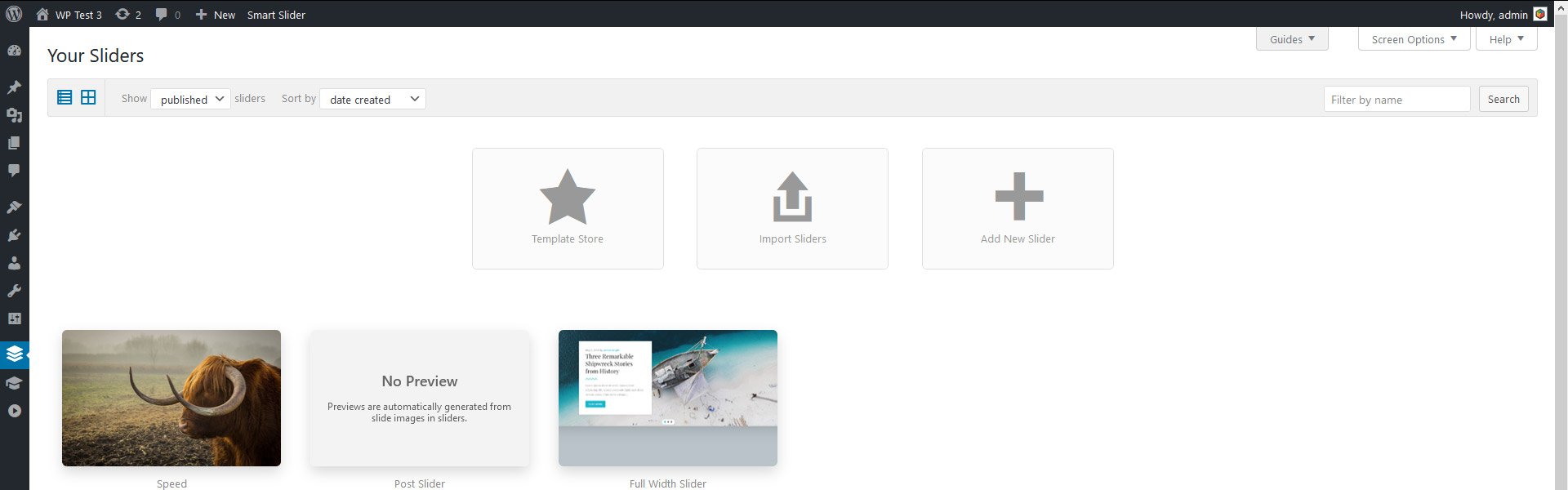
With 1.5 million installs and a 4.75/5 rating on CodeCanyon, it’s been around long enough to prove stability. It integrates natively with Elementor, Gutenberg, Divi, Avada, and most other major page builders — which makes it a strong fit for agencies building on client-specified stacks.
The entry price is actually the most accessible of the paid-only options at $26/year for one site. There’s no free version, which rules it out for budget-conscious users doing initial testing.
Pricing (March 2026): No free version. Regular: $26/year (1 site). Professional: $66/year (3 sites). Theme Authors/In-Stock: $159 one-time. Available via CodeCanyon/layerslider.com.
Best for: Web design agencies, freelancers who deliver client sites regularly, creative teams who want desktop-app-level editing within WordPress.
Depicter — Best Budget Option for Feature-Rich Sliders
Depicter is the newest plugin on this list, but it’s grown quickly — over 100,000 active installs with a 4.8/5 rating on WordPress.org. It covers a wide range of slider types in its free version: image slider, video slider, fullscreen slider, post slider, product slider, and WooCommerce slider. The touch navigation is notably smooth, with pure swipe gesture support.
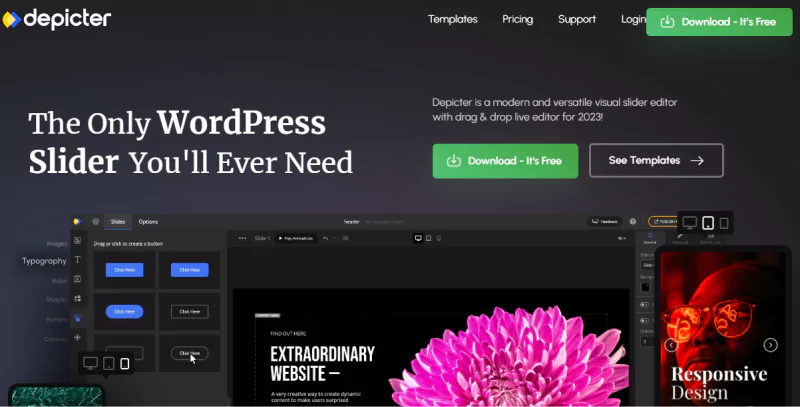
At $39/year for a single site Pro license, Depicter offers a competitive price relative to its feature set. The main trade-off compared to more established plugins is community size — fewer tutorials, smaller forum base, and less third-party documentation. If you run into a niche edge case, you may spend more time troubleshooting than you would with MetaSlider or Smart Slider 3.
Pricing (March 2026): Free. Pro: $39/year (1 site), $99/year (3 sites). Payments via Paddle.
Best for: Small business owners who want Slider Revolution-style features at a significantly lower price, budget-conscious users who need more than basic image sliders.
Free vs Paid — What You Actually Get Without Spending a Cent
Most plugin review articles say “free version available” and leave it at that. Here’s what that actually means for each plugin.
| Plugin | Free Sliders | Free Content Types | Free Templates | Key Features Locked Behind Paywall |
|---|---|---|---|---|
| MetaSlider | Unlimited | Images, Video (YouTube/Vimeo), Posts, Unsplash | Several themes | Layer slides, WooCommerce products, HTML slides, Scheduling |
| Smart Slider 3 | Unlimited sites | Images, basic text, basic video | 14 templates | 120+ templates, 26+ layer types, advanced animations, priority support |
| Soliloquy | Limited | Images only | Basic | WooCommerce, Instagram, PDF, Dynamic content, add-ons |
| Slider Revolution | None | — | — | Everything — no free tier exists |
| Envira Gallery | Gallery only (no slideshow) | Images (gallery view) | Several layouts | Slideshow mode, Video, Instagram, Social, eCommerce |
| Depicter | Unlimited | Images, Video, Posts, Products | Some free templates | Advanced animations, premium templates, priority support |
| LayerSlider | None | — | — | Everything — premium only |
The honest summary: MetaSlider and Smart Slider 3 have the strongest free tiers by a meaningful margin. Both let you build functional, multi-content-type sliders at zero cost. Soliloquy’s free version is better suited to evaluating the interface than building a production slider. Slider Revolution and LayerSlider have no free option at all.
Which Slider Plugin Is Right for You? (Decision Guide)
The technical specs above matter, but they’re only useful once you know what kind of slider you actually need. Match your situation to the recommendation below.
| Your Situation | Recommended Plugin | Why | Free Option? |
|---|---|---|---|
| Blogger or personal site | MetaSlider or Smart Slider 3 | Fast, generous free tiers, easy to manage | ✅ Yes |
| Small business homepage | Soliloquy or MetaSlider | Fast load, clean interface, easy client handoff | ✅ Partial |
| WooCommerce product sliders | MetaSlider Pro or Soliloquy | Native WooCommerce product slide support | ✅ Partial (MetaSlider free supports products partially) |
| Photography portfolio | Envira Gallery | Gallery + slideshow combo, right-click protection, lazy loading | ✅ Gallery yes, slideshow needs paid |
| Agency or client project | Slider Revolution or LayerSlider | Professional templates, complex animations, client-ready results | ❌ No |
| Budget-conscious + feature-rich | Depicter | Widest feature set at lowest paid price ($39/yr) | ✅ Yes |
| Want advanced design, hate subscriptions | Smart Slider 3 | One-time payment from $49, no recurring fee | ✅ Yes (solid free tier) |
| Testimonial or review sliders | Smart Slider 3 or Depicter | Both support custom content types in their free tiers | ✅ Yes |
Pricing Comparison at a Glance (March 2026)
Pricing can shift throughout the year — the figures below were verified in March 2026 from each plugin’s official pricing page. Verify at point of purchase, as promotions come and go.
| Plugin | Free | Annual (1 site) | Annual (Multi) | Lifetime / One-Time |
|---|---|---|---|---|
| MetaSlider | ✅ | $39.50/yr | $49.50/yr (5) · $99.50/yr (∞) | N/A |
| Smart Slider 3 | ✅ | N/A | N/A | $49 (1 site) · $99 (3) · $149 (5) |
| Soliloquy | ✅ (basic) | $19.50/yr | $49.50/yr (Multi) · $99.50/yr (Dev) | $349.50 |
| Slider Revolution | ❌ | $35/yr | $89/yr (3) · $139/yr (5) | $89 (1) · $227 (3) · $365 (5) |
| Envira Gallery | ✅ (gallery) | $39.50/yr | Higher tiers | N/A |
| Depicter | ✅ | $39/yr | $99/yr (3 sites) | N/A |
| LayerSlider | ❌ | $26/yr | $66/yr (3 sites) | $159 (theme authors) |
FAQ — WordPress Slider Plugin Questions Answered
Do WordPress slider plugins slow down your website?
They can — but well-optimized options don’t have to. MetaSlider scored 99/100 on PageSpeed mobile with a total load time of 684ms. The main culprits are plugins that load JavaScript and CSS globally on every page, regardless of whether a slider appears on that page. Pair any slider with properly compressed images (WebP or AVIF), and the performance impact drops significantly.
What is the best free WordPress slider plugin?
MetaSlider and Smart Slider 3 both offer strong free tiers that go well beyond basic image slideshows. MetaSlider’s free version supports images, video, posts, and Unsplash photos. Smart Slider 3’s free version provides 14 templates and 6 layer types across unlimited sites. Both are worth testing before committing to a paid plan.
Which slider plugin has the best performance?
MetaSlider leads on PageSpeed score (99/100 mobile) and total load time (684ms). If you specifically care about LCP — which matters for Google’s Core Web Vitals and SEO — Slider Pro had the best LCP of 1.1 seconds in the same test. Smart Slider 3 scores well on some metrics but has a high LCP (6.4s) that could be a problem for hero sliders.
What is the ideal image size for a WordPress slider?
For full-width sliders, a width of 1200–1600px and a height of 500–700px works well on most modern themes. For WooCommerce product sliders, 600–900px wide is appropriate. More important than specific dimensions: keep all images in your slider the same dimensions, and compress them before uploading. A properly optimized 200KB WebP image will always outperform an unoptimized 800KB JPG.
Should I use a slider on my WordPress website?
Sliders work well for galleries, product showcases, and testimonial carousels where showing multiple items in limited space is the goal. For homepage hero sections, a single static image often performs better on Core Web Vitals because it reduces LCP complexity. Use sliders where the content benefit is clear — don’t use one just because the theme has a placeholder for it.
Which slider plugin is best for WooCommerce?
MetaSlider Pro and Soliloquy both include native WooCommerce product slide support. MetaSlider Pro lets you display WooCommerce products directly in slider format, with images, titles, and prices pulling automatically from your product catalog. For product gallery sliders on individual product pages, a dedicated WooCommerce gallery plugin is a better fit than a general slider tool.
Can I create a WordPress slider without coding?
Yes — every plugin on this list uses a visual drag-and-drop builder. No PHP, HTML, or JavaScript knowledge is required to build a working slider. MetaSlider and Soliloquy have the most straightforward interfaces; Smart Slider 3 and Slider Revolution have more power but steeper learning curves.
Does Smart Slider 3 have a free version?
Yes. Smart Slider 3 is free on WordPress.org, with 900,000+ active installs and a 4.9/5 star rating. The free version includes 2 slider types, 6 layer types, and 14 slider templates. It runs on unlimited sites at no cost. The paid Standard plan ($49 one-time) upgrades to 4 slider types, 26 layers, and 120+ templates.
What is the difference between a slider and a carousel?
A slider shows one item at a time, transitioning through content one by one. A carousel shows multiple items simultaneously — like a row of products visible at once, with more scrolling in from the side. Many plugins support both modes. “Slider” and “carousel” are often used interchangeably, but if you specifically need to show multiple items at once, look for a plugin that explicitly mentions carousel support.
Which slider plugins work with Elementor?
Smart Slider 3, Slider Revolution, and LayerSlider all provide native Elementor widgets that integrate directly into the Elementor builder interface. MetaSlider and Soliloquy don’t have native Elementor widgets but can be embedded via shortcode in an HTML or shortcode element within Elementor. Depicter also supports embedding in most page builders via shortcode.
Wrapping Up
The right slider plugin depends on what you’re building, not just which one has the most features on paper. MetaSlider stands out for sites where speed is non-negotiable — the 99/100 PageSpeed score and 684ms load time are meaningful advantages. Smart Slider 3 earns its place as the go-to free option, especially for users who’d rather make a one-time payment than manage annual subscriptions.
Slider Revolution and LayerSlider occupy a different tier: they’re tools for professionals willing to invest learning time in exchange for creative control. Depicter is worth serious consideration for anyone who wants a broad feature set at the lowest paid price in this group.
Whatever plugin you choose, compress your images before upload. No plugin compensates for a 1.5MB hero image, and no amount of PageSpeed optimization will make up for that weight sitting in an LCP candidate element.
