



Adding a FAQ section to your WordPress site used to mean writing raw HTML or pasting clunky shortcodes and hoping the output looked halfway decent on mobile. Today, a good FAQ plugin handles the heavy lifting — accordion layouts, schema markup for Google rich results, and drag-and-drop sorting — all without touching a line of code.
The tricky part is picking the right one. Some plugins look impressive on their feature pages but lock everything useful behind a paid upgrade. Others are genuinely solid for free but won’t work with your page builder or don’t output the schema markup that Google needs to show your FAQs in search results.

This guide covers the 8 best FAQ plugins for WordPress in 2026. For each one, I’ve noted the active install count, star rating, schema support, page builder compatibility, and where the free version actually stops being enough — so you can make a clean decision before installing anything. If you’re looking beyond just FAQs, our roundup of the best WordPress plugins covers other essential tools for your site.
Why Your WordPress Site Needs a Good FAQ Plugin
A FAQ page isn’t just a courtesy for your visitors. It does three things that matter for any site owner: it cuts down on repetitive support questions, it removes purchase objections at the bottom of a sales funnel, and — if the plugin supports it — it generates FAQ schema markup that Google can use to display your content in “People Also Ask” rich results.
That last point is increasingly important. FAQ schema is one of the few structured data types that gives smaller sites a real shot at appearing in prominent search result features without needing hundreds of backlinks. When a FAQ plugin adds this markup automatically, you get the SEO benefit out of the box without hiring a developer or editing your theme files.
Not every FAQ plugin supports schema, though. Some of the most popular options don’t include it at all, and a few only add it in the paid tier. That difference is one of the key data points in the comparison table below. For a deeper look at how structured data works, see our guide to FAQ schema markup for WordPress.
Quick Comparison: Best WordPress FAQ Plugins at a Glance
Here’s a full side-by-side view before we get into the individual reviews. All data verified via WordPress.org and official plugin pages as of March 2026.
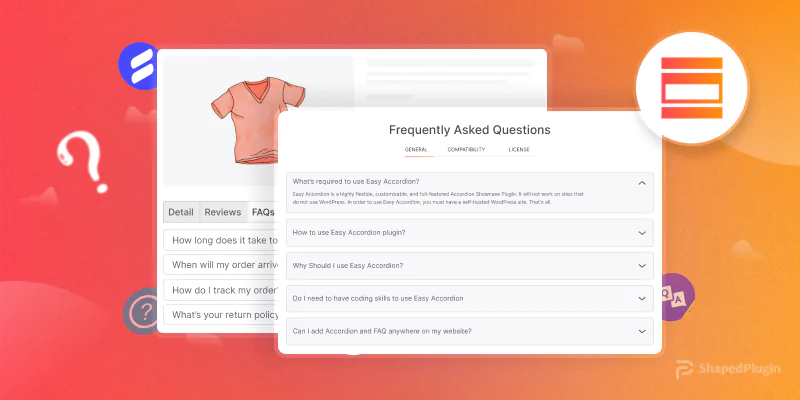
| Plugin | Active Installs | Rating | Free? | Schema (free) | Gutenberg | Elementor | WooCommerce | Starting Price |
|---|---|---|---|---|---|---|---|---|
| Easy Accordion | 80,000+ | 4.9/5 | ✅ | ✅ | ✅ | ✅ | Pro only | ~$29/site |
| Ultimate FAQ | 30,000+ | 4.6/5 | ✅ | ✅ | ✅ (5 blocks) | ❌ | Pro only | ~$67 lifetime |
| Accordion FAQ | 40,000+ | 4.6/5 | ✅ | ❌ | ❌ | ✅ (compat.) | ❌ | ~$9/site |
| Helpie FAQ | 9,000+ | 4.6/5 | ✅ | ✅ | ✅ | ✅ | ✅ (free) | $38.99 one-time |
| Quick & Easy FAQs | 10,000+ | 4.6/5 | ✅ (only) | ⚠️ Partial | ✅ (14 blocks) | ❌ | ❌ | Free |
| Arconix FAQ | 7,000+ | 4.5/5 | ✅ (only) | ❌ | ❌ | ❌ | ❌ | Free |
| Advanced FAQ Manager | Smaller | 4.0/5 | Lite | ✅ | ❌ | ❌ | ✅ | See ThemeHigh |
| WP Responsive FAQ | 4,000+ | 3.5/5 | ✅ | ❌ | ❌ | ❌ | Pro only | ~$99/year |
The 8 Best FAQ Plugins for WordPress (Reviewed)
1. Easy Accordion — Best Overall FAQ Plugin
With 80,000+ active installs and a 4.9/5 star rating from 353 reviews on WordPress.org, Easy Accordion is the most consistently recommended FAQ plugin in the WordPress ecosystem. It targets non-developers and delivers — you can have a fully functional, styled FAQ section running in under ten minutes without writing a single line of code.
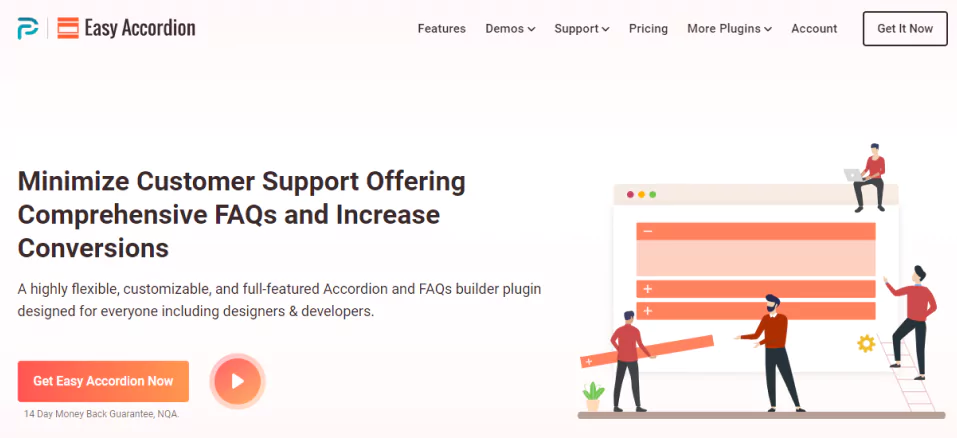
The free version gets you drag-and-drop sorting, full color and border customization, a Gutenberg block, shortcode support, and — importantly — FAQ schema markup included at no cost. That’s a meaningful advantage over several competing plugins that gate schema behind the Pro tier.
It also integrates with Elementor, Divi, WPBakery, and Beaver Builder out of the box, which covers most popular site-building setups.
What’s locked in Pro: 16+ pre-designed themes, horizontal layout mode, AJAX search, over 840 Google Fonts, WooCommerce product FAQ tabs, and analytics. Pro starts at around $29 per site — check easyaccordion.io for current pricing.
- Schema markup: ✅ Free version
- Gutenberg block: ✅ Yes
- Elementor: ✅ Yes
- WooCommerce: Pro only
- Last updated: December 2025
Best for: Most WordPress users who want a reliable free tier with a clean Pro upgrade path. The 4.9 rating is hard to argue with. See also: best WordPress accordion plugins for additional options beyond FAQ-specific tools.
2. Helpie FAQ — Best for WooCommerce + Elementor Users
Helpie FAQ punches above its install count. At 9,000+ active installs it’s smaller than Easy Accordion or Ultimate FAQ, but it has features the others don’t offer for free — specifically, WooCommerce product page FAQ tabs and Elementor widgets, both included at zero cost.

The free version also includes FAQ schema markup, a built-in search bar, Gutenberg block, drag-and-drop sorting within groups, and the ability to assign FAQs to categories and tags. For a WooCommerce store or an Elementor-built site, that’s a solid package without spending anything.
What’s locked in Pro: Analytics and insights (what visitors search for, which FAQs they click), engagement-based auto-ordering, advanced styling options (custom icons, excerpts, pagination), and user-submitted FAQs. Pro pricing is $38.99 for one site (one-time), $79.00 for five sites, or $149.99 for 100 sites — all one-time payments with a 7-day free trial (verified March 2026).
- Schema markup: ✅ Free version
- Gutenberg block: ✅ Yes
- Elementor: ✅ Free (dynamic + static widgets)
- WooCommerce: ✅ Free (product page FAQ tab)
- Last updated: March 2026
Best for: Elementor users and WooCommerce stores. If you need a product-page FAQ tab or Elementor widgets without paying, Helpie FAQ is the only option in this list that provides both for free.
3. Ultimate FAQ — Best for Dedicated FAQ Pages
Most FAQ plugins are built for embedding a handful of questions into an existing page. Ultimate FAQ takes the opposite approach: it’s designed for sites that need an entire FAQ section — its own page, organized by category, with multiple blocks to pull in different views. The setup wizard walks you through adding categories and first questions on first run, which makes initial configuration less intimidating than most. It has 30,000+ active installs and a 4.6/5 rating across 433 reviews on WordPress.org.
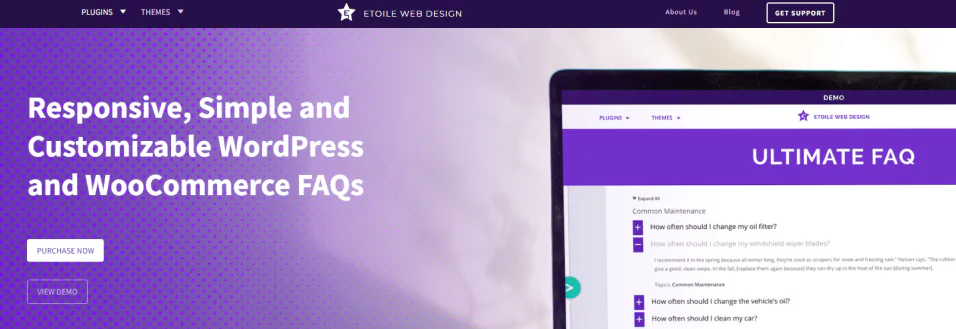
The free version includes FAQ schema markup, unlimited FAQ entries, five Gutenberg blocks (Display FAQs, Recent FAQs, Popular FAQs, and more), categories, tags, accordion layout, and — uniquely — an AI-generated FAQ feature via OpenAI integration (also in the free tier). That last feature distinguishes it from every other plugin in this list.
What’s locked in Pro: FAQ search with autocomplete, WooCommerce product page integration, social sharing buttons, PDF and spreadsheet export, drag-and-drop sorting, 15 toggle icon sets, and SEO-friendly custom permalinks. Pro costs around $67 for lifetime access on one site — verify at the plugin’s official site before purchasing.
- Schema markup: ✅ Free version
- Gutenberg block: ✅ 5 blocks
- Elementor: ❌ Not native
- WooCommerce: Pro only
- Last updated: March 2026
Best for: Sites that want a full, standalone FAQ page with multiple categories and the option to auto-generate FAQ content. The AI FAQ generator is genuinely useful for getting started quickly. If you need WooCommerce support beyond FAQs, explore the best WooCommerce plugins for WordPress.
4. Accordion FAQ — Most Popular Free Option
If review volume is a proxy for trust, Accordion FAQ is worth paying attention to. Also listed as Responsive Accordion and Collapse on WordPress.org, it’s accumulated 674 ratings at 4.6/5 stars with 40,000+ active installs — the largest review count of any plugin in this comparison. The appeal is straightforward: everything is configured from one dashboard page, and adding a new accordion FAQ takes about two minutes.

The free version lets you customize colors, text sizes, background colors, and add Font Awesome icons. You get unlimited accordions, a basic CSS editor, and a clean drag-and-drop interface. It’s Bootstrap-based, so it renders predictably across devices.
The catch: no FAQ schema markup. If you’re adding a FAQ section primarily for SEO benefit, this plugin won’t help you appear in “People Also Ask” results without additional work. There’s also no Gutenberg block — you embed using a shortcode.
What’s locked in Pro: Around 20 templates, scroll and hover animation effects, 500+ Google Fonts, additional icon styles. Pro starts at around $9/site — verify at the plugin’s site for current pricing.
- Schema markup: ❌ Not included
- Gutenberg block: ❌ Shortcode only
- Elementor: ✅ Compatible
- WooCommerce: ❌
- Last updated: ~5 months ago (Oct 2025)
Best for: Users who want a simple, visually clean accordion FAQ and don’t need schema markup or deep page builder integration. The $9 Pro upgrade is one of the lowest in this category.
5. Quick and Easy FAQs — Best Completely Free Option
Exactly what the name suggests. Quick and Easy FAQs is 100% free — there’s no Pro version, no upgrade prompts, and no feature gating. What you see is what you get, for free, forever.

It stores FAQs as a custom post type and gives you 14 Gutenberg blocks — more than any other plugin in this list. Display styles include simple list, accordion, toggle, grouped, and filterable. Basic color and border customization is available through the settings panel, plus a custom CSS box for anything beyond that.
The trade-off is breadth. There’s no Elementor widget, no built-in search, no analytics, and no WooCommerce integration. Schema support is partial — the plugin’s custom post type doesn’t natively generate FAQPage structured data, though Gutenberg’s native FAQ block ecosystem can add it if you know what you’re doing.
- Schema markup: ⚠️ Partial (not automatic)
- Gutenberg block: ✅ 14 blocks
- Elementor: ❌
- WooCommerce: ❌
- Last updated: ~3 months ago
Best for: Users who want a reliable, permanently free FAQ plugin with solid Gutenberg support and no upsells. If you don’t need schema or Elementor, this is a clean choice.
6. Arconix FAQ — Best Lightweight Free Option
Arconix FAQ has been around for years and has a dependable reputation among users who want a truly minimal setup. It creates FAQs as a custom post type, lets you group them, and outputs them via shortcode in accordion or toggle mode.
Setup is genuinely fast: install the plugin, create your questions and answers as individual posts, assign them to a group, drop a shortcode on your page. Done. There’s no dashboard overloaded with options, no upgrade prompts, and no Pro tier at all — it’s completely free.
On the downside, there’s no Gutenberg block, no schema markup, and no visual customization beyond what CSS gives you. The plugin also hasn’t been updated as recently as the others on this list, which is worth monitoring if you’re running a high-traffic site that needs regular compatibility updates.
- Schema markup: ❌
- Gutenberg block: ❌ Shortcode only
- Elementor: ❌
- WooCommerce: ❌
- Active installs: 7,000+
Best for: Users on a classic theme who need a basic FAQ section with grouping, no bells and whistles, and no spending. Not recommended for sites where active maintenance updates matter.
7. Advanced FAQ Manager (ThemeHigh) — Best for Interactive Business FAQs
Advanced FAQ Manager from ThemeHigh takes a different approach from the other plugins in this list. Rather than just displaying static Q&A accordion sections, it adds interactive elements that make FAQs feel more like a support tool than a static page — like/dislike voting on answers, a comment box per FAQ, and the ability for site visitors to submit new questions from the frontend.
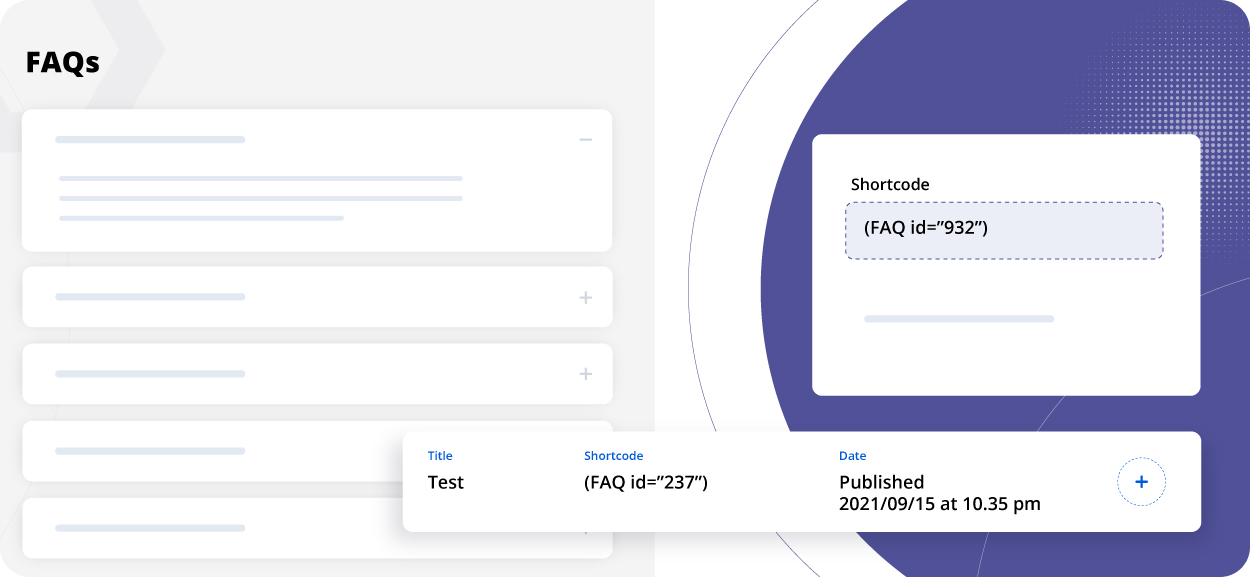
FAQ schema is included, social sharing buttons can be attached to individual FAQs, and you can display multiple FAQ sets using a single shortcode. WooCommerce product page FAQ tabs are also supported. The plugin is compatible with major themes including Astra, Divi, Avada, and Flatsome.
It’s primarily a premium plugin — the free lite version has limited functionality. See ThemeHigh’s product page for current pricing and what’s included in the paid tiers.
- Schema markup: ✅
- Gutenberg block: ❌
- Elementor: ❌
- WooCommerce: ✅
- Unique features: Like/dislike, frontend submission, comment box, social sharing
Best for: Business websites that want customers to rate FAQ usefulness, submit their own questions, or comment on answers. Not necessary for most personal sites or simple blogs.
8. WP Responsive FAQ with Category — For Basic Categorized FAQs
The pitch here is straightforward: create FAQ items, sort them into categories, display them with a shortcode or Gutenberg block. WP Responsive FAQ with Category does that with 4,000+ active installs, and the free setup works without much configuration. The downside is clutter — the dashboard surfaces links to the developer’s other paid products, which some users find distracting.
The free version handles basic categorized FAQ display. No schema markup. The Pro version (around $99/year) adds 15 designs, drag-and-drop management, and WooCommerce compatibility — but at that price point, Easy Accordion or Helpie FAQ are stronger options with better ratings and community support.
- Schema markup: ❌
- Gutenberg block: ✅ Yes (free)
- Elementor: ❌
- WooCommerce: Pro only
- Pro pricing: ~$99/year
Best for: Users who specifically need categorized FAQs with a Gutenberg block and don’t mind the limited free feature set. At the Pro price point, stronger alternatives exist.
Free vs Paid — What’s Actually Behind the Paywall
Most FAQ plugins follow a similar gating pattern: the core accordion functionality is free, while search, analytics, extra themes, and integrations are reserved for paying users. The key exceptions are schema markup (which some plugins offer free, others gate) and WooCommerce integration (almost always paid).

| Plugin | Free tier gets you | Paid adds | Pro price |
|---|---|---|---|
| Easy Accordion | Drag-drop, schema, Gutenberg block, Elementor, color controls | 16+ themes, WooCommerce, AJAX search, analytics, 840+ fonts | ~$29/site |
| Helpie FAQ | Schema, Elementor widgets, WooCommerce tab, drag-drop, search bar | Analytics, engagement ordering, pagination, user submissions | $38.99 (1 site, one-time) |
| Ultimate FAQ | Schema, 5 Gutenberg blocks, AI FAQ generator, categories/tags | Search autocomplete, WooCommerce, PDF export, social sharing, drag-drop | ~$67 lifetime (1 site) |
| Accordion FAQ | Unlimited accordions, color/font controls, Bootstrap layout | 20 templates, scroll/hover effects, 500+ Google Fonts | ~$9/site |
| Quick & Easy FAQs | Everything — 14 Gutenberg blocks, accordion/list/toggle/group modes, custom CSS | Nothing — permanently free | Free |
| Arconix FAQ | Grouping, accordion/toggle, shortcode | Nothing — permanently free | Free |
The practical takeaway: if you need schema markup in the free tier, choose Easy Accordion, Helpie FAQ, or Ultimate FAQ. If you need WooCommerce integration without paying, Helpie FAQ is your only option from this list. If you genuinely want to spend nothing and never hit a paywall, Quick and Easy FAQs delivers the most capabilities at that price point. For a broader toolkit, check out our guide to the best WordPress plugins for small businesses.
Which FAQ Plugin Should You Choose?
Here’s a quick use-case breakdown to help narrow it down:
- Best all-rounder: Easy Accordion — strong free tier, best rating (4.9/5), solid Pro path
- Best for Elementor users: Helpie FAQ — only plugin with free Elementor widgets designed specifically for FAQs
- Best for WooCommerce stores: Helpie FAQ — free WooCommerce product page FAQ tab; alternatively, Ultimate FAQ Pro if you want more display flexibility
- Best for dedicated FAQ pages: Ultimate FAQ — multiple Gutenberg blocks, category system, AI FAQ generator
- Best 100% free option: Quick and Easy FAQs — no Pro version, 14 Gutenberg blocks, no upsells ever
- Best for interactive business FAQs: Advanced FAQ Manager — like/dislike, frontend submission, comment box features
- Best budget-friendly upgrade: Accordion FAQ — basic but functional free tier, Pro upgrade starts around $9
- Most minimal setup: Arconix FAQ — fewest moving parts, fastest to configure, entirely free
If you’re just starting out and not sure which category you fall into, Easy Accordion is the default recommendation. The 4.9/5 rating reflects a plugin that’s genuinely refined from years of user feedback, and the free version is more capable than most people need. Once your FAQ is live, it’s also worth checking whether your chosen plugin impacts page load times — our guide on how to speed up your WordPress site covers how to audit plugin performance.
Frequently Asked Questions About WordPress FAQ Plugins
- What is the best free FAQ plugin for WordPress?
- Easy Accordion is the top-rated free FAQ plugin with 80,000+ active installs and a 4.9/5 star rating. Its free version includes schema markup, a Gutenberg block, Elementor support, and drag-and-drop sorting. If you want a plugin with no paid version at all, Quick and Easy FAQs is the best permanently free option.
- Do FAQ plugins automatically add schema markup?
- Not all of them. Easy Accordion, Helpie FAQ, and Ultimate FAQ all add FAQ schema markup automatically in their free versions. Accordion FAQ (Responsive Accordion and Collapse) and Arconix FAQ do not include schema markup in any tier. Schema is what enables Google to show your FAQ content in “People Also Ask” rich results.
- Which FAQ plugin works best with Elementor?
- Helpie FAQ is the strongest option for Elementor — it ships with dedicated Elementor widgets (both dynamic and static versions) in the free version. Easy Accordion is also fully compatible with Elementor. If you’re building primarily in Elementor, Helpie FAQ’s native integration typically gives a cleaner result than generic compatibility.
- Can I add a FAQ to my WooCommerce product pages?
- Yes — Helpie FAQ does this for free, adding a dedicated FAQ tab directly to WooCommerce product pages. Ultimate FAQ and Advanced FAQ Manager also support WooCommerce product FAQs, but in their paid tiers. Easy Accordion’s WooCommerce integration is also limited to the Pro version.
- Do I need a paid FAQ plugin or is the free version good enough?
- For most personal sites and small businesses, the free version of Easy Accordion, Helpie FAQ, or Ultimate FAQ is genuinely sufficient. You get schema markup, responsive accordion layouts, and Gutenberg blocks at no cost. The paid upgrades become worth considering when you need AJAX search, multiple pre-designed themes, analytics, or tight WooCommerce integration.
- How do FAQ plugins affect my site’s loading speed?
- Most FAQ plugins load minimal JavaScript and CSS. Easy Accordion in particular is noted for being lightweight with clean HTML5 and CSS3 output. The main performance concern is plugins that load large icon libraries (like Font Awesome) globally rather than only on pages where the FAQ appears. Check whether your chosen plugin offers asset loading controls, or use a performance plugin to restrict script loading to relevant pages.
- Which FAQ plugin has the most Gutenberg blocks?
- Quick and Easy FAQs ships with 14 Gutenberg blocks — more than any other plugin in this comparison. Ultimate FAQ comes in second with 5 dedicated blocks. If you’re building entirely in the block editor and want maximum flexibility, Quick and Easy FAQs is the standout choice.
- Is there a FAQ plugin that lets visitors submit questions?
- Yes — Advanced FAQ Manager (ThemeHigh) includes a frontend FAQ submission form, allowing visitors to submit questions that you can review and approve before publishing. Helpie FAQ Pro also includes user-submitted FAQ functionality in its paid tier.
