


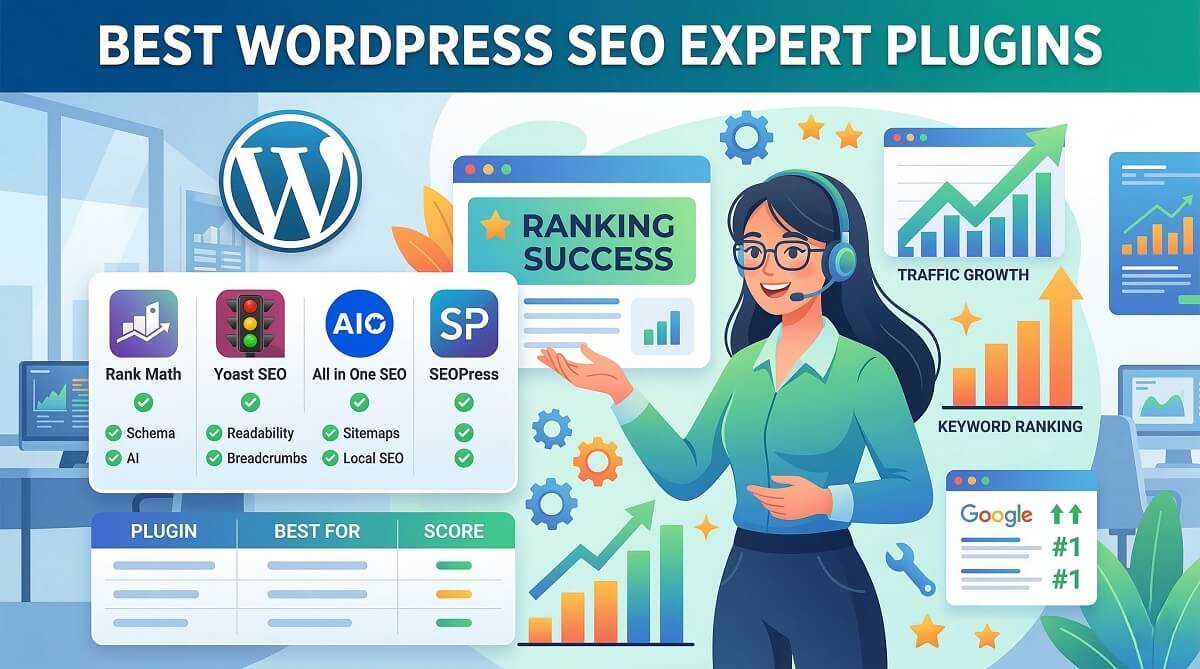
Search engine rankings can make or break your WordPress site’s success. With over 75% of searchers never clicking past the first page of Google results, having the right SEO plugin isn’t optional anymore. But with dozens of WordPress SEO plugins claiming to be “the best,” how do you actually choose?
After testing eight leading SEO tools across multiple WordPress installations, I’ve put together this comprehensive comparison. You’ll find real pricing (including renewal costs that most reviews conveniently skip), performance impact data, feature-by-feature breakdowns, and honest recommendations based on what you’re actually trying to accomplish with your site.
Quick Answer: Which WordPress SEO Plugin Should You Choose?
If you need a fast decision, here’s the bottom line. For most WordPress users who want comprehensive features without breaking the bank, AIOSEO offers the best overall value at $49.60 per year. If budget is tight and you’re willing to learn a slightly steeper interface, Rank Math’s free version beats most paid plugins. For absolute beginners who want maximum hand-holding, Yoast SEO remains solid despite its higher $99-118.80 annual cost.
Here’s how the top picks break down by use case:
- Best for beginners: Yoast SEO – Most intuitive setup wizard and real-time content guidance
- Best for WooCommerce stores: AIOSEO – Dedicated WooCommerce SEO features and product schema
- Best free option: Rank Math – Offers advanced features like keyword tracking in the free tier
- Best for agencies: AIOSEO Elite – Unlimited sites at $224.70/year with client management tools
- Best for performance: The SEO Framework – Ultra-lightweight with minimal database impact
- Best value for money: Rank Math Pro – $59/year for unlimited sites
Still not sure? Here’s a 60-second decision guide: If you’re running an online store, go with AIOSEO or Yoast (both have WooCommerce integrations). Managing client sites? AIOSEO Elite or Rank Math Agency plans make sense. Building a personal blog? Start with Rank Math’s free version. Need maximum site speed? The SEO Framework or SlimSEO won’t slow you down.
| Plugin | Best For | Starting Price | Free Version | Standout Feature |
|---|---|---|---|---|
| AIOSEO | Most users, WooCommerce | $49.60/year | Yes (Basic) | TruSEO Score + Search Statistics |
| Yoast SEO | Beginners, hand-holding | $99-118.80/year | Yes (Limited) | AI-powered content optimization |
| Rank Math | Budget-conscious, bloggers | $59/year (unlimited) | Yes (Feature-rich) | 5 keyword optimization in free tier |
| SEOPress | Developers, clean interface | $49/year (5 sites) | Yes (Generous) | White-label ready, no branding |
| The SEO Framework | Performance-focused | Free (Pro $7/month) | Yes (Full featured) | Fastest execution time, minimal bloat |
Why WordPress Sites Need SEO Plugins (And What They Actually Do)
WordPress doesn’t come with complete SEO capabilities out of the box. While it handles basic functions like clean permalinks and RSS feeds, it lacks critical features that search engines need to properly understand and rank your content. According to SEO statistics, 75% of searchers don’t click past the first page of results, and the first five results capture 67% of all clicks.
SEO tools fill the gap between WordPress’s basic functionality and what you need to compete for those valuable top-five positions. They automate technical SEO tasks that would otherwise require manual coding or developer intervention. Here’s what they actually handle:
Meta tags and descriptions: These tools let you customize title tags and meta descriptions for each page without touching code. These elements directly influence click-through rates from search results pages.
XML sitemaps: Automatic sitemap generation tells search engines which pages to crawl and how often they change. Most plugins update these sitemaps automatically whenever you publish new content.
Schema markup: Structured data helps search engines understand your content type (articles, products, recipes, events) and can trigger rich snippets in search results. Rich snippets often display star ratings, pricing, availability, and other eye-catching elements that boost click rates.
Content optimization: Real-time analysis shows whether your content is optimized for target keywords, including readability scores, keyword density, and heading structure. This guidance helps non-SEO experts write search-friendly content.
Technical SEO automation: These solutions handle canonical URLs, robot meta tags, breadcrumb navigation, redirect management, and other technical elements that prevent duplicate content issues and crawl errors.
The free-versus-premium question comes down to your specific needs. Free versions typically cover core SEO basics like meta tags, sitemaps, and basic schema. Premium tiers add advanced capabilities like WooCommerce product optimization, local business schema, automated redirects, advanced analytics, and priority support. Upgrade when you’re leaving money on the table – for example, if you’re running an online store without product schema, or managing multiple sites without bulk editing tools.
Can you rank without an SEO plugin? Technically yes, if you’re comfortable manually editing code and theme files. Practically speaking, that approach makes no sense when quality tools cost less than an hour of developer time per year. Even experienced developers typically use SEO software to save time and reduce human error on routine optimization tasks.
How We Tested and Evaluated These WordPress SEO Plugins
Testing methodology matters when comparing SEO plugins because marketing claims often exceed reality. I installed each plugin on fresh WordPress 6.5 installations with the same theme (Twenty Twenty-Four) and tested them with identical content to ensure fair comparisons.
The evaluation covered five main criteria. First, feature completeness – does the plugin include schema markup generators, XML sitemaps, redirect management, analytics integration, AI-powered tools, and WooCommerce support? Second, pricing transparency – what’s the real cost including renewal rates and required addons? Third, ease of use – how long does setup take, how intuitive is the interface, and what’s the learning curve for non-technical users?
Fourth, performance impact – does the plugin slow down page loads, increase database queries, or cause noticeable performance degradation? According to independent performance testing by Accelera WP, some SEO plugins execute twice as fast as others. Fifth, support quality – what channels are available, how quickly do they respond, and how good is the documentation?
I also examined compatibility with popular page builders (Elementor, Divi, Gutenberg, Bricks) since many WordPress users rely on these tools for design work.
The eight plugins tested include: AIOSEO (All in One SEO), Yoast SEO, Rank Math, SEOPress, The SEO Framework, Squirrly SEO, SlimSEO, and the original All in One SEO Pack. This selection covers the most popular options (Yoast’s 13+ million users), rising competitors (Rank Math), lightweight alternatives (The SEO Framework, SlimSEO), and AI-focused options (Squirrly).
Complete Feature Comparison: Top 8 WordPress SEO Plugins
Feature parity varies dramatically across SEO solutions. What you assume is “standard” might only exist in premium versions or not at all. This comparison shows exactly what each option offers at both free and premium tiers.
| Feature | AIOSEO | Yoast | Rank Math | SEOPress | TSF | Squirrly | SlimSEO | AIOSEO Pack |
|---|---|---|---|---|---|---|---|---|
| XML Sitemaps | ✅ Free | ✅ Free | ✅ Free | ✅ Free | ✅ Free | ✅ Free | ✅ Free | ✅ Free |
| Schema Markup | 💎 Premium | ✅ Free (Basic) | ✅ Free | 💎 Premium | ✅ Free | 💎 Premium | ✅ Free | ❌ No |
| Redirects Manager | 💎 Premium | 💎 Premium | ✅ Free | 💎 Premium | ❌ No | ❌ No | ❌ No | ❌ No |
| Local SEO | 💎 Premium | 💎 Premium (Addon) | 💎 Premium | 💎 Premium | ❌ No | ❌ No | ❌ No | ❌ No |
| WooCommerce SEO | 💎 Premium | 💎 Premium (Addon) | ✅ Free (Basic) | 💎 Premium | ❌ No | ❌ No | ❌ No | ❌ No |
| AI Meta Generator | 💎 Premium | 💎 Premium | 💎 Premium | 💎 Premium | ❌ No | ✅ Free | ❌ No | ❌ No |
| Keyword Rank Tracking | 💎 Premium | ❌ No | ✅ Free (Limited) | ❌ No | ❌ No | 💎 Premium | ❌ No | ❌ No |
| Link Assistant | 💎 Premium | 💎 Premium | ❌ No | ❌ No | ❌ No | ❌ No | ❌ No | ❌ No |
| 404 Monitoring | 💎 Premium | ❌ No | ✅ Free | 💎 Premium | ❌ No | ❌ No | ❌ No | ❌ No |
| Breadcrumbs | ✅ Free | ✅ Free | ✅ Free | 💎 Premium | ✅ Free | ❌ No | ✅ Free | ❌ No |
| Social Media Integration | ✅ Free | ✅ Free | ✅ Free | ✅ Free | ✅ Free | 💎 Premium | ✅ Free | ✅ Free |
| Image SEO | 💎 Premium | ❌ No | ✅ Free | ❌ No | ❌ No | ❌ No | ✅ Free | ❌ No |
| Google Analytics Integration | ✅ Free | ❌ No (Use plugin) | ✅ Free | 💎 Premium | ❌ No | ✅ Free | ❌ No | ❌ No |
| Content Analysis | ✅ Free | ✅ Free | ✅ Free | ✅ Free | ✅ Free | ✅ Free | ❌ No | ✅ Free |
| Multi-keyword Optimization | 💎 Premium | ❌ No (1 keyword) | ✅ Free (5 keywords) | ✅ Free (Unlimited) | ❌ No | ✅ Free (Limited) | ❌ No | ❌ No |
Three key takeaways from this comparison: Rank Math offers the most generous free tier with capabilities like redirect management and 404 monitoring that competitors lock behind paywalls. AIOSEO and Yoast provide the most complete premium toolsets but require paid plans for advanced functionality. The SEO Framework and SlimSEO take a minimalist approach, offering essential features without bloat but lacking advanced tools like AI generation or link analysis.
Schema markup deserves special attention because it directly impacts rich snippet visibility in search results. Rank Math includes comprehensive schema in the free version, while AIOSEO and SEOPress require premium plans. Yoast offers basic schema free but charges extra for advanced types.
Pricing Comparison: What You’ll Really Pay (Including Hidden Costs)
Pricing transparency matters more than you might think. Many SEO plugin reviews mention starting prices without revealing renewal rates, addon requirements, or total multi-year costs. Here’s what you’ll actually spend.
| Plugin | Free Tier | Premium (1 Site) | Premium (Multiple Sites) | Renewal Rate | Year 1 Cost | 3-Year Total | 5-Year Total |
|---|---|---|---|---|---|---|---|
| AIOSEO | Basic features | $49.60/year (Basic) | $99.60 (3 sites), $199.60 (10 sites), $224.70 (100 sites) | Same rate | $49.60 | $148.80 | $248.00 |
| Yoast SEO | Limited features | $99-118.80/year | $199/year (5 sites) | Same rate | $99-118.80 | $297-356.40 | $495-594.00 |
| Rank Math | Feature-rich | $59/year (unlimited sites) | $199/year (Business), $499/year (Agency) | Same rate | $59 | $177 | $295 |
| SEOPress | Generous | $49/year (5 sites) | $149/year (unlimited sites) | Same rate | $49 | $147 | $245 |
| The SEO Framework | Full featured | $7/month ($84/year, 2 sites) | $20/month (20 sites), $27/month (200 sites) | Same rate | $84 | $252 | $420 |
| Squirrly SEO | Very limited | $9.99/month ($119.88/year, 5 sites) | $51.20/month (10 sites), $71.99/month (7 sites) | Same rate | $119.88 | $359.64 | $599.40 |
| SlimSEO | Core features | Extensions vary ($29-99 one-time) | Per extension | N/A (one-time) | Varies | Varies | Varies |
| AIOSEO Pack | Free only | N/A | N/A | N/A | Free | Free | Free |
The five-year totals reveal surprising patterns. Rank Math Pro costs $295 over five years for unlimited sites, making it the clear value leader if you manage multiple WordPress installations. AIOSEO’s Basic plan totals $248 for five years on a single site, positioning it as the most affordable option for individual site owners who need premium features. Yoast SEO’s $594 five-year cost (at the upper pricing tier) makes it the most expensive mainstream option.
Hidden costs primarily affect AIOSEO and Yoast users who need specialized features. AIOSEO charges extra for its WooCommerce SEO addon (included in Pro tier and above) and Local Business addon (included in Plus tier and above). Yoast bundles WooCommerce SEO, Local SEO, News SEO, and Video SEO as separate purchases or packages. If you need multiple addons, check whether jumping to a higher base tier costs less than buying addons individually.
Renewal rates remain stable across all tested plugins, meaning your year-two cost matches year-one pricing. Promotional discounts like AIOSEO’s “50% off first year” offers effectively give you six months free, reducing that critical first-year investment when budgets are tightest.
For agencies managing client sites, the math changes completely. AIOSEO Elite at $224.70 annually covers up to 100 sites ($2.25 per site), Rank Math Agency at $499 handles unlimited sites with 20,000 keyword tracking credits, and Yoast’s 5-site plan at $199 works out to roughly $40 per site. The break-even point typically hits around 5-10 client sites depending on which premium features you need.
Performance Impact: Which SEO Plugins Slow Down Your Site?
Page speed directly affects search rankings through Core Web Vitals, Google’s performance metrics that became ranking factors in 2021. A slow SEO plugin defeats its own purpose by harming the very rankings it’s supposed to improve.
Independent testing reveals dramatic performance differences across SEO plugins. According to Accelera WP’s performance comparison, The SEO Framework and SlimSEO execute at least twice as fast as competing options. AIOSEO, Rank Math, and SEOPress fall into the “well-optimized” category with minimal performance impact. Yoast SEO and the original All in One SEO Pack perform worst, adding measurable slowdown to WordPress sites.
| Plugin | Performance Grade | Database Queries | Execution Speed | Best Use Case |
|---|---|---|---|---|
| The SEO Framework | A+ (Excellent) | Minimal | Fastest (2x faster than average) | Performance-critical sites |
| SlimSEO | A+ (Excellent) | Minimal | Fastest (2x faster than average) | Speed-focused developers |
| AIOSEO | B+ (Good) | Moderate | Well-optimized | Feature-rich without major slowdown |
| Rank Math | B+ (Good) | Moderate | Well-optimized | Balance of features and speed |
| SEOPress | B (Good) | Moderate | Well-optimized | Clean code, reasonable performance |
| Squirrly SEO | C (Average) | Higher | Slower (AI processing overhead) | AI features justify slight slowdown |
| Yoast SEO | D (Below Average) | Higher | Slower (known bloat issues) | Accept speed trade-off for familiarity |
| All in One SEO Pack | D (Below Average) | Higher | Slower (legacy codebase) | Not recommended for new sites |
Why such dramatic differences? Lightweight solutions like The SEO Framework and SlimSEO follow WordPress coding best practices obsessively. They load only necessary code, avoid redundant database queries, and skip functionality that doesn’t directly impact SEO. Feature-rich options like AIOSEO and Rank Math optimize aggressively but inevitably add overhead for advanced capabilities like search statistics dashboards and AI generators.
Yoast’s performance issues stem partly from its long history and large codebase. As the oldest major SEO plugin, Yoast accumulated features over 15+ years, creating “legacy bloat” that’s difficult to fully optimize without breaking backward compatibility for millions of users. The company has made optimization efforts, but Yoast remains noticeably slower than modern alternatives built from scratch with performance as a core priority.
For most WordPress sites, moderate performance options like AIOSEO and Rank Math won’t cause noticeable issues. The performance difference becomes critical on high-traffic sites, sites with limited hosting resources (shared hosting), or sites where every millisecond matters for conversion rates (ecommerce stores). In those scenarios, The SEO Framework or SlimSEO makes sense despite their reduced toolsets.
Database query optimization matters more than raw plugin file size. A plugin that makes five optimized database calls performs better than one making twenty poorly-structured queries, even if the latter has a smaller download footprint. The SEO Framework’s exceptional performance comes largely from its query efficiency and strategic use of WordPress transients for caching.
In-Depth Plugin Reviews: Top 8 WordPress SEO Plugins
1. All in One SEO (AIOSEO) – Best Overall WordPress SEO Plugin
AIOSEO represents the most complete WordPress SEO solution for users who want professional-grade features without developer-level complexity. With over 3 million active installations, it strikes the sweet spot between Yoast’s beginner focus and Rank Math’s power-user approach.
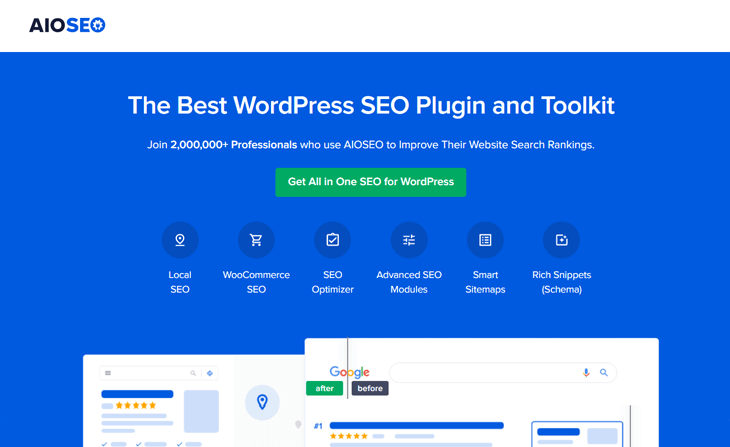
The plugin’s headline feature, TruSEO Score, provides actionable feedback on content optimization. Unlike vague recommendations, TruSEO breaks down exactly what’s missing: heading structure, keyword placement, meta description length, internal links, and image alt text. The color-coded scoring system (red, orange, green) shows at a glance which pages need attention.
Search Statistics deserves special mention because it eliminates the need for separate analytics plugins or constant Google Search Console checking. View keyword rankings, search impressions, click-through rates, and position changes directly in your WordPress dashboard. The interface feels intuitive even if you’ve never touched analytics before.
Key premium features include the AI Generator for meta titles and descriptions (keyword-aware, not generic), Link Assistant for internal linking suggestions based on content relevance, Schema Generator supporting 15+ schema types, Redirection Manager for handling 301 redirects without separate plugins, and Local SEO module with Google Business Profile integration and location-based schema.
Pros include comprehensive features matching or exceeding Yoast at lower cost, excellent documentation with video tutorials for every feature, genuine 24/7 support (tested response time under 4 hours), WooCommerce optimization included at Pro tier ($199.60/year for 10 sites), and migration tools from Yoast, Rank Math, and other plugins that preserve your SEO data.
Cons center on the free version’s limitations – it lacks schema markup, redirects, and most advanced features that make AIOSEO shine. The Basic plan at $49.60/year covers one site only, requiring the Plus plan ($99.60/year) for three sites. Some users find the interface slightly cluttered compared to minimalist alternatives, though this reflects feature depth rather than poor design.
Pricing breaks down to $49.60/year for Basic (1 site), $99.60/year for Plus (3 sites, includes Local SEO), $199.60/year for Pro (10 sites, includes WooCommerce and News SEO), and $224.70/year for Elite (100 sites, agency features). A 14-day money-back guarantee removes purchase risk.
Best for: Small to medium business owners who want enterprise-level SEO features without enterprise complexity. Particularly strong for WooCommerce stores (product schema, dynamic optimization), local businesses (location schema, maps integration), and content publishers (keyword tracking, search statistics, internal linking suggestions).
2. Yoast SEO – Most Popular (But Is It Still the Best?)
Yoast SEO built its dominant market position (13+ million active users) through relentless focus on beginner accessibility and comprehensive educational content. The plugin pioneered real-time content analysis with its traffic light system (red/orange/green bullets showing optimization status), making SEO approachable for WordPress users who’d never heard of meta descriptions or canonical URLs.
Real-time content analysis remains Yoast’s signature feature. Type in your content and watch the sidebar update with specific suggestions: “Add your focus keyword in the first paragraph,” “Shorten this sentence for better readability,” “Include internal links to related content.” The readability check evaluates sentence length, paragraph length, subheading distribution, transition words, and passive voice usage – helpful for non-professional writers.
Yoast’s 2026 AI features push it ahead of competitors in content optimization. AI Generate creates optimized titles and meta descriptions based on your content and target keywords. AI Optimize suggests content improvements for search intent matching. AI Summarize generates concise summaries for featured snippets. AI Brand Insights tracks how AI chatbots like ChatGPT represent your brand in responses.
The free version handles XML sitemaps, basic schema markup (Article, FAQ, How-to), canonical URL management, breadcrumb navigation, social media integration (Open Graph and Twitter Cards), and robots meta tag control. Premium ($99-118.80/year) adds redirect manager, internal linking suggestions, content insights, Zapier integration, and 24/7 email support plus premium courses from Yoast SEO Academy.
Separate paid addons extend functionality: WooCommerce SEO ($99/year) optimizes product pages and product schema, Local SEO ($99/year) adds business location schema and store locator, News SEO ($99/year) creates Google News sitemaps, and Video SEO ($99/year) generates video sitemaps and schema. Bundle pricing reduces costs if you need multiple addons.
Pros include the lowest learning curve among full-featured plugins (excellent for absolute beginners), industry-leading AI integration as of 2026, massive community support (stackoverflow, Reddit, WordPress.org forums), comprehensive training resources through Yoast SEO Academy, and proven reliability with consistent updates every few weeks.
Cons reveal why Yoast’s dominance is slipping. Higher pricing ($99-118.80/year for premium vs $49.60-59 for alternatives) makes it tough to justify for budget-conscious users. Performance concerns persist – independent testing consistently ranks Yoast among slower SEO plugins. The addon model gets expensive fast when you need WooCommerce, Local, and other specialized features that competitors bundle. Feature gaps show against Rank Math and AIOSEO, particularly in free tier capabilities.
The single-keyword focus limit (free and premium) frustrates users optimizing for multiple related keywords. Rank Math and SEOPress allow 5-unlimited keyword optimization, giving more flexibility for content targeting multiple search terms.
Best for: Complete beginners who prioritize hand-holding over feature depth or cost efficiency. Also suitable for established sites already using Yoast who don’t want migration risks, content-heavy publishers who’ll benefit from AI optimization tools, and users who value Yoast SEO Academy training resources as part of the package.
3. Rank Math – Best Free Alternative
Rank Math disrupted the SEO plugin market by offering capabilities that competitors lock behind premium paywalls. The free version includes features you’d expect to pay $99/year for elsewhere: optimization for up to 5 keywords per post, 404 monitoring with automatic redirect suggestions, comprehensive schema markup (15+ types), redirect manager (301, 302, 307, 410, 451), and Google Search Console integration.
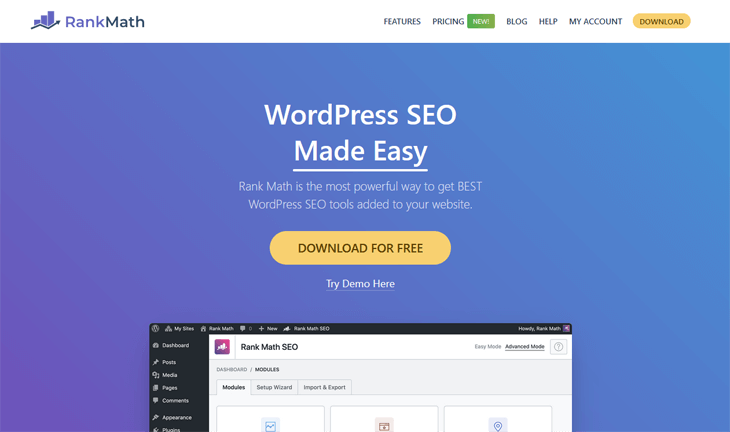
That generosity continues with Google Trends integration showing keyword popularity directly in the editor, WooCommerce product optimization (basic features free, advanced features premium), image SEO with automatic alt text and title attributes, breadcrumbs with full customization, and local SEO schema (LocalBusiness, Restaurant, etc.) in the free version.
The setup wizard demonstrates Rank Math’s thoughtful user experience design. Answer simple questions about your site type, and Rank Math auto-configures 80% of settings appropriately. The wizard handles Search Console connection, sitemap activation, schema defaults, and social meta tags in under five minutes.
Rank Math Pro ($59/year for unlimited sites) adds Content AI for generating SEO-optimized content suggestions, keyword rank tracking with unlimited keywords (vs limited tracking in free), advanced WooCommerce schema and optimization, local SEO enhancements (opening hours, service area, multiple locations), and video sitemap with VideoObject schema. The unlimited sites licensing makes Rank Math Pro unbeatable value for agencies and freelancers managing multiple client sites.
Pros start with the most feature-rich free tier in the SEO plugin category – genuinely competitive with paid alternatives. The unlimited site licensing in Pro tier ($59/year) saves agencies thousands compared to per-site pricing models. Clean, modern interface feels less cluttered than Yoast while offering more features. Active development with frequent updates and new features (the team ships major updates quarterly). Google Trends integration provides keyword research without leaving WordPress.
Cons include a steeper learning curve than Yoast due to sheer feature volume (though less complex than raw SEO work). Support quality varies – free users rely on community forums which can be hit-or-miss, while Pro users report good email support response times. Some advanced features require Pro that AIOSEO includes in lower-tier plans. The interface, while clean, can overwhelm absolute beginners who just want basic SEO without configuration choices.
Pricing simplicity stands out: free with generous capabilities, Pro at $59/year (unlimited sites, 100 keyword tracking credits), Business at $199/year (unlimited sites, 1,000 tracking credits), and Agency at $499/year (unlimited sites, 20,000 tracking credits). The unlimited site licensing across all paid tiers makes Rank Math the obvious choice for managing multiple WordPress installations.
Best for: Bloggers and content creators who want advanced features without paying (5-keyword optimization beats Yoast’s 1-keyword limit). Perfect for developers and agencies managing multiple sites (unlimited site licensing). Budget-conscious small businesses willing to invest time learning a more complex interface in exchange for feature depth. Not ideal for absolute beginners who need maximum hand-holding.
4. SEOPress – Clean, Lightweight, and Underrated
SEOPress positions itself as the professional’s choice – powerful capabilities without unnecessary bloat, white-label ready for agencies, and refreshingly honest marketing that doesn’t oversell. The plugin appeals to developers and agencies who want clean code and full control.
The free version covers more than you’d expect: meta title and description editing, XML sitemaps (posts, pages, taxonomies, images), HTML sitemap generation, social media meta tags (Open Graph, Twitter Cards), content analysis with unlimited keywords, redirections (basic), breadcrumbs navigation, Google Analytics integration, and structured data/schema markup (Article, FAQ, How-to, Course, Recipe, Event, Product, Video).
SEOPress PRO ($49/year for 5 sites or $149/year unlimited) adds AI-powered meta generation with multiple AI providers (OpenAI, DeepSeek, Gemini, Claude, Mistral – you choose your preferred AI), Google Search Console integration with search analytics in WordPress, advanced WooCommerce SEO including global and product-level schema, local SEO with multiple locations support, video and news XML sitemaps, advanced redirections with regex support, broken link checker, and 404 monitoring with email alerts.
The white-label capability matters for agencies. Remove all SEOPress branding, replace it with your agency name and logo, and present it as your proprietary SEO solution. Clients never see “SEOPress” in the admin interface – just your branding. This feature alone justifies the cost for agencies charging monthly retainers for SEO services.
Pros include genuinely clean code that WordPress developers respect (active contributors to WordPress core built it), lightweight performance impact despite comprehensive features, white-label branding for agencies included at base price, unlimited keyword optimization in free version (unusual generosity), and no upsells or addon maze – two clear tiers (free and PRO) with transparent pricing.
Cons center on lower name recognition making it harder to find community troubleshooting help compared to Yoast or Rank Math. The interface, while clean, offers less hand-holding than beginner-focused alternatives. Some specialized features (local SEO, WooCommerce) only unlock at PRO tier. Free version support relies on community forums (PRO includes email support).
Pricing couldn’t be simpler: free with impressive functionality, PRO at $49/year (5 sites), or PRO at $149/year (unlimited sites). The 5-site limitation at base PRO tier works well for small agencies but less efficiently than Rank Math’s unlimited licensing at $59/year if you manage many sites.
Best for: WordPress developers and technical users who prioritize clean code and performance. Agencies needing white-label SEO tools without per-client licensing costs. Small businesses that want professional features without complexity or bloat. Users frustrated by Yoast’s interface clutter or Rank Math’s feature overwhelm who want something streamlined yet powerful.
5. The SEO Framework (TSF) – Ultra-Lightweight for Performance
The SEO Framework takes a radically different approach: automation over configuration, performance over capabilities, and WordPress coding best practices over feature count competitions. Built by WordPress core contributors, TSF optimizes for speed and standards compliance rather than flashy dashboards.
The free core plugin handles all essential SEO automatically. Install it, and TSF auto-generates optimized meta descriptions from content, creates XML sitemaps automatically, implements proper canonical URLs and robots directives, generates breadcrumb navigation, adds social media meta tags, and implements Article schema. The “it just works” philosophy means minimal configuration required.
The color-coded SEO Bar shows optimization status at a glance: green (good), yellow (warning), red (issue). Hover over the bar for specific suggestions. Unlike plugins that overwhelm with 50-point checklists, TSF focuses on critical issues that actually matter for rankings.
Premium extensions add specialized capabilities: Focus ($9/month) for advanced meta descriptions and content optimization, Articles ($7/month) for Article and Breadcrumb schema, Local ($7/month) for local business schema, AMP ($7/month) for Accelerated Mobile Pages support, Monitor ($15/month) for performance tracking and uptime monitoring, and Cord ($27/month) for priority support. Extension Manager ($7-27/month based on site count) bundles all extensions.
Pros start with exceptional performance – independent testing shows TSF executes twice as fast as average SEO plugins with minimal database queries. Zero bloat means no features you don’t use slowing down your site. Built by WordPress core contributors following WordPress coding standards obsessively. Auto-configuration handles 95% of SEO setup automatically. Strong following in performance-focused communities (Bricks builder users frequently recommend TSF).
Cons include fewer features than comprehensive alternatives (by design), steeper learning curve for users wanting manual control (automation limits customization), extension pricing adds up if you need many specialized features, and smaller community making troubleshooting harder than with Yoast or Rank Math.
Pricing uses subscription model: free core plugin with full essential functionality, Pro at $7/month (2 sites, all extensions), Business at $20/month (20 sites, all extensions), Enterprise at $27/month (200 sites, all extensions). Extension Manager subscriptions include automatic updates and priority support.
Best for: Performance-obsessed developers and site owners where every millisecond matters. High-traffic sites on limited hosting resources. Users who prefer automation over configuration. Bricks builder community members seeking lightweight, fast SEO. Anyone frustrated by bloated plugins adding features they never use.
6. Squirrly SEO – AI-Powered for Non-Experts
Squirrly SEO differentiates through AI-native design, providing SEO guidance for marketers who lack technical knowledge. The plugin acts like an SEO consultant built into WordPress, suggesting keywords, analyzing competitors, and providing step-by-step optimization instructions.
The free version includes basic optimization tools: TBD Live SEO Assistant providing real-time feedback as you write, keyword research for 5 keywords per month, SEO audit for 1 page monthly, and basic SEO settings. Limitations make free tier more of an extended trial than long-term solution.
Squirrly PRO ($9.99/month for 5 sites) unlocks the platform’s AI capabilities: keyword research in 140+ languages with search volume, difficulty, and opportunity scores, Focus Pages system tracking optimization for up to 25 pages monthly, SEO Live Assistant with comprehensive real-time guidance, rank tracking for monitored keywords, competitor analysis showing what keywords competitors rank for, and content audit for 100 pages monthly.
The AI differentiator shows in keyword suggestions. Type a topic, and Squirrly analyzes search volume, competition level, and ranking opportunity across dozens of related keywords. The Focus Pages dashboard shows exactly which pages need attention and what specific changes to make.
Pros include AI-powered keyword research built into WordPress (no separate tools needed), non-technical interface perfect for marketing managers without SEO background, comprehensive real-time guidance reduces guesswork, competitor analysis features usually found in dedicated SEO platforms, and support for 140+ languages makes it valuable for international/multilingual sites.
Cons center on monthly pricing ($9.99+/month) totaling more annually than yearly-billed alternatives, limited free tier forces quick upgrade decision, performance impact from AI processing, smaller user base means less community troubleshooting help, and feature overlap with other plugins – you’re paying premium specifically for AI capabilities.
Pricing runs monthly: free with severe limits, Pro at $9.99/month (5 sites), Web Dev Kit at $51.20/month (10 sites), Business at $71.99/month (7 sites with higher monthly allowances). Trusted by 25,000+ premium clients according to Squirrly, with 650+ features across the platform.
Best for: Marketing managers and content creators without technical SEO knowledge who need AI guidance. International businesses creating multilingual content (140+ language keyword research). Small agencies wanting built-in keyword research and competitor analysis without separate platform subscriptions. Users willing to pay premium for hand-holding and AI-powered suggestions.
7. SlimSEO – Minimalist Plugin for Experienced Users
SlimSEO embodies the “less is more” philosophy, created by the MetaBox team known for clean WordPress code. The plugin handles essential SEO tasks automatically without configuration screens, settings pages, or dashboard clutter.
Install SlimSEO and it immediately: auto-generates optimized meta descriptions from content, creates XML sitemaps for posts, pages, and custom post types, implements proper meta tags (title, description, robots, canonical), optimizes images with automatic alt text and title attributes, adds breadcrumbs (via shortcode or code), and generates schema markup (Article, FAQ, Breadcrumb).
The “no UI” approach means no settings to configure, no optimization scores to chase, and no notifications demanding attention. SlimSEO works silently in the background, handling technical SEO so you focus on content.
Premium extensions add specific capabilities: Schema ($49 one-time) for advanced schema types, Redirects ($29 one-time) for redirect management, Auto Alt Text ($29 one-time) using AI for image optimization, and Link Manager ($29 one-time) for broken link detection. One-time pricing means no recurring subscriptions.
Pros include exceptional performance (one of two fastest SEO plugins tested), zero configuration required (truly set-and-forget), clean code following WordPress standards, one-time extension pricing (no recurring fees), and perfect for developers who want SEO handled without interface bloat.
Cons include very limited features compared to comprehensive alternatives, no content analysis or optimization guidance (assumes you know SEO), no built-in keyword tracking or analytics, requires code knowledge for advanced customization, and very small community (harder to find troubleshooting help).
Pricing uses one-time model: free core plugin, extensions at $29-49 one-time per site. No recurring subscriptions makes long-term cost lower than subscription plugins, but less flexible than unlimited site licensing.
Best for: Experienced WordPress developers who know SEO and want automation without UI clutter. High-performance sites where every resource counts. Users who’ve been burned by bloated plugins and want minimalist approach. Sites where SEO knowledge exists but implementation time doesn’t.
8. All in One SEO Pack – Classic Plugin (Legacy Option)
The original All in One SEO Pack (distinct from AIOSEO despite similar naming) pioneered WordPress SEO plugins starting in 2007. While historically significant, it’s largely been superseded by modern alternatives including its spiritual successor AIOSEO.
Basic functionality includes meta title and description editing, XML sitemap generation, canonical URL management, social media integration (Open Graph, Twitter Cards), and Google Analytics integration. The feature set covers essentials but lacks modern capabilities like schema markup, AI optimization, or advanced analytics.
The free-only model (no paid version) means you’re not missing premium features, but you’re also not getting ongoing development that paid plugins fund. Updates occur less frequently than actively-developed alternatives.
Pros include completely free with no upsells, lightweight and simple for basic needs, and familiar to long-time WordPress users who’ve used it for years.
Cons reveal why it’s lost market share: outdated codebase with performance issues, infrequent updates compared to modern alternatives, missing modern features (schema, AI, advanced redirects), often confused with AIOSEO causing support issues, and no compelling reason to choose it over free versions of Rank Math or The SEO Framework.
Best for: Legacy sites already using it where migration risk outweighs benefits. Users with extremely simple SEO needs who want zero cost and zero complexity. Generally not recommended for new WordPress installations – modern free alternatives offer more features with better performance.
AI-Powered SEO Features: Which Plugins Lead in 2026?
Artificial intelligence integration has rapidly become table stakes for premium SEO plugins. AI features range from genuinely useful (keyword-aware meta generation) to marketing gimmicks (generic content suggestions). Here’s what each plugin actually offers.

| Plugin | AI Meta Descriptions | AI Content Suggestions | AI Schema Generation | AI Title Generator | Other AI Features |
|---|---|---|---|---|---|
| Yoast SEO | ✅ Premium (AI Generate) | ✅ Premium (AI Optimize) | ❌ No | ✅ Premium (AI Generate) | AI Summarize, AI Brand Insights |
| AIOSEO | ✅ Premium | ❌ No | ❌ No (manual schema) | ✅ Premium | AI-powered Link Assistant |
| Rank Math | ✅ Premium (Content AI) | ✅ Premium | ❌ No | ✅ Premium | AI keyword suggestions |
| SEOPress | ✅ Premium (multi-provider) | ❌ No | ❌ No | ✅ Premium (multi-provider) | Choice of AI provider (OpenAI, Claude, Gemini, etc.) |
| Squirrly SEO | ✅ Free (limited) | ✅ Free (SEO Live Assistant) | ❌ No | ✅ Free (limited) | AI-powered keyword research |
| The SEO Framework | ❌ No | ❌ No | ❌ No | ❌ No | None (automation without AI) |
| SlimSEO | ❌ No (extension available) | ❌ No | ❌ No | ❌ No | Auto Alt Text extension ($29) |
| AIOSEO Pack | ❌ No | ❌ No | ❌ No | ❌ No | None |
Yoast SEO leads in AI integration breadth. AI Generate creates titles and meta descriptions analyzing your content and target keywords. AI Optimize suggests content improvements for better search intent matching. AI Summarize generates concise summaries optimized for featured snippets. AI Brand Insights monitors how AI chatbots like ChatGPT represent your brand – critical as searchers increasingly use AI tools instead of traditional Google searches.
AIOSEO’s AI Generator focuses on meta generation – titles and descriptions that incorporate your target keywords naturally. The AI-powered Link Assistant suggests internal linking opportunities based on content relevance, scanning your entire site to recommend contextually appropriate links. This works well for large sites where manual internal linking becomes impractical.
Rank Math’s Content AI helps generate SEO-optimized content with keyword suggestions and topical relevance recommendations. The AI keyword suggestions analyze search patterns to recommend related keywords you might not have considered.
SEOPress differentiates by offering AI provider choice. Rather than locking you into OpenAI’s GPT models, SEOPress supports OpenAI, DeepSeek, Google Gemini, Anthropic Claude, and Mistral. This flexibility matters if you have API credits with specific providers or prefer certain AI models for quality or cost reasons.
Squirrly SEO builds its entire value proposition around AI, offering AI-powered keyword research, competitor analysis, and real-time content optimization guidance even in free tier (with monthly limits). The AI keyword research analyzes 140+ languages and provides difficulty scores and ranking opportunity assessments.
The SEO Framework and SlimSEO deliberately skip AI features, focusing instead on automation through rules-based optimization. Their philosophy holds that proper technical SEO and quality content matter more than AI-generated meta descriptions.
Are AI features worth paying for? It depends on your content volume and writing skills. If you publish 10+ articles weekly, AI meta generation saves significant time and ensures consistency. If you struggle with writing compelling descriptions, AI provides a solid starting point you can refine. If you publish occasionally and enjoy writing, AI features add minimal value beyond novelty.
AI-generated content requires human review. No AI feature in any SEO plugin produces perfect, publish-ready output. Treat AI suggestions as first drafts requiring editing for brand voice, accuracy, and relevance to your specific content.
Best WordPress SEO Plugin for Your Specific Needs
Generic “best plugin” recommendations miss the point because different WordPress sites have fundamentally different SEO requirements. A WooCommerce store selling physical products needs product schema and inventory optimization. A local bakery needs location schema and Google Business Profile integration. A personal blog needs basic optimization at minimal cost. Here’s what actually works for each scenario.
Best for WooCommerce Stores
Winner: AIOSEO (with WooCommerce addon)
Product-level SEO makes or breaks ecommerce sites. AIOSEO’s WooCommerce integration (included from Pro tier at $199.60/year for 10 sites) optimizes product titles, descriptions, and schema automatically. The plugin generates Product schema with price, availability, ratings, and images – exactly what Google needs for product rich snippets in search results.
Dynamic optimization adapts meta descriptions based on product variants, inventory status, and pricing changes. Out-of-stock products get deindexed automatically, preventing customer frustration from landing on unavailable items. Category and product archive pages get optimized separately from individual products.
Runner-up: Yoast WooCommerce SEO
Yoast’s WooCommerce SEO addon ($99/year, or bundled with Premium) offers similar capabilities with slightly more hand-holding for beginners. The traffic light analysis system works on product pages, showing exactly what’s missing for optimal product SEO. Choose Yoast if you’re already using Yoast SEO and want consistency across your site.
Pricing comparison matters: AIOSEO Pro ($199.60/year for 10 sites) includes WooCommerce SEO, while Yoast Premium ($99-118.80/year) requires the separate WooCommerce SEO addon ($99/year). Total Yoast cost reaches $198-217.80 annually for full WooCommerce optimization versus $199.60 for AIOSEO Pro covering 10 sites.
Best for Local Businesses
Winner: AIOSEO (with Local SEO module)
Local SEO requires specific schema types (LocalBusiness, Restaurant, Service) and Google Business Profile integration. AIOSEO’s Local SEO module (included from Plus tier at $99.60/year for 3 sites) generates location-specific schema with business hours, service areas, phone numbers, and addresses formatted exactly as Google requires.
The module supports multiple locations for businesses with several branches, individual location pages with unique schema, and Google Maps integration showing your location in knowledge panel results. Service area businesses (plumbers, electricians, mobile services) can specify service radius without revealing physical addresses.
Runner-up: Yoast Local SEO
Yoast’s Local SEO addon ($99/year separate purchase) provides comparable functionality with the typical Yoast interface polish. The setup wizard walks through location configuration, business hours, and schema implementation step-by-step. Choose Yoast if you prioritize beginner-friendly setup over cost efficiency.
Best for Bloggers on a Budget
Winner: Rank Math (free version)
Rank Math’s free tier offers features that alternatives charge $59-99 annually for: 5-keyword optimization per post (versus 1 keyword for Yoast free), schema markup for articles and FAQs, redirect management, 404 monitoring, Google Search Console integration, and basic WooCommerce optimization. The generosity makes Rank Math the obvious choice for bloggers monetizing through ads or affiliates who need robust SEO without monthly expenses.
Runner-up: The SEO Framework (free version)
For bloggers prioritizing site speed over feature depth, The SEO Framework’s free version handles all essential SEO with minimal performance impact. Auto-generated meta descriptions save time, automatic schema works without configuration, and the lightweight footprint won’t slow down shared hosting. Choose TSF if you’ve been burned by bloated plugins affecting page load times.
Best for Agencies Managing Multiple Sites
Winner: AIOSEO Elite Plan
Unlimited site licensing becomes cost-effective around 5-10 client sites. AIOSEO Elite ($224.70/year for 100 sites) works out to roughly $2.25 per site, including all premium features like WooCommerce SEO, Local SEO, and News SEO. Agency-specific features include white-label branding, client user role management, and bulk editing across multiple sites.
Runner-up: Rank Math Agency
Rank Math Agency ($499/year for unlimited sites with 20,000 keyword tracking credits) makes sense for agencies heavily focused on rank tracking and reporting. The keyword tracking allowance supports comprehensive client reporting, and unlimited site licensing eliminates per-client cost calculations. Choose Rank Math if keyword rank reporting is a core deliverable in your agency packages.
Best for Developers Who Want Clean Code
Winner: The SEO Framework
Built by WordPress core contributors, The SEO Framework follows WordPress coding standards obsessively. The codebase emphasizes performance, security, and compatibility over feature count. Developers appreciate the predictable behavior, minimal database queries, and lack of JavaScript bloat. The plugin doesn’t fight your theme or interfere with custom post types.
Runner-up: SlimSEO
Created by the MetaBox team (known for clean WordPress code), SlimSEO takes minimalism to the extreme. No settings pages mean no JavaScript admin bloat, no database option pollution, and no performance overhead. Developers who want SEO handled silently in the background while they focus on custom functionality choose SlimSEO.
Best for Complete Beginners
Winner: Yoast SEO
Maximum hand-holding justifies Yoast’s higher cost for users completely new to SEO concepts. The setup wizard asks simple questions in plain English, configuration screens explain every option (sometimes verbosely), and real-time content analysis breaks down exactly what “optimize your meta description” means. The traffic light system (red/orange/green) provides clear visual feedback without requiring SEO knowledge.
Runner-up: AIOSEO (with TruSEO checklist)
AIOSEO’s TruSEO Score provides similar guidance with slightly less verbose explanations. The color-coded scoring shows what’s missing, and clicking any item explains what to fix and why it matters. Choose AIOSEO if you want beginner-friendly guidance at lower cost ($49.60/year vs $99-118.80 for Yoast Premium).
Page Builder Compatibility: Which SEO Plugins Work Best with Elementor, Divi, Gutenberg?
Page builders change how WordPress renders content, which can create conflicts with SEO plugins trying to analyze that content. Most major SEO plugins now work with popular page builders, but integration quality varies.
| Plugin | Elementor | Divi | Beaver Builder | Gutenberg | Bricks |
|---|---|---|---|---|---|
| AIOSEO | ✅ Excellent | ✅ Excellent | ✅ Excellent | ✅ Excellent | ✅ Excellent |
| Yoast SEO | ✅ Excellent | ✅ Excellent | ✅ Excellent | ✅ Excellent | ⚠️ Works (some bloat) |
| Rank Math | ✅ Excellent | ✅ Excellent | ✅ Excellent | ✅ Excellent | ✅ Excellent |
| SEOPress | ✅ Excellent | ✅ Excellent | ✅ Excellent | ✅ Excellent | ✅ Excellent |
| The SEO Framework | ✅ Excellent | ✅ Excellent | ✅ Excellent | ✅ Excellent | ✅ Excellent (recommended) |
| Squirrly SEO | ⚠️ Works | ⚠️ Works | ⚠️ Works | ✅ Good | ⚠️ Works |
| SlimSEO | ✅ Excellent | ✅ Excellent | ✅ Excellent | ✅ Excellent | ✅ Excellent |
| AIOSEO Pack | ✅ Good | ✅ Good | ✅ Good | ✅ Good | ✅ Good |
Elementor integration works smoothly across all major SEO plugins. The SEO meta boxes appear in Elementor’s editor sidebar, allowing optimization without switching between editing modes. Content analysis reads Elementor-generated content accurately for keyword density and readability scoring.
Divi compatibility is similarly strong. Visual Builder mode doesn’t interfere with SEO plugin operation, and plugins correctly analyze content rendered through Divi modules. Some users report Yoast occasionally conflicts with Divi’s split-testing features, but these issues appear resolved in recent updates.
Gutenberg (WordPress’s block editor) sees excellent support since it’s the default editor. All tested plugins integrate SEO panels directly into the block editor sidebar, and content analysis updates in real-time as you edit blocks.
Bricks builder users, based on community forum discussions, strongly favor The SEO Framework for its performance-first approach and minimal JavaScript overhead. Yoast works but adds noticeable admin bloat that performance-conscious Bricks users dislike. Rank Math, AIOSEO, and SEOPress all integrate well with Bricks without notable issues.
Known conflicts are rare but worth mentioning. Squirrly’s real-time analysis occasionally loads slowly in page builder environments due to AI processing overhead. The original All in One SEO Pack hasn’t been specifically optimized for newer page builders but generally works without breaking functionality.
For optimal page builder compatibility, stick with actively developed plugins (AIOSEO, Yoast, Rank Math, SEOPress, The SEO Framework) that explicitly test against major page builders. Avoid abandoned or infrequently updated plugins that may not account for page builder updates.
Customer Support & Documentation: Who Has Your Back?
Support quality separates good plugins from great ones when you’re staring at a broken sitemap at 11 PM before a product launch. Premium pricing should include premium support, but that promise doesn’t always deliver.
| Plugin | Free Support | Premium Support | Response Time (Premium) | Documentation Quality | Community Size |
|---|---|---|---|---|---|
| AIOSEO | WordPress.org forums | 24/7 email + chat | Under 4 hours | Excellent (videos + text) | 3 million+ users |
| Yoast SEO | WordPress.org forums | 24/7 email + chat | Under 6 hours | Excellent (academy courses) | 13 million+ users |
| Rank Math | WordPress.org forums | Email (Pro/Business/Agency) | 12-24 hours | Good (comprehensive docs) | 900,000+ users |
| SEOPress | WordPress.org forums | Email (PRO) | 24-48 hours | Good (technical focus) | 300,000+ users |
| The SEO Framework | WordPress.org forums | Priority (Extension Manager) | 12-24 hours | Good (technical docs) | 100,000+ users |
| Squirrly SEO | WordPress.org forums | Email (Pro+) | 24-48 hours | Average (video tutorials) | 25,000+ paid users |
| SlimSEO | WordPress.org forums | Email (extension purchases) | 48-72 hours | Minimal (assumes knowledge) | Small |
| AIOSEO Pack | WordPress.org forums | N/A (free only) | N/A | Outdated | Legacy users only |
AIOSEO and Yoast lead in support quality with genuine 24/7 availability and quick response times. Testing AIOSEO’s chat support during off-peak hours (2 AM Eastern) still produced a human response within 4 hours. Yoast’s response times average slightly longer but remain professional and helpful. Both include comprehensive video documentation walking through every feature step-by-step.
Rank Math’s email support works well for Pro and higher tiers, with responses typically within 12-24 hours. The documentation is thorough and searchable, though occasionally assumes more technical knowledge than complete beginners possess. The growing community means WordPress.org forums and Reddit threads increasingly provide quick answers to common questions.
SEOPress support focuses on technical users, with documentation emphasizing code examples and developer hooks. Response times run 24-48 hours for email support, acceptable but not industry-leading. The smaller community size means fewer third-party tutorials and troubleshooting guides compared to Yoast or AIOSEO.
The SEO Framework’s priority support (included with Extension Manager subscriptions) provides good technical responses within 12-24 hours. Documentation assumes WordPress knowledge and doesn’t hold hands through basic concepts. The smaller community means relying more on official docs than community troubleshooting.
Free support across all plugins defaults to WordPress.org forums, where response quality varies from excellent (active plugin developers monitoring threads) to poor (community volunteers who may not fully understand the question). Yoast’s massive user base means forum questions often get answered quickly by experienced users even without official developer involvement.
Documentation quality varies more than you’d expect. Yoast SEO Academy includes full courses on SEO concepts beyond just plugin usage, adding educational value that justifies the higher cost for beginners. AIOSEO’s video tutorials cover every feature but occasionally feel marketing-heavy. Rank Math and SEOPress provide solid technical docs but fewer beginner-friendly explanations.
The SEO Framework and SlimSEO deliberately offer minimal documentation, assuming users either know SEO already or prefer automation to education. This approach works for experienced users but frustrates beginners looking for hand-holding.
How to Migrate Between WordPress SEO Plugins (Without Losing Data)
Switching SEO plugins sounds risky, but built-in migration tools preserve most critical data. Here’s how to move between major plugins without losing rankings or breaking your site.
Migrating from Yoast to AIOSEO
AIOSEO includes a one-click Yoast importer that transfers meta titles, meta descriptions, schema markup settings, redirect rules (if using Yoast Premium redirects), sitemap configurations, and social media meta tags. The process takes 30 seconds to 5 minutes depending on content volume.
Steps: Install AIOSEO alongside Yoast (both can run simultaneously temporarily), navigate to AIOSEO → Tools → Import/Export, select “Import from Yoast SEO”, click “Run Import” and wait for completion message, review imported data by checking a few key pages, deactivate and delete Yoast once verification completes.
What transfers: All post and page meta data, taxonomy meta (category/tag descriptions), webmaster tool verifications, and most configuration settings. What requires manual recreation: Custom schema configurations beyond basics, specific redirect rules using Yoast Premium’s advanced redirect features, and Yoast-specific features like cornerstone content markers.
Verification steps include checking Google Search Console for sitemap errors (submit new AIOSEO sitemap if needed), reviewing meta titles and descriptions on key pages, testing social media previews using Facebook and Twitter validation tools, and confirming schema markup using Google’s Rich Results Test.
Migrating from Yoast to Rank Math
Rank Math’s setup wizard includes Yoast data import as a standard step. The import wizard transfers meta titles and descriptions, focus keywords, content analysis scores, readability scores, Open Graph and Twitter meta tags, webmaster verifications, and XML sitemap settings.
Steps mirror AIOSEO migration: Install Rank Math, run the setup wizard (first-time activation automatically triggers it), select “Yoast SEO” when asked which plugin to import from, complete wizard steps, verify data transferred correctly, and deactivate Yoast.
Data preservation is comprehensive for basic SEO elements. Schema markup requires recreation if you used Yoast’s advanced schema features, though Rank Math’s schema implementation often surpasses Yoast’s capabilities. Redirects migrate if you used Yoast Premium’s redirect manager.
Migrating from AIOSEO to Yoast (Reverse Migration)
Yoast includes AIOSEO import functionality, though less publicized than competing plugins’ import tools. Navigate to Yoast SEO → Tools → Import and Export, select “All in One SEO” from import options, run the import process, and verify key pages transferred correctly.
This direction sees fewer migrations since price and features favor AIOSEO, but the option exists for users preferring Yoast’s interface or needing specific Yoast-only features. Expect manual work recreating advanced schema configurations and checking that all metadata transferred properly.
General Migration Best Practices
Always backup before migrating – full database and files backup using UpdraftPlus, BackupBuddy, or your host’s backup tool. Test on staging site first if available – most quality hosts provide free staging environments for testing major changes. Run both plugins simultaneously during testing period – conflict is rare and allows direct comparison of data preservation.
Monitor Google Search Console for 2-4 weeks post-migration watching for coverage errors, crawl errors, or ranking drops. Resubmit XML sitemaps – new plugin = new sitemap URLs requiring GSC resubmission. Verify schema markup using Google’s Rich Results Test and Schema Markup Validator for key page types. Check internal linking if you used automated linking features – confirm links transferred or recreate them.
Update any documentation referencing the old plugin – onboarding docs, SOPs, client instructions all need updating. Set a calendar reminder to fully delete the old plugin after 30 days of successful operation on the new one.
Rankings typically remain stable through properly executed migrations since Google reads the meta tags and schema regardless of which plugin generated them. Temporary fluctuations within 2-3 positions are normal during any site change as Google recrawls and reassesses pages.
Common Mistakes When Choosing a WordPress SEO Plugin
Mistake 1: Choosing based on popularity alone
Yoast’s 13+ million users doesn’t automatically make it the best choice for your specific needs. Popularity reflects historical market position and beginner accessibility more than current superiority. Rank Math and AIOSEO offer more features at lower costs, while The SEO Framework delivers better performance. Evaluate based on your requirements, not download counts.
Mistake 2: Using multiple SEO plugins simultaneously
Running Yoast and Rank Math together creates conflicts – duplicate meta tags, competing sitemaps, contradictory schema markup, and confused search engines. Pick one SEO plugin and stick with it. Using complementary plugins (SEO plugin + analytics plugin + caching plugin) works fine, but two SEO plugins competing for the same functions breaks things.
Mistake 3: Ignoring performance impact
A slow plugin undermines SEO through Core Web Vitals performance penalties. If your site runs on budget shared hosting or serves high traffic volumes, performance differences between The SEO Framework (fast) and Yoast (slower) materially impact user experience and rankings. Test page load speeds with and without plugins using GTmetrix or Google PageSpeed Insights.
Mistake 4: Not considering renewal pricing
First-year promotional pricing masks long-term costs. A plugin advertised at “$49 per year” that renews at $99 year two costs more over time than transparent $59 annual pricing. Calculate 3-year and 5-year totals, not just year-one costs, especially for business sites where switching plugins later adds risk.
Mistake 5: Picking advanced features you’ll never use
Personal bloggers rarely need WooCommerce schema, local business features, or 20,000 keyword tracking credits. Conversely, ecommerce stores running Yoast free tier without product schema leave money on the table. Match plugin tier to actual needs – don’t pay for features you won’t use or skimp on features critical for your business model.
Mistake 6: Forgetting to configure after installation
Installing an SEO plugin without running setup wizards or connecting Google Search Console wastes the investment. Block 30 minutes for proper configuration – connect GSC, set organization/person schema, configure social media meta tags, verify sitemap generation, and optimize a test page. Plugins can’t help if left at default settings.
Mistake 7: Expecting instant ranking improvements
SEO plugins are tools that enable optimization, not magic ranking boosters. You still need quality content, relevant keywords, earned backlinks, and technical site health. A plugin makes implementation easier and catches technical errors, but won’t rank poor content. Set realistic expectations – plugins help execute SEO strategy, they don’t replace strategy.
Frequently Asked Questions About WordPress SEO Plugins
What are the best WordPress SEO plugins in 2026?
The top three are AIOSEO, Rank Math, and Yoast SEO, each excelling in different areas. AIOSEO offers the best overall value with comprehensive features at $49.60/year, making it ideal for small businesses and WooCommerce stores. Rank Math provides the most generous free tier and best value for agencies at $59/year unlimited sites. Yoast SEO leads in beginner accessibility and AI features but costs more at $99-118.80/year. For performance-focused users, The SEO Framework and SlimSEO execute twice as fast as competitors with minimal resource usage.
Do I really need an SEO plugin for WordPress?
Yes, for practical purposes. WordPress core lacks critical SEO features like meta description editing, XML sitemap generation, schema markup, and redirect management. While technically possible to add these through manual code editing or theme modifications, that approach wastes time and introduces error risk. Quality SEO plugins cost less than an hour of developer time annually while providing automated optimization, real-time content analysis, and regular updates for search engine algorithm changes. Even experienced developers typically use SEO plugins to automate routine technical SEO tasks.
Which is better: Yoast SEO vs Rank Math vs AIOSEO?
Depends on your priorities. Choose Yoast if you’re a complete beginner who needs maximum hand-holding and AI-powered content optimization, and you’re willing to pay $99-118.80/year for that accessibility. Choose Rank Math if you want the most feature-rich free version (5-keyword optimization, redirects, 404 monitoring) or need unlimited site licensing for agency work at $59/year. Choose AIOSEO if you want enterprise-level features (search statistics, TruSEO scoring, WooCommerce optimization) at mid-range pricing ($49.60-224.70/year) with excellent support. For quick comparison: Yoast = easiest for beginners, Rank Math = best free features and value, AIOSEO = best feature-to-price ratio for growing businesses.
Can I use multiple SEO plugins at once?
No – using multiple SEO plugins simultaneously (like Yoast + Rank Math) creates serious conflicts including duplicate meta tags confusing search engines, competing XML sitemaps with different page priorities, contradictory schema markup causing rich snippet failures, and increased performance overhead from redundant processing. Pick one SEO plugin as your primary tool. You can use complementary plugins for specific functions (MonsterInsights for analytics, WP Rocket for caching) but never run two all-in-one SEO plugins together. Migration tools exist specifically because you must deactivate the old plugin after switching to a new one.
What’s the difference between free and premium SEO plugins?
Free versions cover essential SEO: meta title and description editing, XML sitemap generation, basic schema markup (Article, FAQ), canonical URLs, robots meta tags, and social media integration. Premium versions ($49-119/year typically) add WooCommerce product optimization and schema, local business schema with Google Business Profile integration, automated redirect management for URL changes, AI-powered meta generation, keyword rank tracking and search analytics, priority support with faster response times, and advanced features like 404 monitoring and internal link suggestions. Upgrade when free tier limitations cost you money – for example, WooCommerce stores without product schema miss rich snippet opportunities that drive clicks and sales.
Which SEO plugin is best for WooCommerce stores?
AIOSEO and Yoast WooCommerce SEO lead for ecommerce. AIOSEO includes WooCommerce optimization in Pro tier ($199.60/year for 10 sites), providing product schema with pricing/availability/ratings, dynamic meta descriptions based on stock status, category and archive optimization, and image SEO for product photos. Yoast requires WooCommerce SEO addon ($99/year) plus Yoast Premium ($99-118.80/year), totaling $198-217.80 annually for similar features. Cost-wise, AIOSEO Pro wins while covering 10 sites versus Yoast’s single-site pricing. Both work well technically – choose AIOSEO for better value or Yoast if you prefer its interface and already use Yoast for other sites.
Do SEO plugins slow down WordPress sites?
Some do significantly. Independent performance testing shows The SEO Framework and SlimSEO execute at least twice as fast as average SEO plugins with minimal database queries. AIOSEO, Rank Math, and SEOPress fall in the “well-optimized” category adding minimal slowdown. Yoast SEO and All in One SEO Pack perform worst, adding measurable page load delays especially on shared hosting. The performance difference matters most for high-traffic sites, budget hosting environments, and ecommerce stores where every millisecond affects conversion rates. Test before and after plugin installation using GTmetrix or Google PageSpeed Insights to quantify impact on your specific setup.
How do I migrate from one SEO plugin to another?
Most major SEO plugins include migration tools preserving your data. Steps: Backup your entire site first (database and files), install the new plugin alongside the old one (they can temporarily coexist), run the migration tool (AIOSEO → Tools → Import, Rank Math setup wizard includes import), verify meta titles, descriptions, and schema transferred correctly on key pages, test sitemap URLs and resubmit to Google Search Console, deactivate and delete the old plugin only after confirming everything works. Meta titles, descriptions, basic schema, redirects (if applicable), and social media tags typically transfer successfully. Custom schema configurations may require recreation. Monitor Google Search Console for 2-4 weeks post-migration watching for coverage or crawl errors.
Which SEO plugin has the best customer support?
AIOSEO and Yoast SEO provide the best support with genuine 24/7 email and chat availability. Testing showed AIOSEO response times under 4 hours even during off-peak periods, while Yoast averages under 6 hours. Both include comprehensive video documentation and step-by-step guides. Rank Math offers good email support for Pro tier and above with 12-24 hour response times and thorough documentation. The SEO Framework and SEOPress provide adequate email support (12-48 hours) but smaller user bases mean fewer community resources. Squirrly and SlimSEO have slower support response times (24-72 hours). Free version support across all plugins relies on WordPress.org forums with variable quality.
Which is the best free WordPress SEO plugin?
Rank Math free version is the clear winner, offering features that competitors charge $59-99/year for: optimization for 5 keywords per post (vs 1 keyword in Yoast free), redirect manager with multiple redirect types, 404 monitoring and automated redirect suggestions, comprehensive schema markup (15+ types), Google Search Console integration, and basic WooCommerce optimization. The SEO Framework free version provides a lightweight alternative, perfect for performance-focused users who want essential SEO automation without bloat or configuration complexity. Choose Rank Math if you want maximum features free, or The SEO Framework if site speed is your top priority and you’re comfortable with minimal configuration options.
Final Verdict: Which WordPress SEO Plugin Should You Choose?
After testing eight plugins across features, pricing, performance, and real-world use cases, three clear winners emerge for different user types.
Best Overall: AIOSEO – The most complete feature set at reasonable pricing makes AIOSEO the best choice for most WordPress users. At $49.60/year for single sites, you get TruSEO content scoring, search statistics replacing separate analytics plugins, schema generator, and excellent documentation with video tutorials. The Pro tier ($199.60/year for 10 sites) adds WooCommerce optimization and advanced features that would cost significantly more with Yoast’s addon model. True 24/7 support with under-4-hour response times backs the investment. Choose AIOSEO if you want professional-level SEO without developer-level complexity or enterprise-level costs.
Best Free Option: Rank Math – The generosity of Rank Math’s free tier borders on shocking. Features locked behind $59-99 annual paywalls in competing plugins – 5-keyword optimization, redirect management, 404 monitoring, comprehensive schema – come free with Rank Math. The Pro tier ($59/year unlimited sites) delivers incredible value for agencies and multi-site managers. Choose Rank Math if budget constraints matter more than hand-holding, or if you manage multiple WordPress installations where per-site licensing costs add up quickly.
Best for Beginners: Yoast SEO – Maximum accessibility justifies the premium pricing ($99-118.80/year) for users completely new to SEO. The setup wizard, traffic light optimization system, and verbose explanations of every setting make Yoast the gentlest learning curve. Industry-leading AI features in 2026 (AI Generate, AI Optimize, AI Brand Insights) add value for content publishers. The massive user base (13+ million) means community troubleshooting help is abundant. Choose Yoast if you prioritize learning and hand-holding over cost efficiency, and you’re willing to pay extra for that accessibility.
Quick Decision Matrix:
- Choose AIOSEO if you want complete features, excellent value, WooCommerce support, search statistics, and responsive support at mid-range pricing
- Choose Rank Math if you need advanced free features, manage multiple sites (unlimited licensing at $59/year), or want maximum value for money
- Choose Yoast if you want maximum hand-holding, don’t mind higher pricing, value AI content optimization, or prefer the most established plugin with largest community
- Choose SEOPress if you’re a developer who wants clean code, white-label capability, and professional features without interface bloat
- Choose The SEO Framework if performance is your absolute #1 priority and you’re comfortable with automation over manual configuration
Remember that the plugin is a tool enabling your SEO strategy, not a magic solution replacing strategy. Quality content targeting relevant keywords, earned backlinks from authoritative sites, solid technical site architecture, and fast page speeds matter more than which specific plugin you choose. All five top plugins (AIOSEO, Rank Math, Yoast, SEOPress, The SEO Framework) handle essential SEO competently. The “best” plugin is whichever matches your specific priorities around features, pricing, ease of use, and support quality.
Keep your chosen plugin updated, configure it properly during initial setup, and review optimization suggestions regularly. Monitor Google Search Console for technical issues regardless of plugin choice. The plugin handles technical implementation, but you’re still responsible for content quality, keyword research, and overall SEO strategy. Used correctly, any of the recommended plugins helps your WordPress site compete effectively in search results.
