



A few years ago, getting a WordPress site online meant choosing a theme, hunting for the right plugins, writing all the content yourself, and wrestling with page builders for hours. Today, a handful of tools claim they can do most of that in under a minute. Some of them actually deliver.
I’ve spent time going through the major AI website builders for WordPress — testing how they work, what they generate, and what the real costs look like once introductory pricing ends. This isn’t a sponsored roundup. Every tool gets an honest look: what it does well, where it falls short, and who it’s actually suited for. If you’re trying to decide which AI builder fits your situation, the comparison tables and decision framework below should help you cut through the noise.

Learn more about WordPress tools and builders at WPlasma
What an AI Website Builder for WordPress Actually Does
The term “AI website builder” covers a pretty wide range of tools, so it’s worth being clear about what you’re actually getting before comparing prices and features.
At one end of the spectrum, you have tools like ZipWP and SeedProd AI that take a text description of your business and generate a complete WordPress site — pages, content, structure, even images — in under a minute. These are true AI site generators. At the other end, tools like Elementor AI and Divi AI are AI assistants built into existing page builders. They help you write copy, generate images, and code CSS inside the editor, but they don’t generate a full site from scratch the same way.
There are also two categories based on WordPress compatibility:
- WordPress-native builders — create actual WordPress sites you can host on any server, customize with plugins, and fully own. Examples: ZipWP, SeedProd AI, Elementor AI, Divi AI, 10Web.
- Proprietary hosted builders — generate websites on their own platform, not WordPress. You can’t install WordPress plugins or migrate easily. Examples: Hostinger Website Builder, GoDaddy Airo. Despite sometimes appearing in “WordPress AI builder” searches, these tools don’t actually use WordPress.
That distinction matters more than most people realize. If you’re building on WordPress because you want plugin flexibility, data ownership, and the ability to move hosts freely, you need a WordPress-native tool — not just any AI builder that shows up in search results.
Also worth setting expectations: AI does the scaffolding well. It can structure a site, write initial copy, and pull in placeholder images faster than any human. But the generated content is rarely publish-ready. You’ll almost always need to fact-check, personalize, and optimize what the AI produces before your site goes live.
The Best AI Website Builders for WordPress at a Glance
Here’s a quick overview of the major tools, based on verified pricing and features as of March 2026. The full feature comparison table appears later in this article.
| Tool | Best For | Free Option | Starting Price/Year | WordPress Native? |
|---|---|---|---|---|
| ZipWP | Host-agnostic WordPress freedom | Yes (24hr site expiry) | ~$108/yr | Yes — export to any host |
| Elementor AI | Existing Elementor Pro users | Yes (no AI credits) | ~$95/yr (Pro + AI Starter) | Yes — WordPress plugin |
| SeedProd AI | Quick site/landing page generation | No (14-day MBG) | $39.50/yr (renewal) | Yes — WordPress plugin |
| 10Web AI Builder | Visual site planning | No (7-day trial) | $120/yr ($10/mo) | Yes — managed WordPress |
| Divi AI | Divi / Elegant Themes users | No | $277/yr (Divi Pro) | Yes — WordPress plugin |
| Brizy AI | Agencies, white-label resellers | Yes (limited publishing) | $190/yr (Personal) | Cloud + WP plugin |
| Hostinger AI Builder | Absolute beginners, budget | No (14-day trial) | ~$144/yr (12-mo plan) | No — proprietary platform |
| GoDaddy Airo | Marketing-focused small businesses | No (7-day trial) | ~$120/yr (yr 1 only) | No — proprietary platform |
Prices verified March 2026 from official sources and cross-referenced with third-party review sites. Check current pricing on each tool’s official pricing page before subscribing, as rates change.
Individual Tool Breakdown
Below is a detailed look at each tool — what it actually offers, the honest trade-offs, and who it makes sense for.
More WordPress tool comparisons at WPlasma
ZipWP — Best for Most WordPress Users

ZipWP was built by Sujay Pawar (creator of the Astra Theme, one of the most-installed themes on WordPress.org) and Adam Preiser, who runs WPCrafter on YouTube. That background shows in the product. ZipWP generates a complete WordPress site — pages, content, and images — from a text description in under 60 seconds. The result lands on your own WordPress host, with no lock-in to ZipWP’s ecosystem.
What it does well:
- True WordPress freedom — the generated site is a standard WordPress install. Host it anywhere, add any plugins, migrate whenever you want.
- Output quality — the layouts and content feel more purposeful than a generic template. It’s not perfect, but it’s a solid starting point.
- Speed — the 60-second claim is accurate. Most users see a complete site draft within a minute of entering their description.
What to watch out for:
- Free tier site expiry — free-tier sites are deleted after 24 hours. You need to export and host the site yourself before that window closes. Premium plans extend this to 15 days, but there’s still a time limit.
- No local site creation — you can’t generate a local development site with ZipWP, which limits certain developer workflows.
- AI credits cap — the free plan includes only 1,000 AI credits. The Pro plan gives 20,000; Business gives 100,000.
Pricing (March 2026): Free plan available. Personal plan around $108/year. Pro around $148/year. Business around $399/year. There’s also a pay-per-use option at $99 for five site generations — useful for occasional use without a subscription. (Verify current pricing at ZipWP)
Elementor AI — Best for Existing Elementor Users

Elementor is already one of the most widely used WordPress page builders, with over 16 million active installs. The AI functionality — including the AI Copilot and Site Planner — is built directly into the editor, so if you’re already working in Elementor, it integrates naturally into your existing workflow.
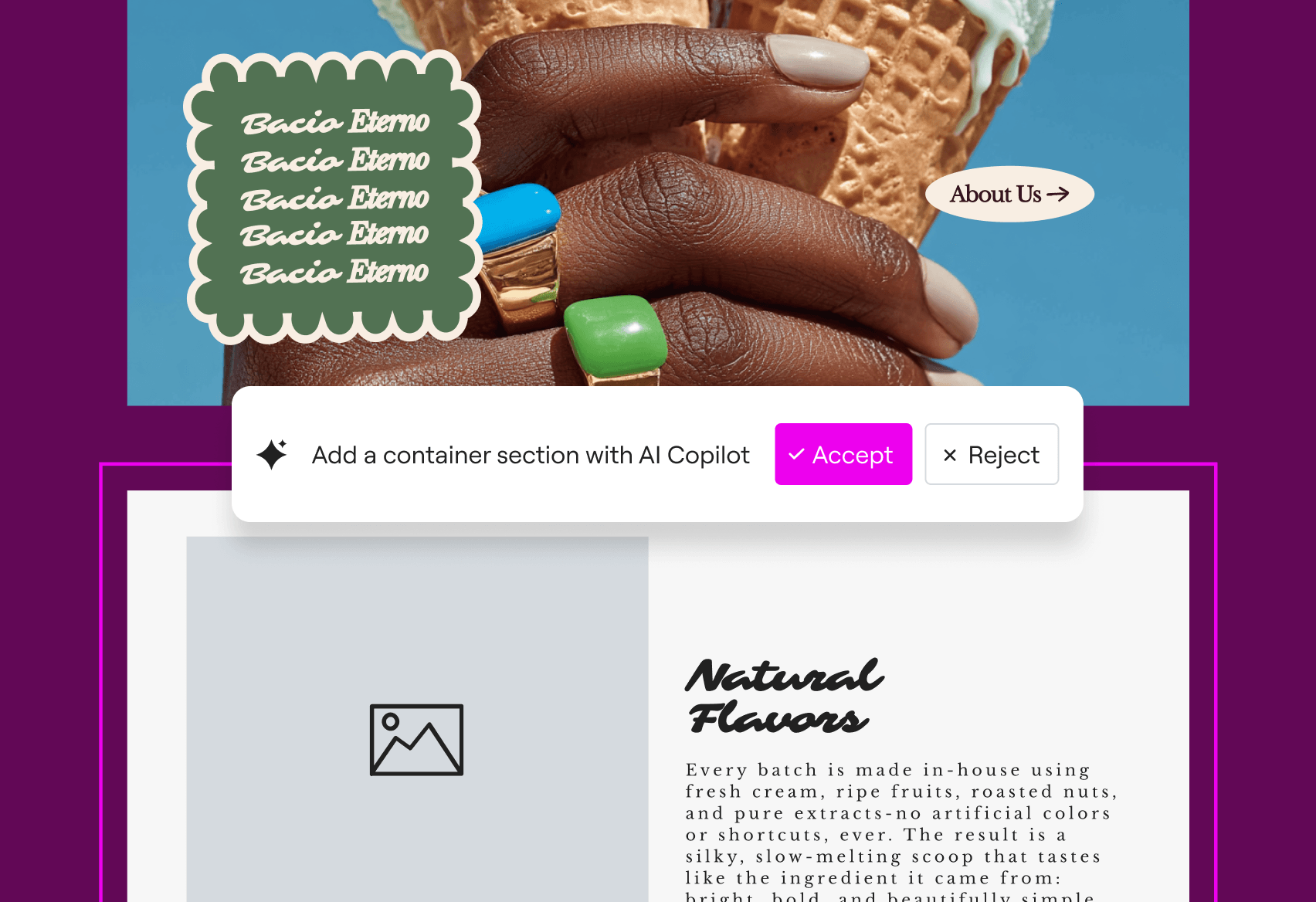
The AI Copilot can generate page layouts, write copy, create images, and produce custom CSS or HTML — all from text prompts without leaving the editor. The Site Planner goes further, taking you through a structured conversation to develop your site brief before generating wireframes.
What it does well:
- Deep integration — AI feels like a built-in feature rather than an afterthought. Particularly strong for users who already know Elementor’s interface.
- Versatile generation — you can generate from text prompts, from web references, or from existing Elementor containers. That flexibility is genuinely useful.
- Code generation — AI-generated CSS and HTML that understands Elementor’s module structure is more accurate than generic code suggestions.
What to watch out for:
- Two separate subscriptions — Elementor Pro and Elementor AI are distinct products. A basic Elementor Pro Essential plan costs around $59/year; AI Starter adds another $35.88/year. The bundled Elementor One plan streamlines this, but pricing should be verified directly on elementor.com.
- Credit-based system — AI usage consumes monthly credits, which reset each month. Heavy users may find lower tiers limiting.
- Not a full-site generator — unlike ZipWP or SeedProd, Elementor AI doesn’t generate a complete site from a single prompt. It’s more of an AI assistant for a page builder than a standalone site creator.
Pricing (March 2026): Elementor Pro Essential starts at $59/year (1 site). AI Starter add-on from ~$35.88/year. Elementor One (bundled) — check elementor.com/pricing for current bundles. Note that a free Elementor plugin exists on WordPress.org, but it includes no AI functionality.
SeedProd AI — Best for Fast Full-Site Generation
SeedProd has been around for years as a landing page and coming-soon page builder. The AI component took what was already a fast tool and pushed the generation time to 20 seconds for a full WordPress site draft. You describe your business, the AI builds the site, and then you refine it using SeedProd’s drag-and-drop editor.
With over one million professionals using SeedProd, the foundation is solid. The AI adds content writing (in 50+ languages), image generation, and theme building on top of a capable visual editor.
What it does well:
- Speed and simplicity — 20-second generation is among the fastest in this space. The handoff from AI-generated output to the visual drag-and-drop editor is immediate, with no separate import step.
- AI Writing Assistant — content in 50+ languages is genuinely useful for non-English markets or multilingual sites.
- WooCommerce AI — Elite plan includes AI-generated product descriptions and eCommerce-specific layouts.
What to watch out for:
- No free tier — unlike ZipWP or Elementor, there’s no free plan. The 14-day money-back guarantee helps, but you need to commit before fully testing.
- WPBeginner conflict of interest — SeedProd is owned by Awesome Motive, the same company that owns WPBeginner (which prominently recommends SeedProd). Factor that in when reading WPBeginner’s rankings.
Pricing (March 2026): Basic plan around $79/year intro, renewing at $39.50/year. Plus around $99.50/year. Elite (for WooCommerce, 100 sites) around $239.60/year. All plans include AI features.
10Web AI Builder — Best for Visual Site Planning

10Web bundles its AI site builder with managed WordPress hosting on Google Cloud. You describe your business, the AI generates a tree-view diagram of your site structure (pages and subpages), you review it, and then the AI builds the full site. The ability to see and modify the structure before generation is something most other AI builders skip.
What it does well:
- Visual site planning — the tree diagram gives you a clear view of what you’re committing to before the AI builds anything. It’s a step that significantly reduces rework.
- Editing in place — you can refine the AI output during the preview stage, which is more efficient than generating → reviewing → regenerating.
- PageSpeed optimization — 10Web includes a built-in page speed optimizer (PageSpeed Booster) targeting 90+ Google PageSpeed scores, which is a genuine differentiator.
What to watch out for:
- Per-site pricing — each website on 10Web requires its own plan subscription. Managing multiple sites can get expensive without an Agency plan.
- Image quality — AI image generation occasionally produces the visual artifacts common to most AI image tools. Replacing key images with real photos is recommended.
- Host lock-in — 10Web hosting is included in the plan. While you can export your site, the seamless experience is tied to staying on 10Web’s infrastructure.
Pricing (March 2026): AI Starter at $10/month ($120/year) for 1 site, managed WordPress hosting included. Agency plans from $24/month. 7-day free trial available. (Verify current pricing at 10Web)
Divi AI — Best for Elegant Themes Users

Divi AI, from Elegant Themes, is built into the Divi theme’s Visual Builder. Like Elementor AI, it’s an in-editor assistant rather than a standalone site generator — though it can generate complete page layouts from prompts. What sets it apart is that Elegant Themes trains the AI on Divi’s own codebase, so generated CSS and custom code works within Divi’s module system without the manual cleanup that generic AI code sometimes requires.
The other significant differentiator: no credit limits. A Divi Pro subscription gives you unlimited AI usage across content writing, image generation, and code generation.
What it does well:
- Unlimited AI access — no monthly credits to burn through. This makes it practical for agencies handling multiple projects.
- Divi-specific training — AI-generated code works cleanly within the Divi ecosystem. Less debugging, more building.
- Comprehensive feature set — content writing, image generation, code, layout suggestions, and brand style storage all in one subscription.
What to watch out for:
- Requires Divi — you must use the Divi theme. If you prefer other themes (Astra, GeneratePress, Kadence), Divi AI isn’t an option.
- Cost structure — the $89/year Divi theme does not include Divi AI. You’d need to add Divi AI ($216/year standalone) or upgrade to Divi Pro ($277/year). The AI alone costs more than the theme.
Pricing (March 2026): Divi theme alone $89/year. Divi AI standalone add-on $216/year (requires Divi separately). Divi Pro (includes both) $277/year. No free tier. (See current Elegant Themes pricing)
Brizy AI — Best for Agencies and Resellers

Brizy positions itself primarily as an agency tool. The white-label plan lets you brand the builder as your own, invite unlimited team members, and resell website creation to clients. For freelancers managing multiple client sites or digital agencies looking for a more scalable workflow, that’s a compelling setup.
The AI generation itself is fast — under 20 seconds from a business name and description to a complete site draft. You can regenerate any section individually, which reduces the risk of having to scrap everything if one part doesn’t work.
What it does well:
- Agency-focused features — white-label, team roles, reseller pricing, and multi-domain publishing are genuinely useful for professional workflows.
- Third-party validation — strong ratings on both Trustpilot and G2 (independent review platforms) add credibility beyond the marketing page.
- Free Forever plan — available for testing, though publishing options are limited without a paid plan.
What to watch out for:
- Cloud-first — the primary Brizy offering is a cloud-hosted platform. A separate Brizy WordPress plugin exists, but the cloud and plugin products have different feature sets and pricing. Confirm which product fits your workflow before subscribing.
- White-label pricing — the White Label plan costs $1,590/year. Meaningful for agencies at scale, but not budget-friendly for small operations.
Pricing (March 2026): Free Forever plan (limited publishing). Personal $190/year. Agency $690/year. White Label $1,590/year. Pricing covers the Brizy Cloud hosted platform.
GoDaddy Airo — Best for Marketing-Focused Small Businesses
GoDaddy Airo generates a website quickly — under 30 seconds from a prompt — and plugs it into GoDaddy’s broader marketing suite. If you’re a small business owner who wants a website and email marketing in one place, with Google Business Profile integration and built-in SEO tools, Airo covers that ground.
An important note: GoDaddy’s website builder is not WordPress. It’s a standalone hosted platform. If you need WordPress plugins, Gutenberg, WooCommerce customization, or the ability to migrate your site freely, Airo isn’t the right tool — despite occasionally appearing in AI WordPress builder comparisons.
What it does well:
- Marketing integration — email campaigns, SEO tools, social posting, and appointment booking in one package is valuable for local businesses.
- Google Business integration — pulling data from your Google Business Profile to pre-populate your website saves significant setup time.
- Fast generation — the AI site generator is among the quickest tested.
What to watch out for:
- Significant renewal pricing jump — the Basic plan runs around $9.99/month in year one. At renewal, that increases to approximately $17.95/month — roughly a 79% price increase. The year-one price is intentionally low. Plan for the higher renewal rate when budgeting.
- Not WordPress — if you want WordPress, this isn’t it. Migration away from GoDaddy’s platform is difficult.
Pricing (March 2026): Basic ~$119.88/year (year 1), renewing at ~$215.40/year — a roughly 79% price increase. Commerce plan for online selling at ~$251.88/year intro. 7-day free trial. (GoDaddy Website Builder pricing)
Hostinger AI Website Builder — Best Budget Option for Non-WordPress Beginners
Hostinger’s AI Website Builder takes a genuinely simple approach: describe your business, choose a style, and the AI generates a complete site. The pricing — particularly on long-term plans — is low. The 14-day free trial lets you test before committing.
Like GoDaddy, Hostinger’s builder is not WordPress. It’s a hosted platform that includes AI tools, but you can’t install WordPress plugins or export a WordPress-compatible site. If you need WordPress, look at ZipWP, SeedProd, or 10Web instead.
What it does well:
- Introductory pricing — the promotional 48-month rate is genuinely low. Useful for very budget-constrained projects where long-term lock-in isn’t a concern.
- AI eCommerce tools — product title and description generation from images is a useful feature for small online stores.
- Simple three-step process — very accessible for users with no technical background.
What to watch out for:
- Renewal pricing spike — the 48-month promotional rate of ~$1.99/month becomes $10.99/month at renewal — a significant jump. A more realistic entry point is the 12-month plan at ~$11.99/month ($143.88/year).
- Not WordPress — same caveat as GoDaddy. This is a standalone hosted builder, not a WordPress solution.
Pricing (March 2026): Premium plan ~$143.88/year on 12-month billing. Business plan ~$191.88/year. Renewal at $10.99/month (Premium) or $16.99/month (Business). 14-day free trial.
Feature Comparison Table
The table below compares key features across all eight tools based on verified information from official product pages and cross-referenced review sources (March 2026). Check each tool’s current product page for the most up-to-date specs.
| Tool | AI Full-Site Gen | AI Writing | AI Images | AI Code | WP Native | Self-Host | Free Tier | Starting Price/yr | Lock-in Risk |
|---|---|---|---|---|---|---|---|---|---|
| ZipWP | ✅ Yes (60 sec) | ✅ Yes | ❌ Stock only | ❌ No | ✅ Yes | ✅ Yes | ✅ Yes (24hr) | ~$108 | 🟢 Low |
| Elementor AI | ⚠️ Partial | ✅ Yes | ✅ Yes | ✅ Yes | ✅ Yes | ✅ Yes | ✅ No AI credits | ~$95 | 🟡 Medium |
| SeedProd AI | ✅ Yes (20 sec) | ✅ Yes | ✅ Yes | ❌ No | ✅ Yes | ✅ Yes | ❌ No | $39.50 | 🟢 Low |
| 10Web AI | ✅ Yes | ✅ Yes | ⚠️ Partial | ❌ No | ✅ Yes | ⚠️ Limited | ❌ No | $120 | 🟡 Medium |
| Divi AI | ⚠️ Partial | ✅ Yes | ✅ Yes | ✅ Yes | ✅ Yes | ✅ Yes | ❌ No | $277 | 🔴 High (Divi theme) |
| Brizy AI | ✅ Yes (20 sec) | ✅ Yes | ✅ Yes | ❌ No | ⚠️ Cloud + plugin | ⚠️ Cloud-hosted | ✅ Limited | $190 | 🟡 Medium |
| Hostinger AI | ✅ Yes | ✅ Yes | ✅ Yes | ❌ No | ❌ No | ❌ No | ❌ No | ~$144 | 🔴 High |
| GoDaddy Airo | ✅ Yes (<30 sec) | ⚠️ Partial | ❌ No | ❌ No | ❌ No | ❌ No | ❌ No | ~$120 | 🔴 High (+79% renewal) |
⚠️ = partial/limited capability. Renewal pricing for GoDaddy (~$215/yr at renewal) makes the Year 1 starting price misleading. Verify all pricing directly with each tool.
Compare more WordPress tools at WPlasma
How to Choose the Right AI Website Builder for WordPress
Most people get stuck comparing tools side-by-side without a clear frame for their own situation. The table below maps common scenarios to the tools most likely to fit — based on use case, budget, and technical context.
| Your Situation | Recommended Tool | Why |
|---|---|---|
| Need a complete WP site fast, want full freedom to move hosts | ZipWP | 60-second generation, no lock-in, export to any WordPress host |
| Already using Elementor Pro and want AI in your existing workflow | Elementor AI | Native integration, AI in every widget, content + image + code generation |
| Need fast landing pages or a quick WordPress site with visual editing | SeedProd AI | 20-second generation, drag-and-drop handoff, competitive renewal pricing |
| Want to see and approve site structure before building | 10Web AI Builder | Tree-view planning, editing during preview, managed WP hosting included |
| Already using the Divi theme and want unlimited AI access | Divi AI | No credit caps, trained on Divi codebase, best for heavy Divi users |
| Running an agency and need white-label or reseller features | Brizy AI | White-label builder, team roles, client site management, reseller pricing |
| Small business focused on local marketing, not web development | GoDaddy Airo | Google Business integration, email marketing, built-in SEO — but not WordPress |
| Very tight budget, just need a basic website, not WordPress-specific | Hostinger AI Builder | Low 12-month entry cost, simple workflow — but not WordPress, and renewal rates increase |
What AI Website Builders Cannot Do (Honest Expectations)
Reading product pages, you’d think AI builders have eliminated every friction in website creation. The reality is more nuanced. Here’s what these tools genuinely struggle with:
Content accuracy — AI generates plausible-sounding copy, but it doesn’t know your actual business. Product descriptions, service details, team bios, pricing, and any claims about your specific business need human review before publishing. Publishing AI-generated content without editing is one of the most common mistakes new users make.
Design originality — AI builders pull from a pool of templates and design patterns. Your site may look similar to thousands of others generated by the same tool. If visual differentiation matters for your brand, budget time for significant customization after generation.
Complex functionality — membership sites, custom WooCommerce checkout flows, advanced booking systems, multi-vendor marketplaces — these require specific plugins and often developer configuration. AI builders can scaffold the structure, but they don’t configure complex functionality.
SEO out of the box — AI can generate meta titles and descriptions, but keyword strategy, internal linking, structured data, and content optimization still require deliberate human input. An AI-generated site is a starting point, not a finished SEO strategy.
Ongoing maintenance — AI builds the site, but after launch, WordPress core updates, plugin updates, security monitoring, backups, and performance tuning are entirely on you. Tools like 10Web include some managed hosting features, but most AI builders don’t offer post-launch maintenance.
Multilingual support — most AI builders have limited or no built-in support for multilingual sites. SeedProd’s AI writing assistant supports 50+ languages for content generation, which helps, but multi-language site structure and translation management still typically require dedicated plugins like WPML or Polylang.
AI Website Builder vs. Building Manually vs. Hiring a Developer
Choosing an AI builder isn’t the right call for every project. Here’s how to think through the decision:
✅ Use an AI website builder if:
- Your site is relatively small (5–15 pages) with standard content types (blog, services, portfolio, basic online store)
- You’re validating a business idea and need something functional quickly without a large budget
- You have a timeline under a week and no complex custom features
- You’re comfortable doing basic WordPress editing and content updates yourself
- You’re an agency looking to speed up client site drafting and prototyping
❌ Consider hiring a developer if:
- You need custom integrations with third-party systems (CRM, ERP, inventory management)
- Your eCommerce requirements are complex (variable subscriptions, multi-currency, complex tax rules)
- You’re in a regulated industry (healthcare, finance, legal) where content accuracy and compliance are non-negotiable
- Your site needs to handle significant traffic from day one, with performance requirements that need expert infrastructure setup
- You need significant ongoing development — AI-generated sites still require developer attention as functionality grows
⚠️ Consider building manually with a page builder (without AI) if:
- You have time to learn (Elementor, Bricks, Kadence all have strong documentation)
- You want full control over every design decision
- You enjoy the process and are building for the long term
Find more WordPress guides and how-tos at WPlasma
FAQ — AI Website Builder for WordPress
What is the best AI website builder for WordPress?
For most users — especially those who want a complete WordPress site without hosting lock-in — ZipWP is the standout option. It generates a full site in under 60 seconds, works with any WordPress host, and doesn’t lock you into a proprietary platform. If you already use Elementor Pro, then Elementor AI is the natural choice. For agencies, Brizy AI’s white-label features are hard to beat.
Does WordPress have a built-in AI website builder?
Self-hosted WordPress (WordPress.org) does not include a native AI site builder. There are AI-assisted block editor features in development, but nothing comparable to dedicated AI builders. WordPress.com (the hosted platform) has its own AI website builder, but it’s separate from the open-source self-hosted version most people mean when they say “WordPress.”
How long does it take to build a WordPress site with AI?
The initial AI generation takes between 20 seconds and two minutes depending on the tool. However, the total time to a publish-ready site is longer — plan for an additional one to four hours of editing, replacing placeholder content, verifying facts, adding real images, and adjusting design elements. AI builds a draft; a human makes it ready to publish.
Are AI-built WordPress sites SEO-friendly?
AI builders generate proper HTML structure, which is a good baseline for SEO. However, keyword research, internal linking strategy, optimized meta descriptions, image alt text, and structured data still require deliberate human effort. An AI-generated site has SEO potential — it doesn’t come SEO-optimized out of the box.
Can I move my AI-built site to a different host?
It depends on the tool. WordPress-native builders (ZipWP, SeedProd, Elementor AI, Divi AI) generate standard WordPress sites that you can migrate to any WordPress-compatible host using standard migration plugins like Duplicator or All-in-One WP Migration. Proprietary platforms (Hostinger Website Builder, GoDaddy Airo) do not generate WordPress sites and cannot be migrated to a different platform as WordPress.
Is it worth paying for an AI website builder if I already have WordPress?
It depends on what you need. If you’re building new sites frequently (agency workflow, freelance client work, or testing business ideas), an AI builder pays for itself quickly in saved time. If you’re maintaining a single site that’s already built, the ongoing subscription cost may not be justified — you could use WordPress’s built-in tools or a standard page builder instead.
What is the difference between an AI website builder and a page builder like Elementor?
A traditional page builder (Elementor, Bricks, Kadence) is a drag-and-drop editor for building and customizing WordPress pages manually. An AI website builder uses AI to generate the initial site structure, content, and design automatically from a text prompt. Many tools (Elementor AI, Divi AI, SeedProd AI) now combine both — AI generation for the initial build, with a visual editor for customization afterward.
What are the main limitations of AI website builders for WordPress?
The main limitations are: AI-generated content needs human review and fact-checking before publishing; design output may look similar to other AI-generated sites; complex functionality (membership, advanced eCommerce) still needs manual configuration; ongoing maintenance is entirely your responsibility after the site is generated; and multilingual support is limited on most platforms. AI handles the scaffold well — the details and edge cases still need human attention.
Final Thoughts
The AI website builder space for WordPress has matured significantly. Several tools now genuinely deliver on the promise of a functional site draft in under a minute.
For most people — small business owners, freelancers, entrepreneurs testing an idea — ZipWP is the most flexible starting point. It generates a real WordPress site you own completely, with no hosting lock-in and a free tier to test before paying anything. SeedProd AI is a close second for users who want full-site generation with a strong visual editor built in.
If you’re already inside the Elementor or Divi ecosystems, the AI tools built into those platforms are the natural choice — they work where you already work. For agencies handling multiple client sites, Brizy AI’s white-label and team features justify the higher price.
A few things worth keeping in mind across all tools: the introductory price is rarely what you’ll pay at renewal (GoDaddy is the worst offender here), the initial AI output almost always needs editing before it’s ready to publish, and Hostinger and GoDaddy — despite appearing in AI WordPress builder comparisons — are not WordPress. If WordPress is a requirement, verify that the tool you’re considering actually uses it.
