


Canva is genuinely useful. Millions of people use it every day to produce social media graphics, presentations, flyers, and everything in between — and for good reason. Its template library is massive, the drag-and-drop interface is intuitive, and there’s a real depth of content to work with even on the free tier.
But Canva isn’t the only option, and it’s not the right one for everyone. Pricing has climbed in recent years, certain workflows simply can’t be done inside it, and some users find they’ve outgrown what it offers. If you’re exploring alternatives — whether for budget reasons, specific feature gaps, or just curiosity about what else is out there — this guide covers ten of the strongest tools available in 2026, compared honestly across pricing, features, AI capabilities, support, and who each one is actually built for.

The Short Answer (For Busy Readers)
If you need a quick answer before diving into the details, here’s a snapshot by use case:
- Best free alternative overall: Adobe Express free tier or GIMP
- Best for small businesses and social media: VistaCreate or Snappa
- Best for presentations and interactive content: Visme
- Best for design teams and collaboration: Figma
- Best AI design features: Adobe Express (Firefly integration)
- Best for photo-heavy brands: BeFunky
- Best for infographics and data: Piktochart
- Best genuinely zero-cost option: GIMP (fully open-source)
For a detailed breakdown of what each tool costs and what the free plans actually include, see the comparison table below.
Quick decision guide:
| Your Situation | Recommended Tool |
|---|---|
| Need basic graphics, zero budget | Adobe Express (free) or GIMP |
| Social media content at volume | VistaCreate or Snappa |
| Presentations and pitches | Visme |
| Team design work, web/app projects | Figma |
| Photo editing as a priority | BeFunky or Pixlr |
| Reports and data visualization | Piktochart |
| Already in the Adobe ecosystem | Adobe Express |
Why Canva Users Are Looking for Alternatives
Canva is solid — that’s worth saying clearly before listing its limitations. For most non-designers producing everyday content, it covers the basics well. The template library is extensive, the learning curve is nearly flat, and the free plan has historically been generous.
That said, several friction points have pushed users to look elsewhere:

- Pricing increases. Canva’s team plan pricing has risen noticeably over the past two years, with some plans moving from around $26/month to $45/month for five seats. Individual Pro plans run approximately $15/month (billed monthly) — verify current rates at canva.com/pricing.
- No API for bulk design generation. Canva lacks a proper REST API that allows programmatic design creation at scale. Users who need to generate hundreds of personalized graphics automatically hit a dead end. This is one of the most-cited frustrations in online communities.
- Limited automation platform integration. Native connections to tools like Make.com, Zapier, and n8n are either absent or very limited. Users who rely on automated workflows often need to switch tools entirely.
- Animation capabilities cap out early. For straightforward animated social posts, Canva works. For anything more sophisticated — motion graphics, interactive content, multi-layer animations — dedicated tools pull well ahead.
- Template ownership complexity. Some users have encountered confusion around what they can and cannot export in editable formats, particularly when switching plans or cancelling subscriptions.
None of this makes Canva a bad tool. But it does explain why the alternatives below have grown meaningful user bases of their own.
Comparison Table — Top Canva Alternatives at a Glance
No other comparison article brings these tools into the same table. Here’s a clear side-by-side view of pricing, free plan limits, AI features, and the primary use case each tool serves best (pricing as of March 2026 — always verify at official sites before committing).

| Tool | Free Plan | Paid Plan (from) | AI Features | Best For | Learning Curve |
|---|---|---|---|---|---|
| Canva | Yes — generous | ~$15/month Pro* | Background removal, Magic Write, Dream Lab (Pro) | General-purpose design | Very Low |
| Adobe Express | Yes — 100K+ templates | ~$9.99/month* | Firefly: 250 credits/month (Premium) | Creative pros, Adobe users | Low |
| Figma | Yes — 3 files | ~$12/editor/month* | Auto-layout, AI plugins (beta) | Design teams, UI/UX | Medium |
| Visme | Yes — 5 projects | ~$12.25/month (annual)* | AI presentation generator, AI image gen | Presentations, infographics | Low–Medium |
| VistaCreate | Yes — generous | ~$10/month* | Background removal, image upscaling | Social media, print | Very Low |
| Snappa | Yes — 3 downloads/month | $15/month ($10 annual) | Background removal (Pro) | Quick social graphics | Very Low |
| BeFunky | Yes — basic editing | $14.99/month ($7 annual) | Object eraser, sky replacer, upscaling, unblur (Plus) | Photo editing + design | Low |
| Piktochart | Yes — 2 PNG only | $14/month (annual) | AI Credits for chart/visualization gen | Infographics, data reports | Low |
| GIMP | Fully free, forever | Free (open-source) | Minimal (community plugins only) | Photo manipulation | High |
| Pixlr | Yes — limited saves | Varies (check pixlr.com) | AI CutOut, generative fill, face swap, AI image gen | Quick online photo editing | Low–Medium |
*Prices from official sources or third-party references as of March 2026. Verify at each tool’s official pricing page before purchasing.
Now here’s what the free plans actually include — because “free” means something very different across these tools:
| Tool | Free Downloads | Watermark? | Templates Available | Key Free Limit |
|---|---|---|---|---|
| Adobe Express | Unlimited | No | 100,000+ (static & video) | No Firefly AI credits; 5GB storage |
| Canva | Unlimited | No | 250,000+ (many locked behind Pro) | Premium elements paywalled; 5GB storage |
| Figma | Unlimited | No | Community templates | 3 Figma design files; limited version history |
| Snappa | 3/month | No | 6,000+ | Strictly 3 downloads per month |
| BeFunky | Unlimited (basic) | No | Limited selection | No AI editing tools on free tier |
| Piktochart | 2 PNG only | Implied | Basic templates | Very restricted — effectively a short trial |
| GIMP | Unlimited | No | None (create from scratch) | Steep learning curve; desktop-only |
| Pixlr | Daily cap | No | 1,000+ | Daily save limits; ad-supported |
| Visme | Unlimited (5 projects) | Visme branding | Limited selection | Max 5 active projects; Visme watermark |
wplasma.com — WordPress tools and resources for site owners
The Best Canva Alternatives — Detailed Reviews
Each tool below covers: what it’s genuinely good at, where it falls short, current pricing, and who will get the most out of it. No tool here is universally “the best” — the right pick depends on your workflow.
Adobe Express — Best for Creative Professionals and Adobe Users
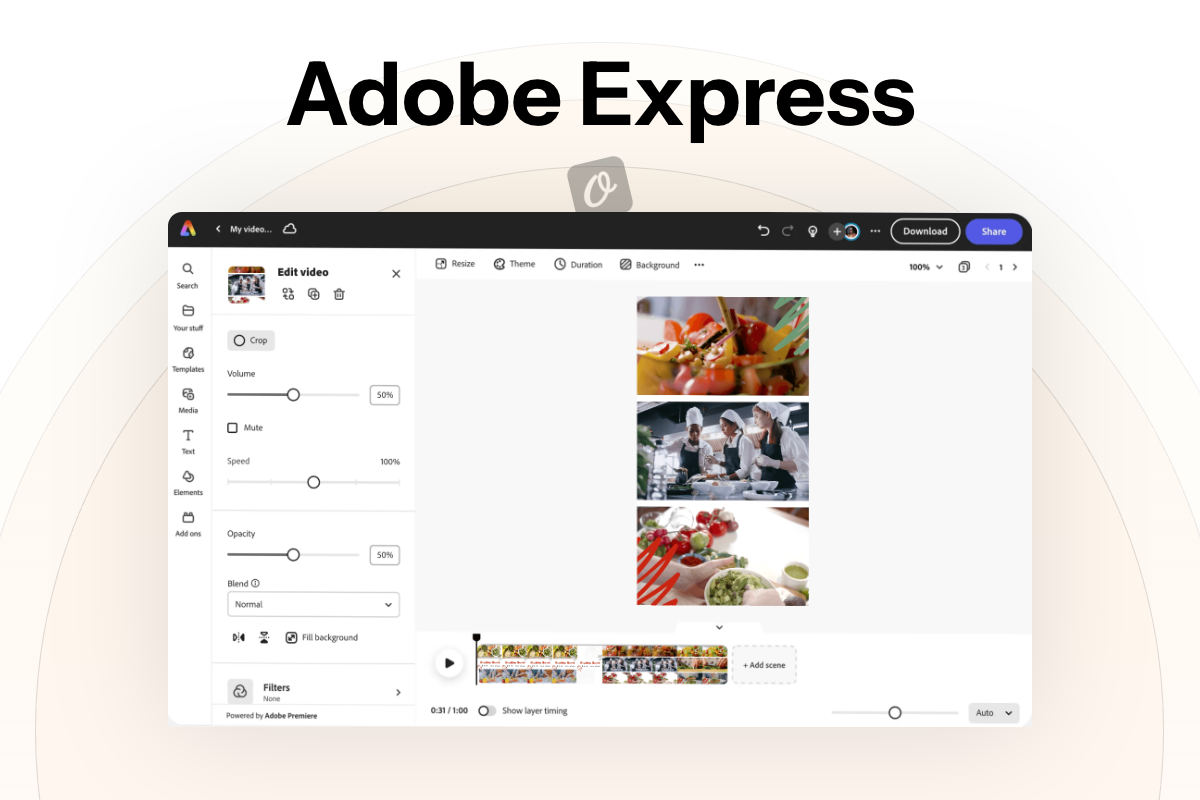
Adobe Express has evolved significantly from its origins as Adobe Spark. It now operates as a capable, mature template-based design platform that happens to sit inside Adobe’s wider ecosystem — which is either its biggest advantage or a non-issue depending on whether you already use Adobe products.
What it does well: The free plan is among the most generous on this list — 100,000+ templates (including video templates), access to over a million Adobe Stock assets, and 4,000+ fonts at no cost. That’s a substantial starting point for anyone who hasn’t paid a cent. The paid Premium plan adds Adobe Firefly’s generative AI (250 credits/month), one-click resize, brand management tools, and 100GB storage.
Honest cons: The Firefly AI credits cap out at 250/month on the standard Premium plan, which will feel limiting for heavy users. Some of the most creative AI features (Text to Video, higher video credit volumes) sit behind the Firefly Pro plan rather than the standard Premium. If you’re not already in the Adobe ecosystem, the platform can feel slightly less intuitive than Canva.
Pricing (March 2026): Free forever plan / Premium approximately $9.99/month — verify at adobe.com/express/pricing.
Best for: Marketers and content creators already using Adobe products; anyone who wants a capable free tier with the option to upgrade to serious AI tools.
Figma — Best for Team Collaboration and UI/UX Design
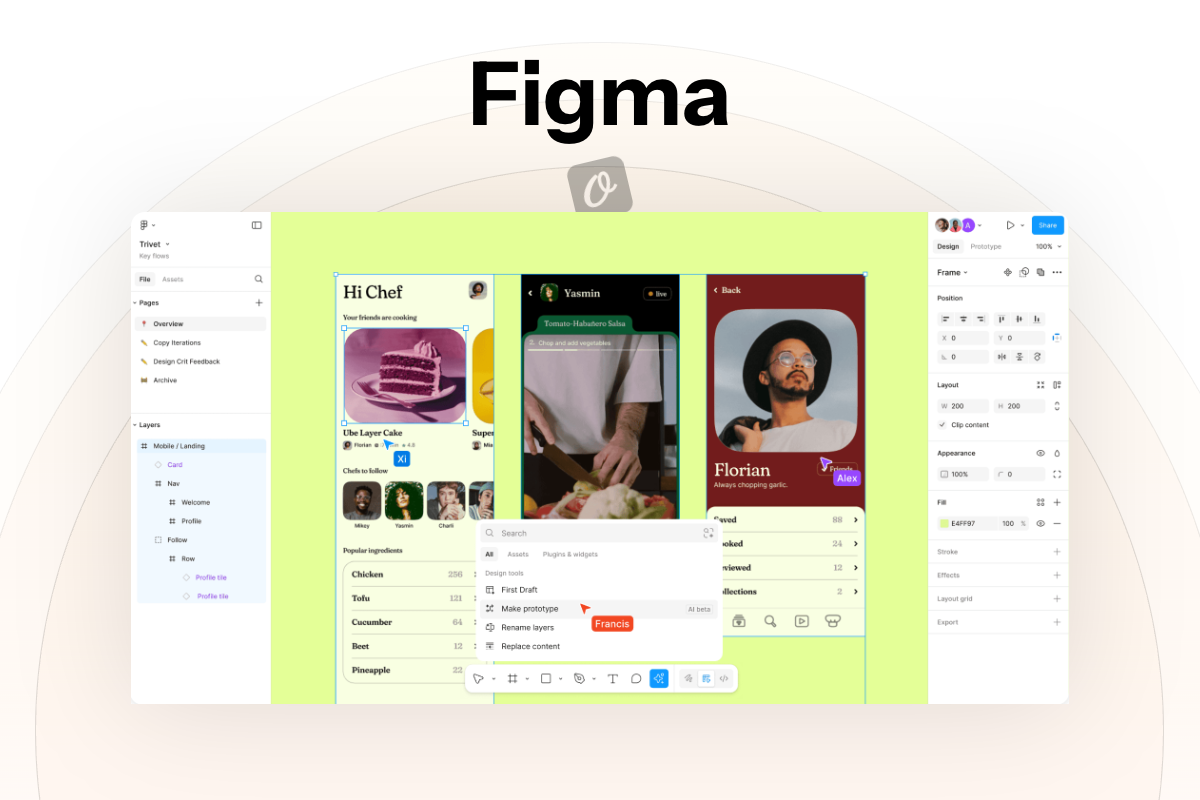
Figma occupies a different category from most tools on this list. It isn’t a replacement for Canva in the marketing graphics sense — it’s a more powerful, collaborative design environment built primarily for web and product design. But it’s worth including because many teams that use Canva for general design work would be better served by Figma.
What it does well: Real-time collaboration is where Figma leads the field. Multiple people can edit the same file simultaneously without versioning chaos. Its component and design system features let teams maintain visual consistency across large projects. The Starter plan is free and includes unlimited files in FigJam (its whiteboarding tool) alongside 3 Figma design files.
Honest cons: Figma is not particularly beginner-friendly for non-designers. Social media graphics and marketing collateral are doable, but the tool is optimised for interface design — not for someone who needs a quick Facebook post template. There’s also no print-to-production pipeline comparable to VistaCreate.
Pricing (March 2026): Free Starter plan / Professional approximately $12/editor/month (or ~$9/month billed annually) — verify at figma.com/pricing.
Best for: Product designers, UX/UI teams, web agencies, and organizations building and maintaining design systems.
Visme — Best for Presentations and Interactive Content

Visme is the tool to look at if presentations and interactive content are a meaningful part of your work. Where Canva offers basic animation and slide export, Visme provides proper interactive content, embedded data, and presentation-specific features that go deeper.
What it does well: Infographic templates are extensive and well-crafted. The AI presentation generator can produce structured slide decks from a brief description. Charts can pull from live data sources. For marketers, educators, or consultants who present regularly, Visme’s feature set is hard to match at a comparable price point.
Honest cons: Social media integration has been noted by users as occasionally sluggish. The free plan caps at 5 active projects and includes Visme branding on exports — which is workable for evaluation but not for regular business use. The font library, while solid, is narrower than some competitors.
Pricing (March 2026): Free plan (5 projects, Visme watermark) / Starter approximately $12.25/month (billed annually) / Pro approximately $24.75/month (billed annually) — verify at visme.co/pricing.
Best for: Marketers, educators, consultants, and business owners who produce presentations and data-driven visual content regularly.
wplasma.com — tools and guides for WordPress site owners
VistaCreate — Best for Social Media Creators
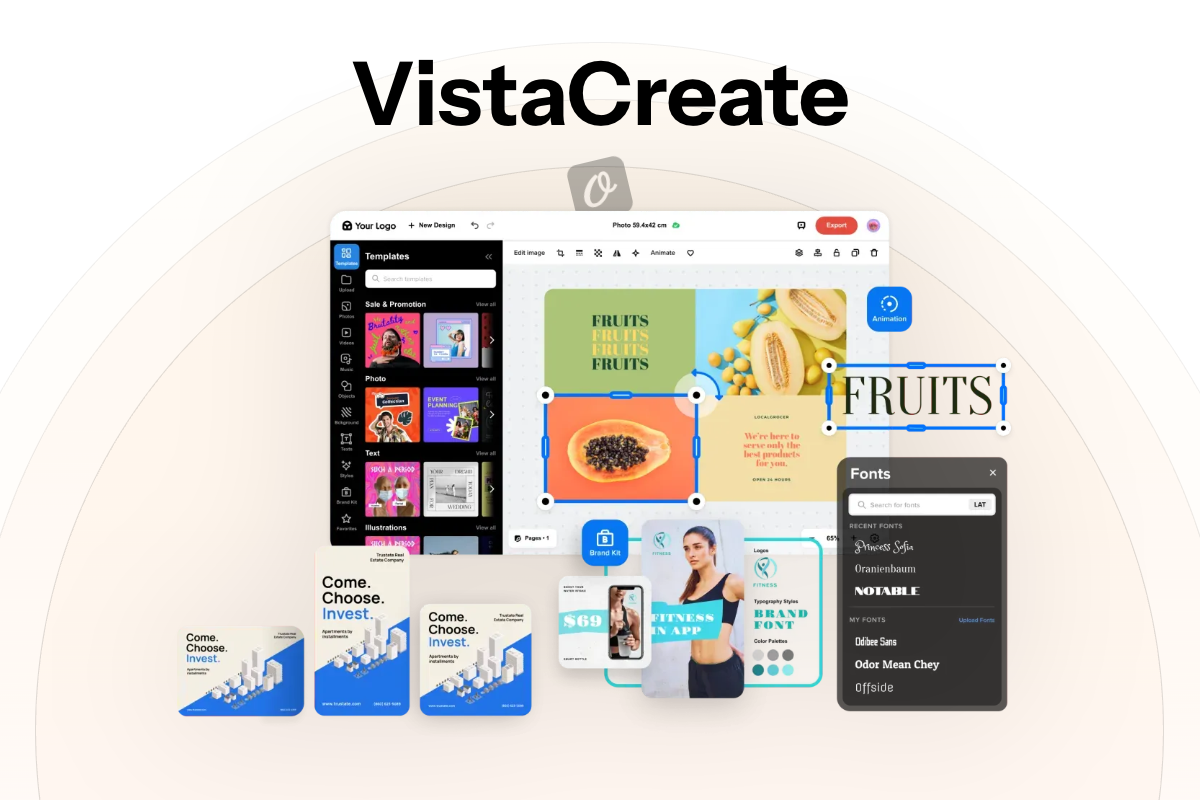
VistaCreate (formerly Crello) is backed by VistaPrint, which gives it a practical advantage most competitors lack: a direct pipeline from digital design to physical print products. For small businesses producing both social media content and printed marketing materials, that integration can save real time.
What it does well: Animated social posts are a standout feature — the animation library covers a wide range of styles, and the output quality for social media is high. The tool also supports short video creation, making it useful for Instagram Reels and similar short-form formats. Team features include feedback and approval workflows.
Honest cons: The template library, while extensive, is smaller than Canva’s. AI features are present but not class-leading — background removal and image upscaling are available, but there’s no AI image generation comparable to Firefly or similar tools.
Pricing (March 2026): Generous free plan / Pro approximately $10/month — verify at create.vista.com/pricing.
Best for: Social media managers, small business owners who need both digital and print assets, content creators working with animated formats.
Snappa — Best for Non-Designers Who Need Quick Graphics
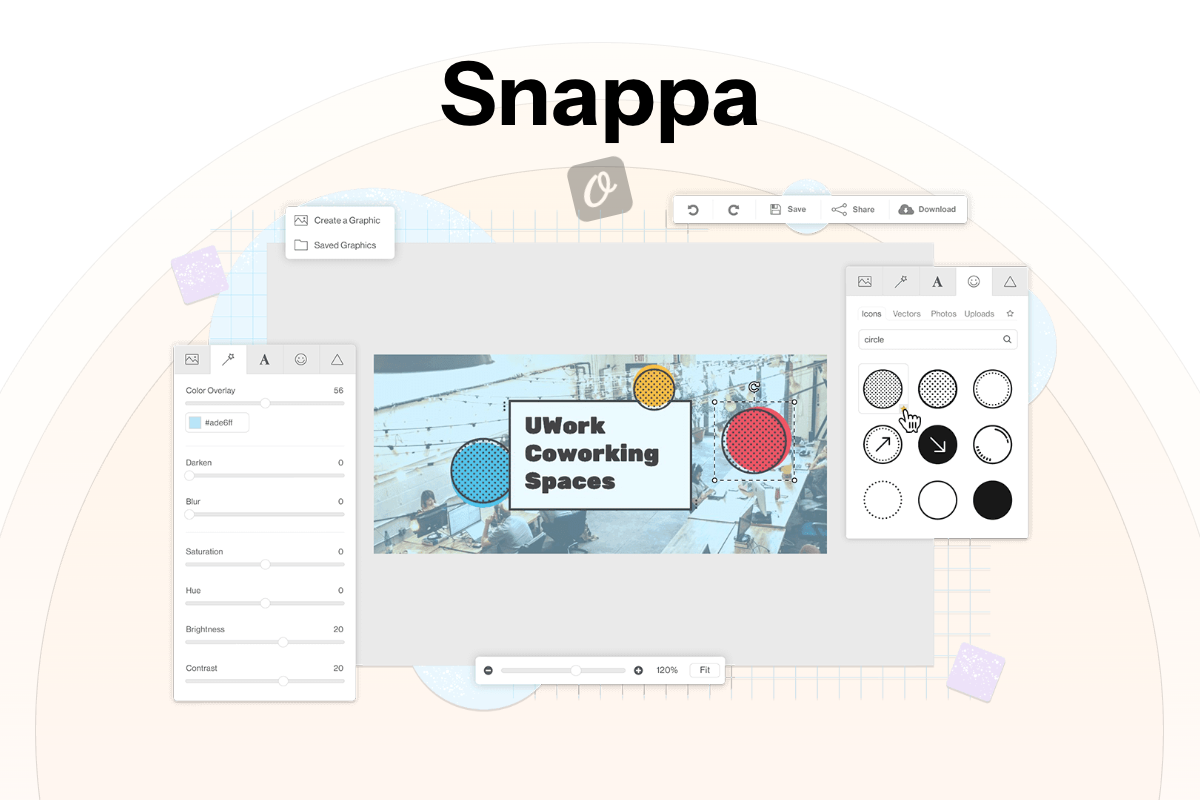
Snappa’s defining characteristic is simplicity without sacrifice. The interface is deliberately uncomplicated, and the Pro plan gives every paying user access to all features — there’s no tier structure where advanced tools are locked behind a more expensive plan.
What it does well: Every design is sized for a specific platform out of the box (Facebook, LinkedIn, Twitter/X, etc.), which removes one consistent source of friction for social media work. The 6,000+ templates cover most common use cases. Background removal is included in the Pro plan. The Team plan ($20/month annual for 5 users) is fairly priced for small teams.
Honest cons: The free plan is strictly limited to 3 downloads per month — manageable for occasional use, but genuinely restrictive for regular content production. There’s no mobile app, which is a real gap for anyone who designs on the go. Advanced photo editing is not a strength.
Pricing (March 2026): Free (3 downloads/month, no watermark) / Pro $15/month or $10/month billed annually / Team $30/month or $20/month billed annually (5 users) — confirmed at snappa.com/pricing.
Best for: Bloggers, solopreneurs, small teams that need quick, clean social media graphics without a design background.
BeFunky — Best for Photo Editing Combined with Graphic Design
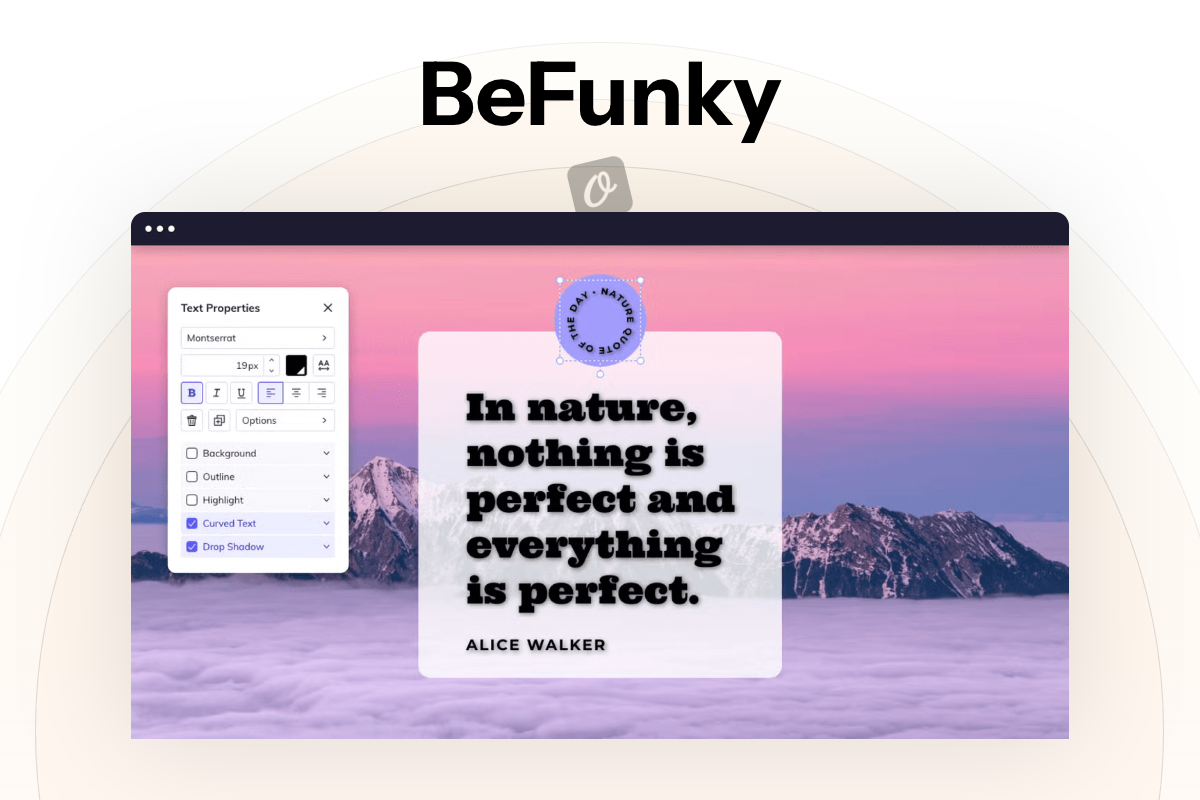
BeFunky sits in an interesting space: it’s more of a photo editing tool than a graphic design platform, but it includes a robust collage maker and design section alongside its editing suite. For users whose primary need is working with photos — rather than starting from templates — it offers more than most of the tools on this list.
What it does well: The AI toolkit in the Plus plan is impressive for photo-focused work: background removal, object eraser, sky replacer, photo upscaling, unblur, and old photo restoration. Priority support is included with Plus — which is notable, as most tools bury support quality information. The collage builder is among the strongest in this category.
Honest cons: Template variety for general graphic design is narrower than Canva or VistaCreate. BeFunky shines when you’re working with existing photos — less so if you’re building graphics from scratch. It also lacks the collaborative features of Figma or the animation capabilities of VistaCreate.
Pricing (March 2026): Free plan (basic editing) / Plus $14.99/month or $83.88/year (approximately $7/month) — confirmed at befunky.com/pricing.
Best for: Photographers, lifestyle bloggers, product-based small businesses, and anyone whose content relies heavily on photo quality.
Piktochart — Best for Infographics and Data Visualization
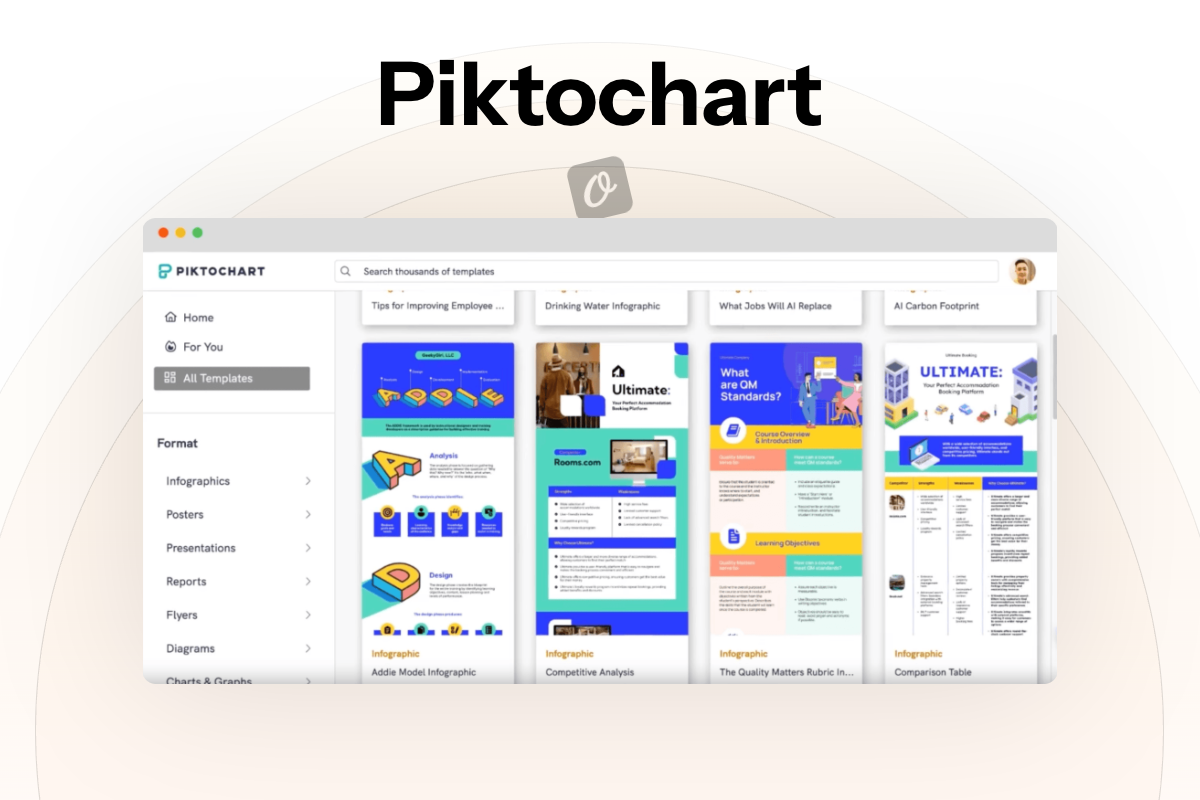
Piktochart has a specific audience: people who need to communicate data clearly. Reports, infographics, charts, and business presentations are what it’s optimised for, and that focus shows in the template quality and the AI capabilities it’s prioritised.
What it does well: AI Credits power data visualization features — the system can generate charts and suggest layouts based on your data. The Business plan ($24/month annual) adds PDF and PowerPoint export and a full Brand Kit, making it genuinely useful for professional business reporting. The template library for infographics and reports is one of the best in this category.
Honest cons: The free plan is heavily restricted — 2 PNG downloads and 60 AI credits is enough to evaluate the tool, not to use it regularly. General-purpose graphic design (social media, marketing materials) is possible but not where Piktochart excels. Animation tools are minimal.
Pricing (March 2026): Free (2 PNG, 60 AI credits — effectively a trial) / Pro $14/month annual or $29/month / Business $24/month annual or $49/month — confirmed at piktochart.com/pricing.
Best for: Data-driven marketers, educators, business analysts, and anyone who produces reports, presentations, or infographics regularly.
GIMP — Best Free Option for Photo Editing Without Subscription Costs
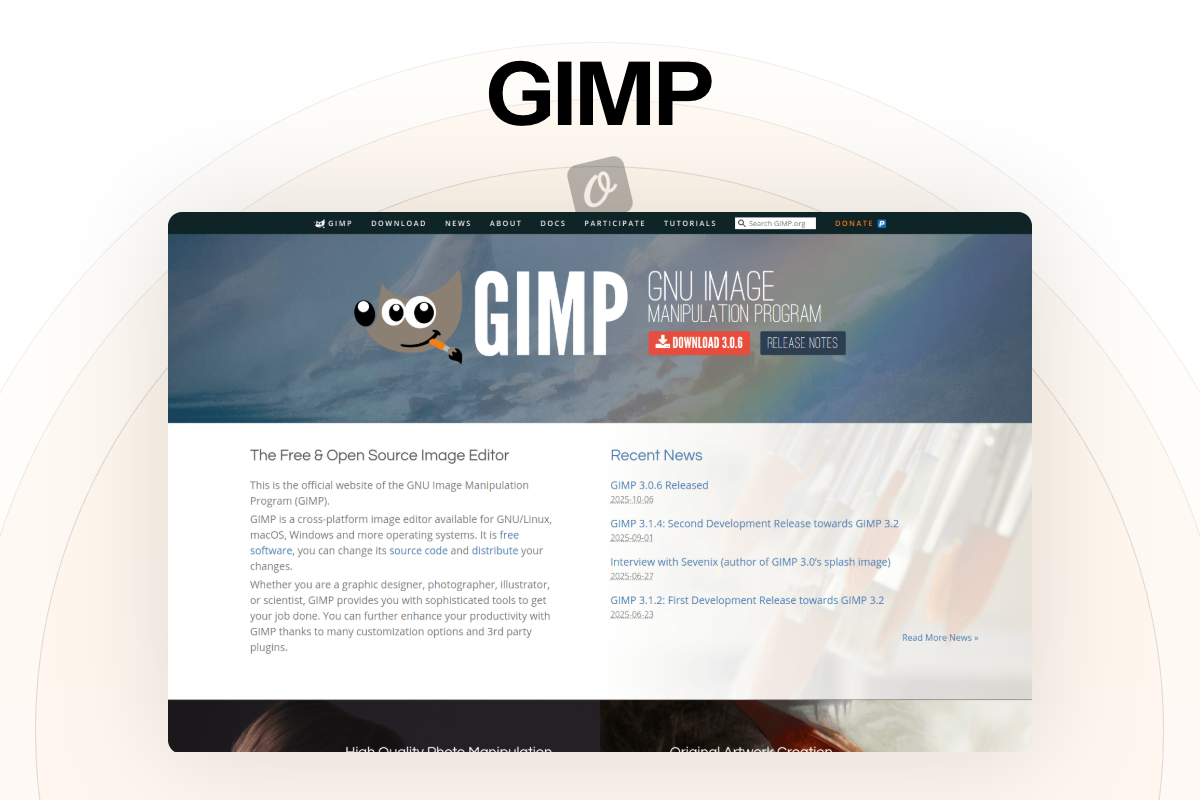
GIMP (GNU Image Manipulation Program) is an entirely different kind of tool from everything else on this list. It’s desktop software — not a browser-based platform — and it has no subscription, no plan tiers, and no watermarks. It is completely free, permanently.
What it does well: For photo manipulation and retouching, GIMP’s capabilities rival tools that cost considerably more. Layers, masks, color correction, curves, and a wide range of filters are all present. It opens PSD files (Photoshop’s format) and supports an extensive range of image formats. Third-party plugins extend its functionality considerably.
Honest cons: GIMP is not a Canva replacement in any conventional sense. It has no template library, no drag-and-drop design interface, and no social media sizing presets. The learning curve is steep — significantly steeper than any other tool on this list. It’s also desktop-only, with no cloud access or mobile companion. For users who need simple marketing graphics, this is the wrong tool.
Pricing: Free. Open-source. No trial periods, no hidden fees — download at gimp.org.
Best for: Users with some technical tolerance who need powerful photo editing and have no interest in paying monthly subscription fees.
Pixlr — Best Free Browser-Based Design and Photo Editing Tool
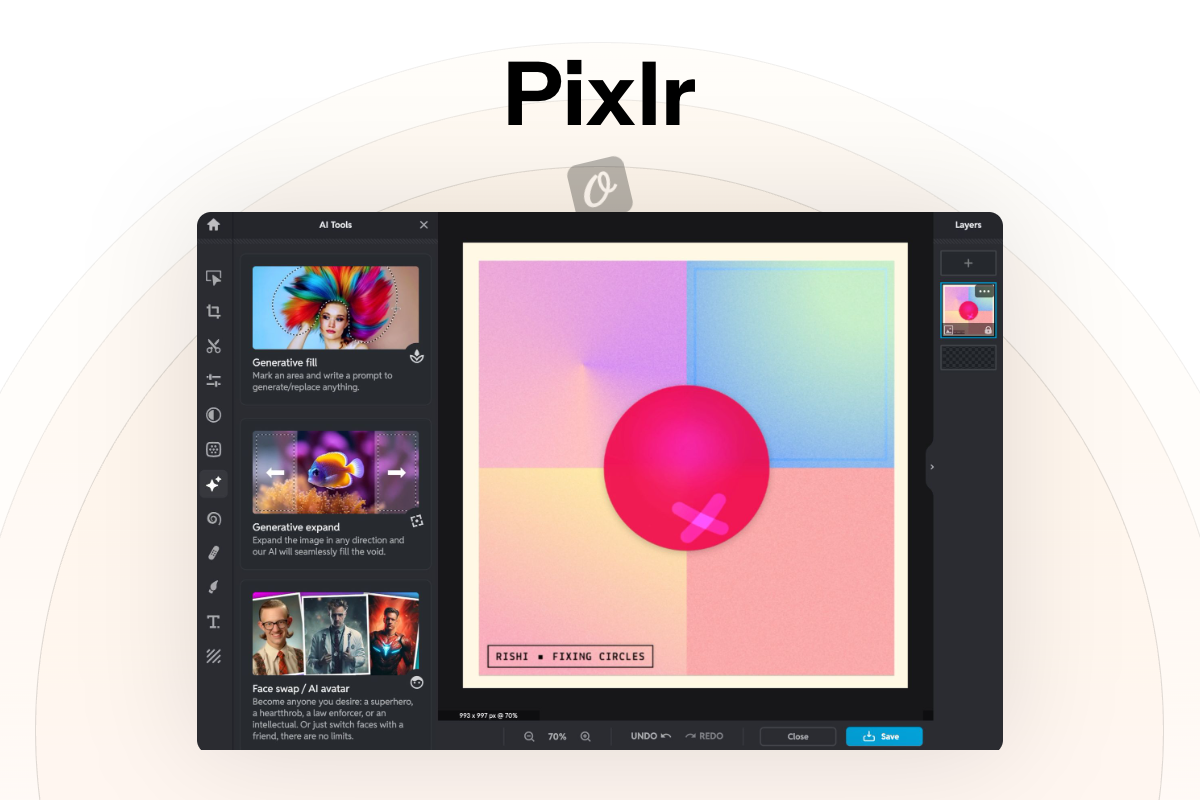
Pixlr runs entirely in the browser and packages three different editing tools under one login: an advanced editor, a simpler express editor, and a design tool. That flexibility is useful — you can approach a project as a photo editor, a basic graphic designer, or something in between.
What it does well: The AI feature set is broader than most tools at this price point: AI background removal, generative fill, AI image generation, face swap, and image expansion are all available on paid plans. The free tier is functional for basic editing. No installation required — which matters for users working on shared or managed devices.
Honest cons: The free tier has a daily save limit and is ad-supported, which can make the experience feel cluttered. The interface, while capable, is less polished than Adobe Express or Canva for template-based design work. Pricing on paid plans varies — check the current rates at pixlr.com/pricing.
Pricing (March 2026): Free (limited saves, ad-supported) / Paid plans available — verify current pricing at pixlr.com/pricing.
Best for: Users who need quick browser-based photo editing and AI tools without committing to a full design platform subscription.
wplasma.com — WordPress tutorials, plugin reviews, and site owner guides
Which Canva Alternative Is Right for You?
There’s no single answer here — the right tool depends on what you’re actually trying to do, how often you’re doing it, and how much you want to spend. A few specific scenarios to help narrow things down:
| Your Situation | Recommended Tool | Why |
|---|---|---|
| Zero budget, need basic graphics | Adobe Express (free) or GIMP | Adobe Express free tier is the most generous; GIMP for photo-heavy needs |
| Social media at scale, small team | VistaCreate or Snappa | Both are optimized for platform-specific social formats; Snappa simpler |
| Presentations for clients or investors | Visme | Interactive content and professional presentation templates are its strength |
| Design team, web or app product work | Figma | Real-time collaboration and design systems are unmatched for this use case |
| Photo editing is the main need | BeFunky or Pixlr | BeFunky for richer photo AI tools; Pixlr for browser-based flexibility |
| Reports, infographics, data viz | Piktochart | Built specifically for data-driven visual content |
| Already paying for Adobe CC | Adobe Express | Firefly access and Creative Cloud integration make it the obvious add-on |
| WordPress blogger or site owner | Canva, Snappa, or Adobe Express | All three work well for blog post graphics and featured images; Snappa has preset blog dimensions |
| Need print + digital from one tool | VistaCreate | VistaPrint connection makes physical print ordering straightforward |
| Maximum budget flexibility | GIMP or Pixlr | Both offer meaningful capability at zero or low cost |
What if you don’t want to switch completely? Many of these tools can complement Canva rather than replace it. Some users keep Canva for quick social templates, use Figma for team design work, and bring in Piktochart specifically for reports. There’s no rule requiring a single tool for everything.
What About Design Data Portability?
This is a question that rarely appears in comparison articles, but it matters — particularly for small businesses with accumulated design assets. If you decide to leave a platform, what happens to your designs?
Canva: Designs can be exported as PNG, JPG, PDF, MP4, GIF, and SVG (Pro). The Canva file format itself is proprietary — you can’t open a Canva file in another design tool. If you cancel your Pro subscription, you retain access to your designs but lose premium assets.
Adobe Express: Exports include PNG, JPG, PDF, and MP4. Like Canva, the native format is proprietary. However, Adobe’s ecosystem lets you push assets into Photoshop or Illustrator for further editing if needed.
Figma: Notably more portable — files can be exported as PNG, SVG, JPG, and PDF. The FigJam format is Figma-specific, but design files can be exported in formats other design tools can open. Figma has also committed to open-source initiatives around its file format.
GIMP: Fully open formats — XCF (native), PSD, PNG, JPG, SVG, and many others. Nothing is locked to a proprietary format. Your files are yours in every meaningful sense.
Visme: Exports to PDF, PNG, JPG, GIF, HTML5, and PowerPoint. The ability to export to PowerPoint means your presentations aren’t trapped in Visme’s ecosystem.
The practical advice: always export copies of your most important designs in a universal format (PDF, SVG, or PNG at minimum) rather than relying solely on the platform’s native file format. That applies to every tool on this list, including Canva.
learn more about managing digital assets on wplasma.com
Frequently Asked Questions
Is there a completely free alternative to Canva?
Several. Adobe Express has a permanently free plan that includes 100,000+ templates, 1M+ Adobe Stock assets, and unlimited downloads — without watermarks. GIMP is fully open-source (desktop software, no subscription ever). Pixlr is free in-browser with limitations on daily saves. Snappa’s free plan is functional for light use (3 downloads/month). The best pick depends on whether you need templates (Adobe Express) or raw photo editing power (GIMP).
Which Canva alternative is best for small businesses?
It depends on what your business actually creates. For social media content and basic marketing graphics, VistaCreate or Snappa are both well-suited and affordable. If presentations are central to how you pitch or communicate, Visme is worth the investment. For teams that design together, Figma scales better than Canva as headcount grows. BeFunky is a strong pick for product businesses where photo quality matters most.
Does Adobe Express replace Canva?
For many use cases, yes — particularly if you’re already in the Adobe ecosystem. Adobe Express’s free tier is genuinely generous, and the Premium plan’s Firefly AI integration gives it a meaningful advantage for AI-assisted design work. Where Canva still leads: the breadth of its template library and the simplicity of its interface for absolute beginners. Adobe Express has a very slight learning slope by comparison.
Can I use Canva alternatives for WordPress?
All the tools on this list can produce images usable on a WordPress site — the relevant question is workflow efficiency. Snappa includes preset dimensions for standard blog sizes. Adobe Express and Canva both make exporting in web-optimised formats straightforward. Figma is overkill for blog graphics but useful if you’re designing UI elements or page mockups. None of these tools has a dedicated WordPress plugin that pushes assets directly to your media library — export and upload remains the standard workflow for all of them.
Which tools have better AI features than Canva?
Adobe Express (Firefly) is widely considered stronger for generative AI — 250 AI credits/month on Premium, with high-quality image generation and text effects. Pixlr’s paid plans include a notably broad AI suite: generative fill, face swap, AI expansion, AI image generation, and background removal. BeFunky’s Plus plan offers specialised photo AI (sky replacer, object eraser, unblur) that Canva doesn’t match. Piktochart has an AI credits system focused specifically on data visualization generation.
Is Figma a good Canva alternative for non-designers?
Honestly, not for most non-designers. Figma’s interface is designed for product and UX designers — it assumes a certain level of design literacy. For someone who needs quick social media templates or marketing graphics, the learning curve is steeper than necessary. That said, if your work involves designing websites, apps, or UI components, Figma is the better long-term investment — it will grow with your skills in a way that template-based tools don’t.
What’s the cheapest paid alternative to Canva?
BeFunky Plus at approximately $7/month (billed annually at $83.88/year) is among the lowest-priced paid plans with a meaningful feature set. Snappa Pro at $10/month billed annually is also competitive. VistaCreate Pro runs approximately $10/month. All three offer unlimited downloads on paid plans, which Canva’s free tier also provides — but with significant asset restrictions. Always compare on the basis of what the paid plan actually unlocks, not just the headline price.
Which Canva alternatives work offline?
GIMP works fully offline — it’s desktop software with no cloud dependency. Adobe Express and Canva have limited offline capabilities through their mobile apps but are primarily cloud-dependent for their full feature sets. Most other tools on this list (Figma, Visme, Snappa, BeFunky, Piktochart, Pixlr, VistaCreate) are browser-based and require an internet connection for full functionality.
Final Thoughts
Canva will remain the go-to starting point for most non-designers — its combination of templates, ease of use, and name recognition keeps it dominant. But the tools above have each developed real strengths in specific areas, and for many users one of them will serve better than Canva ever could.
The most common mistake when switching is trying to find a direct one-for-one replacement. The better question is: what does my workflow actually need? If the answer is collaborative product design, Figma. If it’s data-driven infographics, Piktochart. If it’s photography-forward content, BeFunky. If it’s the most capable free tool available, Adobe Express.
All of these tools offer free plans or free trials. The most useful step from here is picking two or three that match your use case and spending 30 minutes with each. That will tell you more about fit than any comparison article can.
