



There are dozens of WordPress builders competing for your attention. Some are genuinely excellent. Others have strong marketing and mediocre products. And a few are stuck in 2015 while pretending it’s still cutting-edge software.
This guide covers the best WordPress drag and drop theme builders available right now — with honest pricing (verified March 2026), real performance context, and a clear breakdown of which tool actually fits your situation. No affiliate winner-picking. No single “best” answer that ignores your actual needs.
Quick Summary — The Best Options Right Now
Short on time? Here’s the honest two-minute version:
- Elementor — Most popular, largest ecosystem of templates and add-ons. Full theme builder requires Pro ($59/year for 1 site). Watch out for auto-renewal complaints.
- Divi — Best value for unlimited-site licensing ($89/year covers all your sites). Full theme builder included. Interface is aging but still capable.
- Bricks — Best for developers and performance-focused builders. Clean HTML output, full theme builder in every plan, starting at $79/year.
- Breakdance — Best free tier (unlimited sites, 80 elements). Rapidly growing. Strong performance record. Price-lock guarantee on paid plans.
- Beaver Builder — Reliable, lightweight, and developer-trusted. Beaver Themer now bundled with all paid plans starting at $89/year.
- SeedProd — Easiest for landing pages and maintenance mode. Theme builder available from Plus plan ($199/year).
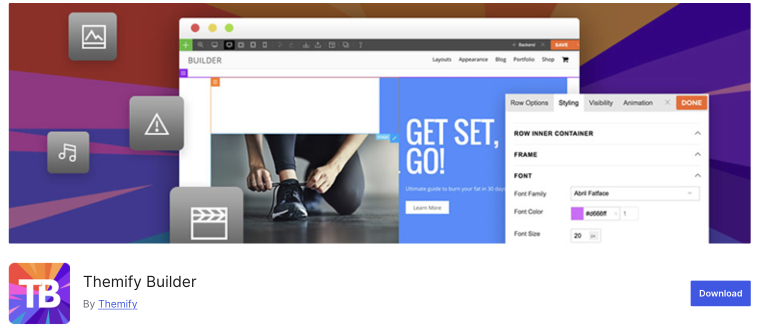
- Themify Builder — Underrated budget option. Master Club ($89/year) covers unlimited sites and includes Builder Pro with full header/footer control.
Mini Decision Checklist
| Your Situation | Best Starting Point |
|---|---|
| Complete beginner, limited budget | Breakdance Free or Elementor Free |
| Blogger or content site | Elementor Pro or Bricks |
| Small business website | Elementor Pro or Divi |
| WooCommerce store | Divi or Bricks |
| Agency managing client sites | Divi (unlimited sites) or Bricks Lifetime |
| Developer who wants clean code | Bricks or Breakdance |
| Landing pages + coming soon pages | SeedProd |
Page Builder vs Theme Builder — What’s the Actual Difference?
The keyword “drag and drop theme builder” means something specific that most roundups ignore: a tool that builds your entire site’s visual structure, not just individual pages.
Here’s the difference in practice:
- Page builder: Lets you design individual pages — home page, about page, landing pages, product pages. You drag elements onto the page canvas and see the result live.
- Theme builder: Lets you design your entire site — the header that appears on every page, the footer, archive listing templates, single post templates, the 404 page, WooCommerce shop templates. This is what makes a tool a true “drag and drop theme builder.”
Many builders are page builders only (or require a paid upgrade to unlock theme building). If you’re searching for a drag and drop theme builder specifically, this distinction matters before you commit.
| Builder | Page Builder | Full Theme Builder | Add-on Required? |
|---|---|---|---|
| Elementor Free | ✅ | ❌ | Pro upgrade needed |
| Elementor Pro | ✅ | ✅ | No |
| Divi | ✅ | ✅ | No — included from the start |
| Beaver Builder (Paid) | ✅ | ✅ | Beaver Themer now bundled in all paid plans |
| Bricks | ✅ | ✅ | No — native in all plans |
| Breakdance | ✅ | ✅ | No — included in free and paid |
| SeedProd Free | ✅ | ❌ | Plus plan required |
| SeedProd Plus | ✅ | ✅ | No |
| Themify Builder (Free) | ✅ | ❌ | Builder Pro required |
| Themify Builder Pro | ✅ | ✅ | Included in Master Club |
The Best WordPress Drag and Drop Theme Builders — Full Reviews
Each builder below is evaluated on five practical dimensions: ease of use, theme building capability, performance, current pricing, and honest caveats.
Elementor — The Largest Ecosystem
5+ million active installs. Thousands of third-party templates, add-ons, and tutorials. Elementor’s market dominance is real — and it does matter when you’re choosing a platform you’ll spend time learning.
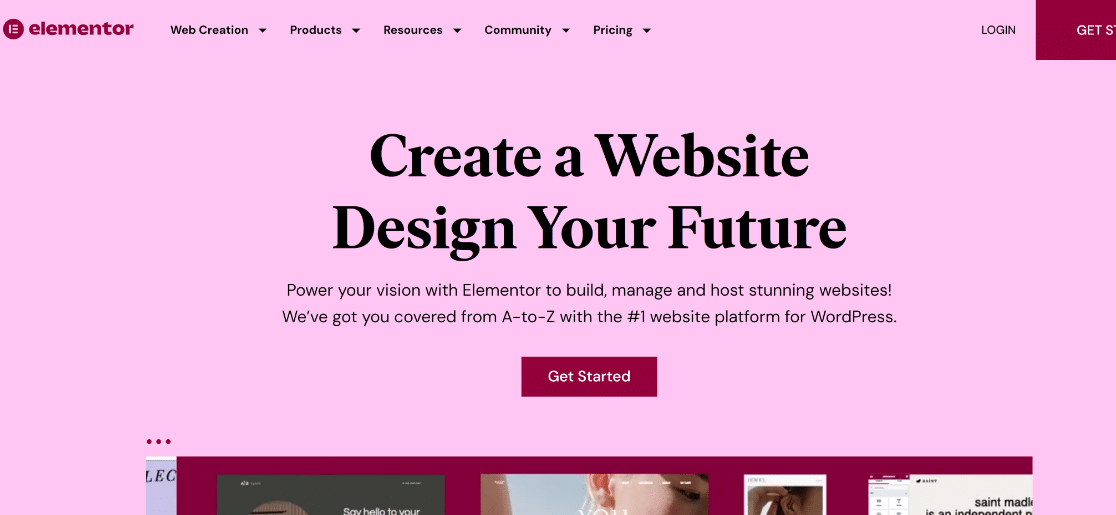
Ease of use: Very good for beginners and intermediate users. The interface is intuitive with 90+ widgets and 300+ pre-made templates. Advanced features (like custom sticky headers or complex interactions) sometimes require extra CSS or add-ons.
Theme building: Available in Elementor Pro only. The theme builder lets you design headers, footers, single post templates, and archive pages. Not available in the free version.
Performance: Elementor’s biggest historical weakness. The plugin loads a fair amount of CSS and JS, which can affect page speed. The “Assets on Demand” loading feature (Pro) helps significantly. Pairing with a caching plugin like WP Rocket reduces the impact.
Pricing (verified March 2026):
- Free: Yes — available on WordPress.org
- Essential (1 site): $59/year
- Advanced (3 sites): $99/year
- Expert (25 sites): $199/year
- Agency (1,000 sites): $999/year
All paid plans include the same features — differences are site limits and support response time only.
Watch out for: Elementor’s auto-renewal policy has drawn heavy criticism — the company does not refund accidental renewals even if the customer is no longer using the software. On Trustpilot, Elementor scores 3.2/5 from 815 reviews, with auto-renewals as the main complaint. Read the terms before subscribing.
Best for: Bloggers, small business owners, and anyone who wants the widest possible selection of third-party templates and add-ons.
best WordPress landing page builders
Divi — Best Value for Unlimited Sites
Divi has been building WordPress sites since 2013. That longevity shows — 2,500+ layout templates, a massive community, and arguably the most generous licensing structure of any major builder: $89/year covers unlimited websites.
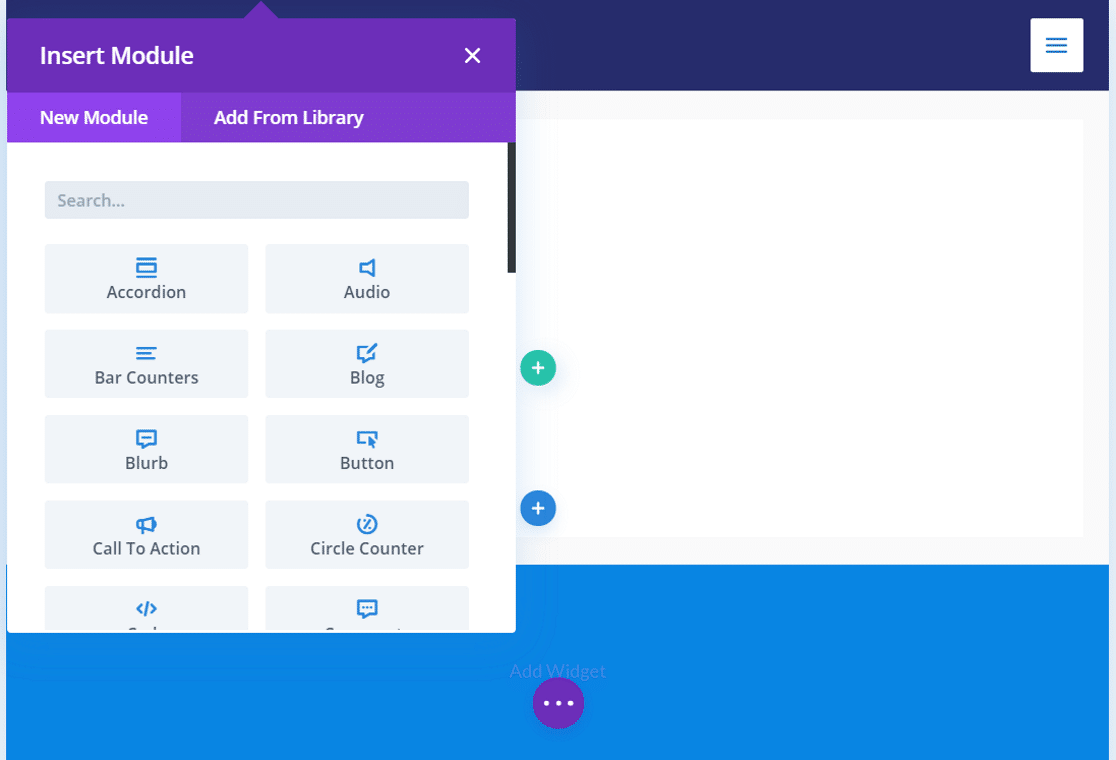
Ease of use: Functional but not modern. Divi’s interface is over a decade old, which means some tasks that newer builders handle through the UI require custom CSS or workarounds in Divi. The learning curve is real. That said, most common design tasks work reliably once you know the workflow.
Theme building: Full theme builder included in every plan. Headers, footers, blog post templates, archive pages, WooCommerce templates — all covered without any add-on.
Performance: Historically the slowest major builder for editing and front-end loading. Elegant Themes has acknowledged this publicly and is rebuilding the engine in Divi 5. Worth monitoring if performance is a priority — Divi 5 is a significant transition.
Pricing (verified March 2026):
- No free version — 30-day money-back guarantee
- Standard: $89/year — unlimited sites (includes Divi theme + builder + Extra theme + Bloom + Monarch plugins)
- Divi Pro: $277/year — adds Divi AI, Cloud storage, Dash manager, VIP support
- Lifetime: ~$224 one-time — unlimited sites, permanent license
Watch out for: Committing to Divi before Divi 5 is fully released. Divi uses a proprietary content format — switching away later requires manual cleanup of your content.
Best for: Agencies and freelancers managing multiple client sites, anyone who wants 2,500+ professional templates, and users who need unlimited-site licensing at the lowest annual cost.
Beaver Builder — Reliable and Lightweight
Beaver Builder has a reputation for one thing above everything else: stability. It ships clean code, rarely breaks things, and its support team responds quickly. WordPress.org reviewers rate it 4.8/5 from 373 reviews — for developers and agencies who can’t afford surprises on client sites, that consistency is worth a lot.
Ease of use: Clean, logical interface. Well-labeled. Great for beginners who want simplicity. Advanced features (like custom sticky headers) require code, similar to Elementor in that regard.
Theme building: Beaver Themer — previously a separate paid add-on — is now bundled with all paid Beaver Builder plans. This means headers, footers, archive templates, and WooCommerce page design are all covered in the standard paid package.
Performance: One of the lightest footprints among major builders. WP Rocket’s performance tests show Beaver Builder slightly faster than Elementor in controlled conditions. For smaller, less complex sites, the difference is noticeable.
Pricing (verified March 2026):
- Lite version on WordPress.org (very limited)
- Starter: $89/year — 1 site (includes page builder, Beaver Themer, BB Theme, WooCommerce support)
- Plus: $179/year — 3 sites, white labeling
- Professional: $299/year — 50 sites, priority support
- Unlimited: $546/year — unlimited sites
Watch out for: Beaver Builder’s feature set lags behind newer competitors. It doesn’t have a built-in form builder, popup builder, or the advanced styling options Breakdance or Bricks offer. If you need those, you’ll add third-party plugins.
Best for: Developers and agencies who prioritize stability, clean code, and fast support over cutting-edge features.
Bricks Builder — Developer-Friendly Powerhouse
Released in 2021, Bricks is now one of the fastest-growing page builders in the WordPress developer community. Built with Vue.js for a lean front end, it produces clean HTML output and includes a full theme builder in every plan.
Ease of use: Steeper learning curve than Elementor or SeedProd. Bricks is designed with developers and advanced users in mind. If you’re comfortable with CSS concepts like flexbox and grid, the interface clicks quickly. Complete beginners will feel the friction.
Theme building: Full native theme builder in every plan, no add-ons needed. Includes header, footer, archive templates, single post templates, WooCommerce page design, conditions, and dynamic content.
Performance: One of the cleanest-output builders available. The Vue.js foundation keeps the front end lightweight. Bricks is frequently cited in developer communities as a top performer for Core Web Vitals.
Pricing (verified March 2026):
- No free version
- Starter: $79/year — 1 site
- Business: $149/year — 3 sites
- Agency: $249/year — unlimited sites
- Ultimate Lifetime: $599 — unlimited sites, all future updates forever
All plans include identical features — only site limits differ. 60-day money-back guarantee.
Watch out for: Bricks has a smaller template library than Elementor or Divi. The community and ecosystem are growing fast, but third-party add-on support is not yet at the level of the older tools.
Best for: Developers, performance-focused site owners, and anyone building complex or dynamic websites who wants full control without sacrificing speed.
WordPress SEO internal links plugins
Breakdance — The Fast-Growing Newcomer
Breakdance launched around 2022, made by Soflyy — the same company behind WP All Import. It was designed specifically to address Elementor’s shortcomings: performance overhead, limitations in advanced styling, and add-on reliance. The result is one of the most capable free tiers in the builder market.
Ease of use: Very intuitive. Breakdance was built with beginner friendliness as a core design goal, and it shows. Advanced features — sticky headers, popup builders, form builders, menu builders — are all accessible through the interface without touching code.
Theme building: Full theme builder included in both free and paid plans. Headers, footers, global parts, templates — all built-in.
Performance: No significant performance complaints from the community, which is notable for a builder this capable. The lack of external add-on dependency (built-in form/popup/menu builders) keeps the plugin footprint lean.
Pricing (verified March 2026):
- Free: $0 — unlimited site activations, 80 elements, basic WooCommerce/forms/popups
- Pro Single Site: $99.99/year — 145 elements, full design library, dynamic data, premium support
- Pro Unlimited: $199.99/year — all Pro features, unlimited sites
- Agency: $799.99/year — reseller license, team member seats
Price-lock guarantee: the price you pay at signup is locked at renewal forever.
Watch out for: Breakdance has a smaller ecosystem than Elementor or Divi. Fewer third-party templates, fewer community tutorials. For users who rely on the plugin/theme marketplace, this is a real limitation right now.
Best for: Users migrating from Elementor who want better performance and built-in advanced features. Excellent choice for users who want a capable free tier with unlimited sites.
SeedProd — Best for Landing Pages and Non-Technical Users
SeedProd earns its 4.9/5 rating on WordPress.org by being genuinely easy to use. Its primary strength is landing pages, coming soon modes, and maintenance pages — areas where the experience is clearly purpose-built rather than adapted from a generic builder.
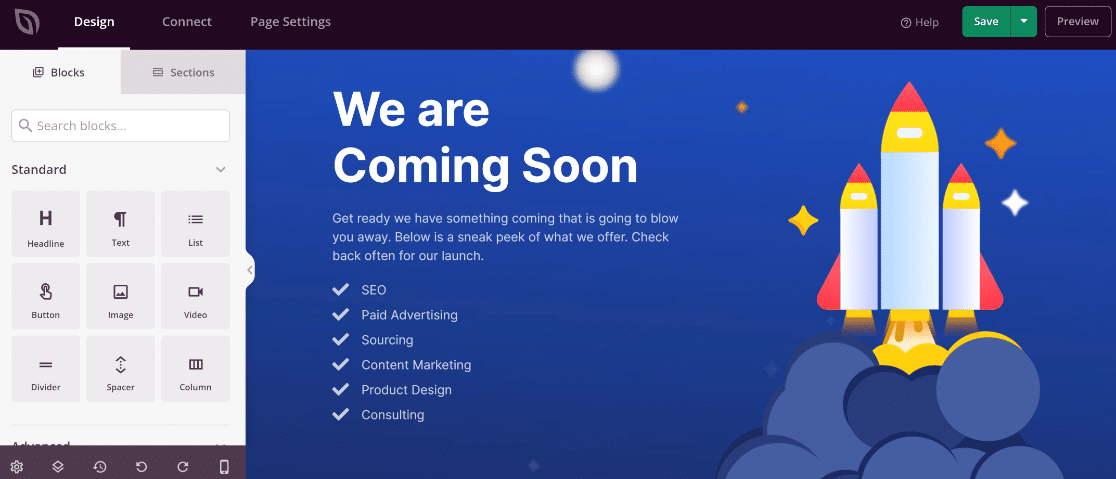
Ease of use: The lowest learning curve on this list. If you’ve never used a page builder, SeedProd is where to start. The interface is clean, the workflow is logical, and everything is labeled plainly.
Theme building: Available from the Plus plan ($199/year) and above. The free version and Basic plan do not include the WordPress theme builder. At the Plus level and up, you can build full site templates.
Performance: Minimal page speed impact — one of the lightest builders available. SeedProd’s focused feature set means less JavaScript and CSS loading.
Pricing (verified March 2026):
- Free: Yes — coming soon pages and basic landing pages on WordPress.org
- Basic: $79/year — 1 site (landing pages, no theme builder)
- Plus: $199/year — 3 sites, theme builder, website kits, stock photo library
- Pro: $399/year — 5 sites, dynamic text, Zapier integrations
- Elite: $599/year — 100 sites, full WooCommerce support
Note: Advertised prices often reflect ~50-60% introductory discounts. Renewals revert to full price. Confirm the current rate on the SeedProd website before committing.
Watch out for: SeedProd is primarily a landing page tool that added theme building later. For full-site design with advanced customization, Elementor or Bricks will give you more control at a similar or lower cost.
Best for: Non-technical users, bloggers building landing pages, anyone who needs a coming soon or maintenance mode with a polished look.
Themify Builder — Fast, Affordable, Overlooked
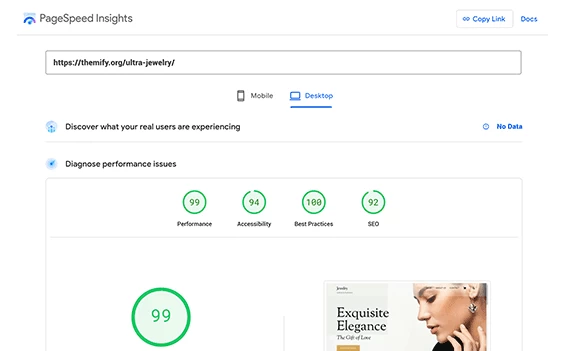
Themify has been in the WordPress ecosystem since 2010 and is consistently underrepresented in builder roundups. The Builder claims an ‘A’ score on both Google PageSpeed Insights and GTmetrix — performance claims that come with official screenshot evidence on the Themify website.
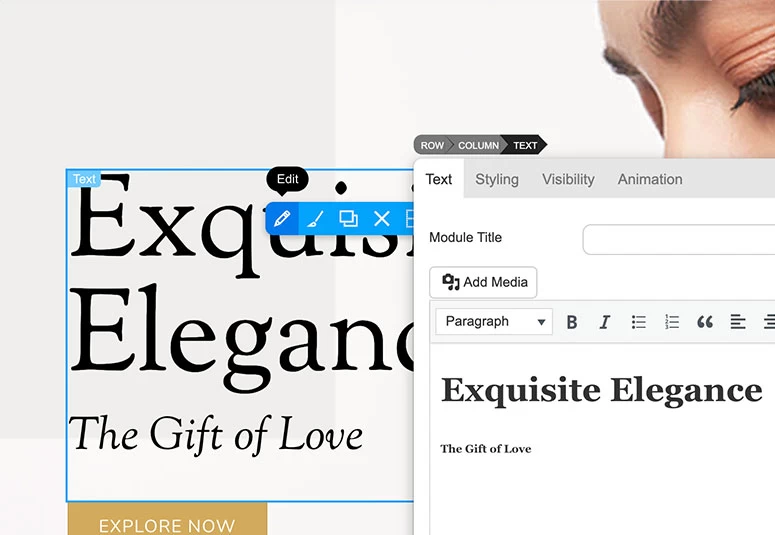
Ease of use: Has both a backend mode (for quick structural edits) and a live frontend mode. User reviews note the interface can be slightly non-intuitive compared to Elementor or SeedProd, but most users adapt quickly.
Theme building: Builder Pro (included in the Master Club) adds full header, footer, and template builder capabilities. The free Builder version on WordPress.org covers page building only.
Performance: Claims ‘A’ score on Google PageSpeed Insights and GTmetrix. The builder is lightweight, and Themify emphasizes fast-loading layouts as a core differentiator.
Pricing (verified March 2026):
- Free: Builder lite available on WordPress.org (no add-ons, no theme building)
- Master Club: $89/year — unlimited sites (all 42 Themify themes, Builder Pro, 25 add-ons, all plugins)
- Lifetime Club: $249 one-time — unlimited sites, lifetime updates
GPL license means downloaded files remain usable after membership ends — no updates or support after expiry.
Watch out for: Smaller community and fewer third-party resources compared to Elementor or Divi. No header/footer builder in the free version.
Best for: Budget-conscious users who want a reliable all-inclusive package with strong performance credentials and unlimited-site coverage.
Side-by-Side Comparison Table
All key dimensions in one place. Prices are as of March 2026 — verify before purchase.
| Builder | Free Tier | Entry Paid Price | Unlimited Sites | Theme Builder | WooCommerce | Best For |
|---|---|---|---|---|---|---|
| Elementor | Yes | $59/year (1 site) | $999/year | Pro only | Full (Pro) | Ecosystem, templates |
| Divi | No | $89/year (unlimited) | All plans | Included | Full | Multi-site, templates |
| Beaver Builder | Lite only | $89/year (1 site) | $546/year | Included (paid) | Full (paid) | Stability, agencies |
| Bricks | No | $79/year (1 site) | $249/year | Included | Full | Developers, performance |
| Breakdance | Yes (unlimited) | Free / $99.99/year | $199.99/year | Included (free+paid) | Full (Pro) | Free tier, performance |
| SeedProd | Yes (limited) | $79/year (1 site) | $599/year | Plus plan+ ($199) | Elite only ($599) | Landing pages, beginners |
| Themify | Lite only | $89/year (unlimited) | All plans | Builder Pro (Master Club) | Add-on available | Budget, unlimited sites |
Performance — Which Builders Won’t Hurt Your Core Web Vitals?
Page speed is an SEO ranking factor and a direct influence on bounce rates. The builder you choose affects your site’s performance — but the relationship is more nuanced than “builder X is fast, builder Y is slow.”
The core issue: Most page builders load CSS and JavaScript for all their elements on every page, even when those elements aren’t used. This is called “render-blocking bloat.” Some builders have addressed this with “assets on demand” loading; others haven’t.
Builders with strong performance reputations:
- Bricks — Vue.js-based, lightweight output, frequently cited in developer communities for clean Core Web Vitals scores
- Breakdance — No significant performance complaints from the growing community; built-in features reduce external plugin dependencies
- Beaver Builder — WP Rocket’s performance analysis found Beaver Builder slightly faster than Elementor in controlled conditions; lighter codebase overall
- Themify Builder — Claims an ‘A’ score on Google PageSpeed Insights and GTmetrix for layouts built with the tool (official claim with supporting visuals)
Builders that require more performance optimization:
- Elementor — Historically generates more CSS/JS than necessary; the “Assets on Demand” feature (Pro) significantly improves this. Pair with a good caching plugin.
- Divi — Historically the slowest of the major builders for both editing and front-end. Elegant Themes has acknowledged this and is addressing it in Divi 5.
Regardless of builder, you can improve performance with: a caching plugin (WP Rocket, LiteSpeed Cache, W3 Total Cache), a CDN, optimized images, and a lightweight hosting stack.
WooCommerce Support — Which Builder Handles Your Online Store?
Not all builders treat WooCommerce the same way. There’s a meaningful difference between “works with WooCommerce” (any builder can display products without breaking) and “full WooCommerce design control” (custom cart, checkout, product page, and My Account templates).
WordPress site management plugins
| Builder | WooCommerce Level | What’s Included |
|---|---|---|
| Elementor Pro | Full | Product pages, shop archive, cart, checkout, My Account templates |
| Divi | Full | Shop, product, cart, checkout design — WooCommerce modules included |
| Beaver Builder + Themer | Full | Full WooCommerce template control via Beaver Themer |
| Bricks | Full | Cart, checkout, product page builders + conditions + dynamic data |
| Breakdance Pro | Full | Complete WooCommerce builder built into Pro plans |
| SeedProd Elite | Standard | WooCommerce blocks, add-to-cart; full design requires Elite ($599/year) |
| Themify + WC Addon | Standard | WooCommerce product display addon available; full cart/checkout design limited |
For a serious WooCommerce store where you want full control of the checkout experience, Divi, Bricks, or Elementor Pro are the most capable options. Beaver Builder with Themer is also solid for agencies building client stores.
What Happens When You Deactivate a Builder?
Before committing to any page builder, it’s worth understanding one uncomfortable truth: some builders make it very difficult to leave.
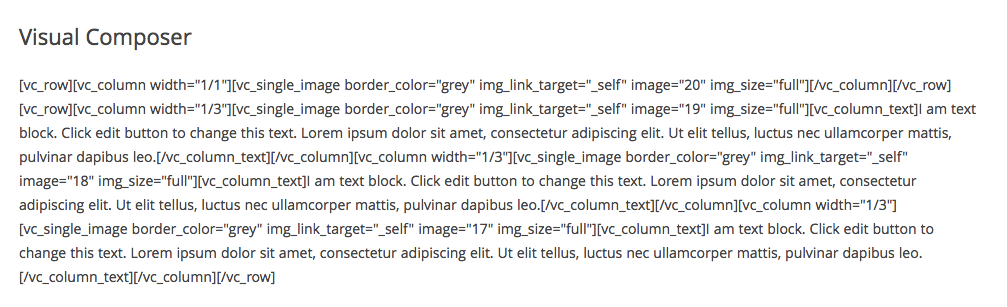
Shortcode lock-in was a major problem with older builders. WPBakery/Visual Composer (the predecessor tool) left extensive raw shortcode output on deactivation — pages that were readable in the builder became walls of [vc_row][vc_column] syntax in plain WordPress. Cleaning this up manually on a large site took hours or days.
Modern builders have largely moved away from shortcodes:
| Builder | Output Type | Portability | Lock-in Risk |
|---|---|---|---|
| Bricks | Standard HTML | High | Low |
| Breakdance | Standard HTML | High | Low |
| Beaver Builder | Clean HTML | High | Low |
| Elementor | Custom HTML/CSS attributes | Medium | Low-Medium |
| Divi | Proprietary format | Medium | Medium |
| SeedProd | Page-focused HTML | Medium | Low-Medium |
| WPBakery (legacy) | Shortcodes | Very Low | Very High |
If you plan to build a long-term site and want flexibility to migrate later, Bricks, Breakdance, and Beaver Builder produce the cleanest output. Divi’s proprietary format is functional but creates content coupling that complicates migration.
Which Builder Is Right for You?
The honest answer is: there isn’t one “best” builder. There’s the right builder for your specific situation.
best WordPress plugins for business sites
| Who You Are | Best Choice | Why |
|---|---|---|
| Complete beginner | Breakdance Free or Elementor Free | Zero cost, beginner-friendly, theme builder included (Breakdance free) or widely tutorialized (Elementor) |
| Blogger or content creator | Elementor Pro or Bricks | Full theme builder for post templates + archive layouts; large template library (Elementor) or clean performance (Bricks) |
| Small business owner | Elementor Pro or Divi | Professional templates, WooCommerce support, full theme building capability |
| WooCommerce store | Divi or Bricks | Full cart/checkout/product page design; Divi best for budget, Bricks best for performance |
| Agency / Freelancer | Divi ($89/year unlimited) or Bricks Lifetime ($599) | Divi: lowest annual cost for multi-site; Bricks: best long-term value with lifetime license |
| Developer | Bricks or Breakdance | Clean HTML output, full customization, no shortcode bloat |
| Budget-conscious | Breakdance Free or Themify Master Club | Breakdance free covers unlimited sites with theme building; Themify $89/year covers unlimited sites + all themes |
| Landing page focus | SeedProd Basic or Plus | Purpose-built landing page experience; 4.9/5 rating on WordPress.org |
FAQ — Frequently Asked Questions About WordPress Drag and Drop Theme Builders
What is the difference between a page builder and a theme builder in WordPress?
A page builder lets you design individual pages — home, about, landing pages. A theme builder goes further: it lets you design your entire site structure, including the header, footer, single post templates, archive pages, and WooCommerce templates. Many builders are page builders only in their free version and require a paid upgrade or add-on to unlock full theme building.
What is the best free WordPress drag and drop theme builder?
Breakdance offers the most capable free tier of any builder currently available — unlimited site activations, 80 elements, a full theme builder, and basic form and popup builders, all at no cost. Elementor’s free version is the most widely used, but it’s a page builder only in the free tier; theme building requires Elementor Pro.
Which drag and drop builder has the best templates?
Divi leads with 2,500+ layout templates bundled into 340+ layout packs. Elementor has 300+ templates natively plus thousands of third-party options available from the broader ecosystem. For the largest selection of professionally designed starting points, Divi and Elementor are still at the top.
Does using a page builder affect my SEO rankings?
A well-configured page builder does not hurt SEO. What matters for rankings is page speed (Core Web Vitals), mobile responsiveness, and clean HTML output — all of which depend on how you use the builder, not just which one you choose. Bricks and Breakdance are frequently cited by developers for their clean, lightweight output. Elementor and Divi can produce slower pages if not optimized with caching and performance plugins.
What happens to my content if I deactivate a page builder?
It depends on the builder. Modern tools like Bricks, Breakdance, and Beaver Builder output standard HTML — your content remains readable and intact after deactivation. Divi uses a proprietary format that creates closer coupling with your content. Legacy shortcode-based tools like WPBakery can leave pages filled with raw shortcode markup. Check a builder’s output format before committing to it for a long-term project.
Which builder works best with WooCommerce?
For full WooCommerce design control — cart, checkout, product page, My Account templates — Elementor Pro, Divi, Bricks, and Breakdance Pro are the strongest options. They all include native WooCommerce builders without additional plugins. SeedProd requires the Elite plan ($599/year) for full WooCommerce support.
How much do WordPress theme builders typically cost?
Annual pricing for a single-site license ranges from $59/year (Elementor Essential) to $99.99/year (Breakdance Pro). For unlimited sites, Divi and Themify both offer unlimited-site coverage at $89/year. One-time lifetime options include Bricks at $599 (unlimited sites, all future updates) and Divi Lifetime at approximately $224. Several builders — Breakdance, Elementor, SeedProd — offer free tiers with meaningful functionality.
Is Gutenberg a page builder or a theme builder?
Gutenberg is WordPress’s built-in block editor — a basic page builder by default. With Full Site Editing (FSE) enabled and a compatible block theme, Gutenberg can also function as a basic theme builder, letting you edit headers, footers, and templates. However, its visual design controls are significantly more limited than dedicated builders like Elementor, Divi, or Bricks. It’s a solid free starting point but not a replacement for a purpose-built theme builder.
Which builder is best for beginners with no coding experience?
SeedProd has the lowest learning curve of the tools reviewed here and earns a 4.9/5 rating on WordPress.org. Elementor Free and Breakdance Free are also excellent starting points — both have large tutorial libraries and intuitive interfaces. Divi and Beaver Builder work well for beginners too, though they take slightly longer to learn than the others.
Is there a lifetime license option for any of these builders?
Yes. Bricks offers an Ultimate Lifetime plan at $599 covering unlimited sites with all future updates. Divi offers a Lifetime license at approximately $224 for unlimited sites. Themify’s Lifetime Club is $249 for unlimited sites. These are strong options if you manage multiple websites and want to avoid annual renewal costs.
Wrapping Up
The WordPress drag and drop theme builder market has never been more competitive — and that’s good news for users. Older tools like Divi and Elementor are being pushed to improve by newer entries like Bricks and Breakdance. Free tiers are more capable than ever. Pricing is competitive across the board.
The most important step before choosing is to answer this honestly: do you need a page builder (individual pages only) or a full theme builder (headers, footers, global templates)? That single question filters half the options immediately.
After that: match the tool to your skill level, your site’s purpose, and your licensing situation. Try the free tiers before committing to a paid plan — Breakdance and Elementor both offer meaningful free experiences that let you evaluate before spending.
