



Most WordPress users hit the same wall at some point. You find a theme you like, install it, and then discover you can’t move the header, change the footer layout, or control how your blog post pages actually look — at least not without digging into code. That frustration is exactly what WordPress theme builders are designed to solve.
A theme builder gives you visual control over your entire website — not just individual pages, but every template your site uses: headers, footers, archive pages, single post layouts, and WooCommerce product pages. This guide covers seven of the best options in depth, with verified pricing, performance comparisons, vendor lock-in risk, and an honest take on which tool fits which situation.
Choosing between builder types can be confusing — if you’re also evaluating standalone page builders, see our WordPress page builders guide for a separate comparison.
What You Need to Know First
Before diving into individual tools, here’s a quick reference to help you orient. The table below compares all seven builders covered in this guide.
| Builder | Best For | Starting Price | Free Option | Lock-In Risk |
|---|---|---|---|---|
| Elementor | Creative freedom + large ecosystem | $49/yr (1 site) | Yes (limited) | Medium |
| Divi | Maximum design control + lifetime value | $89/yr (unlimited) | No | High |
| Beaver Builder | Agencies + clean code output | $89/yr (1 site) | No | Low |
| SeedProd | Business owners, no-code speed | $199/yr (3 sites, theme builder) | Yes (no theme builder) | Low–Medium |
| Thrive Suite | Marketers + conversion-focused sites | $299/yr (5 sites) | No | Medium–High |
| Bricks Builder | Developers + performance-first sites | $79/yr (1 site) | No | Low |
| Kadence | Speed + native Gutenberg workflow | $169/yr (full theme builder) | Yes (theme + blocks) | Very Low |
Prices verified March 2026 from official sites. All billed annually unless noted. Verify current pricing before purchasing.
Quick decision guide:
- Non-developer who wants a full site fast → SeedProd or Elementor Pro
- Developer building client sites → Bricks Builder or Beaver Builder
- WooCommerce store → Elementor Pro or Divi
- Minimal lock-in, zero extra plugins → Kadence + WordPress FSE
- Marketing-focused blog or course site → Thrive Suite
- Best lifetime value → Divi or Bricks Builder
Theme Builder, Page Builder, or Theme — What’s the Difference?
The terminology gets confusing fast, and the distinction genuinely matters before spending money.
A traditional WordPress theme controls your site’s visual appearance — typography, colors, overall layout. But most themes give you limited control over structure. You can adjust things, but you’re working within fixed constraints.
A page builder (like the free version of Elementor or Beaver Builder without Beaver Themer) lets you design individual pages visually — a landing page, a home page, a services page. It does not touch global site elements like your header or footer.
A theme builder goes further. It lets you visually design every repeating template your WordPress site uses:
- The global header and footer
- Single post and single page layouts
- Archive pages (blog index, category, tag, author)
- WooCommerce product pages, shop archive, cart, and checkout
- 404 error pages, search results pages
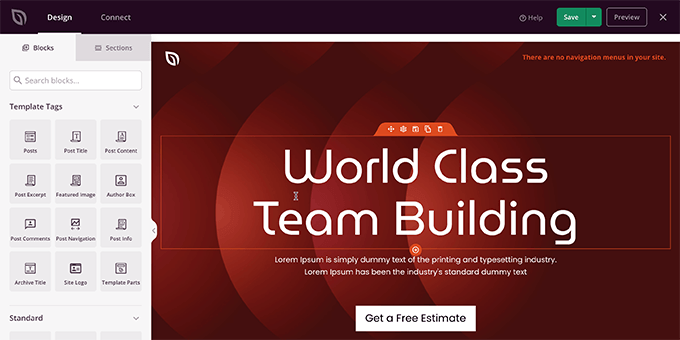
One thing worth understanding: some tools are page builders that offer theme building as an add-on. Beaver Builder is one example — the base plugin handles pages, while the Beaver Themer add-on enables header/footer and template editing. (The good news: Beaver Themer is now included in all Beaver Builder paid plans.)
There’s also a fourth option worth considering: WordPress Full Site Editing (FSE), which is WordPress’s own built-in answer to theme builders. More on that later in this guide.
If you’re still deciding between using a theme vs. a theme builder entirely, our guide to WordPress themes covers what themes actually control and where they fall short.
The 7 Best WordPress Theme Builders Compared
The following seven builders cover a wide range of user types — from absolute beginners to professional developers. Each profile includes verified pricing, honest pros and cons, and a clear “best for” assessment.
1. Elementor Pro — Most Popular for Good Reason
Elementor is the most widely used WordPress builder in the world, and that popularity brings real advantages: a massive template library, a huge ecosystem of third-party add-ons, and an enormous community of tutorials and support resources.
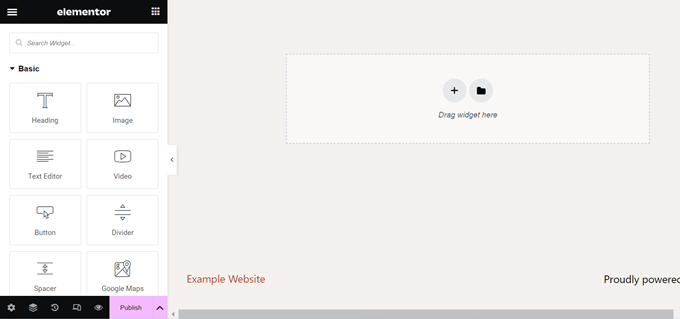
The free version of Elementor is genuinely useful for page design, giving you access to 30+ core widgets. But the theme builder — which lets you design headers, footers, and post templates — requires the paid Pro plan. At $49/year for a single site (Essential plan), Elementor Pro is one of the more affordable entry points in this list.
| Elementor Pro: Pros | Elementor Pro: Cons |
|---|---|
| ✅ Free version is a genuine starting point | ❌ Theme builder locked behind paid plan |
| ✅ 100+ widgets, massive template library | ❌ CSS class-heavy output can affect page weight |
| ✅ Built-in popup builder, form builder, loop builder | ❌ Large feature set creates real learning curve |
| ✅ Huge third-party add-on ecosystem | ❌ Can slow sites without proper caching + optimization |
| ✅ Strong WooCommerce template support | ❌ No lifetime plan option |
Pricing (verified March 2026, source): Essential $49/yr (1 site) | Expert $199/yr (25 sites) | Studio $499/yr (100 sites)
Performance note: Elementor’s code output has improved significantly with its Flexbox Container mode. With proper image optimization and a caching plugin, most Elementor sites can achieve solid Core Web Vitals scores — but it does require deliberate effort.
Best for: Users who want near-limitless creative control and access to a large ecosystem of extensions, templates, and community resources.
Not ideal for: Developers who prioritize minimal code output, or anyone who needs the absolute fastest page load without extra optimization work.
2. Divi — Maximum Design Control with a Lifetime Option
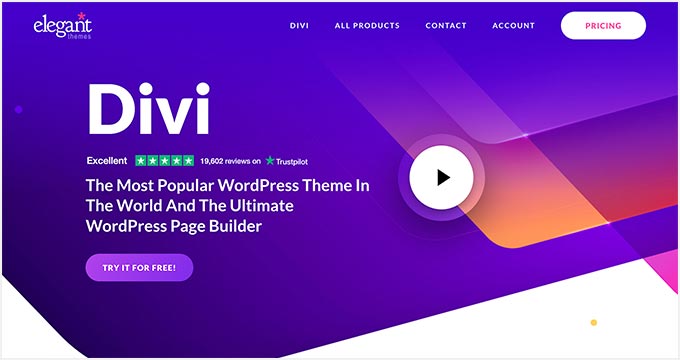
Divi from Elegant Themes has been one of the most popular WordPress builders for over a decade. Its main appeal is the all-in-one package: the Divi theme and the Divi Builder come together, with access to 200+ layout packs and a real-time front-end editor.
| Divi: Pros | Divi: Cons |
|---|---|
| ✅ Lifetime plan available — excellent long-term value | ❌ Shortcode lock-in — switching builders later leaves messy content |
| ✅ 200+ layout packs, very large design library | ❌ Code output has inline styles and shortcode reliance |
| ✅ Built-in A/B split testing | ❌ Interface feels dated compared to newer builders |
| ✅ $89/year covers unlimited sites | ❌ Can feel overwhelming with so many options |
Pricing (verified March 2026, source): Standard $89/yr (unlimited sites) | Pro $277/yr (adds Divi AI + Cloud + VIP support) | Lifetime available — check current price at elegantthemes.com
The lock-in reality: Divi stores content in the WordPress database using its own shortcode format. If you ever decide to switch away from Divi, those shortcodes remain in your pages and posts as raw code strings. This is the single biggest reason experienced developers tend to avoid recommending Divi for client sites — but if you know you’re committed to the ecosystem long-term, the lifetime plan offers excellent value.
Best for: Designers who want full creative freedom and plan to stay with Divi long-term; the lifetime plan is particularly appealing for agencies or power users managing multiple personal sites.
Not ideal for: Anyone who might want to switch builders later, or developers who need clean semantic HTML output.
3. Beaver Builder — The Agency Developer’s Reliable Workhorse
Beaver Builder occupies a specific niche: it’s the tool developers and agencies reach for when they need stability, clean code, and the confidence that client sites won’t break. The interface isn’t flashy, but it does exactly what it promises.
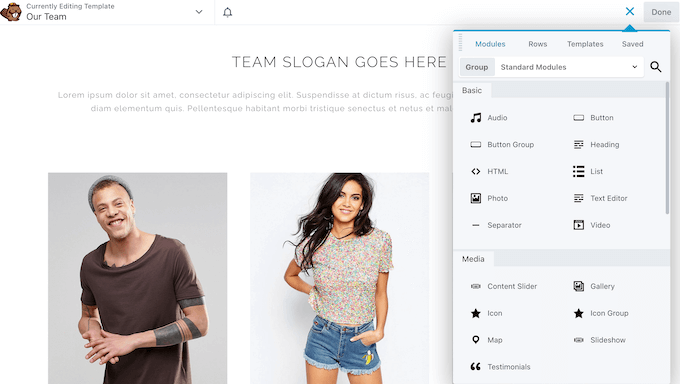
One important update: the Beaver Themer add-on — which enables header, footer, and template editing — is now included in all paid Beaver Builder plans (verified at wpbeaverbuilder.com). Earlier reviews, including several competitor articles still indexed in search, list it as a $147 separate purchase — that information is outdated.
| Beaver Builder: Pros | Beaver Builder: Cons |
|---|---|
| ✅ Clean HTML output — leaves no shortcode residue on deactivation | ❌ Fewer templates than Elementor or Divi |
| ✅ Stable and predictable performance | ❌ Interface design feels dated |
| ✅ White labeling available on Unlimited plan | ❌ No lifetime plan |
| ✅ Beaver Themer now included in all paid plans | ❌ Smaller community than Elementor |
| ✅ Save and reuse layouts across projects |
Pricing (verified March 2026, source): Starter $89/yr (1 site) | Plus $179/yr (3 sites) | Professional $299/yr (50 sites) | Unlimited $546/yr (unlimited + white labeling)
Best for: Agencies and developers who need reliable, clean-coded results and low lock-in risk for client sites.
Not ideal for: Solo bloggers or personal site owners — the price-to-value is less compelling at the lower end without the agency workflow benefits.
4. SeedProd — Best for Business Owners Who Want Speed
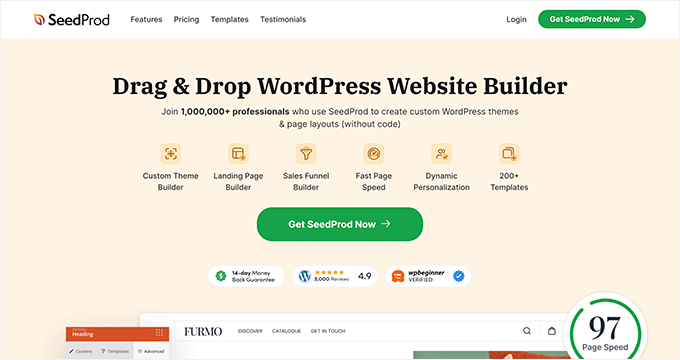
SeedProd comes at the theme builder market from a slightly different angle. It started as a landing page builder and grew into a full site builder with a strong focus on business-oriented features: lead generation blocks, email marketing integrations, and AI-powered design tools.
| SeedProd: Pros | SeedProd: Cons |
|---|---|
| ✅ Lightweight, fast page output | ❌ Theme builder requires Plus plan ($199/yr) or above — Basic doesn’t include it |
| ✅ AI website builder for fast site generation | ❌ Smaller third-party ecosystem than Elementor |
| ✅ Built-in lead generation + email marketing integrations | ❌ WooCommerce features locked behind Elite plan |
| ✅ Good WooCommerce block support (Elite tier) | ❌ No lifetime plan |
Pricing (verified March 2026, source): Basic $79/yr (1 site — no theme builder) | Plus $199/yr (3 sites — theme builder included) | Pro $399/yr (5 sites) | Elite $599/yr (100 sites + full WooCommerce)
Note: The Basic plan at $79/year is a page builder, not a theme builder. If theme-level control is your goal, the Plus plan ($199/year) is the starting point.
Best for: Business owners and entrepreneurs who want a visually polished site, built fast, without touching code — and who value business-specific tools like opt-in forms and countdown timers alongside design features.
5. Thrive Theme Builder — Built for Conversion-Focused Marketers
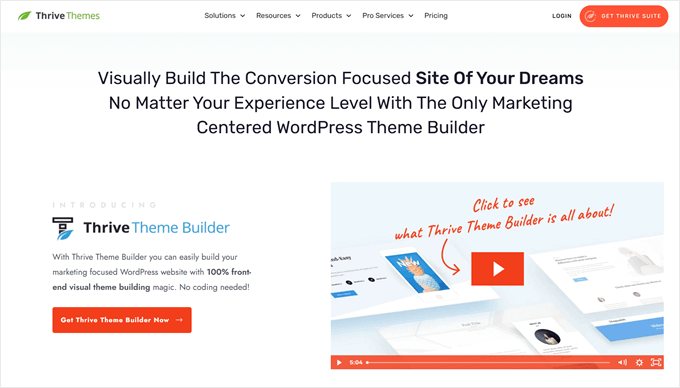
Thrive Theme Builder isn’t sold as a standalone product. It’s part of the Thrive Suite — a collection of eight-plus tools designed to work together for building marketing-oriented websites. That context matters: if you need just a theme builder, Thrive is expensive. If you need a theme builder plus opt-in tools, quiz builders, A/B testing, and a course platform, the price-per-tool calculation changes entirely.
| Thrive Theme Builder: Pros | Thrive Theme Builder: Cons |
|---|---|
| ✅ Bundled with 8+ marketing tools (A/B testing, opt-ins, quizzes, courses) | ❌ Only available as part of Thrive Suite — can’t buy standalone |
| ✅ Site setup wizard simplifies brand consistency | ❌ $299/year is expensive if you mainly need a theme builder |
| ✅ Deep integration between all Thrive tools | ❌ Limited WooCommerce support compared to Elementor or Divi |
| ✅ New tools added to suite at no extra cost | ❌ Higher lock-in risk from Thrive shortcodes |
Pricing (verified March 2026, source): Annual $299/yr (5 sites) | Quarterly $149/quarter | Agency $49/month billed annually = ~$588/yr (50 sites)
Best for: Bloggers, course creators, and marketers who want an integrated platform for building and growing an audience — not just a design tool.
Not ideal for: WooCommerce store owners, or anyone who wants to minimize plugin lock-in risk.
6. Bricks Builder — The Developer-First Alternative Growing Fast
Ask in any WordPress developer community which builder they’d recommend in 2025–2026, and Bricks Builder keeps coming up. It’s not as well-known as Elementor or Divi, but among developers who care about code quality, performance, and long-term portability, it’s become a serious contender.
Unlike most builders, Bricks is a theme, not a plugin. You activate Bricks as your active theme, and then use its visual editor to design every template. That distinction matters for performance — there’s no theme-plugin interplay; Bricks is what outputs your HTML.
| Bricks Builder: Pros | Bricks Builder: Cons |
|---|---|
| ✅ Very clean semantic HTML output — no shortcode lock-in | ❌ Higher learning curve than Elementor or SeedProd |
| ✅ No feature gating — all features in all plans | ❌ Smaller template library |
| ✅ $599 lifetime plan (unlimited sites) | ❌ As a theme, switching away requires rebuilding your site |
| ✅ Strong support for dynamic content (ACF, custom fields) | ❌ Smaller community than Elementor |
| ✅ 60-day money-back guarantee | |
| ✅ Staging sites don’t count against license |
Pricing (verified March 2026, source): Starter $79/yr (1 site) | Business $149/yr (3 sites) | Agency $249/yr (unlimited) | Lifetime $599 one-time (unlimited)
Best for: Developers, technically confident users, and agencies who want professional-quality code output, no lock-in risk, and excellent value on the lifetime plan.
Not ideal for: Complete beginners who need hand-holding through the design process — Bricks rewards users who invest time in learning it.
For a deeper look at this builder’s capabilities and workflow, see our Bricks Builder in-depth review.
7. Kadence WP — Speed-First, Gutenberg-Native
Kadence has gone from a niche favorite to a widely recommended option among performance-focused WordPress builders. Its central advantage is how it handles CSS: instead of loading a large stylesheet for the entire site, Kadence’s selective CSS loading outputs only the styles actually used on the current page. On content-heavy sites, this difference in page weight is meaningful.
The free Kadence theme and Kadence Blocks plugin are genuinely useful without paying anything. The Kadence Pro bundle (starting at $169/year) unlocks the header/footer builder, advanced design features, and enhanced WooCommerce support — making it a full theme builder.
| Kadence: Pros | Kadence: Cons |
|---|---|
| ✅ Best-in-class performance — selective CSS loading per page | ❌ Full theme builder requires Plus plan ($169/yr) |
| ✅ Free theme + free blocks plugin — strong starting point | ❌ Less visual and “design-canvas” compared to Elementor/Divi |
| ✅ Native Gutenberg integration — zero block editor conflicts | ❌ Smaller third-party ecosystem |
| ✅ Lifetime plan available ($899 for 25 sites) | ❌ WooCommerce full support requires Ultimate plan |
| ✅ Extremely low vendor lock-in (uses native WP blocks) |
Pricing (verified March 2026, source): Free | Express $69/yr (3 sites) | Plus $169/yr (10 sites — full theme builder) | Ultimate $299/yr (25 sites) | Lifetime $899 one-time (25 sites)
Best for: Speed-conscious site owners and developers who prefer working within the native WordPress block editor and want minimal plugin lock-in.
Not ideal for: Users who want a fully visual “design canvas” experience or who need a large library of pre-built templates to start from.
Performance Comparison — How Each Builder Affects Your Site Speed
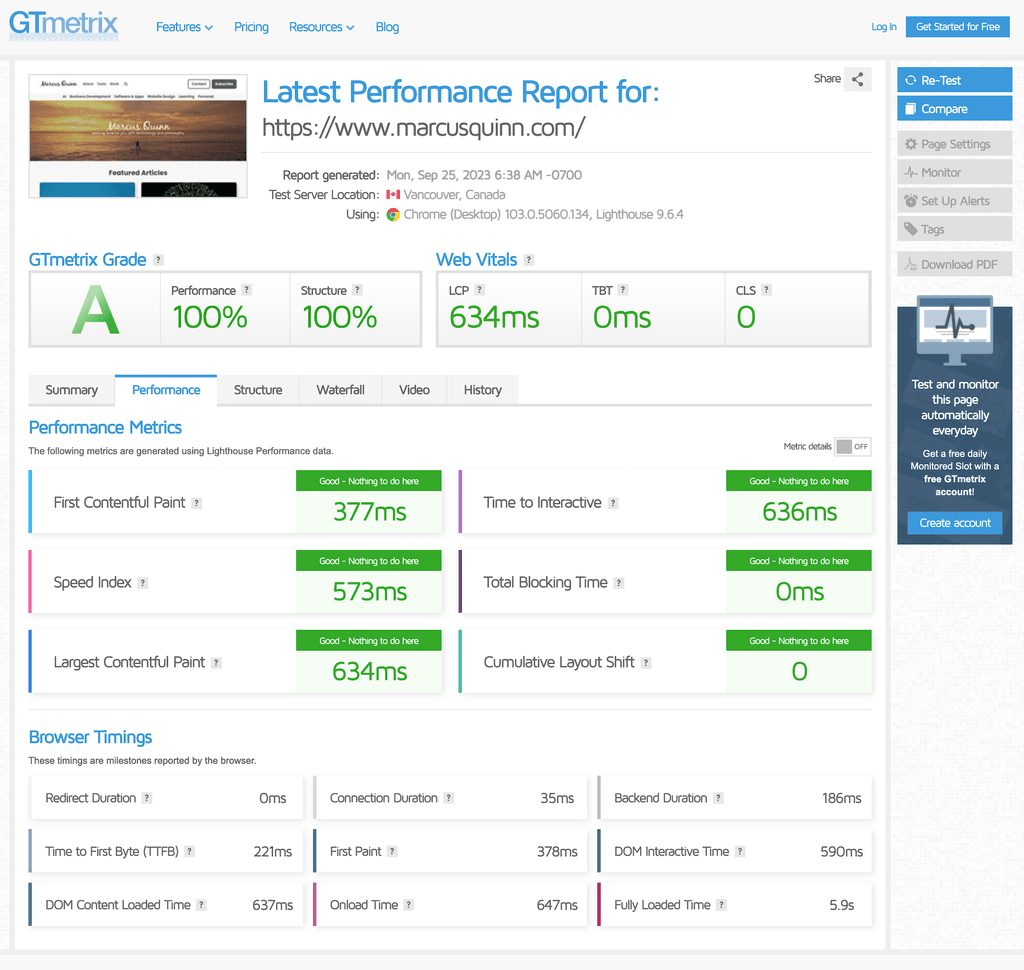
Site speed affects search rankings, conversion rates, and user experience. Theme builders contribute to performance in two main ways: the quality of their HTML output, and how much CSS and JavaScript they load per page.
For context on what you can do after choosing a builder, our WordPress speed optimization guide covers caching, image optimization, and server configuration.
| Builder | Code Quality | CSS Approach | Inline Styles | Core Web Vitals Friendliness |
|---|---|---|---|---|
| Kadence | Very High | Selective — loads only CSS used on page | Minimal | Excellent |
| Bricks Builder | Very High | Semantic HTML, clean per-element CSS | No | Excellent |
| Beaver Builder | High | Standard CSS classes, minimal bloat | No | Good |
| SeedProd | High | Lightweight, minimal dependencies | No | Good |
| Elementor | Medium | CSS class-heavy; Flexbox mode available | Limited | Moderate (manageable with optimization) |
| Thrive Theme Builder | Medium | Marketing tool CSS dependencies | Partial | Moderate |
| Divi | Low–Medium | Inline styles + shortcode-generated CSS | Yes | Requires extra optimization |
It’s worth saying: “slower” builders aren’t necessarily slow sites. A well-configured Elementor or Divi site with good hosting, a caching plugin, and image optimization can still score well on Core Web Vitals. But you’ll need to put in more deliberate effort compared to starting with Kadence or Bricks Builder.
What You’ll Actually Pay — A 3-Year Cost View
Annual price tags understate what most users end up spending. Here’s a more realistic picture, factoring in renewal pricing, lifetime options, and which plans actually include the features you need.
| Builder | Free Tier | Lowest Paid w/ Theme Builder | Lifetime Option | ~3-Year Cost (single site, annual) |
|---|---|---|---|---|
| Elementor | Yes (no theme builder) | $49/yr (Essential) | No | ~$147 |
| Divi | No | $89/yr (unlimited sites) | Yes (unlimited sites) | ~$267 (annual) or lifetime price |
| Beaver Builder | No | $89/yr (Starter, 1 site — Themer included) | No | ~$267 |
| SeedProd | Yes (no theme builder) | $199/yr (Plus — theme builder included) | No | ~$597 |
| Thrive Suite | No | $299/yr (5 sites, full suite) | No | ~$897 |
| Bricks Builder | No | $79/yr (Starter, 1 site) | $599 (unlimited) | ~$237 (annual) or $599 (lifetime) |
| Kadence | Yes (free theme + blocks) | $169/yr (Plus — full theme builder) | $899 (25 sites) | ~$507 (annual) or $899 (lifetime) |
Prices verified March 2026. Annual estimates assume consistent pricing across renewal years, which may vary. For Divi and Bricks lifetime plans, check current pricing on official sites.
A few observations worth highlighting:
- Elementor Pro at $49/year is the most affordable entry point for a single site with full theme building capabilities.
- Divi’s unlimited sites at $89/year is strong value for agency use or anyone managing multiple personal sites.
- Thrive Suite is expensive in isolation but includes 8+ tools — if you’d otherwise pay for quiz builders, A/B testing, and opt-in tools separately, the math can work out.
- Bricks Builder’s lifetime plan at $599 (unlimited sites) is arguably the best long-term value for developers managing multiple client sites.
If you’re budgeting for a full WordPress setup, our overview of typical WordPress plugin costs gives useful context beyond just the theme builder.
Vendor Lock-In — What Happens When You Want to Switch
Most buyers don’t think about this question until they need to. What actually happens to your WordPress content if you decide to change theme builders?
The answer varies significantly by tool:
| Builder | What’s Left Behind on Deactivation | Lock-In Level | Content Portability |
|---|---|---|---|
| Kadence | Native WordPress blocks — readable and portable | Very Low | Very High |
| Bricks Builder | Clean HTML — Bricks is the theme itself | Low | High |
| Beaver Builder | Clean HTML — no shortcodes in database | Low | High |
| SeedProd | Standard HTML with SeedProd block references | Low–Medium | Medium |
| Elementor | Elementor JSON block markup in database | Medium | Medium |
| Thrive Theme Builder | Thrive shortcodes + proprietary block markup | Medium–High | Low |
| Divi | Divi shortcodes throughout all post/page content | High | Low |
Practical advice if you’re considering Divi or Thrive: These tools can produce excellent websites, but if there’s any chance you might switch to a different builder in the future, set up a staging site, test what deactivating the plugin actually looks like, and decide whether that’s acceptable before committing.
Which Theme Builder Is Right for You?
Here’s a decision matrix based on common user profiles:
Not sure whether a theme builder is even the right direction? Our guide on how to choose a WordPress theme covers the decision from the ground up.
| Your Situation | Recommended Builder | Key Reason |
|---|---|---|
| Beginner, personal blog or portfolio | Kadence (free) or Elementor (free start) | Free tiers are genuinely functional; easy to learn |
| Small business owner, no coding experience | SeedProd Plus or Elementor Pro (Essential) | Business-ready templates, visual builder, fast setup |
| WooCommerce store owner | Elementor Pro or Divi | Most complete WooCommerce template support |
| Blogger or online course creator | Thrive Suite | Built-in opt-ins, quizzes, A/B testing, and courses |
| Developer building client sites | Bricks Builder or Beaver Builder | Clean code output, low lock-in, agency features |
| Performance-critical or SEO-focused site | Kadence Pro or Bricks Builder | Best Core Web Vitals performance out of the box |
| Budget-first, long-term use (single site) | Elementor Pro Essential ($49/yr) | Lowest annual cost with full theme building |
| Long-term, multi-site use (lifetime value) | Bricks Builder Lifetime ($599) or Divi Lifetime | No annual fees once paid |
WooCommerce Theme Builders — What to Look For
Running an online store adds specific template requirements that not every theme builder handles equally well. Beyond the product page, a WooCommerce store needs custom templates for the shop archive, cart, checkout, and account pages to maintain design consistency.
| Builder | Product Page | Cart / Checkout | Shop Archive | My Account |
|---|---|---|---|---|
| Elementor Pro | ✅ Full | ✅ Full | ✅ Full | ✅ Full |
| Bricks Builder | ✅ Full | ✅ Full | ✅ Full | ✅ Full |
| Divi | ✅ Full | ✅ Full | ✅ Full | ⚠️ Partial |
| SeedProd (Elite) | ✅ Full | ✅ Full | ✅ Full | ✅ Full |
| Beaver Themer | ✅ Full | ✅ Full | ✅ Full | ⚠️ Partial |
| Kadence (Ultimate) | ✅ Full | ⚠️ Partial | ✅ Full | ⚠️ Partial |
| Thrive Theme Builder | ⚠️ Partial | ❌ Limited | ⚠️ Partial | ❌ No |
If WooCommerce is central to your site, Elementor Pro and Bricks Builder offer the most complete store template coverage. Thrive Theme Builder is the weakest option for ecommerce — it’s designed for content marketing, not product-driven stores.
Should You Use WordPress Full Site Editing Instead?
WordPress has built its own answer to theme builders directly into core. Full Site Editing (FSE) — available with any block theme, like the default Twenty Twenty-Four — lets you design headers, footers, post templates, and archive layouts using the same block editor you already use for writing posts.
What FSE can do today (WordPress 6.x):
- Edit site-wide templates: header, footer, single post, archive, 404, search results
- Create reusable template parts (separate header blocks, footer variants)
- Apply style variations across the entire site from one place
- Build query loops for custom post grids and archives
- Use synced patterns (formerly “reusable blocks”) across templates
When FSE makes sense:
- You’re building a new site from scratch and comfortable with the block editor
- Performance is a top priority and you want to avoid any plugin overhead
- You want absolute zero plugin lock-in — FSE content is pure WordPress
- You’re a developer who prefers working with theme.json and block patterns
When a dedicated theme builder still makes sense:
- You need a large library of pre-built designs to start from
- You want marketing tools (opt-ins, popups, A/B testing) integrated into your design workflow
- Your clients or team are non-technical and need a more guided visual editor
- You need advanced WooCommerce template control beyond what block themes currently provide
FSE has improved significantly with each WordPress release and is a legitimate choice for new builds. For existing sites with complex layouts and content already created in a theme builder, the practical migration cost usually makes switching to FSE impractical unless you’re rebuilding anyway.
For a more detailed breakdown of what’s possible without plugins, see our guide to WordPress Full Site Editing.
Frequently Asked Questions About WordPress Theme Builders
Do I need coding knowledge to use a WordPress theme builder?
No. All major theme builders covered here — Elementor, Divi, Beaver Builder, SeedProd, and Kadence — provide visual drag-and-drop editors. Bricks Builder has a higher learning curve but still requires no code at a basic level. The exception is developers who want to extend these tools with custom code — that’s optional, not required.
What is the difference between a WordPress theme builder and a page builder?
A page builder lets you design individual pages (the content area). A theme builder gives you control over site-wide templates — headers, footers, archive pages, single post layouts, and WooCommerce templates. Some tools (like Beaver Builder) are page builders that come with a theme building component (Beaver Themer) for full-site control.
Which WordPress theme builder is best for speed and performance?
Kadence and Bricks Builder consistently produce the cleanest, fastest code output. Kadence’s selective CSS loading is particularly effective — it only loads the CSS actually used on each page, reducing file size and improving Time to First Byte. Beaver Builder and SeedProd are also strong performers. Elementor and Divi require more deliberate optimization to hit strong Core Web Vitals scores.
What happens to my content if I deactivate a theme builder?
It depends entirely on the builder. Divi and Thrive leave their proprietary shortcodes in your post and page content database, which renders as raw code strings if the plugin is deactivated. Beaver Builder, Bricks Builder, and Kadence leave clean HTML or native WordPress blocks — deactivating them doesn’t corrupt your content.
Do WordPress theme builders work with WooCommerce?
Most do, to varying degrees. Elementor Pro and Bricks Builder offer the most complete WooCommerce template coverage — product pages, cart, checkout, shop archive, and My Account. Thrive Theme Builder has the weakest WooCommerce support and isn’t recommended for store-driven sites.
Are WordPress theme builders good for SEO?
Theme builders don’t directly influence search rankings, but their impact on page speed does. Google uses Core Web Vitals as a ranking factor, and builders that produce bloated HTML or heavy CSS files can pull those scores down. Kadence and Bricks Builder are the strongest performers on this front. Any builder can achieve good scores with proper hosting, caching, and image optimization — but some require more effort than others to get there.
Can I use a WordPress theme builder with any existing theme?
It depends. Elementor, Beaver Builder, SeedProd, and Kadence work as plugins installed on top of your existing WordPress theme — though for full site control, they typically work best with their own companion themes or lightweight base themes. Divi and Bricks Builder replace your theme entirely — they are the theme.
What is the most affordable WordPress theme builder?
For a single site, Elementor Pro’s Essential plan at $49/year is the most affordable entry point that includes a full theme builder. For unlimited sites on an annual basis, Divi at $89/year is exceptional value. For lifetime cost over 3+ years, Bricks Builder’s $599 lifetime plan (unlimited sites, all features included) can be the most cost-effective for developers or agencies.
Is WordPress Full Site Editing (FSE) a good free alternative to a theme builder plugin?
Yes, for the right use case. FSE has matured significantly in WordPress 6.x and supports full header, footer, template, and pattern editing with zero plugin dependency. It’s best suited for new builds where the developer is comfortable with the block editor and theme.json. For non-technical users or existing sites with complex content requirements, a dedicated theme builder plugin is usually the more practical path.
Which theme builder is best for small business websites?
SeedProd Plus and Elementor Pro are both well-suited for small business sites — they offer business-oriented templates, visual drag-and-drop design, and clear setup workflows that don’t require technical knowledge. Elementor’s $49/year Essential plan makes it particularly accessible for small businesses building a single site.
Key Takeaways
There’s no single “best” WordPress theme builder — there’s the right one for your specific situation. A few principles worth keeping in mind when making the decision:
- Performance matters long-term. Kadence and Bricks Builder produce the fastest, cleanest code. Elementor and Divi can perform well but require more optimization effort.
- Consider lock-in before committing. Divi has the highest lock-in risk. Kadence and Beaver Builder have the lowest. This matters more the longer you use the tool.
- Annual vs. lifetime pricing changes the calculation. For ongoing single-site use, Elementor Pro at $49/year is the most affordable. For multi-site long-term use, Divi’s and Bricks Builder’s lifetime options can save significant money.
- WooCommerce changes the shortlist. If ecommerce is central to your project, prioritize Elementor Pro or Bricks Builder — both offer the most complete store template coverage.
- WordPress FSE is worth evaluating for new builds. If you’re starting fresh and comfortable with the block editor, FSE eliminates plugin dependency entirely and has become genuinely capable across WordPress 6.x releases.
If you decide a traditional theme still fits your project better, our list of recommended WordPress themes covers well-supported options by use case.
