



Most roundups of business WordPress themes hand you a list of 30 options and wish you luck. That approach buries your actual decision under an avalanche of options that all claim to be “fast, flexible, and beginner-friendly.” What they don’t do is help you figure out which theme fits the specific kind of business you’re running.
This guide takes a different angle. Before reviewing each theme, there’s a use-case matching table that points consultants toward different picks than ecommerce store owners, and agencies toward different options than local service businesses. Each theme review then covers real install counts and ratings from WordPress.org, verified pricing, honest trade-offs, and FSE (Full Site Editing) compatibility — information that’s largely absent from competitor roundups. Nine themes are covered in depth: Astra, GeneratePress, Neve, Kadence, Blocksy, OceanWP, Divi, SeedProd, and Sydney.
Related: Best WordPress Page Builders
What Makes a Business WordPress Theme Actually Good?
Before getting into the picks, it’s worth setting the criteria. Every theme on every list claims to be “powerful yet easy to use.” Here’s what actually matters when you’re building a site your business depends on.
Speed and Performance
A slow homepage loses visitors before they read a single word. The connection between page load speed and bounce rates is well-established, and Google’s Core Web Vitals now factor directly into search rankings. Theme choice is one of the biggest controllable variables in that equation.
Lightweight frameworks like GeneratePress ship with less than 10KB of CSS on a clean install. That may sound technical, but the practical effect is measurable: fewer render-blocking resources mean faster first contentful paint. Compare that to feature-heavy themes that load dozens of scripts and stylesheets regardless of whether you use them — the difference shows up directly in PageSpeed scores.
Performance also depends heavily on what you build on top of the theme. A fast theme paired with an unoptimized page builder and 40 plugins will still be slow. But starting with a lightweight foundation gives you much more room to work.
Related: WordPress Performance Optimization Guide
Customization Without Complexity
There’s a meaningful difference between a theme that gives you design flexibility and one that forces you to learn a proprietary system to use it. Traditional themes let you customize appearance through the WordPress Customizer or theme settings panel. Visual builders like Divi and SeedProd include their own drag-and-drop environments. Framework-style themes like GeneratePress and Astra are designed to work alongside external page builders or the native block editor.
Full Site Editing (FSE), powered by WordPress’s native block editor (Gutenberg), is an increasingly important factor. FSE lets you design headers, footers, and archive pages using the same block interface you write posts with — no separate theme customizer needed. Themes like Kadence, Blocksy, and GeneratePress have invested heavily in FSE compatibility. If you’re starting a new site in 2026, a block-native theme is worth serious consideration.
Support, Updates, and Community
A theme that’s abandoned by its developer is a security liability. The safest indicator of ongoing development is a combination of active install count and recent update history — both visible on the WordPress.org theme repository.
Astra leads with over 1 million active installs and a 4.9/5 rating across 6,404 reviews (as of March 2026). That’s not just a popularity signal — it means an enormous community of tutorials, developer extensions, and tested hosting integrations. OceanWP has nearly 5,700 reviews and a 4.9/5 rating. GeneratePress and Blocksy both hold a perfect 5/5 despite review counts well into the hundreds. These numbers represent real user trust, not marketing copy.
Pricing That Makes Sense
The “free” label on a WordPress theme rarely tells the full story. Some free themes are genuinely capable — Astra, GeneratePress, Kadence, and Blocksy all ship functional free versions worth using. Others are stripped-down demos designed to push you toward a paid upgrade immediately.
Premium licenses typically range from $59 to $99 per year for single-site use among the themes reviewed here. Lifetime licenses — a one-time fee for permanent access — are available from most vendors and become cost-effective after two to three years of use. The pricing comparison table later in this article breaks down exact figures.
Quick Picks by Business Type
The right theme depends heavily on what kind of business you’re building. Before diving into individual reviews, use this reference to find your most likely match.
| Business Type | Top Recommendation | Alternative | Key Reason |
|---|---|---|---|
| Consultant / Freelancer | Astra | Sydney | Professional starter templates, fast setup, strong free tier |
| Small ecommerce store | Kadence | Neve | WooCommerce-specific features built into free version |
| Agency / Web studio | GeneratePress | Blocksy | Code-clean, developer-extensible, white-label capable |
| Local service business | OceanWP | Neve | Extensions for service pages, strong free offering |
| Startup / SaaS company | Blocksy | Astra | Modern architecture, FSE-ready, visually current |
| Content-heavy business | GeneratePress | Kadence | Typography control, minimal design, fast reading experience |
| Visual / creative business | SeedProd | Divi | Drag-and-drop design freedom, polished layout options |
Related: How to Start a Business Website on WordPress
The 9 Best WordPress Themes for Business (2026)
1. Astra — Best All-Around for Small Business
Astra is the most-installed non-default WordPress theme on the planet, with over 1 million active installs and a 4.9-star rating across 6,404 reviews on WordPress.org (as of March 2026). Those numbers reflect years of consistent development by Brainstorm Force, a team that has also built the popular Starter Templates plugin and the Spectra page builder.

The free version of Astra is genuinely useful. It ships with a fast base, full Elementor and Beaver Builder compatibility, and access to 250+ starter templates via the Starter Templates plugin. The theme’s performance credentials are strong — Astra is consistently cited among the fastest themes in independent tests, owing to its modular approach where features are loaded only when activated.
The Pro upgrade unlocks meaningful additions: custom layouts, advanced header and footer builder, WooCommerce extras, and more granular typography controls. For many small business owners, the free version is sufficient until the site grows in complexity.
Active installs: 1,000,000+ | Rating: 4.9/5 (6,404 reviews)
Best for: Consultants, service businesses, bloggers monetizing their audience, business owners who want a large support community.
Honest trade-off: The free version restricts some layout options that feel basic — like the advanced header builder and custom page layouts. You may hit the Pro paywall sooner than expected if you want a custom business look.
2. GeneratePress — Best for Developers and Performance-First Sites
GeneratePress holds a perfect 5/5 rating on WordPress.org across 1,427 reviews — a remarkable figure given how difficult it is to maintain that average at scale. With 500,000+ active installs, it’s the preferred framework theme among developers who prioritize clean code over visual complexity.
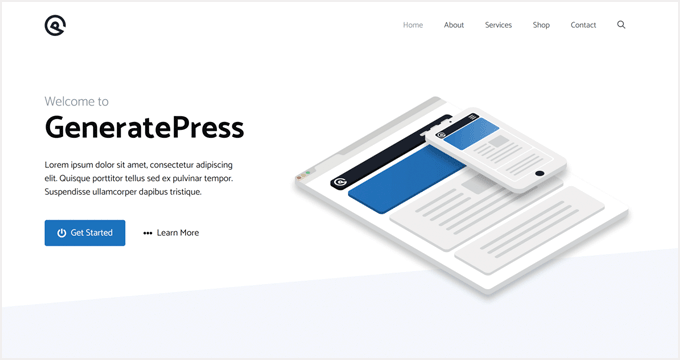
The core reason developers choose GeneratePress is its architecture. It ships with less than 10KB of CSS, uses semantic HTML5, and exposes an extensive system of hooks and filters for programmatic customization. The theme itself does very little visually out of the box — that’s intentional. You bring the page builder or write the CSS; GeneratePress provides the clean structural foundation.
GeneratePress Premium ($59/year or $249 lifetime) adds a module system covering things like sections, colors, typography, spacing, and WooCommerce integration. The GeneratePress One bundle at $105/year includes GenerateBlocks Pro, which effectively turns it into a full-featured design system.
Active installs: 500,000+ | Rating: 5/5 (1,427 reviews)
Best for: Web developers building client sites, agencies wanting code-clean foundations, business owners comfortable with more hands-on setup.
Honest trade-off: GeneratePress requires more manual work to make visually impressive without a page builder. Business owners expecting a polished result from the theme alone will be disappointed. It rewards technical knowledge.
3. Neve — Best for WooCommerce and Service Businesses
Neve, developed by Themeisle, takes a mobile-first approach that aligns well with how business customers actually browse today. With 200,000+ active installs and a 4.7/5 rating from over 1,273 reviews, it’s one of the most trusted options in the mid-tier of business themes.
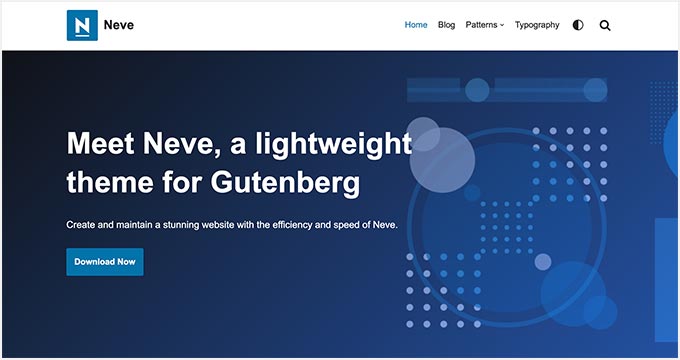
What distinguishes Neve in the WooCommerce space is attention to the shopping experience. The theme includes cart and checkout optimizations, starter templates specifically built for product-based businesses, and AMP compatibility for pages where every millisecond of mobile speed matters. Its header and footer builder is available in the free version, which is more generous than Astra’s equivalent.
Neve Pro starts at $69/year for a single site and $149/year for the Business plan (up to 3 sites). The Agency plan at $259/year supports unlimited sites. These tiers are well-suited to freelancers building client sites as a side service.
Active installs: 200,000+ | Rating: 4.7/5 (1,273 reviews)
Best for: Small ecommerce businesses, local service providers, coaches offering online products, businesses targeting mobile-heavy audiences.
Honest trade-off: Neve’s starter templates require an email sign-up through Themeisle’s onboarding flow. The 4.7/5 rating, while strong, is lower than top-tier competitors — and some users report the free tier feels limited faster than Astra or Kadence’s equivalent.
4. Kadence — Best Balance of Features and Speed
Kadence, now developed by StellarWP (part of Liquid Web), offers one of the most generous free versions on this list. The header and footer builder, WooCommerce cart drawer, and custom typography controls are all available without paying anything. That’s a deliberate product decision — StellarWP competes on value as much as features.
With 400,000+ active installs and a 4.9/5 rating from 441 reviews, Kadence has built a loyal community since its acquisition. It’s fully block-native, meaning the design system is built around Gutenberg rather than bolted on afterward. For business owners who want to use WordPress’s native editor without fighting the theme, Kadence removes that friction.
The Express plan at $69/year adds the Kadence Blocks plugin and other essential tools. The Plus bundle at $169/year brings in Kadence Pro and the full starter template library — a meaningful upgrade if you’re using it for multiple projects or a complex single site.
Active installs: 400,000+ | Rating: 4.9/5 (441 reviews)
Best for: WooCommerce stores, startups building on WordPress’s native editor, DIY business owners who want power without complexity, small agencies managing multiple sites.
Honest trade-off: StellarWP’s growing product ecosystem (Blocks, AI, Captcha, Creative Kit) adds purchase decisions that can feel overwhelming. The free theme is strong, but unlocking the full system requires the Plus plan at minimum.
5. Blocksy — Best for Modern, Tech-Forward Businesses
Blocksy has a 5/5 rating from 865 reviews — 98.8% of those reviews are five stars. That near-perfect satisfaction rate is especially striking because Blocksy’s free version is among the most capable of any theme on this list. Custom headers and footers, a content blocks system, WooCommerce integration, and a clean admin interface are all included without cost.
The theme uses a React-based admin system for its controls, which produces a noticeably faster and smoother customization experience compared to traditional PHP-rendered option panels. Version 2.x represents a significant architectural upgrade that positions Blocksy well for the direction WordPress is heading with Full Site Editing.
Blocksy Pro pricing is structured around site count: $69/year for one site (Personal), $99/year for up to 10 sites (Business), and $149/year for unlimited sites (Agency). A $299 lifetime Business license is available for those who prefer a one-time investment.
Active installs: 300,000+ | Rating: 5/5 (865 reviews)
Best for: Tech-oriented businesses, SaaS companies, agencies building modern sites, developers who care about code quality and future compatibility.
Honest trade-off: Blocksy’s starter template library is smaller than Astra’s. If you’re relying heavily on a pre-built demo to define your site’s look, the options are more limited. The community and tutorial ecosystem is also smaller than Astra’s, which means fewer third-party guides when you get stuck.
6. OceanWP — Best Free Option with Generous Extension Library
OceanWP reaches an install base of 500,000+ with a 4.9/5 rating from nearly 5,700 reviews — the highest review volume on this list. That depth of community feedback represents years of real-world testing across an enormous variety of business sites.
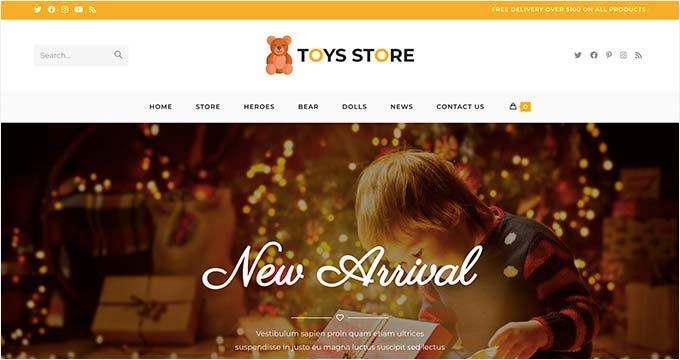
The free version of OceanWP ships with a suite of extensions that would cost extra with other themes: a WooCommerce popup cart, sticky navigation, and a demo importer with a solid library of pre-built sites. For a business owner who wants a polished result without a Pro subscription, OceanWP deserves serious consideration.
The extension model is both OceanWP’s strength and its limitation. Activating multiple extensions adds HTTP requests and JavaScript, which can erode the performance advantages you’d expect from a free theme. The more extensions you enable, the more the performance profile begins to resemble heavier page-builder-dependent themes.
Active installs: 500,000+ | Rating: 4.9/5 (5,694 reviews)
Best for: Local service businesses, cost-conscious business owners, beginners who want a polished free result, businesses that don’t plan heavy customization.
Honest trade-off: OceanWP’s extension-based architecture means performance degrades meaningfully as features accumulate. For businesses planning to grow their site’s complexity, the compounding overhead of multiple extensions is worth accounting for early.
Related: OceanWP Theme In-Depth Review
7. Divi — Best for Visual Design Freedom
Divi, from Elegant Themes, occupies a unique position on this list: it is simultaneously a theme and a page builder, which means comparing it directly to framework themes like GeneratePress is slightly misleading. What you’re actually getting with Divi is a complete website design environment packaged as a WordPress theme.
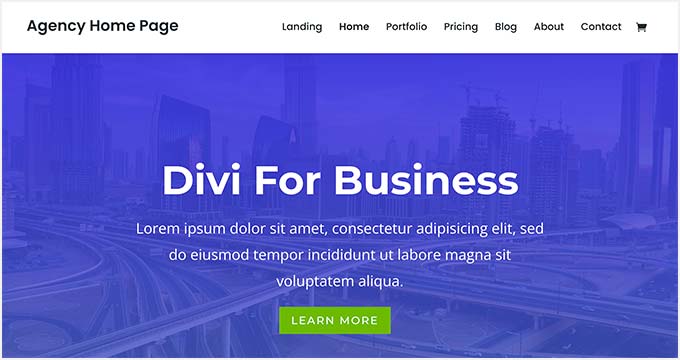
The visual builder is Divi’s strongest argument. It provides real-time front-end editing, 800+ pre-built layouts, and a built-in split testing system for testing different versions of pages — a capability no other theme on this list includes natively. For business owners who think in terms of visual design rather than code, Divi’s drag-and-drop environment genuinely delivers.
The trade-offs are significant and worth stating clearly. Divi’s proprietary shortcodes and data structures create real vendor lock-in — if you decide to switch themes later, the page content built in Divi’s builder does not transfer cleanly. The theme is also heavier than framework-style options, which affects performance scores. Elegant Themes has improved Divi’s performance in recent versions, but it remains noticeably heavier than Astra, GeneratePress, or Kadence on equivalent pages.
Best for: Creative agencies, business owners who prioritize visual distinctiveness over performance scores, marketers who want built-in A/B testing.
Honest trade-off: The proprietary builder creates meaningful vendor lock-in. Switching away from Divi after building a full site is a rebuild, not a theme swap. Performance, while improved, remains heavier than lightweight framework alternatives. Check elegantthemes.com for current pricing.
8. SeedProd — Best for Landing Pages and Lead Generation
SeedProd approaches the WordPress theme from a different direction than the others on this list. Where most themes aim to be all-purpose site foundations, SeedProd was purpose-built for conversion — landing pages, lead capture, product launches, and coming-soon pages were its origins before it expanded into full site building.
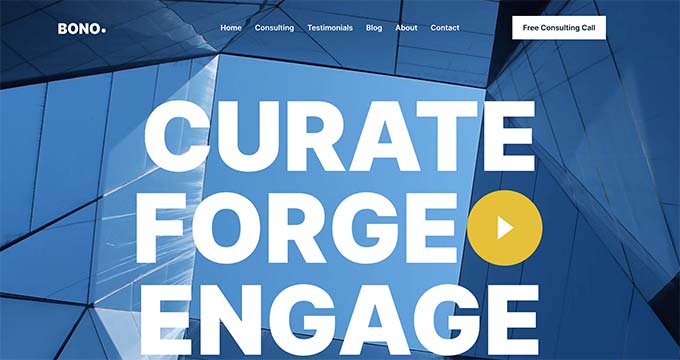
The result is a theme experience that produces polished, focused pages quickly. The template library covers specific conversion scenarios — webinar registrations, product launches, service opt-ins — rather than generic layouts. WooCommerce blocks are included in the builder, making product pages and checkout flows straightforward to customize.
SeedProd works best when the business goal is clearly defined before building. It’s less suited to content-heavy sites or businesses that need a comprehensive blog and resource center alongside their core service pages. Check seedprod.com for current pricing across its plan tiers.
Best for: Startups running paid advertising campaigns, businesses built around lead generation, product launches, service pages where conversion is the primary metric.
Honest trade-off: Full website building with SeedProd is less flexible than a dedicated framework theme. It’s a specialized tool that excels at specific tasks — using it as a general-purpose business theme means working around some limitations.
9. Sydney — Best Free Theme for Professional Services
Sydney, developed by aThemes, has earned consistent placement on business theme roundups for several years. It remains a strong free choice specifically for service businesses — consultants, agencies, and freelancers — because its default aesthetic projects professionalism without requiring significant customization work.
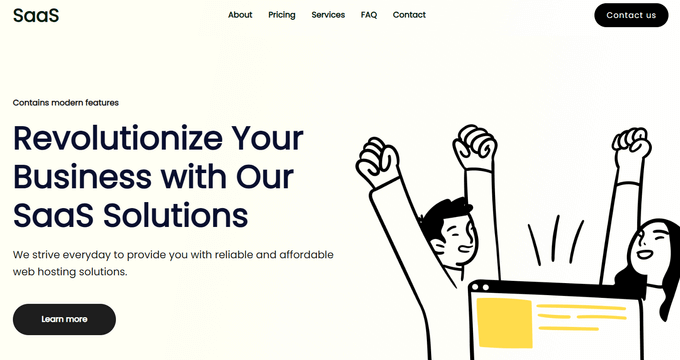
The free version includes full-width hero sections, team and services page templates, and Elementor compatibility. For someone launching a consulting business or professional services site on a limited budget, Sydney delivers a credible result without a premium subscription.
Sydney sits behind the top-tier themes on this list in terms of development resources and community size. The active install count and review volume are lower than Astra, Kadence, or OceanWP. Check athemes.com for current pricing on Sydney Pro.
Best for: Consultants and freelancers starting out, professional services businesses wanting a clean look without a premium budget.
Honest trade-off: Smaller developer team means slower update cycles compared to Astra or Kadence. The community ecosystem (tutorials, third-party resources) is proportionally smaller.
Feature Comparison Table
The following table summarizes key capabilities across all nine themes reviewed. FSE support refers to Full Site Editing compatibility with WordPress’s native block editor.
| Theme | Strong Free Version | FSE / Block Editor Support | Page Builder Compatible | WooCommerce Ready | WP.org Rating | Active Installs |
|---|---|---|---|---|---|---|
| Astra | Yes | Partial / Growing | Yes (all major) | Yes | 4.9/5 | 1,000,000+ |
| GeneratePress | Limited | Full | Yes | Yes (via Premium) | 5/5 | 500,000+ |
| OceanWP | Yes | Partial | Yes | Yes | 4.9/5 | 500,000+ |
| Kadence | Yes (generous) | Full | Yes | Yes (free) | 4.9/5 | 400,000+ |
| Blocksy | Yes (very generous) | Full | Yes | Yes | 5/5 | 300,000+ |
| Neve | Yes (limited) | Full | Yes | Yes | 4.7/5 | 200,000+ |
| Divi | No (premium only) | No (proprietary builder) | Built-in builder | Yes | N/A (not on WP.org) | N/A |
| SeedProd | Freemium | Partial | Built-in builder | Yes | N/A | N/A |
| Sydney | Yes (strong) | Partial | Yes (Elementor) | Yes | ~4.5/5 | 100,000+ |
Pricing Overview
Free Themes Worth Trusting
Four of the themes on this list — Astra, Kadence, Blocksy, and OceanWP — have free versions that are capable enough to run a real business site without upgrading. The distinction matters. Some “free” themes are demo versions that hide core functionality behind a paywall; these four are genuinely functional at no cost.
Kadence and Blocksy are particularly generous: both include header/footer builders, WooCommerce integrations, and typography controls in their free tiers that require paid upgrades with other themes.
When the free version becomes insufficient: when you need custom post type layouts, advanced WooCommerce product page customization, priority support, white-label capabilities, or access to the full starter template library.
Related: Free vs Premium WordPress Themes: When to Upgrade
Premium Pricing Comparison
The table below uses verified pricing from March 2026. Annual prices reflect single-site or entry-level plans. Always verify at the official pricing page before purchasing, as vendors update pricing regularly.
| Theme | Annual (Entry) | Annual (Multi-site) | Lifetime Option | Developer |
|---|---|---|---|---|
| GeneratePress Premium | $59/yr | Same (up to 500 sites) | $249 (one-time) | GeneratePress team |
| Neve Pro | $69/yr (Personal) | $149/yr (Business, 3 sites) | — | Themeisle |
| Kadence Express | $69/yr | $169/yr (Plus, multi) | $899–$999 (Ultimate) | StellarWP |
| Blocksy Pro | $69/yr (Personal) | $99/yr (Business, 10 sites) | $299 (Business, one-time) | Creative Themes |
| Astra Pro | ~$79/yr (starter) | Higher tiers available | ~$399 | Brainstorm Force |
| Divi | Check current pricing | Unlimited sites | ~$249 (one-time) | Elegant Themes |
| OceanWP Pro | Check current pricing | — | — | OceanWP team |
| SeedProd Pro | Check current pricing | — | — | WPBeginner |
| Sydney Pro | Check current pricing | — | — | aThemes |
Prices verified via official sources and search results, March 2026. Promotional pricing may vary. Always confirm at the vendor’s official pricing page.
The 3-Year Cost Consideration
Annual subscriptions at $59–$79/year cost $177–$237 over three years. Most lifetime licenses on this list fall in the $249–$399 range. If you’re confident you’ll use the same theme for three or more years — likely for a stable business site — the lifetime license math typically favors the one-time payment.
GeneratePress at $249 lifetime is the most cost-effective long-term option among the verified prices on this list. Blocksy’s $299 lifetime Business license covers up to 10 sites, making it highly competitive for agencies or developers managing multiple client sites.
Honest Trade-Offs at a Glance
Every theme on this list claims to be the best. Here’s what each one actually trades for its strengths.
| Theme | Primary Strength | Real Limitation |
|---|---|---|
| Astra | Largest ecosystem, most starter templates, beginner-friendly | Some basic features locked behind Pro; Pro paywall felt early |
| GeneratePress | Fastest base performance, cleanest code, developer-friendly | Requires more setup work; less visual out-of-the-box |
| Neve | Mobile-first, AMP support, strong WooCommerce focus | Lower rating (4.7/5) than peers; smaller template library |
| Kadence | Most generous free tier with WooCommerce + header builder | Complex product ecosystem; Plus plan needed for full value |
| Blocksy | Modern architecture, near-perfect ratings, very capable free | Smaller community; fewer third-party tutorials |
| OceanWP | Excellent free tier, massive review base, WooCommerce extras | Extension model adds HTTP overhead; performance degrades with many extensions |
| Divi | Maximum visual design freedom, built-in A/B testing | Heavier performance; proprietary lock-in; no FSE support |
| SeedProd | Best for conversion-focused pages and landing page builds | Less suited to complex multi-section content sites |
| Sydney | Strong free professional aesthetic for service businesses | Smaller team; slower update cadence than top-tier options |
Related: Astra vs GeneratePress — Detailed Comparison
Frequently Asked Questions
What is the best free WordPress theme for a business website?
Astra and Kadence are the strongest free options for most business sites. Astra has the largest community and template library. Kadence includes more advanced features — including a header/footer builder and WooCommerce cart drawer — in its free version. Blocksy is a close third, with a near-perfect rating and very capable free feature set. The right choice depends on your specific use case and how much you value community support versus feature depth at no cost.
Is Astra or GeneratePress better for small business?
For most small business owners, Astra is the easier starting point. It has more starter templates, a larger tutorial community, and a friendlier interface for non-developers. GeneratePress is technically superior in performance and code quality, but it requires more hands-on setup to produce a visually polished result. If you’re working with a developer or are comfortable with custom CSS, GeneratePress is worth the extra effort. If you’re building solo and want a fast start, Astra is the more practical choice.
Do WordPress themes affect SEO?
Yes, meaningfully. A theme’s code quality affects how easily search engine crawlers can parse your content. A theme’s performance characteristics affect Core Web Vitals scores, which are a confirmed Google ranking signal. Themes with excessive JavaScript and CSS also affect Largest Contentful Paint (LCP) and Cumulative Layout Shift (CLS) scores. Lightweight, semantically coded themes like GeneratePress, Kadence, and Astra tend to produce better baseline Core Web Vitals scores than heavier alternatives.
Related: Best WordPress Themes for SEO
Can I switch WordPress themes without breaking my site?
For most themes, yes — switching themes changes design but leaves your content (posts, pages, media) intact. The significant exception is page builders that store layout data in proprietary formats: Divi, SeedProd, and similar tools store page structure in their own data formats. Switching away from these themes typically means rebuilding those pages. Themes that rely on the native WordPress block editor or standard page builders like Elementor generally transition more cleanly.
What is Full Site Editing (FSE) and which themes support it?
Full Site Editing is a WordPress feature that lets you design your entire site — including headers, footers, archive pages, and 404 pages — using the native block editor (Gutenberg), rather than a separate theme customizer. Themes that fully support FSE include Kadence, Blocksy, GeneratePress, and Neve. Astra has growing FSE support but remains more strongly tied to traditional page builders. Divi and SeedProd use their own builders rather than FSE. For new sites built in 2026, a theme with strong FSE support is worth prioritizing to align with WordPress’s long-term direction.
Which WordPress theme is best for WooCommerce?
Kadence offers the most WooCommerce-specific features in its free version: a header cart icon, custom shop and product layouts, and a cart drawer. Neve and Blocksy are strong runners-up with targeted WooCommerce integrations. Astra has a dedicated WooCommerce module available through the Pro upgrade. OceanWP includes a popup cart in the free version. All themes on this list are technically WooCommerce-compatible, but these five provide genuine WooCommerce design optimization rather than basic compatibility alone.
Do I need a premium WordPress theme, or is free good enough?
For many business sites, the free versions of Astra, Kadence, Blocksy, or OceanWP are sufficient. The free-to-paid upgrade becomes worthwhile when you need: custom post type templates (Pro feature in most themes), advanced WooCommerce product page layouts, white-label capabilities for client sites, priority support with guaranteed response times, or the full starter template library. If the free version of your chosen theme already does what you need, there’s no obligation to upgrade immediately.
What is the difference between Kadence and Blocksy?
Both are modern, lightweight, block-native themes with generous free versions and competitive pricing. The key differences: Kadence is backed by StellarWP (enterprise-level resources), has a broader product ecosystem (Blocks, AI tools, starter templates), and is the stronger WooCommerce option. Blocksy is built on a React-based admin architecture that produces a faster customization experience, has a slightly more modern visual aesthetic, and earns a perfect 5/5 versus Kadence’s 4.9/5. Developers tend to favor Blocksy for its code quality; business owners building ecommerce sites often prefer Kadence for its WooCommerce depth.
Which WordPress themes are best for beginners?
Astra is the most beginner-friendly option on this list, primarily because of its community size — the sheer volume of tutorials, YouTube guides, and documentation makes it easy to find help for any problem. Kadence is close behind, with a straightforward interface and clear onboarding flow. OceanWP is also accessible for beginners and produces polished results from its free starter templates. GeneratePress is not recommended as a starting point for non-technical users without developer assistance — its minimal default styling requires more active configuration.
How often should I update my WordPress theme?
Whenever an update is available. Theme updates typically include security patches, bug fixes, and compatibility updates for the latest version of WordPress. Skipping updates leaves known vulnerabilities active on your site. All of the themes reviewed here have been updated within the last six months (most within weeks), which is a strong indicator of ongoing developer attention. Before updating any theme on a live site, take a backup and test on a staging environment first.
Conclusion
The right WordPress theme for your business is not the one with the longest feature list or the most striking demo. It’s the one that fits how your business actually operates — your technical comfort level, your content structure, your audience’s devices, and your budget over time.
For the majority of small business owners, Astra, Kadence, or GeneratePress will serve well. Astra for those who want community support and ease of use. Kadence for those who want the most capability from a free version, particularly for WooCommerce. GeneratePress for those who prioritize raw performance and are willing to invest time in setup.
Blocksy is worth watching closely — its technical quality and developer-friendly architecture make it a strong contender that’s still building its community footprint. OceanWP remains a reliable choice for budget-conscious business owners who don’t need deep customization. Divi and SeedProd serve specific niches (visual design freedom and conversion pages, respectively) where their specialized strengths outweigh the trade-offs.
A theme is the foundation, not the entire building. The content, messaging, and offers on your site matter far more to business outcomes than the choice between any two themes on this list. Pick a solid, actively maintained option that aligns with your use case, and spend your time on what actually moves the needle.
