


Pick the wrong WordPress magazine theme and you’ll spend months fighting it — slow load times that tank your Google rankings, layouts that break on mobile, and a support forum that goes unanswered for days when something critical breaks before a big traffic event. Magazine sites have specific needs that regular blog themes simply weren’t built to handle.
WordPress powers over 43% of all websites on the internet. Within that ecosystem, magazine themes represent one of the most crowded and confusing categories — every marketplace and review site lists a “top 15” or “best of” collection, but almost none of them tell you which themes fall apart under real traffic, what you actually lose when you choose free over premium, or which option fits your specific niche. This guide does all three.

What follows is a structured comparison of the most widely-used magazine themes — free and premium — covering performance profiles, honest trade-offs, pricing as of February 2026, and a niche-specific matching guide so you can stop second-guessing and start publishing.
Learn more about WordPress themes and tools on WPlasma
BLUF — What You Need to Know Before Picking a Magazine Theme
A magazine theme is fundamentally different from a standard blog theme. Where a blog theme displays a chronological post feed, a magazine theme surfaces content from multiple categories simultaneously — think featured articles in a hero slider, recent posts in a category grid, trending content in a sidebar ticker, and breaking news in a header banner, all on the same homepage. That structural complexity is what separates magazine themes from everything else.
Before diving into individual reviews, here’s the short version:
| Your Situation | Recommended Path |
|---|---|
| Starting a new magazine with zero budget | Newsmatic or ColorMag (free) |
| Established publication needing daily publishing tools | Newspaper (tagDiv) or Soledad at $59 one-time |
| Performance-first approach, willing to configure | Astra Pro ($49/year) + Starter Template |
| Full design control, have a developer | Divi ($89/year or $249 lifetime) |
| Editorial niche magazine (food, travel, sports) | MH Magazine or Soledad |
Top free picks: Newsmatic, ColorMag, Digital Newspaper
Top premium picks: Newspaper (tagDiv), Soledad, Astra Pro
One important context note for 2026: WordPress has been pushing Full Site Editing (FSE) aggressively. Most traditional magazine themes — including Newspaper, Soledad, and MH Magazine — are classic themes using the WordPress Customizer, not FSE. That’s not inherently bad; the Customizer is stable and familiar. But if you want to build using native WordPress blocks throughout, Astra Pro with FSE enabled or a hybrid like Newsmatic may be a better fit.
What Makes a Great WordPress Magazine Theme? 7 Must-Have Features
Three hundred themes call themselves “magazine themes” on WordPress.org and ThemeForest. The majority are repainted blog themes with a slider bolted on. The ones that actually work for magazine publishing share seven characteristics.
1. Flexible homepage layouts with category grids. A real magazine homepage isn’t a single column of posts — it’s a grid of category sections, a featured content zone, and widgets that organize content by topic or recency. Look for themes that offer widgetized homepages or drag-and-drop front-page builders with genuine content-block variety.
2. Performance-conscious construction. Magazine sites are inherently content-heavy. A theme that adds 400KB of unoptimized JavaScript or relies on a bloated CSS framework (Bootstrap adds weight most magazine sites don’t need) will undermine your Core Web Vitals scores before you write your first article. This matters directly for Google Search rankings.
3. Mobile readability built in, not bolted on. “Responsive” is table stakes — what separates good magazine themes is how they handle mobile reading experience specifically. Can readers navigate category sections easily on a 375px screen? Does the featured slider collapse into something usable, not just visually smaller?
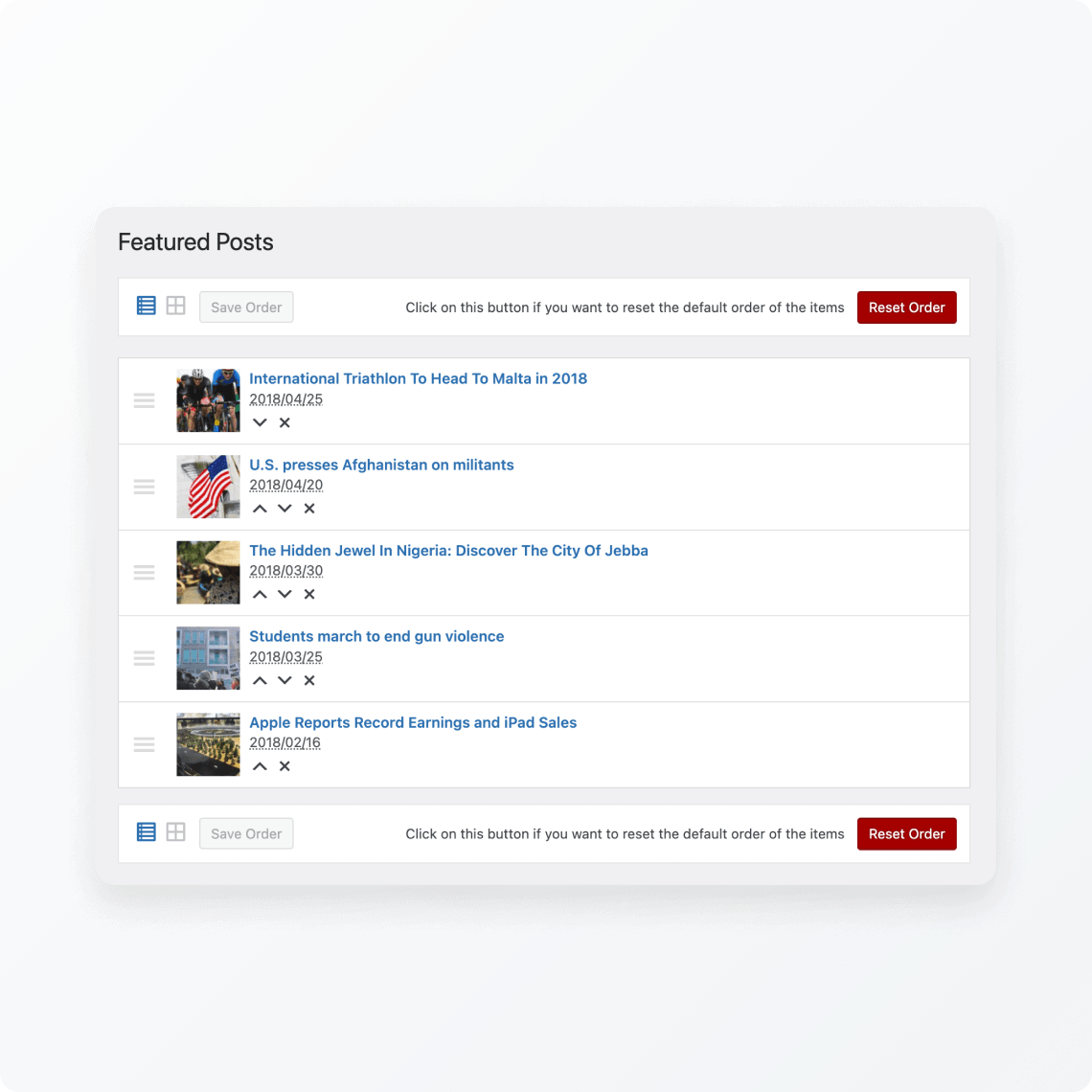
4. Customization without requiring a developer. The best magazine themes let you configure colors, typography, category layouts, and header style through the WordPress Customizer or a built-in page builder — not by editing PHP files. One-click demo import is worth weighing heavily: it saves hours of setup time.
5. SEO readiness built into the theme structure. This means clean heading hierarchy (H1 → H2 → H3), schema markup for articles, proper canonical URL handling, and compatibility with major SEO plugins (Yoast, Rank Math, All in One SEO). Schema readiness in particular affects how your articles appear in Google’s rich results.
6. Ad zone architecture. If monetization is part of your model, your theme needs dedicated spaces for header leaderboard banners, in-content ad blocks, sidebar ads, and footer banners — without requiring custom CSS to place them. Free themes handle this variably; premium themes almost always do it better.
7. Plugin compatibility that actually works. WooCommerce integration lets you sell subscriptions and merchandise. Caching plugin compatibility (WP Rocket, W3 Total Cache) is critical for performance. Translation plugin support (WPML, Polylang) matters if you’re targeting multilingual audiences. Test these before committing to a theme.
Best Free WordPress Magazine Themes
Free magazine themes have improved dramatically. The best ones today rival entry-level premium themes in feature depth — the trade-offs are primarily in demo variety, advanced widget counts, and support responsiveness.
Newsmatic — Best Overall Free Option
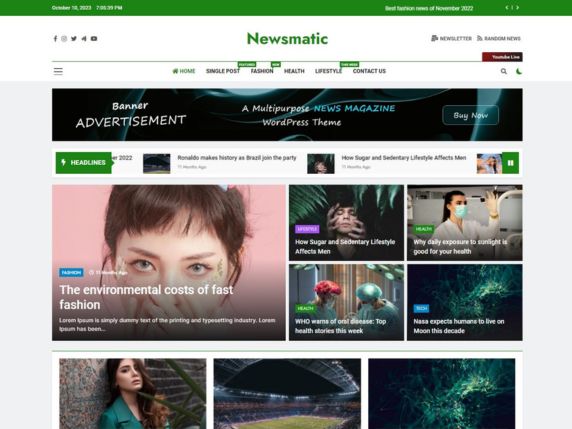
Newsmatic stands apart from most free magazine themes because of its technical foundation. Built on ReactJS, it delivers an AJAX-powered live customizer where every setting change appears in real time before you save — no page reload, no guessing how a layout choice will look. That’s a workflow advantage that even some premium themes don’t offer.
Key features: 5 custom content blocks (Grid, Carousel, List, Filter, Ad Block), 8 custom widgets including Popular Posts Slider and Post Grid variants, breaking news ticker, custom “Live Now” button, direct image size editing from the customizer, RTL support, and full translation readiness.
Honest cons: The ReactJS foundation, while fast, has a slightly different setup flow than traditional WordPress themes. If you’re used to standard Customizer-based themes, expect a brief adjustment period. Also, with 10,000+ active installs (WordPress.org, February 2026), the community size is smaller than ColorMag’s — meaning fewer third-party tutorials and answers in forums.
Best for: News blogs, political commentary sites, general magazine launches where performance is a priority. The built-in AJAX customizer makes it significantly faster to design than most free alternatives.
Active installs: 10,000+ | Rating: 4.7/5 | Last updated: February 19, 2026
ColorMag — Most Customizable Free Theme
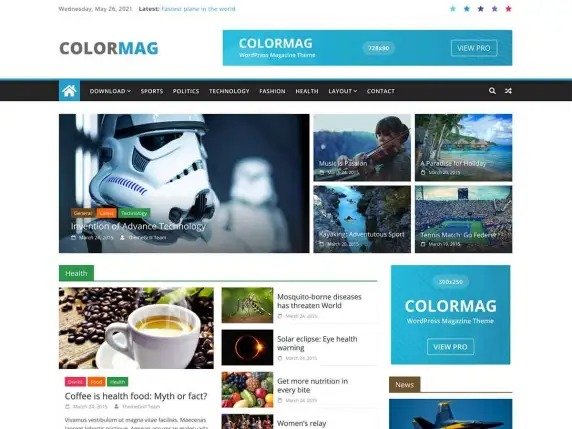
ColorMag is the most established free magazine theme on WordPress.org, and its install count reflects that: 40,000+ active installs and a 4.9/5 rating from 1,491 five-star reviewers (verified February 2026). ThemeGrill has maintained it consistently — last updated December 22, 2025.
Key features: 15+ pre-built demo designs, WooCommerce compatibility straight out of the box, custom header support, featured content slider, color pickers for creating category-specific color coding, sidebar and footer widget areas, RTL support, translation ready.
Honest cons: The free version’s breaking news ticker has limited configuration. Advanced layout options — more widget areas, additional demo templates, advertisement management — are locked behind ColorMag Pro. The base color options, while named in the theme’s branding, are less extensive in the free version than what you might expect.
Best for: Multi-category lifestyle magazines, news sites needing strong community trust signals (large install base helps with theme support resources), and sites that need WooCommerce from day one.
Active installs: 40,000+ | Rating: 4.9/5 | Last updated: December 22, 2025
See our full WordPress setup guides on WPlasma
Digital Newspaper — Best for News Layout
Digital Newspaper takes a news-portal-first approach: the main banner uses a professional 3-column design specifically tuned for breaking news presentation, with 7 front-page sections using 7 different news block layouts. That level of content-section variety is unusual in a free theme.
Key features: 5+ starter demos, 7 news block widget types, 9 custom widgets, multilingual compatibility, one-click demo import, GDPR compliance, schema markup ready, and free support included.
Honest cons: The 3-column main banner design looks compelling in demos but can feel visually dense for sites that don’t have high publishing frequency — empty category sections are obvious on this layout. It’s heavier than minimal themes and works best when you have enough content volume to fill the structure.
Best for: News portals covering politics, technology, or sports with multiple editors publishing daily. The schema-ready foundation also makes it a solid SEO baseline.
Hueman — Most Flexible Layout Options

Hueman is the layout flexibility winner in the free tier. You can set between zero and four widget columns, choose boxed or full-width layouts, and place unlimited widgets anywhere on the page. Leaderboard ad slots are available in both header and footer areas — rare for a free theme.
Key features: Live customizer, 0–4 widget columns, unlimited widget areas, boxed or full-width layout choice, header and footer ad zones, GDPR-compliant.
Honest cons: Hueman’s last update was December 10, 2024 — over 14 months before this article was written. While the theme still functions well, a 14-month gap raises reasonable questions about long-term maintenance. Compare this to ColorMag (December 2025) and Newsmatic (February 2026) for recency. If update frequency matters to your security posture, factor this in.
Best for: Multi-author blogs with complex sidebar layouts, lifestyle magazines where layout flexibility matters more than latest feature additions.
Active installs: 20,000+ | Rating: 4.9/5 | Last updated: December 10, 2024
Cream Magazine — Easiest Setup
Setup time matters. Cream Magazine is the most beginner-accessible free magazine theme in this comparison — the WordPress Customizer handles all configuration, sensible defaults are applied on activation, and the lazy-load image feature is on by default, which helps performance without any extra setup.
Key features: News ticker, 6 front-page news widgets, related posts section, lazy load images, WooCommerce compatible, 2 header layout variations, Authors widget for sidebar.
Honest cons: Less demo variety than Newsmatic or Digital Newspaper. The feature set is genuinely smaller — this is a trade-off for simplicity. If you need 7 front sections or custom block layouts, Cream Magazine will feel limiting within weeks.
Best for: Absolute beginners launching their first magazine site who need to be live and publishing within a day, not a week.
Best Premium WordPress Magazine Themes
Premium magazine themes justify their price through three things: more demo variety (sometimes hundreds of pre-built layouts), dedicated support with actual response times, and deeper integrations with page builders, AMP, and advanced publishing features. Here’s what each major option actually delivers.
Newspaper (tagDiv) — Best-Selling Premium Theme
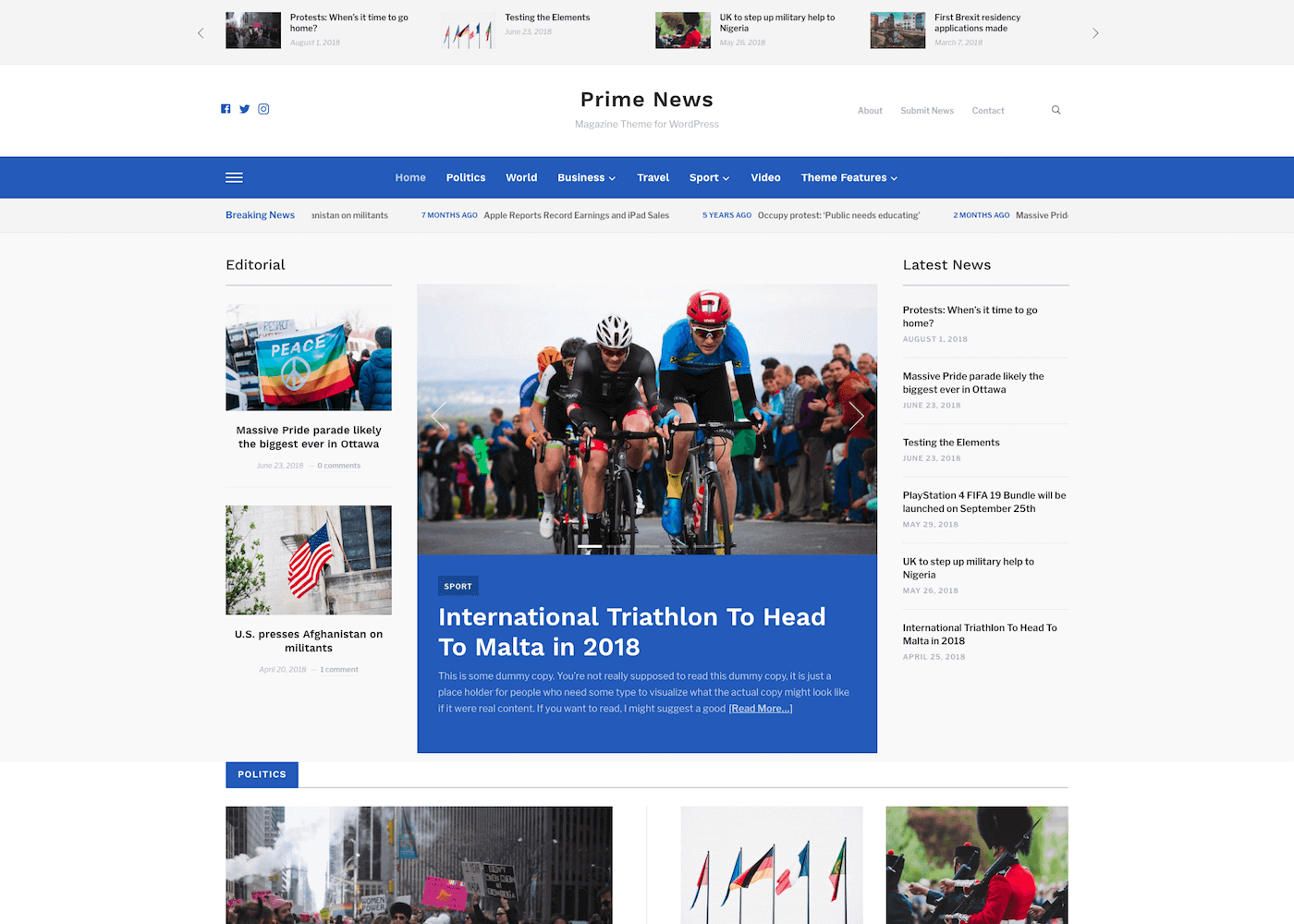
When 110,000 customers and 6,800+ five-star reviews point in one direction, it’s worth understanding why. Newspaper’s dominance in the premium market comes from the tagDiv Composer page builder — a frontend editor that lets editorial teams build complex homepage layouts, category pages, and article templates without touching code. The theme ships with 2,000+ pre-built demo combinations, AMP support for mobile optimization, and RTL compatibility for right-to-left languages.
Price: $59 one-time (ThemeForest regular license) — verified February 2026. Verify current price at themeforest.net before purchase.
Key features: tagDiv Composer page builder, 2,000+ pre-built demo layouts, WooCommerce integration, AMP (Accelerated Mobile Pages) support, RTL support, bbPress and BuddyPress compatibility, responsive Google Ads/AdSense placements, ratings system for articles.
Honest cons: tagDiv Composer is a proprietary page builder — not Elementor, not Gutenberg. There’s a learning curve specific to this ecosystem. If you switch themes later, your tagDiv Composer layouts don’t transfer. For high-traffic media sites with dedicated teams, this investment makes sense. For solo publishers, the complexity may exceed your actual needs. Newspaper is also feature-heavy — without quality hosting and caching, Core Web Vitals scores will need active management.
Best for: Media publications with multiple editors, daily news sites, sites where the visual presentation of the homepage is a strategic asset rather than a background detail.
Soledad (PenciDesign) — Best for Blogs + Magazine Hybrid
Soledad is the answer when you started as a blogger and need to grow into a magazine format without rebuilding from scratch. With 40,000+ sales and a 4.86/5 rating on ThemeForest (updated February 4, 2026), PenciDesign has maintained a strong track record for quality and update frequency.
Price: $59 one-time (ThemeForest) — verified February 2026. Verify current price at themeforest.net before purchase.
Key features: 1,000+ demo combinations, Ajax search, sticky sidebar, RTL support, Instagram feed integration, WooCommerce compatibility, social sharing, reading time display, related posts, dark mode option.
Honest cons: 1,000+ demo options sounds like a feature — and it is, once you’ve decided. During initial setup, the sheer number of choices creates real decision paralysis. The theme also gets heavier when multiple features are enabled simultaneously; enabling the slider, sticky sidebar, Ajax search, and Instagram feed together adds JavaScript that needs careful caching management. Not an out-of-the-box performance winner.
Best for: Food bloggers, travel writers, lifestyle brands, fashion publications — niches where visual presentation drives time-on-page. The Instagram feed integration alone is a meaningful differentiator for image-forward content.
Astra Pro — Fastest Premium Magazine Theme
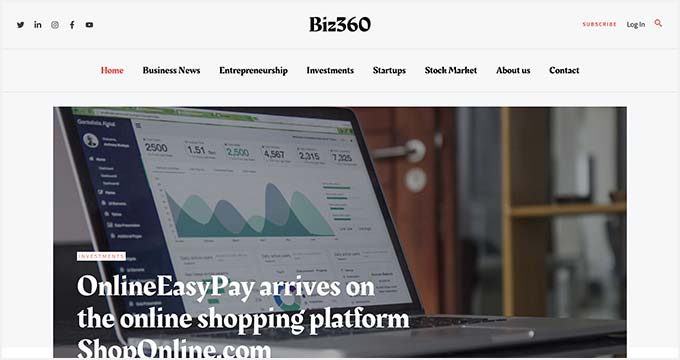
Astra’s headline claim is its base file size: under 50KB. That’s not a marketing number — it translates directly to faster LCP times and better Core Web Vitals scores compared to feature-bundled competitors. The trade-off is that Astra’s free version is genuinely minimal; building a magazine-style homepage requires Astra Pro ($49/year or $199 lifetime — verified February 2026) plus a page builder (Elementor, Beaver Builder) or the Starter Templates plugin.
Price: Free (basic) | Astra Pro: $49/year or $199 one-time lifetime | Essential Toolkit: $129/year — verified February 2026. Verify at wpastra.com/pricing/.
Key features: Under-50KB base theme size, 200+ starter templates including magazine-style layouts, compatibility with all major page builders (Elementor, Beaver Builder, Gutenberg blocks), WooCommerce optimization, sticky header options, transparent header on scroll, mega menu support, 14-day refund guarantee.
Honest cons: Astra alone doesn’t give you a magazine. The free version needs a page builder to create the grid layouts and featured sections that define a magazine homepage. Budget accordingly — Astra Pro + Elementor Pro brings your real cost to $98+/year. If you want a true out-of-the-box magazine theme, Newspaper or Soledad deliver more immediately.
Best for: Performance-obsessed publishers, developers who want a clean code base to build on, sites where Core Web Vitals scores directly affect revenue (ad-based, SEO-dependent publications).
MH Magazine — Best for Editorial-Focused Sites

Where Newspaper targets high-volume news operations and Soledad targets lifestyle bloggers, MH Magazine is built for the editorial middle ground: single-author expert publications, regional news sites, and niche magazines that want professional presentation without the complexity of a compositor-based system.
The WordPress Customizer handles all configuration — no proprietary page builder to learn. The theme ships with 15 distinct demo variations: Standard, Lifestyle, Technology, News, Food, Travel, Sports, Feminine, Dark, Wildlife, Motorsports, Urban Style, Retro, Health, and Education. That breadth of niche-specific demos is genuinely useful for matching your editorial direction.
Key features: WordPress Customizer-based configuration, 15 themed demos, custom widgets (MH Slider, MH Posts Large, MH Custom Posts, MH Tabbed), unlimited color schemes, used by customers in 110+ countries.
Honest cons: MH Magazine has a smaller community than Newspaper and a less prominent marketplace presence. The feature set is solid but not leading-edge — you won’t find AMP or tagDiv-level demo customization here. Check current pricing at mhthemes.com — it wasn’t confirmed in research for this article.
Best for: Single-author niche magazines, food publications, travel blogs, regional news sites — any publication that wants professional editorial presentation via a familiar Customizer workflow rather than a proprietary builder.
Divi (ElegantThemes) — Best for Full Design Control
Divi belongs in this list because many small business owners consider it when building magazine sites — but with a clear caveat: Divi is a page builder with magazine templates, not a magazine theme. The distinction matters. A dedicated magazine theme like Newspaper or Soledad ships with editorial-specific features (news tickers, article ratings, breaking news) out of the box. Divi gives you pixel-level design freedom with a steeper setup investment.
Price: $89/year (Standard) | $277/year (Pro) | $249 lifetime — verified February 2026. 30-day money-back guarantee. Unlimited websites. Verify at elegantthemes.com.
Key features: Visual drag-and-drop builder, 200+ pre-made layouts including magazine styles, A/B testing (Divi Leads), role-based editing for multi-user sites, global elements for design consistency, WooCommerce integration.
Honest cons: Divi is not lightweight. Out of the box, without optimization, it produces more JavaScript and CSS than dedicated magazine themes. Mobile performance needs deliberate attention. The visual builder also creates Divi-specific shortcodes throughout your content, which can create complications if you ever switch away. Budget 6–12 hours for initial setup if you’re building a multi-section magazine homepage.
Best for: Designers and developers who want pixel-perfect control and are willing to invest setup time. Not ideal for publishers who need to be live quickly or who prioritize performance from day one.
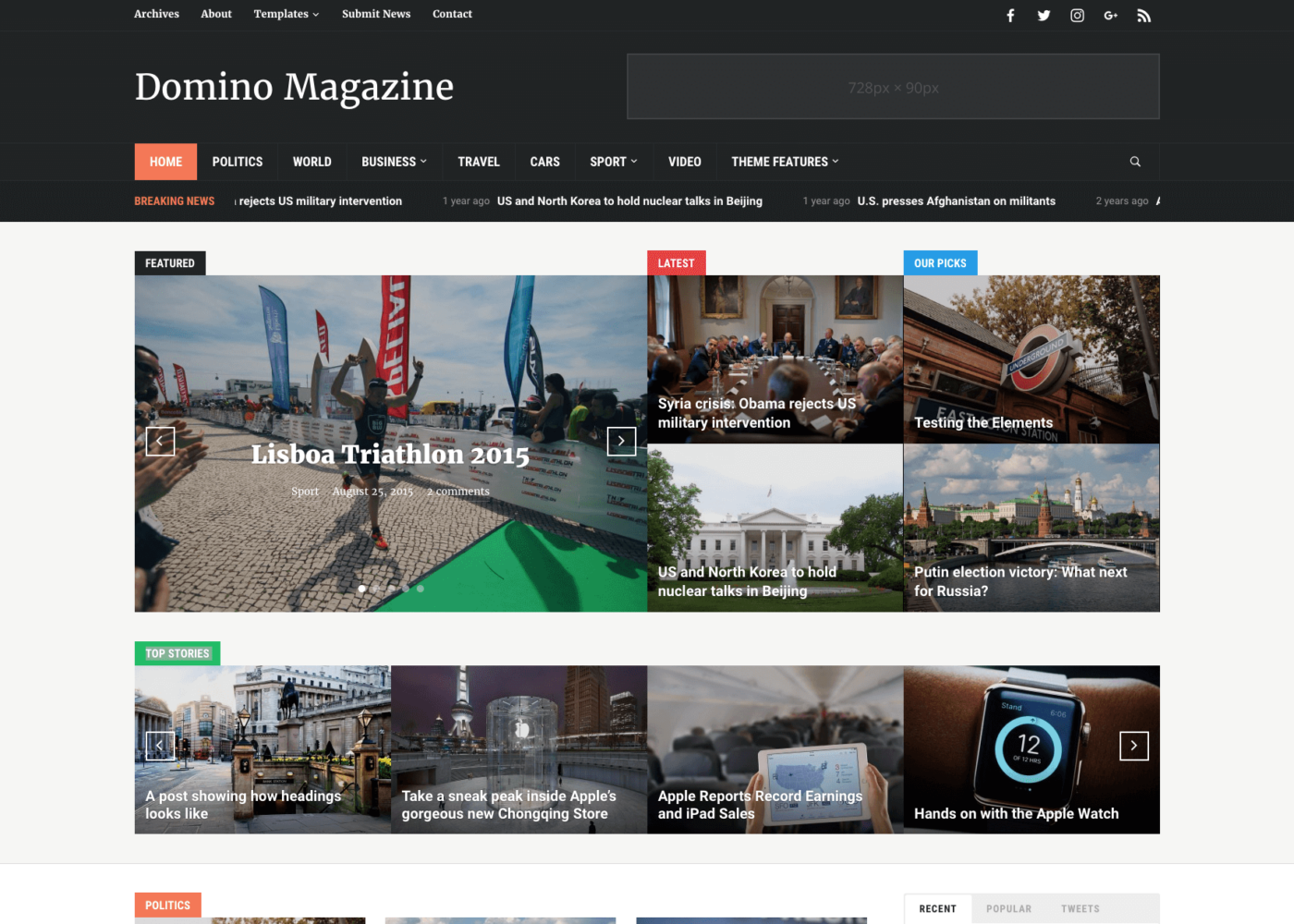
Pricing Comparison Table (February 2026)
| Theme | Free Version? | One-Time Price | Annual Price | Lifetime | Refund Policy |
|---|---|---|---|---|---|
| Newsmatic | Yes (full free) | — | — | — | N/A |
| ColorMag | Yes (free + Pro) | — | Verify at themegrill.com | Available | 14 days |
| Digital Newspaper | Yes (full free) | — | — | — | N/A |
| Hueman | Yes (full free) | — | — | — | N/A |
| Newspaper (tagDiv) | No | $59 | — | — | ThemeForest policy |
| Soledad | No | $59 | — | — | ThemeForest policy |
| Astra Pro | Yes (free base) | $199 | $49/yr | $199 | 14 days |
| MH Magazine | Lite version | Verify at mhthemes.com | — | — | Check site |
| Divi | No | $249 (lifetime) | $89/yr | $249 | 30 days |
All prices verified via web research, February 2026. Prices change — confirm before purchase at the official vendor website.
WordPress Magazine Themes by Niche — Which One Fits Your Site?
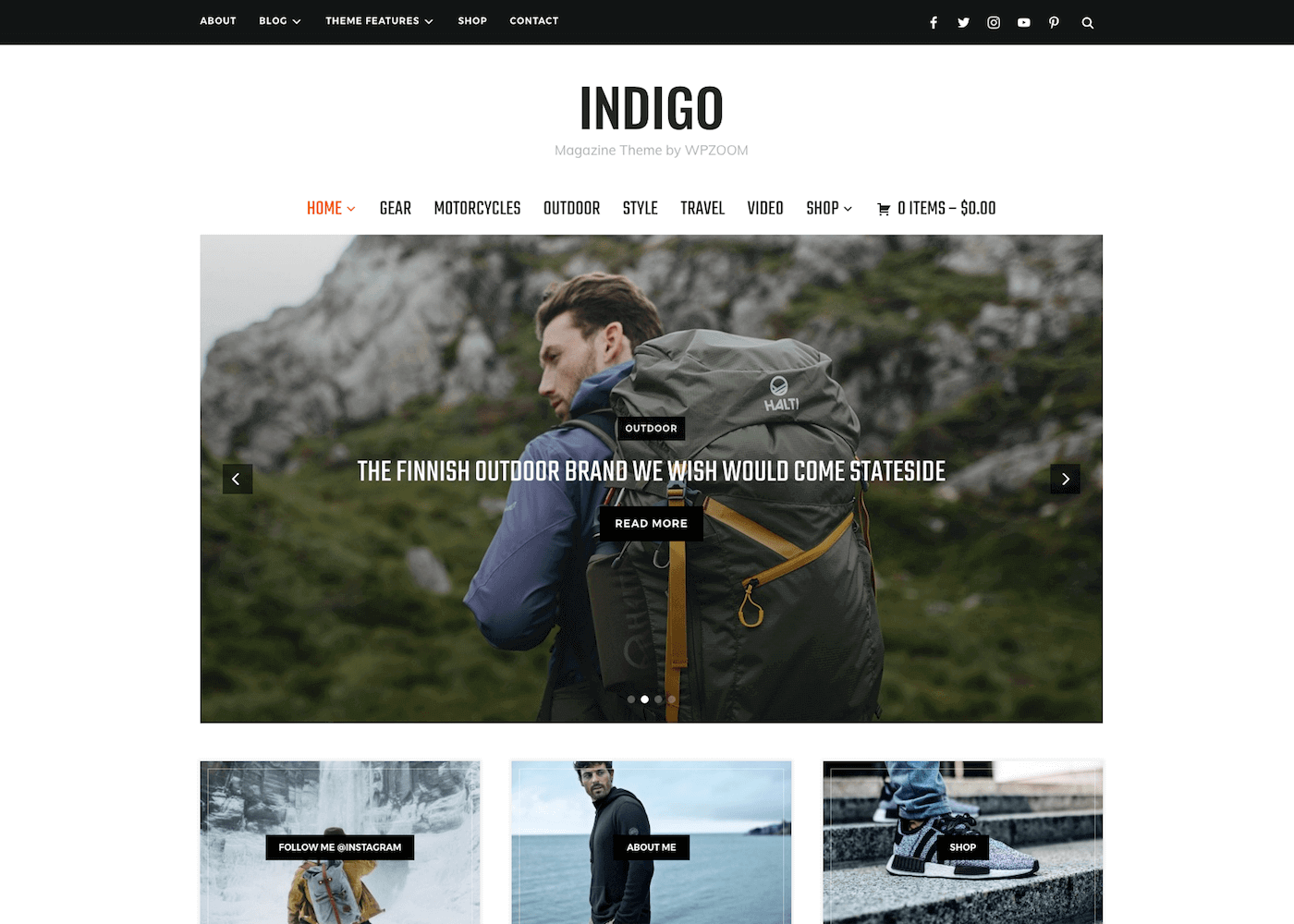
The phrase “best magazine theme” is meaningless without context. A food magazine homepage needs an image-forward grid with recipe category cards. A political news site needs a multi-column layout with a breaking news ticker and time-stamped articles. Match the theme to the publication type, not the demo screenshots.
| Niche / Site Type | Best Free Option | Best Premium Option | Key Reason |
|---|---|---|---|
| General News / Politics | Newsmatic, Digital Newspaper | Newspaper (tagDiv), SmartMag | Multi-category layouts, breaking news ticker, article ratings |
| Food & Recipe Magazine | Cream Magazine, ColorMag | Soledad, MH Magazine (Food demo) | Visual-first layouts, recipe category sections, image sliders |
| Technology & Gadgets | Digital Newspaper, ChromeNews | JNews, Foxiz | Fast load times, review-friendly layouts, product comparison features |
| Lifestyle & Fashion | Hueman, Newsis | Soledad, Wonderwall | Image-heavy grids, Instagram feed integration, elegant typography |
| Sports Magazine | Newsmatic, MH Magazine Lite | MH Magazine, SmartMag | Score widgets, event sections, live news ticker, fast-update layouts |
| Business / Finance | ColorMag, PubNews | Newspaper, Jannah | Professional layouts, trust signals, clean typography |
| Photography | Hueman, Feather Magazine | Jason, Patch (masonry) | Grid-heavy design, image-forward layout, minimal text interference |
| Regional / Local News | MH Magazine Lite, CoverNews | MH Magazine, Jannah | RTL support, multilingual ready (WPML/Polylang compatible) |
Explore more WordPress theme recommendations on WPlasma
Performance Reality Check — How Theme Choice Affects Your Google Rankings
Choosing a theme based on demo screenshots is one of the costliest mistakes magazine site owners make. Google’s Core Web Vitals — specifically Largest Contentful Paint (LCP), Cumulative Layout Shift (CLS), and Interaction to Next Paint (INP) — are direct ranking factors. Your theme is the first variable in that equation.
Two things drive poor magazine theme performance: excessive JavaScript loaded at page start (sliders, sticky elements, AJAX features all add JS weight), and unoptimized CSS from page builder integrations or heavy CSS frameworks like Bootstrap. The table below categorizes the major themes by performance profile to help you calibrate expectations.
| Theme | Base Size Profile | CWV Risk | Page Builder Needed? | Notes |
|---|---|---|---|---|
| Astra (free/Pro) | Very lightweight (<50KB) | Low | Optional | Best starting point for performance-critical builds |
| Newsmatic | Moderate (ReactJS) | Low-Medium | No | ReactJS well-optimized; AJAX adds minor overhead |
| Digital Newspaper | Moderate | Low-Medium | No | Well-coded for its feature count |
| ColorMag | Moderate | Medium | No | More scripts load when all widgets are active |
| MH Magazine | Moderate | Low-Medium | No | Cleaner codebase than Newspaper-style themes |
| Soledad | Moderate-Heavy | Medium | Optional (Elementor) | 1,000+ demos mean significant bundled CSS; needs caching |
| Newspaper (tagDiv) | Feature-heavy | Medium-High | Yes (tagDiv Composer) | Requires CDN + caching for acceptable CWV scores |
| Divi | Heavy | Medium-High | Yes (built-in) | Powerful but requires active optimization investment |
The practical implication: any theme paired with a fast host (LiteSpeed or Nginx, NVMe storage) and a quality caching plugin (WP Rocket, LiteSpeed Cache) can achieve solid load speeds. But starting with a lighter theme gives you more headroom — every feature you add later has a weight cost; starting heavier means you’re already in performance debt before you write your first article.
Skill Level Guide — Which Theme Matches Your Technical Comfort
Setup time and technical complexity are real selection criteria, not just footnotes. The table below reflects realistic estimates based on theme architecture — not marketing copy about “5-minute setup.”
| Theme | Skill Level | Setup Time (est.) | Coding Required? | Best Launch Path |
|---|---|---|---|---|
| Cream Magazine | Beginner | 1–2 hours | No | Activate → Customizer → add content, go live |
| ColorMag | Beginner | 1–3 hours | No | Import demo → WordPress Customizer → publish |
| Newsmatic | Beginner–Intermediate | 2–4 hours | No | AJAX customizer; configure blocks and widgets |
| Astra (free) + Starter Templates | Beginner | 1–2 hours | No | Install Starter Templates plugin → import magazine demo |
| MH Magazine | Intermediate | 3–5 hours | No | Widget-heavy setup; read documentation first |
| Newspaper (tagDiv) | Intermediate–Advanced | 4–8 hours | No | tagDiv Composer learning curve; use one demo as starting point |
| Soledad | Intermediate | 3–6 hours | No | Choose a demo first; then configure with Elementor or Gutenberg |
| Divi | Advanced | 6–12 hours | No (but helpful) | Visual builder requires upfront design decisions for each section |
Free vs Premium — What You Actually Give Up
The honest answer is that you give up less than you might think for basic publishing, and more than you’d expect once your publication starts scaling. Here’s a concrete breakdown of what’s locked behind premium tiers versus what’s genuinely available for free.

| Feature Area | Free Themes | Premium Themes |
|---|---|---|
| Demo templates | 1–15 demos | 50–2,000+ demos |
| Custom widgets | 3–11 widgets | 20–50+ widgets |
| Breaking news ticker | Some (limited config) | Full-featured, configurable ticker |
| Ad zone management | Basic sidebar placements | Header, in-content, footer, sticky zones |
| Support | WordPress.org forum (community) | Priority email/ticket (24–72h response) |
| Updates | Community-dependent pace | Regular, often monthly or more frequent |
| AMP support | Rare | Common in top premium themes |
| RTL / multilingual | Most free themes support RTL | All major premium themes support both |
| Performance optimization tools | Self-managed with plugins | Often includes minification options |
| WooCommerce integration | ColorMag, Newsmatic, Cream Magazine | All major premium themes |
The one place where free themes genuinely can’t match premium: support response time. When a layout breaks the morning before a major traffic event and you can’t figure out why, a WordPress.org forum thread is a slow path to an answer. Premium support — even the basic included tier — typically gets a knowledgeable response within 24–72 hours.
Support Quality — What Happens When Something Breaks
Support is where most magazine site owners discover the real cost difference between free and premium themes — not during setup, but during their first site-breaking update or the day their homepage layout collapses mid-day.
| Theme / Vendor | Free Support | Premium Support | Response Expectation |
|---|---|---|---|
| ColorMag (ThemeGrill) | WordPress.org forum | Priority ticket system | Free: 2–5 days; Premium: 24–48h |
| Newsmatic (BlazeThemes) | WordPress.org forum | — | Community forum only |
| Astra (Brainstorm Force) | WordPress.org forum | Premium ticket system | Premium: 24h target response |
| Newspaper (tagDiv) | tagDiv community forum | Included with purchase | 24–72h typical |
| Soledad (PenciDesign) | ThemeForest comments | Included with purchase | 24–72h typical |
| MH Magazine (MHThemes) | WordPress.org forum | MHThemes support portal | Verify at mhthemes.com |
| Divi (ElegantThemes) | ElegantThemes blog/community | Included with subscription | 24h target (business hours) |
| WPZOOM themes | WPZOOM community forum | Included with license | 14-day money-back guarantee |
Find more WordPress help and guides at WPlasma
Block Editor & Full Site Editing — What You Need to Know in 2026
WordPress’s Full Site Editing (FSE) initiative has changed the theme landscape significantly. FSE themes use a theme.json file to manage global styles and allow native Gutenberg blocks to control headers, footers, and page templates — no PHP required. Classic themes use the traditional functions.php and Customizer approach.
For magazine site owners, this matters in a practical way: FSE themes give you more native block-editing flexibility, while classic themes offer more battle-tested editorial publishing features right now. Neither is universally better in 2026 — it depends on your workflow preference.
| Theme | Theme Type | FSE Support | Block Compatibility | Recommended Editor |
|---|---|---|---|---|
| Newsmatic | Classic + Customizer | Partial (block editor styles) | Custom blocks + standard | WordPress Customizer + Gutenberg |
| ColorMag | Classic + Customizer | Partial | Standard Gutenberg | WordPress Customizer |
| Astra Pro | Classic / Hybrid | Full FSE available | Yes (Spectra blocks) | Elementor or native blocks |
| Newspaper (tagDiv) | Classic | No native FSE | tagDiv Composer | tagDiv Composer (proprietary) |
| Soledad | Classic | Partial | Gutenberg compatible | Elementor or Gutenberg |
| Divi | Proprietary | No | No (own builder) | Divi Visual Builder only |
| Digital Newspaper | Classic + Customizer | Partial | Custom blocks | WordPress Customizer |
| MH Magazine | Classic + Customizer | Partial | Standard Gutenberg | WordPress Customizer |
If you’re building a new site today and want to stay aligned with WordPress’s future direction, Astra Pro with Spectra blocks is the most FSE-ready option among the themes reviewed here. If you’re upgrading an existing classic-theme site, there’s no urgency to migrate to FSE yet — the feature gap between classic and FSE for editorial publishing is still meaningful.
Who Should Use Which Theme — Decision Guide
Honest segmentation matters more than “best for everyone” lists. Here’s a direct breakdown.
✅ Choose a free magazine theme if:
- You’re validating a concept before committing to ongoing tooling costs
- Your publishing frequency is 1–3 articles per week — you don’t need advanced ad management yet
- Your monthly WordPress tool budget is under $20
- You’re comfortable configuring the WordPress Customizer yourself
- You need to be live within 24 hours with minimal setup friction
❌ Stay with free themes, avoid premium, if:
- You can’t commit 4+ hours to initial theme configuration
- You have fewer than 20 published articles — a full magazine layout will look empty and unfinished
- Your site’s purpose is primarily blogging, not magazine-style multi-category publishing
✅ Upgrade to premium if:
- You publish daily or have a team of editors updating multiple categories
- Site revenue depends on the publication — broken layouts cost real money
- You need 24–72h support response times, not community forum timelines
- Your editorial vision requires 50+ demo template combinations to express accurately
- You need AMP, advanced ad management, or deep WooCommerce subscriptions integration
❌ Avoid Divi, Elementor-heavy Soledad configurations if:
- You need the site live and publishing within a week
- Performance is your primary technical concern
- You don’t have a designer or developer to implement and maintain page builder layouts
- Your content workflow doesn’t benefit from the visual builder flexibility
FAQ — Frequently Asked Questions About WordPress Magazine Themes
What’s the difference between a magazine theme and a regular blog theme?
A magazine theme is built for high content volume with multiple simultaneous content zones — category grids, featured article sliders, breaking news tickers, and sidebar content blocks all active at once on the homepage. A regular blog theme displays a single chronological post feed. Magazine themes also include content-specific widgets (MH Tabbed, Popular Posts Slider) that don’t exist in standard blog themes.
Can I use a free magazine theme for a professional news site?
Yes, with qualifications. Newsmatic and ColorMag can power professional news sites — the install counts and ratings confirm real-world production use. The trade-off is primarily in support response time and demo variety, not fundamental functionality. If your site makes money, consider a paid support plan or premium upgrade as insurance against downtime.
How does my theme choice affect my Google ranking?
Directly, through Core Web Vitals. Google measures Largest Contentful Paint (LCP), Cumulative Layout Shift (CLS), and Interaction to Next Paint (INP) as ranking signals. Feature-heavy themes that load multiple sliders, sticky elements, and page builder JavaScript simultaneously tend to produce worse CWV scores than lightweight alternatives. Starting with a lighter theme (Astra, Newsmatic) gives you more headroom before optimization becomes necessary.
Which WordPress magazine theme is best for beginners?
Cream Magazine and ColorMag are the most beginner-accessible free options — both use the standard WordPress Customizer with sensible defaults. For premium, Astra Pro with a Starter Template installed gets you from a fresh WordPress install to a published magazine homepage in under 2 hours, without touching a page builder or learning a proprietary interface.
Do WordPress magazine themes work with WooCommerce?
Most do. ColorMag, Newsmatic, Cream Magazine (free), Astra, Soledad, and Newspaper all declare WooCommerce compatibility. This lets you sell digital subscriptions, merchandise, or premium content alongside editorial articles. Verify plugin compatibility before committing, especially for unusual WooCommerce extensions.
What’s the real cost of a “free” WordPress magazine theme?
The theme itself is zero cost, but your full annual publishing stack typically looks like: hosting ($60–$300/year), domain ($12–$15/year), SEO plugin ($0 for Yoast free or $99/year for premium), caching plugin ($0 free or $59/year for WP Rocket), backup plugin ($0–$99/year), and security plugin ($0–$99/year). A “free theme” magazine site realistically costs $130–$600/year once you account for the supporting infrastructure.
How often should I update my WordPress magazine theme?
Every time an update is available. Theme updates include WordPress compatibility patches, security fixes, and bug corrections. Skipping updates is one of the most common causes of compromised WordPress sites. For reference, Newsmatic was updated on February 19, 2026 — days before this article was written — while Hueman’s last update was December 2024. Update frequency is worth checking before choosing a theme.
Can I switch magazine themes without losing my content?
Your posts and pages won’t be deleted when you switch themes. However, custom widgets, homepage layouts, and theme-specific shortcodes will need to be rebuilt. If you’re using a proprietary page builder (tagDiv Composer in Newspaper, Divi Builder), that content is particularly difficult to migrate. Always test a new theme on a staging environment first and create a full backup before switching themes on a live site.
Which themes have the best RTL and multilingual support?
Most quality free themes support RTL: Newsmatic (RTL ready), Digital Newspaper (multilingual compatible), ColorMag (RTL via theme tags). Premium themes with strong RTL support include Newspaper by tagDiv, Jannah, and MH Magazine. For multilingual content, WPML or Polylang is required regardless of which theme you use — the theme provides RTL layout direction, the plugin handles translation management.
Is the Newspaper theme by tagDiv worth the $59 price?
For high-traffic news sites with daily publishing and multiple editorial contributors, yes — the tagDiv Composer page builder, 2,000+ demo combinations, AMP support, and active vendor backing make it the category leader at that price point. For solo bloggers or publications with under 50 articles, the complexity and page builder learning curve rarely justify the cost. Newsmatic or ColorMag Pro would serve most small operations better, with simpler maintenance and lower setup investment.
Wrapping Up — Making the Right Call for Your Publication
The best WordPress magazine theme isn’t a universal answer — it’s the intersection of your budget, your publishing frequency, your niche layout needs, and how much time you can invest in initial configuration.
Free themes have narrowed the gap with premium options significantly. Newsmatic delivers AJAX-powered customization with ReactJS performance. ColorMag carries 40,000+ active installs and a 4.9/5 rating because it handles the basics exceptionally well. For publications just starting out, neither of these will hold you back.
When you cross into premium territory, the calculus changes: you’re paying for demo variety, dedicated support response times, and integrations that free themes don’t provide (AMP, advanced ad management, deep WooCommerce). The Newspaper theme’s 110,000+ sales and Soledad’s consistent updates reflect real editorial teams choosing these tools because the return on investment is there at scale.
Speed starts at the theme level. A lighter base means more room to add features and plugins over time without watching your scores drop. A heavier starting point means managing that weight from day one. Factor this into the decision alongside price and feature lists.
The one consistent finding across all categories: match the theme to your actual current situation, not to your aspirational future site. An empty Newspaper homepage with tagDiv Composer configured looks worse than a well-populated ColorMag installation. Start with what fits your content volume and publishing rhythm today — you can always upgrade when you’ve outgrown it.
