



Pick the wrong RSS plugin and you’ll spend an afternoon setting it up, only to realize it doesn’t do what you actually needed. That’s because “WordPress RSS feed plugin” is an umbrella term covering four completely different jobs: displaying feeds from other sites, importing feed content as posts, embedding social media feeds, and protecting or enhancing your own site’s RSS output.
This guide cuts through the noise by sorting plugins into those four categories, then helping you match your specific situation to the right tool — with verified pricing as of March 2026.

Not sure where to start? Check out our WordPress plugin guides for more in-depth comparisons across different plugin categories.
Quick Summary — Best Picks at a Glance
Here’s a fast breakdown for those who already know what they need:
- Best overall free aggregator: WP RSS Aggregator (50,000+ installs, free core)
- Best for autoblogging/Feed to Post: Feedzy RSS Feeds Pro (AI features included)
- Best for social media feeds: Smash Balloon suite
- Best for RSS feed optimization: All in One SEO (AIOSEO, free tier works)
- Best lightweight widget display: Super RSS Reader (free, 10,000+ installs)
- Best for AI-generated content from feeds: Feedzy Pro or CreativeMinds RSS Importer
| I want to… | Use this plugin |
|---|---|
| Display feeds from other sites on my blog | WP RSS Aggregator (free) |
| Auto-publish articles from RSS feeds as posts | Feedzy Pro or WP RSS Aggregator Pro |
| Show my Instagram, Facebook, or YouTube feed | Smash Balloon suite |
| Add featured images to my RSS feed output | Featured Image in RSS Feed (free) |
| Prevent content scrapers from stealing my posts | AIOSEO RSS footer editor (free tier) |
| Automate RSS workflows to Slack, Discord, or email | Uncanny Automator |
| Generate AI-written articles from feed content | Feedzy Pro (OpenAI) or CreativeMinds RSS Importer (ChatGPT/Gemini) |
What Is an RSS Feed — and Why WordPress Users Still Need One in 2026
RSS (Really Simple Syndication) is an XML-based format that websites use to publish content in a standardized, machine-readable way. Every time a site publishes a new post, podcast episode, or YouTube video, its RSS feed updates automatically. Applications like Feedly and Inoreader pull those updates and display them in a single reading stream.
WordPress generates RSS feeds for your blog posts, categories, authors, and tags out of the box. You can access your site’s default feed by adding /feed/ to your URL. But the built-in feed is bare-bones — no featured images, no custom formatting, no protection against scrapers.
The plugins below exist to solve four distinct problems. Understanding which problem you’re solving is the most important decision you’ll make.
The 4 Types of WordPress RSS Feed Plugins
Before comparing any specific plugin, it helps to know what category you’re shopping in:
- Type 1 — RSS Display Plugins: Pull external feeds from other websites and display them on your site using widgets, shortcodes, or blocks. You’re showing other people’s content to your visitors.
- Type 2 — RSS Aggregator/Import Plugins: Fetch feed items from external sources and save them as WordPress posts in your database. This is autoblogging — your site actually publishes the content.
- Type 3 — Social Media Feed Plugins: Connect to Instagram, Facebook, YouTube, and Twitter/X APIs to embed your social content on WordPress. Not traditional RSS, but the same idea.
- Type 4 — RSS Optimization Plugins: Customize or protect your own site’s RSS output — adding featured images, footer credits, or anti-scraping measures.
Most roundups mix all four types together without explaining the distinction. That’s why people end up installing the wrong tool. Once you know which category you need, the rest of this guide becomes a straightforward plugin comparison.
Best RSS Aggregator and Import Plugins
These plugins are for site owners who want to pull content from external RSS sources — either to display it live or to save it as WordPress posts.
WP RSS Aggregator — Best All-Around Free Option
With more than 50,000 active installations on WordPress.org, WP RSS Aggregator is the most widely used RSS plugin in the WordPress ecosystem. The free version lets you add unlimited RSS feeds, display them anywhere on your site using shortcodes, and filter what gets shown. That alone covers a lot of use cases without spending anything.
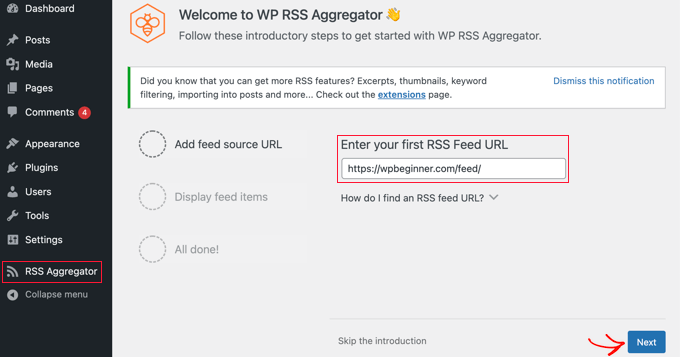
The paid plans unlock the functionality that most site owners eventually want: Feed to Post (import feed items as WordPress posts), full-text retrieval, keyword filtering, and — in the Pro and Elite plans — AI-powered content summaries.
Pricing (verified March 2026, source: wprssaggregator.com/pricing):
- Free: Unlimited feeds, shortcode display, basic filtering
- Basic: $99/year (1 site), $149/year (5 sites), $269/year (unlimited) — includes Feed to Post, full-text import
- Pro: $199/year (1 site), $299/year (5 sites), $619/year (unlimited) — includes 500 AI credits (1-site plan)
- Elite: $269/year (1 site), $419/year (5 sites), $769/year (unlimited) — includes 10,000 AI credits (1-site plan)
All plans come with a 30-day money-back guarantee. The free version is genuinely useful for display purposes — you’re not hitting a hard wall unless you need Feed to Post or AI features.
Best for: Content curators, bloggers adding supplemental news, news aggregator sites.
Not ideal for: Users who want AI autoblogging without any paid investment.
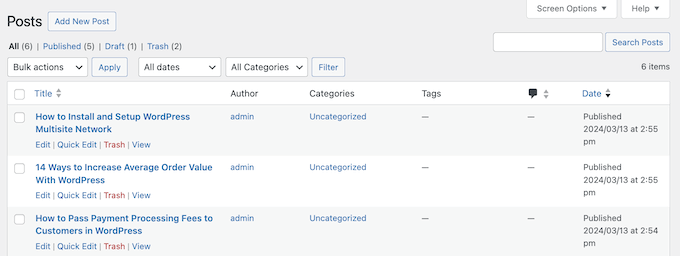
Feedzy RSS Feeds — Best for Autoblogging and AI Content
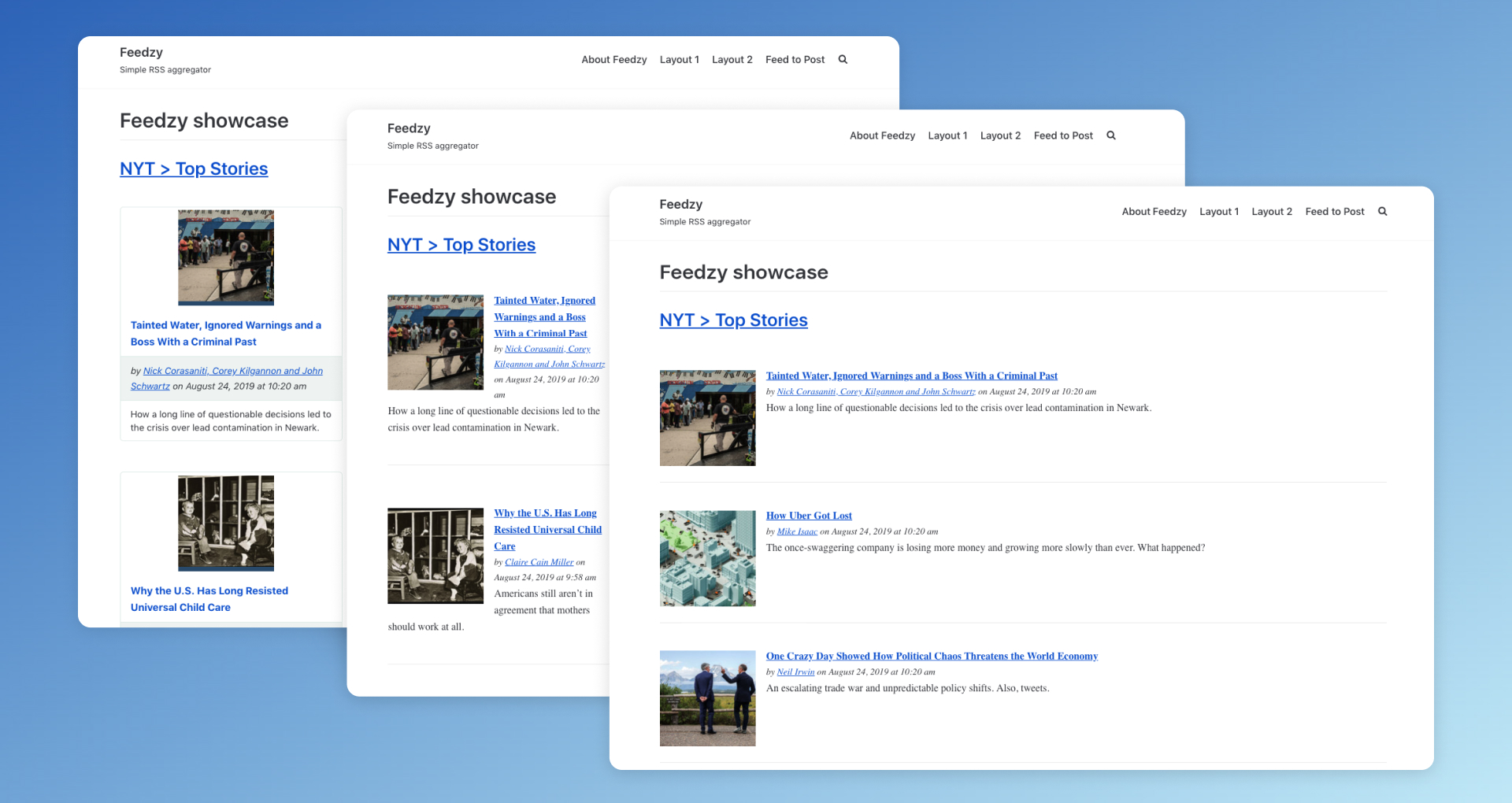
Feedzy, made by ThemeIsle, has carved out a strong position in the autoblogging space. The free version displays feeds via shortcodes, Gutenberg blocks, or widgets — respectable for a zero-cost option. Where it really differentiates is in the Pro tier, which adds Feed to Post automation, keyword filtering, scheduled imports, and a full OpenAI integration for paraphrasing, summarizing, translating, and even generating featured images.
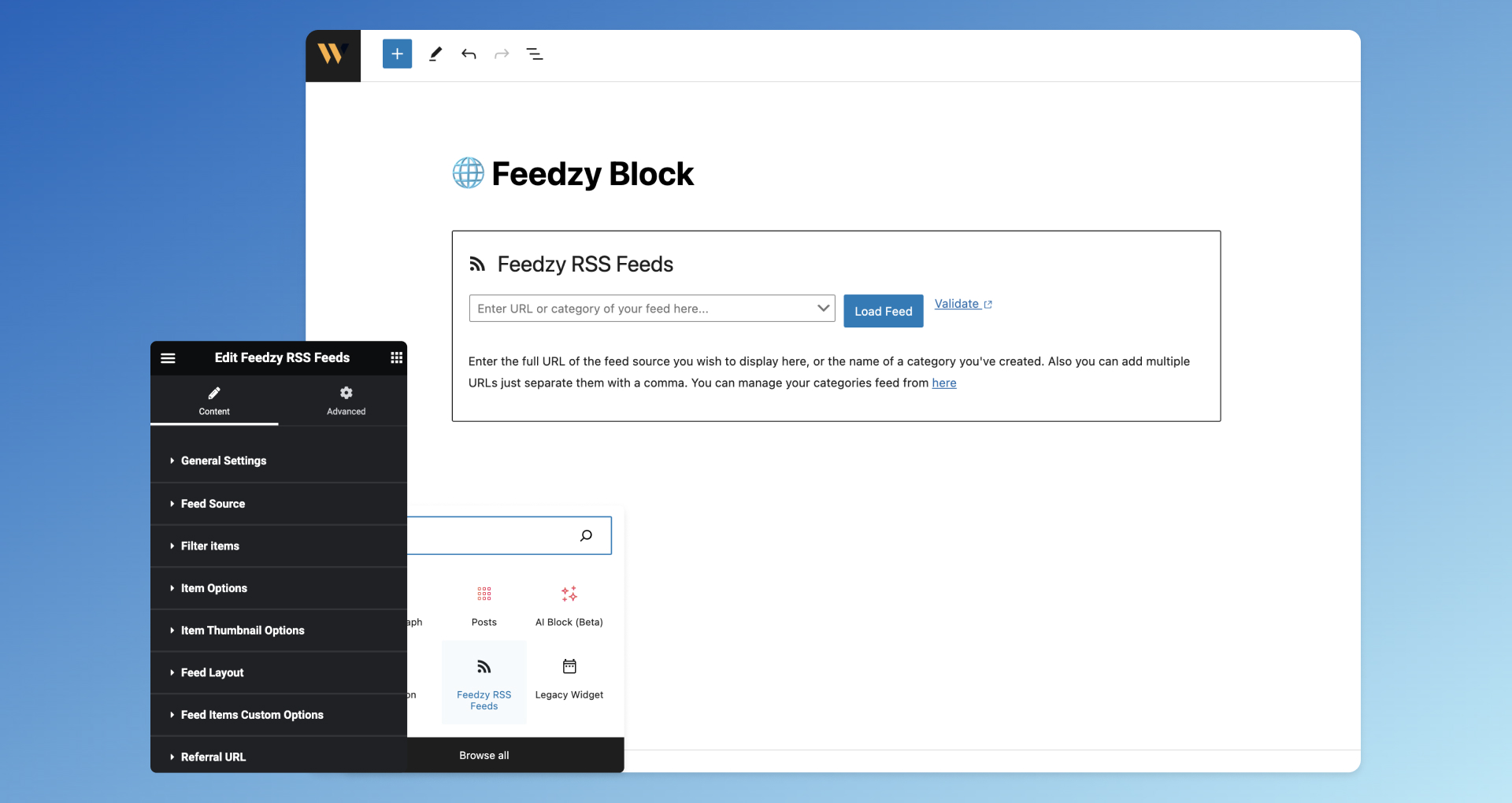
The 50,000+ user base and 360+ reviews on WordPress.org suggest it holds up well at scale. ThemeIsle also offers a 30-day no-questions-asked money-back guarantee.
Two features that stand out compared to competitors: YouTube feed import (pull your YouTube channel’s videos as posts) and affiliate link integration (add referral parameters to feed URLs automatically). Neither of those is common in this plugin category.
Pricing: Feedzy Pro starts at approximately $99/year for a single site license (verify current pricing at themeisle.com — plans change periodically). The free version is a solid starting point before upgrading.
Best for: Autobloggers, news sites, affiliate marketers, YouTube content re-publishers.
Not ideal for: Simple sidebar feed display where the free tier already does the job.
CreativeMinds RSS Post Importer — Best for AI-Generated Articles
If the goal is to generate entirely new, AI-written articles based on RSS feed content rather than just re-publishing excerpts, CreativeMinds RSS Post Importer is worth a closer look. It integrates directly with both ChatGPT and Google Gemini to produce unique content from incoming feed items.
Other features that stand out: proxy support for accessing restricted feeds, custom XML tag extraction, keyword-based filtering, and a content template system that lets you control exactly how imported posts look.
Pricing (verified March 2026, source: cminds.com):
- Essential: $49/year (1 site) — all core features including AI integration
- Advanced: $79/year (3 sites)
- Ultimate: $119/year (5 sites)
Note: Renewals at 40% discount per cminds.com pricing page — not a subscription model.
Best for: Sites wanting AI-enhanced, unique articles generated from RSS sources.
Not ideal for: Beginners or anyone wanting simple feed display.
Best RSS Feed Display Plugins
Sometimes you don’t want to import feeds as posts — you just want to show a live stream of external content somewhere on your site without it touching your database. That’s where display-only plugins come in. The content stays on the source site; your plugin simply references and renders it.
Super RSS Reader — Best for Sidebar Widgets
Super RSS Reader focuses on doing one thing well: displaying RSS feeds in attractive sidebar widgets. With 10,000+ active installs and a 4.6/5 rating (66 reviews on WordPress.org), it has a solid reputation for reliability.
The free version covers most use cases for bloggers — tabbed display of multiple feeds, news ticker effect, thumbnail support, color themes, and lazy loading. The Pro version adds shortcode support, grid display, keyword filtering, and the ability to merge multiple feeds into one widget.
Pricing: Free; Pro starts at $25/year.
Best for: Blogs wanting a news ticker or tabbed feed widget in the sidebar.
Not ideal for: Full-page feed aggregation or autoblogging.
WP RSS Retriever — Fast, Shortcode-Based Display
WP RSS Retriever markets itself as “the fastest RSS feeds plugin for WordPress” and keeps things minimal: add a feed URL, drop a shortcode, done. It includes excerpt and thumbnail support, which is more than the bare default WordPress RSS widget offers.
With 38 ratings on WordPress.org, it’s less battle-tested than WP RSS Aggregator or Feedzy, but it earns its place for situations where you need something light and quick — a news aggregator page, a supplemental content block, a simple RSS display in a blog post.
Pricing: Free on WordPress.org.
Best for: Simple, fast feed display without setup complexity.
Not ideal for: Advanced autoblogging, AI content, or heavy filtering needs.
Full Plugin Pricing Comparison (March 2026)
| Plugin | Free Tier? | Paid Starting Price | Sites (Entry Plan) | Key Strength |
|---|---|---|---|---|
| WP RSS Aggregator | ✅ Yes | $99/year | 1 | Feed to Post, AI credits (Pro/Elite) |
| Feedzy RSS Feeds | ✅ Yes | ~$99/year | 1 | OpenAI integration, YouTube feeds, affiliate links |
| CreativeMinds RSS Importer | ❌ No | $49/year | 1 | ChatGPT + Gemini for article generation |
| Smash Balloon (per plugin) | ✅ Limited free | $49/year | 1 | Social media embeds (IG, FB, YT, Twitter/X) |
| Smash Balloon All Access | ✅ Limited free | $299/year | Unlimited | All 8 social feed plugins bundled |
| Super RSS Reader | ✅ Yes | $25/year (Pro) | 1 | Sidebar widget, news ticker, tabbed layout |
| Featured Image in RSS Feed | ✅ Yes | ~$60/year (~$4.99/mo) | 1 | Adds images to your own RSS output |
| AIOSEO (RSS features) | ✅ Yes (RSS footer) | $199.60/year (full Pro) | 1 | RSS footer editor, anti-scraping credits |
Prices verified March 2026 from official vendor websites. Promotional discounts may apply. Always confirm current pricing before purchasing.
Best Social Media Feed Plugins
Instagram, Facebook, YouTube, and Twitter/X don’t use traditional RSS — they have their own APIs. But for WordPress site owners, the goal is the same: pull your social content onto your website automatically.
The Smash Balloon suite is the dominant option here. Each platform has its own plugin (Instagram Feed, Custom Facebook Feed, Twitter Feeds, Feeds for YouTube), and they’re sold individually starting at $49/year per plugin, or as a bundle (All Access: $299/year, unlimited sites) that includes all eight plugins plus a Social Wall aggregator and feed analytics.
The free versions are functional — they’ll display your basic feed — but meaningful customization (hashtag feeds, shoppable posts, carousels, templates) requires the paid tier. If your business is active across multiple platforms, the All Access bundle often makes more sense than purchasing plugins individually.
Best for: Businesses embedding their own social media content on WordPress.
Not ideal for: Embedding content from other people’s social accounts (API restrictions generally prevent this).
Best RSS Feed Optimization Plugins
These tools work on your site’s outgoing RSS feed — what your subscribers and feed readers receive when they pull your content.
All in One SEO (AIOSEO) — Best for Feed Footer and Anti-Scraping
AIOSEO is primarily an SEO plugin, but it includes an RSS feed editor that’s genuinely useful for any WordPress blogger. The free version lets you add custom content before and after each RSS feed item — typically a credit line linking back to your site. This matters because content scrapers who auto-publish your RSS feed will accidentally include your backlinks, turning theft into an SEO signal.
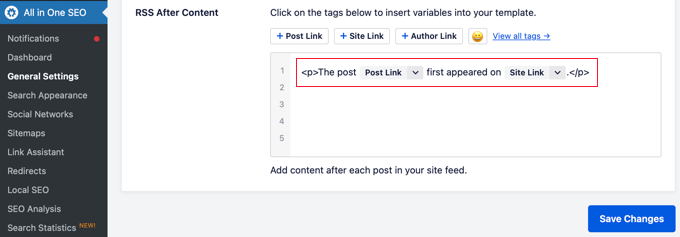
Pricing: RSS footer editor included in the free version. Full Pro (with all SEO features) starts at $199.60/year.
Best for: Any WordPress blogger who publishes regularly and wants basic scraper protection.
Not ideal for: Users looking for RSS aggregation — that’s a different tool category entirely.
Featured Image in RSS Feed — Best for Visual Email Newsletters
WordPress doesn’t include featured images in its default RSS output, which means your Mailchimp or other email RSS campaigns show as text-only. This plugin fixes that with one setting. It pulls the featured image from each post and inserts it into the RSS feed using standard formatting that email clients and news aggregators like Feedly can detect.
Pricing: Free; Pro from approximately $4.99/month (billed annually) for a single site.
Best for: Bloggers running RSS-to-email campaigns through Mailchimp, ConvertKit, or similar tools.
Not ideal for: Sites not using email marketing or content aggregation.
RSS Feed Plugins and AI — What’s Actually Available in 2026
AI integration is now a real differentiator in the RSS plugin space, not just a marketing bullet point. Three plugins offer meaningful AI capabilities worth understanding:
| Plugin | AI Integration | What It Can Do | Requirement |
|---|---|---|---|
| Feedzy Pro | OpenAI (GPT) | Paraphrase, summarize, translate content, generate missing featured images, custom AI prompts | Pro license + OpenAI API key |
| CreativeMinds RSS Importer | ChatGPT + Google Gemini | Generate unique articles from incoming feed content before publishing | Paid license + AI API key |
| Uncanny Automator | OpenAI | Translate, summarize, reframe, send formatted RSS alerts to Slack/Discord/WhatsApp | Pro license + OpenAI API key |
| WP RSS Aggregator (Pro/Elite) | Third-party AI (via integration) | AI content summaries for imported posts | Pro or Elite license |
One important note: AI-generated content from RSS feeds still needs editorial oversight. Auto-publishing AI rewrites without any review is a shortcut that often produces low-quality or inaccurate content. Feedzy explicitly recommends reviewing AI-generated content before publication — that’s sound advice regardless of which tool you use.
Copyright, Performance, and What Most Guides Don’t Tell You
Nearly every RSS plugin roundup skips this part. It’s worth spending two minutes on.
Copyright Considerations
Publishing an RSS feed doesn’t grant anyone the right to republish that content. RSS feed items are protected by copyright law — the same as any other article or blog post. Pulling excerpts, linking to the original source, and crediting the author is generally fine. Auto-publishing full articles from third-party feeds without permission is a copyright risk, regardless of how slick the plugin that does it is.
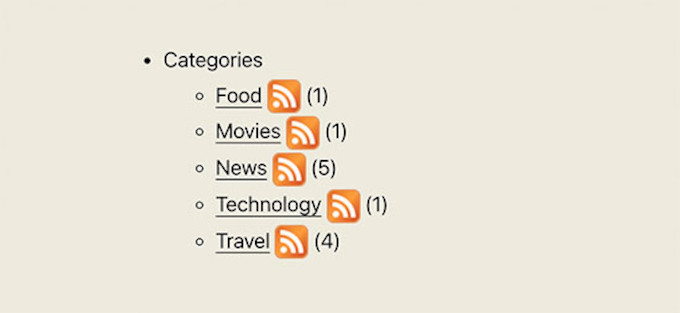
Safe practices when using RSS aggregation or import plugins:
- Display excerpts only, not full articles, unless you have explicit permission
- Always link back to the original source
- Credit the author by name when possible
- Check each source site’s terms of service — many explicitly address RSS redistribution
- Avoid using AI to rewrite content wholesale and present it as original without attribution
Performance Considerations
RSS plugins that run automated imports rely on WordPress cron jobs — background tasks that fire on a schedule to check for new feed items. On shared hosting, cron jobs can be unreliable or impact server performance if too many feeds are checked too frequently.
A few things to keep in mind:
- Use plugins with built-in caching (Feedzy lets you configure cache lifetime per feed)
- Reduce check frequency for feeds that update infrequently — checking every 15 minutes for a weekly newsletter is wasted server load
- On managed WordPress hosting (like Kinsta or WP Engine), server-level cron is more reliable than WordPress’s built-in WP-Cron
- Plugins that store feed items in the database (Feed to Post) grow your database over time — build in cleanup rules for old imported posts
For a deeper look at WordPress hosting environments and performance, see our WordPress guides.
Who Should Use Which Plugin — Decision Guide
| Your Situation | Best Plugin Match |
|---|---|
| Blogger wanting a sidebar news widget from external sites | Super RSS Reader (free) or WP RSS Aggregator (free) |
| Building a news aggregator website | WP RSS Aggregator Basic ($99/yr) or Feedzy Pro |
| Autoblogging with AI-enhanced content | Feedzy Pro (OpenAI) or CreativeMinds RSS Importer |
| Business showing social media content on WordPress | Smash Balloon suite ($49–$299/yr depending on platforms) |
| Blogger using Mailchimp or email newsletters | Featured Image in RSS Feed (free version works) |
| Worried about content scrapers stealing your posts | AIOSEO RSS footer editor (free tier sufficient) |
| Automating RSS alerts to Slack, Discord, or WhatsApp | Uncanny Automator (Pro) |
| Multilingual site needing translated RSS content | Feedzy Pro (OpenAI translate) or Uncanny Automator |
Frequently Asked Questions
Does WordPress have a built-in RSS feed?
Yes. Every WordPress site automatically generates RSS feeds for posts, categories, tags, and authors. You can access your main feed by adding /feed/ to your site URL — for example, https://yoursite.com/feed/. No plugin required for the basic feed. Plugins become useful when you want to customize that feed’s output, pull in feeds from other sites, or protect your feed from scrapers.
What is the difference between RSS display and RSS import/aggregation?
RSS display plugins show external feed content on your site in real time — the content stays on the source website, you’re just referencing it. RSS import/aggregation plugins pull feed content and actually save it in your WordPress database as posts. The import approach is what’s commonly called “autoblogging.” Both have legitimate uses, but they work very differently under the hood and carry different copyright implications.
Which RSS plugin is best for absolute beginners?
Super RSS Reader and WP RSS Aggregator’s free version are both beginner-friendly — install, add a feed URL, paste a shortcode or drop a widget. Neither requires API keys or complex configuration. If you outgrow the free version, both have clear upgrade paths. For social media feeds, Smash Balloon’s setup wizard is one of the easiest in this category.
Are RSS feeds still relevant in 2026?
Yes, for two distinct reasons. First, RSS readers like Feedly and Inoreader still have millions of active users — publishing a well-formatted feed keeps your content accessible to that audience. Second, RSS is the backbone of content automation on WordPress — autoblogging, newsletter delivery, podcast distribution, and AI content pipelines all depend on RSS. The format isn’t glamorous, but it’s still doing real work.
Can I legally use RSS feeds to auto-publish content on my site?
This is where most RSS plugin articles go silent. The short answer: RSS content is protected by copyright. The fact that a site publishes an RSS feed doesn’t grant you permission to republish that content. Displaying excerpts with a link back to the source is generally considered acceptable (and is common practice). Auto-publishing full articles from third-party feeds without explicit permission carries legal risk. If you’re building an autoblog, get permission from sources where possible, display summaries rather than full text, and always attribute clearly.
Do RSS feed plugins slow down my WordPress site?
They can, but they don’t have to. Plugins that run frequent cron jobs to check for new feed items create background server load — this is more noticeable on shared hosting. The solution is choosing a plugin with built-in caching (Feedzy, WP RSS Aggregator both have this), reducing check frequency for slow-updating sources, and using server-level cron on managed hosting environments for reliability. A well-configured RSS plugin on a properly hosted site won’t cause noticeable performance degradation.
What is the best free WordPress RSS feed plugin?
For displaying external feeds: WP RSS Aggregator’s free version or Super RSS Reader. For your own RSS feed optimization: the free tier of AIOSEO for footer credits, or Featured Image in RSS Feed for adding thumbnails. For social media embeds: Smash Balloon’s limited free versions work for basic display. There’s no single “best” free plugin across all use cases — it depends entirely on what you’re trying to accomplish.
Can I add featured images to my WordPress RSS feed without a plugin?
Yes, but it requires adding custom code to your theme’s functions.php file. The simpler, safer approach for most users is the Featured Image in RSS Feed plugin, which handles this with a settings toggle and no code. It also uses standard media formatting that email platforms like Mailchimp automatically detect.
How do I find the RSS feed URL for any website?
Try adding /feed/ to any WordPress site’s URL — that works for most blogs. For non-WordPress sites, look for an orange RSS icon in the browser address bar or in the site’s footer. Many sites list their feed URL in the page source under a <link rel="alternate" type="application/rss+xml"> tag. Feedzy and WP RSS Aggregator can also auto-detect feed URLs by entering the site’s homepage URL during setup.
Which WordPress RSS plugins support AI content generation?
Three plugins currently offer meaningful AI integration: Feedzy Pro (OpenAI GPT for paraphrasing, translation, and image generation), CreativeMinds RSS Post Importer (ChatGPT and Google Gemini for full article generation), and Uncanny Automator (OpenAI for content transformation and alerts). All require their own paid licenses and external AI API keys. WP RSS Aggregator Pro and Elite also include basic AI summaries. This landscape is evolving quickly — check each vendor’s current feature list before purchasing.
Conclusion
The right WordPress RSS feed plugin depends entirely on what you’re trying to build. A blogger wanting a news ticker in their sidebar needs something completely different from an autoblogger trying to publish AI-rewritten content from fifty feeds daily.
Start by identifying which of the four plugin types matches your goal — display, import, social media, or optimization. From there, the choice narrows considerably. WP RSS Aggregator and Feedzy dominate the aggregation space and have the install counts and review histories to back them up. For social media feeds, Smash Balloon is in a category of its own. For feed optimization, AIOSEO’s free tier handles the most common need (anti-scraping footer credits) without requiring a paid upgrade.
AI features are now a real consideration for autobloggers — but they come with important caveats around content quality, copyright, and editorial oversight. The tools are getting better, but they don’t eliminate the need for judgment about what you’re publishing and whether you have the right to do so.
