



Privacy laws have teeth now. GDPR fines can reach €20 million or 4% of your annual global revenue — whichever is higher. CCPA violations run up to $7,500 per intentional breach. If your WordPress site serves visitors from the EU, California, or Brazil, having no cookie consent mechanism isn’t just a compliance gap, it’s a legal liability.
But not all cookie plugins are built the same. Some are full consent management platforms (CMPs) that block tracking scripts before consent, log proof of compliance, and auto-scan your site for new cookies. Others are just banners — they display a notice but do nothing to stop tracking tools from firing before a visitor clicks Accept. The difference matters both legally and technically.
This guide breaks down eight of the best WordPress cookie plugins across performance, privacy model, Google Consent Mode v2 support, pricing, and the use cases each one is actually suited for.

Learn more about WordPress plugins and tools on WPlasma
Quick Verdict: Best WordPress Cookie Plugin by Use Case
If you’re short on time, here’s where each plugin shines:
| Use Case | Recommended Plugin | Key Reason |
|---|---|---|
| Best overall | WPConsent | Self-hosted, GCM v2 on free tier, lightweight (12 KB) |
| Best free option | CookieYes or Cookie Notice | CookieYes for auto-scan; Cookie Notice for minimal sites |
| WooCommerce stores | Complianz | Blocks GTM before consent, legal page generation, geo-rules |
| Multilingual sites | Complianz | Certified WPML integration with full translation dashboard support |
| Cloud-based CMP | Cookiebot | Daily auto-scans, detailed compliance reports, 700K+ installs |
| Privacy policy + consent | iubenda | Cookie consent + privacy policy + T&C generator in one |
| Advanced/publisher sites | Borlabs Cookie | IAB TCF v2.2 support, content blocking, German market focus |
| Simple personal blog | Cookie Notice & Compliance | Completely free, zero setup complexity |
Three quick questions to find your fit:
- Do you run Google Ads targeting EU visitors? → Pick a plugin with Google Consent Mode v2 support (WPConsent, CookieYes paid, Complianz paid, Cookiebot, iubenda, Borlabs).
- Is your site speed a priority? → Stick with self-hosted options: WPConsent (2 requests, 12 KB) or Complianz (3 requests, 13.1 KB).
- Do you also need a privacy policy document? → iubenda handles both. Complianz generates legal pages too.
What Cookie Consent Plugins Actually Do (And What They Don’t)
Most WordPress site owners install a cookie banner and think the job is done. The problem: showing a notice is not the same as blocking tracking. If your analytics script, Facebook Pixel, or Google Tag Manager fires before a visitor clicks Accept, you may still be non-compliant under GDPR — even with a banner showing.
Here’s what a real consent management plugin actually does:
- Script blocking (prior consent): Prevents cookies and trackers from running until the visitor gives consent. This is the legally important part many basic plugins skip.
- Cookie categories (granular consent): Groups cookies into Necessary, Analytics, Marketing — so visitors can accept some and reject others.
- Consent logging (audit trail): Keeps a timestamped record of user decisions. Required if a regulator asks you to prove compliance.
- Cookie scanning: Detects new cookies automatically as you add plugins or services. Without this, your banner may be declaring cookies you don’t actually use — or missing ones you do.
- Legal page generation: Some plugins create and auto-update your cookie policy page. Others require you to write it yourself.
What privacy laws actually require from your site depends on where your visitors come from:
| Law | Region | Who It Applies To | Key Requirement | Plugin Feature Needed |
|---|---|---|---|---|
| GDPR | EU / EEA | Any site with EU visitors | Explicit consent before non-essential cookies | Script blocking + consent logging |
| ePrivacy | EU | EU sites | Prior consent for tracking cookies | Cookie categories + banner |
| CCPA | California, USA | Sites with California visitors (revenue threshold) | “Do Not Sell My Data” option | Opt-out mechanism + DNSMPI page |
| LGPD | Brazil | Sites processing Brazilian data | Consent before data processing | Script blocking + consent log |
| PIPEDA | Canada | Canadian commercial sites | Meaningful consent for data collection | Cookie banner + privacy policy |
| POPIA | South Africa | Sites processing South African personal data | Consent-based data processing | Cookie consent mechanism |
Explore more WordPress compliance guides on WPlasma
Self-Hosted vs Cloud-Based Cookie Plugins — The Trade-Off No One Explains Clearly
Every major cookie plugin falls into one of two camps: self-hosted (WordPress-native) or cloud-based (SaaS-dependent). This distinction affects your page speed, data privacy, and what happens when the vendor has an outage.
Self-Hosted (WordPress-Native) Plugins
Self-hosted plugins store all consent data on your own server. There are no external API calls to third-party domains, which means:
- Zero third-party domain connections — no CDN scripts loading from external servers
- Smaller performance footprint (WPConsent: 2 requests / 12 KB; Complianz: 3 requests / 13.1 KB)
- Full ownership of consent logs — no vendor lock-in for audit data
- Works even if the plugin vendor shuts down their SaaS
Self-hosted plugins: WPConsent, Complianz, GDPR Cookie Compliance by Moove, Borlabs Cookie
Cloud-Based (SaaS-Dependent) Plugins
Cloud-based plugins rely on external servers to deliver their consent functionality. CookieYes connects to cdn-cookieyes.com and log.cookieyes.com. Cookiebot runs all scanning and configuration through the Cookiebot cloud dashboard.
- External CDN scripts load on every page — adds requests and KB to page load
- Consent logs stored on vendor servers (data sovereignty question for GDPR)
- If vendor’s CDN is slow or down, your consent banner may be delayed
- Benefit: dashboard accessible from anywhere; daily auto-scans without server resources
Cloud-based or hybrid plugins: CookieYes (hybrid), Cookiebot (full cloud), iubenda (hybrid)
Side-by-Side Comparison
| Factor | Self-Hosted | Cloud-Based |
|---|---|---|
| Page speed impact | Minimal (0 external domains) | Higher (1-2 external CDN calls) |
| Data control | Full (all data on your server) | Shared (vendor holds consent logs) |
| Vendor dependency | None for core function | High (banner may fail if CDN is slow) |
| Auto-scanning | Available in some (Complianz, WPConsent) | Usually more powerful (daily cloud scans) |
| GDPR data sovereignty | Strong (no data leaves your server) | Depends on vendor data center location |
| Setup complexity | Varies (Complianz has wizard; WPConsent is simpler) | Requires external account creation |
Google Consent Mode v2 — Why It Matters for Your WordPress Site
If you run Google Ads or use Google Analytics 4 with EU visitors, Google Consent Mode v2 is no longer optional. Since March 2024, Google requires it for accurate ad measurement in the EU. Without it, your conversion data for non-consenting EU users either disappears entirely or gets filled in with behavioral modeling — Google’s best statistical guess, not actual data.
Here’s what GCM v2 does: when a visitor declines cookies, it sends a consent signal to Google Ads and GA4 indicating the refusal. Google then uses aggregate modeling to estimate conversions from that segment, rather than going completely dark. With GCM v2 active, you maintain some visibility into EU campaign performance. Without it, you’re measuring blind.
Not all plugins support GCM v2 equally — and some only offer it on paid tiers:
| Plugin | GCM v2 Support | Available On | IAB TCF Support |
|---|---|---|---|
| WPConsent | ✅ Yes | Free + Paid | ❌ No |
| CookieYes | ✅ Yes | Paid plans only | ✅ Yes (paid) |
| Complianz | ✅ Yes | Paid plans only | ✅ Yes (CMP #332) |
| Cookiebot | ✅ Yes | All plans (incl. free) | ✅ Yes |
| GDPR Cookie Compliance (Moove) | ✅ Yes | Paid plans only | ❌ No |
| Borlabs Cookie | ✅ Yes | All plans | ✅ v2.2 |
| iubenda | ✅ Yes | All plans | ✅ Yes |
| Cookie Notice & Compliance | ❌ No | — | ❌ No |
Key takeaway: if you run Google Ads and need GCM v2 without paying for a premium plan, WPConsent’s free tier is currently the only option that includes it out of the box. CookieYes and Complianz require upgrading.
See more Google Analytics and tracking guides on WPlasma
Performance Impact — How Cookie Plugins Affect Your Page Speed
Cookie banners load on every page. That makes their performance footprint something worth measuring before you install. The difference between a self-hosted plugin (WPConsent, Complianz) and a cloud-based one (CookieYes, Cookiebot) is significant — especially on mobile.
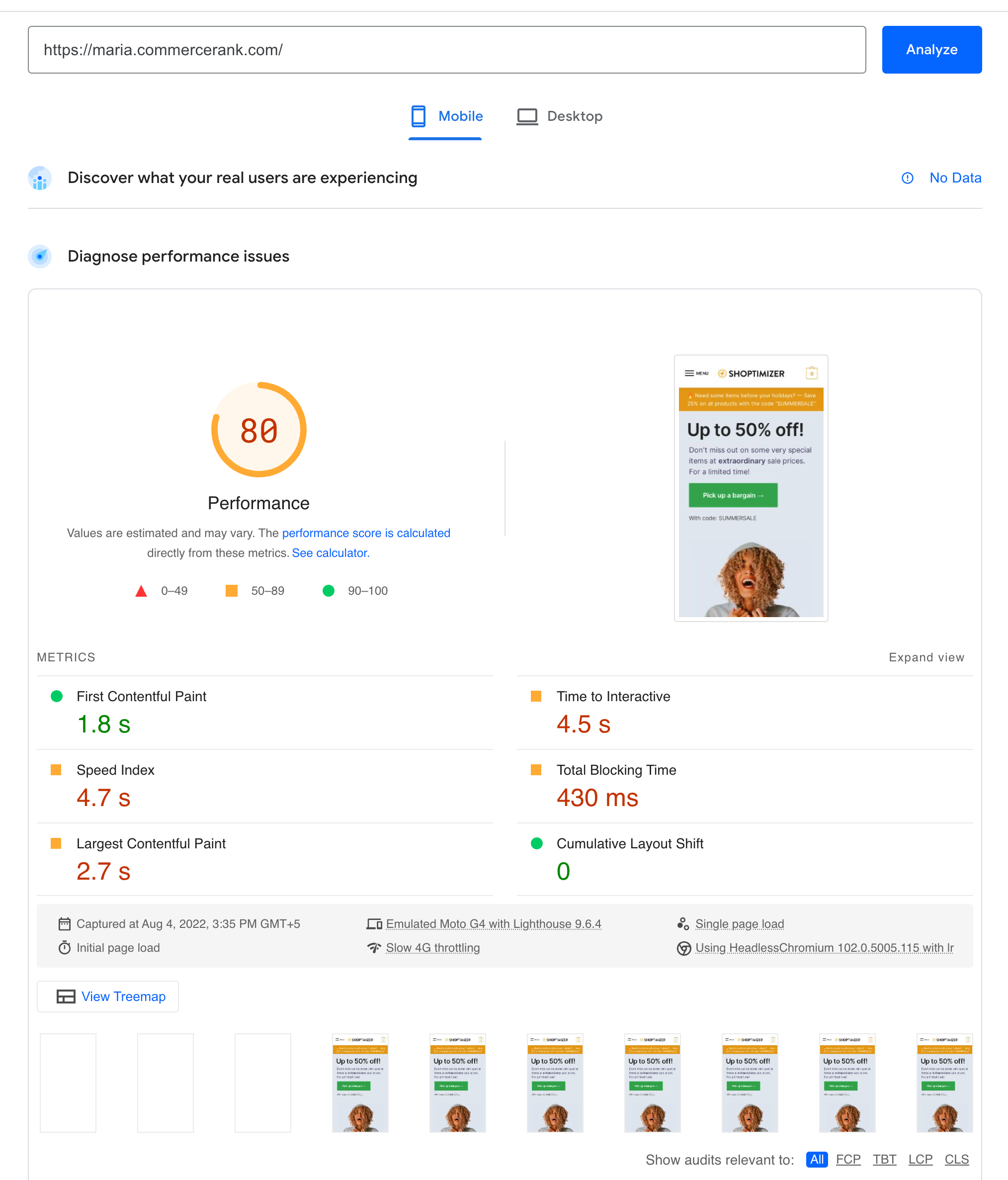
GTmetrix benchmark data (SeedProd, February 2026) shows what each plugin adds to a page by itself — not total page load time, which varies by site:
| Plugin | Requests Added | Size Added | External Domains | Self-Hosted | Mobile PageSpeed Impact |
|---|---|---|---|---|---|
| WPConsent | 2 | 12 KB | 0 | ✅ Yes | Minimal (not separately tested) |
| Complianz | 3 | 13.1 KB | 0 | ✅ Yes | -5 points (95 → 90) |
| Borlabs Cookie | — | — | 0 (self-hosted) | ✅ Yes | -5 points (95 → 90) |
| CookieYes | 9 | 28 KB | 2 | ❌ Partial | Not separately tested |
| Cookiebot | — | — | Yes (cloud) | ❌ No | -15 points (95 → 80) |
One specific case worth noting: Complianz blocks Google Tag Manager before consent is given. On a test site running GTM tags, this cut total page size from roughly 498 KB down to 198 KB. If your site uses GTM heavily, that’s a meaningful performance difference compared to plugins that let GTM load regardless of consent status.
PageSpeed data comes from CommerceGurus testing on a WooCommerce + Shoptimizer environment (WordPress 6.0.1). Exact numbers will vary by site and theme — but the relative ranking (Complianz and Borlabs perform better than Cookiebot) is directionally reliable.
8 Best WordPress Cookie Plugins Compared
1. WPConsent
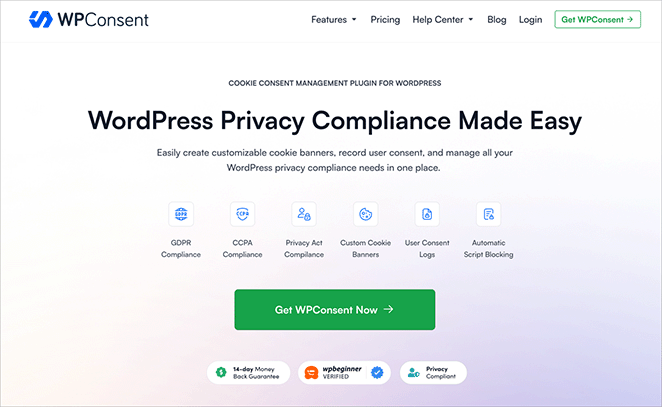
WPConsent is built by the same team behind WPForms and AIOSEO, which tells you something about the quality standard. It covers GDPR, CCPA, ePrivacy, and Google Consent Mode v2, and unusually, it includes GCM v2 support on its free tier.
The plugin stores all consent logs on your own server — no third-party dashboard account required. In GTmetrix benchmarks, it added just 2 requests and 12 KB to page load with zero external domain connections, the lightest footprint of any plugin tested.
- Best for: Bloggers and small business owners who want fast, privacy-first compliance without complexity
- Free plan: Yes (limited, but includes GCM v2)
- Paid from: $99/year (1 site)
- GCM v2: ✅ Free + paid
- Self-hosted: ✅ Yes (100%)
- Auto scan: ✅ Yes
- Active installs: 100,000+
- Setup complexity: ⭐⭐ (very beginner-friendly)
Pros: Lightest performance footprint; GCM v2 on free tier; no external server dependency; visual banner editor; first-party consent logging
Cons: Smaller install base than CookieYes or Complianz; paid tier is higher-priced than some competitors
2. CookieYes

CookieYes is one of the most widely installed cookie consent plugins on WordPress, with over a million active installs. Its automatic cookie scanning is a genuine time-saver — it detects and categorizes cookies without manual input. Geo-targeted banners show the consent notice only in regions where it’s legally required.
The trade-off: GCM v2 support is locked behind paid plans. The free tier limits you to 5,000 pageviews per month and 100 pages per scan, which is workable for a personal blog but too restrictive for most small businesses. The plugin also loads 9 requests and 28 KB, including a render-blocking CDN script and its own web font.
- Best for: Beginners who need auto-scanning and don’t mind the cloud dependency
- Free plan: Yes (5,000 pv/mo limit; GCM v2 not included)
- Paid from: ~$120/year (~$10/month)
- GCM v2: ✅ Paid plans only
- Self-hosted: Partial (WordPress plugin is local; advanced features use SaaS dashboard)
- Auto scan: ✅ Yes (scheduled scans on paid)
- Active installs: 1,000,000+
- Setup complexity: ⭐⭐ (beginner-friendly)
Pros: Large user base with active support; automatic cookie scanning; GDPR, CCPA, LGPD, PIPEDA coverage; geo-targeted banners; 14-day trial on paid plans
Cons: GCM v2 requires paid plan; 9 requests / 28 KB / 2 external domains adds meaningful page weight; free tier pageview limit is restrictive for growing sites
3. Complianz

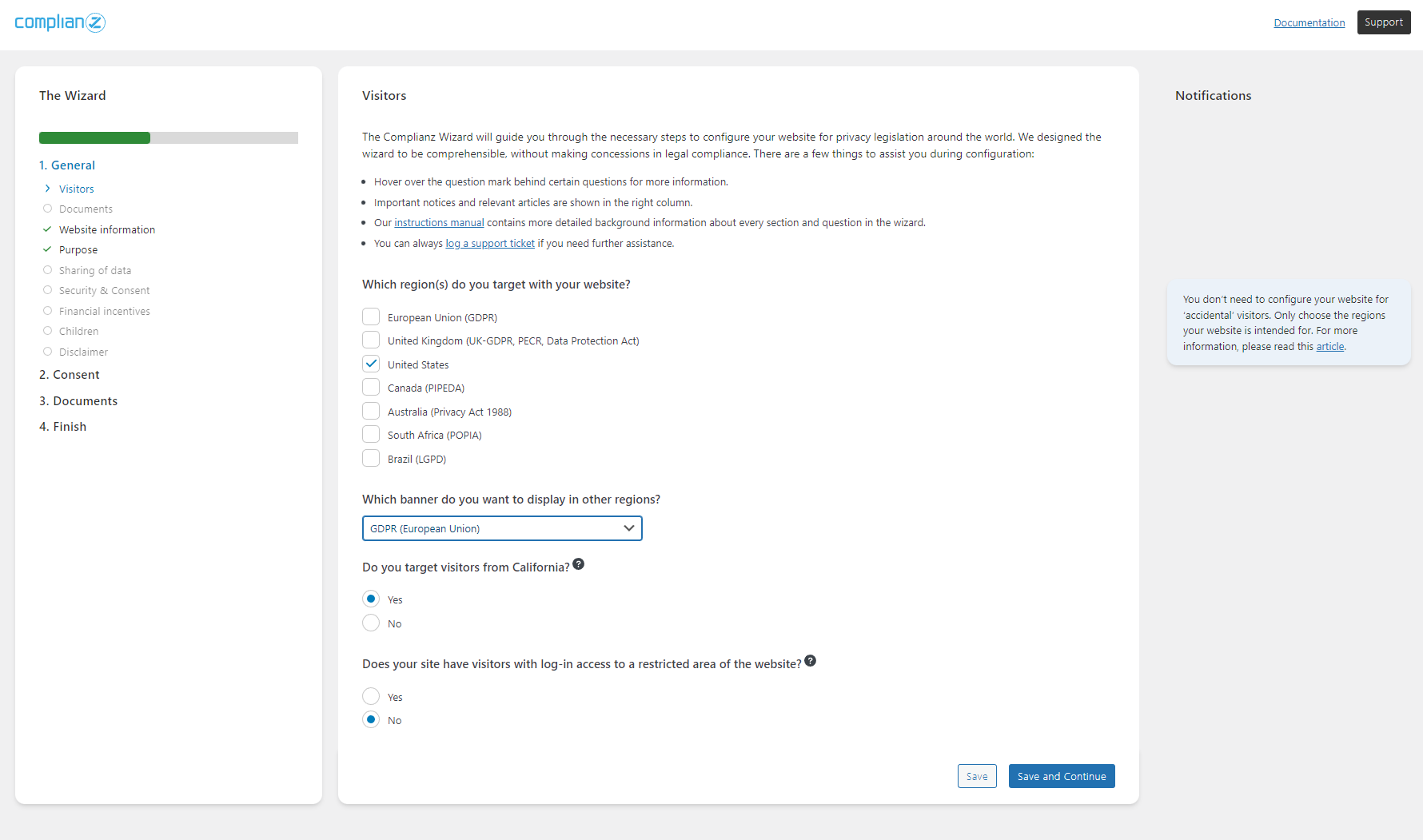
Complianz is the most complete self-hosted option on this list. It’s a full privacy compliance suite: cookie scanning, consent banner, geo-targeting, legal document generation, multi-language support, and IAB TCF v2.0 certification — all running on your own WordPress server with zero external API calls.
Read WPlasma’s full guide to WordPress privacy plugins
Its GTM-blocking behavior deserves special attention. Complianz prevents Google Tag Manager from loading until a visitor gives consent. On a test site, this cut total page weight from ~498 KB to ~198 KB — a 60% reduction in page size for sites that rely on GTM for tracking. That’s a concrete performance advantage for WooCommerce stores running marketing pixels.
One caveat: GCM v2 support is in paid tiers only. The free version is genuinely functional, but if you need GCM v2 without the upgrade cost, WPConsent is the better free option.
- Best for: WooCommerce stores, multilingual sites, high-compliance environments
- Free plan: Yes (no pageview or consent limits)
- Paid from: $59/year (1 site)
- GCM v2: ✅ Paid plans only
- Self-hosted: ✅ Yes (zero external domains)
- Auto scan: ✅ Yes (weekly, free + paid)
- Active installs: 800,000+
- Setup complexity: ⭐⭐⭐ (wizard-guided, but many options)
Pros: Fully self-hosted with no external calls; setup wizard; GTM blocking; generates legal pages automatically; WPML-certified integration; 30-day money-back guarantee
Cons: GCM v2 requires paid plan; advanced settings can feel complex for first-time users
4. Cookiebot

Cookiebot (now part of Usercentrics) is a cloud-based consent management platform that handles everything from its external dashboard. The daily automated scan is its standout feature: it crawls your site, updates the cookie inventory, and refreshes your consent banner — all without manual input. That’s genuinely useful for eCommerce or news sites with frequently changing third-party integrations.
The cloud model carries a performance cost. In PageSpeed testing, Cookiebot dropped the mobile score by 15 points (95 → 80), the largest drop of any plugin tested. This comes from loading consent assets from external servers. GCM v2 is included across all plan levels, which is an advantage over CookieYes and Complianz.
- Best for: High-traffic sites and compliance-heavy businesses that need daily auto-scanning and detailed audit trails
- Free plan: Yes (limited by pageviews/domain)
- Paid from: ~$118/year (verify at cookiebot.com — pricing page is JS-rendered) ⚠️
- GCM v2: ✅ All plans
- Self-hosted: ❌ No (fully cloud-based)
- Auto scan: ✅ Yes (daily)
- Active installs: 700,000+
- Setup complexity: ⭐⭐⭐ (requires external account)
Pros: Daily auto-scans keep cookie inventory current; GCM v2 on all tiers; detailed consent reports; 60+ languages; 700,000+ installs; Google-certified CMP
Cons: Largest PageSpeed performance hit (-15 mobile); fully cloud-dependent; consent data stored on vendor servers; pricing scales with page count
5. GDPR Cookie Compliance by Moove Agency

With 300,000+ active installs, GDPR Cookie Compliance by Moove Agency is a solid, self-hosted option that punches above its install count in terms of features. The free version includes working cookie category management (Necessary, Analytics, Marketing), which is more than many free plugins offer. All consent data is stored locally on your server.
GCM v2 support is reserved for paid plans, and there’s no confirmed auto-scanning on any tier. The banner customization is more limited than WPConsent or CookieYes. But for a small site that needs a dependable free plugin with real category management — not just a notification bar — this is a reasonable choice.
- Best for: Sites wanting a free, self-hosted plugin with real cookie categories
- Free plan: Yes
- Paid from: ~$74/year (£59 — prices are in GBP; verify current USD equivalent)
- GCM v2: ✅ Paid plans only
- Self-hosted: ✅ Yes
- Auto scan: ⚠️ Not confirmed
- Active installs: 300,000+
- Setup complexity: ⭐⭐ (straightforward)
Pros: Self-hosted; free tier has genuine cookie category management; 300K+ installs; GDPR, CCPA, LGPD, POPIA support; 14-day money-back on paid
Cons: GCM v2 paid-only; auto-scan unconfirmed; fewer banner customization options than top competitors; prices in GBP
6. Borlabs Cookie
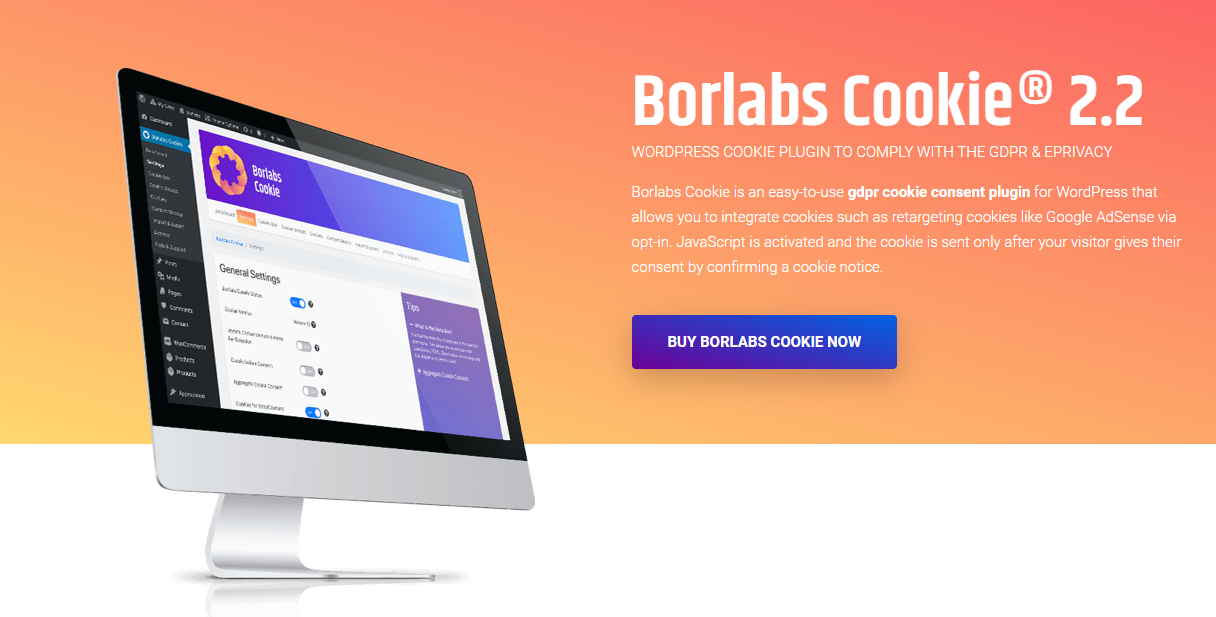
Borlabs Cookie is the only plugin on this list with no free plan — it’s premium-only, sold directly from borlabs.io (not on WordPress.org). That narrows its audience, but the target user is clear: technically sophisticated site owners, German-market compliance requirements, and publishers who need IAB TCF v2.2 support for programmatic advertising.
IAB TCF v2.2 (Interactive Advertising Bureau Transparency and Consent Framework) is the industry standard for programmatic ad consent. If your site serves display ads through ad networks requiring this certification, Borlabs is one of few WordPress plugins that support it natively. Borlabs also delivers self-hosted performance comparable to Complianz (mobile PageSpeed drop of ~5 points in testing).
- Best for: Advanced users, publishers with programmatic ads, German-market compliance
- Free plan: ❌ No
- Paid from: ~$43/year (€39 — verify at borlabs.io; site was unreachable at time of testing) ⚠️
- GCM v2: ✅ All plans
- Self-hosted: ✅ Yes
- Auto scan: ✅ Yes
- Active installs: Not available (direct sales, not on wordpress.org)
- Setup complexity: ⭐⭐⭐⭐ (advanced, requires technical knowledge)
Pros: IAB TCF v2.2 support; self-hosted; content and script blocking; solid performance; good multilingual support
Cons: No free plan; not on wordpress.org; requires technical knowledge to configure; site unavailable during research
7. iubenda

iubenda takes a different approach: it’s a compliance platform, not just a cookie banner plugin. A single subscription covers cookie consent, privacy policy generation, and terms of service — all auto-generated from a library of lawyer-drafted legal clauses and kept current as laws change.
If you’ve been putting off writing a privacy policy, iubenda removes that barrier. It scans your site, detects the services you use (Google Analytics, Facebook Pixel, etc.), and auto-builds a privacy policy that covers them. GCM v2 is included across all plan levels. The trade-off is a partial cloud dependency — iubenda loads assets from its CDN, which adds a small external call on page load.
- Best for: Sites that also need a compliant privacy policy without hiring a lawyer
- Free plan: Yes (basic)
- Paid from: ~$27/year (verify at iubenda.com — pricing page is JS-rendered) ⚠️
- GCM v2: ✅ All plans
- Self-hosted: Partial (CDN reliant)
- Auto scan: ✅ Yes
- Active installs: 700,000+
- Setup complexity: ⭐⭐⭐ (requires account and configuration)
Pros: Cookie consent + privacy policy + T&C generator in one; GCM v2 on all plans; auto-scan and auto-configuration; 700K+ installs; 10-language auto-translation
Cons: Partial cloud dependency; full features require paid plan; more complex setup than a simple banner plugin; pricing page JS-rendered (verify before purchase)
8. Cookie Notice & Compliance

Cookie Notice & Compliance does exactly what its name says: it notifies visitors about cookies. It won’t scan your site for cookies, won’t block tracking scripts, won’t log consent, and doesn’t support Google Consent Mode v2. For a personal blog with minimal third-party scripts and low EU traffic, that might be enough.
Where it earns its place: it’s completely free with no paid tier, takes minutes to set up, and includes a “revoke consent” button — which is rare for a fully free plugin. If your compliance requirements are genuinely minimal, this is the zero-cost option.
- Best for: Personal blogs with low traffic and minimal compliance exposure
- Free plan: ✅ Yes (fully free, no paid plan)
- Paid from: N/A
- GCM v2: ❌ No
- Self-hosted: ✅ Yes
- Auto scan: ❌ No
- Setup complexity: ⭐ (simplest of all options)
Pros: 100% free; extremely simple setup; includes “revoke consent” option; no external dependencies
Cons: No script blocking; no consent logging; no GCM v2; no auto-scanning; not suitable for sites with significant EU, California, or Brazilian traffic
Browse WPlasma’s complete WordPress plugin guides
Which WordPress Cookie Plugin Fits Your Site?
Popularity rankings and star ratings only tell you so much. The right cookie plugin depends on your site’s actual profile — traffic volume, geographic exposure, third-party integrations, and how much compliance depth you need.
| Site Type | Recommended Plugin | Key Reason |
|---|---|---|
| Personal blog (low EU traffic) | Cookie Notice & Compliance | Free, zero setup, minimal compliance requirements |
| Personal blog (some EU traffic) | WPConsent (free tier) | Free tier includes script blocking + GCM v2 |
| Small business website | WPConsent or CookieYes | Balance of features, auto-scan, and manageable cost |
| WooCommerce store | Complianz | GTM blocking + legal page generation + geo-rules |
| Multilingual WordPress site | Complianz | Certified WPML integration via Translation Dashboard |
| High-traffic or enterprise | Cookiebot | Daily auto-scans, detailed compliance reports, CMP certification |
| Heavy Google Ads (EU targeting) | WPConsent, Complianz (paid), or Cookiebot | GCM v2 required; WPConsent free tier is cheapest entry |
| Needs privacy policy docs too | iubenda or Complianz | iubenda: lawyer-drafted policy gen; Complianz: legal pages in WordPress |
| Programmatic ad publisher | Borlabs Cookie | IAB TCF v2.2 — required by many ad networks |
Pricing Comparison (March 2026)
Prices verified from official plugin pages on 2026-03-18. Items marked ⚠️ could not be confirmed from live pages due to JavaScript-rendered pricing — verify directly before purchasing.
| Plugin | Free Plan | Free Tier Limits | Paid Starts At | GCM v2 (Free?) |
|---|---|---|---|---|
| WPConsent | Yes | No stated limits | $99/year (1 site) | ✅ Yes |
| CookieYes | Yes | 5,000 pv/mo; 100 pages/scan | ~$120/year | ❌ Paid only |
| Complianz | Yes | No limits | $59/year (1 site) | ❌ Paid only |
| Cookiebot | Yes | ~500 pv/mo ⚠️ | ~$118/year ⚠️ | ✅ Yes |
| GDPR Cookie Compliance (Moove) | Yes | Basic banner only | ~$74/year (£59) ⚠️ rate | ❌ Paid only |
| Borlabs Cookie | No | — | ~$43/year (€39) ⚠️ | ✅ Yes |
| iubenda | Yes | Basic only | ~$27/year ⚠️ | ✅ Yes |
| Cookie Notice & Compliance | Yes (fully free) | None | Free (no paid plan) | ❌ No |
Compare more WordPress plugin pricing on WPlasma
FAQ — WordPress Cookie Plugin Questions Answered
Do I actually need a cookie consent plugin on my WordPress site?
It depends on where your visitors come from. If your site receives traffic from the EU, you are subject to GDPR, which requires explicit consent before setting non-essential cookies. WordPress installs cookies by default (session, comment, WooCommerce cart), and plugins like Google Analytics, Facebook Pixel, or any marketing tool add more. If any of those reach EU visitors, a cookie consent mechanism isn’t optional. For US-only sites with no EU visitors and no analytics tracking, the legal requirement is much lower — though California’s CCPA applies to businesses meeting certain revenue and data volume thresholds.
What’s the difference between GDPR and CCPA — and which applies to me?
GDPR is an EU regulation that applies to any organization globally that collects or processes personal data of EU residents. It requires explicit opt-in consent before non-essential cookies fire, and penalties can reach €20 million or 4% of global annual revenue. CCPA is a California state law that applies to for-profit businesses serving California residents that meet specific revenue or data volume thresholds (over $25M annual revenue, or handling data of 100,000+ consumers). CCPA requires an opt-out mechanism (“Do Not Sell My Personal Information”) rather than opt-in consent. If your site has EU visitors, GDPR applies regardless of where you’re based.
Does a cookie consent plugin make my site fully GDPR compliant?
No — it handles one critical piece of compliance, but not all of it. A cookie plugin manages the consent banner and cookie management. Full GDPR compliance also requires a privacy policy that accurately describes how you process personal data, data processing agreements with any third-party services, a process for handling data subject requests (access, deletion, correction), and secure data handling practices. The plugin gives you the consent mechanism; the rest is your responsibility as the site operator.
What is Google Consent Mode v2 and how does it affect my Google Ads?
Google Consent Mode v2 is a framework that lets your cookie plugin send consent signals directly to Google Ads and Google Analytics 4. Since March 2024, it’s required for accurate EU ad measurement. Without it, your conversion data for EU visitors who decline cookies either disappears entirely or is estimated through behavioral modeling. With GCM v2 active, Google receives the consent signal and uses modeling to fill in anonymized data gaps, which gives you a more accurate picture of campaign performance in the EU. If you run Google Ads targeting European audiences, this is a mandatory feature to look for in your cookie plugin.
Which cookie plugins are self-hosted vs cloud-based?
Self-hosted (all data stays on your server, no external CDN calls): WPConsent, Complianz, GDPR Cookie Compliance by Moove, Borlabs Cookie. Cloud-based or hybrid (consent data handled via external servers): CookieYes (hybrid — plugin is local, but advanced features use app.cookieyes.com), Cookiebot (fully cloud-based), iubenda (hybrid — CDN-reliant). Self-hosted options generally perform better on page speed tests and give you full control over consent log data.
Can I add cookie consent to WordPress without installing a plugin?
Yes. CookieYes offers a web app at app.cookieyes.com where you can generate a cookie consent script and paste it into your WordPress theme’s header without installing a plugin. iubenda offers the same approach. This works but means manually updating your theme whenever you need to change consent settings — which is less practical than using a plugin that manages everything from the WordPress dashboard.
Which free cookie consent plugin is best for WordPress?
WPConsent’s free tier is the strongest free option if you need GCM v2 support and script blocking without paying. It’s self-hosted, lightweight (12 KB, 0 external domains), and includes auto-scanning on the free tier. CookieYes’s free plan is a solid alternative if you want a larger support community and auto-scan capability, though it limits you to 5,000 pageviews per month and doesn’t include GCM v2 for free. Cookie Notice & Compliance is the right call if your requirements are truly minimal (personal blog, no EU visitors, no analytics) and you want zero cost and zero complexity.
What happens if my cookie plugin doesn’t support Google Consent Mode v2?
If you run Google Ads or use GA4 with EU traffic and your plugin doesn’t support GCM v2, you’ll lose visibility into EU ad conversions. Google either discards that conversion data entirely or uses statistical modeling to estimate it — meaning your EU campaign performance data is incomplete or approximated. This affects your ability to optimize campaigns, allocate budget accurately, and measure ROAS for EU audiences. For sites that don’t run Google Ads or only serve non-EU traffic, the absence of GCM v2 has no practical impact.
Do WooCommerce stores need a different cookie plugin than regular blogs?
Not a different category of plugin, but WooCommerce stores do have additional requirements. Cart cookies, session cookies, and any payment processing scripts need careful management. More importantly, WooCommerce sites often use Google Tag Manager to fire multiple marketing pixels — and Complianz’s GTM-blocking behavior (blocking GTM before consent, which cut one test site’s page size from 498 KB to 198 KB) is particularly valuable in this context. Complianz is also WPML-certified, which matters for multilingual WooCommerce stores. CookieYes and Cookiebot are also commonly used for eCommerce due to their auto-scan features.
What is IAB TCF v2.2 and which WordPress cookie plugins support it?
IAB TCF (Interactive Advertising Bureau Transparency and Consent Framework) is the industry standard for managing consent in programmatic advertising. Ad networks participating in programmatic ad ecosystems (like Google AdSense, display ad networks) require CMPs to be certified under TCF to properly pass consent signals through the bidding system. If your site monetizes through programmatic display ads, you likely need a TCF-certified plugin. On this list, Borlabs Cookie supports IAB TCF v2.2, Complianz supports IAB TCF v2.0 (certified CMP #332), and CookieYes and iubenda support TCF on paid plans.
Conclusion
The right cookie plugin is determined by three factors: how much legal exposure your site has, how speed-sensitive your setup is, and whether you need features beyond a basic banner.
For most small business sites and personal blogs with EU visitors, WPConsent or CookieYes cover the core requirements. WPConsent is the leaner, self-hosted option with GCM v2 on its free tier. CookieYes has a larger install base, auto-scanning on the free tier, and a wider range of compliance coverage — at the cost of a heavier page footprint and GCM v2 locked behind paid plans.
For WooCommerce stores and multilingual sites, Complianz is the more complete solution. Its GTM-blocking behavior meaningfully reduces page weight in tag-heavy setups, and its WPML certification makes it the practical choice for sites targeting multiple language regions.
If daily auto-scanning and compliance report generation are priorities — for enterprise or high-traffic sites — Cookiebot delivers those best, though the cloud model carries a performance trade-off that’s real enough to factor in.
Performance-conscious sites with GDPR exposure should default to self-hosted options (WPConsent, Complianz) over cloud-based ones. Consent logs stored on your own server are both faster and more straightforward from a data sovereignty perspective. For personal blogs with genuinely minimal compliance needs, Cookie Notice & Compliance remains the cleanest zero-cost option.
