


Most lists of WordPress podcast plugins will tell you to grab the most popular one and move on. What they skip is the part that actually matters: whether that plugin fits your workflow, what it will really cost once you factor in hosting, and what happens the first time you want to change your setup.
This guide covers seven proven podcast plugins for WordPress — with verified pricing as of March 2026, honest pros and cons, and a clear breakdown of who each one actually serves. Whether you’re publishing your first episode next week or managing three active shows, the right answer is probably different from what the generic roundups suggest.

Quick Comparison: Top WordPress Podcast Plugins at a Glance
Short on time? Here’s the full picture before we get into the details. “Free version” means the plugin itself installs for free — it does not mean your podcast is free to run. More on that shortly.
| Plugin | Best For | Free Plugin? | Hosting Cost | Ease of Use |
|---|---|---|---|---|
| PowerPress by Blubrry | Advanced podcasters, Blubrry hosting users | ✅ Yes | From $15/mo (Blubrry) | Intermediate |
| Seriously Simple Podcasting | Most WordPress users, beginners, multi-show | ✅ Yes | From $19/mo (Castos) or self-hosted | Beginner |
| Podlove Podcast Publisher | Developers, open-source advocates | ✅ Yes | Self-hosted audio required | Advanced |
| Fusebox | Premium player UI, design-focused podcasters | ❌ No (14-day trial) | $9–$19/mo + separate audio host | Beginner |
| Buzzsprout | Simplest setup, all-in-one beginners | ✅ Yes (90-day limit) | $0–$19+/mo (included in plan) | Beginner |
| Libsyn Podcasting | Existing Libsyn users | ✅ Free plugin | From $5/mo (Libsyn account required) | Intermediate |
| Simple Podcast Press | Cross-platform syndication | ❌ No | From $67/year | Beginner |
Key decision points to keep in mind:
- If you want a pure WordPress-native solution with the most flexibility, start with Seriously Simple Podcasting.
- If you’re already paying for Blubrry hosting, PowerPress is the obvious pairing.
- If you want zero technical setup, Buzzsprout’s all-in-one approach is the simplest path.
- If you care deeply about player aesthetics, Fusebox stands apart — though it requires a separate audio host.
What Does a WordPress Podcast Plugin Actually Do?
Technically, a podcast is an RSS feed with audio attached. But the details packed inside that RSS feed are what make the difference between a show that works across all podcast apps and one that doesn’t show up properly anywhere.
Every major podcast directory — Apple Podcasts, Spotify, Amazon Music — requires your feed to include specific tags: title, description, author, artwork, category (mapped to Apple’s taxonomy), and explicit content flag. Without a properly formatted RSS feed, your show simply won’t be accepted for distribution.
Beyond that baseline, podcast apps support a growing list of publisher-friendly features: donation links, transcripts, feed locking (to prevent hijacking), chapter marks, season/episode numbering, and episode types (full, trailer, bonus). Manually coding all of that into WordPress posts would be tedious and error-prone. A podcast plugin handles it automatically.
On the front end, a good plugin also adds:
- An embedded audio player — HTML5, mobile-responsive, with playback controls
- Subscribe buttons — letting visitors subscribe directly from your site in their preferred app
- RSS feed generation — submitted to Apple Podcasts, Spotify, and other directories
- Analytics integration — episode download counts, listener data, geographic breakdowns
Some plugins also connect directly to podcast hosting services, automating the upload process so you post once in WordPress and the audio is distributed everywhere.
The Truth About “Free” WordPress Podcast Plugins
Here’s what competitor articles consistently gloss over: hosting your podcast audio on your WordPress web hosting is a bad idea, and most serious podcasters quickly discover this. Large audio files — a typical 45-minute episode runs 40–80 MB as an MP3 — will eat through server bandwidth, slow down your site, and potentially breach the terms of a shared hosting plan.
The practical solution is to use a dedicated podcast media host to store and deliver your audio, and use the WordPress plugin to manage your feed, player, and episode metadata. This means the “free plugin” gets paired with a paid hosting service — and that’s the real cost you need to plan for.
Here’s what the actual monthly cost looks like once you factor in your audio hosting (prices verified March 2026):
| Plugin | Plugin Cost | Minimum Hosting Needed | True Monthly Total |
|---|---|---|---|
| PowerPress by Blubrry | Free | Blubrry Standard: $15/mo OR self-hosted storage | $1–$15/mo |
| Seriously Simple Podcasting | Free | Any file host OR Castos from $19/mo | $1–$19/mo |
| Podlove Podcast Publisher | Free | Self-hosted (e.g., Amazon S3) | $1–$5/mo |
| Fusebox | $9–$19/mo (player only) | Separate audio host required | $10+/mo |
| Buzzsprout | Free plan (90-day episode limit) | Included in Buzzsprout plan | $0–$19+/mo |
| Libsyn Plugin | Free plugin | Libsyn account from $5/mo (required) | $5+/mo |
The key point: if you want the lowest possible cost floor, Podlove with self-hosted audio storage (such as Amazon S3 or Backblaze B2) can run under $5/month for a typical hobby podcast. If you want the simplest setup with everything included, Buzzsprout’s paid plans give you hosting, distribution, and player in one subscription starting at $19/month.
The 7 Best WordPress Podcast Plugins Reviewed
1. PowerPress by Blubrry — Best for Advanced Podcasters
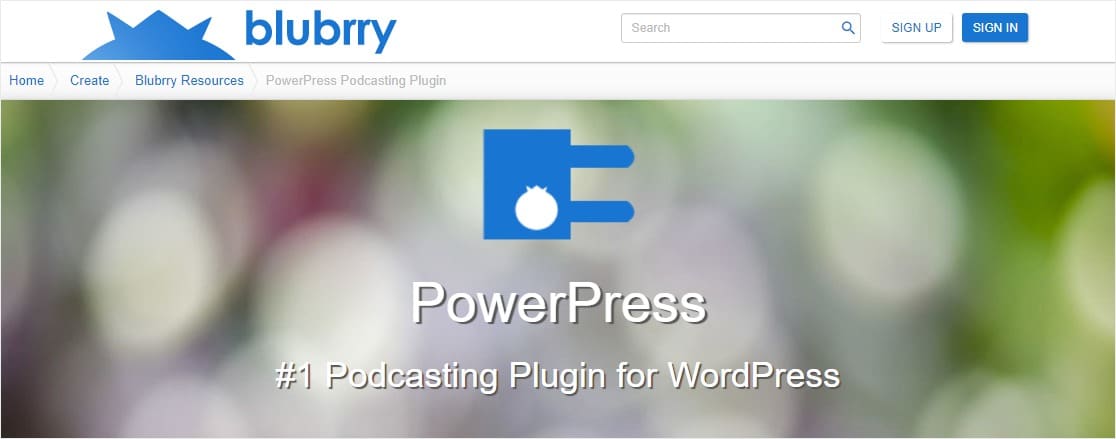
PowerPress has been the default podcast plugin recommendation for a long time — and with good reason. Created by Blubrry in 2008, it has been continuously developed and maintained, and it covers every feature a serious podcaster needs: custom RSS feeds, SEO optimization, multiple podcasting channels from one site, and a solid HTML5 player that’s compatible across browsers and devices.
Key features:
- Works with regular WordPress posts (no separate podcast post type required)
- Multiple podcast channels from one WordPress install
- RSS feed with full Apple Podcasts/Spotify compatibility
- Episode-specific SEO settings (meta tags, show notes)
- Integrated HTML5 player with embed support
- Support for both audio and video podcasts
- Import/export capabilities
- Native Blubrry stats integration
- Simple/advanced mode toggle for new and experienced users
Pricing: PowerPress plugin is free. Hosting via Blubrry starts at $15/month for the Standard plan (125 MB/month upload storage, first month free). Note: Blubrry raised prices in October 2025 for the first time in approximately 20 years — some older articles still reference the old $10/month entry price.
Best for: Podcasters already using Blubrry for hosting; advanced users who want full control over their RSS feed; publishers who prefer to manage episodes as standard WordPress posts.
Not ideal for: Complete beginners who find the settings panel overwhelming; users who want a clean separation between podcast episodes and blog posts; those not using Blubrry hosting (the plugin works with other hosts, but the Blubrry integration is where it shines).
Bottom line: PowerPress is a feature-rich, battle-tested plugin. Its longevity and depth make it the right pick for podcasters who know what they’re doing and want precise control. For everyone else, SSP is a gentler starting point.
2. Seriously Simple Podcasting — Best for Most WordPress Users
With 2.29 million total downloads and a 4.7/5 rating on WordPress.org as of March 2026, Seriously Simple Podcasting earns its reputation. It’s the closest thing to a consensus recommendation in the WordPress podcasting space — and it genuinely deserves that standing.

WordPress plugin reviews can tell you what a plugin does, but what separates SSP from PowerPress is its podcast-first architecture: it creates a custom post type for your episodes, so your podcast and blog don’t share the same editorial space. For podcasters who want that clear separation — especially those running multiple shows — this is a meaningful advantage.
Key features:
- Custom podcast post type (episodes separate from blog posts)
- Multiple shows with individual RSS feeds from one WordPress site
- Audio and video podcast support
- Customizable HTML5 media player (colors, episode artwork)
- Gutenberg blocks, Elementor, and Divi compatibility
- Chapter marks, transcripts support
- Subscribe buttons for all major directories
- Import/export for migration
- Native private podcasting support (with Castos)
- Free analytics with optional Castos upgrade
Pricing: The plugin is free. You can self-host your audio files (cheapest option) or use Castos for deep integration. Castos Essentials starts at $19/month, with unlimited podcasts, episodes, and downloads — no per-MB storage anxiety.
Best for: Most WordPress podcasters; beginners; those running more than one show; anyone who wants a clean separation between podcast and blog content; podcasters who want private/members-only episodes.
Not ideal for: Users who specifically need Blubrry’s proprietary stats; technically advanced users who want full template control (Podlove may serve them better).
Bottom line: For the majority of WordPress site owners adding a podcast, SSP is the safest, most flexible starting point. It’s free, frequently updated, and has a massive user community.
3. Podlove Podcast Publisher — Best for Developers and Open-Source Advocates
Started in 2012 because its creators felt existing podcast plugins were “stuck in the past, complex and unwieldy,” Podlove took the opposite approach: give technically capable podcasters complete control over every aspect of their feed, player, and episode metadata.

Key features:
- Multi-format audio publishing (MP3, AAC, OGG, Opus, WebM/video)
- Integrated Podlove Web Player (HTML5, touch-compatible)
- Chapter marks in-player for easy episode navigation
- Contributors management (guests, hosts, with avatars and links)
- WebVTT transcript import, linked to contributors
- Season management
- Related episodes display
- Auphonic audio production integration
- Flexible template engine (Twig) for full layout control
- Built-in download analytics
- Onboarding Assistant: import existing podcast from any RSS feed URL
- GDPR compliant with prewritten privacy policy text snippets
Pricing: Fully free. Open-source, no pro version. You manage your own audio hosting (Amazon S3, Backblaze B2, or any FTP-accessible storage). Requires PHP 8.0+ — check your server configuration before installing.
Best for: Developers who want full template control; technically confident podcasters who want chapter marks and transcript integration; European podcasters with GDPR concerns; anyone who wants open-source tooling with no vendor lock-in.
Not ideal for: Beginners — the template engine and configuration depth assume technical familiarity; users who want a simple setup-and-go experience; podcasters who want a built-in hosting integration.
Bottom line: Podlove is genuinely impressive for what it offers at zero cost. The trade-off is a steeper setup curve. If you can navigate it, you get one of the most capable podcast publishing systems available for WordPress.
4. Fusebox — Best for a Beautiful Podcast Player
Fusebox (formerly Smart Podcast Player) has a different value proposition than the other plugins here: it’s not a podcast management system, it’s a premium audio player for WordPress. You still need your own podcast hosting and RSS feed; Fusebox layers a polished, branded player on top of whatever setup you already have.

Key features:
- Four player types: Single Track, Archive, Sticky (persistent bottom bar), Full-Page
- Beautifully designed, fully responsive player
- Playback speed control
- Share, download, and subscribe buttons
- Brand color customization
- Transcripts plugin included
- Listening analytics
- Connects to any RSS feed-based podcast host
Pricing: Fusebox plans start at $9/month (Starter) or $19/month (Pro), billed annually at a 33% discount. There is no permanent free plan — the previously offered free tier was discontinued. A 14-day free trial is available. Note: Fusebox does not include audio hosting; add your hosting cost on top.
Best for: Podcasters who care deeply about how their episodes look and play on their website; established podcasters adding a premium listening experience; anyone already using a separate podcast host who wants a better player than their host provides.
Not ideal for: Beginners who want a complete solution; anyone looking for a free option; podcasters who don’t already have audio hosting set up.
Bottom line: If the default player from your podcast host looks generic and you want something that matches your brand’s design, Fusebox is the specialist tool for that job. But make sure you account for both Fusebox’s subscription and your audio hosting costs.
5. Buzzsprout — Best for Simplicity and Quick Setup
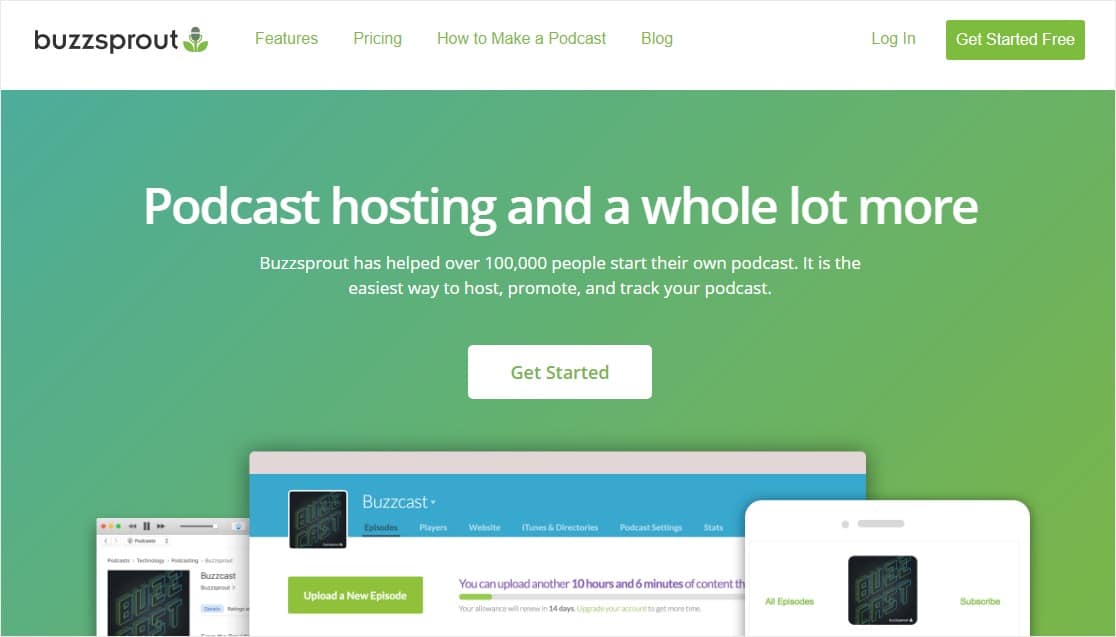
Buzzsprout takes a different approach than the WordPress-native plugins above: it’s a complete hosting platform first, with a WordPress integration built in. That all-in-one design is exactly what makes it the right pick for podcasters who want the fewest moving parts.
Key features:
- Complete podcast hosting (no separate audio host needed)
- Automatic audio optimization during upload
- One-click distribution to Apple Podcasts, Spotify, Amazon Music, and more
- WordPress embed player via shortcode or block
- Team collaboration tools
- Transcripts included on all paid plans
- Dynamic content insertion (for ads or evergreen content updates)
- Video soundbites
- Add-ons: Cohost AI assistant, Magic Mastering audio enhancement
Pricing: Buzzsprout’s free plan is available (episodes deleted after 90 days). Paid plans start at $19/month (Starter: 6 hours of uploads/month) or $199/year. Paid plans include listener subscriptions, dynamic content, and full analytics. No contracts, cancel anytime.
Best for: Complete beginners; podcasters who want everything in one place; small business owners who need a simple, predictable setup without managing multiple services.
Not ideal for: High-volume podcasters who need more than 6 hours/month at a low price point; users who want a deeply WordPress-native solution with full site integration; podcasters who prefer open-source tools.
Bottom line: Buzzsprout removes friction from the entire podcasting workflow. If you’d rather spend your time on content than configuration, this is the most honest all-in-one recommendation on this list.
6. Libsyn Podcasting — Best for Existing Libsyn Users
Libsyn is one of the original podcast hosting platforms — it predates the podcast plugin category itself. The free WordPress plugin exists to connect your WordPress site to your Libsyn hosting account, bringing your episodes into your site without changing your existing workflow.

Key features:
- Episodes stored on Libsyn servers (not your web host)
- Schedule episodes to publish on your WordPress site
- Apple Podcasts optimization tags
- Gutenberg block editor support
- Access episodes even if your WordPress site goes down
Pricing: The plugin is free on WordPress.org, but you must have a paid Libsyn account to use it. Libsyn plans start at $5/month for 162 MB of monthly upload storage. All Libsyn plans include unlimited total storage and unlimited bandwidth — only new uploads per month are metered. A 30-day free trial is available.
Best for: Podcasters already on Libsyn who want to display episodes on a WordPress site; podcasters who prioritize the Libsyn ecosystem (mature platform, strong distribution network, monetization tools).
Not ideal for: New podcasters starting fresh (the interface is dated and the entry storage allotment at $5/month is quite limited); those who want a more feature-rich WordPress plugin experience.
Bottom line: The Libsyn plugin is a straightforward integration bridge. If you’re already on Libsyn, install it and you’re done. If you’re starting from scratch, evaluate Castos, Buzzsprout, or Blubrry first.
7. Simple Podcast Press — Best for Cross-Platform Syndication
Simple Podcast Press occupies a specific niche: it’s designed to pull your podcast feed from external platforms — Podbean, Spreaker, BlogTalkRadio, SoundCloud — and display it on your WordPress site with unique episode pages and subscribe buttons.
Key features:
- Compatible with all major external podcast platforms
- Automatically creates individual pages for each episode
- Customizable subscribe and share buttons
- Social media sharing integration
- Automatic URL shortener
- Completely automatic — set it up and it runs
Pricing: Paid only, starting at $67/year. No free plan.
Best for: Podcasters who primarily publish on third-party platforms (Podbean, SoundCloud, Spreaker) and want that content mirrored on their WordPress site automatically.
Not ideal for: Podcasters hosting their audio directly; those who want full control over their WordPress podcast workflow; anyone looking for a free solution.
Bottom line: A functional solution for a specific use case. If you’re syndicating from external platforms to WordPress, it handles that cleanly. Most other scenarios are better served by the plugins above.
Side-by-Side Feature Comparison
For deeper WordPress plugin comparisons across other categories, see our full review library. For podcast plugins, here’s how the major features stack up across the six most commonly used podcast plugins. Use this table alongside the use-case guide below to identify the right match for your setup.
| Feature | PowerPress | SSP | Podlove | Fusebox | Buzzsprout | Libsyn |
|---|---|---|---|---|---|---|
| Custom podcast post type | ❌ | ✅ | ✅ | ✅ | ✅ | ✅ |
| Multiple podcasts/shows | ✅ | ✅ | ✅ | ✅ | ✅ | ✅ |
| HTML5 audio player | ✅ | ✅ | ✅ | ✅ | ✅ | ✅ |
| Transcript support | ✅ (via Blubrry) | ✅ | ✅ (WebVTT) | ✅ | ✅ | ❌ |
| Chapter marks | ❌ | ❌ | ✅ | ❌ | ❌ | ❌ |
| Video podcast support | ✅ | ✅ | ✅ | ❌ | ❌ | ❌ |
| Built-in analytics | ✅ (with Blubrry) | ✅ (with Castos) | ✅ (built-in) | ✅ | ✅ | ✅ |
| Private podcasting | ❌ | ✅ (with Castos) | ❌ | ❌ | ❌ | ❌ |
| Import/export tools | ✅ | ✅ | ✅ (RSS import) | ❌ | ✅ | ❌ |
| Gutenberg support | ✅ | ✅ | ✅ | ✅ | ✅ | ✅ |
| Elementor/Divi support | ✅ | ✅ | Limited | Limited | Limited | Limited |
| Auphonic integration | ❌ | ❌ | ✅ | ❌ | ❌ | ❌ |
| GDPR compliant | ✅ | ✅ | ✅ (with privacy snippets) | ✅ | ✅ | ✅ |
| Minimum PHP version | 7.4+ | 7.4+ | 8.0+ | 7.4+ | 7.4+ | 7.4+ |
| Plugin cost | Free | Free | Free | $9–$19/mo | Free (hosting plan) | Free (account required) |
Which Plugin Fits Your Situation?
Features matter less than fit. Here’s a direct map from common starting points to the right plugin choice:
- Solo blogger publishing 1–2 episodes per month, new to podcasting → Seriously Simple Podcasting (free) + self-hosted audio, or Buzzsprout all-in-one ($19/mo).
- Already using Blubrry for podcast hosting → PowerPress is the obvious answer — the two integrate natively.
- Developer or technically confident user who wants full control → Podlove Podcast Publisher, paired with Amazon S3 or Backblaze B2 for audio storage. Expect a few hours of initial configuration.
- Focused on how the player looks on your site → Fusebox, layered on top of any existing podcast host. Budget for both the Fusebox subscription and your audio hosting.
- Small business that wants the simplest setup with no technical headaches → Buzzsprout. One service, one subscription, one place to manage everything.
- Running multiple shows from one WordPress site → Seriously Simple Podcasting (Series feature handles multiple shows cleanly) or PowerPress.
- Need private or members-only podcast episodes → Seriously Simple Podcasting + Castos (the only plugin/host combination with native private podcasting support on this list).
- Publishing a video podcast → PowerPress or SSP both handle video. Blubrry’s Professional plan ($100/mo) includes Vid2Pod for video-to-podcast conversion.
- Already on Libsyn and just want WordPress integration → The free Libsyn plugin is all you need.
- European podcaster with GDPR requirements → Podlove (includes prewritten GDPR privacy snippets) or SSP (also GDPR compliant).
If you’re setting up your first episode, our guide on how to start a podcast on WordPress walks through the full setup process.
What Happens When You Switch Podcast Plugins?
Most guides skip this part entirely. Here’s why it matters: your podcast’s RSS feed URL is what subscribers use to receive new episodes in their apps. If you change plugins and that URL changes, anyone subscribed through Apple Podcasts, Spotify, or other apps will stop receiving your episodes — quietly, without any notification to you or them.
The right way to switch podcast plugins:
- Set up the new plugin first — before deactivating the old one. Get the new RSS feed URL working.
- Set up a 301 redirect from your old RSS feed URL to the new one. PowerPress and SSP both have settings for this.
- Update your podcast directory listings — submit the new feed URL to Apple Podcasts, Spotify, and any directories you’re listed in.
- Wait 2–4 weeks before removing the old plugin, to allow podcast apps to update their cached feed URLs.
Two plugins make migration notably easier than others. Podlove’s Onboarding Assistant can import an existing podcast directly from any RSS feed URL, automatically pulling in episode titles, descriptions, audio files, chapters, and transcripts. Seriously Simple Podcasting includes import/export tools for moving your episode data between setups.
The one thing to avoid: deactivating your old plugin before setting up the redirect. That’s the fastest way to drop off your subscribers’ feeds with no recourse.
How Podcast Plugins Affect Your WordPress Performance
Adding a podcast plugin will add some overhead to your site. How much depends on which plugin and how it’s configured.
The main performance factors to consider:
- Player scripts: Every plugin loads an audio player on episode pages. Fusebox and Podlove’s Web Player are known for clean, lightweight implementations. Make sure your caching plugin excludes the player JavaScript from being cached in ways that break playback.
- RSS feed generation: Plugins that dynamically build your RSS feed on every request can add database queries. Enable RSS feed caching in your plugin settings if available (Podlove and SSP both support this).
- Lazy loading: Most modern podcast plugins support lazy-loading the player only when a visitor reaches the player on the page. Enable this if your plugin offers it.
For most WordPress sites running a standard caching setup (WP Rocket, W3 Total Cache, or similar), the performance impact of any of these plugins is minimal. Run a quick GTmetrix or PageSpeed Insights test before and after installation to confirm you haven’t introduced unexpected slowdowns on your episode pages.
Frequently Asked Questions
- What is the best free WordPress podcast plugin?
- Seriously Simple Podcasting is the most widely recommended free plugin for WordPress podcast management. It has 2.29 million total downloads, a 4.7/5 star rating, and was last updated in March 2026. It’s free to install and works with any compatible audio host — you only pay for your hosting plan.
- Can I host my podcast audio directly on WordPress?
- Technically yes, but it’s a poor idea for ongoing podcasting. Audio files (40–80 MB per episode, typically) consume significant bandwidth and can cause performance issues on shared hosting. Most serious podcasters use a dedicated audio hosting service and use the WordPress plugin to manage the feed and player.
- What is the difference between PowerPress and Seriously Simple Podcasting?
- PowerPress uses standard WordPress posts for episodes and integrates deeply with Blubrry hosting and stats. SSP creates a dedicated podcast post type, keeping episodes separate from your blog, and supports multiple shows via its “Series” feature. Both are free plugins. PowerPress is the better choice if you’re on Blubrry; SSP is more flexible for everyone else and is generally easier to start with.
- Do I need a paid plan to use a podcast plugin?
- The plugins themselves are mostly free to install. You’ll need a podcast audio hosting service to store and deliver your files — costs range from $1–5/month for self-hosted options (Amazon S3) up to $19/month for managed services like Castos or Buzzsprout. Fusebox is the exception: the plugin itself requires a paid subscription starting at $9/month.
- Which podcast plugin is best for beginners?
- For an all-in-one beginner experience, Buzzsprout requires the least technical setup — everything is managed in one dashboard. For a free WordPress-native option, Seriously Simple Podcasting has the lowest learning curve among the self-hosted plugin choices.
- Can I run multiple podcasts from one WordPress site?
- Yes — PowerPress, Seriously Simple Podcasting, Podlove, Fusebox, Buzzsprout, and Libsyn all support multiple shows from one WordPress installation. SSP’s “Series” feature is particularly well-designed for this use case, giving each show its own RSS feed and episode archive.
- What is Castos, and does Seriously Simple Podcasting require it?
- Castos is a podcast hosting service made by the same team that develops SSP. The plugin does not require Castos — it works with any audio hosting that provides a direct file URL. However, the two are designed to work together, and features like private podcasting, transcript generation, and deep analytics are only available through the paid Castos integration. Castos Essentials starts at $19/month with unlimited storage and downloads.
- Which plugin supports private podcasting?
- Seriously Simple Podcasting, paired with a Castos hosting plan, is the only solution on this list with native private/members-only podcasting support. The Castos Essentials plan ($19/mo) supports up to 100 private subscribers, with higher tiers scaling to 500 or unlimited. Other plugins can work with third-party membership plugins to achieve privacy, but it requires more setup.
- Is Podlove Podcast Publisher suitable for beginners?
- Podlove is powerful but has a noticeably steeper learning curve than SSP or PowerPress. It uses a Twig-based template engine for episode layouts, requires PHP 8.0+, and expects you to manage your own audio storage. If you’re comfortable with WordPress development concepts, Podlove is excellent. If you want a setup-and-go experience, start with SSP instead.
- How do I choose between Fusebox and Buzzsprout?
- These solve different problems. Fusebox is a premium audio player plugin for WordPress — it requires a separate audio hosting service and focuses on the on-site listening experience. Buzzsprout is a complete hosting platform with its own WordPress embed player. If you already have a podcast host and want a better-looking player on your site, consider Fusebox. If you want everything in one place, Buzzsprout is the all-in-one answer.
Final Thoughts
There’s no universal “best” WordPress podcast plugin — the right choice depends on your hosting setup, technical comfort level, and what you’re actually trying to accomplish. That said, a few patterns hold true consistently.
Seriously Simple Podcasting is the practical default for most WordPress podcasters: free, well-maintained, flexible enough for both beginners and multi-show publishers. PowerPress is the right call if Blubrry is already part of your setup. Podlove rewards technical users with capabilities no other free plugin matches. And Buzzsprout makes the most sense when you want to reduce the number of services you’re managing.
Whatever you choose, the single most important thing is to keep your audio files off your WordPress web hosting. Use a dedicated podcast media host, use a plugin to manage your feed and player, and you’ll have a setup that scales without friction as your show grows.
