


SaaS knowledge base tools like Zendesk Guide or Freshdesk start at $50–$200 per month. A good WordPress knowledge base plugin can do the same job for $0–$130 per year — and you own everything. The catch is that not all WordPress plugins are equal. Some are genuinely excellent; others haven’t been meaningfully updated in years.
This guide covers seven of the best WordPress knowledge base plugins available right now, tested against real-world use cases. We pay special attention to AI features (which have changed dramatically since mid-2025), free-tier limits, honest pricing, and who each plugin actually suits. Whether you’re adding a help center to an existing site or building a dedicated documentation hub, you’ll find a clear recommendation here.
Find more WordPress plugin guides on wplasma.com
Quick Comparison: Best WordPress Knowledge Base Plugins at a Glance
| Plugin | Free Version | Starting Price | Best For | AI Features |
|---|---|---|---|---|
| Heroic KB | ❌ No | ~$129/yr | Serious support sites, product docs | ✅ AI Assistant included |
| BetterDocs | ✅ Yes | $69/yr (1 site) | Polished free KB; Elementor users | ✅ Pro only |
| Echo Knowledge Base | ✅ Yes | Varies by tier | AI self-service, heavy customization | ✅ Free (optional, needs API key) |
| BasePress | ✅ Yes | $79 (1 site) | Multiple knowledge bases on a budget | ❌ No |
| weDocs | ✅ Yes (100%) | Free | Simple, completely free docs | ✅ AI chatbot (basic) |
| EazyDocs | ✅ Yes | Free (Pro available) | Teams with multiple contributors | ❌ No |
| CM Tooltip Glossary | ✅ Yes | Premium | Glossary, wiki, and encyclopedia-style KBs | ✅ AI term generation (ChatGPT/Gemini) |
What Makes a Good WordPress Knowledge Base Plugin?
Before diving into individual plugins, here’s the framework we used to evaluate each option. These aren’t abstract criteria — they come from real use cases.
- Search quality: Does it have live/instant search? Can users find articles as they type, or do they have to wait for a full page reload?
- Free tier usefulness: Does the free version actually work, or is it just a limited teaser?
- Multiple knowledge bases: Can you run separate documentation sections for different products?
- AI features: Does the plugin offer an AI chatbot or AI-powered search? This has become a meaningful differentiator since 2025.
- Analytics: Can you see what users are searching for and which articles generate the most support requests?
- Page builder compatibility: Does it work with Elementor, Gutenberg, or Divi?
- Update cadence: Is the plugin actively maintained, or collecting dust?
Browse more WordPress plugin comparisons on wplasma.com
Heroic KB — Best Overall for Serious Support Sites
Picture this: a customer spends five minutes searching your knowledge base, can’t find what they need, and opens a support ticket anyway. Heroic KB was built specifically to prevent that. Its “support transfer analytics” feature tracks which knowledge base articles generate the most support tickets — giving you a clear hit list of articles to improve.
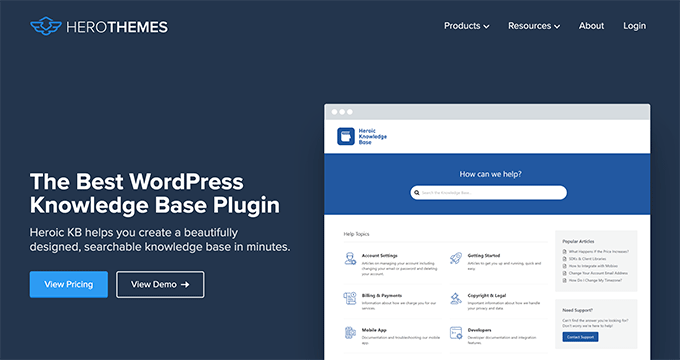
Beyond that analytics edge, Heroic KB delivers a strong feature set across the board: AJAX-powered live search that shows results as users type, article feedback (thumbs up/down), drag-and-drop content ordering, file attachments, and password-protected articles. Integrations include Slack (for notifications), Help Scout, and Gravity Forms — so you can build a form that pulls in KB search results before a ticket is even submitted.
The WPForms team used Heroic KB to build their developer documentation. That’s a real-world endorsement from a team that cares about documentation quality.
There’s also the Heroic AI Assistant — a chatbot trained on your knowledge base content — included in the plugin. And if you want your entire WordPress install dedicated to the knowledge base, there’s the KnowAll theme from the same developer.
Pricing: Premium only. Starts at approximately $129/yr for a single site. Check herothemes.com for current plan options, as tiers and pricing may have updated.
Not for you if: You need a free option, or your budget is tight. Heroic KB is excellent, but it’s also the most expensive plugin on this list with no free version to try first.
BetterDocs — Best Free Option with a Polished Pro Upgrade
BetterDocs has over 2.3 million active installs on WordPress.org — making it by far the most widely used free WordPress knowledge base plugin. That popularity is largely deserved.
The free version includes pre-made templates, live search suggestions, an automatic table of contents, Elementor widget support, and a basic article feedback form. For most simple knowledge bases — a blog with an FAQ section, or a small plugin with a handful of docs pages — the free version is genuinely complete.
The Pro upgrade layers on meaningful additions: the Instant Answers widget (a floating popup that lets visitors browse docs without leaving any page, similar to a live chat widget), access controls based on user roles, and an AI chatbot. If you’re building a full support center that needs to feel responsive and always-available, the Pro version is worth considering.
A note on BetterDocs pricing: The pricing page shows what appear to be heavily discounted prices. These are not temporary sale prices — these are the regular prices displayed with fake “before” figures. The real pricing as of this writing:
- Individual: $69/yr — 1 site, full Pro features
- Small Business: $149/yr — unlimited sites
- Agency: $299 one-time — lifetime updates on unlimited sites
Those are reasonable prices. The fake-discount display is an unnecessary gimmick from an otherwise trustworthy product. Verify current pricing at betterdocs.co.
BetterDocs offers a 14-day, no-questions-asked money-back guarantee.
See our WordPress page builder comparisons on wplasma.com
Not for you if: You need to run multiple separate knowledge bases on the free plan — that’s a Pro-only feature in BetterDocs.
Echo Knowledge Base — Best for AI-Powered Self-Service
Of all the plugins on this list, Echo Knowledge Base has moved fastest into AI territory — and unlike BetterDocs or Heroic KB, its AI Chat and AI Search features are available on the free plan (with your own API key). The developer reports a 73% drop in repetitive support questions after enabling AI Chat on their own site. That’s a self-reported figure, but the feature is real, configurable, and worth understanding in detail.
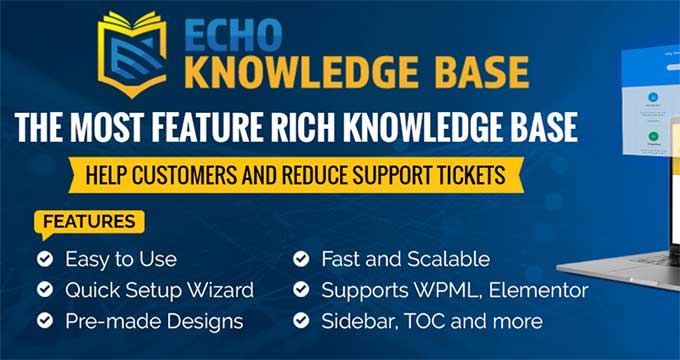
Echo KB is built by a Canadian company with over a decade in the WordPress space, and their update cadence shows it. Version 17.1.0 was released on March 11, 2026, adding PDF-to-Article conversion (upload a PDF and convert it directly into a formatted knowledge base article). They’ve shipped five or more substantive updates already in 2026. That pace is rare among WordPress plugins.
The free version is surprisingly full-featured: 26+ layout designs with a live front-end editor, a table of contents, the Glossary module (terms auto-highlighted in articles with tooltips), an FAQs module, article views counter, breadcrumbs, and mobile optimization. AI Chat and AI Search are also available on the free tier — though they require an OpenAI or Google Gemini API key to activate.
Echo KB AI Features in Depth
This is where Echo KB genuinely stands apart from the rest of the list:

- AI Chat (Chatbot): Answers visitor questions using your KB content as the training source. The free version handles basic KB content; Pro expands training to posts, pages, and uploaded PDFs.
- AI Search: When users search, results include an “Ask AI” button to dive deeper using the same query.
- Supported models: GPT-4.1-mini, GPT-5-nano, GPT-5 (OpenAI), and Google Gemini. Google Gemini models run approximately 50% faster than OpenAI equivalents for chat and search responses.
- Human agent handoff (Pro): Users can escalate from the AI chat to a human support agent.
- AI Content Analysis (Pro): Automatically evaluates article tags, readability, and content gaps.
| Plugin | AI Chatbot | AI Search | Free Tier | API Key Required |
|---|---|---|---|---|
| Echo Knowledge Base | ✅ Yes | ✅ Yes | ✅ Yes (optional) | Yes (OpenAI or Gemini) |
| BetterDocs | ✅ Yes | Limited | ❌ Pro only | Yes (Pro plan) |
| Heroic KB | ✅ Yes | ✅ Yes | ❌ No free tier | Included in plugin |
| weDocs | ✅ Basic | ❌ No | ✅ Yes | Unclear |
| BasePress | ❌ No | ❌ No | N/A | N/A |
| EazyDocs | ❌ No | ❌ No | N/A | N/A |
Pricing: Free tier is substantive. Pro pricing varies by tier; see echoknowledgebase.com/bundle-pricing for current rates. A 30-day refund guarantee applies.
Not for you if: You want AI features with zero setup and no API key required. Echo KB’s AI is powerful but does require connecting your own OpenAI or Gemini account.
BasePress — Best for Multiple Knowledge Bases on a Budget
What happens when you need separate documentation for two different products on the same WordPress site? With BetterDocs or Echo KB, that requires upgrading to a paid plan. BasePress gives you unlimited knowledge bases — even on the free version.

That’s a real differentiator. If you’re running a software company with three products, or a web agency managing documentation for multiple clients, BasePress lets you start for free and scale.
The no-cost plan also includes three pre-made layout templates, live search suggestions, manual article reordering, and a related articles widget. It’s not as design-forward as BetterDocs or as configurable as Echo KB, but it works cleanly.
The Pro upgrade adds article voting and feedback forms (protected with Google reCAPTCHA), a popular articles widget, content restriction by user role, an automatic table of contents, and detailed statistics. There’s also a special integration with the Oxygen Builder.
| Plugin | Multiple KBs on Free? | Notes |
|---|---|---|
| BasePress | ✅ Unlimited (free) | Unique advantage among free plugins |
| weDocs | ✅ Yes (free) | Multiple KBs supported on free |
| BetterDocs | ❌ No (Pro only) | Single KB on free plan |
| Echo Knowledge Base | ❌ No (Pro only) | Unlimited KBs on paid tier only |
| Heroic KB | N/A (no free tier) | All plans support multiple KBs |
Pricing: Free version at WordPress.org. Pro options: $79 for one site, $279 for five sites, $479 for ten sites with custom setup included. These appear to be one-time purchases rather than annual fees — verify at basepresskb.com.
Not for you if: You need built-in AI features, or you want Elementor/Gutenberg block integration. BasePress is solid but doesn’t venture into AI territory yet.
More WordPress plugin reviews on wplasma.com
weDocs — Best Completely Free Option
Most “free” knowledge base plugins eventually nudge you toward a paid plan. weDocs doesn’t. There’s no paid version — weDevs built this plugin to manage their own plugin documentation (Dokan, WP Project Manager, and others) and then released it publicly. It’s been free since day one.
It supports multiple knowledge bases, drag-and-drop ordering, hierarchical doc structure, and article helpfulness ratings. The backend is genuinely well-designed — more intuitive than some paid plugins.
The limitations are real, though. weDocs relies on WordPress’s native search engine rather than its own. That means no live search suggestions as users type, and no search analytics to see what visitors are looking for. If your KB is small and search isn’t critical, that’s fine. For a larger documentation set where search is the primary navigation method, it’s a significant gap.
Note: Recent versions of weDocs have added a basic AI chatbot capability, which is notable for a completely free plugin. The depth of this feature is unclear compared to Echo KB’s implementation, but it shows the direction the plugin is heading.
Pricing: Free. Always. No paid version exists.
Not for you if: You need live search with instant suggestions, advanced analytics, or page builder integration. weDocs is the right choice when simplicity and cost matter more than features.
EazyDocs — Rising Option for Teams
EazyDocs isn’t as well-known as BetterDocs or Echo KB, but it fills a specific gap: team-based documentation editing. While most knowledge base plugins are single-author tools, EazyDocs includes collaboration features that let multiple users contribute to documentation — with controls over who can edit what.
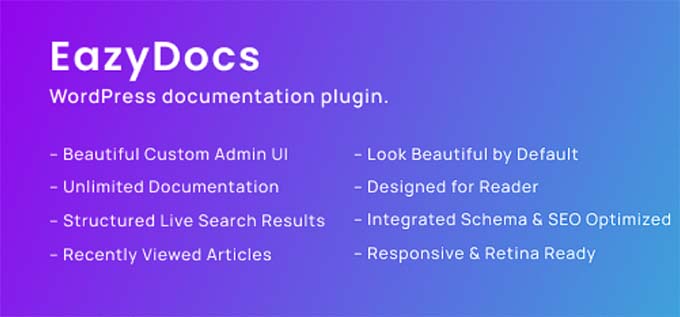
Beyond collaboration, it includes a powerful search function, a responsive design that adapts to your existing theme, password protection for content sections, and basic analytics to understand user interaction patterns.
The base install is fully functional. A Pro tier extends it further, though specific pricing isn’t prominently listed — check the EazyDocs website directly for current plans.
Not for you if: You want the largest active community and ecosystem around your chosen plugin. EazyDocs is growing but doesn’t yet have the install base or documentation ecosystem of BetterDocs or Echo KB.
CM Tooltip Glossary — For Glossary-Style Knowledge Bases
Most of the plugins above are built around the same idea: a hierarchical collection of articles organized into categories, with search and a table of contents. CM Tooltip Glossary takes a different approach entirely. Instead of a separate docs section, it weaves your knowledge base directly into existing content — every defined term on any page gets highlighted with an interactive tooltip that shows the definition on hover.
The plugin builds a traditional glossary index page (alphabetical, with letter navigation), creates individual term pages (think Wikipedia-style), and can integrate definitions from external sources like Merriam-Webster and Wikipedia. ChatGPT and Gemini integrations let you auto-generate definitions for terms at scale.
SEO-wise, it automatically creates internal links from any mention of a glossary term to that term’s dedicated page — which builds internal link equity across your site without manual work.
It supports multilingual content (RTL, WPML, UTF-8) and meets WCAG 2.0 accessibility guidelines. The free version handles basics; premium removes limits on the number of terms.
Not for you if: You need traditional hierarchical product documentation. CM Tooltip Glossary is purpose-built for glossary and encyclopedia use cases — not for organizing step-by-step documentation or FAQs.
Which WordPress Knowledge Base Plugin Should You Choose?
Honest answer: it depends on three variables — your budget, whether you need AI, and how many knowledge bases you’re running. Here’s a direct decision map:
| Your Situation | Best Pick | Why |
|---|---|---|
| Serious support site, willing to pay | Heroic KB | Support transfer analytics, best integrations |
| Free KB with modern design | BetterDocs (free) | Best-looking free templates, live search, 2.3M+ users |
| Need AI chatbot on KB content | Echo Knowledge Base | Best AI implementation; free with API key; most actively updated |
| Multiple KBs, tight budget | BasePress | Only plugin offering unlimited KBs on free tier |
| Completely free, no-frills docs | weDocs | 100% free, no upsell, weDevs-backed |
| Team-based doc editing | EazyDocs | Collaboration features not found in other free plugins |
| Glossary or encyclopedia-style KB | CM Tooltip Glossary | Purpose-built for glossary use cases, AI term generation |
| Deep Elementor integration | BetterDocs | Native Elementor widgets for custom KB page design |
| Need to build docs from existing PDFs | Echo Knowledge Base | PDF-to-Article feature added in v17.1 (March 2026) |
More WordPress how-to guides on wplasma.com
Do Knowledge Base Plugins Slow Down WordPress?
This question comes up more than it should — mostly because people have been burned by bloated plugins in other categories. The short answer for knowledge base plugins: probably not much, if you pick wisely.
Lightweight options like weDocs and BasePress (free version) add minimal frontend overhead. They render standard HTML with basic CSS and don’t load large JavaScript libraries by default.
Feature-heavy plugins like Echo KB and BetterDocs load more assets — but most modern knowledge base plugins are well-optimized, and any performance difference is typically small compared to, say, an unoptimized page builder or an oversized image.
AI features are worth understanding specifically: Echo KB’s AI Chat and AI Search make external API calls (to OpenAI or Google Gemini) — but only when a user actively clicks the chat widget or the “Ask AI” button. These calls don’t happen on page load, so they don’t affect your Core Web Vitals or initial load time.
General advice: pair any KB plugin with a caching plugin (W3 Total Cache or similar) and an image optimization plugin. Those will have more impact on site speed than your choice of KB plugin.
WordPress performance and speed guides on wplasma.com
Frequently Asked Questions
What is the best free WordPress knowledge base plugin?
BetterDocs is the most widely used free knowledge base plugin, with over 2.3 million active installs and a polished set of free features including live search, pre-made templates, and Elementor support. If you need multiple knowledge bases on the free tier, BasePress is the better choice.
Can I create a knowledge base completely for free in WordPress?
Yes. BetterDocs, Echo Knowledge Base, BasePress, weDocs, and EazyDocs all offer functional free versions. weDocs is unique in being 100% free with no paid upgrade path at all. The free tier of BetterDocs and Echo KB will handle most single-site documentation needs without paying anything.
Which WordPress knowledge base plugin supports multiple knowledge bases on the free tier?
BasePress and weDocs both support multiple knowledge bases on their free versions. BetterDocs and Echo Knowledge Base restrict multiple KBs to their paid plans. If running separate documentation sections for different products at no cost is a priority, BasePress is the standout option.
Do I need a separate WordPress theme for a knowledge base?
No. All plugins on this list work with standard WordPress themes. You only need a dedicated knowledge base theme (like KnowAll, from the Heroic KB developer) if you’re creating a WordPress install that will be used exclusively as a documentation hub — for example, at docs.yoursite.com. For adding a KB section to an existing site, a plugin is always the right approach.
Which WordPress knowledge base plugin has the best search feature?
Heroic KB’s search analytics (which shows what users search for and which searches led to support tickets) is the most actionable. For raw search quality and speed, both Heroic KB and BetterDocs have solid AJAX live search implementations. Echo KB’s AI Search goes furthest — it not only searches KB articles but also lets users ask follow-up questions via the “Ask AI” button.
Do WordPress knowledge base plugins work with Elementor?
BetterDocs has the deepest Elementor integration, with native widgets for building custom knowledge base pages entirely within Elementor. Echo Knowledge Base and most others work alongside Elementor through standard WordPress compatibility, but don’t have dedicated Elementor widgets at the same level.
What is the difference between a knowledge base plugin and a wiki plugin?
A traditional knowledge base plugin (BetterDocs, Echo KB, BasePress) is optimized for organized product documentation — hierarchical categories, article pages, search, and feedback. A wiki-style plugin allows collaborative editing where multiple users can contribute and edit content, closer to Wikipedia’s model. CM Tooltip Glossary sits in a third category — it’s designed for glossary terms with inline tooltips rather than full documentation articles.
Which WordPress knowledge base plugin has the best AI features?
Echo Knowledge Base has the most complete AI implementation as of early 2026. It supports both OpenAI (GPT-4.1-mini, GPT-5-nano, GPT-5) and Google Gemini models, offers both AI Chat and AI Search on the free tier, and has been adding AI-specific improvements with each monthly update. The catch is that you need to bring your own API key. Heroic KB also includes an AI Assistant, and BetterDocs offers AI features on the Pro plan, but Echo KB’s free AI access (with API key) and model choice puts it ahead.
Explore more WordPress AI tools and plugins on wplasma.com
Final Thoughts
There’s no single best WordPress knowledge base plugin — but there’s almost certainly a best one for your situation. If budget isn’t a constraint and you’re building a serious support center, Heroic KB’s analytics and integrations justify the cost. If you want the best free option with room to grow, BetterDocs is hard to beat. If AI-powered self-service is your priority, Echo Knowledge Base is the current leader and actively improving. And if you need multiple KBs without paying a cent, BasePress is the only plugin that delivers that.
One trend worth watching: AI chat features are rapidly becoming standard across the category. Echo KB, BetterDocs, and Heroic KB all shipped AI capabilities within the past 12 months. By 2027, expect every major knowledge base plugin to include some form of AI-powered search or chatbot — the question will be which implementation you trust most with your customers’ questions.
