


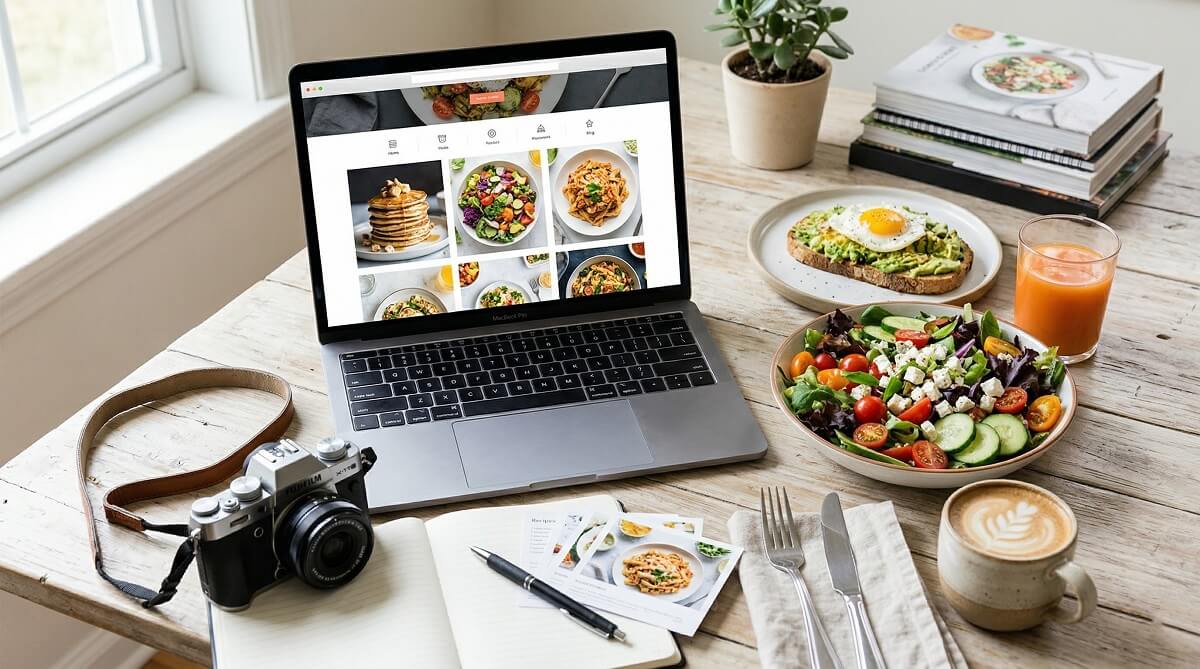
Picking a WordPress theme for your food blog sounds simple until you realize how much is riding on that choice. Your theme affects how fast your site loads, whether your recipe cards look clean on mobile, how easily you can customize colors and fonts, and ultimately how much Google trusts your content. With hundreds of options available, the “best” list looks different depending on whether you’re just starting out, growing your audience, or running a full recipe business.
This guide cuts through the noise. Rather than listing every theme that mentions the word “food,” this comparison focuses on eight themes that real food bloggers actually use — with honest pricing data, Core Web Vitals performance context, and a compatibility breakdown for the two most popular recipe plugins. If you’ve been asking what makes a WordPress theme worth using in 2026, this is where you find out.

Quick Picks — Best WordPress Food Blog Themes at a Glance
Short on time? The table below covers the eight themes in this guide, what each costs, and who each suits best. All pricing is as of March 2026 — verify at the vendor’s site before purchasing since these figures can change.
| Theme | Free Version | Annual Price | Best For | WP Recipe Maker | Performance |
|---|---|---|---|---|---|
| Kadence | ✅ Yes | $69–$299/yr | Most food bloggers (all levels) | ✅ Recommended | ⭐⭐⭐⭐⭐ |
| Astra | ✅ Yes | $69–$159/yr | Beginners + template seekers | ✅ Compatible | ⭐⭐⭐⭐⭐ |
| GeneratePress | ✅ Yes | $59/yr | Speed-first minimalist bloggers | ✅ Compatible | ⭐⭐⭐⭐⭐ |
| Neve | ✅ Yes | $69–$259/yr | Modern design + FSE users | ✅ Compatible | ⭐⭐⭐⭐ |
| Feast Plugin / Foodie Pro | ❌ No | $97–$249/yr | Serious food bloggers, recipe SEO | ✅ Yes + enhanced | ⭐⭐⭐⭐ |
| Olive (Hearten Made) | ❌ No | Check vendor | Visual-first personal food bloggers | ✅ Custom styled | ⭐⭐⭐⭐ |
| Divi | ❌ No | $89–$287/yr | Designers + custom layout control | ✅ Compatible | ⭐⭐⭐ |
| Gourmet (Lucid) | ❌ No | Check vendor | Recipe-heavy sites with built-in plugin | Built-in (own plugin) | ⭐⭐⭐ |
Key takeaways at a glance:
- If you want a free theme that won’t hold you back, start with Kadence — its free version is genuinely powerful
- For recipe SEO specifically, the Feast Plugin ecosystem is purpose-built in a way general themes aren’t
- If page speed matters most to you, GeneratePress is the most lightweight option tested
- Avoid Divi if performance is a top concern — it’s powerful but carries builder overhead
What Makes a WordPress Theme Work for Food Blogs?
Most WordPress themes look fine on a demo page. The problems show up once you add 300 recipe posts, high-resolution food photos, a recipe plugin, and a caching layer. A theme that’s beautiful on day one can become a headache at scale. Here’s what actually matters for a food blog specifically.
Recipe Plugin Compatibility
Recipe plugins like WP Recipe Maker and Tasty Recipes add the structured cards that show ingredients, instructions, nutrition info, and star ratings. These plugins are what generate the rich results (recipe cards with images and cook times) you see in Google Search. Your theme needs to not conflict with them — and ideally should style the recipe cards to match the rest of your site. Themes with their own built-in recipe systems can conflict with third-party plugins, so check carefully before committing.
Page Speed and Core Web Vitals
Google’s Core Web Vitals — particularly Largest Contentful Paint (LCP) and Cumulative Layout Shift (CLS) — directly affect your search rankings. For food blogs, LCP is usually triggered by your hero food photo or recipe card image. A lightweight theme keeps the baseline fast, so your images don’t have to fight against a bloated theme framework. According to benchmarks published by WP Rocket and Nitropack’s Core Web Vitals rankings, lightweight WordPress themes like Astra and Kadence consistently help achieve median mobile LCP scores under 2.0 seconds when paired with basic image optimization. Divi and other heavy visual builders require significantly more optimization work to reach the same targets.
Visual-First Design Requirements
Food blogging is one of the most image-heavy niches on WordPress. Your theme needs to support large featured images, clean grid layouts for recipe archives, and category filtering so readers can browse by cuisine or meal type. Some food-specific themes like Olive include automatic subcategory filters — functionality that general-purpose themes require plugins or custom code to replicate.
SEO Structure for Recipe Content
Beyond plugins, your theme’s HTML structure affects how search engines read your content. Clean heading hierarchies, proper schema markup support, and fast-loading page structure all contribute to how well your recipes rank. The Feast Plugin ecosystem, for example, includes core web vitals optimizations and enhanced SEO settings specifically calibrated for recipe sites — something worth considering if SEO growth is your primary goal.
Framework Themes vs. Standalone Themes — Which Should You Choose?
Before diving into individual recommendations, it helps to understand the two main categories of WordPress food blog themes. Many new bloggers choose a theme without realizing it falls into one of these buckets, and the choice has long-term implications.
Framework themes (also called base themes or parent themes) are deliberately minimal. Kadence, Astra, GeneratePress, and Neve are all framework themes. They’re built to be a foundation — fast, flexible, and extended through child themes, page builders, or starter templates. You can use Kadence as your base and then install a food-blog-specific Kadence child theme like Olive or a Feast theme on top of it.
Standalone themes package their own design, layout system, and sometimes their own page builder. Divi is the most well-known example. Foodie Pro (in its classic version) was a standalone Genesis child theme. Standalone themes tend to be more opinionated about how your site looks and function more independently.

| Criteria | Framework Theme | Standalone Theme |
|---|---|---|
| Initial setup complexity | Medium (starter templates help) | Low–Medium (more opinionated design) |
| Long-term flexibility | High (mix and match child themes) | Medium (locked into builder ecosystem) |
| Performance out of the box | Excellent (lightweight base) | Variable (depends on builder overhead) |
| Food-specific design options | Requires child theme or templates | Often included if food-specific |
| Switching themes later | Easier (content stays intact) | Harder (builder markup may be left behind) |
| Best for | Growth-minded bloggers, performance-focused | Designers who want visual control |
For most food bloggers starting out or scaling up, framework themes win on flexibility and performance. If you know you want deep visual customization and don’t mind the performance trade-off, a standalone like Divi can work — but go in with realistic expectations about optimization requirements.
The Best Free WordPress Food Blog Themes
Three framework themes stand out as the most capable free options for food bloggers. Each has a genuinely useful free tier — not a crippled demo that forces an immediate upgrade.

| Theme | Page Builder Support | WP Recipe Maker | WooCommerce | Performance | Best Free For |
|---|---|---|---|---|---|
| Kadence | Block editor (native), Elementor | ✅ Recommended | ✅ Yes | ⭐⭐⭐⭐⭐ | Most food bloggers |
| Astra | Elementor, Beaver Builder, Divi, Block editor | ✅ Compatible | ✅ Yes | ⭐⭐⭐⭐⭐ | Template-driven setups |
| Neve | Elementor, Block editor (FSE) | ✅ Compatible | ✅ Yes | ⭐⭐⭐⭐ | Modern designs, FSE exploration |
Kadence edges out the other two for food blogs specifically because its free version includes custom header and footer layouts, a color palette system, and starter templates that cover food-specific designs. It’s also the recommended base for Feast themes and the Olive child theme, meaning you can start free and layer on food-specific customizations later without switching platforms.
Astra wins on the volume of starter templates — more food-related layouts are available than with any other theme. Its free version pairs easily with Elementor if you prefer a visual drag-and-drop workflow, though the block editor is increasingly capable for most bloggers.
Neve is the best choice if you want to experiment with Full Site Editing (FSE), WordPress’s native approach to theme customization. It’s slightly lighter on food-specific templates than Kadence or Astra but makes up for it with a polished default design and solid performance.
One honest caveat for all three: their free versions don’t include deep food-specific features like automatic subcategory recipe filtering or built-in WP Recipe Maker card styling. For those, you’ll need either a premium upgrade or a food-specific child theme.
The Best Premium WordPress Food Blog Themes
Premium food blog themes justify their cost in different ways — some through food-specific SEO tooling, some through design, and some through sheer flexibility. Here’s an honest look at what each actually offers.
Foodie Pro and the Feast Plugin Ecosystem (Feast Design Co.)
Foodie Pro was once the go-to premium food blog theme for Genesis Framework users. Today it’s evolved into something different. The standalone Foodie Pro Classic theme is available at around $19 but comes without ongoing support. The real product now is the Feast Plugin, a subscription that bundles seven Kadence-based food themes (including Foodie Pro), enhanced Core Web Vitals optimizations, recipe SEO settings, and accessibility improvements.
The Feast Plugin comes in two tiers: Feast Plugin Starter at $97/year (settings pre-configured for simplicity) and the full Feast Plugin at $249/year (all controls unlocked). If your primary goal is ranking recipes in Google, the Feast ecosystem’s focused approach to recipe SEO is hard to beat at this price point. It’s less suited to food bloggers who want complete design freedom or who sell physical products alongside recipes.
Kadence Pro / Kadence Theme Bundle
The Kadence Pro upgrade unlocks custom fonts, advanced header options, and additional layout controls on top of the already-capable free theme. Plans range from $69/year (Express) for basic enhancements to $299/year (Ultimate) for the full stack including Kadence Blocks Pro, Shop Kit, and Pattern Hub. A lifetime Ultimate bundle starts at $899 for 25 sites.
For food bloggers, the sweet spot is typically the Essential or Plus plan — enough to unlock all the design controls you need without paying for developer-focused features like the Child Theme Builder. Kadence Pro pairs naturally with Kadence child themes designed for food blogs (Feast themes, Olive, and others from the Kadence ecosystem).
Astra Pro
Astra Pro starts at $69/year and adds mega menus, sticky headers, custom layouts for posts and archives, and global color palette controls. The lifetime license is available from $319. Higher-tier bundles ($119–$159/year) include Astra’s starter templates library and WooCommerce enhancements.
The main draw for food bloggers is Astra’s massive template library and its compatibility with virtually every major plugin and page builder. It’s one of the most versatile themes available, which makes it excellent for bloggers who want to grow into a food-plus-eCommerce or food-plus-courses model. It’s less differentiated for recipe-specific SEO compared to the Feast ecosystem.
Divi (Elegant Themes)
Divi is a complete website builder bundled as a theme, priced at $89/year or a lifetime option starting at $249. It includes 300+ website templates across niches, a visual drag-and-drop builder, and 2M+ active installs — making it one of the most widely used premium themes globally.
The honest trade-off: Divi is the heaviest option in this comparison. Its builder creates more complex page markup than block editor or framework themes, which means more optimization work is needed to pass Core Web Vitals checks. For food bloggers prioritizing search rankings, that’s a meaningful consideration. Divi makes more sense for food bloggers who run cooking schools or have complex conversion-focused pages where the visual design tools justify the performance overhead.
Neve Business
Neve’s Business plan at $149/year unlocks advanced header and footer builders, white labeling, and WooCommerce Booster features. It’s a solid mid-range pick for food bloggers who want Full Site Editing capabilities with more design polish than the free version offers. The lighter performance profile compared to Divi makes it a reasonable upgrade path from Neve Free for growing food sites.
Olive (Hearten Made)
Olive is a Kadence child theme built specifically for food bloggers. It stands out in this group for how much food-specific design thinking went into it: three homepage layouts, 20 blog post blocks, 15 page templates, and 60 pre-built sections, all styled to work with WP Recipe Maker. It also includes custom recipe snippet display (jump to recipe, video links, star ratings) in the post header and an automatic subcategory filter for recipe archives.
Olive is best for food bloggers who want a polished, brand-ready look without hiring a designer, and who are already on or plan to use Kadence as their framework. Check the Hearten Made shop for current pricing.

Recipe Plugin Compatibility — Which Themes Work With What
Recipe plugins are the engine behind structured recipe cards and the rich results in Google Search. Before choosing a theme, confirm it plays well with your preferred plugin — especially if you’re migrating from another platform with existing recipes.
| Theme | WP Recipe Maker | Tasty Recipes (WP Tasty) | Notes |
|---|---|---|---|
| Kadence | ✅ Recommended | ✅ Compatible | WP Recipe Maker documentation lists Kadence as preferred |
| Astra | ✅ Compatible | ✅ Compatible | Works with all major recipe plugins |
| GeneratePress | ✅ Compatible | ✅ Compatible | No conflicts reported; basic styling only |
| Neve | ✅ Compatible | ✅ Compatible | No known conflicts |
| Feast Plugin themes | ✅ Enhanced | ✅ Compatible | Feast adds extra recipe SEO layer on top |
| Olive | ✅ Custom styled | ✅ Compatible | Custom WP Recipe Maker card design built into theme |
| Divi | ✅ Compatible | ✅ Compatible | Both work; Divi builder and recipe cards coexist |
| Gourmet (Lucid) | ⚠️ Check compatibility | ⚠️ Check compatibility | Has own bundled recipe plugin; third-party may conflict |
What this means in practice: WP Recipe Maker’s own documentation confirms it works with most themes. The main exception is themes that include built-in recipe functionality (like Gourmet by Lucid) — those can create conflicts unless their built-in recipe system is disabled. Tasty Recipes is designed to inherit styling from your active theme, which makes it particularly easy to integrate. Most bloggers using Kadence, Astra, or the Feast Plugin ecosystem report clean integration with both major plugins.
How Much Does a WordPress Food Blog Theme Actually Cost?
The theme price tag is rarely the full story. Most food bloggers also need at least one recipe plugin and eventually a caching or performance plugin. Here’s what the actual yearly cost looks like across three common scenarios.
| Scenario | Theme Choice | Theme Cost (Year 1) | Recipe Plugin Cost | Estimated Year 1 Total |
|---|---|---|---|---|
| Starter / Testing | Kadence Free | $0 | $0 (WP Recipe Maker Free) | $0 (hosting separate) |
| Growing Blogger | Kadence Express or Astra Pro | $69/yr | $0–$49+ (WP Recipe Maker Pro or Tasty Recipes) | ~$70–$120/yr |
| Serious / Monetizing | Feast Plugin (Full) | $249/yr | Included in Feast or add recipe plugin | ~$249–$300/yr |
| Design-Forward | Divi Annual | $89/yr | $49+ (Tasty Recipes or WP Recipe Maker Pro) | ~$140–$180/yr |
All pricing as of March 2026. Hosting, domain, and caching plugin costs are not included in this table. Verify current pricing at each vendor’s site before purchasing.
The biggest hidden cost isn’t the theme — it’s the recipe plugin. WP Recipe Maker has a genuinely capable free version, which keeps the “starter” scenario truly free. Tasty Recipes has no free tier, starting at a paid subscription. If you’re budget-conscious, WP Recipe Maker Free + Kadence Free gets you a fully functional food blog at zero theme cost.
Which Food Blog Theme Is Right for You?
No single theme is the best for every food blogger. The right answer depends on where you are in your blogging journey, what your technical comfort level is, and what you’re trying to accomplish.
| Your Situation | Best Theme Choice | Why |
|---|---|---|
| Complete beginner, tight budget | Kadence Free | Powerful free tier, food starter templates, best long-term foundation |
| Beginner who wants lots of template options | Astra Free | Largest template library, works with Elementor, easy visual customization |
| Speed-obsessed / technical blogger | GeneratePress | Lightest theme available, excellent Core Web Vitals baseline |
| Growing blogger focused on recipe SEO | Feast Plugin Starter ($97/yr) | Purpose-built for recipe ranking, all settings optimized by default |
| Established blogger scaling traffic | Feast Plugin Full ($249/yr) | Full control of recipe SEO + 7 theme options + Core Web Vitals optimization |
| Visual-first personal food blogger | Olive (Hearten Made) | Stunning food-specific design, WP Recipe Maker ready, Kadence-based |
| Food business with online store | Kadence Pro or Astra Essential | WooCommerce integration, design flexibility, strong plugin ecosystem |
| Designer / developer building custom layouts | Divi | Maximum design control, 300+ templates, visual builder |
Scenarios where a food-specific theme isn’t necessary: If you’re blogging about food as part of a broader lifestyle or wellness site, a general framework theme like Kadence or Astra Pro with a food starter template gives you more flexibility than a narrowly-focused food theme. Similarly, if you plan to eventually add courses, coaching, or a product store, start with a flexible framework rather than a recipe-only theme.
One overlooked consideration: switching themes later is possible but disruptive. If you start on Divi and later move to Kadence, Divi’s shortcodes stay in your posts. If you build on a Kadence framework from the beginning, swapping child themes or designs is relatively painless. Think about where you’re headed in 12–18 months, not just where you are today. For a deeper look at WordPress theme selection and performance optimization, there’s more on this site worth reading.
FAQ — WordPress Food Blog Themes
What is the best free WordPress food blog theme?
Kadence is the strongest free option for most food bloggers. Its free tier includes custom header and footer layouts, a color palette system, WooCommerce support, and starter templates for food-specific designs. Astra is a close second if you prefer working with Elementor or want more template variety. GeneratePress is the top pick if raw performance is your absolute priority, though it’s more minimal on food-specific design features out of the box.
Do WordPress food blog themes include recipe plugins?
Some do, most don’t. The Gourmet theme by Lucid Themes bundles its own Gourmet Recipe plugin. The Feast Plugin ecosystem from Feast Design Co. integrates enhanced recipe SEO but relies on WP Recipe Maker or other plugins for the actual card functionality. Most themes — including Kadence, Astra, Neve, and Divi — do not include a recipe plugin, so you’ll add one separately. WP Recipe Maker has a capable free version; Tasty Recipes is premium-only.
Which WordPress theme works best with WP Recipe Maker?
Kadence is the recommended theme according to WP Recipe Maker’s own documentation. The Olive child theme by Hearten Made goes further, with a custom-styled recipe card design built to match the rest of your Kadence-based site. Astra, Neve, GeneratePress, and most other major themes are also compatible — the main thing to avoid is themes with conflicting built-in recipe systems.
Is Foodie Pro still worth it in 2026?
The standalone Foodie Pro Classic theme at $19 is essentially a legacy product with no active support. What’s worth considering now is the broader Feast Plugin ecosystem — particularly the Feast Plugin Starter at $97/year. If recipe SEO is your primary growth lever, the Feast Plugin’s purpose-built optimization features justify the annual cost for serious bloggers. For casual or new bloggers, starting with Kadence Free + WP Recipe Maker Free is a more affordable entry point that doesn’t lock you into an ecosystem prematurely.
What is the difference between Kadence and Astra for food blogs?
Both are lightweight, fast, and excellent choices. Kadence’s free version is more feature-rich out of the box — particularly for header/footer customization and layout control — making it the stronger free pick. Astra’s advantage is its larger library of food-related starter templates and its broader compatibility with page builders. If you use Elementor, Astra may feel more natural. If you prefer the native block editor, Kadence’s deeper integration with Gutenberg gives it an edge.
Does my theme choice affect my Google search rankings?
Yes, indirectly and meaningfully. Your theme affects page load speed, which influences Core Web Vitals (LCP, CLS), which are confirmed ranking signals in Google Search. A lightweight theme like Kadence or Astra gives you a fast baseline to work from. A heavy theme like Divi requires more optimization plugins (caching, minification, image optimization) to reach the same performance level. Beyond speed, themes affect how cleanly search engines can parse your HTML — food-specific themes often have better heading and structured data support than repurposed general themes.
Can I change my WordPress food blog theme without losing content?
Your posts, pages, recipes, and media will stay intact when you switch themes — themes control design, not content. However, if you’ve used a page builder (like Divi’s visual editor) to design posts or pages, switching themes can leave builder-specific shortcodes visible as raw text. Content in the standard WordPress block editor or classic editor transfers cleanly between themes. Recipe plugin content (WP Recipe Maker cards, Tasty Recipes) is stored independently and will work with your new theme after switching.
What features should I look for in a WordPress food blog theme?
Focus on: (1) Lightweight performance — look for themes under 50KB frontend size or with documented Core Web Vitals performance; (2) Recipe plugin compatibility — confirm with WP Recipe Maker or Tasty Recipes before committing; (3) Mobile-first design — food photography and recipe cards must look clean on phones; (4) Category filtering — built-in recipe archive filtering saves you plugins; (5) WooCommerce support — even if you don’t have a shop now, keep that option open; (6) Active development — check when the theme last received updates and whether the developer is responsive on support forums.
Final Thoughts
The best WordPress food blog theme is the one that matches where you are now and where you’re going in the next year or two. For most bloggers starting out, Kadence Free is a genuinely strong foundation that costs nothing and grows with you. For bloggers who are serious about recipe SEO from day one, the Feast Plugin ecosystem is hard to beat for its focused optimization. For design-driven bloggers who want a visually polished site without hiring a developer, Olive delivers food-specific design thinking that general themes simply don’t.
What matters less than most bloggers think: the exact theme name. What matters more: whether you chose a lightweight base, whether your recipe plugin works cleanly with your theme, and whether your images are optimized. Theme choice is one piece of the food blogging puzzle — an important one, but rarely the deciding factor between a blog that grows and one that stagnates.
Take time to test your shortlist with their demo content, check each theme’s update history and support forums, and make sure the pricing fits a realistic 12-month budget including plugins and hosting.
