



Choosing a contact form plugin shouldn’t take a week of research. But with 2,100+ form-related plugins in the WordPress repository alone, the options feel overwhelming — and most comparison articles are written by the companies that make the plugins they’re recommending.
This guide cuts through the noise. We’ve analyzed the eight most widely-used WordPress contact form plugins, pulling data directly from official sources, WordPress.org, and real-world usage patterns to give you an honest picture of what each plugin actually costs, what it genuinely does well, and where it falls short. Whether you’re a blogger setting up your first site or an agency managing client builds, there’s a clear answer here.

BLUF — Which Contact Form Plugin Should You Install?
Most people reading this article want a fast answer. Here it is:
| Your Situation | Best Plugin | Skill Level | Starting Cost |
|---|---|---|---|
| First contact form, no coding | WPForms Lite | Beginner | Free |
| Small business, need templates + integrations | WPForms Basic | Beginner | $49.50/yr |
| Budget-conscious, want more from free tier | Fluent Forms Free | Beginner–Intermediate | Free |
| Already using HubSpot CRM | HubSpot Forms | Beginner–Intermediate | Free (plugin) |
| Developer / Agency on client sites | Gravity Forms | Developer | $59/yr |
| Complex apps (calculators, directories) | Formidable Forms | Developer | ~$79/yr |
| Zero budget, comfortable with HTML | Contact Form 7 | Intermediate | Free |
| Beginner wanting polished free tool | Everest Forms | Beginner | Free |
If you want to understand why — especially if the above table raises questions about pricing, what “free” actually includes, or whether Contact Form 7 is still worth using in 2026 — keep reading. The details matter.
For more guides on WordPress plugins and how to choose the right tools for your site, visit WPlasma.
Why WordPress Doesn’t Include a Contact Form (And Why That’s Fine)
WordPress core ships without a contact form builder. That’s a deliberate design choice, not an oversight. WordPress is built as a foundation that you extend through plugins — and the plugin ecosystem has filled this gap far better than any built-in solution could.
At last count, the WordPress plugin directory lists over 2,100 form-related plugins. That number alone tells you two things: the demand is enormous, and the quality varies wildly. Sorting through all of them is impractical. What actually helps is understanding types of form plugins and what each type is built for.
There are three main categories:
- Dedicated form builders — plugins whose sole job is building forms (WPForms, Gravity Forms, Fluent Forms). These are the focus of this article.
- Page builder form widgets — form modules built into Elementor, Divi, or Beaver Builder. Useful if you’re already in that ecosystem, but limited compared to dedicated plugins.
- All-in-one suite modules — Jetpack includes a form module, HubSpot includes forms as part of its marketing toolkit. Convenient but not form-specialized.
For most sites, a dedicated form plugin is the right choice. They update independently of your theme or page builder, offer more form types (contact, payment, survey, quiz), and give you far more control over spam protection, data storage, and integrations. Theme-bundled contact forms, by contrast, are typically locked to the theme itself — meaning you lose all your form configuration if you switch themes.
The 8 Best WordPress Contact Form Plugins Compared
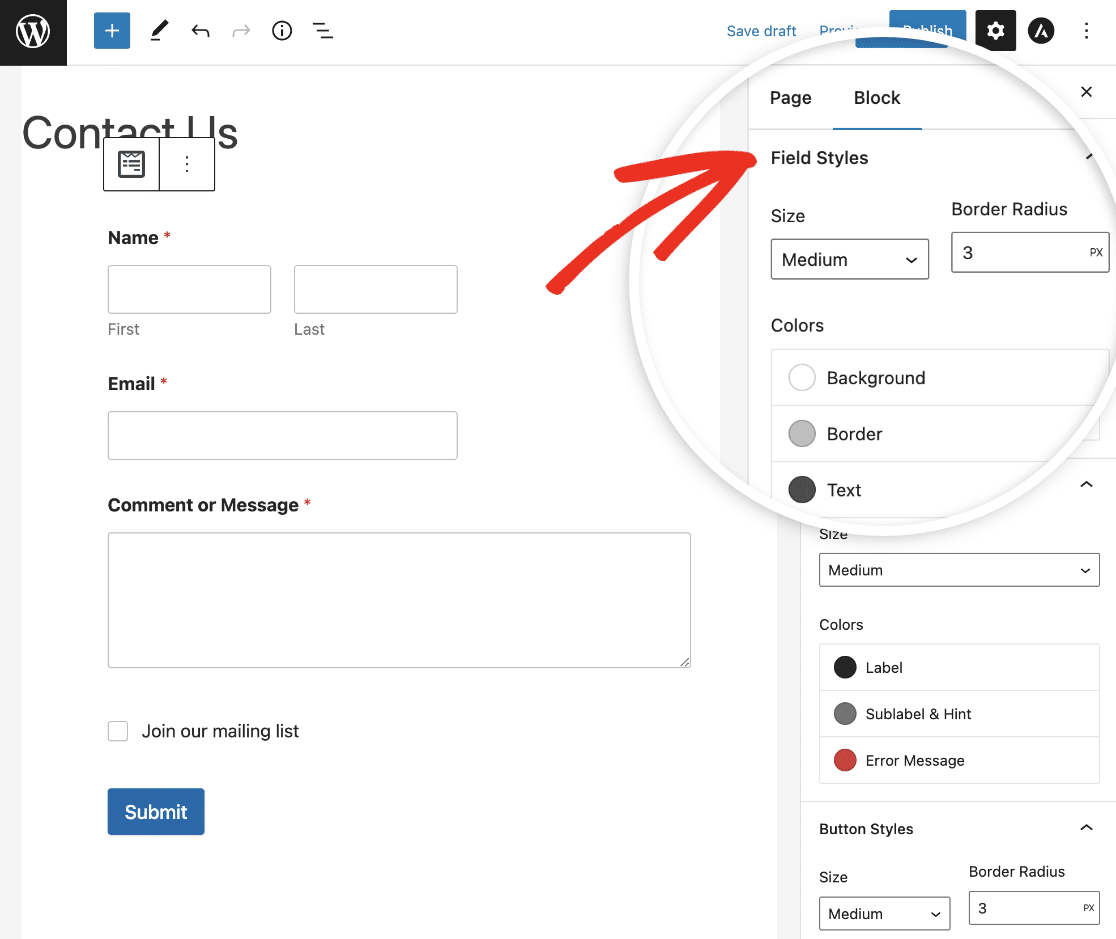
Each plugin below was evaluated across the same criteria: ease of setup, drag-and-drop builder quality, template library, spam protection options, integration depth, pricing transparency (including year 2 renewal rates), and support quality. Affiliate relationships and plugin company ownership were factored out — this is an independent assessment.
WPForms — Best for Beginners and Small Businesses
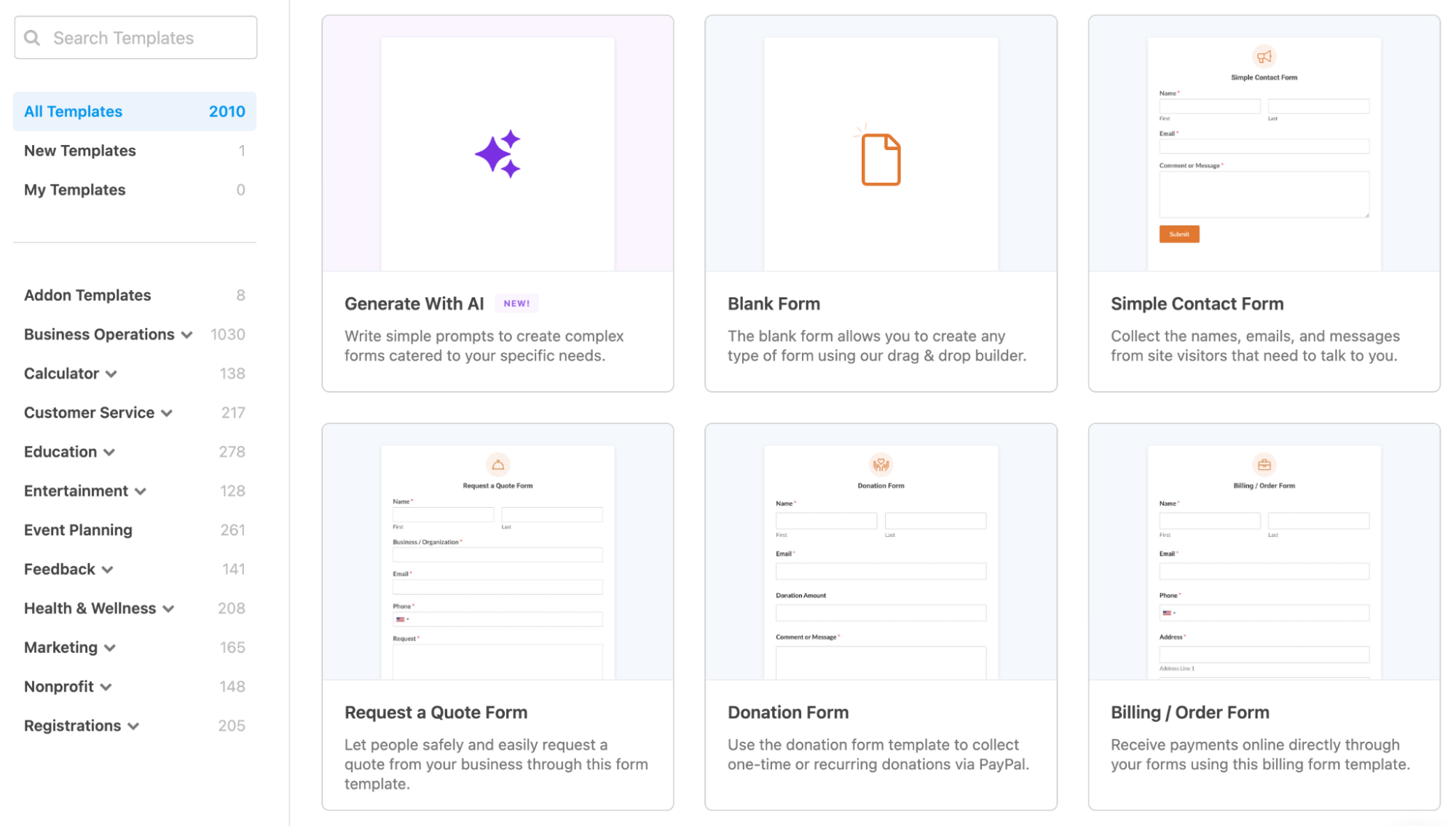
With 6 million+ active installations and 14,270+ five-star reviews on WordPress.org, WPForms is the most-installed dedicated form builder on the platform. Those numbers matter, but they’re not the whole story — they reflect a genuine ease-of-use advantage that becomes obvious within minutes of installation.
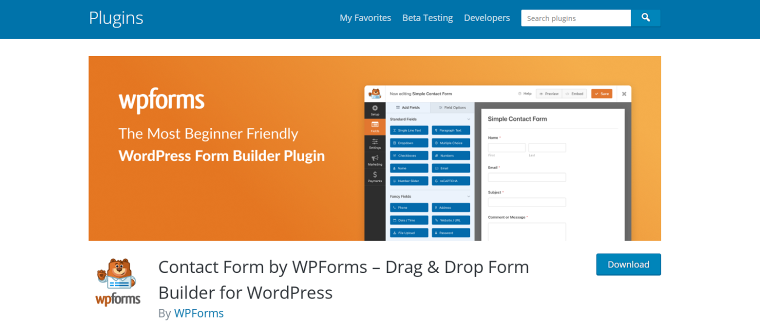
The drag-and-drop builder is genuinely beginner-friendly — no configuration files, no shortcode syntax to memorize. You click on a template, add or remove fields by dragging them, set up email notifications, and publish. For a basic contact form, that process takes under five minutes. The free version (WPForms Lite) handles this task competently, and it includes something unusual for a free plugin: Stripe payment processing at no extra charge.
WPForms feature highlights:
- 2,000+ pre-built form templates across dozens of categories
- Drag-and-drop builder — no code required for any standard form
- AI form builder — describe what you want in plain English, get a complete form
- Spam protection: Honeypot + reCAPTCHA v2/v3 + hCaptcha + Cloudflare Turnstile
- 400+ integrations including Mailchimp, HubSpot, Salesforce, Stripe, PayPal, Google Sheets
- Free Stripe payment processing in Lite version
- Conditional logic on all paid plans (including Basic)
- Gutenberg block, Elementor integration, Divi compatibility
Honest limitations:
- The Lite (free) version is limited — file uploads, multi-page forms, and most integrations require paid plans
- Year 2 renewal costs exactly double the intro price (Basic renews at $99/yr after first-year $49.50 — confirmed on wpforms.com/pricing/)
- Unlimited-site license (Elite) starts at $299.50/yr intro but renews at $599/yr
- Owned by Awesome Motive (which also runs WPBeginner) — creates conflicts of interest in some comparison articles
Best for: Non-technical site owners, bloggers, small businesses needing contact + payment forms, anyone who wants setup speed over configuration depth.
Skill level: Beginner ⭐
Gravity Forms — Best for Custom Solutions and Developer Projects
Gravity Forms has been a developer favorite since 2009. The plugin has no free version and never has — which tells you something about its positioning. It’s built for professionals who know what they need and are willing to pay for a mature, well-documented tool.
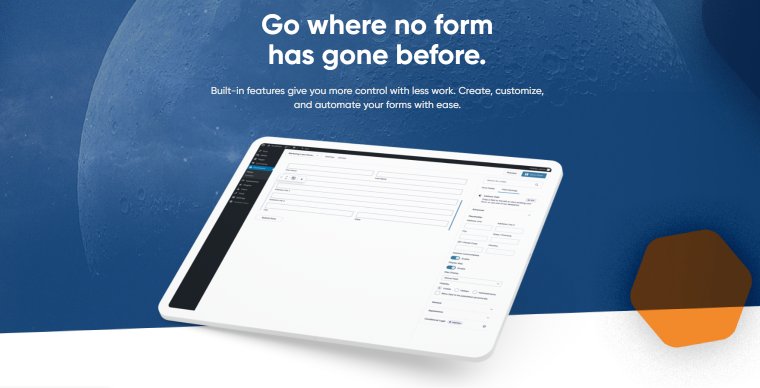
The core plugin handles standard form-building tasks well. Where Gravity Forms separates itself is the addon ecosystem: 40+ official addons, plus community add-ons from companies like GravityKit (GravityView) and GravityWiz. GravityView, for instance, lets you take form submission data and display it as searchable front-end directories, calendars, or listings — without writing PHP. That level of extensibility is genuinely rare.
Gravity Forms feature highlights:
- Drag-and-drop builder with column layout support and multi-page forms
- Robust conditional logic (field visibility, form routing, notifications)
- 40+ official add-ons: Stripe, PayPal, Zapier, Mailchimp, HubSpot, and more
- Conversational Forms addon (typeform-style, one question at a time)
- Spam protection: reCAPTCHA v2/v3 + Cloudflare Turnstile
- Developer-friendly: 400+ hooks and filters, REST API support
- GravityKit certified add-ons expand capabilities significantly
- WordPress Multisite support (Elite only)
Honest limitations:
- No free version — you pay from day one ($59/yr for Basic)
- Conditional logic, payment forms, and most advanced features require addons that are not included in Basic or Pro
- Styling forms requires CSS knowledge or a third-party addon
- For complex setups, total cost rises quickly when adding multiple addons
- Elite plan ($259/yr) is required for unlimited sites and all addon access
Best for: Agencies, freelancers building client sites, developers who want a stable platform with a strong add-on ecosystem.
Skill level: Intermediate–Developer ⭐⭐⭐
Formidable Forms — Best for Developers Who Want an App Builder
Most form plugins collect data. Formidable Forms does something more: it lets you build data-driven applications — mortgage calculators, searchable member directories, job boards, event listings — using submitted form data as the underlying content. This capability, called Formidable Views, is what sets it apart from every other plugin in this list.
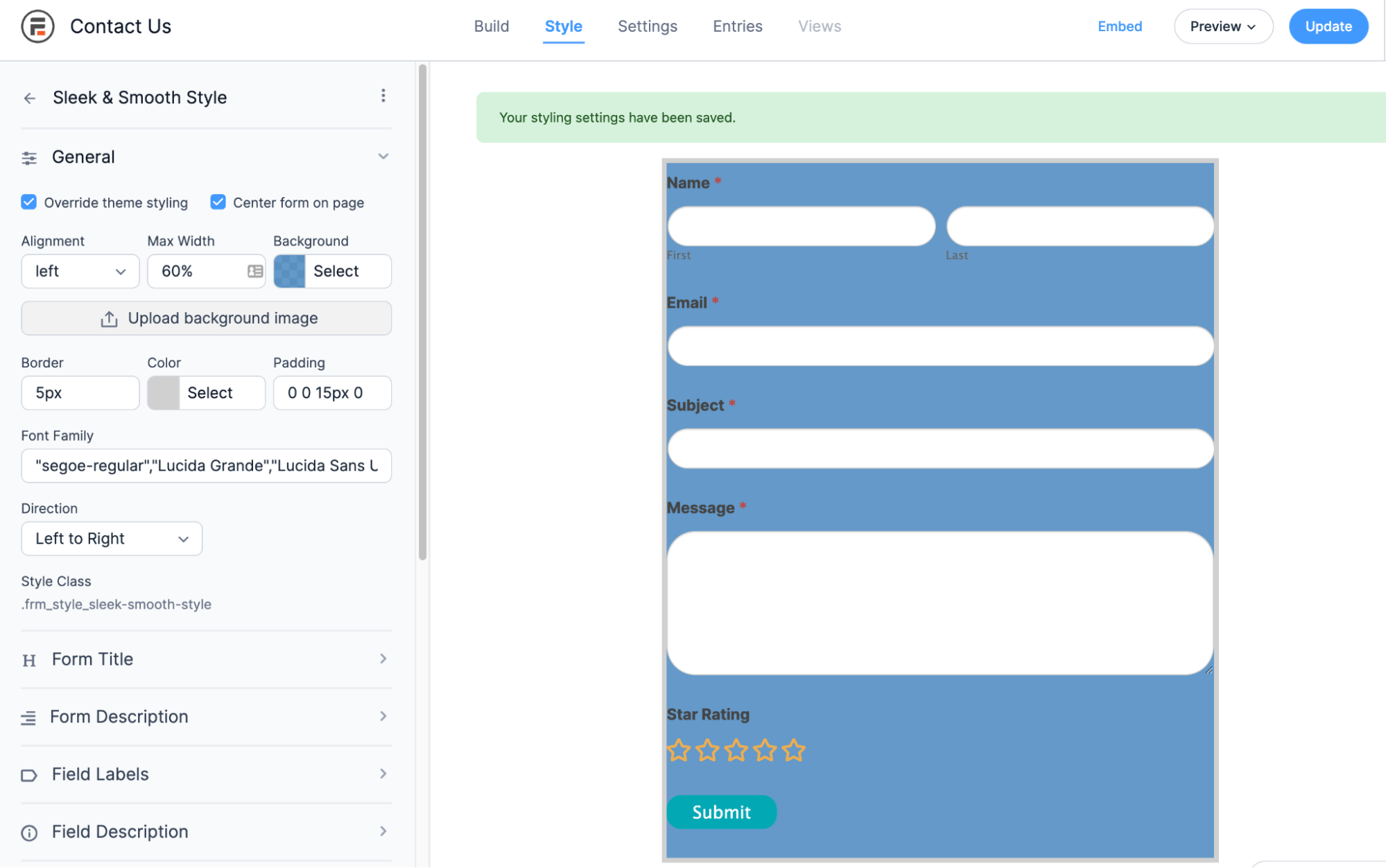
The practical example: a real estate site could use Formidable to build a property listing form, then use Views to display those listings on the front end with filtering by price, location, and bedrooms — no custom post types or WooCommerce required. That’s the kind of use case where Formidable shines and where WPForms or Gravity Forms would hit their limits quickly.
Formidable Forms feature highlights:
- Drag-and-drop builder with 400+ pre-built templates
- Views feature: display form data as directories, calculators, timelines, calendars
- Advanced calculation fields (mortgage calculators, quote forms, order totals)
- Multi-page and conversational forms
- AI form generator (describe the form, get a working draft)
- Spam protection: Honeypot + reCAPTCHA + hCaptcha + Akismet
- Integrations with WooCommerce, Salesforce, Zapier, major email services
Honest limitations:
- Steeper learning curve than WPForms — the interface is more complex
- Free (Lite) version is limited to 7 field types, no Views, no styling
- Views feature requires understanding of form-data relationships — not beginner-appropriate
- For a simple contact form, it’s significantly more than you need
Best for: Developers and agencies building data-driven WordPress applications.
Skill level: Developer ⭐⭐⭐
Fluent Forms — Best for Value and All-Inclusive Paid Plans
Fluent Forms makes one pricing commitment that every other major plugin breaks: every paid plan includes every feature. You don’t pay for conditional logic as an add-on. You don’t unlock integrations by upgrading from Plus to Pro. You pay for the number of site licenses you need, and that’s the only variable.
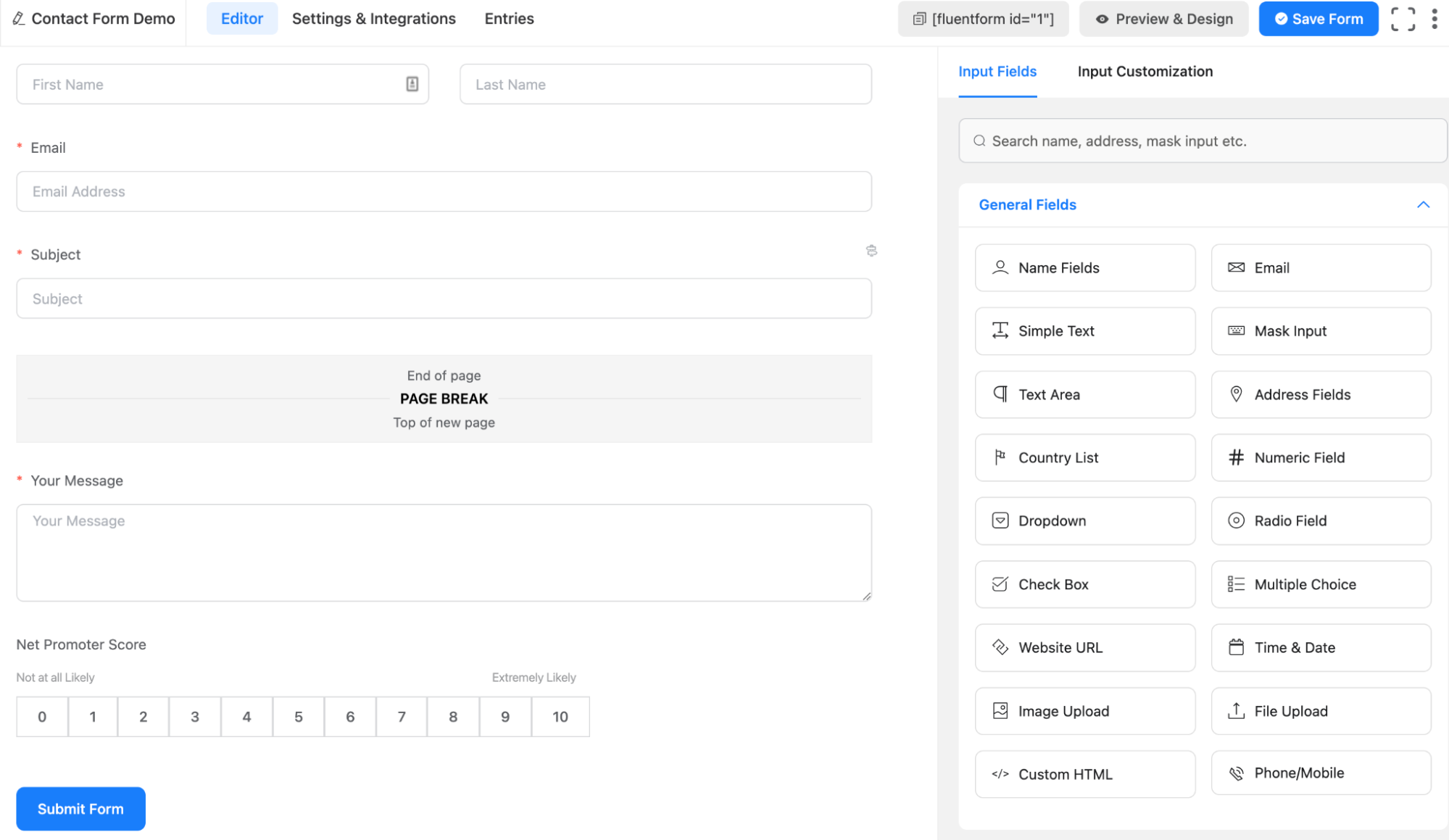
That matters in practice. With WPForms, conditional logic is on the Basic plan. Multi-step forms are on Pro. File uploads are on Basic. With Fluent Forms Pro at $79/yr for one site, you get all of those features in a single purchase. Over three to five years on one site, Fluent Forms is often 30–40% cheaper than WPForms for equivalent capability.
Fluent Forms feature highlights:
- All features on every paid tier (differentiator is site count only)
- Drag-and-drop builder, 70+ templates, 36 field types
- Conditional logic, multi-step forms, conversational forms
- AI form builder feature
- Spam protection: Honeypot + reCAPTCHA v2/v3 + hCaptcha + Cloudflare Turnstile
- 60+ direct integrations, plus Zapier/webhook access
- Lightweight performance footprint
- 300K+ active installations, 4.8-star average rating on WordPress.org
Honest limitations:
- Communication notifications (email routing) can be tricky to configure versus WPForms
- Fewer pre-built templates than WPForms (70+ vs. 2,000+)
- Smaller community means fewer third-party tutorials and support resources
- Not as well-known as WPForms, so less client-familiar for agency work
Best for: Budget-conscious users who need full pro features without paying for multiple add-ons or hitting a feature wall.
Skill level: Beginner–Intermediate ⭐⭐
Contact Form 7 — The Free Veteran (And When to Use It)
Contact Form 7 has 10 million+ active installations — more than WPForms, Gravity Forms, and Fluent Forms combined. It’s been downloaded hundreds of millions of times. It also hasn’t changed its interface philosophy in over a decade, which is both its strength (stability, zero cost) and its weakness (outdated UX by modern standards).

Here’s the honest assessment: Contact Form 7 uses a tag-based syntax instead of a visual drag-and-drop builder. To add a field, you type something like [text* your-name placeholder "Your Name"]. For developers already writing HTML and PHP regularly, this takes two minutes to learn. For someone who just wants to click and type, it’s a frustrating experience.
CF7’s other notable characteristic: it doesn’t store form submissions in the WordPress database by default. Submissions are emailed to the site admin only. That’s a design philosophy statement (no bloat, no data liability), but it also means you need a third-party add-on like Flamingo to save entries. No drag-and-drop. No built-in entry database. No templates.
Contact Form 7 feature highlights:
- Completely free — no premium tier, no paid add-ons from the core developer
- Lightweight — minimal database footprint, no entry storage by default
- AJAX form submission for seamless page behavior
- Spam protection: reCAPTCHA v2/v3 + Akismet + Cloudflare Turnstile
- File uploads, drop-down menus, checkboxes, custom HTML
- Gutenberg block available
- Active development — version 6.1.5 as of early 2026
- Extensive third-party add-on ecosystem (quality varies widely)
Honest limitations:
- No drag-and-drop builder — requires learning shortcode tag syntax
- No built-in conditional logic — requires a third-party add-on
- No form entry database by default — you need Flamingo or similar
- Free community support only — no paid support option
- Add-on ecosystem quality is inconsistent — some add-ons are abandoned
- Form preview requires publishing or previewing a page (no in-editor preview)
When CF7 is still the right choice: You’re comfortable with HTML, you want zero cost, you don’t need a form entry archive, and you have specific add-ons in mind that work well with CF7. Many WordPress developers use CF7 for client sites specifically because it’s free, stable, and has no premium license to manage.
When to skip CF7: You want visual form building, you need conditional logic without add-ons, you want a form entry inbox in WordPress admin, or you’re setting up forms for a client who needs to manage them independently.
Skill level: Intermediate (developer-comfortable) ⭐⭐
Ninja Forms — Best for Targeted Add-on Selection
Ninja Forms takes a different approach to premium features: instead of one big annual plan, you buy individual add-ons for specific capabilities. If you only need a Mailchimp integration and conditional logic, you pay for those two things. You don’t subsidize 40 other features you’ll never use.
The free core plugin is legitimately capable — 27+ field types, a visual drag-and-drop builder, email notifications, and basic spam protection are all available without paying anything. For many small business contact forms, the free version is sufficient. The add-on model becomes relevant when you need payment processing, CRM integrations, multi-step forms, or advanced logic.
Ninja Forms feature highlights:
- Free core with 27+ field types and visual builder
- Add-on-based premium model — pay only for what you need
- Developer-friendly: extensive hooks and filters, REST API support
- Export submissions as PDFs, Excel, or to Google Sheets
- Multi-page form layouts
- Spam protection: Honeypot + reCAPTCHA
- 600K+ active installs, 4.4-star rating
Honest limitations:
- Add-on costs accumulate quickly — multiple integrations can exceed $200/yr per site
- Paid plan bundles (from $59/yr) offer better value than individual add-ons, but this complicates the pricing model
- Interface can feel cluttered — settings buried in accordion menus
- Some users report email delivery configuration requiring more steps than competitors
Best for: Sites with 1-2 specific integration needs where the add-on model is cheaper than a full premium plan.
Skill level: Intermediate ⭐⭐
HubSpot Forms — Best for CRM-Driven Marketing Teams
HubSpot Forms isn’t just a form plugin — it’s an entry point into HubSpot’s marketing toolkit. Every form submission automatically creates or updates a contact in HubSpot’s free CRM, no extra configuration needed. If your business depends on tracking leads through a sales pipeline, that automatic sync eliminates a step that other plugins require connecting through Zapier or a third-party integration.
The WordPress plugin itself is free. You get forms, live chat, pop-up forms, email marketing basics, and analytics at no cost — all powered by HubSpot’s platform. The CRM stays free for unlimited contacts. Paid HubSpot plans unlock advanced automation, AI features, and additional marketing tools starting at $30/month.
HubSpot Forms feature highlights:
- Free WordPress plugin with direct HubSpot CRM integration
- Every form submission automatically logged as a CRM contact
- Forms + live chat + email marketing + analytics in one plugin
- Popup and inline form combination for lead capture
- Works alongside other WordPress form plugins (can sync their submissions to HubSpot too)
- Visual form builder with onboarding wizard
Honest limitations:
- Heavy footprint if you only need a simple contact form — installs the entire HubSpot suite
- Advanced marketing automation requires paid HubSpot plans (from $30/mo)
- Not as WordPress-native as WPForms or Gravity Forms — lacks user registration, post submissions
- Dependent on HubSpot’s servers (data stored externally)
Best for: Businesses already using or planning to use HubSpot CRM; marketing teams prioritizing lead tracking.
Skill level: Beginner–Intermediate ⭐⭐
Everest Forms — Best Free Plugin for Beginners Who Want More
Everest Forms doesn’t have the install base of WPForms or CF7, but it has something more impressive: 300 out of 317 WordPress.org reviews are five stars. That near-perfect satisfaction rate from actual users says something about the experience of using it day-to-day.
The free version is more capable than WPForms Lite for standard contact form needs — drag-and-drop builder, multi-column layouts, multi-step forms, instant email notifications, and a Gutenberg block are all available without paying. Style customization, conditional logic, and advanced spam protection require the paid version, but for a basic contact form setup, the free tier goes further than most.
Everest Forms feature highlights:
- Drag-and-drop builder with live preview
- Multi-step forms and multi-column layouts (free)
- Instant email notifications
- Form submission without page reload
- Gutenberg block (no shortcode required)
- 10+ targeted templates (contact, table reservations, booking)
- Near-perfect 4.9/5 star rating across 317 reviews
Honest limitations:
- Style customization locked behind paid plans
- reCAPTCHA requires the paid version
- Smaller community means fewer tutorials and community-created resources
- Template library is small compared to WPForms (10+ vs. 2,000+)
Best for: Beginners who want a polished, highly-rated free form builder without committing to a premium plan immediately.
Skill level: Beginner ⭐
Feature Comparison Table — All 8 Plugins at a Glance
The table below pulls data verified in February 2026 from official plugin sources and WordPress.org listings. “Conditional logic” refers to show/hide field rules; “Payment (free)” refers to whether the free tier includes payment form capability.
| Plugin | Free Version | Drag-and-Drop | Templates | Conditional Logic | Payment (Free) | Spam Tools | Starting Price (paid) |
|---|---|---|---|---|---|---|---|
| WPForms | ✅ (limited) | ✅ | 2,000+ | All paid tiers | ✅ Stripe | Honeypot + reCAPTCHA + hCaptcha + Turnstile | $49.50/yr |
| Gravity Forms | ❌ | ✅ | 40+ | All paid tiers | ❌ | reCAPTCHA + Turnstile | $59/yr |
| Formidable Forms | ✅ (7 fields) | ✅ | 400+ | Paid | ❌ | Honeypot + reCAPTCHA + hCaptcha + Akismet | ~$79/yr |
| Fluent Forms | ✅ (limited) | ✅ | 70+ | All paid tiers | ❌ | Honeypot + reCAPTCHA + hCaptcha + Turnstile | $79/yr |
| Contact Form 7 | ✅ (fully free) | ❌ | None built-in | Add-on only | ❌ | reCAPTCHA + Akismet + Turnstile | Free |
| Ninja Forms | ✅ (27+ fields) | ✅ | 16 | Paid add-on | ❌ | Honeypot + reCAPTCHA | $59/yr |
| HubSpot Forms | ✅ (full plugin) | ✅ | 40+ | ✅ Free | ❌ | reCAPTCHA | Free (HubSpot plans from $30/mo) |
| Everest Forms | ✅ (capable) | ✅ | 10+ | Paid add-on | ❌ | Honeypot + reCAPTCHA (paid) | $49/yr |
Looking for comparisons of other WordPress tools? WPlasma covers WordPress plugins, themes, and hosting in depth.
Spam Protection — How Each Plugin Handles Junk Submissions
A contact form that floods your inbox with bot submissions is worse than useless — it trains you to ignore your own email. Spam protection is not optional, and the implementation differences between plugins are significant.
There are four primary anti-spam approaches used across WordPress form plugins:
- Honeypot fields — hidden form fields that humans skip but bots fill in. Invisible to visitors, catches unsophisticated bots. Available in WPForms, Fluent Forms, Formidable, Ninja Forms, and Everest Forms.
- Google reCAPTCHA v2 — the classic “I’m not a robot” checkbox. Available in all major plugins.
- reCAPTCHA v3 — invisible score-based verification, better UX than v2. Available in WPForms, Gravity Forms, Fluent Forms, and Formidable.
- Cloudflare Turnstile — a modern alternative to reCAPTCHA that doesn’t show a challenge to most users. Available in WPForms, Gravity Forms, Fluent Forms, and CF7.
- hCaptcha — privacy-focused reCAPTCHA alternative. Available in WPForms, Fluent Forms, and Formidable.
- Akismet integration — comment-spam technology applied to forms. Available in WPForms, Formidable, Fluent Forms, and CF7.
| Plugin | Honeypot | reCAPTCHA v2 | reCAPTCHA v3 | hCaptcha | Cloudflare Turnstile | Akismet |
|---|---|---|---|---|---|---|
| WPForms | ✅ | ✅ | ✅ | ✅ | ✅ | ✅ (add-on) |
| Gravity Forms | ✅ | ✅ | ✅ | ❌ | ✅ | ❌ |
| Fluent Forms | ✅ | ✅ | ✅ | ✅ | ✅ | ✅ |
| Formidable Forms | ✅ | ✅ | ✅ | ✅ | ❌ | ✅ |
| Contact Form 7 | ❌ (add-on) | ✅ | ✅ | ❌ | ✅ | ✅ (integration) |
| Ninja Forms | ✅ | ✅ | ❌ | ❌ | ❌ | ❌ |
| HubSpot Forms | ❌ | ✅ | ❌ | ❌ | ❌ | ❌ |
| Everest Forms | ✅ | ✅ (paid) | ❌ | ❌ | ❌ | ❌ |
For most sites, a honeypot plus reCAPTCHA v3 (invisible) provides strong protection without interrupting legitimate users. WPForms and Fluent Forms have the most complete default spam toolkit. CF7 is the weakest out of the box — it has reCAPTCHA support but no honeypot, and the reCAPTCHA integration requires manual setup through third-party integrations.
Pricing Reality Check — What You’ll Actually Pay
Contact form plugin pricing has a standard marketing pattern: the advertised first-year price is significantly lower than what you’ll pay from year two onward. WPForms is the clearest example — its own pricing page states “special introductory pricing, all renewals are at full price.” That means the Basic plan at $49.50 in year one becomes $99 in year two. By year three, the total cost exceeds what you’d pay for Gravity Forms Basic over the same period.
| Plugin | Free Tier | Single Site (Year 1) | Single Site (Year 2+) | Unlimited Sites | Key Notes |
|---|---|---|---|---|---|
| WPForms | ✅ (limited) | Basic $49.50/yr | $99/yr | Elite $599/yr | Renewal is 2× intro price |
| Gravity Forms | ❌ | Basic $59/yr | $59/yr | Elite $259/yr | Consistent pricing, no intro discount trap |
| Fluent Forms | ✅ (limited) | $79/yr (1 site) | $79/yr | $159/yr (5 sites) | All features on every paid plan |
| Formidable Forms | ✅ (limited) | ~$79/yr Basic | ~$79/yr | ~$299/yr Elite | Intro discounts available |
| Contact Form 7 | ✅ (fully featured) | Free | Free | Free | Donation-supported open source |
| Ninja Forms | ✅ (core features) | $59/yr (1 site) | $59/yr | $499/yr Elite | Add-on costs can exceed plan price |
| HubSpot Forms | ✅ (full plugin free) | $0 (WordPress plugin) | $0 (WordPress plugin) | $0 (WordPress plugin) | HubSpot CRM plans from $30/mo if needed |
| Everest Forms | ✅ (capable) | Personal $49/yr | $49/yr | Agency $199/yr | 14-day money-back guarantee |
All prices in USD. Verified February 2026. Check official plugin websites for current promotions.
The pricing insight that most articles skip: for a single site used long-term, Gravity Forms Basic ($59/yr, stable) and Fluent Forms Pro ($79/yr, all features) both offer better long-term value than WPForms Basic, which costs $148+ over two years for the same site (versus Gravity Forms at $118 over two years). The comparison flips for multi-site licenses — WPForms Elite is more expensive than Gravity Forms Elite, but WPForms includes features that Gravity Forms gates behind addons.
Choosing by Skill Level — A Practical Framework
The most useful question to ask before picking a form plugin isn’t “which one is most popular?” It’s “which one matches how I work and how I’ll maintain it?”
| Skill Level | Description | Best Plugin(s) | Why |
|---|---|---|---|
| Complete beginner | New to WordPress, no coding experience | WPForms Lite → WPForms Basic | Setup wizard, 2,000+ templates, most complete documentation of any form plugin |
| Comfortable beginner | Uses WordPress regularly, no code | Fluent Forms or Everest Forms | Better value, less lock-in, capable free tiers |
| Intermediate / developer-comfortable | Can write basic HTML/PHP, comfortable in WordPress admin | Contact Form 7 or Ninja Forms | Minimal footprint, extensible, free or low-cost |
| Developer / Agency | Builds client sites, writes custom code | Gravity Forms or Formidable Forms | Addon ecosystem, Views, REST API, multisite |
| Marketing / CRM focus | Priority is lead capture and sales pipeline | HubSpot Forms | Automatic CRM sync, no integration setup required |
One scenario worth flagging: agencies should be careful about recommending their preferred plugin to clients who will manage the site independently. A developer who uses Gravity Forms for everything should ask whether their client can manage form updates, add fields, or troubleshoot email notifications without support. For most non-technical clients, WPForms or Fluent Forms will produce fewer support calls over time.
GDPR and Data Privacy — What Contact Forms Collect
Every contact form on your WordPress site collects personal data: at minimum, a name and email address. Most collect an IP address and timestamp as part of the submission record. The EU’s General Data Protection Regulation (GDPR) and equivalent laws in the UK, California (CCPA), and many other jurisdictions have rules about how this data is collected, stored, and deleted upon request.
The good news: major WordPress form plugins handle this reasonably well with proper configuration. The bad news: “GDPR-compliant plugin” doesn’t mean your site is GDPR compliant — that requires your configuration choices too.
Key data privacy considerations by plugin:
- Contact Form 7: By design, CF7 does not write user personal data to the WordPress database in its default configuration. Submissions go to email only. This is privacy-conservative — but it also means you have no submission archive unless you add a plugin like Flamingo. CF7’s privacy notice also discloses which optional integrations (reCAPTCHA, Akismet, Stripe) send data to third-party servers.
- WPForms: Stores entries in the WordPress database by default. Offers a GDPR Enhancement mode that lets you disable cookies, stop IP address storage, and add a consent checkbox. Entries are stored on your server.
- Gravity Forms: Entries stored in WordPress database. Includes GDPR-ready consent field type and supports data deletion through the admin interface.
- HubSpot Forms: Submissions are sent to HubSpot’s servers and stored in HubSpot’s CRM — not just your WordPress database. This means a third party (HubSpot) holds your contact data. For businesses with strict data residency requirements, this is a relevant consideration.
- Fluent Forms: Entries stored on your server. Includes GDPR consent field and data export/delete capabilities.
Practical GDPR compliance checklist for any form plugin:
- Add a consent checkbox to forms that collect personal data (most plugins include this)
- Link your Privacy Policy from the form or the page containing it
- Know where submissions are stored (your server vs. third-party servers)
- Have a process for deleting individual entries on request — test this before you receive a request
- If using reCAPTCHA or Akismet, disclose this in your privacy policy (these services send data to Google and Automattic respectively)
If GDPR compliance is a significant concern for your business or your clients, running a data protection assessment and consulting legal counsel for your specific jurisdiction is recommended beyond this checklist.
Who Should Use Each Plugin — Clear Guidance by Site Type
| Site Type | Best Plugin | Why |
|---|---|---|
| Personal blog / portfolio | WPForms Lite or CF7 | Free, minimal setup, sufficient for one simple contact form |
| Small business / service site | WPForms or Fluent Forms | Templates, email integration, form entry management |
| eCommerce (WooCommerce) | WPForms or Gravity Forms | WooCommerce integration, payment forms, order forms |
| Agency managing client sites | Gravity Forms | Multi-site Elite license, mature add-on ecosystem, developer tools |
| SaaS / complex data applications | Formidable Forms | Views feature, calculators, directories, form-driven apps |
| Marketing / lead gen focus | HubSpot Forms | Automatic CRM sync, zero lead tracking setup |
| Developer with minimal budget | Contact Form 7 | Free, stable, extensible with the right add-ons |
Need help with other WordPress decisions? WPlasma has in-depth guides across plugins, themes, and hosting.
FAQ — Frequently Asked Questions About WordPress Contact Form Plugins
What is the best free WordPress contact form plugin?
WPForms Lite is the most beginner-friendly free option — it has a drag-and-drop builder, 2,000+ templates, and even free Stripe payment processing. Contact Form 7 is a better choice if you’re comfortable with HTML tag syntax and want the absolute lightest-weight solution. Everest Forms is worth considering if you want a capable free plugin with a polished interface and no immediate pressure to upgrade.
Is Contact Form 7 still worth using in 2026?
Yes, for the right users. CF7 with 10 million+ active installs is actively maintained (version 6.1.5 in early 2026) and completely free. If you’re comfortable with its shortcode tag syntax, want no database overhead, and have specific add-ons that pair well with it, CF7 remains a solid choice. For beginners who want visual form building, or anyone who needs conditional logic without additional plugins, it’s no longer the best starting point.
Does WordPress have a built-in contact form?
No. WordPress core has no form builder. This applies to self-hosted WordPress.org installations and most WordPress.com plans below Business tier. A plugin is required, which is why the form plugin ecosystem has grown to over 2,100 plugins.
Which contact form plugin has the best spam protection?
WPForms and Fluent Forms offer the most comprehensive spam protection toolkit out of the box: honeypot fields, reCAPTCHA v2 and v3, hCaptcha, and Cloudflare Turnstile are all available from the settings panel. Gravity Forms is strong with reCAPTCHA and Turnstile support. CF7 requires more manual configuration and lacks a built-in honeypot.
Are WordPress contact form plugins GDPR compliant?
Most major plugins include GDPR consent checkbox features and store submission data on your own server. WPForms has a dedicated GDPR Enhancement mode to disable cookies and IP logging. Fluent Forms and Gravity Forms also include GDPR-ready fields. HubSpot Forms is the exception — submission data is sent to HubSpot’s servers, which is a data residency consideration for EU businesses. Compliance requires configuration, not just installation.
Where is contact form data stored in WordPress?
Most plugins store submissions in your WordPress database (typically a dedicated custom table or wp_posts). CF7 is the notable exception — it sends email only, with no database storage by default. WPForms, Gravity Forms, Fluent Forms, and Ninja Forms all store entries in the database, which gives you an admin inbox for reviewing past submissions.
WPForms vs. Gravity Forms — which should I choose?
WPForms for beginners and single-site small businesses: easier setup, better documentation, free tier available, conditional logic on all paid plans. Gravity Forms for agencies and developers: no free version but consistent pricing (no renewal trap), stronger addon ecosystem, better for multi-site and enterprise-scale projects. Over two years, Gravity Forms Basic ($118) is slightly cheaper than WPForms Basic ($148.50) for a single site.
Can I use a contact form plugin for payment forms?
Yes. WPForms Lite includes free Stripe payment processing — unusual for a free tier. WPForms Pro adds Square, PayPal, and Authorize.Net. Gravity Forms requires payment addons (included in Pro and Elite plans). Fluent Forms includes payment processing on paid plans. For simple payment collection without a full eCommerce setup, any of these options work well.
Which WordPress form plugin is best for beginners?
WPForms is consistently recommended for beginners — setup wizard, visual builder, 2,000+ templates, and documentation that assumes you know nothing about code. Everest Forms is a strong free alternative with a similarly polished experience. Both offer Gutenberg blocks for easy form embedding.
How do I choose between free and premium contact form plugins?
Start with a free version to test the interface — every major plugin except Gravity Forms offers one. The trigger to upgrade is usually one of these: you need conditional logic (show/hide fields based on answers), file upload capability, multi-step forms, email marketing integration, or a form entry database. Fluent Forms and Everest Forms unlock more of these features in their free tiers than WPForms Lite. CF7 handles all of them through add-ons, with the trade-off that add-on quality is inconsistent.
Conclusion — Matching the Plugin to Your Reality
Contact form plugins range from completely free to $599+ per year, and the most-installed option isn’t necessarily the best fit for your situation. The decision comes down to a few practical questions: How technical are you (or whoever will maintain the site)? How many sites do you need to cover? What happens in year two when intro discounts expire? And what does the form actually need to do beyond collecting a name and email?
Most personal blogs and small business sites run well on WPForms Lite or Fluent Forms Free to start. As requirements grow — payment processing, CRM syncing, conditional logic, multi-step forms — upgrading to a paid plan makes sense. Gravity Forms and Formidable Forms represent a different philosophy: pay for professional-grade infrastructure from the start, get the full toolkit, and build on it without hitting walls.
Contact Form 7 remains a legitimate choice for technically capable users who prefer minimal footprint and zero cost — its 10 million+ user base isn’t an accident, even if its interface hasn’t aged gracefully.
One final practical note: the form plugin ecosystem has good migration tooling. WPForms, Ninja Forms, and weForms all import from CF7. That means starting with a free plugin and migrating later is a real option, not just a theory. You don’t have to get this decision right permanently — you just need to get it working today.
