


Top WordPress Chat Plugins: Tested, Compared, and Ranked
Your WordPress site gets traffic. Some of those visitors have questions. They look around for a way to ask, find nothing, and leave. You never know why the bounce rate is high or why the cart gets abandoned on page three. A live chat plugin changes that equation — not by being pushy or intrusive, but by being present at the right moment, for the right visitor.
This guide covers the 8 best WordPress chat plugins for 2026, evaluated on what actually matters: how much each plugin slows your site, what it costs after the free trial ends, how the AI features hold up, and which situations each one genuinely handles well versus where it falls short. Pricing has been verified against official websites as of February 2026. Performance data comes from real benchmark tests conducted by WP Rocket on a blank WordPress install. No fluff, no affiliate recommendations — just the information you need to make a good call.
The Short Answer: Top Picks by Use Case
If you need a quick answer, here it is. If you want the full reasoning, each pick is covered in detail below.
| Use Case | Top Pick | Runner-Up |
|---|---|---|
| Best overall | LiveChat | Tidio |
| Best free plugin | Tawk.to | HubSpot (free tier) |
| Best for WooCommerce | LiveChat | Tidio |
| Best for small budgets | Tawk.to | JivoChat (free) |
| Best for marketing teams | HubSpot | Tidio |
| Best for AI automation | Tidio | HubSpot |
| Lightest site speed impact | Tawk.to | Tidio |
| Best for voice + video support | 3CX | JivoChat |
Three questions to identify your right plugin:
- Do you have a WooCommerce store? → LiveChat or Tidio. Both see cart contents during chat; LiveChat goes deeper with full order history.
- Is your budget zero? → Tawk.to is genuinely free, all features, unlimited agents. No catch.
- Do you need sales automation, not just support? → HubSpot (free CRM + chatbot) or Tidio (AI-powered conversation automation).
Still unsure? The Which Chat Plugin Is Right For Your Situation section breaks this down by team size, skill level, and use case.
What Is a WordPress Chat Plugin (and Do You Actually Need One)?
A WordPress chat plugin adds a messaging widget to your site — usually a small bubble in the bottom corner — that lets visitors start a conversation with you or your support team in real time. Depending on the plugin, that conversation might be handled by a human agent, an AI chatbot, or a combination of both.
Here’s the thing: the differences between plugins go well beyond the chat widget itself. You’re also choosing between live agent dashboards, chatbot automation, CRM integration, conversation history, visitor tracking, and multi-channel support. A “chat plugin” in 2026 is really a customer engagement platform — one that happens to start with a chat widget on your site.
Live chat vs chatbot vs social messenger widget — clarified:
- Live chat — A human agent responds to visitors in real time. Best for complex questions, support issues, or sales conversations.
- AI chatbot — Automated responses based on rules or natural language processing. Handles FAQs, routes conversations, captures leads — even when no one is online.
- Social messenger widget — Embeds your WhatsApp, Messenger, or Telegram links as a floating button. Not a chat platform — just a link to your existing channels. Tools like Chaty fall into this category.
Most of the plugins in this guide combine live chat with some level of chatbot automation. The ratio varies: Tawk.to leans heavily toward live agent chat, while Tidio leads with its AI chatbot (Lyro) and treats human handoff as secondary.
Do the numbers justify adding a chat plugin? According to Intercom research cited by WP Rocket, one direct message to a visitor makes them 50% more likely to convert. Zendesk reports that customers who use chat buy 10–15% more on average, and chatting customers are 3× more likely to convert than those who don’t. Those figures are frequently cited, and they hold up directionally — chat puts you in the conversation when a visitor is actively deciding.
Signs you don’t need a chat plugin yet:
- Your site gets fewer than 100 visitors per day — not enough volume to justify live monitoring
- You work solo and genuinely cannot respond to chats during business hours
- Your content is purely informational — readers aren’t looking for support or sales conversations
- You already get too many support emails and chat would add to the noise
That said, even solo operators often benefit from a chatbot-forward setup (Tidio’s free tier, for instance) that captures leads and answers FAQs automatically, with no live monitoring required.
How We Evaluated These Plugins
Evaluating eight chat plugins fairly requires consistent criteria. Here’s what we looked at for each one:
- Feature set — Core live chat, chatbot capabilities, visitor tracking, canned responses, file sharing, and agent routing
- Performance impact — How much load time and page weight each plugin adds to a WordPress site (benchmarked by WP Rocket)
- Pricing clarity — 2026 prices verified from official websites; we flag misleading free-plan restrictions
- Ease of setup — How quickly a non-developer can install, configure, and start receiving chats
- WooCommerce integration — Whether the plugin sees cart contents, triggers on checkout, and integrates with order history
- AI depth — Rule-based bots vs natural language processing vs GPT-based conversation
- Honest limitations — What each plugin genuinely isn’t good at, even when the marketing says otherwise
Performance data in the next section comes from WP Rocket’s benchmark tests, conducted on a mobile connection with a blank WordPress install and a France-based server. These are the most detailed public benchmarks available across this plugin set — and they reveal differences that most reviews completely miss.
Performance Impact: How Much Do Chat Plugins Slow Your Site?
Every chat plugin adds JavaScript to your site. That JavaScript has to load before the chat widget appears — and depending on the plugin, it can push your total page load time from under a second to several seconds. For a WordPress site trying to maintain solid Core Web Vitals scores, that difference matters.
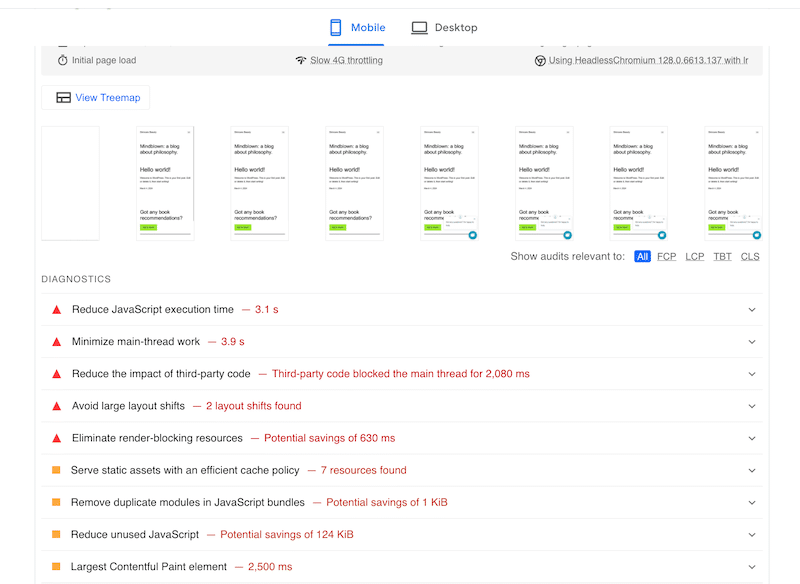
Here’s the performance data, tested by WP Rocket on mobile with a blank WordPress install (baseline: 320ms load time, 100/100 PageSpeed Insights score, 1.0s LCP, 42KB page size):
| Plugin | Total Load Time | Mobile PSI Score | LCP | Page Weight Added | Speed Rating |
|---|---|---|---|---|---|
| No plugin (baseline) | 320 ms | 100/100 | 1.0 s | — | — |
| Tawk.to | 804 ms | 100/100 | 1.5 s | +188 KB | ⭐⭐⭐⭐⭐ Lightest |
| Tidio | 1,300 ms | 100/100 | 1.1 s | +352 KB | ⭐⭐⭐⭐ Good |
| 3CX | 1,900 ms | 100/100 | 1.0 s | +384 KB | ⭐⭐⭐ Moderate |
| HubSpot | 2,300 ms | 78/100 | 2.4 s | +500 KB | ⭐⭐ Heaviest impact |
| LiveChat | 2,700 ms | 100/100 | 1.0 s | +284 KB | ⭐⭐⭐ Heavy, but LCP maintained |
Source: WP Rocket performance tests — mobile, France server, blank WordPress install. JivoChat, Crisp, and Olark were not included in this test set.
A few things worth noting from this data:
- Tawk.to wins on speed — by a significant margin. It adds the least weight (188KB) and keeps load time under 1 second, which is remarkable for a full-featured chat plugin.
- LiveChat is the slowest overall but maintains a 100/100 PSI score — its 2.7 second total load time is concerning, but its LCP stays at 1.0 seconds (same as baseline). This means the chat widget loads after the main content, which is the right behavior. The slowness shows up in total time-to-interactive, not in what users see first.
- HubSpot is the only plugin that hurts your PageSpeed score — dropping from 100 to 78/100 is a meaningful penalty. WP Rocket’s tests showed that adding a caching plugin alongside HubSpot brought the PSI score back to 100/100, so this is mitigatable — but it requires extra configuration.
- Tidio offers a good balance — moderate load impact (1.3s) with an excellent PSI score and near-baseline LCP (1.1s vs 1.0s).
Practical takeaway: If your site already scores 100/100 on PageSpeed and you need to maintain it, avoid HubSpot without a caching plugin. If site speed is critical, Tawk.to is the clear winner. If features matter more than raw speed, LiveChat’s widget design (deferred loading) is smarter than it looks.
The 8 Best WordPress Chat Plugins — Detailed Breakdown
1. LiveChat — Best for Online Stores and Enterprise Teams
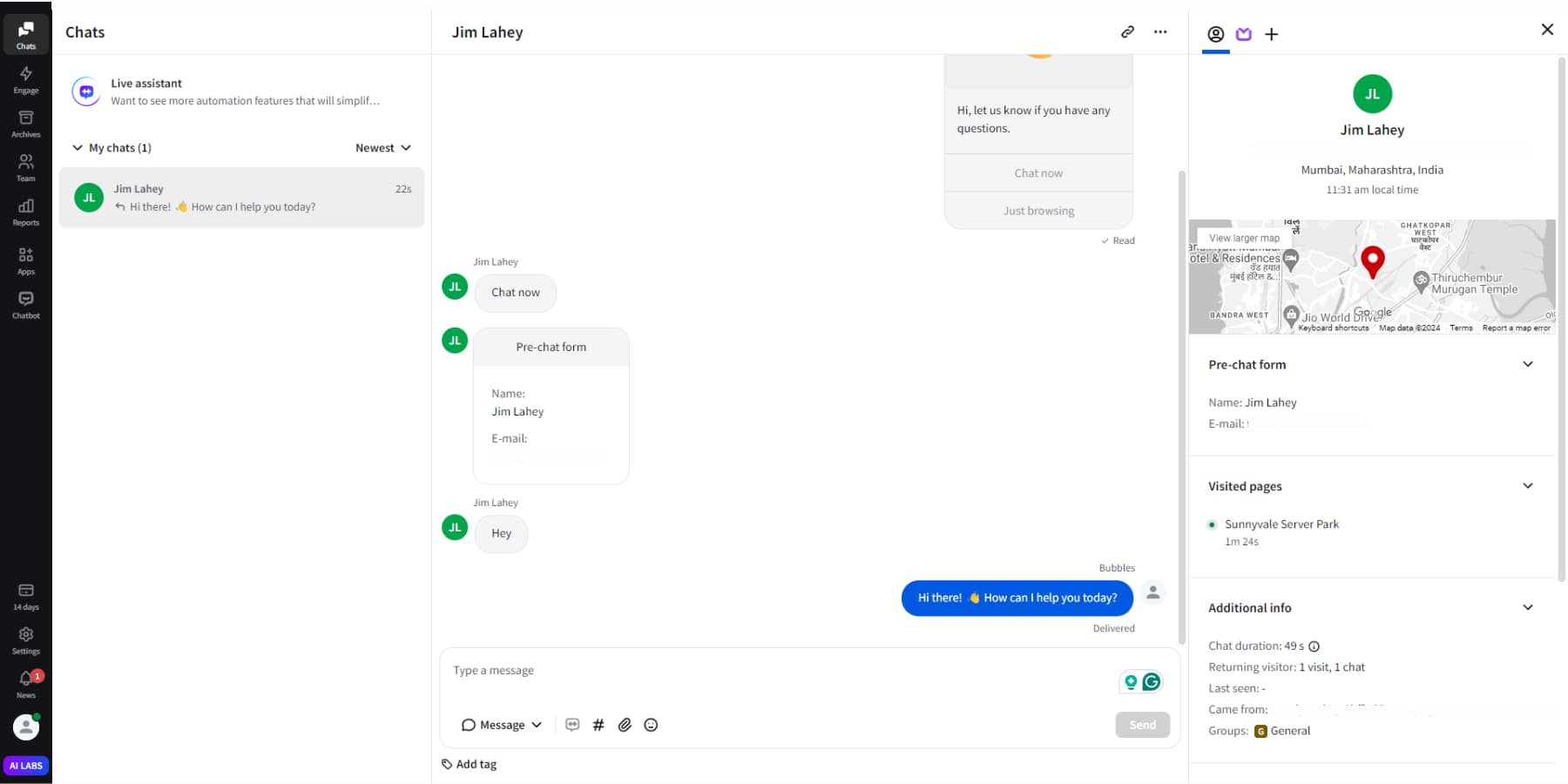
LiveChat is the premium option in this space, and it earns that position. It’s used by 35,000+ businesses across 150 countries, including Fortune 500 companies like PayPal, IKEA, Allstate, and Capital One. That pedigree matters — but for most WordPress users, what matters more is the practical question: does it justify the price?
The answer is yes, with conditions. LiveChat has the deepest WooCommerce integration of any plugin in this roundup. During a live chat, agents can see exactly what’s in a visitor’s cart, view their browsing history on your store, and trigger proactive messages when someone spends more than 60 seconds on the checkout page. If your WooCommerce store does meaningful revenue, that visibility is worth paying for.
Key features:
- Visitor tracking — see who’s on your site, where they came from, and what they’re viewing
- Message sneak peek — see what the customer is typing before they send it
- AI Copilot — suggests reply templates, auto-generates chat summaries, applies smart tags
- 200+ integrations — Salesforce, Mailchimp, Google Analytics, Zendesk, Slack
- 45 languages supported
- Canned responses, file sharing, chat ratings, detailed analytics
- Full WooCommerce integration — cart contents, checkout triggers, order history
- Multichannel: Facebook Messenger, WhatsApp, Instagram, SMS
Performance: LiveChat adds about 2.7 seconds to total page load time in benchmark testing — the slowest of the tested plugins. However, its LCP (Largest Contentful Paint) stays at 1.0 seconds, matching the baseline. This indicates the plugin loads its JavaScript after the main page content — a smarter loading strategy than it appears. The PageSpeed Insights score remains 100/100. Version 5.0.0 also rewrote the plugin to be 9× smaller in size.
Pricing (verified February 2026):
- Starter: $19/agent/month (annual billing)
- Team: $39/agent/month
- Business: $59/agent/month
- No free plan — 14-day free trial only
The per-agent pricing model means costs scale with your team. A 5-agent team on the Starter plan costs $95/month. That’s a real commitment for a small business.
✅ Best for: WooCommerce stores, e-commerce businesses with dedicated support teams, enterprises needing 200+ integrations, multi-agent operations
❌ Not ideal for: Solo operators or small blogs on tight budgets (no free plan, per-agent pricing adds up), businesses that just need basic contact capability
2. Tidio — Best for AI Chatbot Automation
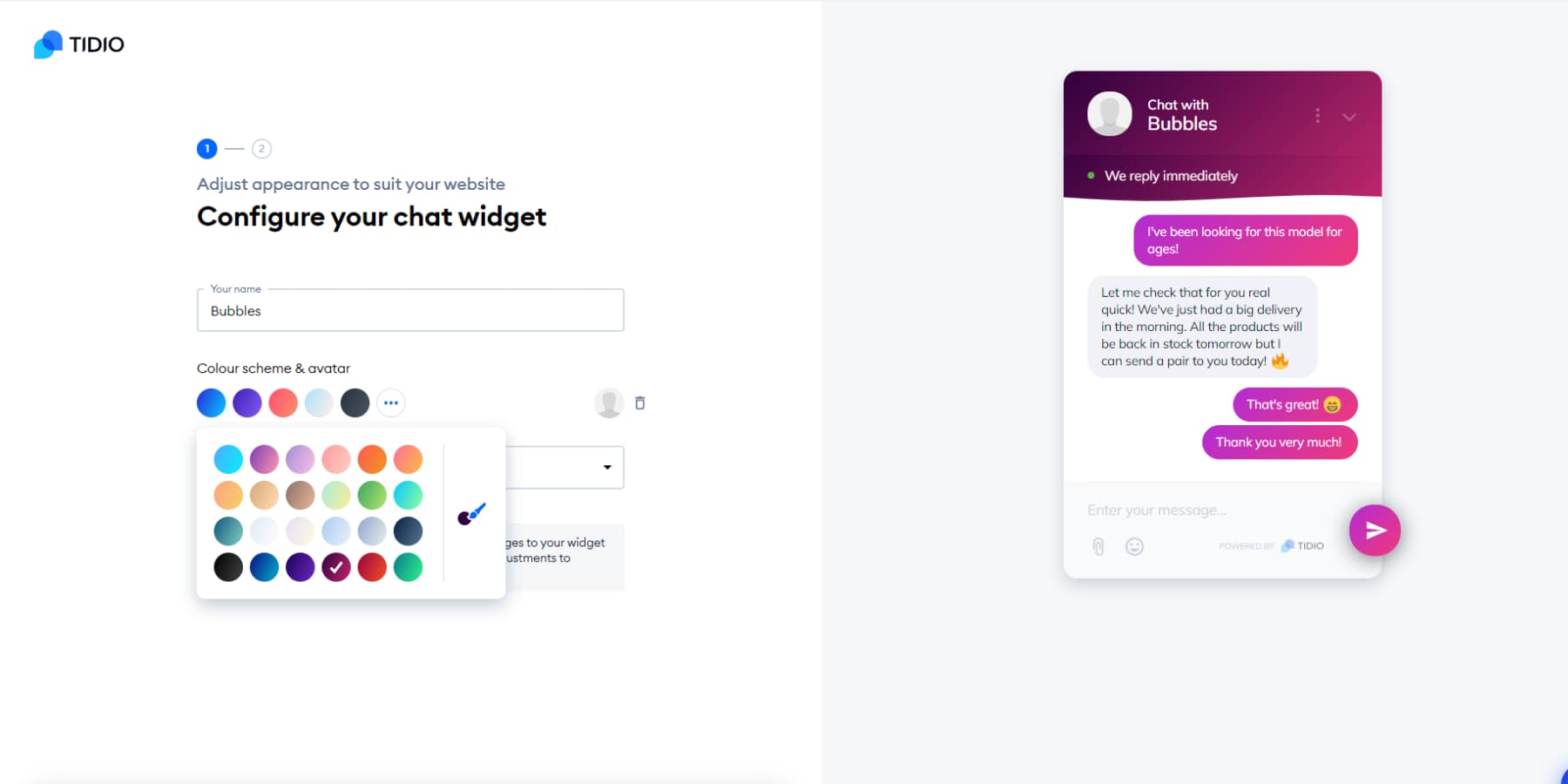
Tidio has more than 300,000 active installs on WordPress.org, making it one of the most-used chat plugins in the ecosystem. The reason is the free tier: it gives you live chat, 50 automated conversations per month, and access to Lyro AI — enough to get meaningful value from a chat plugin without paying anything upfront.
Lyro is Tidio’s proprietary AI chatbot, built on natural language processing. You upload your FAQ content or website pages, and Lyro learns from them to answer customer questions automatically. In practice, it handles the kind of repetitive questions (“What are your shipping times?” “Do you offer returns?”) that would otherwise queue up in your inbox. Tidio also comes with 40+ pre-built bot templates for common scenarios like abandoned cart recovery, lead generation, and post-purchase follow-up.
Key features:
- Lyro AI chatbot — NLP-based, trained on your content, handles conversations automatically
- 40+ pre-built automation templates
- WooCommerce integration — cart contents visible in agent dashboard, checkout page triggers
- Multichannel: WhatsApp, Instagram, Facebook Messenger
- 183 languages supported (the widest language coverage in this roundup)
- Visual chatbot builder — no-code flow creation
- Visitor tracking and behavioral triggers
Performance: Tidio adds approximately 980ms to page load time, with a 100/100 PSI score and 1.1s LCP (essentially at baseline). That’s a reasonable trade-off for the feature set — it’s the second-lightest of the tested plugins, behind only Tawk.to.
Pricing (verified February 2026):
- Free: 50 billable conversations/month, 2 agents, basic live chat
- Starter: $29/month (additional conversations beyond free limit)
- Growth: $59–$349/month (depending on conversation volume)
- Plus: $749/month
- Note: Lyro AI is a separate add-on with additional cost beyond the base plan
Here’s the catch with Tidio’s pricing: it charges per conversation, not per agent. At low volumes, that’s fine. As your chat volume grows, costs can scale faster than expected. A business handling 1,000 conversations/month moves up to the Growth tier quickly, and the Lyro AI add-on is on top of that.
✅ Best for: Small e-commerce teams that need chatbot automation without hiring support staff, WooCommerce stores wanting AI-powered cart recovery, businesses that need wide language support (183 languages)
❌ Not ideal for: High-volume support teams (costs scale quickly at volume), businesses that need unlimited conversations on a predictable budget (Tawk.to or a per-agent model is more predictable)
3. Tawk.to — Best Free Option (No Conditions)
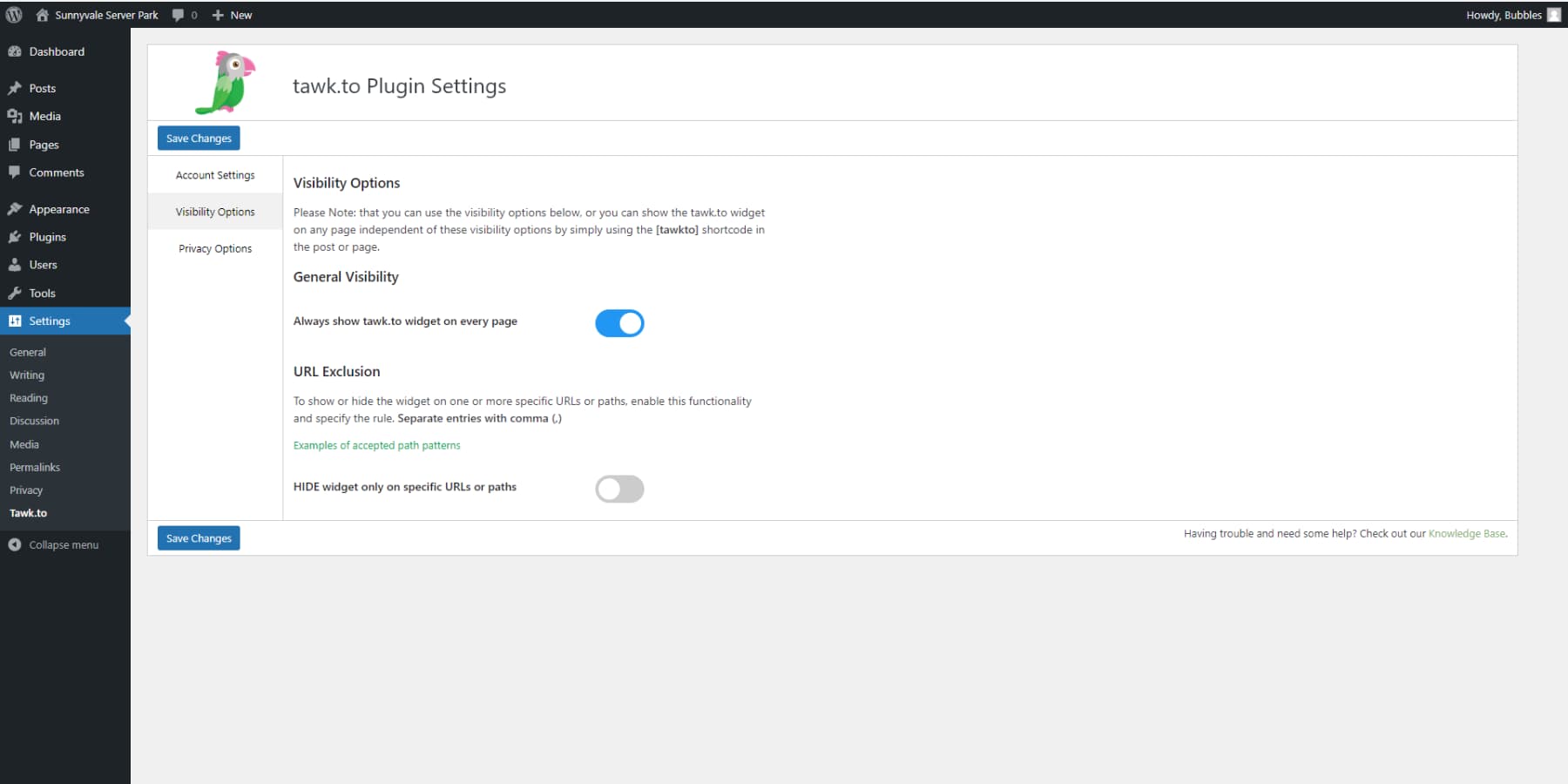
Tawk.to is free. Completely, genuinely, no-strings free — unlimited agents, unlimited chats, full feature access, forever. That’s not a limited trial or a stripped-down version. The business model is built on optional paid add-ons: $29/month to remove Tawk.to branding from the widget, $29/month for AI Assist, and $1/hour to hire a live agent from their team if you need coverage. The core product costs nothing.
More than 1 million websites globally use Tawk.to, and it has 200,000+ active installs on WordPress.org. The plugin is also the lightest of any tested — adding only 484ms and 188KB to page load — which means speed-conscious site owners can have live chat without meaningful PSI penalties.
Key features:
- Live chat, unlimited agents, unlimited conversations
- Built-in knowledge base — create and manage a self-service FAQ
- Ticketing system — track unresolved conversations
- 27 languages + GEO IP tracking
- Visitor tracking, canned responses, file sharing
- Mobile apps (iOS and Android)
- AI Assist add-on ($29/month) — trains on knowledge base to automate Q&A
- Hire-a-live-agent option ($1/hour) — Tawk.to provides a human agent for your site
Performance: The best of the tested group. At 804ms total load time, 100/100 PSI, and only 230KB page size, Tawk.to is the obvious choice for sites where speed is non-negotiable. The 1.5s LCP is slightly higher than baseline (1.0s), but within an acceptable range.
Pricing (verified February 2026):
- Free: All features, unlimited agents, unlimited chats
- Branding removal add-on: $29/month
- AI Assist add-on: from $29/month
- Live agent service: $1/hour
The biggest limitation is what Tawk.to doesn’t do: there’s no native WooCommerce integration, no multichannel inbox (just the chat widget), and the AI feature is an add-on rather than built-in. If you need those things, you’ll quickly outgrow it. If you need reliable, cost-free live chat with a clean interface and decent features, nothing comes close.
✅ Best for: Any site with a zero or near-zero budget, small businesses and startups that need live chat capability, sites where speed matters (it’s the lightest plugin tested), solo operators who want to start small and scale only if needed
❌ Not ideal for: Businesses that need white-label branding without paying, WooCommerce stores needing cart visibility, teams requiring advanced AI automation out of the box
4. HubSpot — Best for Lead Nurturing and CRM Integration
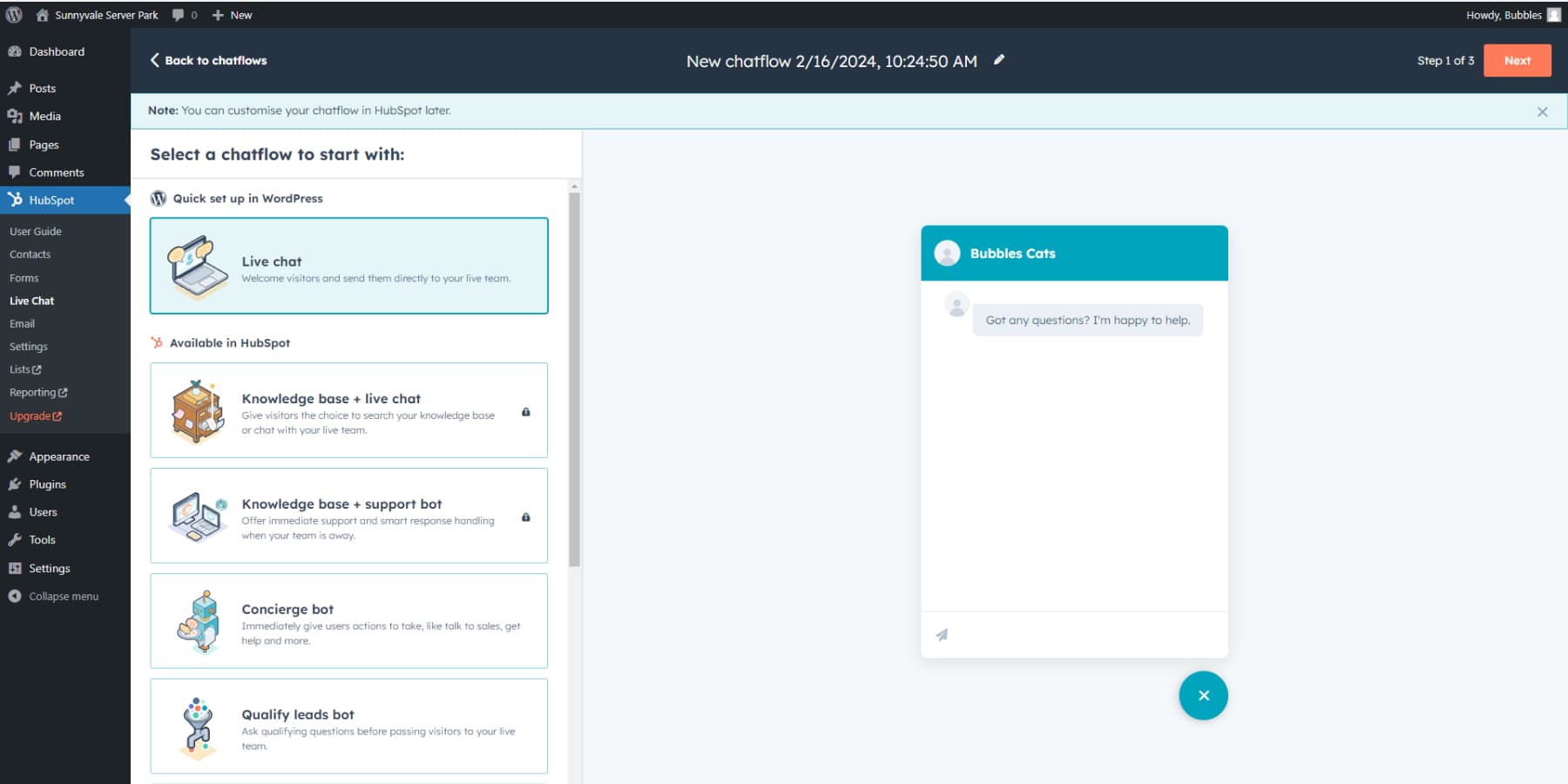
HubSpot is the only plugin in this list that’s really a marketing and sales platform first, with chat as one component. The WordPress plugin gives you free access to HubSpot’s CRM, live chat, email marketing (2,000 emails/month), chatbot builder, and form tools — all under one free plan. That’s an extraordinary amount of functionality at no cost.
The key differentiator: every visitor who chats becomes a CRM contact automatically. You see their name, company, previous conversations, pages visited, and email history — all in one place. For sales-focused operations, that kind of lead visibility is what separates a good conversation from a wasted one.
Key features:
- Free CRM — contact records created automatically from chat conversations
- Live chat with chatbot builder (rule-based flows, no-code)
- Email marketing — 2,000 emails/month on the free plan
- Meeting scheduler bot — visitors book directly from chat
- Lead qualification bots — route leads by company size, role, or interest
- 400+ native integrations (Salesforce, Gmail, Outlook, Slack, and more)
- 200,000+ active installs on WordPress.org
Performance: This is where HubSpot has a real problem. In benchmark testing, it adds 2,300ms to total load time, drops the mobile PageSpeed Insights score from 100 to 78/100, and pushes LCP from 1.0 to 2.4 seconds. That’s the heaviest performance impact of any plugin tested. It’s the only plugin in this set to hurt PSI below 100.
That said, WP Rocket’s tests also showed that adding a caching plugin (WP Rocket specifically) alongside HubSpot brought the PSI score back to 100/100. So the impact is real but manageable if you’re already using a page caching solution.
Pricing (verified February 2026):
- Free: Live chat + chatbots + CRM (HubSpot branding on widget)
- Starter: ~$20/seat/month (removes branding, adds email sequences, better bots)
- Professional: More advanced automation, AI features, required for more sophisticated bot flows
The catch with the free plan: HubSpot’s branding stays on the chat widget. That’s not ideal for professional appearances. The Starter plan removes it, but the jump from $0 to $20/seat/month is a meaningful step for a small operation.
✅ Best for: Sales-focused teams, lead generation sites, businesses already using or planning to use HubSpot’s CRM and email tools, marketing agencies
❌ Not ideal for: Speed-sensitive sites (worst PSI impact of tested plugins without caching), businesses that need WooCommerce cart visibility, simple support-only operations that don’t need a full CRM
5. JivoChat — Best Value for Multi-Agent and International Teams
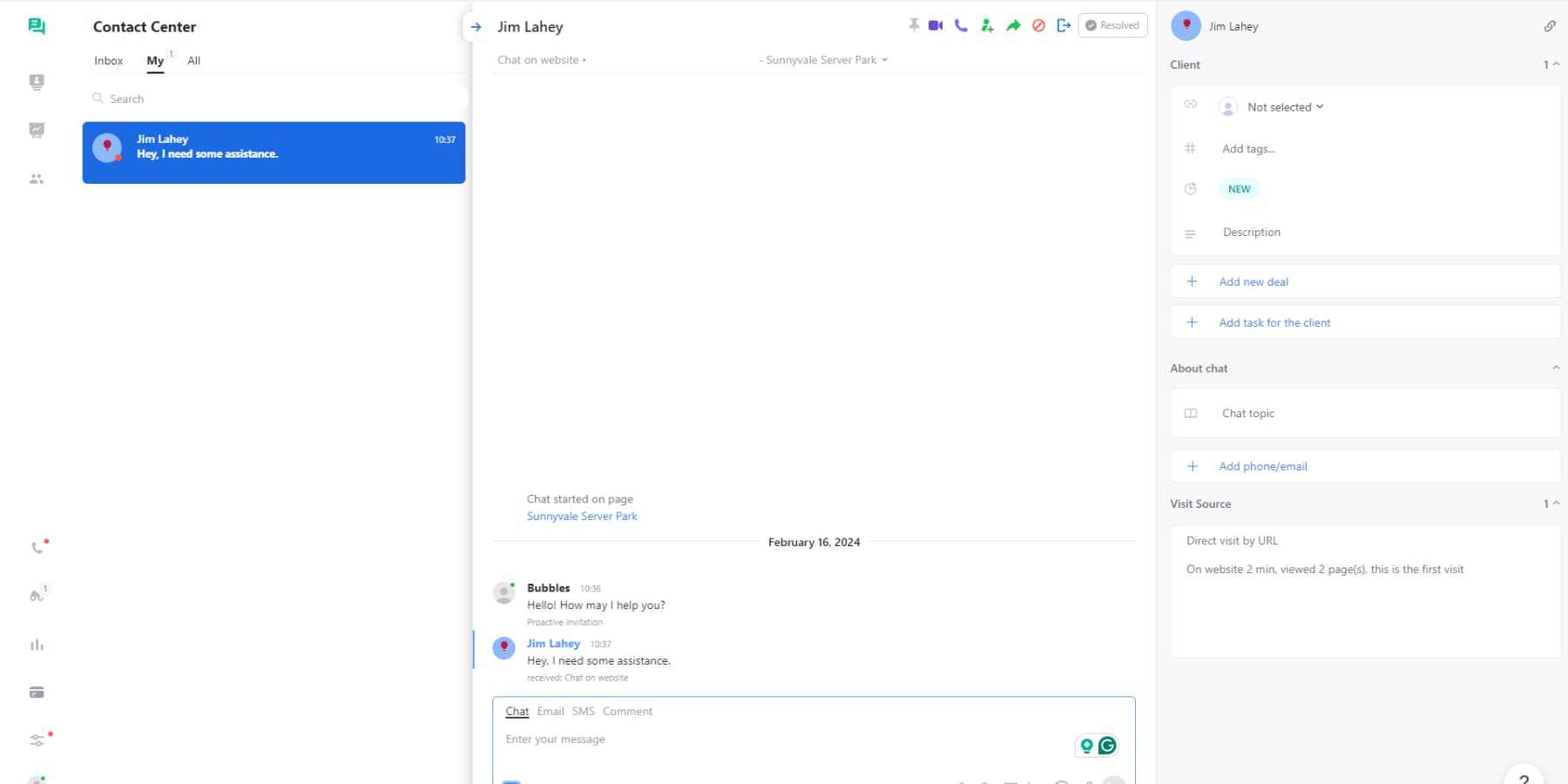
JivoChat fills a gap that LiveChat and Tidio don’t address well: an omnichannel inbox that’s free for small teams. Up to 5 agents can use JivoChat at no cost, managing live chat, email, phone, Facebook Messenger, WhatsApp, Instagram, and SMS from a single dashboard. For a multi-person team that handles customer contact across several channels, that unified view has real practical value.
The built-in CRM is a Trello-style pipeline — you can move conversations through stages (new lead → contacted → closed) without needing a separate tool. It’s basic compared to HubSpot, but it’s included in the free tier and doesn’t require any setup beyond installing the plugin.
Key features:
- Omnichannel inbox — website chat, email, phone, Facebook Messenger, WhatsApp, Instagram, SMS
- 25 languages with auto-translate (automatically translates conversations)
- Built-in CRM pipeline — Trello-style deal tracking
- Smart triggers — proactive messages based on visitor behavior
- Visitor tracking — see what page a visitor is on, where they came from
- Mobile apps (iOS and Android)
- Agent call features — call visitors directly from the chat dashboard
Performance: JivoChat was not included in the WP Rocket benchmark set, so no independent load time data is available. The plugin has been criticized in user reviews for occasionally affecting site speed, but no reliable benchmark data exists to quantify this accurately. If performance data is critical to your decision, test it with your specific setup using Google PageSpeed Insights.
Pricing (verified February 2026):
- Free: Up to 5 agents, basic live chat + multichannel
- Professional: $19–20/agent/month (annual billing) — advanced features, unlimited agents
- 14-day free trial for Professional
The free tier is genuinely useful for a small team. The Professional tier is priced the same as LiveChat’s Starter, but without LiveChat’s WooCommerce depth or enterprise integrations. For international businesses that need auto-translate and multi-channel coverage without the LiveChat premium, JivoChat is worth evaluating.
✅ Best for: International businesses that need auto-translate, multi-agent teams handling multiple communication channels, businesses that want basic CRM without a separate tool, budget-conscious growing teams (5 agents free)
❌ Not ideal for: Advanced chatbot automation, complex AI workflows, WooCommerce-specific cart and checkout integration
6. 3CX — Best Free Plugin with Voice and Video
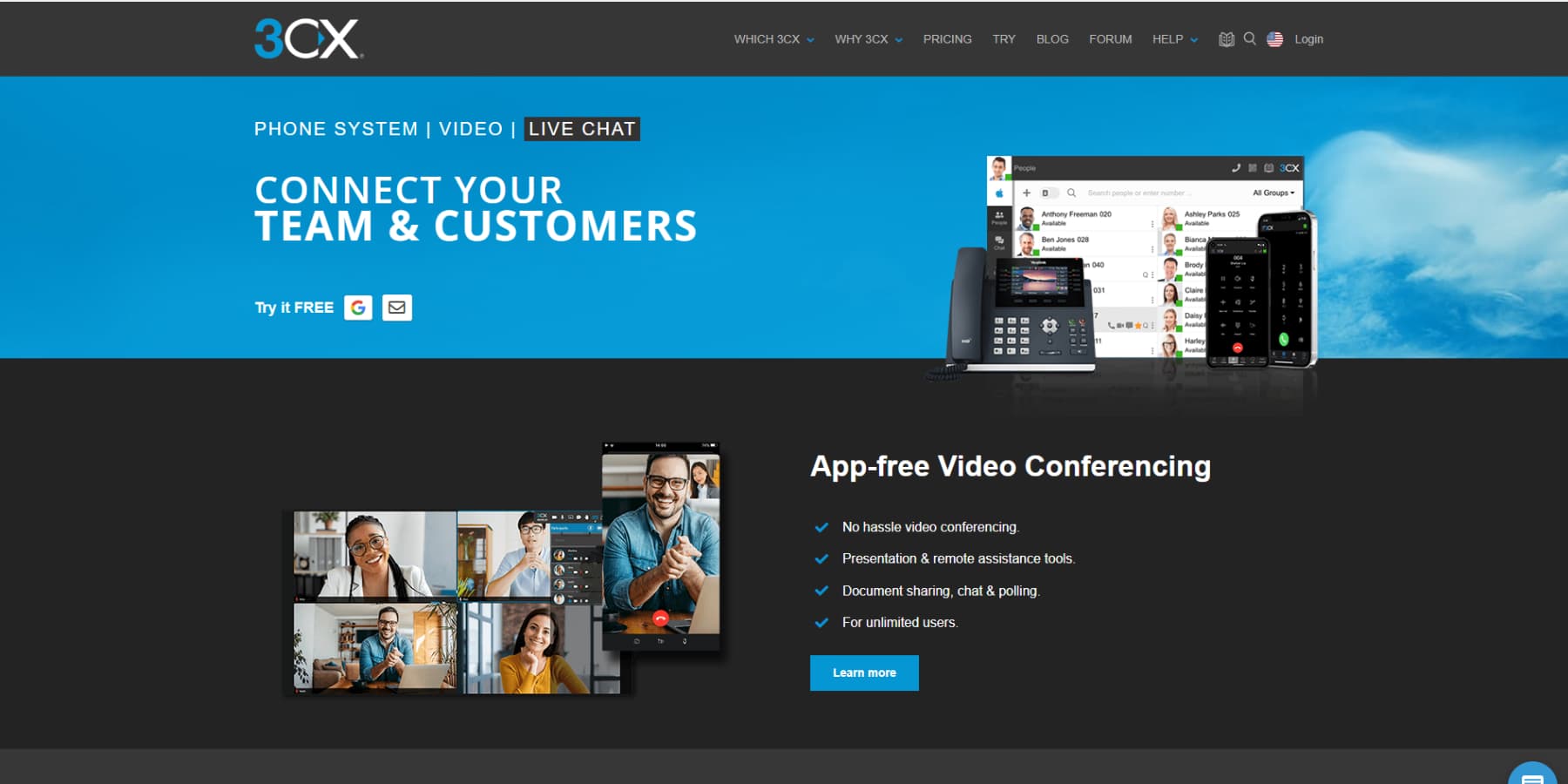
3CX is the unusual entry in this list: a business phone system that includes a WordPress live chat plugin as one of its features. The result is something no other free plugin offers — a single chat widget that handles text conversations, voice calls, video conferences, and screen sharing. If you support customers who occasionally need to show you a problem on screen or hear a human voice, 3CX gives you all of that for free.
With 1.9 million downloads on WordPress.org (note: downloads, not active installs — the distinction matters), it’s widely used. The free plan gives you unlimited agents and unlimited chat conversations — a genuinely competitive offer compared to Tawk.to, though Tawk.to’s feature depth in pure live chat exceeds it.
Key features:
- Text chat + voice calls + video conferencing — all from the same chat widget
- Screen sharing
- Unlimited agents on the free plan
- Department routing — direct chats to the right team
- Offline message collection
- Visitor monitoring
- Limited multichannel: Facebook Messenger and SMS (paid)
Performance: 3CX adds approximately 1,900ms to total load time in WP Rocket benchmark testing. The PSI score stays at 100/100 and LCP matches baseline at 1.0 seconds — the same pattern as LiveChat, suggesting the widget also defers its loading appropriately. The page weight increase (+384KB) is moderate.
Pricing (verified February 2026):
- Free: Unlimited agents, text chat + voice + video
- Paid: ~$175/year — adds SMS, email integration, Microsoft 365 sync
- 1-year free trial on the paid plan
The limitation is that 3CX is fundamentally a business phone system, not a chat-first tool. Its chatbot capabilities are essentially absent, there’s no WooCommerce integration, and the marketing automation features you’d find in Tidio or HubSpot don’t exist here. If you need voice and video alongside chat — and nothing else — it’s excellent. If you need automation or ecommerce integration, it’s the wrong tool.
✅ Best for: Businesses that need voice or video support calls from their website, remote teams offering screen-sharing support, developers and agencies managing multiple client sites
❌ Not ideal for: AI chatbot automation, WooCommerce e-commerce, marketing teams (no lead capture, email, or CRM integration)
7. Crisp — Best for Startups Consolidating Support Channels
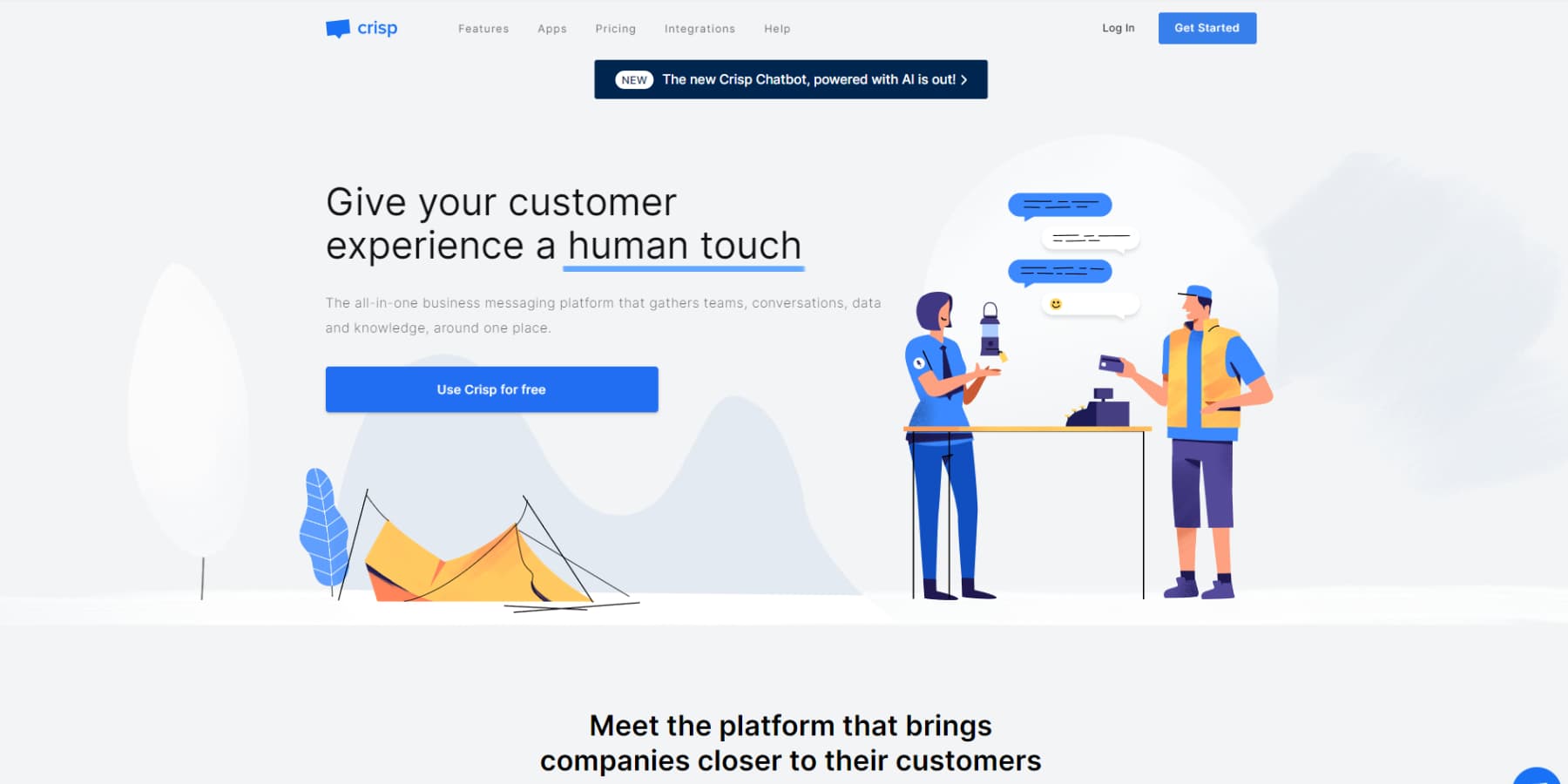
Crisp approaches customer support from the shared inbox angle: instead of being a standalone chat widget, it’s a unified inbox that brings website chat, email, WhatsApp, Telegram, Instagram, and Slack notifications together in one dashboard. For a small team that’s juggling support from multiple channels, that consolidation reduces the “which tab do I check?” problem significantly.
The free plan is genuinely useful — 2 seats, unlimited conversations, basic bot flows, and a shared inbox. The Pro plan at $25/month covers an entire workspace (all agents), which makes it the most predictably priced option in this list. Unlike per-agent pricing, you pay one flat fee and add as many team members as you need.
Key features:
- Shared inbox — website chat + email + WhatsApp + Telegram + Instagram in one view
- Basic chatbot builder — rule-based bot flows with automated routing
- Slack integration — get chat notifications in your Slack channels
- Visitor tracking and customer profiles
- Canned responses and internal notes
- Knowledge base builder
- Video and audio messaging (send recorded messages to customers)
Performance: Crisp was not included in the WP Rocket benchmark set. No reliable independent load time data is available for this plugin.
Pricing (verified February 2026):
- Free: 2 seats, unlimited conversations, basic chat
- Pro: $25/month per workspace (all agents included) — adds advanced bots, full channel integrations
- 14-day free trial on Pro
The flat per-workspace pricing model is Crisp’s standout advantage for growing teams. If you have 8 agents, you pay $25/month — not $25 × 8. That’s significantly cheaper than LiveChat ($152/month for 8 agents on Starter) or JivoChat Pro.
The limitations are real: no meaningful WooCommerce integration, basic AI (rule-based bots rather than NLP), and the free plan’s 2-seat limit is tight for even a small team. This is a startup tool — excellent for small operations consolidating channels, not the right fit for high-volume ecommerce.
✅ Best for: Startups and small teams consolidating support channels, operations handling chat + email + social in one place, growing teams that don’t want per-agent pricing surprises
❌ Not ideal for: WooCommerce stores needing cart visibility, businesses that need advanced AI chatbot flows, large teams with complex queue management needs
8. Olark — Best for Analytics-Focused Teams
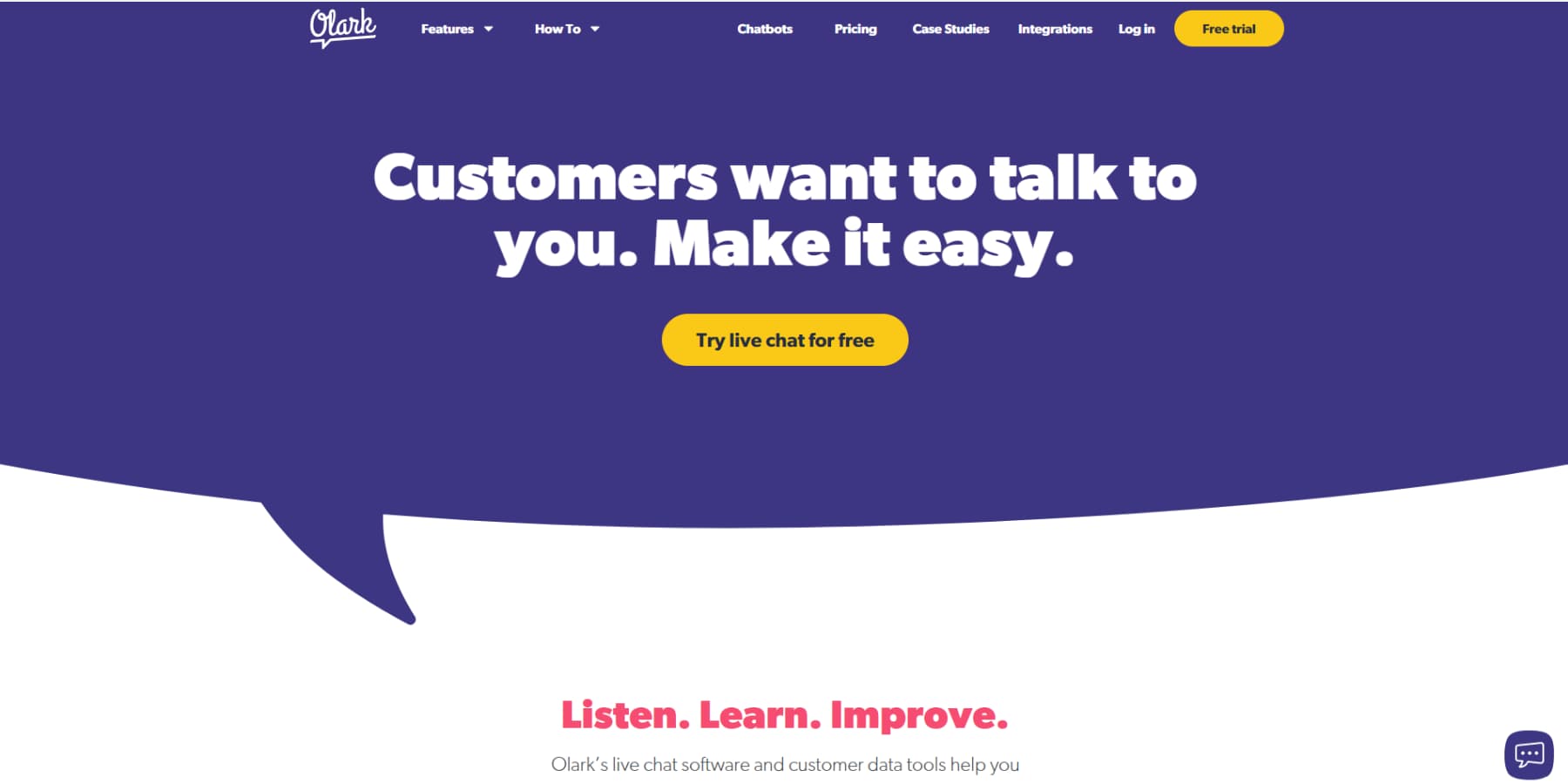
Olark is one of the oldest live chat tools still in active development, and its maturity shows in its analytics capabilities. Searchable transcripts, visitor tagging, team reporting, pre-chat surveys, and automatic tagging based on conversation content give you a level of chat data insight that most competitors don’t offer. If you use chat conversations to improve your business — spotting recurring objections, tracking resolution rates, identifying high-value customer segments — Olark’s reporting depth is its primary selling point.
The CoPilot AI feature assists agents in real time: it suggests responses, auto-fills contact details, and updates your CRM with conversation data. It’s not the full NLP chatbot that Tidio or HubSpot offer — it’s more of an agent-assistance layer than an autonomous bot. But for teams that want AI to make their human agents more efficient (rather than replace them), that’s actually the right model.
Key features:
- Searchable transcript archive — find and analyze past conversations
- CoPilot AI — real-time reply suggestions, CRM auto-fill, automatic tagging
- Drag-and-drop chat box editor — no code needed
- Pre-chat and post-chat surveys
- Visitor tagging and segmentation
- Team reporting — per-agent metrics, volume tracking, CSAT
- Automated rules — trigger messages, route chats, tag conversations based on conditions
Performance: Olark was not included in the WP Rocket benchmark set. No independent load time data is available.
Pricing (verified February 2026):
- No free plan
- $29/agent/month (annual billing)
- 14-day free trial
At $29/agent/month, Olark is among the more expensive options for small teams. For a 3-agent team, that’s $87/month — more than a LiveChat Team plan per agent. The justification is in the analytics depth, which makes more sense for established businesses that actively analyze chat data than for teams that just need chat coverage.
Olark is also deliberately focused on live chat only. There’s no multichannel inbox, no social media integration, and no WooCommerce module. It does one thing well — structured, data-rich live chat — and doesn’t try to be anything else.
✅ Best for: Teams that use chat analytics to improve business processes, education and training organizations, businesses with dedicated support staff who want detailed performance metrics
❌ Not ideal for: Budget-constrained teams (no free plan, $29/agent/month), businesses that need multi-channel support, ecommerce operations needing WooCommerce integration
2026 Pricing Comparison — What You’ll Actually Pay
Pricing across WordPress chat plugins varies significantly — not just in cost, but in how cost is structured. Some charge per agent (LiveChat, JivoChat, Olark), some per conversation volume (Tidio), some per workspace (Crisp), and some not at all (Tawk.to, 3CX free tier). Understanding the model matters more than comparing headline prices.
| Plugin | Free Plan | Starting Paid Price | Pricing Model | Free Trial |
|---|---|---|---|---|
| LiveChat | ❌ No | $19/agent/month (annual) | Per agent | 14 days |
| Tidio | ✅ 50 conversations/month | $29/month (Starter) | Per conversation volume | 7 days |
| Tawk.to | ✅ All features free | $29/month (branding removal) | Add-ons only | N/A |
| HubSpot | ✅ With branding | ~$20/seat/month (Starter) | Per seat | 14 days |
| JivoChat | ✅ Up to 5 agents | $19–20/agent/month (Pro) | Per agent | 14 days |
| 3CX | ✅ Unlimited agents | ~$175/year | Annual flat fee | 1-year free on paid |
| Crisp | ✅ 2 seats | $25/month (Pro, per workspace) | Per workspace | 14 days |
| Olark | ❌ No | $29/agent/month | Per agent | 14 days |
Prices verified February 2026 from official websites. Annual billing is typically 15–20% cheaper than monthly rates.
Hidden cost warnings:
- Tidio’s conversation model — 50 free conversations/month sounds generous. A medium-traffic e-commerce site will burn through that in the first week. The Growth tier starts at $59/month and scales up to $349/month depending on volume. Model your expected chat volume before committing.
- LiveChat’s Lyro add-on — LiveChat’s AI Copilot is included in plans, but ChatBot.com (their standalone chatbot product) is a separate purchase if you want autonomous bot conversations, not just agent-assist.
- Tawk.to’s branding — The widget displays “Powered by Tawk.to” by default. Removing that costs $29/month, which effectively becomes your paid plan cost. Still cheaper than every other option.
Which Chat Plugin Is Right For Your Situation?
A good rule of thumb: the best chat plugin is the one that fits your actual team size and workflow, not the one with the most features on paper. Here’s how to match plugins to situations:
| Your Situation | Recommended Plugin | Why |
|---|---|---|
| Complete beginner, just starting out | Tawk.to | Free, zero learning curve, full features from day one |
| Small business, want chat + basic automation | Tidio | Free tier covers AI chatbot templates, easy to configure without technical knowledge |
| WooCommerce store with active support team | LiveChat | Cart visibility, checkout triggers, order history — deepest WC integration available |
| Sales or marketing team focused on leads | HubSpot | Free CRM + chat + email marketing in one tool — unmatched value for lead-focused operations |
| International business with multiple languages | JivoChat | Auto-translate in 25 languages, omnichannel inbox for WhatsApp, Messenger, phone |
| Remote team needing voice/video support | 3CX | Only plugin that handles text chat + voice calls + video + screen sharing |
| Startup consolidating chat, email, social | Crisp | Flat $25/workspace pricing, unified inbox for all channels |
| Analytics-driven team using chat data | Olark | Searchable transcripts, team metrics, CoPilot AI for agent efficiency |
WooCommerce-Specific Recommendations
WooCommerce integration goes well beyond “compatible with WooCommerce.” The meaningful question is whether the plugin can see what’s in a visitor’s cart during a live chat, whether it can trigger proactive messages on checkout pages, and whether it connects to order history. Here’s how the options compare:
| Plugin | Cart Visibility | Checkout Triggers | Order History | Notes |
|---|---|---|---|---|
| LiveChat | ✅ Yes | ✅ Yes | ✅ Yes | Full WooCommerce integration — deepest of any plugin tested |
| Tidio | ✅ Yes | ✅ Yes | ⚠️ Limited | Cart visible in agent dashboard; checkout triggers available |
| HubSpot | ⚠️ Via plugin | ⚠️ Via plugin | ⚠️ Via plugin | Requires separate WooCommerce connector plugin |
| Tawk.to | ❌ No | ❌ No | ❌ No | Chat widget only — no WooCommerce data access |
| JivoChat | ❌ No | ❌ No | ❌ No | No WooCommerce-specific features |
| 3CX | ❌ No | ❌ No | ❌ No | Chat only, no ecommerce integration |
| Crisp | ❌ No | ❌ No | ❌ No | No WooCommerce integration |
| Olark | ❌ No | ❌ No | ❌ No | No WooCommerce integration |
The conclusion is clear: if WooCommerce integration is your primary requirement, the choice narrows to LiveChat (if budget allows) or Tidio (if cost is a concern). Every other plugin is essentially a basic chat embed when placed on a WooCommerce store.
Free vs Paid: When to Actually Upgrade
Three plugins in this list have no free plan: LiveChat, Olark, and (effectively) HubSpot without a branding workaround. The rest offer genuinely useful free tiers. Here’s how to think about when to stay free versus when the upgrade justifies itself.
Stay on the free plan when:
- Your site gets fewer than 500 visitors per day — live chat volume won’t be high enough to justify paid features
- You have 1–2 support team members max
- Basic live chat and offline message collection is all you need
- Your budget is genuinely constrained — Tawk.to’s free tier has no conversation limits, so there’s no financial pressure to upgrade
- You’re still testing whether chat converts for your specific audience
Upgrade when:
- Your brand identity matters and you don’t want competitor branding on your widget (Tawk.to: $29/month, HubSpot: ~$20/seat)
- Your team grows beyond the free tier’s agent limit (JivoChat: 5 agents free, Crisp: 2 seats free)
- You need AI chatbot automation to handle volume without hiring more staff (Tidio’s Lyro AI, HubSpot’s advanced bots)
- Chat analytics and reporting have become important for your business decisions
- Conversation volume exceeds the free tier’s limits (Tidio: 50 conversations/month free)
The hidden cost to watch: Tidio’s per-conversation pricing can be misleading. A site with moderate traffic might hit 500 conversations/month, putting it in the Growth tier at $59–$349/month depending on exact volume — significantly more than the $29 Starter headline price. If conversation volume is hard to predict, Tawk.to’s add-on model (flat $29/month for branding) or Crisp’s per-workspace pricing ($25/month regardless of agent count) offer more predictable cost scaling.
AI Chatbot Features in WordPress Chat Plugins (2026)
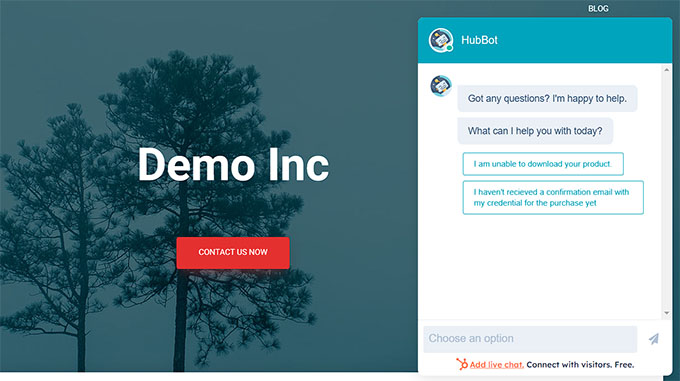
“AI chatbot” gets used loosely in this space. There’s a meaningful difference between a rule-based bot that follows decision trees you build manually, natural language processing (NLP) that understands freeform questions, and GPT-powered conversation that generates responses from your content. Here’s what each plugin in this list actually offers:
| Plugin | AI Type | Training Method | Key AI Features |
|---|---|---|---|
| LiveChat | AI Copilot (agent assist) + ChatBot integration | Knowledge base + conversation history | Reply suggestions, chat summaries, smart auto-tagging |
| Tidio | Lyro AI (proprietary NLP) | FAQ upload + website content | Autonomous conversation handling, 40+ bot templates, cart recovery |
| HubSpot | Rule-based + HubSpot AI bots | HubSpot workflow builder | Lead qualification, meeting booking, ticket creation |
| Tawk.to | AI Assist (add-on, $29/month) | Knowledge base articles | Q&A automation, agent reply suggestions |
| JivoChat | Rule-based triggers | Workflow conditions | Smart triggers, proactive messages, visitor routing |
| Olark | CoPilot AI (agent assist) | FAQ + transcript data | Reply suggestions, lead capture assistance, CRM auto-fill |
| Crisp | Rule-based + basic NLP | Bot flow builder | Automated routing, FAQ bot flows, basic intent detection |
| 3CX | None | N/A | No AI features |
The practical distinction is between agent-assist AI (suggests responses to human agents) and autonomous AI (handles conversations without human involvement). LiveChat and Olark primarily offer agent-assist. Tidio and HubSpot offer autonomous bots that can handle entire conversation flows — FAQ responses, lead capture, meeting booking — without a human in the loop.
For a site with consistent FAQ-type inquiries and no dedicated support staff, Tidio’s Lyro or HubSpot’s chatbot builder offer more leverage. For a team that wants to maintain human conversations but make agents faster, LiveChat’s Copilot or Olark’s CoPilot are more appropriate.
Frequently Asked Questions
1. What is the best WordPress chat plugin overall?
The short answer is LiveChat — if you’re running a WooCommerce store or managing a multi-agent support team. It has the deepest feature set, the strongest WooCommerce integration, and 200+ third-party integrations. The trade-off is cost: no free plan, and per-agent pricing that scales quickly. If budget is a concern, Tidio is the strongest alternative with AI features, WooCommerce support, and a usable free tier. For purely free options with no limitations, Tawk.to is the answer.
2. What is the best FREE chat plugin for WordPress?
Tawk.to is the best free WordPress chat plugin without qualification. It offers unlimited agents, unlimited conversations, a built-in knowledge base, ticketing, 27 languages, and visitor tracking — all at zero cost. The only things behind a paywall are branding removal ($29/month) and AI Assist ($29/month). HubSpot’s free tier is a strong second if you also want CRM and email marketing included, though it comes with HubSpot branding and a significant performance penalty.
3. How do I install a chat plugin on WordPress?
Go to your WordPress dashboard → Plugins → Add New Plugin → search for the plugin name → click Install → click Activate. Most chat plugins then ask you to connect your account (either create a new account or log in to an existing one). The chat widget typically appears on your site within minutes of setup, with no theme modifications required. Tawk.to, Tidio, and HubSpot all walk you through setup with guided wizards after activation.
4. Do WordPress chat plugins slow down my website?
Yes — all chat plugins add JavaScript that loads with your page. The amount of slowdown varies significantly by plugin. Tawk.to adds the least (about +480ms and +188KB), while HubSpot adds the most (+1,980ms and +500KB) and is the only tested plugin to reduce your PageSpeed Insights score below 100. LiveChat adds the most time overall (+2,380ms) but maintains a 100/100 PSI score because it defers loading the widget until after main content. Adding a caching plugin (like WP Rocket or W3 Total Cache) significantly mitigates performance impact for all chat tools.
5. What is the difference between a live chat plugin and a chatbot?
A live chat plugin connects visitors with a real human agent in real time. A chatbot is automated — it handles conversations without human involvement, following predefined rules or using AI to generate responses. Most modern WordPress chat plugins offer both: a chatbot handles off-hours queries or FAQ responses automatically, and a human agent takes over for complex questions. Tawk.to and 3CX lean toward human-first chat; Tidio and HubSpot are built around automation-first with human handoff as the fallback.
6. Which WordPress chat plugin works best with WooCommerce?
LiveChat has the deepest WooCommerce integration. During a chat, agents see the visitor’s current cart contents, their browse history on your store, past orders, and customer profile — all without leaving the chat window. It also supports proactive chat triggers on checkout pages. Tidio is a strong second: agents see cart contents in the dashboard, and the Lyro AI bot can trigger cart recovery automations. Every other plugin in this guide provides minimal or no native WooCommerce functionality.
7. Do I need a chat plugin if I’m a solo blogger?
Probably not — or at most, a very lightweight option. If you’re a solo blogger without a support team, live chat creates an expectation of availability that’s difficult to meet. A better approach: enable a free Tawk.to account with offline message collection (visitors leave messages when you’re unavailable), or use Tidio’s AI chatbot to handle FAQ questions automatically without requiring your presence. Don’t install a chat plugin that shows “online” status when you can’t respond — that creates a worse experience than having no chat at all.
8. How many chat agents can I add with free plans?
This varies significantly by plugin. Tawk.to and 3CX: unlimited agents on the free plan. JivoChat: 5 agents free. HubSpot: unlimited seats on the free plan. Tidio: 2 agents on the free tier. Crisp: 2 seats free. LiveChat and Olark have no free plans. If you’re running a larger team without budget for per-agent pricing, Tawk.to (unlimited, free) or 3CX (unlimited, free) are the logical choices.
9. Are WordPress chat plugins GDPR compliant?
Most major chat plugins offer GDPR compliance features — things like opt-in consent notices before chat begins, data processing agreements, the ability to delete conversation records on request, and data residency options. LiveChat, Tidio, HubSpot, and Tawk.to all publish GDPR documentation. That said, GDPR compliance depends on how you configure and use the plugin, not just which plugin you install. You remain responsible for collecting chat data lawfully and disclosing it in your privacy policy. Review each plugin’s data processing agreement before deploying.
10. What happens to my chat data if I cancel my plan?
This varies by plugin and should be checked in each provider’s terms before committing. Generally: paid plans give you data export options before cancellation, and most providers retain your data for a grace period (typically 30–90 days) after cancellation before deletion. Tawk.to, being fully free, keeps your data as long as your account exists. For LiveChat, Tidio, and HubSpot, download your chat transcripts before cancelling. For Olark, the searchable transcript archive is a key feature — verify export capabilities before committing to a plan you might leave.
The Verdict: My Top Picks for Different Situations
After evaluating 8 plugins across performance, pricing, features, WooCommerce integration, and AI capabilities, here’s where each one lands:
Best overall (if budget allows): LiveChat
The deepest feature set, the most capable WooCommerce integration, and the most enterprise-ready option in the group. The per-agent pricing is a real constraint for small teams, but for operations that depend on chat-driven sales, the ROI is demonstrable. The 14-day trial is worth taking before committing.
Best free option: Tawk.to
There’s no genuine competition in the free tier. Unlimited agents, unlimited conversations, solid features, the lightest performance footprint of all tested plugins, and optional add-ons that only cost money if you want them. For small businesses, startups, blogs, and solo operators, Tawk.to is the right starting point.
Best balance of features and cost: Tidio
The free tier is usable, the AI features (Lyro) are genuinely useful for automation, the WooCommerce integration goes deep enough for most stores, and the performance impact is moderate. The per-conversation pricing model requires planning at scale, but for a small to medium e-commerce site, Tidio offers more capability per dollar than anything else here.
Best for marketing and sales teams: HubSpot
If you’re building a lead funnel and need chat, CRM, and email marketing in one free tool, HubSpot is a no-brainer. The performance penalty is real but manageable with a caching plugin. The platform depth — especially when you factor in the free CRM and email — makes the paid plans competitive even against standalone chat tools.
Best for voice and video support: 3CX
Nothing else on this list offers voice calls, video conferencing, and screen sharing from the same WordPress chat widget at no cost. For support teams that occasionally need to “jump on a call” with customers, 3CX eliminates the need for a separate video tool.
Best for analytics-heavy teams: Olark
The transcript search, team reporting, and CoPilot AI agent assistance put Olark in a different category for teams that actively analyze chat data. It’s not cheap, and it doesn’t do multichannel — but for pure live chat analytics depth, nothing in this list matches it.
The right plugin depends on your specific situation: your budget, your team size, your WooCommerce needs, your tolerance for site speed impact, and whether you need autonomous AI or just human support coverage. Use the comparison tables in this guide as your decision framework, and take advantage of free trials before committing. For more WordPress plugin guidance, visit wplasma.com.
