



Google Optimize is gone. It shut down on September 30, 2023, and if you’re still searching for a reliable replacement, you’re not alone. The challenge isn’t finding options — there are dozens of A/B testing tools on the market. The real problem is figuring out which one actually fits your situation: your traffic volume, your budget, and how your site is built.
Most comparison articles hand you a list of nine enterprise platforms and leave you to figure it out. This guide takes a different approach. We’ll help you match a tool to your specific setup — whether you’re a solo blogger with 5,000 visitors a month, a small business owner on WordPress, or a growing SaaS team that needs server-side testing.
The Quick Answer
No time for the full breakdown? Here’s where most readers land:
- Best free option: VWO (up to 50,000 visitors/month, free Testing Trial plan) or GrowthBook (open-source, unlimited traffic)
- Best for WordPress: Thrive Optimize (native plugin, $199/year) or Convert.com (SaaS with strong WP support)
- Best budget pick: FigPii (free up to 75,000 visitors) or Matomo On-Premise (open-source, free)
- Best for developers and product teams: PostHog or GrowthBook
- Best for enterprise: Optimizely or Adobe Target (both require custom quotes)
Still not sure? The decision framework below will help you narrow it down in under two minutes.
Why Google Optimize Was Shut Down — And What Changed
Google didn’t sunset Optimize because the product failed. It shut it down because it couldn’t keep up. In Google’s own words, Optimize “does not have many of the features and services that our customers request and need for experimentation testing.”
The limitations were real. The free version capped you at five concurrent experiments. Multivariate testing was limited to 16 element combinations. Data refreshed every 24 hours — not ideal when you’re running a test and want to check results. The premium version, Optimize 360, removed some caps but reportedly cost north of $150,000 per year, making it accessible only to enterprises with dedicated CRO teams.
Google’s plan was to integrate A/B testing into Google Analytics 4. That integration has been slow. As of 2026, GA4 still doesn’t have a native A/B testing interface. Instead, Google officially recommended three third-party partners: VWO, Optimizely, and AB Tasty. Those are solid options for enterprise teams, but they’re not the only choices — and they’re often not the right choice for smaller businesses.
There’s also a technical distinction worth understanding quickly: most website A/B testing tools are client-side — they inject JavaScript into your page that swaps elements in the browser after the page loads. Server-side testing happens before the page is delivered, which means no performance hit, no “flicker” issue, and support for backend logic. If you’re testing pricing logic, API responses, or mobile app features, you’ll want a tool that supports server-side testing (like GrowthBook, PostHog, or Optimizely Full Stack). For most small businesses testing headlines, button colors, and landing page layouts, client-side is perfectly fine.
How to Choose: Match Tool to Your Traffic and Budget
Here’s the framework that most articles skip. Before you compare features, answer two questions: How many visitors does your site get per month? And what can you realistically spend?
A/B testing requires statistical significance — meaning you need enough visitors to reach a reliable conclusion. Running a test on a site with 2,000 monthly visitors will take weeks or months to produce meaningful results, regardless of which tool you use. That context matters for tool selection.
Decision Matrix: Traffic Volume × Budget
| Monthly Visitors | Budget Range | Recommended Starting Points |
|---|---|---|
| Under 10,000/month | $0 | GrowthBook (open-source, free), PostHog (free tier), Matomo On-Premise (free) |
| 10,000–50,000/month | $0–$50/month | VWO free Testing Trial plan, FigPii free tier (75K visitors), GrowthBook Cloud free (3 users) |
| 50,000–200,000/month | $50–$200/month | Matomo Cloud (€22/month), Crazy Egg Plus ($99/month with A/B testing), GrowthBook Pro ($40/user/month) |
| 200,000+/month | $200+/month | Convert.com ($299/month annual), VWO Growth/Pro, Kameleoon (custom) |
| Enterprise / 1M+/month | Custom budget | Optimizely, Adobe Target, Kameleoon, Dynamic Yield |
One important note: if your site gets under 1,000 unique visitors per month, A/B testing won’t give you statistically reliable results no matter which tool you choose. Focus on user feedback tools (surveys, session recordings) first, and start split testing once your traffic grows.
The Best Google Optimize Alternatives: Full Comparison
Below is a pricing overview before we dive into each tool’s details.
| Tool | Free Tier? | Entry Paid Plan | A/B Testing in Free? | Annual Contract? | Best For |
|---|---|---|---|---|---|
| VWO | Yes (up to ~50K visitors) | Custom (Growth plan) | Yes (basic) | Optional | SMB to enterprise, marketing teams |
| Crazy Egg | Yes (analytics/heatmaps only) | Plus: $99/month | No (Plus required) | Optional | Beginners, small sites |
| Convert.com | 15-day trial only | Growth: $299/month (annual) | Trial only | Yes (annual saves ~25%) | Mid-size businesses, privacy-first |
| Matomo | On-Premise is free | Cloud: €22/month; Plugin: €199/year | On-Premise: plugin (€199/yr) | Optional | Privacy-first, EU businesses |
| GrowthBook | Yes (unlimited traffic, 3 users) | Pro: $40/user/month | Yes | No | Developers, product teams |
| PostHog | Yes (1M events/month) | Pay-as-you-go beyond free | Yes | No | Startups, product teams |
| Optimizely | No | Custom (est. $60K+/year) | No | Yes | Enterprise, large teams |
| Adobe Target | No | Custom ($10K+/year) | No | Yes | Enterprise (Adobe ecosystem) |
| Kameleoon | No | Custom | No | Yes | Enterprise, GDPR-critical |
| FigPii | Yes (75K visitors/month) | $99.99/month | Yes | Optional | All-in-one for SMBs |

VWO (Visual Website Optimizer)
VWO has become the most popular landing spot for former Google Optimize users, and it’s easy to see why. It was one of Google’s three officially recommended migration partners, and it offers the most generous free testing tier available — covering up to approximately 50,000 visitors per month on its Trial plan. That’s enough for a growing small business to run meaningful experiments without paying anything.
The visual editor is genuinely good: point-and-click changes to text, images, and page layout without any code. Beyond basic A/B testing, VWO includes heatmaps, session recordings, form analytics, and an AI copy generator for headline variations. Unlike most enterprise platforms, VWO doesn’t require an annual contract to get started, which makes it more flexible for businesses testing the waters.
Pros:
- Most generous free tier among all options (~50K visitors/month)
- Strong visual editor, no coding required
- Includes heatmaps, session recordings, form analytics in paid plans
- Supports up to 16,000 MVT combinations (vs Google Optimize’s 16)
- No annual contract required
- Automated Google Optimize data migration via Chrome plugin
Cons:
- Heatmaps and session recordings require a separate paid product tier
- Geo-targeting locked to Pro plan and above
- Paid plan pricing is quote-based and can scale quickly for high-traffic sites
- Reporting is functional but not the deepest on the market
Best for: Small to mid-size businesses that want a capable free starting point with room to grow.
Crazy Egg
Crazy Egg started as a heatmap tool and expanded into A/B testing — which explains both its strength (excellent behavioral insights) and its limitation (A/B testing isn’t the main event). The free plan is genuinely permanent and includes heatmaps, surveys, and web analytics, but A/B testing requires upgrading to the Plus plan at $99/month.
That $99/month entry point is one of the most affordable paid A/B testing options available. All paid plans include unlimited websites and unlimited A/B tests, which is unusual — most competitors cap this. If you want a tool that helps you understand why visitors behave a certain way (session recordings, click maps) and also lets you test changes, Crazy Egg bundles both at a competitive price.
Pros:
- Affordable entry for paid A/B testing ($99/month)
- Unlimited websites and tests across all plans
- Excellent heatmaps and session recording features
- Clean, beginner-friendly interface
- 30-day free trial (all features)
Cons:
- A/B testing not included in free plan or Starter plan ($29/month) — you need Plus
- Limited recording storage duration on lower plans
- No advanced targeting options (no server-side testing)
- Reporting lacks depth compared to enterprise tools
Best for: Small businesses and bloggers who want affordable A/B testing alongside behavioral analytics.
Convert.com
Convert.com competes on reliability and speed. It uses Akamai CDNs and flicker-free testing technology to ensure variant delivery doesn’t slow down your pages or create visual glitches — a real issue with some competitors. The platform is also one of the most privacy-compliant available, with full GDPR, CCPA, and HIPAA support baked in.
The tradeoff is price. Convert.com’s entry Growth plan runs $299/month on an annual contract — a significant jump from what several 2023 articles quoted. It’s not a tool for small budgets, but for mid-size businesses that have been burned by inaccurate test results or privacy compliance issues, it’s worth the price.
Pros:
- Flicker-free testing via Akamai CDN — one of the fastest options available
- Strong privacy compliance (GDPR, CCPA, HIPAA)
- Unlimited concurrent tests
- Developer-friendly (custom JavaScript, CSS, jQuery)
- 15-day free trial, no credit card required
Cons:
- High entry price ($299/month annual) — not budget-friendly
- Reporting tools less advanced than Optimizely
- Annual contract required for best pricing
Best for: Mid-size businesses that prioritize test accuracy, page speed, and data privacy.
Matomo A/B Testing
Matomo takes a different approach to the category. It’s primarily a privacy-first analytics platform — a Google Analytics alternative — and A/B testing is one of several built-in features. The key advantage is data ownership and compliance: when you host Matomo yourself, your data stays on your server, and in most EU markets, you’re legally exempt from showing cookie consent banners. That matters for A/B testing: if roughly 40% of users reject consent banners (according to Statista data cited by Matomo), you’re running experiments on incomplete data with most other tools.
Matomo On-Premise is free and open-source. The A/B testing feature is a separate plugin that costs €199/year for On-Premise users. Matomo Cloud starts at €22/month (50,000 hits) and includes A/B testing as part of the plan. Neither path is as slick as VWO’s interface, and some technical setup is required, but the privacy and data accuracy benefits are real for EU-based businesses.
Pros:
- Open-source self-hosted option is completely free
- No cookie consent banner required in most EU markets (strong for data completeness)
- No experiment caps — run as many concurrent tests as you want
- Near real-time conversion tracking
- Integrates with analytics, heatmaps, and session recordings in one platform
Cons:
- A/B testing plugin is a paid add-on (€199/year) for the free On-Premise version
- Requires technical setup for self-hosting
- No on-site personalization tools
- Interface less polished than some competitors
Best for: EU-based businesses, privacy-conscious teams, or anyone who wants a full analytics + A/B testing stack without data going to third parties.
GrowthBook (Open-Source)
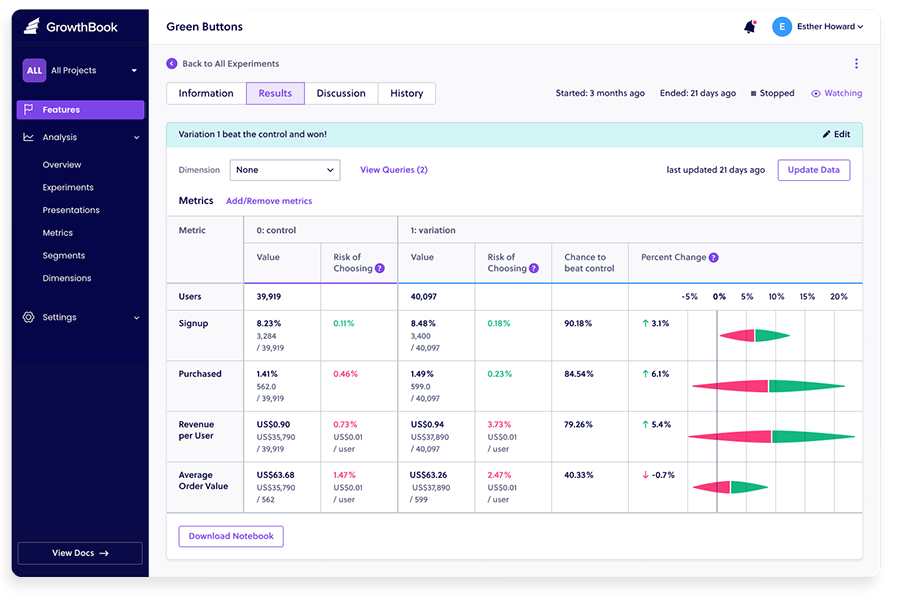
GrowthBook is the most compelling option for development-minded teams. It’s genuinely open-source, meaning you can download and self-host it for free with no usage limits. The cloud-hosted version has a free tier that covers unlimited experiments and unlimited traffic (subject to fair use at 1 million CDN requests per month) for up to three users.
Where GrowthBook stands out is its data warehouse integration. Rather than storing data internally, GrowthBook connects to your existing analytics setup — Google Analytics 4, Mixpanel, Matomo, or your own data warehouse. This means you’re not adding another tool to your stack; you’re adding an experimentation layer on top of data you already collect. The “Guardrail” feature monitors for unintended side effects from your tests, catching issues you weren’t specifically looking for.
The visual editor (for creating no-code variants) is locked behind the Pro plan at $40/user/month. For teams that don’t need visual editing, the free plan handles everything else.
Pros:
- Truly free with no traffic cap (cloud free: 3 users; self-hosted: unlimited users)
- Open-source — full code transparency, self-hostable
- Integrates with GA4, Mixpanel, Matomo, and most data warehouses
- Guardrail feature catches unintended experiment side effects
- Supports A/B, multivariate tests, and feature flags
Cons:
- Visual editor requires Pro plan ($40/user/month)
- Best results require an existing data pipeline (not ideal for analytics beginners)
- Less polished UI than commercial tools
Best for: Developer teams, data-driven product teams, and anyone who wants a free, self-hostable option without traffic limits.
PostHog
PostHog positions itself as an all-in-one product analytics platform — and A/B testing is one piece of a larger stack that includes session replay, product analytics, feature flags, error tracking, and surveys. If your team is already evaluating product analytics tools, PostHog deserves consideration because you may be able to replace two or three separate subscriptions with one.
The free tier is generous: 1 million events per month, 5,000 session recordings, and unlimited experiments — all for $0. You can set billing limits so you’re never surprised. Pricing beyond the free tier is transparent and usage-based, which makes budget planning straightforward.
PostHog skews toward product and engineering teams. The interface is more technical than VWO or Crazy Egg, and the visual editor is less of a focus. If your A/B testing is driven by a marketing team without developer support, one of the other tools may be more practical.
Pros:
- 1 million events/month free — with unlimited experiments included
- All-in-one stack (analytics + session replay + feature flags + experiments)
- Transparent, usage-based pricing — no surprises
- Can be self-hosted (open-source version available)
- Strong for startups wanting to consolidate their analytics stack
Cons:
- Interface favors engineers over marketers
- Less marketing-team-friendly visual experiment builder
- Can feel complex for teams that just want simple A/B testing
Best for: Startups and product-led growth teams that want experimentation built into their core analytics stack.
Optimizely
Optimizely is the category leader for enterprise experimentation. It was the platform that essentially created the modern A/B testing market (founded after its co-founders ran experimentation for Obama’s 2008 presidential campaign), and it remains the most powerful option available. Unlimited concurrent tests, a sophisticated Stats Engine that accelerates decision-making, full-stack experimentation across web, mobile, and server-side — it covers every use case.
The catch is cost and complexity. Optimizely no longer publishes pricing; you submit a form for a quote. Independent estimates place annual licensing at roughly $63,700 for 10 million impressions. Annual contracts are required. There’s no free trial. If your team doesn’t have a dedicated CRO specialist, the learning curve is steep. For most small businesses, this is not the right tool.
Best for: Enterprises with dedicated CRO teams and significant traffic volumes who need the most advanced experimentation capabilities available.
Adobe Target
Adobe Target is an AI-powered personalization and testing platform that works best if your organization is already invested in the Adobe Marketing Cloud ecosystem (Adobe Analytics, Adobe Experience Cloud). It offers robust A/B and multivariate testing, machine-learning-driven personalization, and omnichannel delivery.
Adobe training is essentially required to use it effectively — the learning curve is steep. Pricing is custom, typically starting above $10,000/year. No free trial is available. Like Optimizely, this is an enterprise tool with enterprise pricing.
Best for: Large enterprises using Adobe Marketing Cloud who want testing integrated into their existing Adobe stack.

WordPress-Specific A/B Testing Tools
If your site runs on WordPress, you have options that don’t require a separate SaaS subscription. WordPress-native plugins handle A/B testing directly within your dashboard — no external account, no snippet management, no data leaving your server.
Thrive Optimize
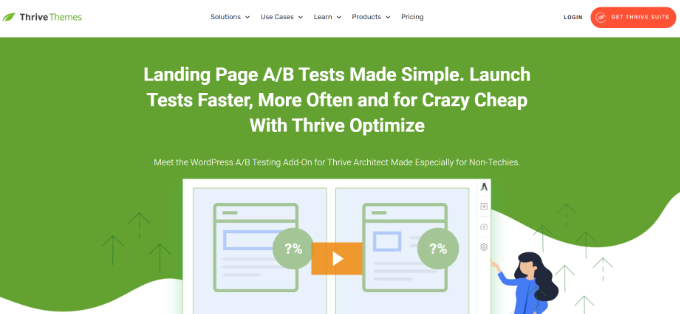
Thrive Optimize is the most capable WordPress-native A/B testing plugin available. It integrates with Thrive Architect (the Thrive page builder) and lets you create landing page variants, set conversion goals, and view results — all inside WordPress, without touching any code.
The results dashboard is one of its strengths: unlike Google Optimize, where you had to jump between tabs, Thrive Optimize shows everything in your WordPress admin. You set a goal (page visits, form submissions, revenue), run the test, and the plugin identifies a winner.
- Pricing: Thrive Optimize standalone bundle at ~$199/year; Thrive Suite (all 10+ tools) at $299/year
- Best for: WordPress bloggers, content sites, and landing page-focused businesses
- Limitation: Works best with Thrive Architect; less suited for non-Thrive-built pages
FunnelKit (WooCommerce A/B Testing)
FunnelKit (formerly WooFunnels) is built specifically for WooCommerce. Its A/B testing features are designed around the checkout process: test product prices, page layouts, checkout step sequences, and upsell offers. If you run an online store built on WooCommerce, FunnelKit’s deep integration with WooCommerce order data makes it uniquely valuable — you can see exactly which variant generated more revenue, not just more clicks.
- Pricing: Plus plan at $179.50/year (A/B testing feature)
- Best for: WooCommerce store owners testing checkout flows, pricing, and product pages
- Limitation: Primarily a funnel builder; A/B testing is one component of a broader plugin
OptinMonster
OptinMonster is a popup and lead generation tool first, with A/B testing built in for its campaigns. If your primary optimization goal is improving popup performance — testing different headlines, designs, and trigger conditions — OptinMonster’s built-in split testing handles it well. It’s not a full-page A/B testing solution, but for popup optimization it’s difficult to beat at its price point.
- Pricing: Plus plan at $19/month (A/B testing unlocked at this tier)
- Best for: Sites focused on email list growth and lead generation optimization
- Limitation: A/B testing limited to OptinMonster campaigns (popups, banners) — not full-page tests
What “Free” Actually Means for Each Tool
The word “free” gets used loosely in A/B testing. Before you sign up for a free plan, it’s worth understanding exactly what you’re getting — and what you’re not.
| Tool | Free Tier Type | What You Actually Get | Traffic/Usage Limit | A/B Testing? |
|---|---|---|---|---|
| VWO | Permanent Testing Trial plan | A/B testing, split URL testing, basic visual editor | ~50,000 visitors/month | Yes (basic) |
| GrowthBook Cloud | Permanent free tier | Unlimited experiments, unlimited traffic, feature flags | 1M CDN requests/month (fair use); 3 users max | Yes |
| GrowthBook Self-Hosted | Open-source (free) | All features, unlimited users and experiments | Unlimited | Yes |
| PostHog Cloud | Permanent free tier | 1M events/month, 5K session recordings, unlimited experiments | 1M events/month | Yes |
| FigPii | Permanent free tier | Unlimited A/B tests, heatmaps, polls | 75,000 unique visitors/month | Yes |
| Crazy Egg | Permanent (heatmaps/analytics only) | Web analytics, heatmaps, surveys — but NOT A/B testing | Unlimited page tracking | No (Plus plan at $99/mo required) |
| Matomo On-Premise | Open-source (free) | Full analytics; A/B testing plugin sold separately (€199/yr) | Unlimited | Plugin add-on required |
| Crazy Egg (trial) | 30-day trial | All features including A/B testing | Trial period only | Yes (during trial) |
| Convert.com | 15-day trial only | All features | Trial period only | Yes (during trial) |
| Optimizely / Adobe Target | No free tier | N/A | N/A | N/A |
The practical takeaway: If you need permanent free A/B testing, your best options are VWO (marketing-team-friendly), GrowthBook (developer-friendly), PostHog (product-team-friendly), or FigPii (all-in-one). “Free trial” tools (Crazy Egg, Convert.com) are worth using to evaluate a tool, but plan for a paid plan if you want ongoing testing.
How A/B Testing Tools Affect Your Website’s Performance
Every A/B testing tool adds code to your site. How that code is delivered can significantly affect your page speed, Core Web Vitals scores, and SEO performance — so it’s worth thinking about before you install anything.
The main issue is called “flicker” — a brief flash of the original page before the test variant loads. It happens when a synchronous JavaScript snippet blocks page rendering while it waits for instructions from the testing server. It’s jarring for visitors and can skew test results if some users bail before the variant appears.
Here’s how different tools approach this:
- Mida: 8kb script size, approximately 20ms load time — far smaller and faster than most competitors
- Convert.com: Uses Akamai CDN for fast variant delivery; built-in flicker-free technology
- VWO: Asynchronous loading — code loads in parallel with your page, reducing blocking time
- FigPii: Claims 180ms variant load time — significantly faster than Google Optimize’s 550ms+
- WordPress plugins (Thrive Optimize, FunnelKit): Server-rendered variants avoid client-side flicker entirely; performance depends on your hosting setup
The best approach: install a tool’s tracking snippet on a test page, run Google’s PageSpeed Insights before and after, and check your Core Web Vitals (particularly Largest Contentful Paint and Cumulative Layout Shift) to assess the impact before deploying site-wide.
Who Should Use Which Tool
Here’s the clearest breakdown we can offer, based on the data above:
- ✅ Solo bloggers and personal sites (under 10K visitors/month): Start with GrowthBook (free, open-source) or PostHog (free tier). Don’t overspend before you have the traffic to generate meaningful results.
- ✅ WordPress bloggers and content creators: Thrive Optimize ($199/year) if you’re building pages with Thrive Architect; VWO free plan as a SaaS option.
- ✅ WooCommerce store owners: FunnelKit ($179.50/year) for checkout and funnel testing; VWO or Crazy Egg for broader page testing.
- ✅ Small businesses on a tight budget: FigPii (free up to 75K visitors), VWO (free up to ~50K), or Matomo On-Premise + A/B plugin (€199/year for testing).
- ✅ Growing SaaS or app teams: PostHog (free tier consolidates analytics + experiments + session replay). GrowthBook for teams with an existing data warehouse.
- ✅ Developer or product teams: GrowthBook or PostHog — both offer self-hosting, API access, and deep integration with code-level experimentation.
- ✅ Privacy-first or EU-based businesses: Matomo (GDPR-exempt in most EU markets) or Kameleoon (enterprise GDPR/CCPA/HIPAA compliance).
- ✅ Enterprise marketing teams: Optimizely (most powerful stats engine) or Adobe Target (for Adobe Marketing Cloud users).
- ❌ Avoid if you’re on a small budget: Optimizely ($60K+/year), Adobe Target ($10K+/year), Convert.com ($299/month), and Kameleoon (custom, expensive). These are built for large teams and budgets.
Frequently Asked Questions
- Is Google Optimize still available?
- No. Google officially shut down Google Optimize and Optimize 360 on September 30, 2023. All active experiments ended on that date, and the platform is no longer accessible.
- What is the best free Google Optimize alternative?
- It depends on your team type. For marketing teams, VWO’s free Testing Trial plan (up to ~50,000 visitors/month) is the easiest starting point. For developer or product teams, GrowthBook (open-source, unlimited traffic) or PostHog (1 million free events/month) offer more flexibility. FigPii is also free for up to 75,000 unique visitors with a full feature set.
- Which Google Optimize alternative is best for small businesses?
- For WordPress users, Thrive Optimize ($199/year) or FunnelKit ($179.50/year for WooCommerce) are strong native options. For non-WordPress small businesses, Crazy Egg’s Plus plan ($99/month) offers an accessible entry into paid A/B testing. Matomo On-Premise is free if you’re comfortable with technical setup.
- Does Google Analytics 4 have built-in A/B testing?
- As of 2026, Google Analytics 4 does not have native A/B testing functionality. Google partnered with three third-party platforms — VWO, Optimizely, and AB Tasty — as recommended integration partners for testing. There is no confirmed timeline for GA4-native experimentation.
- What is the difference between A/B testing and multivariate testing?
- A/B testing (also called split testing) compares two versions of a single page — typically changing one element, like a headline or button color. Multivariate testing (MVT) changes multiple elements simultaneously to identify which combination performs best. MVT requires significantly more traffic to reach statistical significance. Most small businesses start with A/B testing before moving to MVT.
- Which Google Optimize alternative is best for WordPress?
- Thrive Optimize is the top WordPress-native option — it works entirely within your WordPress dashboard without requiring an external account. For WooCommerce specifically, FunnelKit offers deeper checkout and funnel testing. If you prefer a SaaS tool that works on WordPress, VWO and Convert.com both offer clean WordPress integration.
- How do I migrate my experiment data from Google Optimize?
- Google Optimize historical data is no longer accessible through the platform. If you exported your data before the September 2023 shutdown, you can import it manually into most platforms. VWO offers an automated migration tool — a Chrome plugin that transfers experiment settings, audiences, and variants in one step. Optimizely also offered introductory migration assistance for former Google Optimize users.
- Do A/B testing tools slow down my website?
- They can, if poorly implemented. The main risk is “flicker” — a brief flash of the original page before a variant loads. Tools that use synchronous scripts are more likely to cause this. Convert.com uses flicker-free technology via Akamai CDN; VWO uses asynchronous loading; Mida uses a tiny 8kb script for minimal impact. WordPress-native tools like Thrive Optimize avoid client-side flicker entirely by rendering variants server-side. Always test your Core Web Vitals before and after installing any testing tool.
Choosing Your Google Optimize Replacement
The right tool for you depends on three things: how much traffic your site gets, how much you’re willing to spend, and what platform your site is built on. There’s no single best option — a solo blogger needs something very different from an enterprise eCommerce team.
For most small businesses and WordPress users, the free tiers from VWO, GrowthBook, or FigPii are solid starting points that won’t cost anything to try. As your traffic grows and your testing program matures, you’ll have a better sense of which paid features are worth investing in. Start simple, validate the approach, and scale from there.
