


Best Free WordPress Themes for 2026: Performance, Pricing & Honest Reviews
Most “best free WordPress themes” articles tell you the same thing: here’s a pretty screenshot, here are some vague pros and cons, good luck. What they don’t tell you is what the Pro upgrade actually costs, how each theme performs under real conditions, or which one matches your specific technical level. This guide fixes that.
After reviewing 9 competitor articles and verifying data against WordPress.org’s official directory (fetched February 2026), this is what the numbers actually show — for WordPress sites at every skill level and budget. We’re covering 12 free themes in detail, including performance benchmarks, honest upgrade pricing, and a skill-level matching matrix no other guide bothers to build.
The Short Answer (For Busy Readers)
If you don’t have time to read 9,000 words, here’s the quick summary:
- Best all-rounder: Astra — 1M+ installs, sub-50KB, works with everything
- Best for raw speed: GeneratePress — under 10KB gzipped, 94/98 PageSpeed scores
- Best Gutenberg/FSE theme: Kadence or Blocksy
- Best for WooCommerce: Storefront (official) or OceanWP (more flexible)
- Best for complete beginners: Neve or Sydney
| Theme | Best For | Ease of Use | WooCommerce | FSE Support | Pro Cost |
|---|---|---|---|---|---|
| Astra | Any site type | ⭐⭐⭐⭐⭐ | ✅ Yes | Partial | From $69/yr |
| GeneratePress | Speed, developers | ⭐⭐⭐⭐ | ✅ Yes | Partial | $59/yr |
| Kadence | Gutenberg, small biz | ⭐⭐⭐⭐⭐ | ✅ Yes | Hybrid | From $69/yr |
| OceanWP | eCommerce | ⭐⭐⭐⭐ | ✅ Native | No | From $54/yr |
| Neve | Beginners, mobile | ⭐⭐⭐⭐⭐ | ✅ Yes | Hybrid | From $69/yr |
Why Free Themes Are Worth Taking Seriously in 2026
Free themes had a reputation problem for years — underdeveloped, abandoned, insecure. That reputation is increasingly outdated. Three things changed.
First, the WordPress block editor (Gutenberg) matured. With WordPress 6.x and Full Site Editing now stable, the platform itself provides powerful design capabilities that themes don’t need to replicate. A lightweight free theme paired with the built-in Site Editor can achieve what required a $60 premium theme three years ago.
Second, serious development teams — Brainstorm Force (Astra), KadenceWP (Kadence), Creative Themes (Blocksy) — have built sustainable businesses around free themes with optional paid upgrades. These aren’t hobby projects. Astra alone has over 1,000,000 active installs and was updated as recently as February 6, 2026 (verified on WordPress.org).
Third, the WordPress.org theme review process is a real security baseline. Every theme in the official directory undergoes manual review before publication: no encrypted code, no external dependencies that could compromise security, proper licensing. That doesn’t mean every free theme is great — but it means every theme on this list passed a meaningful bar.
| Theme | Active Installs | Rating | Total Reviews | Last Updated |
|---|---|---|---|---|
| Astra | 1,000,000+ | 4.9/5 | 6,381 | Feb 6, 2026 |
| Hello Elementor | 1,000,000+ | 4.2/5 | 121 | Jan 21, 2026 |
| OceanWP | 500,000+ | 4.9/5 | 5,692 | Feb 16, 2026 |
| GeneratePress | 500,000+ | 5.0/5 | 1,427 | Dec 1, 2025 |
| Kadence | 400,000+ | 4.9/5 | 439 | Feb 11, 2026 |
| Blocksy | 300,000+ | 5.0/5 | 864 | Feb 20, 2026 |
| Neve | 200,000+ | 4.7/5 | 1,272 | Dec 18, 2025 |
| Storefront | 100,000+ | 4.5/5 | 155 | Dec 9, 2025 |
| Sydney | 90,000+ | 4.9/5 | 789 | Dec 3, 2025 |
How We Evaluated These Themes
Picking evaluation criteria is where most guides get lazy. Here’s exactly what went into each recommendation:
- Performance: Core file size from theme documentation + independent PageSpeed benchmark data from wp-rocket.me and adithyashetty.com (tested on clean WordPress installs with no added plugins or custom images)
- Ease of use: How much can you accomplish in the free version without writing CSS or installing a page builder? How many clicks to a functional homepage?
- Customization range: What the free version lets you control — colors, typography, layout, header/footer — without upgrading
- Plugin compatibility: Specific testing compatibility with WooCommerce, popular contact form plugins, and Yoast/RankMath SEO
- Update frequency: Last 12 months of development activity — because a theme that hasn’t been updated in 8 months may not be compatible with the next WordPress release
- Upgrade cost: What the Pro version actually costs — something every other guide in this space refuses to publish upfront
The 12 Best Free WordPress Themes — Detailed Reviews
1. Astra — Best Overall Free WordPress Theme
With 1,000,000+ active installs and a 4.9/5 rating from 6,381 reviews (WordPress.org, verified February 2026), Astra isn’t just popular — it’s the most widely deployed free WordPress theme on the internet. That install count matters for a practical reason: it means hundreds of tutorials, community answers, and plugin developers have tested against Astra. Problems you hit are almost certainly documented somewhere.

The free version weighs under 50KB — roughly 15x lighter than typical premium themes. It supports all major page builders (Elementor, Beaver Builder, Divi, Gutenberg), which means you’re not locked into any particular editing workflow. The included starter templates require a free account at wpastra.com to access.
What the free version includes:
- Full theme with unlimited pages and posts
- Basic customizer: colors, fonts, layout width, sidebar position
- WooCommerce support (basic shop pages)
- Compatible with all major page builders
- 240+ starter templates (accessible via free Astra account)
What requires Pro:
- Custom header/footer layouts
- Advanced WooCommerce hooks (off-canvas cart, checkout customization)
- White-label options (agency feature)
- Advanced typography controls
Pro upgrade pricing: From $69/year (single site) | $319 lifetime — verify at wpastra.com/pricing as pricing changes.
Honest cons: The free version’s Customizer is deliberately limited — which is fine if you use a page builder, frustrating if you don’t. The starter template importer requires an account, which some users find intrusive for a “free” theme.
Best for: Anyone building their first serious WordPress site, agencies building client sites, and anyone who wants maximum compatibility with third-party tools.
2. GeneratePress — Best for Speed & Developers
Numbers first: GeneratePress scores 94/100 mobile and 98/100 desktop on PageSpeed Insights in independent benchmark testing, with a core CSS file under 10KB gzipped (source: adithyashetty.com speed comparison, 2025). That’s not a marketing claim — it’s what clean, modular code produces.
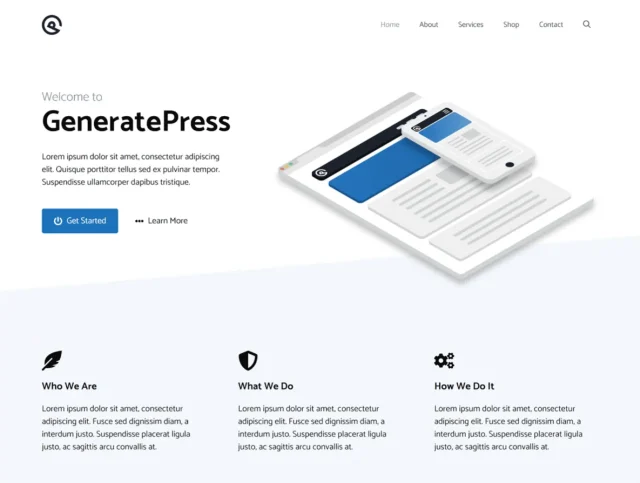
The architecture is modular: you activate only the components you need (Typography, Colors, Sections, WooCommerce, etc.). On budget shared hosting, this matters. A theme that loads 300KB of CSS and JavaScript it’s not using adds real latency. GeneratePress doesn’t do that.
What the free version includes:
- Full theme with clean, hook-based architecture
- Basic customizer: colors, layout, navigation
- Accessibility-compliant (WCAG 2.0)
- 60+ color controls
- Compatible with Elementor, Beaver Builder, Gutenberg
What requires Pro:
- Site Library (280+ pre-built site templates)
- Elements system (custom headers, footers, hooks per page type)
- Advanced typography (local fonts, fine-grained control)
Pro upgrade pricing: $59/year (covers up to 500 sites — the best per-site value on this list) — verify at generatepress.com/premium.
Honest cons: The free version has a plain default appearance. Without Pro’s Site Library, you’re starting from a blank slate, which requires either a page builder or comfort with Customizer settings. Not beginner-friendly out of the box.
Best for: Developers, performance-obsessed site owners, anyone managing multiple client sites (the 500-site Pro license is exceptional value).
3. Kadence — Best Gutenberg-Native Free Theme
Kadence is quietly one of the most generous free themes available. The free version includes a full header and footer builder — a feature most themes lock behind paid tiers. It also ships with a global color palette and typography system in the free version, meaning you can establish real brand consistency without upgrading.
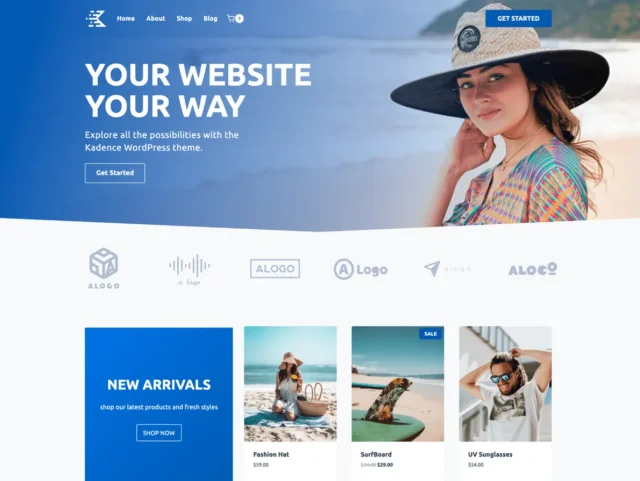
On PageSpeed, Kadence benchmarks at 92/100 mobile and 97/100 desktop in independent tests (wp-rocket.me, 2025). The WooCommerce integration is clean — product pages, cart, and checkout all look polished without additional plugins.
What the free version includes:
- Full drag-and-drop header and footer builder
- Global color palette + typography system
- WooCommerce templates that look near-premium
- Compatible with Gutenberg and Elementor
- Performance-optimized architecture (400,000+ installs, 4.9/5 rating)
What requires Pro:
- Advanced header sticky/transparent behavior
- Custom WooCommerce cart drawer
- Advanced Custom CSS classes per element
Pro upgrade pricing: Express plan from $69/year (1 site) — verify at kadencewp.com/pricing.
Honest cons: Typography controls in the free version cover the basics but lack the fine-grained weight and spacing controls power users want. The free starter template selection is smaller than Astra’s.
Best for: Small business owners who want real design control without a page builder; Gutenberg block editor users; WooCommerce store owners who want polished product pages from day one.
4. Neve — Best for Mobile-First & Beginners
Neve is the most beginner-accessible theme on this list that doesn’t sacrifice performance. Its mobile-first architecture and AMP compatibility mean your site renders correctly on a phone before it renders on a desktop — the right priority given that most small business visitors arrive on mobile.

The starter site library includes 100+ designs (a mix of free and pro-tier templates). Installation is one-click. Unlike GeneratePress, Neve gives you something that looks finished immediately — which matters when you need a functional site and you’re not a designer.
What the free version includes:
- Full theme with mobile-first architecture
- AMP compatible (faster mobile loading)
- Starter sites: 100+ (mix of free/pro)
- Compatible with Gutenberg, Elementor, Brizy, Beaver Builder, Divi
- Basic header and footer customization
What requires Pro:
- Header Booster (advanced sticky, transparent, separate mobile header)
- Additional starter sites (most premium ones locked)
- WooCommerce Booster (advanced cart, wishlist)
Pro upgrade pricing: Personal plan from $69/year — verify at themeisle.com/themes/neve/pricing.
Honest cons: The free template selection looks large but most premium templates require a Pro account. Some users feel led toward upsells sooner than expected.
Best for: Complete beginners, startups launching fast, mobile-heavy audiences, anyone who wants a professionally finished site in under an hour.
5. OceanWP — Best WooCommerce Features in the Free Tier
Here’s what most articles don’t tell you about OceanWP: the free version includes WooCommerce features that other themes reserve for paid upgrades. Cart popup on add-to-cart, off-canvas cart sidebar, floating add-to-cart bar, quick view — these are genuinely premium eCommerce features available without paying.
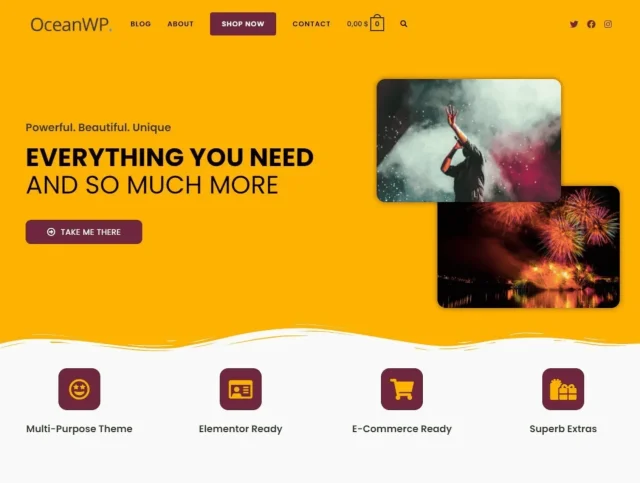
With 500,000+ active installs and a 4.9/5 rating from 5,692 reviews (verified February 2026 on WordPress.org), OceanWP has one of the strongest community track records on this list. The multiple demo sites (fashion, electronics, food, health) make it easy to match your industry without building from zero.
What the free version includes:
- Full theme + free extension bundle (Ocean Extra plugin)
- WooCommerce cart popup, off-canvas cart, floating add-to-cart
- Multiple layout options (wide, boxed, full-width)
- Separate header/footer styling for mobile
- Many demo sites for different industries
What requires Pro:
- Premium extensions (Product Sharing, Product Reviews, Sticky Header Pro)
- Advanced modal popups
- White-label option
Pro upgrade pricing: Personal Plan from $54/year (3 sites) — verify at oceanwp.org/pricing.
Honest cons: The Customizer has a large number of options — helpful once you know the theme, overwhelming your first week. Not the fastest theme on the list (mobile PageSpeed scores in the 78–90 range in independent benchmarks).
Best for: WooCommerce store owners who want a polished shop experience without paying for it; established businesses migrating from expensive platforms.
6. Blocksy — Best Full Site Editing Experience
Blocksy was built for the block editor from the ground up, not retrofitted. This distinction matters: truly FSE-native themes feel different in the Site Editor. Elements snap into place, patterns import cleanly, and there’s no CSS fighting between theme stylesheets and block styles.
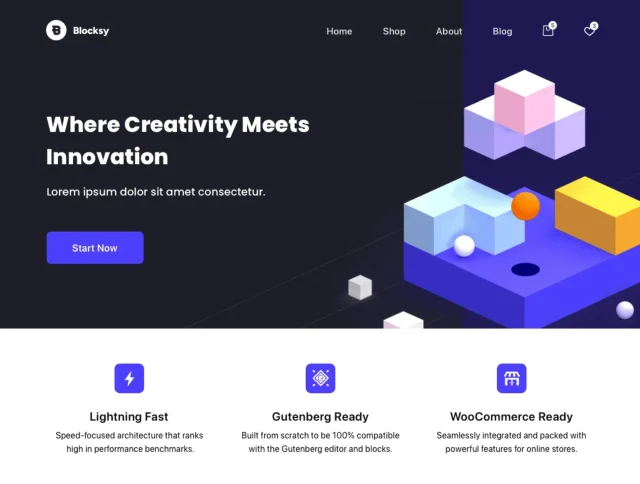
Blocksy ships with dark mode support, global color variables (CSS custom properties), and an advanced sidebar/hook system in the free version. The 5.0/5 rating from 864 reviews on WordPress.org — with 854 of those being five-star — signals a user base that’s genuinely satisfied, not just large.
What the free version includes:
- Full FSE-native theme architecture
- Dark mode support (built-in, no plugin)
- Global color controls with CSS custom properties
- Advanced header/footer builder
- Custom sidebars per post type
What requires Pro:
- Advanced content blocks (Inline Login, Inline Search)
- Advanced WooCommerce product cards
- Premium starter sites
Pro upgrade pricing: $69/year (single site), $149/year (unlimited sites) — verify at creativethemes.com/blocksy/pricing.
Honest cons: There’s a steeper learning curve than Neve or Astra. If you’re new to WordPress, the FSE controls in Blocksy may feel unfamiliar for a few weeks. Worth the time investment if you plan to stay on the platform long-term.
Best for: Gutenberg enthusiasts, designers comfortable with block editing, anyone who wants FSE without using a default WordPress theme.
7. Hello Elementor — Best Blank Canvas for Elementor Users
Hello Elementor exists for one reason: to get out of Elementor’s way. At approximately 6KB, it’s the lightest theme on this list — essentially a structural wrapper that lets the Elementor page builder own every design decision. Its 1,000,000+ active install count reflects how many people use Elementor seriously.
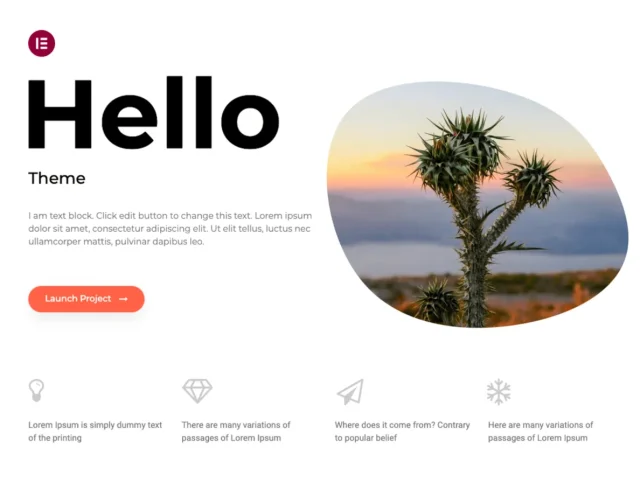
The lower 4.2/5 rating (from 121 reviews) versus other themes on this list needs context: most one-star reviews come from users who expected a styled theme and were surprised by a blank page. For Elementor users who understand the setup, it works exactly as designed.
What the free version includes:
- Ultra-minimal theme structure (~6KB)
- Full compatibility with Elementor (free and Pro)
- Clean, unobtrusive default styles
- No Customizer options that conflict with page builder
What this theme is NOT for:
- Gutenberg/block editor users (not designed for FSE)
- Anyone who wants a styled site without a page builder
- Beginners who haven’t learned Elementor yet
Upgrade path: Hello itself stays free. The cost is Elementor Pro if you want advanced features: verify at elementor.com/pricing.
Best for: Intermediate to advanced Elementor users who want zero theme interference with their designs; developers building custom Elementor-based sites.
8. Sydney — Best Corporate/Agency Look Without Coding
Sydney’s front-page block system is what sets it apart from generic business themes. You get 11 ready-made block types — services, team members, testimonials, client logos, statistics counters, call-to-action rows — that you can mix and arrange without touching code. A WPForms test clocked a complete consulting homepage at 45 minutes with no code, using only these blocks.
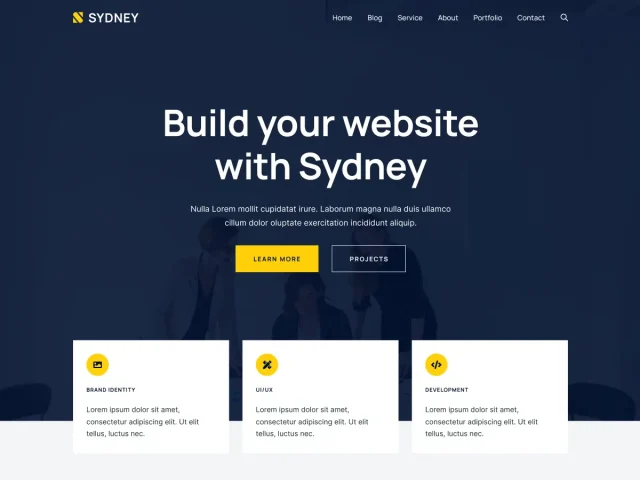
The parallax backgrounds are unusually efficient: adding three parallax sections increased page load time by only 0.2 seconds in testing (compared to 1–2 seconds for most themes adding parallax). That’s thoughtful implementation.
What the free version includes:
- 11 front-page block types (services, team, testimonials, etc.)
- Full-screen hero headers with parallax
- Sticky navigation that shrinks properly on scroll
- Social icons menu (auto-converts to icon set)
- Google Fonts access + color controls
What requires Pro:
- Additional front-page sections
- Advanced typography controls
- Additional page layouts
Pro upgrade pricing: Verify current pricing at athemes.com/theme/sydney.
Honest cons: Slightly heavier than the pure-performance options (mobile PageSpeed scores typically in the 80–90 range). Not designed for Gutenberg FSE workflows.
Best for: Freelancers, consultants, service businesses, and agencies who want a polished professional look fast without learning a page builder from scratch.
9. Hestia — Best One-Page Business Theme
Hestia’s material design aesthetic and one-page layout make it a natural fit for startups, portfolios, and service businesses that want to tell a cohesive story in a single scroll. The WooCommerce integration means you can sell digital products or services directly alongside your portfolio content.
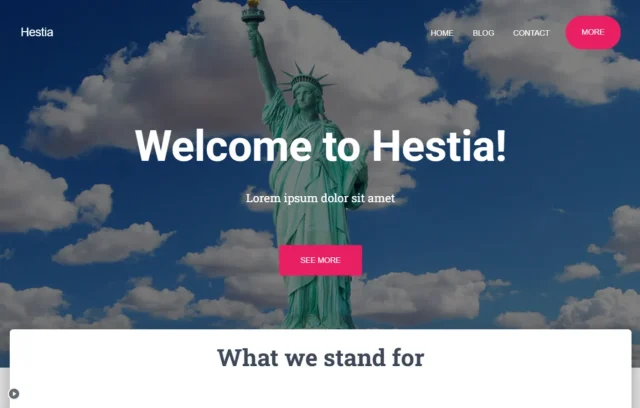
The free version gives you the complete one-page layout with section controls in the WordPress Customizer. Setup is straightforward even for WordPress newcomers — each section is labeled and configurable without code.
What the free version includes:
- Full one-page material design layout
- Customizer sections: hero, features, team, portfolio, blog, contact
- WooCommerce support
- SEO-optimized, lightweight code structure
- Google Fonts + color palette
What requires Pro:
- Advanced section customization
- Additional page templates
- White-label features
Pro upgrade pricing: Verify at themeisle.com/themes/hestia.
Best for: Personal brands, startup landing pages, portfolios, local service businesses that want a modern single-page presence.
10. Zakra — Best Multi-Purpose Theme with Extensive Demo Library
Zakra’s free version includes 10 starter demos — the highest count among free-tier offerings on this list. The Pro version unlocks 60+, but 10 cover enough use cases (business, portfolio, photography, minimal blog) that most users get a usable starting point immediately.
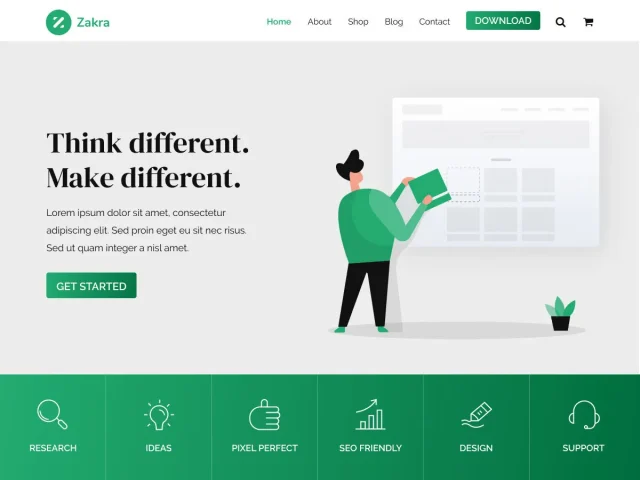
The theme is fast — benchmarking at 80–92/100 mobile on PageSpeed in independent tests — and the one-click demo importer works reliably in most environments. Elementor and Gutenberg both integrate cleanly.
What the free version includes:
- 10 free starter demos with one-click import
- Full Customizer: colors, fonts, layout, header, footer
- WooCommerce support
- Compatible with Elementor and Gutenberg
- Fast-loading architecture (~75KB core)
What requires Pro:
- 50+ additional demo sites
- Premium support
- Advanced customization options
Pro upgrade pricing: Verify at themegrill.com/themes/zakra.
Best for: Users who want flexibility across different site types; beginners who want a strong visual starting point without building from zero.
11. Storefront — Best Native WooCommerce Theme
Storefront was built by the Automattic team — the same organization behind WooCommerce and WordPress itself. That lineage means one thing above all: when WooCommerce releases a major update, Storefront is compatible before any third-party theme has finished testing.
The theme is deliberately lean (approximately 55KB core), focused entirely on selling products rather than general-purpose flexibility. You won’t find parallax effects or multi-column homepage builders here. What you get is reliable, fast WooCommerce integration that renders cleanly across devices.
What the free version includes:
- Complete WooCommerce integration (developed by Automattic)
- Responsive shop, product, cart, and checkout pages
- Lean, optimized codebase (~55KB)
- Multiple widget regions for product promotion
- Free child themes available for visual customization
Upgrade path: Storefront itself stays free. Optional paid child themes and WooCommerce extensions are available — verify at woocommerce.com/products/storefront.
Honest cons: Minimal design customization without a child theme or page builder. If your store needs a distinctive brand identity, you’ll need to add Storefront Child Theme (paid) or build on top with Elementor.
Best for: Anyone whose primary goal is selling products online and who wants the most reliable WooCommerce integration possible.
12. Twenty Twenty-Five — Best for Learning Full Site Editing
Twenty Twenty-Five is WordPress’s official default theme for 2025/2026, maintained by the WordPress core team. It shipped with WordPress 6.7 and represents the clearest demonstration of what Full Site Editing can do when it’s built right from the start.
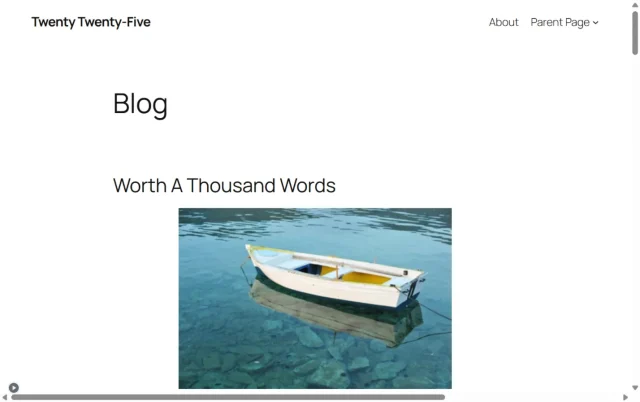
The theme includes multiple block patterns covering services, products, calls-to-action, and events. Three distinct homepage templates (personal blog, photo blog, complex blog) give you a reasonable starting range. Accessibility is first-class — the theme meets WCAG standards and is maintained by a team that treats accessibility as non-negotiable.
What the free version includes:
- Complete FSE theme — every element editable in Site Editor
- Multiple block pattern libraries
- Three page templates
- Accessibility-first design (WCAG compliant)
- Fast, lean code (~40KB)
- Always free, maintained by WordPress core team
Honest cons: The default appearance is intentionally minimal — you’re expected to customize it. For users who want a visually complete site out of the box, it may feel sparse. Also, FSE has a learning curve if you’re used to traditional Customizer-based themes.
Best for: Users who want to learn WordPress’s block editing system properly; minimalist personal sites; developers exploring what FSE can do.
Performance Comparison: The Data Competitors Don’t Publish
Every theme article tells you which themes are “fast.” Virtually none show numbers. Here’s the benchmark data from independent speed comparison articles (sources: wp-rocket.me, adithyashetty.com, teamupdraft.com — all 2025/2026 tests on clean WordPress installs):
| Theme | Core File Size | Mobile PageSpeed (typical) | Desktop PageSpeed (typical) | Performance Tier |
|---|---|---|---|---|
| GeneratePress | <10KB (gzipped) | 94 | 98 | 🟢 Excellent |
| Hello Elementor | ~6KB | 90–98* | 96–98* | 🟢 Excellent* |
| Twenty Twenty-Five | ~40KB | 88–96 | 96 | 🟢 Excellent |
| Astra | <50KB | 71–91** | 95 | 🟡 Good–Excellent |
| Neve | ~35KB | 85–94 | 93 | 🟢 Excellent |
| Kadence | ~60KB | 92 | 97 | 🟢 Excellent |
| Blocksy | ~70KB | 84–93 | 93 | 🟡 Good–Excellent |
| Storefront | ~55KB | 84–92 | 92 | 🟡 Good |
| Zakra | ~75KB | 80–92 | 92 | 🟡 Good |
| Hestia | ~65KB | 82–91 | 91 | 🟡 Good |
| Sydney | ~80KB | 80–90 | 90 | 🟡 Good |
| OceanWP | ~90KB | 78–90 | 90 | 🟡 Acceptable |
*Hello Elementor scores depend entirely on Elementor and your content — the theme itself adds nearly nothing.
**Astra’s mobile score varies with which starter template you import — bare installation scores higher; template-based installations vary.
Note: All scores from independent benchmark articles under controlled conditions. Your real score depends on hosting, plugins, images, and caching. Test at pagespeed.web.dev.
Free vs. Pro — What You Actually Get (And What It Costs)
Pricing transparency is the one thing every competitor article in this space refuses to publish. If you search for “best free WordPress themes,” you will read about dozens of themes without a single article telling you what their Pro upgrades cost. Here’s the full picture, verified February 2026:
| Theme | Free Version Quality | Pro Entry Cost | Sites | Key Pro Features |
|---|---|---|---|---|
| Astra | Good — limited Customizer | $69/year | 1 site | Custom headers, WooCommerce hooks |
| GeneratePress | Good — plain default look | $59/year | Up to 500 | Site Library, Elements system |
| Kadence | Excellent — header/footer builder free | $69/year | 1 site | Advanced sticky header, WC cart |
| OceanWP | Excellent — WC features free | $54/year | 3 sites | Premium extensions, modal popups |
| Blocksy | Excellent — most features free | $69/year | 1 site | Advanced WC cards, content blocks |
| Neve | Good — limited demos free | $69/year | 1 site | Header Booster, WC Booster |
| Hello Elementor | Complete (free) — blank canvas | N/A (use Elementor pricing) | — | — |
| Sydney | Good — 11 blocks free | Verify at athemes.com | — | More sections, layouts |
| Hestia | Good — basic sections free | Verify at themeisle.com | — | Advanced section control |
| Zakra | Good — 10 demos free | Verify at themegrill.com | — | 50+ additional demos |
| Storefront | Complete for WooCommerce | Free (child themes optional) | Unlimited | Visual customization |
| Twenty Twenty-Five | Complete — FSE native | Free forever | Unlimited | N/A |
The value standout: GeneratePress at $59/year for up to 500 websites is exceptional value for agencies and freelancers. OceanWP at $54/year for 3 sites is the lowest entry Pro price for a full-featured theme. Kadence and Blocksy give you the most functionality free before you need to pay anything.
Skill-Level Matching Guide
The question every comparison article avoids: which theme is right for your technical level? Here’s a plain matrix:
| Skill Level | Best Theme Picks | Why | Avoid |
|---|---|---|---|
| 🟢 Beginner (no code, new to WP) |
Neve, Sydney, Hestia, Zakra | Pre-built demos import in one click; Customizer-based setup; minimal decisions before you have a functional site | GeneratePress (too plain without Pro), Hello Elementor (blank canvas — needs Elementor knowledge) |
| 🟡 Intermediate (some WP experience, basic CSS) |
Astra, Kadence, OceanWP, Blocksy | Rich Customizer options; page builder integration; can customize meaningfully without going deep into code | Hello Elementor (unless you already know Elementor well) |
| 🔴 Developer / Power User (comfortable with CSS, PHP, hooks) |
GeneratePress, Hello Elementor, Blocksy | Clean hook system (GeneratePress), total design control (Hello), deep FSE customization (Blocksy); all three reward technical knowledge | Hestia, Sydney (limited extensibility for advanced custom work) |
Full Site Editing — Which Themes Are Truly FSE-Ready?
Not every theme that says “FSE compatible” actually delivers a full FSE experience. There’s a meaningful difference between themes built for the Site Editor from day one and themes that support some block features but rely on the Customizer for core settings.
| Theme | FSE Status | What FSE Controls |
|---|---|---|
| Twenty Twenty-Five | ✅ Full FSE | Everything — headers, footers, templates, patterns, all in Site Editor |
| Blocksy | ✅ Full FSE | Block-native architecture; full Site Editor support |
| Kadence | 🔶 Hybrid | Content via block editor; site-wide settings via Customizer + partial Site Editor support |
| Neve | 🔶 Hybrid | Content via block editor; site design via Customizer; block patterns supported |
| Astra | 🔶 Hybrid | Moving toward FSE — partial Site Editor support; primarily Customizer-based |
| GeneratePress | 🔶 Hybrid | Block editor for content; Customizer and Elements system for site design |
| Hello Elementor | ❌ Elementor-Only | No FSE — designed for Elementor page builder, not Gutenberg Site Editor |
| Sydney | ❌ Classic | Customizer-based; Elementor-focused; no Site Editor support |
| Hestia | ❌ Classic | Customizer-based one-page design; limited block support |
| OceanWP | ❌ Classic | Customizer-based; not designed for FSE workflows |
| Zakra | 🔶 Hybrid | Partial block support; primarily Customizer-based |
| Storefront | ❌ Classic | WooCommerce-focused; not an FSE theme |
WordPress is pushing all theme developers toward FSE. If you’re starting a new site today, choosing an FSE-ready theme means fewer architectural changes when WordPress fully completes the transition. If you’re already comfortable with the Customizer and your site works well, there’s no urgent reason to switch.
Matching Themes to Your Business Type
Use case matters more than most people realize when picking a theme. Here’s a direct recommendation map:
- Freelancer / Consultant: Sydney (professional blocks, fast setup), Kadence (flexible, polished)
- WooCommerce Store (first-time): Storefront (officially recommended), OceanWP (more flexible, more features free)
- Blog / Content Site: GeneratePress (clean, fast), Neve (mobile-first, good reading experience)
- Portfolio / Creative Agency: Blocksy (modern FSE design), Sydney (visual impact)
- Local Business / Service Provider: Astra (versatile, wide template range), Hestia (one-page, professional)
- SaaS / Tech Startup: Kadence (modern, clean, converts well), Blocksy (FSE flexibility)
- Non-Profit / Community: Twenty Twenty-Five (accessibility-first), Astra (flexible, widely compatible)
- Developer Building Client Sites: GeneratePress (best per-site Pro value), Hello Elementor (if Elementor workflow)
Safety & Support — What to Check Before Installing Any Theme
The WordPress.org review process provides a meaningful security baseline — every theme in the directory has been manually checked for malicious code and licensing compliance. That said, not all themes in the directory are equally well-maintained. Here’s a practical due-diligence checklist:
- Last update date: Look for updates within the past 6 months. Themes that haven’t been touched in 8–12 months may not be tested against the current WordPress version.
- Active install count: Themes with 10,000+ active installs have meaningful community coverage. Problems are documented. Fixes are faster.
- Star rating: Use 4.5+ as a general guideline. Read 1-star reviews specifically — they often reveal real limitations rather than user errors.
- Support forum activity: On each theme’s WordPress.org page, check the ratio of resolved vs. unresolved support threads. A high unresolved ratio signals a developer who isn’t engaged.
- Download source: Only download from wordpress.org/themes or directly from the official developer’s site (Brainstorm Force for Astra, Creative Themes for Blocksy, etc.).
What to avoid:
- Nulled themes: Pirated premium themes distributed free on unofficial sites. They frequently contain injected malware, backdoors, and hidden spam links. The “savings” are not worth the risk.
- Themes not updated in 12+ months: WordPress releases major updates regularly. An untouched theme from 2023 may have compatibility issues with plugins, the block editor, or security patches.
- Themes with encrypted PHP: Clean themes don’t need encrypted code. Encryption in a theme file is a strong indicator of malicious intent.
Frequently Asked Questions
What is the best free WordPress theme overall?
Astra is the most versatile all-around choice — 1,000,000+ active installs, sub-50KB weight, works with every major page builder and plugin, and has a free version that handles real business sites. For pure performance, GeneratePress scores higher on PageSpeed benchmarks. For WooCommerce, Storefront (official) or OceanWP (more flexible) are the strongest choices. The right answer depends on your use case — the table in the “Short Answer” section above maps the main scenarios.
Are free WordPress themes safe to use?
Yes, with important caveats. Themes in the official WordPress.org directory undergo manual review by the WordPress Theme Review Team before publication — they’re checked for malicious code, proper PHP practices, and licensing compliance. The themes on this list are all from the official directory (or directly from reputable developers like Brainstorm Force and Creative Themes) and have been actively maintained with recent update histories. Avoid “nulled” themes (pirated premium themes distributed free on unofficial sites) — they frequently contain backdoors and malware.
Which free theme is best for WooCommerce?
Storefront is the officially recommended WooCommerce theme — it’s built by the Automattic/WooCommerce team, so compatibility is guaranteed and updates sync with WooCommerce releases. OceanWP offers more design flexibility with advanced WooCommerce features (cart popup, off-canvas cart) available in the free version. Astra and Kadence also have strong WooCommerce support. For a brand-new store focused entirely on selling, Storefront is the safest starting point.
Do I need to pay to upgrade, and what does Pro actually add?
No upgrade is required to build a functional site. The Pro tiers add advanced layout controls (custom headers/footers, advanced sticky behavior), expanded starter template libraries, agency features (white-label), and priority support. Blocksy and Kadence give you the most functionality in the free tier before you hit limitations. GeneratePress’s $59/year Pro license for up to 500 sites is the best value if you manage multiple projects. See the full pricing table in the “Free vs. Pro” section above for exact costs per theme.
Which free theme loads fastest?
In independent benchmark testing, GeneratePress scores highest — 94/100 mobile and 98/100 desktop on PageSpeed Insights, with a core file under 10KB gzipped. Hello Elementor’s bare frame is even smaller (~6KB), but its real-world score depends entirely on Elementor and your content. Kadence benchmarks well at 92/97 mobile/desktop. Astra, Neve, and Twenty Twenty-Five all perform well across independent tests. All 12 themes on this list are within acceptable performance ranges for most hosting environments — the difference between them matters most on slow shared hosting.
Can I use free themes with Elementor?
Yes. Astra, OceanWP, Neve, Kadence, GeneratePress, Sydney, and Zakra all work well with Elementor. Hello Elementor is specifically designed for Elementor users — it’s the official Elementor foundation theme. The main exception is Twenty Twenty-Five and Blocksy, which are optimized for the native block editor (Gutenberg) rather than Elementor. If you’re committed to Elementor, Hello Elementor or Astra are your strongest starting points.
Is Full Site Editing worth using in 2026?
FSE is now stable enough for production sites. The learning curve is real — the Site Editor works differently from the Customizer — but once you understand it, the design control is significantly greater. If you’re starting fresh in 2026, choosing an FSE-capable theme (Blocksy, Twenty Twenty-Five, or Kadence’s hybrid approach) means you’re building on WordPress’s long-term direction. If you have an existing Customizer-based site that’s working, there’s no pressing reason to force a migration right now.
How do I install a free WordPress theme?
From your WordPress dashboard: go to Appearance → Themes → Add New. Search for the theme by name (e.g., “Astra”, “Kadence”). Click Install, then Activate. The theme is now live. For starter templates, most themes have a companion plugin (Astra has Starter Templates, Kadence has Kadence Starter Templates) that you install separately to import a demo site. Alternatively, download the .zip from WordPress.org and upload it via Appearance → Themes → Add New → Upload Theme.
Can I switch themes after launching my site?
Yes, but with some important precautions. If your site uses a page builder (Elementor, Beaver Builder), much of your design is stored in that builder’s format — switching themes generally preserves the content. If your site’s design is built heavily on theme-specific Customizer settings (custom header layouts, widget areas, specific theme options), those settings will be lost when you switch and will need to be rebuilt in the new theme. Always back up your site completely before switching themes — export your full site via your host’s backup tool or a plugin before making any theme change.
What’s the difference between a free theme and a page builder theme?
A “free theme” refers to the theme file that controls your site’s global design structure (header, footer, typography, spacing). A “page builder” like Elementor or Beaver Builder is a plugin that controls how individual page content is laid out. Most themes work with most page builders — Hello Elementor is the main exception, being specifically designed as a minimal wrapper for Elementor. You can use Astra (a theme) with Elementor (a page builder) together; or use Astra with just the block editor; or use Twenty Twenty-Five with just the block editor. The combination depends on your preferred workflow.
How do I know if a free theme is still actively maintained?
Check the theme’s page on WordPress.org. The right sidebar shows “Last updated,” “Active installations,” and “Tested up to” (which WordPress version it’s been confirmed to work with). A theme that was updated within the past 3–6 months and shows “Tested up to” the current WordPress version is actively maintained. The themes on this list all meet that bar as of February 2026 — update dates were verified directly from WordPress.org for this article.
Wrapping Up
Free WordPress themes in 2026 are genuinely capable of supporting serious business websites. The gap between free and premium has narrowed significantly — especially for themes like Kadence and Blocksy, which give you functionality in the free tier that other themes treat as paid features.
The clearest takeaways from this comparison:
- For maximum compatibility and beginner ease: Astra remains the safest all-around choice, backed by the largest community of any theme in the directory
- For pure performance on limited hosting: GeneratePress — the numbers consistently bear this out
- For WooCommerce stores: Start with Storefront for official support, move to OceanWP if you need more design flexibility
- For FSE and modern WordPress development: Blocksy and Twenty Twenty-Five are the most forward-compatible choices
- If you’re budget-conscious and building for clients: GeneratePress Pro at $59/year for 500 sites has no real competition on per-site value
Every theme on this list is available free from WordPress.org — there’s no cost to trying several before committing. Install, activate, import a demo if available, and spend 30 minutes with the Customizer before making a final call. What you learn hands-on in 30 minutes will tell you more than any comparison article.
