



Most WordPress sites ship with a search bar that looks functional but falls apart the moment a visitor types something specific. It searches post titles and body content — that’s it. Product attributes, custom fields, PDF attachments, taxonomy pages? All invisible to the default engine. For a simple blog with 20 articles, that’s fine. For a WooCommerce store, a content-heavy membership site, or a resource library, it’s a problem that quietly costs you visitors every day.
Fortunately, the plugin ecosystem has several strong answers. The challenge isn’t finding one — it’s finding the right one for your situation. A plugin built for enterprise developers is overkill for a freelancer’s portfolio. A free plugin optimized for WooCommerce won’t help a news site searching across custom post types. The options below cover the full range, from free tools used by millions to premium solutions trusted by agencies and complex sites alike.

WordPress plugin guides on WPlasma
What’s Wrong with WordPress Search Out of the Box
WordPress’s native search queries two fields in your database: post_title and post_content. Anything stored outside those two columns won’t appear in results, no matter how relevant it is to the query.
That means the following content is effectively invisible to the default search engine:
- Custom fields and meta data — ACF fields, Meta Box entries, any post meta stored separately from the main content
- WooCommerce product attributes — product variations, SKUs, tags, and category-level data
- PDF and document attachments — files uploaded to your media library aren’t indexed at all
- Taxonomy terms — categories and tags as standalone pages aren’t searchable
- Comments — even if a comment contains exactly what someone is looking for
- Custom post types — unless explicitly registered as searchable, these are excluded
- Shortcode-rendered content — text generated by shortcodes is processed after the search query runs
The default engine also sorts results by date, not relevance. Search for “pricing” and you’ll get your most recent post mentioning the word — not necessarily the post where it’s actually the focus.
If your WordPress site has fewer than 30 pages and no eCommerce functionality, the built-in search may be adequate. Otherwise, a dedicated plugin is worth the upgrade. Here’s how they compare.
WordPress Search Plugins at a Glance (2026)
The table below compares the major options across the metrics that matter most to small businesses and content sites. Pricing is verified as of March 2026.
| Plugin | Free? | Paid (from) | Active Installs | AJAX Search | PDF Search | Analytics | WooCommerce |
|---|---|---|---|---|---|---|---|
| Ajax Search Lite | ✅ | Pro pricing | 2,100,000+ | ✅ | Pro only | GA integration | ✅ (basic) |
| Ivory Search | ✅ | ~$19.99/yr | 100,000+ | ✅ | ❌ | ❌ | ✅ |
| Relevanssi | ✅ | $109/yr (unlimited sites) | 100,000+ | ❌ (free) | Premium only | Query log | ❌ |
| FiboSearch | ✅ | $59/yr (1 site) | 100,000+ | ✅ | ❌ | ❌ | ✅ (specialized) |
| SearchWP | ❌ | $99/yr (1 site) | 50,000+ sites | ✅ | ✅ | ✅ (Pro) | ✅ (Pro) |
| Jetpack Search | ❌ | ~$5/mo (≤100 records) | N/A | ✅ | ❌ | Basic | ✅ |
| ElasticPress | ✅ | Server required | 1,000,000+ | ✅ | ✅ | ❌ | ✅ |
| JetSearch (Crocoblock) | ❌ | Subscription | N/A | ✅ | ❌ | ✅ | ✅ |
Sources: WordPress.org plugin directory, official plugin pricing pages — March 2026
Free WordPress Search Plugins Worth Using
Several genuinely capable plugins cost nothing to get started. The trade-offs are real — free versions often skip AJAX search, PDF indexing, or advanced analytics — but for many sites, the free tier is all you’ll ever need.
Ajax Search Lite — The Most Installed Search Plugin You’ve Probably Never Heard Of
With over 2.1 million active installations (WordPress.org, March 2026), Ajax Search Lite is the most-deployed WordPress search plugin by a wide margin — and it rarely gets the credit it deserves in editorial comparisons. It’s fully free, actively maintained (last updated February 2026), and delivers live search suggestions as visitors type without page reloads.

The free version includes support for posts, pages, custom post types, WooCommerce products, and custom fields. It ships with 10+ visual templates and over 50 backend configuration options. Google Analytics event tracking is built in, which gives you basic insight into what visitors are searching for without needing a separate plugin.
What the free version lacks: The Pro version adds support for Elementor, Divi, and Beaver Builder; PDF and file search; BuddyPress integration; and 400+ advanced options. If your site uses a page builder and you need tight integration, the Pro version is worth considering.
Best for: Sites of any size that want reliable AJAX live search without spending anything. Particularly strong if you’re not locked into a specific page builder ecosystem.
Relevanssi — Best Free Option for Relevance-Based Search
Relevanssi doesn’t add live search — what it does is replace WordPress’s date-sorted results with a genuinely relevance-ranked engine. Search for a phrase and the most relevant post surfaces first, not the most recent one that happens to contain the keyword.

The free version (4.8/5 from 403 ratings, 100,000+ installs) covers quite a lot: partial-match search, phrase searching with quotes, AND/OR query support, indexing of comments, tags, categories, and custom fields. It also logs what visitors search for and can suggest “Did you mean?” corrections.
One important caveat: Relevanssi builds its own search index in your database, and that index requires approximately 3× the storage of your existing wp_posts table. The plugin’s creator, Mikko Saari, explicitly warns about this in the plugin documentation. On shared hosting with tight database limits, this can be a genuine constraint.
More WordPress plugin guides on WPlasma
What requires the paid upgrade ($109/year, unlimited sites): PDF and attachment indexing, multisite-wide search, user profile search, taxonomy page search, and search redirect rules. The permanent license is $379 one-time — good value if you manage multiple sites.
Best for: Content-heavy sites — blogs, knowledge bases, documentation sites — where relevance ranking matters more than live suggestions. Not a WooCommerce-first solution.
Ivory Search — Best Free Option for Search Form Customization
Ivory Search takes a different angle: it’s essentially a search form builder layered on top of an enhanced search engine. The free version lets you create unlimited custom search forms with different styles (sliding, popup, full-width, dropdown), change colors and button text, and enable AJAX live search — all without touching code.
At 4.9/5 from 1,544 ratings and 100,000+ active installs (as of January 2026), it’s one of the highest-rated plugins on WordPress.org. Multilingual support via WPML, Polylang, and Weglot is included in the free version, which is notable — most plugins reserve that for paid tiers.
Honest limitation: The plugin still uses shortcodes to place forms within content rather than a native Gutenberg block. If your workflow is entirely block-based, this friction is real.
Best for: Sites that want a styled, customizable search form without paying. Also a solid pick for multilingual sites since WPML/Polylang support comes free.
Premium WordPress Search Plugins — When Paid Makes Sense
Paying for a search plugin makes sense when your site has content that the free options can’t index, when you need detailed analytics on what visitors search for, or when search is genuinely central to how your site works. Here’s when each premium option justifies the cost.

SearchWP — Most Powerful, Built for Sites That Need Full Control
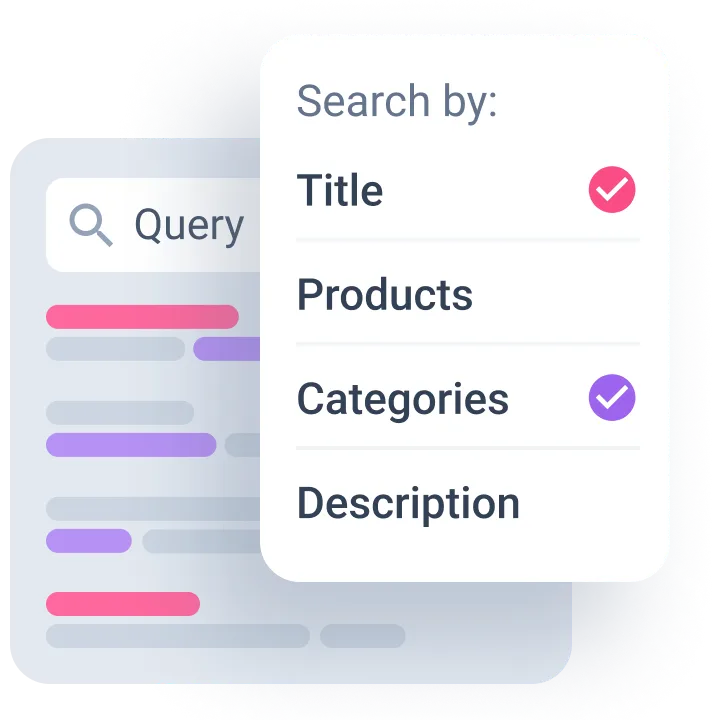
SearchWP is the plugin most frequently recommended by developers and agencies, and the reason is straightforward: it indexes almost everything. Custom fields from ACF, Meta Box, Toolset, and Pods; PDF and Office documents from your media library; custom database tables; shortcode-rendered content; taxonomy terms — all searchable once the plugin indexes your site.
WordPress plugin comparisons on WPlasma
The algorithm isn’t static. It learns from click behavior — results that get clicked more often move up in priority over time — and you can manually adjust content weights to make certain post types or fields rank higher. SearchWP also generates excerpts with highlighted search terms automatically.

Pricing (verified March 2026):
- Standard — $99/year (1 site): PDF/document indexing, custom post types, live Ajax search, keyword stemming, ACF + Gravity Forms integration
- Pro — $199/year (3 sites): Adds WooCommerce, BigCommerce, Easy Digital Downloads, multisite cross-site search, WPML/Polylang, search metrics and statistics
- All Access — $399/year (100 sites): Everything in Pro
Honest caveats: SearchWP has no free version, and the Standard plan at $99/year doesn’t include WooCommerce support — that requires the $199/year Pro plan. There’s also a genuine learning curve; the settings panel is detailed and non-trivial to configure if you’re not comfortable with WordPress internals. That said, it works immediately after activation and doesn’t require any code to get started.
Best for: Developers, agencies, and complex sites (membership platforms, LMS, large content libraries) where search is a core feature and configurability matters. Not the right fit if you want a quick, no-fuss setup.
Relevanssi Premium — Affordable Upgrade for Growing Sites
If you’re already using Relevanssi free and it’s working well, the premium upgrade is low risk. $109/year covers unlimited sites — which makes it one of the most cost-effective premium options if you manage more than one WordPress installation. A one-time $379 permanent license is also available.
The upgrade adds: PDF and attachment content indexing, multisite-wide search, taxonomy term page search (so visitors searching “recipe category name” can find it), user profile search, and search redirect rules. The core behavior — relevance ranking, partial matching, query logging — stays exactly the same.
Ideal for: Existing Relevanssi users who’ve outgrown the free version, and agencies managing multiple WordPress sites on a budget.
FiboSearch — Best Purpose-Built Option for WooCommerce Stores
FiboSearch (listed as “Ajax Search for WooCommerce” on WordPress.org) is designed specifically around product search. With 100,000+ installs and over 1,800 community ratings, it’s the most-reviewed dedicated WooCommerce search plugin available.
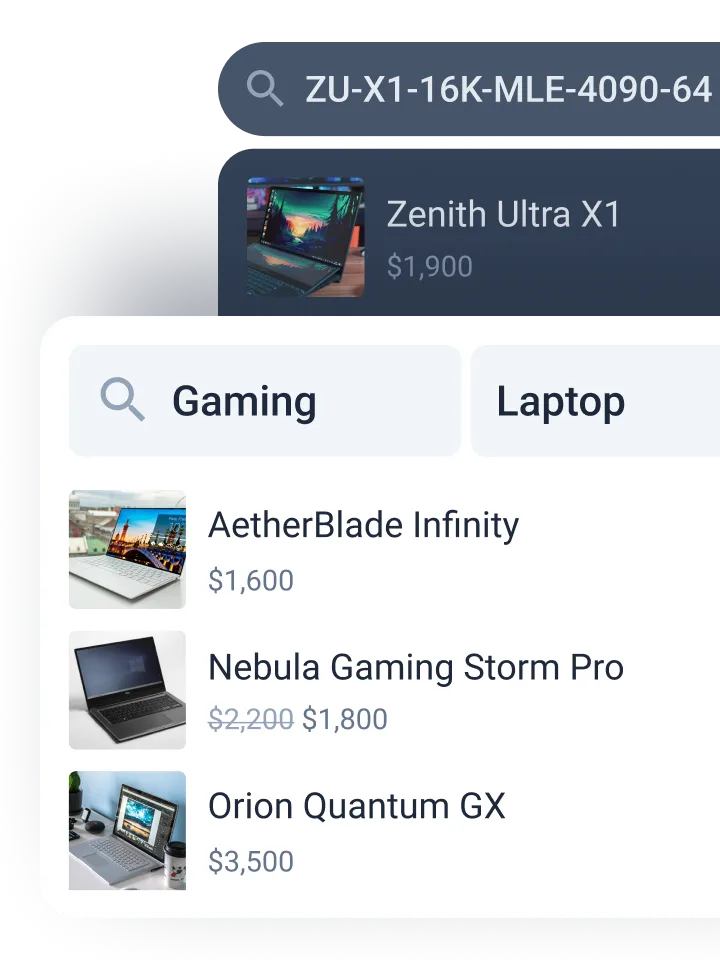
The free version delivers AJAX-powered live product search showing images, prices, and descriptions as the visitor types. That alone is a significant upgrade from WooCommerce’s default behavior. The free version searches by product title, description, short description, and SKU.
FiboSearch Pro pricing (March 2026):
- Personal — $59/year (1 site, up to 10,000 products)
- Entrepreneur — $99/year (3 sites, up to 50,000 products/site)
- Agency — $249/year (25 sites, up to 150,000 products/site)
Pro adds fuzzy search (catches typos), synonym support, variation SKU search, custom field search, and brand/category filtering. Average search response time is claimed at 0.2 seconds — fast enough that customers won’t wait for results.
Known limitation: The one-click theme integration works with roughly 30 popular themes. Outside that list, you’ll need shortcodes or widget placement, which adds a small setup step.
Most suited to: WooCommerce store owners. If your site is primarily a product catalog, FiboSearch’s free version is the easiest upgrade path, and the Pro tiers are priced reasonably for what they deliver.
WooCommerce plugin guides on WPlasma
Jetpack Search — Elasticsearch Power Without Server Management
Jetpack Search brings Elasticsearch-grade performance to WordPress without requiring you to set up and maintain an Elasticsearch server — that infrastructure runs on Automattic’s end. The results are genuinely fast and relevance-ranked, with support for faceted filtering by category, tag, author, and date.
Setup is largely automatic once you purchase, and the settings live inside the WordPress Customizer rather than a separate admin panel. WooCommerce product search is supported.
Pricing: From approximately $5/month for up to 100 “records” (posts, pages, products, or custom content items). That price scales upward as your content library grows — 1,000+ records pushes into the $25/month range, which adds up over time.
Key dependency: Jetpack Search requires the Jetpack plugin to be active. Jetpack is a capable plugin, but it’s also a large one. If not configured carefully, it can introduce performance overhead. This is worth testing before deploying on a production site.
Works best for: Sites with 100 or fewer content records that want Elasticsearch-quality search without any server management. The per-record pricing model becomes costly on larger sites.
AJAX and Live Search — Why It Matters for Visitor Retention
AJAX search shows results as the visitor types, without requiring a full page reload. For most sites, this is now the expected behavior — visitors who type three letters and see nothing until they press Enter are more likely to abandon the search entirely.

Here’s how the major plugins handle AJAX search:
- Ajax Search Lite: Fully AJAX by default, free. This is the plugin’s primary feature.
- Ivory Search: AJAX toggle available in the free version — you enable it in settings.
- FiboSearch: AJAX is the core behavior, both free and paid.
- SearchWP: Live Ajax search is included in the Standard plan ($99/year). SearchWP also offers a free companion plugin — SearchWP Live Ajax Search — that adds AJAX to any WordPress theme without requiring the full SearchWP license.
- Jetpack Search: Real-time results are built in.
- Relevanssi: No AJAX in the free version. Relevanssi focuses on relevance ranking rather than live search behavior.
If live search is your primary requirement and budget is tight, Ajax Search Lite gets you there at no cost. For sites where live search is one feature among many, check whether your preferred plugin includes it in the tier you’re considering.
WordPress Search Plugins and Page Builder Compatibility
Page builders (Elementor, Beaver Builder, Bricks, Divi) add a compatibility layer that some search plugins handle better than others. The search index typically works fine regardless of page builder — the issue is usually around integrating the search form widget or live-search UI within the builder’s layout system.
Elementor and page builder guides on WPlasma
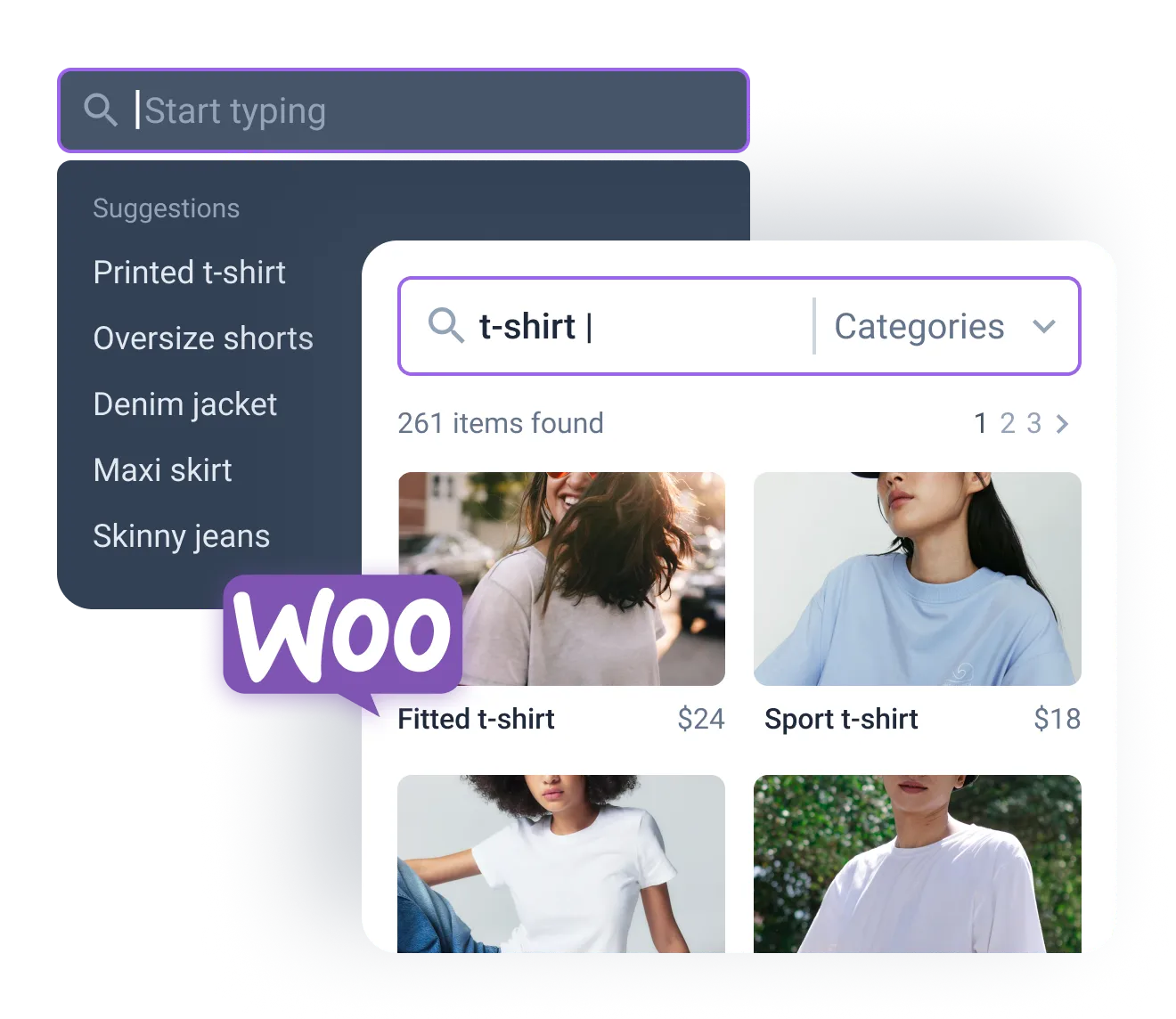
- JetSearch (Crocoblock): Designed specifically for Elementor, Gutenberg, and Bricks. If you’re building within these environments, JetSearch provides native widgets that integrate directly into the builder’s panel. It also includes fuzzy search, analytics, and WooCommerce search.
- Ajax Search Lite: The free version works via shortcode and widget. The Pro version adds native Elementor, Divi, Oxygen, and Beaver Builder widgets.
- Ivory Search: Works via shortcode and widget — no native builder widget, but generally compatible with any builder that supports widgets or shortcodes.
- SearchWP: Compatible with most themes and builders. Some users in the Beaver Builder community have reported it working well alongside Search & Filter Pro for more complex setups.
- Relevanssi: Works at the engine level — it replaces WordPress’s search query results, so it’s builder-agnostic. User testing shows it works with Beaver Builder when combined with Search & Filter Pro.
If you’re building a new site with Elementor or Bricks and search is a central feature, JetSearch saves integration time. For most other builder setups, Ivory Search or Ajax Search Lite (Pro) cover the basics without extra complexity.
Which WordPress Search Plugin Is Right for Your Site?
The fastest way to choose: match your site type to the plugin best built for it. The table below maps common scenarios to the most practical option, with a brief rationale.
| Your Site Type | Recommended Plugin | Why |
|---|---|---|
| Blog / content site (free budget) | Relevanssi (free) | Relevance ranking + comments/tags indexing — what most content sites actually need |
| Any site that wants AJAX search, free | Ajax Search Lite | 2.1M+ installs, full AJAX, no cost — hard to beat as a starting point |
| Site needing styled search forms | Ivory Search (free) | Form builder + AJAX + multilingual, all free — best design flexibility at zero cost |
| WooCommerce store | FiboSearch | Built for product search; live AJAX, SKU, and image results out of the box |
| Developer / agency / complex site | SearchWP (Standard or Pro) | Indexes everything; ACF, PDFs, custom DB tables, behavior-learning algorithm |
| Elementor or Bricks Builder site | JetSearch (Crocoblock) | Native builder widgets; no shortcode workarounds needed |
| Large content library (100+ records), needs speed | Jetpack Search | Elasticsearch-quality results; no server management required |
| Multisite network or managing many sites | Relevanssi Premium | $109/year covers unlimited sites — best cost-per-site ratio of any paid option |
| Enterprise / high-traffic, self-hosted ES | ElasticPress | 1M+ installs, free plugin — requires your own Elasticsearch infrastructure |
FAQ — WordPress Search Plugin Questions Answered
Does installing a search plugin slow down my WordPress site?
It depends on the plugin. Relevanssi adds a separate search index to your database — approximately 3× the size of your wp_posts table — which can be a concern on shared hosting with tight storage limits. Ajax Search Lite and Ivory Search have a lighter footprint. Jetpack Search offloads the heavy lifting to Automattic’s servers, so it doesn’t add database load locally. In general, run a performance test before and after installing any search plugin to check for page load regressions.
Which WordPress search plugin has the most active installations?
Ajax Search Lite leads with over 2.1 million active installations as of March 2026 — making it by far the most widely deployed search plugin on WordPress.org. ElasticPress is second, with over 1 million installs, though it serves a different use case (Elasticsearch-powered enterprise search). Ivory Search and Relevanssi both sit at 100,000+ in the WordPress.org “100,000+” reporting tier.
Can I use a search plugin with WooCommerce for free?
Yes. FiboSearch’s free version delivers AJAX-powered product search with images, prices, and descriptions out of the box. Ivory Search’s free version includes basic WooCommerce compatibility. Ajax Search Lite also supports WooCommerce products in its free tier. All three are solid starting points before committing to a paid plan.
What is AJAX search in WordPress?
AJAX search shows results in real time as the visitor types, without requiring a full page reload. Standard WordPress search redirects visitors to a results page after they press Enter — AJAX search skips that step by fetching and displaying matching results instantly in a dropdown. It typically improves engagement and reduces search abandonment, particularly on mobile devices where full-page reloads feel slow.
Does Relevanssi work with Elementor or Beaver Builder?
Relevanssi operates at the WordPress query level — it replaces the results of WordPress’s native search query regardless of what theme or page builder you’re using. Users in the Beaver Builder community have confirmed it works when combined with Search & Filter Pro. For Elementor sites, Relevanssi generally works without modification. If you run into compatibility issues, test on a staging site first and consult the Relevanssi knowledge base.
How do I make WordPress search through custom fields?
The default WordPress search doesn’t query custom fields at all. You need a plugin that extends the search index. Relevanssi (free) includes custom field search. SearchWP Standard ($99/year) supports ACF, Meta Box, Toolset, and Pods fields explicitly. Ivory Search (free) also covers custom fields. If you’re using ACF specifically, the free ACF: Better Search plugin on WordPress.org is a lightweight standalone option.
Is SearchWP worth the cost for small businesses?
For most small business sites, probably not. SearchWP’s Standard plan at $99/year is justified when your site depends heavily on search — a large resource library, complex custom post type setup, or a membership site where members search for specific content. For a typical small business website with standard pages and blog posts, a free option like Ajax Search Lite or Ivory Search covers the basics without the cost or complexity.
What is the difference between Relevanssi free and premium?
The free version handles relevance ranking, partial matching, phrase search, comments, tags, categories, and custom field indexing — solid functionality for most content sites. The premium version ($109/year, unlimited sites) adds PDF and document attachment search, multisite-wide search, taxonomy page indexing, user profile search, and search redirect rules. It’s the same plugin with an unlock key rather than a separate product.
Does Jetpack Search require the full Jetpack plugin?
Yes. Jetpack Search is a component of the Jetpack plugin ecosystem and requires Jetpack to be active. Jetpack itself is free and widely used, but it’s a large plugin that loads multiple modules — some of which you may not need. You can disable individual Jetpack modules, but it adds configuration overhead. If you’re already using Jetpack for other features (CDN, security, performance), adding Jetpack Search is a straightforward upgrade. If you’re not using Jetpack, the dependency is a meaningful consideration.
Closing Thoughts
There’s no single best WordPress search plugin — the right choice comes down to what your site is built on and what your visitors are actually trying to find. For a content site that just needs better relevance, Relevanssi free or Ajax Search Lite handles it without spending anything. For a WooCommerce store, FiboSearch’s free tier is a genuine upgrade over the default. For developers managing complex sites with ACF fields, PDFs, and custom post types, SearchWP is the most capable option available.
The comparison table above summarizes where each plugin sits. If you’re still unsure, install the free version of your top candidate on a staging site, run a few test searches, and see how it behaves with your actual content. Most of the paid options also offer 14–30 day money-back guarantees, so testing a premium tier before committing is always an option.
