


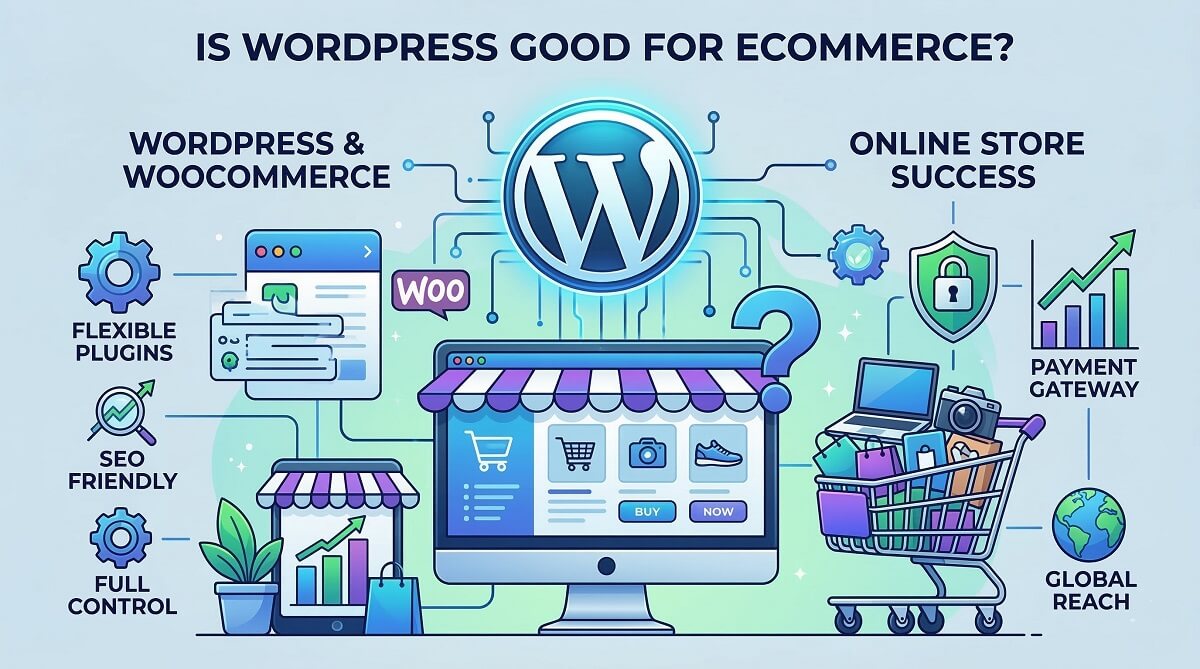
Most articles that answer this question are written by agencies trying to win your development project, or by plugin companies promoting their own tools. You deserve something different — a straightforward breakdown of where WordPress genuinely excels for ecommerce, where it falls short, and how to figure out which side of the line your business falls on.
The short answer: WordPress is very good for ecommerce, particularly when paired with WooCommerce. It powers somewhere around 33% of all ecommerce websites globally, according to W3Techs data tracking over 4.5 million WooCommerce stores. That’s not a platform people are using reluctantly — it’s a deliberate choice made by millions of business owners who need something powerful, flexible, and cost-effective.
But WordPress isn’t the right answer for every situation. This article will give you the full picture, including the scenarios where a different platform serves you better.

The Short Answer: Bottom Line Up Front
Before diving into the details, here’s the condensed version for readers who need a quick decision framework:
- WordPress ecommerce is an excellent fit if: You already have a WordPress site, you need a content-rich store (blog + shop), you want full data ownership, you need heavy customization, or you have access to some technical resources.
- WordPress ecommerce is a poor fit if: You want a completely hands-off managed solution, you need a mature point-of-sale system out of the box, or you’re a non-technical solo founder with no budget for setup help.
Quick decision checklist:
- Do you already have a WordPress site? → WordPress ecommerce is the natural extension
- Do you need a blog, guides, or content alongside selling? → WordPress wins here
- Are you a complete beginner who wants something running in an afternoon? → Shopify is simpler out of the gate
- Do you need complex custom workflows or integrations? → WordPress + WooCommerce gives you full flexibility
- Are you concerned about monthly platform fees eating into margins? → WordPress charges $0 platform fees
Now let’s get into the substance behind that checklist.
What Makes WordPress Worth Considering for Ecommerce
WordPress powers roughly 43% of all websites on the internet. That’s a staggering number, but it explains why the ecommerce ecosystem built around it is so mature. WooCommerce, the leading WordPress ecommerce plugin, has over 6 million active installs and accounts for approximately 33% of all ecommerce sites globally — making it the most widely used online store solution in the world by install count.
WordPress wasn’t originally built for ecommerce. It started as a blogging platform in 2003. But that origin is actually one of its greatest strengths for modern ecommerce: it was designed to handle content at scale, which means a WordPress ecommerce store can do what most dedicated platforms can’t — seamlessly blend a product catalog with editorial content, educational resources, and a marketing blog in a single unified site.
The core combination is simple: WordPress handles your content management and site structure; WooCommerce layers full ecommerce functionality on top. Together, they cover:
- Physical and digital product management
- Inventory tracking and stock control
- Multiple payment gateways (Stripe, PayPal, and 100+ others)
- Flexible shipping zones and rates
- Automated tax calculations (including international VAT)
- Customer account management and order history
- Discount codes, sale pricing, and product variations

The platform decision matters more than most people realize at the start. Migrating an established online store is painful. Choosing WordPress means betting on a platform that is open-source, community-maintained, and not owned by a company that could change its pricing, shut down, or limit your options down the road.
The Real Strengths of WordPress for Ecommerce
Real-world capabilities often differ from the marketing copy — here is what WordPress actually delivers for ecommerce businesses.
True Ownership and Data Control
Self-hosting means you own everything: your domain, your codebase, your customer data, your order history. This sounds abstract until something goes wrong — and it matters a lot in practice.
Hosted platforms like Shopify store your data on their servers under their terms of service. If Shopify decides to terminate your account, suspend your store, or change its policies, your business is at risk. With WordPress, you can take a full site backup and restore it on any hosting provider within hours. Your customer emails, transaction records, and product data are yours in formats you can export and use anywhere.
For businesses operating under GDPR (EU/UK) or other data privacy regulations, self-hosting also gives you direct control over where customer data lives and how it’s processed — something you can’t fully dictate on a hosted platform.
Cost Structure — No Platform Fees, No Revenue Caps
WordPress and WooCommerce are free software. That sentence matters enormously over the lifetime of a business.
Shopify charges $19-$299/month (billed annually) just for the platform, plus additional transaction fees of 0.6-2% when you use a payment processor other than Shopify Payments (shopify.com/pricing, verified February 2026). A store processing $10,000/month through Stripe on Shopify Basic pays an extra 2% = $200/month, or $2,400/year, in platform fees alone — on top of the plan cost.
WordPress charges exactly $0 in platform transaction fees. You pay only the standard rates of your payment processor (e.g., Stripe’s 2.9% + 30¢ per transaction), and nothing goes to WordPress or WooCommerce.
What does running a WordPress ecommerce store actually cost? Here’s a realistic breakdown by scale:
| Cost Item | Budget Tier | Mid-Range Tier | Enterprise Tier |
|---|---|---|---|
| Hosting | Hostinger: ~$48–84/yr | WP Engine Starter / SiteGround: ~$150–300/yr | WP Engine Pro / Kinsta: ~$480–1,200/yr |
| Domain | ~$10–15/yr | ~$10–15/yr | ~$10–15/yr |
| SSL Certificate | Free (Let’s Encrypt) | Free (included with host) | Free or ~$50/yr |
| WooCommerce core | Free | Free | Free |
| Theme | Free (Storefront/Astra) | $60–89/yr (Astra Pro, Flatsome) | Custom: $2,000–10,000 one-time |
| Key WooCommerce extensions | $0–50/yr | $100–300/yr | $300–800/yr |
| SEO plugin | Free (Yoast Free) | $60–100/yr (Yoast Premium / Rank Math Pro) | $100/yr |
| Security plugin | Free (limited features) | Wordfence Premium: ~$119/yr | $200–500/yr |
| Developer support | DIY | $0–500/yr (occasional help) | $1,000–3,000/yr |
| Estimated Annual Total | ~$80–200/yr | ~$490–1,300/yr | ~$2,000–5,500+/yr |
The budget tier works for concept validation and low-volume stores. The mid-range tier is realistic for most established small businesses processing several hundred orders per month. Enterprise tier covers high-traffic, high-complexity operations.
Compare the mid-range WordPress cost (~$490–1,300/yr) to Shopify’s Grow plan ($49/month = $588/yr) before transaction fees, and the cost advantage of WordPress depends heavily on your transaction volume and whether you use Shopify Payments.
Unmatched Customization and Flexibility
The WordPress plugin repository contains over 59,000 free plugins. WooCommerce itself has a marketplace of hundreds of official extensions covering every ecommerce scenario imaginable: subscriptions, recurring billing, product bundles, dynamic pricing, advanced shipping rules, multi-currency support, affiliate programs, age verification, auction-style listings, and much more.
More importantly, WordPress is fully open source. Any developer in the world can modify your site at the code level. You’re not waiting for Shopify to add a feature to their roadmap — you can build exactly what your business needs. This matters especially for:
- Complex B2B pricing (different prices for different customer groups)
- ERP system integrations (QuickBooks, SAP, custom internal systems)
- Multi-warehouse inventory management
- Custom product configurators (build-your-own product tools)
- Unique checkout flows tailored to specific industries

SEO Advantages That Matter for Ecommerce
Search engine optimization is often the deciding factor for long-term ecommerce profitability. WordPress gives you more SEO control than any hosted platform.
With WordPress you have complete authority over:
- URL structure — choose your permalink format, create clean category URLs, avoid forced subdirectories
- Title tags and meta descriptions — edit every element on every page without template restrictions
- Schema markup — add product schema, breadcrumb schema, review schema via plugins or custom code
- Site architecture — design your category and product hierarchy for maximum SEO benefit
- Page speed — choose your caching solution, CDN, and hosting provider to hit Core Web Vitals targets
The SEO plugins available for WordPress are industry-leading. Yoast SEO, Rank Math, and AIOSEO all provide comprehensive optimization tools far beyond what’s built into Shopify. For ecommerce specifically, these plugins help with product page optimization, XML sitemaps for large catalogs, and integration with Google Search Console.
Perhaps more importantly, WordPress lets you run a genuine content marketing operation alongside your store. A blog with buying guides, comparison articles, and tutorials drives organic traffic that converts into customers — and that content management system is what WordPress was built for. Shopify’s blogging capabilities are functional but limited; WordPress’s are exceptional.
Scalability for Real Growth
One of the persistent myths about WordPress is that it can’t handle large-scale ecommerce. The data says otherwise.
Kellox, Norway’s largest importer of motorized products (motorcycles, ATVs), manages over 800,000 SKUs on WooCommerce. Their migration from Magento in 2019 demonstrated WooCommerce’s ability to handle bulk product updates of 500,000 items at a time, with custom ERP integration for B2B pricing. This is not a small store coasting on easy traffic — it’s a serious enterprise ecommerce operation running on WordPress.
The key to scalability with WordPress is infrastructure: shared hosting won’t cut it for a high-volume store, but managed WordPress hosting from WP Engine (starting at $25/month) or Kinsta (from $30/month) combined with proper caching and a CDN gives you the performance headroom to handle serious traffic spikes.

The Honest Drawbacks of WordPress for Ecommerce
Flexibility has a cost. Most agencies won’t tell you this clearly, but the same features that make WordPress powerful also make it more demanding to manage than hosted alternatives.
You Are Responsible for Everything
On Shopify, you pay a monthly fee and the platform handles hosting, security updates, uptime monitoring, and core software maintenance. On WordPress, all of that is your responsibility (or your developer’s).
Practical implications:
- WordPress core updates need to be applied and tested for compatibility
- Plugin updates need to be reviewed — sometimes they break things
- You need a backup system that runs automatically and stores backups off-site
- Hosting performance monitoring falls to you
- If your site goes down at 2am, there’s no built-in support line to call (unless your hosting provider offers 24/7 support)
Realistically, a mid-range WordPress store with good hosting and a maintenance plugin (like ManageWP or WP Umbrella) requires 2-4 hours per month of maintenance activity. That’s manageable for most business owners, but it’s time Shopify merchants don’t have to spend.
The Learning Curve Is Real for Beginners
WordPress’s dashboard is intuitive for content management, but WooCommerce configuration is meaningfully more complex than Shopify’s setup wizard. First-time store owners frequently underestimate what’s involved in:
- Setting up tax rates correctly for different regions or countries
- Configuring shipping zones with carrier-calculated rates
- Installing and connecting payment gateways
- Choosing compatible plugins that don’t conflict with each other
- Understanding the difference between pages WooCommerce creates (cart, checkout, account) and regular WordPress pages
None of this is beyond a motivated non-developer — but it takes several hours to get right, and mistakes can lead to checkout errors, incorrect tax collection, or shipping calculation problems. Many small business owners benefit from using managed WordPress hosting with one-click WooCommerce installation and pre-configured stacks that reduce the initial setup complexity.
Security Requires Active Management
WordPress is one of the most popular software platforms on the internet, which makes it one of the most frequently targeted. In 2021, Wordfence blocked over 86 billion unauthorized password attempts against WordPress sites. The scale of attacks is a direct consequence of WordPress’s dominance — attackers automate their tools against the most common platform.
The cost of a security breach for a small business is not trivial. Research cited by SpamTitan estimates the average data breach costs small businesses approximately $117,000, factoring in downtime, customer notification, and recovery work.
The good news: WordPress security vulnerabilities are almost entirely preventable with standard practices:
- Install a security plugin (Wordfence or Sucuri are the most established options)
- Keep WordPress core, themes, and plugins updated — the vast majority of compromised sites are running outdated software
- Use strong, unique passwords and enable two-factor authentication on your admin account
- Install only plugins from the official WordPress repository or reputable developers
- Choose a hosting provider that includes malware scanning and firewall protection
- Ensure your SSL certificate is properly configured (required for PCI compliance on any site taking card payments)

Performance Needs Deliberate Optimization
A fresh WordPress installation with WooCommerce and several plugins will not perform optimally without configuration. Shared hosting, unoptimized images, and too many plugins loading unnecessary scripts are the most common causes of slow WooCommerce stores.
Google’s Core Web Vitals benchmarks set the performance bar: LCP (Largest Contentful Paint) should be under 2.5 seconds, INP (Interaction to Next Paint) under 200 milliseconds, and CLS (Cumulative Layout Shift) under 0.1 (web.dev/articles/vitals, Google official documentation). A properly configured WordPress store absolutely hits these targets — but getting there requires:
- Quality hosting (managed WordPress hosting significantly outperforms shared hosting)
- A caching plugin (WP Rocket, LiteSpeed Cache, or W3 Total Cache)
- Image optimization and next-gen formats (WebP)
- A Content Delivery Network (CDN) for global audiences
- Minimal, well-chosen plugins (fewer high-quality plugins beats many poorly maintained ones)
This is effort that Shopify merchants don’t need to invest — Shopify handles infrastructure performance. Whether that trade-off is worth it depends on your priorities and technical resources.
Learn more WordPress optimization tips
Which WordPress Ecommerce Plugin Is Right for Your Store?
WooCommerce is not your only option when selling through WordPress. The right plugin depends on what you’re selling and how complex your requirements are.
| Plugin | Best For | Core Cost | Premium/Extensions | Platform Transaction Fees | Learning Curve |
|---|---|---|---|---|---|
| WooCommerce | Physical + digital products, all store types, most businesses | Free | Extensions: $0–$300/yr each | None | Medium |
| SureCart | Digital products, subscriptions, simpler storefronts, faster setup | Free | Pro plans + Lifetime $1,599 | None | Lower than WooCommerce |
| Easy Digital Downloads (EDD) | Digital downloads exclusively (software, ebooks, courses, plugins) | Free | Personal $99.50/yr, Extended $199.50/yr, Professional $299.50/yr, All-Access $499.50/yr | None | Low-Medium |
| BigCommerce for WordPress | Large stores wanting managed ecommerce engine with WP content | Requires BigCommerce subscription ($39+/month) | BigCommerce pricing | None (BigCommerce side) | Medium |
WooCommerce remains the best choice for most stores because of its flexibility, community, and extension ecosystem. For a physical product store or a business with mixed product types, WooCommerce is the default recommendation.
SureCart is worth considering if you’re selling primarily digital products or subscriptions and want a simpler setup. Its architecture differs from WooCommerce (SureCart processes transactions through its own servers, which reduces the performance impact on your WordPress site).
Easy Digital Downloads is purpose-built for digital product sellers — software developers, course creators, ebook authors, and anyone selling downloadable files. Its focused scope makes it lighter and simpler than WooCommerce for these use cases.
BigCommerce for WordPress is a hybrid approach: WordPress handles your content and design, while BigCommerce powers the actual storefront and transaction processing. This makes sense for large operations that need BigCommerce’s enterprise features alongside WordPress’s content capabilities.
WordPress vs Shopify vs BigCommerce: The Comparison That Actually Matters
Side-by-side platform comparisons are everywhere, but most of them miss the financial details that matter most for business owners. Here’s a complete comparison including the numbers that affect your bottom line:
| Feature | WordPress + WooCommerce | Shopify | BigCommerce |
|---|---|---|---|
| Software cost | Free (open source) | $19–$299/month (billed yearly) | $39–$399/month (billed yearly) |
| Hosting | Your choice ($4–$100+/month) | Included in plan | Included in plan |
| Platform transaction fee | $0 | 0.6–2% (with 3rd-party processors) | $0 |
| Payment processing fee | Processor rate only (e.g., Stripe 2.9%+30¢) | Processor rate (or Shopify Payments: 2.5–2.9%) | Processor rate only |
| Customization | Unlimited (full open source access) | Limited to themes + Liquid templates | More than Shopify; less than WP |
| Technical requirement | Medium to High | Low (beginner-friendly) | Low to Medium |
| SEO control | Complete control over all SEO elements | Good, but URL structure restricted | Good, some URL limitations |
| Data ownership | Full (self-hosted, you own everything) | Limited (Shopify owns your data’s hosting) | Limited (hosted platform) |
| Content / Blogging | Exceptional (WordPress’s core strength) | Functional but limited | Functional but limited |
| Scalability ceiling | No ceiling (depends on hosting) | Shopify Plus at $2,300+/month for enterprise | Enterprise plans available |
| Built-in support | Community + hosting provider support | 24/7 built-in support | 24/7 built-in support |
| POS system | WooCommerce POS (limited) | Shopify POS (strong, widely adopted) | Limited POS options |
| Best for | Content-driven stores, customization-heavy needs, ownership-focused businesses | Pure ecommerce focus, beginners, POS + online retail | Mid-to-large businesses, B2B, no transaction fee priority |
The transaction fee calculation is critical and often overlooked. If your store processes $5,000/month in sales using Stripe on Shopify’s Basic plan, you’re paying Shopify 2% of every transaction ($100/month = $1,200/year) just to use a non-Shopify payment processor. On WooCommerce, that fee is $0. Over three years, that’s $3,600 in savings — enough to cover several years of managed WordPress hosting.
That said, Shopify Payments (Shopify’s native payment processor) eliminates the extra transaction fee. So the comparison depends on whether Shopify Payments is available in your country and whether it offers competitive rates for your business.
What Type of Ecommerce Store Fits WordPress Best?
Not every store type is equally well-served by WordPress. Here’s a realistic assessment by store category:
| Store Type | WordPress Fit | Best Plugin | Notes |
|---|---|---|---|
| Physical products (small-medium catalog) | ⭐⭐⭐⭐⭐ Excellent | WooCommerce | Strong default fit; no transaction fees |
| Physical products (large catalog, 5,000+ SKUs) | ⭐⭐⭐⭐ Great (with proper hosting) | WooCommerce + performance optimization | Requires managed hosting; HPOS enabled |
| Digital downloads (ebooks, software, courses) | ⭐⭐⭐⭐⭐ Excellent | Easy Digital Downloads or WooCommerce | No shipping complexity; EDD built for this |
| Subscriptions and memberships | ⭐⭐⭐⭐ Great | WooCommerce Subscriptions or SureCart | Flexible billing; recurring revenue support |
| B2B wholesale | ⭐⭐⭐⭐ Great | WooCommerce + B2B plugins | Custom pricing, quote requests, bulk ordering |
| Dropshipping | ⭐⭐⭐ Good | WooCommerce + AliDropship or WooDropship | Works well; Shopify integrations are more mature for this use case |
| Multi-vendor marketplace | ⭐⭐⭐⭐ Great | WooCommerce + Dokan or WCFM Marketplace | Full control over vendor terms and fees |
| Service-based business | ⭐⭐⭐⭐⭐ Excellent | WooCommerce or WPForms + Stripe | Bookings, consultation payments, service bundles |
| Brick-and-mortar needing integrated POS | ⭐⭐ Limited | WooCommerce POS (limited features) | Shopify POS is significantly more developed here |
| Flash sale / high-traffic events | ⭐⭐⭐⭐ Great (with infrastructure) | WooCommerce + managed hosting + Redis | Requires robust hosting; not default shared hosting |

What Does WordPress Ecommerce Require From You? A Skill Level Guide
One of the most honest questions to ask when evaluating WordPress is: what does it actually demand in terms of your time and technical ability?
| Level | Setup Approach | Key Tools | Time to Launch | What You’ll Need Help With |
|---|---|---|---|---|
| Beginner (No-code) | Managed hosting with 1-click WooCommerce install; starter template | Hostinger / SiteGround, Storefront or Astra theme, Stripe/PayPal gateways | 1–3 days for a basic store | Custom checkout flows, advanced shipping, API integrations |
| Intermediate | Managed hosting + WooCommerce + selected extensions; theme customization | WP Engine or Kinsta, Astra Pro or Flatsome, WooCommerce Subscriptions, cart abandonment plugins | 1–2 weeks for a full-featured store | Complex custom functionality, third-party API integrations |
| Developer / Advanced | Custom WooCommerce hooks/filters, REST API integrations, headless WP architecture | Custom theme, WooCommerce REST API, ERP/CRM connectors, Redis caching | 4–12+ weeks depending on complexity | Nothing — full access to everything |
The beginner tier is genuinely accessible. Modern managed WordPress hosting providers have simplified the initial setup enormously — you can have a WooCommerce store accepting payments within a day if you use a starter theme and default plugin configurations. The complexity creeps in when you need features beyond the defaults.
The intermediate tier covers most real-world business needs: multiple product types, subscriptions, automated email follow-ups, loyalty programs, and performance optimization. This is where most established small businesses operate, and it’s also where having at least a basic developer relationship (even occasional freelance help) pays for itself.
When WordPress Is NOT the Right Choice for Ecommerce
This section won’t appear in most WordPress advocacy pieces, but it’s arguably the most useful part of this article for some readers.
There are specific scenarios where WordPress is genuinely the wrong tool:
1. You want zero ongoing maintenance responsibility. If the idea of running plugin updates, monitoring security, and managing hosting feels burdensome, that’s a legitimate concern. Shopify and BigCommerce are fully managed platforms — you pay a monthly fee, and infrastructure maintenance is entirely their problem. WordPress requires active management. The question isn’t whether you can handle it; it’s whether you want to.
2. You need a mature integrated POS system. If your business operates both online and from a physical retail location with sophisticated point-of-sale requirements — staff permissions, complex inventory sync across locations, integrated gift cards — Shopify POS is significantly more developed than WooCommerce’s POS solutions. This is a clear category where Shopify has a meaningful advantage.
3. You’re building a pure dropshipping operation at volume. Shopify’s integrations with DSers, AutoDS, and Zendrop are more seamless than equivalent WooCommerce integrations for high-volume dropshipping with automatic order fulfillment and supplier management. WooCommerce can do it, but the tooling is less mature.
4. You’re a non-technical founder with no budget for initial setup help. WordPress’s flexibility requires initial configuration decisions that have lasting consequences (hosting choice, theme architecture, plugin stack). Getting these wrong at the start creates problems that are expensive to fix. If you genuinely have no technical background and no access to someone who does, the managed simplicity of Shopify will serve you better in the short term.
5. You need enterprise-grade uptime SLAs with dedicated support. Shopify Plus and BigCommerce Enterprise include contractual uptime guarantees and dedicated support teams. WordPress’s uptime depends entirely on your hosting provider’s SLA, which varies widely. For businesses where 99.99% uptime is a contractual requirement, managed enterprise platforms offer a cleaner guarantee.
6. Your core requirement is speed to launch, not long-term ownership. If you need to validate a business concept quickly with minimal setup time, Shopify’s onboarding experience is faster than WordPress. You can be taking orders on Shopify in a few hours with zero technical configuration. WordPress requires more setup investment upfront even in its simplest form.
Knowing these scenarios doesn’t mean avoiding WordPress — it means making an informed choice rather than a default one.
How Real Businesses Use WordPress for Ecommerce
Abstract capabilities are easy to claim. These are specific documented cases of WordPress ecommerce in real-world operation:
DOMMA: 350% Revenue Growth Through Content + Commerce
DOMMA is a Spanish wellness brand founded in 2020, focused on supporting women through menopause. They built a community of over 100,000 women through educational content published on their WordPress site, then monetized through WooCommerce-powered product sales and subscriptions.
In 2023, DOMMA achieved 350% year-over-year revenue growth, with site traffic up 79% and conversion value increasing 139% year-over-year. WooCommerce accounts for 99% of their business revenue, with significant recurring income from subscriptions. Their story demonstrates the content-plus-commerce combination that WordPress uniquely enables: the same platform that publishes health education content also processes their product sales.

House of Malt: Top 3 UK Online Alcohol Retailer
House of Malt is an independent family spirits retailer from Northern England that adopted WooCommerce in 2017. After migrating to WooCommerce and expanding their payment options, they saw their average order value increase by 22% and reached a ranking among the top three online alcohol retailers in the UK. WooCommerce’s payment flexibility reduced their payout times from seven days to one day, directly improving their cash flow.
Kellox: 800,000+ SKUs, B2B Complexity at Scale
Kellox, Norway’s largest motorized products importer, manages over 800,000 product SKUs through WooCommerce after migrating from Magento in 2019. Their WooCommerce setup handles bulk product updates of 500,000 items at a time, custom B2B pricing for different customer segments, and deep ERP integration for inventory management. This is as complex as B2B ecommerce gets — and WordPress handles it.

Getting Started: The WordPress Ecommerce Setup Checklist
If you’ve decided WordPress is the right platform, here’s the essential setup sequence to do it properly from the start:
- Choose quality hosting first. This is the single most important decision. Don’t start on shared bargain hosting for a live store — the performance and security baseline matters. SiteGround, WP Engine, Kinsta, or Cloudways all offer managed WordPress hosting suitable for ecommerce. Hostinger is a reasonable budget choice for very early-stage stores.
- Install WordPress and WooCommerce. Most managed hosting providers offer one-click installation for both. Follow WooCommerce’s setup wizard to configure your store’s currency, default country, payment gateway, and shipping options.
- Choose an ecommerce-optimized theme. Storefront (WooCommerce’s free official theme), Astra, Flatsome, and GeneratePress are all solid starting points. Avoid theme-heavy page builders that add unnecessary script bloat.
- Set up your payment gateway. Stripe and PayPal are the minimum. Both have official WooCommerce plugins that install cleanly. Ensure your SSL certificate is active before processing any payments.
- Configure your essential plugin stack. At minimum: an SEO plugin (Yoast or Rank Math), a caching plugin (WP Rocket or LiteSpeed Cache if your host supports it), a security plugin (Wordfence), and a backup plugin (UpdraftPlus).
- Add your products. Take time with product titles, descriptions, and images — these directly affect SEO and conversion. Set up your category structure deliberately; it’s much harder to restructure later.
- Test the complete checkout flow with a real (small) transaction before launching. Check that confirmation emails send, that your shipping calculation works for test addresses, and that order management in the dashboard looks correct.
- Connect Google Analytics and Search Console. MonsterInsights provides a clean WooCommerce integration with Google Analytics 4. Search Console verification confirms your site is crawlable and shows search performance data.
The quality of your initial setup shapes years of operation. Taking an extra day to do it right — particularly on hosting choice, theme selection, and plugin curation — saves significant headaches later.
Frequently Asked Questions About WordPress for Ecommerce
Is WordPress free for ecommerce?
The WordPress software itself is free, and WooCommerce (the leading ecommerce plugin) is also free. You will need to pay for web hosting, a domain name, and potentially an SSL certificate — but many hosting providers include the SSL. Premium themes and extensions add optional costs. A basic WordPress ecommerce store can run on approximately $80–200 per year for hosting and domain, which is the full mandatory cost. Anything beyond that (premium themes, paid extensions, security plugins) is optional but often worthwhile as your business grows.
Do I need WooCommerce to sell on WordPress?
WooCommerce is the most common solution, but it’s not the only option. Easy Digital Downloads works well for digital products and downloads. SureCart is a newer alternative suited to subscriptions and simpler storefronts. For very simple payment collection (a single product or service), a payment form plugin (like WPForms with Stripe integration) can handle transactions without a full ecommerce plugin. Most stores selling physical products or running a multi-product catalog will find WooCommerce the best fit.
Can WordPress handle thousands of products?
Yes, with the right infrastructure. WooCommerce itself has no hard product limit. Kellox operates over 800,000 SKUs on WooCommerce. What determines scale capability is your hosting environment: shared hosting struggles with large catalogs and high traffic; managed WordPress hosting from providers like WP Engine or Kinsta handles thousands to hundreds of thousands of products reliably. For very large catalogs, WooCommerce’s High-Performance Order Storage (HPOS) feature should be enabled for database optimization.
Is WordPress secure enough for handling payments?
Yes, when properly configured. WordPress itself doesn’t handle payment card data — that’s processed by your payment gateway (Stripe, PayPal, etc.) through their own PCI-compliant infrastructure. Your responsibility is securing access to your site (SSL certificate, strong authentication, security plugin, kept updated). A WordPress store with a quality security plugin, maintained updates, and a reputable hosting provider is a secure environment for ecommerce. The security risk comes from neglect — outdated plugins, weak passwords, poor hosting — not from WordPress inherently.
How does WordPress compare to Shopify for ecommerce?
Shopify is simpler to set up and fully managed — no hosting or security management required. WordPress is more powerful, more customizable, and has no platform transaction fees. Shopify charges 0.6–2% on transactions when using third-party payment processors (waived with Shopify Payments). WordPress charges $0 in platform fees. For content-driven stores, businesses needing heavy customization, or operations prioritizing long-term cost structure, WordPress has clear advantages. For pure ecommerce beginners who want a managed experience or need a strong POS system, Shopify is easier to start with.
What are the ongoing costs of a WordPress ecommerce store?
A realistic ongoing cost for a mid-range WordPress store runs approximately $490–$1,300 per year. This covers managed WordPress hosting ($150–300/yr), a premium ecommerce theme ($60–90/yr), key WooCommerce extensions ($100–300/yr), an SEO plugin ($60–100/yr), and a security plugin ($119/yr). Developer support for occasional customizations or troubleshooting adds $0–500/yr depending on your needs. High-volume operations with enterprise hosting and full plugin stacks run $2,000–5,500/yr or more.
Can I migrate from Shopify to WordPress?
Yes. Migrating from Shopify to WooCommerce is achievable with tools like the WooCommerce Cart2Cart migration service, LitExtension, or manual CSV export/import. Product data, customer records, and order history can all be transferred. The process requires some technical coordination — particularly for product variants, image URLs, and redirecting old Shopify URLs to new WordPress URLs — but it’s a well-documented migration path. Many businesses make this move specifically to reduce costs as they scale.
Is WordPress good for dropshipping?
WordPress supports dropshipping, but it’s not as streamlined as Shopify for this use case. WooCommerce integrates with AliDropship, WooDropship, and Dropified for supplier product imports and automated order forwarding. Shopify’s integrations with DSers and AutoDS are more mature and have larger supplier networks. WordPress dropshipping works well for focused dropshipping operations, particularly when combined with a content marketing strategy. For pure high-volume automated dropshipping with many suppliers, Shopify’s ecosystem is more developed.
What hosting do I need for a WooCommerce store?
For a live ecommerce store, avoid basic shared hosting. The minimum recommended setup is managed WordPress hosting or a VPS with WordPress optimization. SiteGround’s GrowBig or GoGeek plans handle small-to-medium stores. WP Engine’s Startup or Growth plans work well for established stores. Kinsta offers excellent performance from its Starter plan upward. All managed WordPress hosts handle server-level caching, security updates, and technical optimization that would otherwise require developer expertise to configure. For high-traffic stores or large catalogs, allocate budget for hosting that matches your traffic requirements.
Does WooCommerce charge transaction fees?
No. WooCommerce itself charges zero transaction fees — no platform percentage, no per-sale charge. You pay only the fees your payment processor charges (for example, Stripe’s standard rate of 2.9% + 30¢ per transaction in the US). WooPayments (WooCommerce’s own payment solution) also charges no additional platform fees beyond standard processing rates. This is one of WooCommerce’s significant financial advantages over Shopify, which charges 0.6–2% in additional transaction fees when using third-party processors.
Conclusion: WordPress Ecommerce Is a Capable Platform Worth the Effort
WordPress is genuinely good for ecommerce — not in a “it’ll get the job done” way, but in a “this is one of the most powerful ecommerce foundations available if you use it correctly” way. The combination of WooCommerce’s feature depth, WordPress’s content capabilities, zero platform transaction fees, and full data ownership creates a platform that outperforms most alternatives on long-term value.
The tradeoff is real: WordPress demands more from you than a managed hosted platform. You own the maintenance, the security, the performance optimization, and the infrastructure decisions. For many businesses, that ownership is exactly what they want. For others — particularly those prioritizing ease of launch, built-in support, or integrated POS — the managed simplicity of Shopify or BigCommerce may be the better starting point.
The strongest cases for WordPress ecommerce are businesses that need content marketing alongside commerce, stores requiring significant customization, operations that prioritize zero platform transaction fees at scale, and teams that either have technical resources or are willing to invest in managed hosting that reduces the maintenance burden.
If that describes your situation, WordPress is not just a viable ecommerce platform — it’s frequently the best one available for your needs. The 33% of global ecommerce sites running on WooCommerce aren’t there by accident.
