


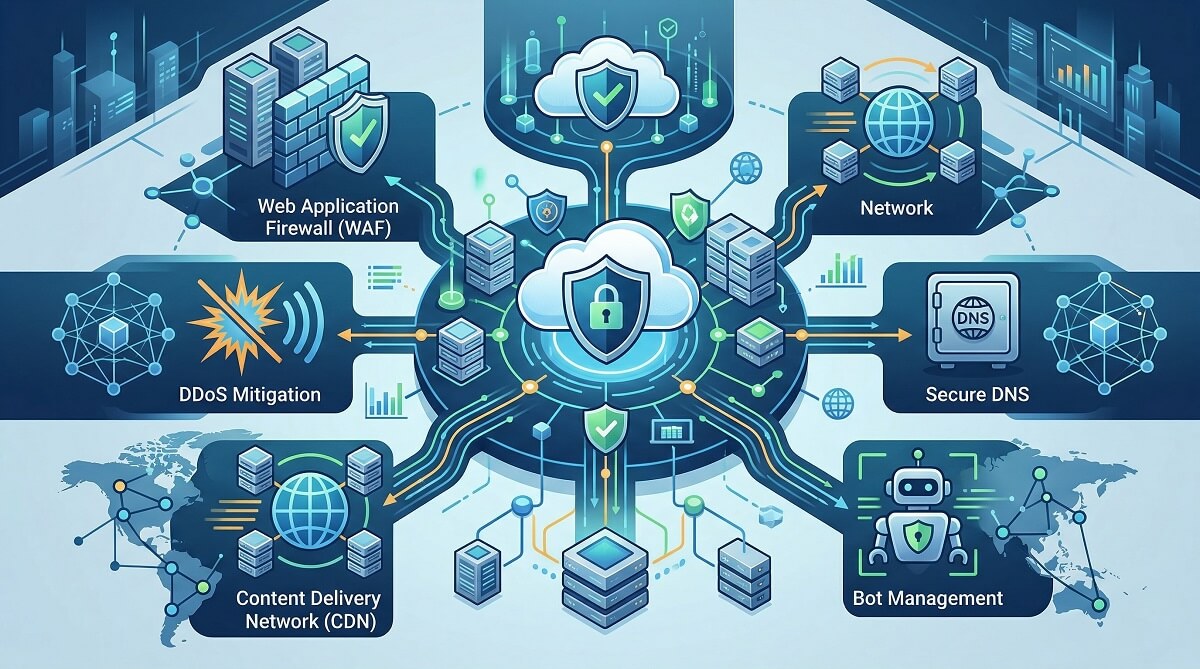
Cloudflare currently protects over 20% of all websites on the internet and blocks around 215 billion cyber threats every day. Those numbers are hard to argue with. But “widely used” and “the right fit for your situation” are two different things — and if you’re reading this, you’ve probably already realized that.
Maybe you hit a support wall during a DDoS attack on a non-enterprise plan. Maybe your WordPress site is firing false positives on legitimate checkout traffic. Or maybe your EU-based business needs to know that your encrypted data never flows through US-controlled infrastructure. Whatever the trigger, the alternatives landscape has genuinely matured — there are solid options at every budget level, from free open-source tools to enterprise-grade WAAP platforms.
This guide breaks down the best Cloudflare alternatives by actual use case: website security (WAF), network-level protection (SASE/Zero Trust), European privacy-first options, and self-hosted tools for developers. Each tool gets an honest look at what it does well and where it falls short.

Quick Verdict — Which Cloudflare Alternative Should You Use?
Short on time? Here’s the decision at a glance. Scroll down for full analysis of each tool.
| Your Situation | Best Alternative | Why |
|---|---|---|
| WordPress site, want malware cleanup included | Sucuri | Unlimited malware removal, WordPress-optimized WAF |
| SMB, no internal security team, need managed WAF | AppTrana WAAP | Fully managed, zero false positive guarantee, DAST included |
| EU business, GDPR/data sovereignty required | Myra Security | TLS termination in Germany only, outside US surveillance laws |
| Developer/engineer, want self-hosted WAF for free | BunkerWeb | Open source, Docker-ready, ModSecurity + OWASP CRS included |
| Enterprise replacing VPN / adopting Zero Trust | Zscaler or Palo Alto Prisma Access | Purpose-built SASE, proven at scale |
| AWS-native team, already in AWS ecosystem | AWS WAF | Native integration, pay-as-you-go — but budget for Shield Advanced |
| High-traffic media/streaming site | Akamai | Largest CDN network, 20 Tbps DDoS capacity via Prolexic |
| Just need affordable CDN, EU-based | Bunny CDN | $0.01/GB starting price, European infrastructure |
Still on Cloudflare? If you’re on the free or Pro plan and your site isn’t dealing with complex API traffic, compliance requirements, or repeated false positive problems — Cloudflare is genuinely fine. The question isn’t whether Cloudflare is good (it is). The question is whether it’s the right fit for your specific situation right now.
Why People Actually Switch from Cloudflare
Most Cloudflare switchers aren’t leaving because the product failed. They’re leaving because their requirements changed — and Cloudflare’s operating model didn’t grow with them the way they expected.
The False Positive Problem Gets Expensive
Managed WAF rules are designed to work across millions of websites — which means they’re built for the average site, not yours. The result: rules that block legitimate requests on your login page, checkout flow, or API endpoints.
The frustrating part is that Cloudflare’s managed rules aren’t bad. The gap is in ownership. Investigating a false positive, running traffic in “log mode” to test a fix, then deploying a rule exclusion — that sequence falls entirely on you, regardless of your plan level. Even Enterprise customers do this work themselves. For a small team where security is a part-time job, the WAF often ends up stuck in monitor-only mode just to avoid breaking production traffic.
Support Levels Don’t Match What People Expect
Cloudflare’s support tiers are clearly documented — but the gap between what people expect and what’s available comes up repeatedly in switching decisions.
| Plan | Monthly Price | Support Level |
|---|---|---|
| Free | $0 | Community forum only — no support tickets |
| Pro | $20/month | Support tickets — no live chat, no emergency phone |
| Business | $200/month | Tickets + live chat — still no emergency phone |
| Enterprise | $3,000+/month | Tickets + chat + Emergency Phone for DDoS/outages |
The practical consequence: if your $20/month Pro site goes down at 2 AM during an attack, you’re solving it in the community forum. That’s fine for some use cases — but not all.
The 128KB Inspection Cap
Cloudflare’s WAF inspects request body content up to 128KB on Enterprise zones. For API-heavy applications sending larger JSON payloads — file uploads, rich form submissions, complex GraphQL queries — that cap means part of your traffic is never analyzed. This is a documented technical limit, not a bug, but it surprises teams who assume their WAF covers everything.
Data Sovereignty Concerns for European Users
Cloudflare terminates TLS connections — meaning encrypted traffic is decrypted at their edge nodes to inspect it for threats, then re-encrypted before reaching your server. That’s how any edge security provider works. The concern for EU-based businesses is that Cloudflare is a US company subject to the CLOUD Act, FISA Section 702, and the PATRIOT Act. Under these laws, US authorities can compel access to data held by US companies even when that data is stored or processed outside the US.
For most personal sites and small businesses, this risk is theoretical. For EU healthcare providers, financial institutions, legal firms, or public sector organizations, it’s a compliance showstopper — and the reason European alternatives exist.
Best Cloudflare Alternatives for Website Security (WAF / WAAP)
These tools replace the core Cloudflare use case: a web application firewall, DDoS protection, bot management, and CDN for your site or API.
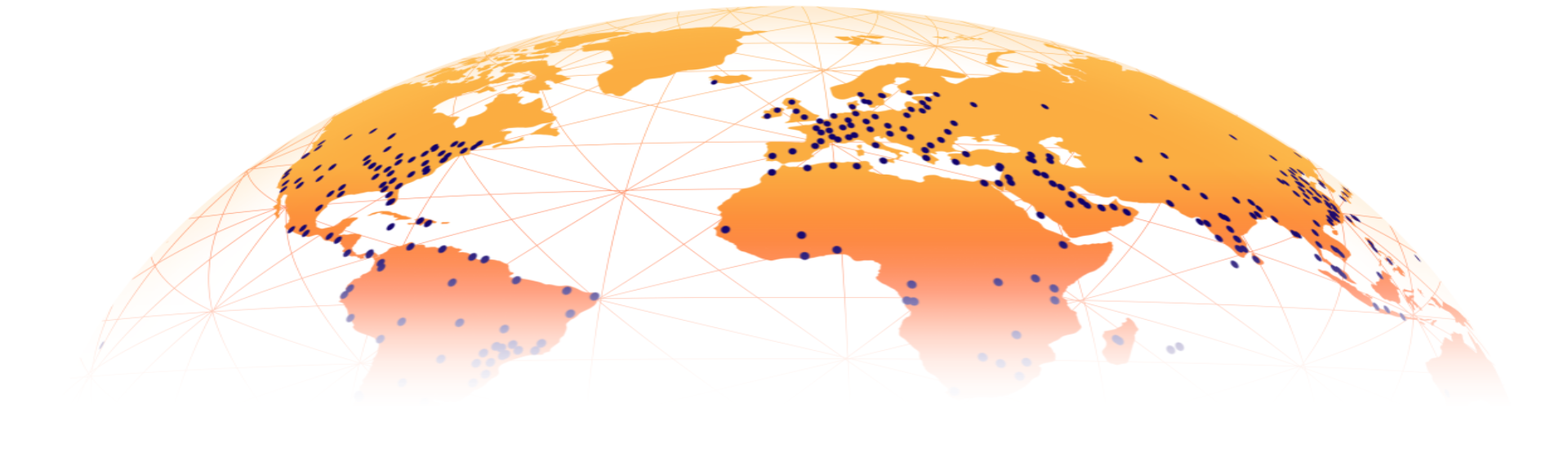
AppTrana WAAP — Best Fully Managed Option
AppTrana from Indusface is the most straightforward answer to the false positive and managed-service problem. The platform claims a zero false positive guarantee and says 100% of applications are deployed in block mode — a distinction that matters because most WAFs default to monitor-only for new deployments.
The most unique feature is the bundled DAST (Dynamic Application Security Testing) scanner, which automatically identifies exploitable vulnerabilities in your application and proposes virtual patches. No other major WAAP vendor bundles this as part of all plans.
Key specs: 134MB default payload inspection, 300-second response timeout, 24/7 SOC on all plans, API security and API scanning included.
Best for: SMBs and teams without dedicated security engineers who want protection that runs itself. Also strong for enterprises needing vulnerability-to-patch accountability.
Limitations: Doesn’t support legacy SOAP API formats. Threat intelligence relies on third-party feeds rather than a proprietary research network. Pricing starts at $99/application/month — meaningful if you’re protecting multiple domains.
WordPress security best practices
Akamai App & API Protector — Best for High-Traffic Sites
Akamai is the oldest name in this space — the original CDN, still the largest by network scale. Their App & API Protector combines WAF, DDoS, and bot protection with machine learning-driven detection that their team says reduces false positives by 5x compared to traditional signature-based rules.
For DDoS specifically, Akamai Prolexic operates on a 20 Tbps scrubbing network with a 24/7 Security Operations Command Center. That’s a serious infrastructure commitment — and it shows in the price.
Best for: Large enterprises in media, gaming, streaming, or financial services. Fortune 500 environments where network scale and threat intelligence depth matter more than cost.
Limitations: Default payload inspection is just 8KB (configurable up to 128KB — same cap as Cloudflare). Pricing is enterprise-only, custom-quoted, and routinely cited as the most expensive in the category. Managed services are an add-on.
Imperva Cloud WAF — Best Hybrid Option
Imperva’s positioning is “90% of deployments in block mode” — and they back that with Imperva Research Labs, which tests rules against real application behavior before deploying them to production. The hybrid deployment option (cloud WAF + on-premise appliance) is genuinely rare and makes Imperva the right choice when you have legacy systems you can’t fully move to the cloud.
Runtime Application Self-Protection (RASP) is another differentiator — it monitors application behavior from inside the runtime rather than just at the network edge, catching attacks that bypass perimeter defenses.
Pricing (via imperva.com/products/plans, March 2026): Professional plan starts at $59/month per site; Business at $299/month per site. A 30-day free trial is available. Note: Imperva moved to usage-based pricing as of March 2026, so actual costs vary.
Best for: Organizations with hybrid environments (cloud + on-premise), compliance-heavy industries, teams that need RASP capabilities.
Limitations: API discovery and managed services are both add-ons — costs add up quickly. Customer experience varies depending on plan tier.
Fastly Next-Gen WAF — Best for Engineering Teams
Fastly’s approach is different from most WAFs. Instead of relying primarily on signature matching, their SmartParse technology evaluates the context and execution intent of each request — meaning it can detect novel attack patterns that signature rules miss, and it generates far fewer false positives on custom or unusual application logic.
The Network Learning Exchange (NLX) is a shared threat intelligence feed built from anonymized data across Fastly’s customer network, giving all customers early visibility into attack patterns being tested across other sites.
Best for: Teams with engineers who want fine-grained control and programmable security logic. Deployable across containers, on-premise, cloud, or edge environments from one agent.
Limitations: Managed services, 24/7 SOC support, and live chat are only available on the Ultimate plan. Pricing is custom and usage-based — no public rates. Not a simple drop-in replacement for Cloudflare.
AWS WAF — Best for AWS-Native Teams
If your application already runs in AWS, the native WAF integration is genuinely convenient — it connects directly to CloudFront, Application Load Balancer, API Gateway, and AppSync without any traffic rerouting. The pay-as-you-go model also means you’re not paying a flat monthly fee when traffic is low.
The catch is DDoS protection. The base AWS WAF provides no DDoS mitigation — you need AWS Shield Standard (free, basic) or Shield Advanced ($3,000/month flat) for meaningful volumetric attack coverage. That price point makes Cloudflare’s unmetered DDoS on the free tier look extremely attractive by comparison.
Best for: Teams already in AWS who want WAF rules natively integrated into their existing infrastructure. Works well when DDoS protection needs are modest.
Limitations: No managed service for WAF rules. AWS Shield Advanced costs $3,000/month with an annual commitment. 64KB body inspection limit. Requires AWS expertise to configure properly.
Sucuri — Best for WordPress Sites
Sucuri is one of the few security services purpose-built for CMS platforms — WordPress, Joomla, Magento, and Drupal. The unlimited malware cleanup included in all plans is a meaningful differentiator: if your site gets compromised, cleanup is covered without a separate incident fee.
Their WAF is particularly good at virtual patching for CMS vulnerabilities — when a new WordPress plugin exploit is discovered, Sucuri typically deploys a blocking rule within hours. The CDN is included at no extra cost across all plans.
Pricing (verified at sucuri.net, March 2026): Basic $199.99/year ($16.67/month equivalent), Pro $299.99/year, Business $499.99/year. WAF-only firewall starts at $9.99/month if you don’t need malware cleanup.
Best for: WordPress site owners who want security plus cleanup coverage in one plan. Especially useful for agencies managing multiple client sites.
Limitations: Network performance is not Cloudflare-tier. Better as a security-first choice than a performance-first one. Not designed for complex API security needs.
best WordPress security plugins
WAF / WAAP Feature Comparison
| Feature | Cloudflare | AppTrana | Akamai | Imperva | Fastly | AWS WAF | Sucuri |
|---|---|---|---|---|---|---|---|
| WAF Body Inspection | 128KB (Enterprise) | 134MB | 128KB max | Unknown | Unknown | 64KB | N/A |
| DDoS Protection | Unmetered (all plans) | Unmetered (all plans) | 20 Tbps (Prolexic) | Add-on | Ultimate plan only | $3,000/mo (Shield Adv.) | Advanced (all plans) |
| Managed Services / SOC | Enterprise only | All plans (24/7) | Add-on | Add-on | Ultimate plan only | Via SI partnerships | Limited |
| Bot Protection | Yes | Yes | Add-on | Enterprise/add-on | Unclear by plan | Basic | Yes |
| DAST Scanner Bundled | No | Yes (all plans) | No | No | No | No | No |
| Free Tier | Yes | Free trial | No | 30-day trial | No | Pay-as-you-go | No |
| Starting Price | $0 / $20/mo (Pro) | $99/app/mo | Custom | $59/mo/site | Custom | $5/mo + usage | $199.99/yr |
| Malware Cleanup | No | No | No | No | No | No | Yes (unlimited) |
Data sourced from vendor documentation and indusface.com comparison data — verified March 2026. Prices may change; verify at vendor sites before purchasing.
Best Cloudflare Alternatives for Network Security and Zero Trust (SASE)
Cloudflare One sits in a different product category than the WAF. It’s a SASE (Secure Access Service Edge) platform — handling secure remote access, DNS filtering, Zero Trust Network Access (ZTNA), and corporate network security rather than protecting a public-facing website. If that’s your use case, these are the alternatives to evaluate.
Zscaler Zero Trust Exchange
Zscaler is one of the most widely deployed Zero Trust platforms for large enterprises. The architecture is cloud-native — no hardware, no traditional VPN, all traffic routed through Zscaler’s global data centers for inspection before reaching internal or cloud resources. It covers SWG, CASB, ZTNA, and firewall-as-a-service in one platform.
Best for: Large enterprises with thousands of employees, distributed locations, and serious security requirements. Strong compliance tooling for regulated industries.
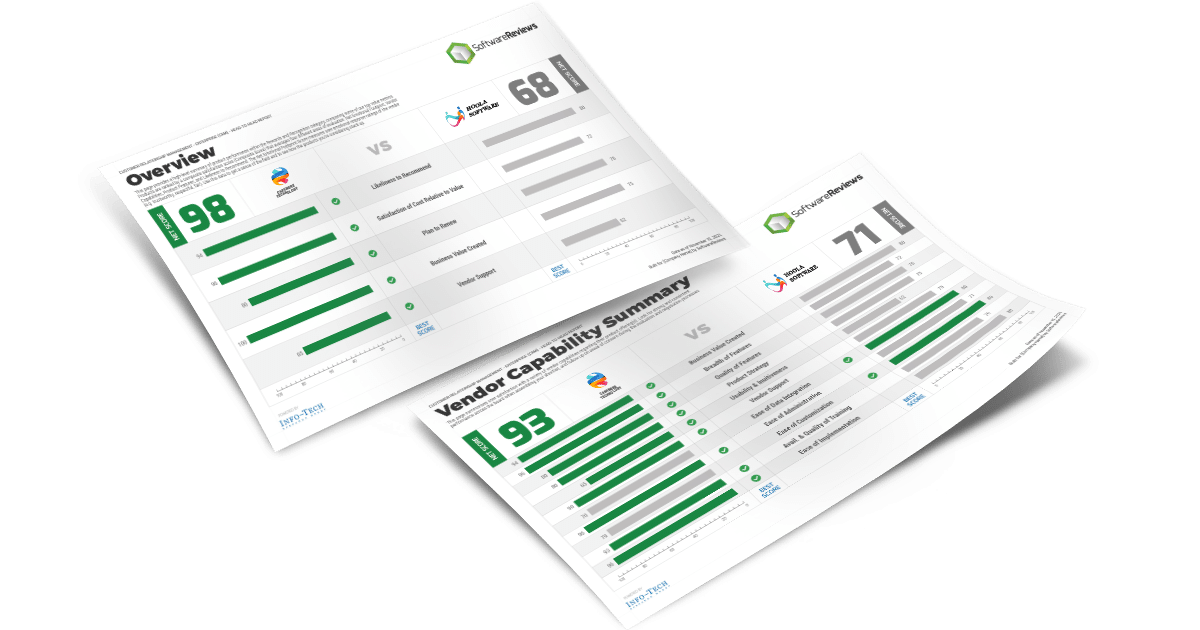
Limitations: Pricing is opaque and has a reputation for being expensive for mid-market companies. Implementation requires significant expertise. According to SoftwareReviews, users rate Zscaler lower than Cloudflare One on efficiency and responsiveness.
Palo Alto Networks Prisma Access
Prisma Access converges SD-WAN, ZTNA, CASB, and firewall-as-a-service into a single cloud-delivered service. It’s built on Palo Alto’s established next-gen firewall technology, which security teams trust for deep inspection and threat prevention.
Best for: Security-mature enterprises replacing legacy VPN and perimeter firewalls with a cloud-first architecture. Strong ML-powered threat prevention.
Limitations: Rated harder to implement and harder to use than Cloudflare One in independent user comparisons. Requires Palo Alto expertise. Better at support than Cloudflare One per user reviews, which is a meaningful differentiator at scale.
Cisco Secure Access
Formerly Cisco Umbrella, Cisco Secure Access adds ZTNA and SASE capabilities on top of the original DNS-layer security foundation. DNS-level filtering means threats are blocked before a connection is even established — stopping malware, phishing, and command-and-control callbacks at the query stage.
Best for: Organizations already in the Cisco ecosystem where tight integration with other Cisco tools matters. Solid threat intelligence from Cisco Talos, one of the largest commercial threat research teams.
Limitations: Rated less innovative and less reliable than Cloudflare One by independent reviewers. Support is mixed. Not the leading choice for organizations starting fresh.
Cato SASE Cloud
Cato Networks built a true cloud-native SASE platform from scratch — no legacy VPN technology bolted onto a cloud interface. The result is a simpler deployment model than Zscaler or Palo Alto, making it more accessible for mid-market companies that want SASE without a 12-month implementation project.
Best for: Mid-market companies (500–5,000 employees) transitioning from hub-and-spoke networks to cloud-first connectivity. Consistently high emotional footprint scores in independent user reviews.
Limitations: Harder to customize and harder to use than some alternatives per user feedback. Smaller threat intelligence network than Cisco or Palo Alto.
WordPress hosting security guide
European and Privacy-Friendly Cloudflare Alternatives
Three US laws fundamentally change what “using a US cloud provider” means for non-US businesses:
- CLOUD Act: Requires US companies to hand over stored data to US law enforcement on request — even when that data is stored in the EU.
- FISA Section 702: Allows US intelligence agencies to collect communications of non-US persons from US providers without a warrant.
- PATRIOT Act: Broad surveillance access to business records and internet data.
TLS termination makes this concrete: Cloudflare decrypts your traffic at their edge nodes to inspect it. For EU businesses in regulated sectors, that means potentially decrypted data flowing through US-controlled infrastructure. European alternatives process traffic exclusively in EU data centers under EU law.

Myra Security (Germany)
Myra Security is the most direct European answer to Cloudflare. It offers CDN, WAF, DDoS protection, and DNS security from data centers based exclusively in Germany. TLS termination happens only on German infrastructure, meaning the decrypted content of your HTTPS traffic is never on US-jurisdiction servers.
Myra is certified by the German Federal Office for Information Security (BSI) and is used by German public sector organizations, healthcare providers, and financial institutions where data sovereignty is a legal requirement, not a preference.
Best for: EU enterprises, public sector, healthcare, legal, and financial organizations with strict data residency requirements. Particularly well-suited to German-speaking markets.
Limitations: Enterprise-focused, custom pricing — not a drop-in replacement for Cloudflare’s free or pro tier. Limited public documentation compared to US-based providers.
Bunny CDN (Slovenia, EU)
Bunny CDN (bunny.net) is a European content delivery network based in Slovenia with a PoP network covering North America, Europe, and Asia. Pricing starts at $0.01/GB for standard delivery and $0.005/GB for high-volume traffic — making it one of the most affordable CDN options globally.
It doesn’t offer a WAF or DDoS mitigation service in the same vein as Cloudflare, but for European sites that primarily need CDN performance and want to avoid US providers, it’s a clean, well-priced option.
Best for: EU sites needing fast, affordable CDN without complex security requirements. Excellent for static sites, media delivery, and anyone who needs European infrastructure at competitive pricing.
KeyCDN (Switzerland)
KeyCDN is a Swiss-based CDN with a reputation for simplicity and transparent pricing. Switzerland is not an EU member but has its own robust data protection laws (nFADP) that align closely with GDPR principles and maintain EU adequacy status.
Best for: European sites needing a straightforward CDN with privacy-conscious infrastructure. Good documentation, predictable pricing, and no-frills setup.
OVHcloud CDN (France)
OVHcloud is one of Europe’s largest cloud providers and offers CDN services integrated with their hosting and cloud infrastructure. French-based, EU data sovereignty guaranteed, and well-suited for existing OVHcloud customers who want to consolidate providers.
Free and Self-Hosted Cloudflare Alternatives
One of the least-covered angles in most Cloudflare alternatives guides: you don’t necessarily need a SaaS replacement. For homelab setups, self-hosted services, developers, and budget-constrained sites, a combination of open-source tools can replace specific Cloudflare functions — though not the global DDoS protection network.

Important caveat: None of the open-source tools below replicate Cloudflare’s global anycast DDoS protection. If volumetric DDoS is a real threat for you, you need an upstream provider. These tools are best for reverse proxying, SSL termination, access control, and application-layer protection.
BunkerWeb — Open Source WAF
BunkerWeb is the most complete open-source answer to Cloudflare’s WAF functionality. Built on NGINX, it packages ModSecurity with the OWASP Core Rule Set, challenge-based bot verification (cookie, JavaScript, CAPTCHA, hCaptcha, Turnstile), and IP reputation blacklists into a Docker-deployable container with a clean web UI.
It’s licensed under AGPLv3 (free to use, source code must remain open if distributed) with a commercial license available for proprietary deployments. Active development on GitHub with a strong community.
Best for: Developers and sysadmins who want a real WAF without paying for a managed service. Strong fit for self-hosted WordPress, GitLab, Nextcloud, or any internal web service.
Nginx Proxy Manager
Nginx Proxy Manager (NPM) handles SSL termination and reverse proxying via a browser-based interface — no Nginx config files required. It’s the most popular reverse proxy for homelab users because of how quickly you can get HTTPS running for multiple services on a single server.
It does not include WAF capabilities by default. Pair it with BunkerWeb or Fail2Ban for application-layer protection. For blocking IPs externally, users in the community commonly integrate with Cloudflare’s API even without proxying through Cloudflare.
WordPress SSL and HTTPS setup guide
Caddy — Modern Reverse Proxy
Caddy handles automatic HTTPS certificate issuance and renewal by default — a feature that requires manual setup in Nginx. The configuration syntax is dramatically simpler, which makes it popular with developers who want a reverse proxy without deep sysadmin expertise.
Best for: Developers who want automatic HTTPS and clean config. Works well for personal projects and small services.
Traefik — Container-Aware Proxy
Traefik is designed specifically for containerized environments. It watches your Docker or Kubernetes setup and automatically configures routing and certificates when containers start or stop, with no manual config file editing required.
Best for: Teams running microservices in Docker Compose or Kubernetes who want dynamic routing and certificate management.
Tailscale — Zero-Config Mesh VPN
Tailscale is a managed VPN service built on WireGuard that connects your devices in a private mesh network. It’s free for personal use (up to three users) and doesn’t require port forwarding or public IP addresses — every device just connects to the others through Tailscale’s coordination servers.
Tailscale is not a Cloudflare replacement for public-facing websites. It excels at giving trusted users (family, team members) access to private services without exposing those services to the internet at all.
Pangolin — Open Source Tunnel
Pangolin by Fossorial is an open-source alternative to Cloudflare Tunnel. Like Cloudflare Tunnel, it eliminates the need to open inbound ports on your server — instead, an agent on your server makes an outbound connection to a relay (which you self-host or pay a provider for), and traffic flows through that relay. No port forwarding, no static IP needed.
Best for: Self-hosters who want tunnel functionality without using Cloudflare. Requires a VPS with a public IP to act as the relay point.
Self-Hosted Tool Comparison
| Tool | Type | WAF | DDoS Protection | Setup Complexity | License |
|---|---|---|---|---|---|
| BunkerWeb | WAF + Reverse Proxy | Yes (ModSecurity + OWASP) | None | Medium (Docker) | AGPLv3 (free) |
| Nginx Proxy Manager | Reverse Proxy | No | None | Low (Docker UI) | MIT (free) |
| Caddy | Reverse Proxy | No | None | Low | Apache 2.0 (free) |
| Traefik | Reverse Proxy | No | None | Medium (Docker/K8s) | MIT (free) |
| Tailscale | Mesh VPN | No | None | Very Low | Free (up to 3 users) |
| Pangolin | Tunnel | No | None | Medium | Apache 2.0 (free) |
| WireGuard | VPN | No | None | High | GPLv2 (free) |
Complete Side-by-Side Comparison
| Tool | Type | DDoS | WAF | CDN | Bot | Zero Trust | Starting Price | Free Tier |
|---|---|---|---|---|---|---|---|---|
| Cloudflare | All-in-one | ✅ Unmetered | ✅ Yes | ✅ Yes | ✅ Yes | ✅ Yes | $0 / $20/mo Pro | ✅ Yes |
| AppTrana WAAP | WAAP | ✅ Unmetered | ✅ Managed | ✅ Yes | ✅ Yes | ❌ No | $99/app/mo | Trial |
| Akamai | CDN + Security | ✅ 20 Tbps | ✅ Yes | ✅ Yes | Add-on | ❌ No | Custom | ❌ No |
| Imperva | WAF/WAAP | Add-on | ✅ Yes | ✅ Yes | Enterprise | ❌ No | $59/mo/site | 30-day trial |
| Fastly | WAF + CDN | Ultimate | ✅ Yes | ✅ Yes | Yes | ❌ No | Custom | ❌ No |
| AWS WAF | WAF | $3,000/mo | ✅ Yes | Via CloudFront | Basic | ❌ No | $5/mo + usage | Pay-as-you-go |
| Sucuri | Security + CDN | ✅ Yes | ✅ Yes | ✅ Yes | ✅ Yes | ❌ No | $199.99/yr | ❌ No |
| Zscaler | SASE | ❌ N/A | SWG/CASB | ❌ N/A | ❌ N/A | ✅ Yes | Custom | ❌ No |
| Myra Security | CDN + WAF + DNS | ✅ Yes | ✅ Yes | ✅ Yes | ✅ Yes | ❌ No | Custom | ❌ No |
| Bunny CDN | CDN only | ❌ No | ❌ No | ✅ Yes | ❌ No | ❌ No | $0.01/GB | Pay-as-you-go |
| BunkerWeb | Self-hosted WAF | ❌ No | ✅ Yes | ❌ No | ✅ Yes | ❌ No | $0 (open source) | ✅ Yes |
Verified from vendor documentation — March 2026. Always confirm current pricing directly with vendors before making a purchasing decision.
How to Choose the Right Cloudflare Alternative
Four questions will narrow down your options faster than reading every review:
- Do you need DDoS protection for a public-facing site? If yes, you need a managed CDN/security provider — not a self-hosted tool. Start with Cloudflare alternatives like AppTrana, Sucuri, Imperva, or Akamai depending on budget.
- Is your data subject to GDPR or EU data residency requirements? If yes, look at Myra Security, Bunny CDN, or OVHcloud specifically — not just any provider with an EU data center (Cloudflare has EU data centers too, but is still a US company under US law).
- Are you replacing a VPN or building Zero Trust access for your employees? You’re looking at SASE, not WAF. Cloudflare One alternatives: Zscaler, Palo Alto Prisma Access, Cato, or Cisco Secure Access.
- Are you self-hosting services and need secure access or basic protection on a budget? BunkerWeb for WAF, Nginx Proxy Manager or Caddy for reverse proxy/SSL, Tailscale or Pangolin for tunnel access.
best WordPress firewall plugins
WordPress-specific guidance: Sucuri and AppTrana are both well-suited to WordPress. Sucuri is the stronger choice when malware cleanup is a priority — its WAF is tuned for WordPress vulnerability patterns and new exploits get patched quickly. AppTrana makes more sense when you have multiple sites to manage and want vulnerability scanning built in. Cloudflare’s free tier remains a solid option for basic WordPress protection if budget is the primary constraint.
Frequently Asked Questions
What is the best free alternative to Cloudflare?
For public-facing DDoS and CDN protection, there is no truly free alternative that matches Cloudflare’s free tier. The closest option is Cloudflare itself — its free plan includes unmetered DDoS protection and a basic WAF, which no self-hosted tool replicates. For self-hosted services where external DDoS protection isn’t needed, BunkerWeb (open source) provides WAF functionality at no cost. Bunny CDN offers pay-as-you-go CDN starting at $0.01/GB.
Is Sucuri better than Cloudflare for WordPress?
It depends on your priority. Sucuri includes unlimited malware cleanup in all plans — something Cloudflare does not offer at all. If your WordPress site gets hacked, Sucuri handles remediation. Cloudflare’s WAF and DDoS protection are stronger at the network level, and the free tier offers more baseline value. For security-first WordPress owners, especially those managing client sites, Sucuri’s cleanup coverage is a meaningful advantage. For performance-focused sites that haven’t been compromised, Cloudflare typically wins on speed.
What is the difference between Cloudflare WAF and Cloudflare One?
Cloudflare WAF protects your public-facing websites and APIs from web attacks (SQL injection, XSS, DDoS, bots). Cloudflare One is a SASE platform designed for corporate network security — it replaces VPNs, provides Zero Trust Network Access (ZTNA), secures employee internet browsing (SWG), and controls cloud app access (CASB). They’re solving different problems: website security vs. employee network security. Most small businesses only need the WAF side.
Are there GDPR-compliant alternatives to Cloudflare?
Yes. The key distinction isn’t whether a provider has EU data centers — it’s whether the provider is subject to US law. Cloudflare has EU data centers but, as a US company, is bound by the CLOUD Act and FISA 702. Truly GDPR-compliant alternatives include Myra Security (Germany), Bunny CDN (Slovenia), KeyCDN (Switzerland), and OVHcloud CDN (France) — all European companies operating under EU law where US surveillance legislation doesn’t apply.
What is a self-hosted alternative to Cloudflare Tunnel?
Pangolin by Fossorial is the most direct open-source Cloudflare Tunnel alternative. Like Cloudflare Tunnel, it eliminates the need for port forwarding — your server makes an outbound connection to a relay server (which you control) and traffic flows through it. The main difference: you host the relay yourself (or on a VPS), which gives you full control but requires a bit more setup. Alternatively, WireGuard combined with a cheap VPS can accomplish similar results with more manual configuration.
Does AWS WAF replace Cloudflare?
Partially. AWS WAF handles application-layer threat filtering well, especially for teams already in AWS. But it doesn’t include DDoS protection — you’d need AWS Shield Advanced at $3,000/month for coverage comparable to Cloudflare’s unmetered DDoS. It also has no CDN of its own (you’d use CloudFront separately). For teams outside AWS or on a budget, AWS WAF is rarely the right Cloudflare replacement — the total cost of replacing Cloudflare’s feature set with equivalent AWS services adds up quickly.
What is the cheapest Cloudflare alternative for a small website?
Sucuri’s WAF-only firewall plan at $9.99/month is one of the most affordable commercial options for websites that need basic WAF protection. Bunny CDN at $0.01/GB is the cheapest CDN alternative. For completely free options: BunkerWeb (self-hosted WAF, requires a server), Nginx Proxy Manager (reverse proxy + SSL), or staying on Cloudflare’s own free tier.
Can I use Nginx as a Cloudflare alternative?
Nginx (or Nginx Proxy Manager) can replace Cloudflare’s reverse proxy and SSL termination functions — it won’t replace DDoS protection, bot filtering, or CDN capabilities. For a self-hosted server with modest traffic that isn’t under active attack, Nginx handles SSL and proxying well. Add BunkerWeb on top if you want WAF rules. For anything with public DDoS exposure, you need a cloud-based alternative, not a self-hosted proxy.
Is Akamai more secure than Cloudflare?
At enterprise scale, Akamai offers deeper threat intelligence (400+ dedicated security researchers vs. Cloudflare’s broader but more automated approach) and a larger DDoS scrubbing capacity through Prolexic. Whether that translates to “more secure” depends on your threat model. For most small and medium businesses, Cloudflare’s security is more than sufficient and the gap isn’t worth Akamai’s pricing. For large media companies, financial institutions, or government entities dealing with sophisticated, targeted attacks — Akamai’s deeper stack can be justified.
What should WordPress site owners use instead of Cloudflare?
For WordPress sites specifically, Sucuri is the most purpose-built alternative — with unlimited malware cleanup, CMS-optimized WAF rules, and fast virtual patching for new WordPress vulnerabilities. AppTrana is a strong second choice if you want automated vulnerability scanning alongside WAF protection. If you’re happy with Cloudflare’s performance but just want better WordPress security on top, the Wordfence or Patchstack plugins combined with Cloudflare is a common and effective approach rather than switching providers entirely.
Closing Thoughts
Cloudflare earned its position as the default choice for website security — the free tier alone provides more than most commercial alternatives offer at entry price points. The decision to switch isn’t about Cloudflare being bad; it’s about specific gaps that surface as sites grow, teams mature, or compliance requirements tighten.
The most common legitimate reasons to switch: you need managed WAF services without the Enterprise price tag (AppTrana, Sucuri), your EU business can’t risk US surveillance exposure (Myra Security, Bunny CDN), you’re replacing corporate VPN with Zero Trust (Zscaler, Prisma Access), or you’re self-hosting and want application-layer protection without a recurring fee (BunkerWeb).
Match the tool to the problem. Most personal sites and SMBs are well-served by Cloudflare’s free or Pro plan, or by Sucuri’s entry plan. The enterprise tools — Akamai, Imperva, Fastly, Zscaler — exist for problems that most readers of this article don’t have yet.
