



Your WordPress theme does more for your SEO than most people realize. Two sites publishing identical content — one running a lean, well-coded theme, one running a bloated template-heavy design — will often show very different ranking results. Google measures page speed, mobile experience, and code quality as ranking signals. Your theme directly controls all three.
This guide compares eight WordPress themes that genuinely hold up on SEO criteria: page loading performance, built-in schema markup, clean HTML structure, and compatibility with major SEO plugins. Whether you run a personal blog, a small business site, or a growing WooCommerce store, you’ll find a clear recommendation here — along with honest trade-offs for each option.
Quick Summary — Best WordPress Themes for SEO
Here’s where each theme shines, before we go deeper:
- Best for speed-first performance: GeneratePress
- Best all-rounder for most sites: Astra
- Best for block-based editing: Kadence
- Best modern block architecture: Blocksy
- Best lightweight theme for blogs: Neve
- Best feature-rich free option: OceanWP
- Best blank canvas for Elementor users: Hello Elementor
- Best for design freedom: Divi (with caveats)
Pairing your theme with the right SEO plugin completes the picture — see our guide to the best WordPress SEO plugins if you’re deciding between Yoast, Rank Math, and AIOSEO.
What Your Theme Actually Controls for SEO
Before comparing individual themes, it’s worth being clear about what a theme actually controls — and what it doesn’t. This confusion leads a lot of site owners to either blame their theme for ranking problems that belong to their content strategy, or ignore their theme entirely when it’s actually slowing their site down.
Your theme controls:
- Page loading speed and how much CSS/JavaScript gets loaded
- HTML structure — whether headings are used correctly, whether the DOM is clean
- Built-in schema markup (article schema, breadcrumbs, organization data)
- Mobile layout and responsiveness
- Core Web Vitals performance — Largest Contentful Paint (LCP), Cumulative Layout Shift (CLS)
Your SEO plugin (Yoast, Rank Math, or similar) handles:
- Meta titles and descriptions
- XML sitemaps
- Canonical URLs
- Robots directives
- Advanced schema types (LocalBusiness, Product, Review)
A slow theme undermines even a perfectly configured Yoast setup. A study by NitroPack in partnership with Google found that 50% more visitors abandon a page that loads in 3 seconds compared to one loading in 2 seconds. That’s lost traffic before your content ever gets read. This is why theme selection matters so much as a foundational SEO decision.

How We Evaluated These Themes
Each theme in this list was evaluated across five criteria:
- Page speed and Core Web Vitals — How lean is the default install? Does it pass Google’s performance benchmarks without additional optimization?
- Built-in SEO features — Does the theme include schema markup, breadcrumbs, and proper heading structure natively?
- Free plan value — How much can you accomplish without paying anything?
- Pricing and upgrade path — Is the paid plan priced fairly for what you get?
- Ease of use for non-developers — Can a personal blogger or small business owner manage it without hiring help?
Data points come from WordPress.org theme statistics (install counts and community ratings) and cross-referenced information from multiple independent WordPress publications. Pricing was confirmed from competitor articles and should be verified at each theme’s official website before purchase, as pricing can change.
For context on the environment these themes perform in, our WordPress hosting guide covers how server quality interacts with theme performance.
The 8 Best WordPress Themes for SEO
1. GeneratePress — Best for Speed-First Performance
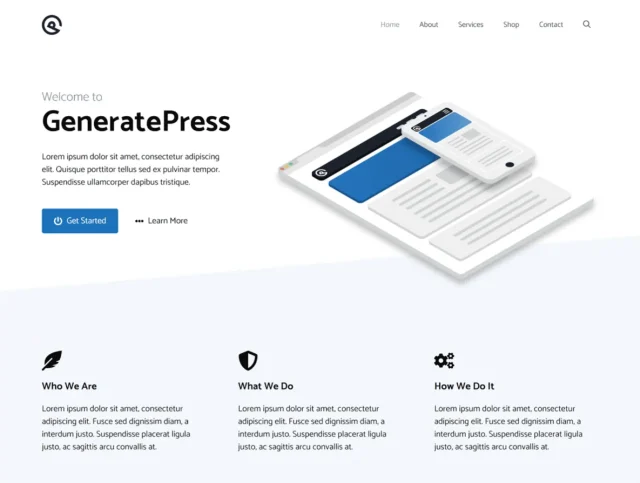
GeneratePress has earned a strong reputation among developers and SEO professionals for a simple reason: it’s one of the leanest themes available, with a core install under 30KB. That’s not a marketing claim — it shows up directly in PageSpeed Insights scores and Core Web Vitals reports.
On WordPress.org, it holds a 5.0 out of 5.0 rating from over 1,400 reviews, with more than 500,000 active installs. Those numbers reflect a theme that’s consistently well-built, not just popular.
Key SEO features:
- Clean, minimal HTML output — no unnecessary wrapper divs or inline styles
- Built-in schema markup for articles and breadcrumbs
- No render-blocking JavaScript in the default install
- Full compatibility with Yoast SEO, Rank Math, and AIOSEO
- Modular architecture — load only what you actually use
Free vs. Premium: The free version is genuinely functional for simple blogs and informational sites. The premium plan adds a visual site builder (GenerateBlocks), starter site templates, and more granular layout controls. Current pricing is approximately $59/year — verify at generatepress.com.
Best for: Developers, technically-minded bloggers, and anyone running a content-heavy site where Core Web Vitals scores directly affect ranking. If you manage multiple WordPress sites and want a theme that just performs without configuration, GeneratePress is the benchmark.
Not ideal for: Users who want drag-and-drop design without learning the block editor. GeneratePress’s flexibility comes through code and structured customization, not visual drag-and-drop.
2. Astra — Best All-Rounder for Most Sites
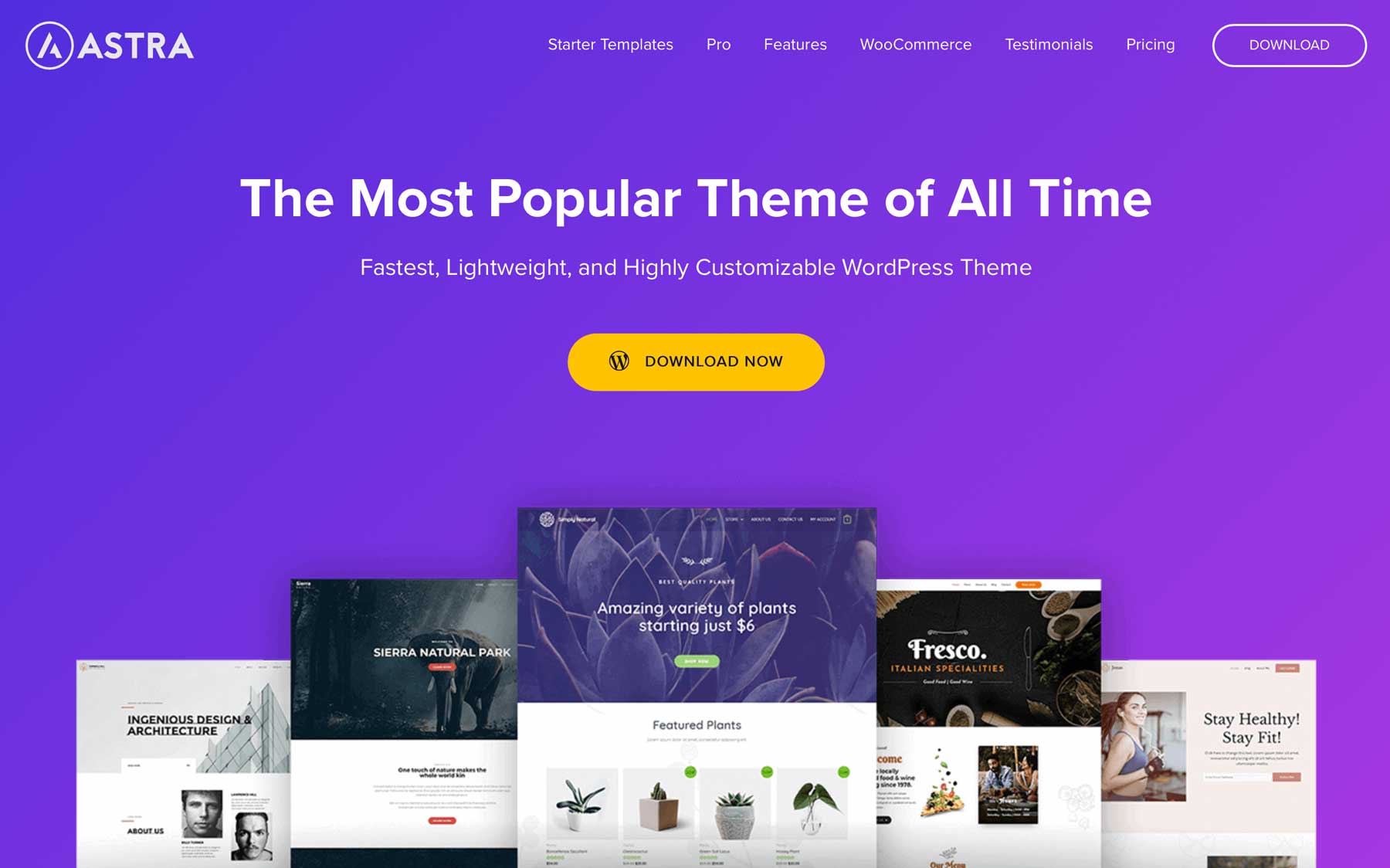
Astra is the most-installed theme in the WordPress repository, with over 1 million active installs and more than 6,000 five-star reviews. According to WordPress.org, it holds the record as “the only theme in the world with 6,000+ five-star reviews.” That kind of community validation doesn’t come from hype — it reflects a theme that consistently delivers across a wide range of site types.
The codebase loads under 50KB, follows SEO best practices throughout its HTML structure, and includes built-in schema markup and breadcrumb support. It works cleanly with Elementor, Gutenberg, Beaver Builder, and WooCommerce.
Key SEO features:
- Under 50KB total page load in default configuration
- Built-in schema.org markup for articles and breadcrumbs
- 100+ starter site templates that are performance-tested
- Deep WooCommerce integration with clean checkout page structure
- Yoast SEO and Rank Math compatible without plugin conflicts
Free vs. Premium: The free version covers most blogging and small business needs. Astra Pro adds advanced header/footer builder, mega menus, WooCommerce cart abandonment features, and white-labeling options. Starting price is approximately $49/year — verify at wpastra.com.
Best for: Personal bloggers, small business websites, WooCommerce stores, and agencies managing multiple client sites. Astra works well across nearly every use case, which is why it’s installed on more WordPress sites than any other theme.
Not ideal for: Users who want a cutting-edge block-first experience. Kadence or Blocksy may feel more native to the Gutenberg full site editing workflow.
3. Kadence — Best for Block-First Editing

WordPress’s block editor (Gutenberg) has matured significantly, and Kadence is the theme built specifically for that direction. With 400,000+ active installs and a 4.9/5 rating, it’s become a serious contender for sites that want to stay inside the native WordPress editing environment rather than relying on third-party page builders.
Kadence includes visual header and footer builders, global typography and spacing control, schema markup, and WooCommerce support — all while keeping the default install lean and fast.
Key SEO features:
- Block-first architecture aligned with WordPress’s Full Site Editing direction
- Built-in schema markup and breadcrumb support
- Global typography, color, and spacing controls (affects layout consistency, a CLS factor)
- WooCommerce and LMS compatibility
- Yoast SEO and Rank Math compatible
Free vs. Premium: The free version includes solid basic customization. Kadence Pro adds advanced header/footer builder, starter site packs, and more granular design controls. Check current pricing at kadencewp.com.
Block theme readiness: Kadence is one of the best-positioned themes for WordPress’s evolving Full Site Editing (FSE) future. If you’re building a site today and want to avoid a future theme migration as FSE matures, Kadence gives you a stable, forward-compatible foundation.
Best for: Marketers, freelancers, and small business owners who want to build everything inside WordPress’s native block editor. Also good for WooCommerce stores that want clean, modern storefronts.
Not ideal for: Users who rely heavily on Elementor — Hello Elementor or a third-party Elementor-compatible theme would serve better.
4. Blocksy — Best for Modern Block Architecture
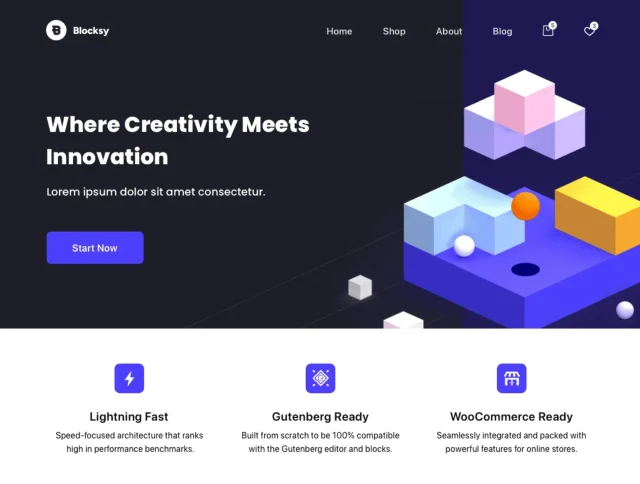
Blocksy doesn’t appear on as many “best themes” lists as Astra or GeneratePress, but the stats tell a different story: 300,000+ active installs and a near-perfect 5.0/5 rating from 865 reviews, with 98.8% five-star ratings. That level of consistency is unusual.
What makes Blocksy stand out technically is its approach to asset loading. It offers fine-grained control over which CSS and JavaScript gets loaded on any given page — a feature typically reserved for developer-only optimization workflows. For SEO, this means you can run a fast site without manually stripping out unused code.
Key SEO features:
- Smart, conditional asset loading — only loads what a page actually needs
- Built-in schema markup and breadcrumb support
- Block-ready architecture with visual header/footer builder
- WooCommerce optimizations for fast product pages
- Strong Core Web Vitals performance out of the box
Free vs. Premium: The free version is genuinely capable for most sites. Blocksy Pro adds advanced display conditions, custom post type support, and additional header/footer options. Check current pricing at creativethemes.com.
Best for: Developers, technically aware site owners, and content teams that want precise control over performance. Anyone who cares about Core Web Vitals scores will appreciate Blocksy’s architecture.
Not ideal for: Users who need a large library of pre-built starter templates to get started quickly — Astra or Kadence offer more in that area.
5. Neve — Best Lightweight Theme for Content Blogs

Neve’s defining characteristic is its size: the default install weighs just 28KB. For context, that’s smaller than most hero images. This makes it one of the fastest themes to load, which directly translates to better Core Web Vitals scores and stronger mobile SEO performance.
Neve is also AMP-ready, which benefits sites serving users in regions with slower mobile connections. With 200,000+ active installs and a 4.7/5 rating from over 1,200 reviews, it has a solid track record for content-focused sites.
Key SEO features:
- 28KB default install — smallest baseline load of any theme in this list
- AMP (Accelerated Mobile Pages) compatible for mobile SEO
- Built-in schema markup
- Header and footer builder (with custom drag-and-drop areas)
- Compatible with Elementor and Gutenberg
Free vs. Premium: The free version handles basic blogs and business sites well. Neve Pro adds the advanced header builder, performance module, and agency starter sites. Pricing is approximately $69/year — verify at themeisle.com.
Best for: Content bloggers, news sites, and anyone building in markets where mobile loading speed is critical. Neve is also a good pick for sites that want AMP compatibility without heavy plugin configurations.
Not ideal for: Complex multi-section business sites or WooCommerce stores with advanced filtering needs. The minimal default install means you’ll need to configure more features manually compared to OceanWP or Astra.
6. OceanWP — Best Feature-Rich Free Theme

OceanWP is one of the most feature-complete free WordPress themes available. With 500,000+ active installs and a 4.9/5 rating from nearly 5,700 reviews, it has clearly built a loyal user base. The free version includes built-in schema markup, WooCommerce integration, multiple demo layouts, and heading tag controls — features that typically require paid plans elsewhere.
The honest caveat: OceanWP can get heavy if you activate too many of its extension modules. Used selectively, it performs well. Used carelessly, it can become the kind of bloated theme that hurts your Core Web Vitals scores.
Key SEO features:
- Built-in schema markup and SEO-friendly layouts
- Heading tag controls (H1–H4 management from the customizer)
- WooCommerce deep integration with SEO-clean checkout pages
- Dozens of individual extensions (disable what you don’t need)
- Strong compatibility with Yoast SEO and popular page builders
Free vs. Premium: The free tier is genuinely substantial. Extensions and the personal bundle provide more design options. Check current extension pricing at oceanwp.org — extensions start around $35/year.
Optimization tip: Install OceanWP, then go to Appearance → Install Demos and only import the demo sections you actually need. Then disable any OceanWP extensions under Extensions that you aren’t using. This keeps the footprint lean.
Best for: WooCommerce stores, small businesses that want design flexibility without a paid plan, and users who need lots of layout options at no cost.
Not ideal for: Users who want a zero-configuration fast setup. OceanWP rewards users who take the time to optimize it.
7. Hello Elementor — Best Blank Canvas for Elementor Users
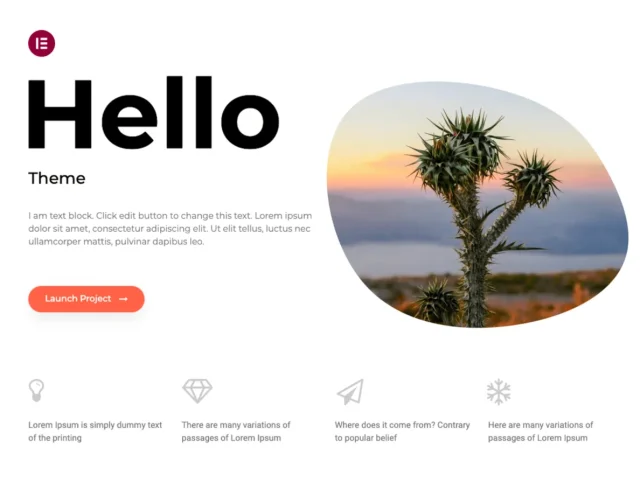
Hello Elementor exists for one specific purpose: to provide the lightest possible base for Elementor users. With over 1 million active installs, it’s clearly doing that job at scale. The theme itself adds almost nothing — no styling, no scripts, no structure beyond the bare minimum HTML wrapper. Everything visible on your site comes from Elementor.
The SEO implication of this approach is that Hello makes speed possible by removing theme overhead — but the performance you actually achieve depends entirely on how you build with Elementor. A well-built Elementor site on Hello can be very fast. A site loading 30 Elementor widgets per page won’t be.
Key SEO features:
- Ultra-minimal HTML output — effectively zero theme overhead
- No theme-level render-blocking resources
- Designed for Elementor’s canvas layouts and full-width sections
- All schema and SEO features come from Elementor Pro and SEO plugins
Free vs. Premium: Hello itself is free and always will be. The cost comes from Elementor Pro, which is required for most practical use cases. Budget accordingly.
Best for: Elementor Pro users who want complete design control and are comfortable managing SEO features through Elementor’s settings and a separate SEO plugin. Works well for agencies building custom client sites.
Not ideal for: Anyone who isn’t using Elementor. Outside of an Elementor workflow, Hello provides nothing useful on its own.
8. Divi — Best for Design Freedom (with Trade-offs)
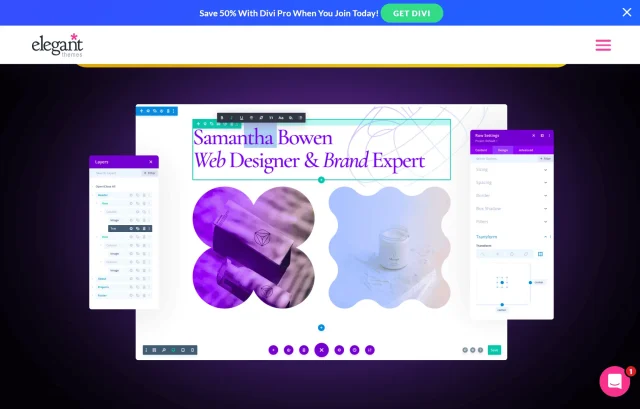
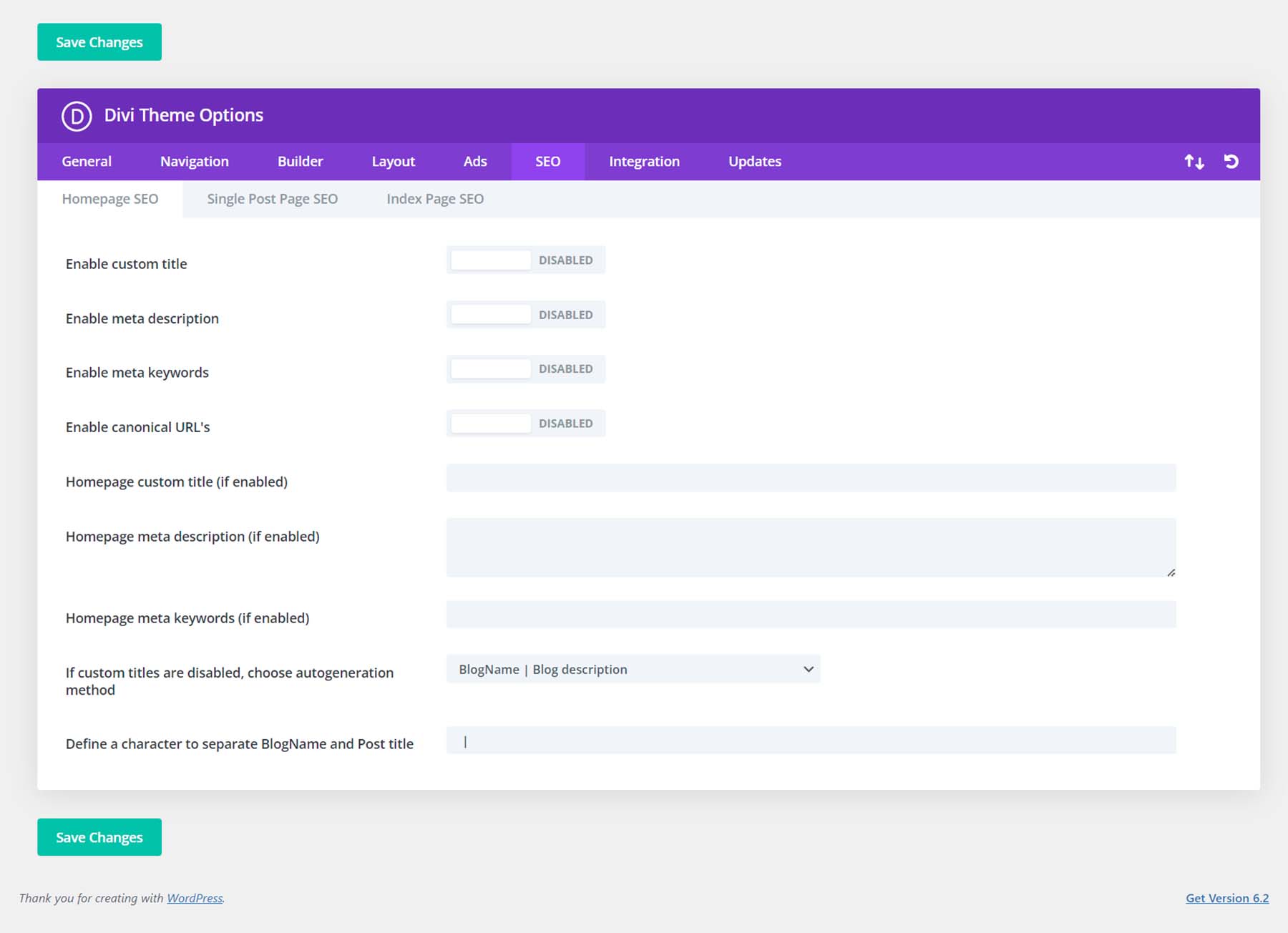
Divi, by Elegant Themes, is the most popular premium WordPress theme available. It combines a full drag-and-drop visual builder with a comprehensive theme — meaning you get both the framework and the design tool in one package. The built-in SEO panel lets you set custom titles, descriptions, canonical URLs, and schema on a per-page basis.
The honest trade-off: Divi generates more HTML markup and loads more assets than lightweight themes like GeneratePress or Neve. Used without optimization, this can hurt your Core Web Vitals scores. Used with caching, image optimization, and careful module usage, Divi can perform acceptably — but it requires more configuration effort than the other themes in this list.
Key SEO features:
- Built-in SEO panel with per-page meta titles, descriptions, and canonical URLs
- Responsive design editing controls (desktop, tablet, mobile simultaneously)
- Compatible with Yoast SEO and Rank Math
- Built-in A/B testing (unique among themes in this list)
- Hundreds of pre-built layout packs
Free vs. Premium: Divi is premium-only — approximately $89/year or $249 as a lifetime purchase (verify at elegantthemes.com). This gives you both the Divi theme and the Divi Builder plugin.
Best for: Designers, marketing agencies, and creative businesses where visual branding and unique layouts matter more than raw page speed. If you’re willing to invest time in performance optimization, Divi can deliver both design and rankings.
Not ideal for: Speed-first use cases, simple blogs, or users who don’t want to manage performance optimization on top of content creation.
Comparison Table — 8 Best WordPress Themes for SEO
Here’s how all eight themes compare across the key factors that affect SEO performance:
| Theme | Free Plan | Starting Price | Schema Built-in | Block/FSE Ready | Best Use Case |
|---|---|---|---|---|---|
| GeneratePress | ✅ Yes | ~$59/year | ✅ Yes | ✅ Yes | Speed-focused blogs & developer sites |
| Astra | ✅ Yes | ~$49/year | ✅ Yes | ✅ Yes | Most site types — versatile all-rounder |
| Kadence | ✅ Yes | Check kadencewp.com | ✅ Yes | ✅ Block-first | Gutenberg-native sites, WooCommerce |
| Blocksy | ✅ Yes | Check creativethemes.com | ✅ Yes | ✅ Yes | Performance-focused, developer builds |
| Neve | ✅ Yes | ~$69/year | ✅ Yes | ✅ Yes | Content blogs, mobile-first sites |
| OceanWP | ✅ Yes | ~$35/year (extensions) | ✅ Yes | ✅ Yes | WooCommerce, feature-rich free sites |
| Hello Elementor | ✅ Free | Free (requires Elementor) | Via plugins | ❌ Elementor-based | Elementor Pro users, custom builds |
| Divi | ❌ No | $89/year or $249 lifetime | ✅ Yes | ❌ Proprietary builder | Design-focused, agency sites |
Note: Pricing verified from competitor articles (2024–2026). Confirm current prices at each theme’s official website before purchasing.
If speed optimization is a priority after choosing your theme, our WordPress speed optimization guide covers caching, image compression, and Core Web Vitals tuning.
Which Theme Should You Choose?
The right answer depends on what you’re actually building. Here’s a simple use-case matching guide:
Personal blogger starting out: Start with the free version of GeneratePress or Astra. Both handle basic blogs without any paid plan. GeneratePress has a slight edge for speed; Astra has a slight edge for ease of use.
Small business website: Astra or Kadence. Astra has the larger template library and the more established ecosystem. Kadence is the better choice if you want to build entirely inside Gutenberg without relying on third-party page builders.
WooCommerce store: Astra or OceanWP. Astra’s WooCommerce integration is thorough and well-documented. OceanWP gives you more WooCommerce customization options for free, though it requires more manual optimization.
Developer or technically-minded user: GeneratePress or Blocksy. Both reward users who want precise control over performance. Blocksy’s conditional asset loading is particularly impressive for developers who want fine-grained optimization.
Elementor user: Hello Elementor. If your workflow is built around Elementor Pro, using Hello removes all theme overhead and gives Elementor full control. Alternatives like Astra or OceanWP also work well with Elementor if you want more theme features alongside your builder.
Design-focused agency or creative business: Divi. No other theme in this list gives you the same level of visual design control. The performance trade-off is manageable with proper optimization, but it requires intention.
What the Theme Controls vs. Your SEO Plugin
A common question from new WordPress site owners: “If I’m using Yoast SEO or Rank Math, does my theme even matter for SEO?”
It matters more than most people expect. Here’s the clearest way to think about the division:
| Responsibility | Handled by Theme | Handled by SEO Plugin |
|---|---|---|
| Meta title & description | ❌ | ✅ Yoast / Rank Math |
| XML sitemap | ❌ | ✅ Yoast / Rank Math |
| Page loading speed | ✅ Theme controls | ❌ |
| HTML heading structure | ✅ Theme controls | ❌ |
| Basic schema markup | ✅ Most good themes | ✅ SEO plugin adds more |
| Core Web Vitals | ✅ Theme is primary factor | ❌ |
| Canonical URLs | ❌ | ✅ Yoast / Rank Math |
| Mobile responsiveness | ✅ Theme controls | ❌ |
| Advanced schema (LocalBusiness, Product) | Partial | ✅ SEO plugin handles |
The short answer: your SEO plugin handles content-level optimization; your theme handles technical performance. Both are necessary.
Not sure which SEO plugin to use? Our Yoast SEO vs Rank Math comparison breaks down the differences clearly.
What to Check Before Switching WordPress Themes
If you’re already running a live site and considering switching themes, there are a few things worth checking before you make the move. Theme switches rarely break your content, but they can disrupt SEO settings if you’re not careful.
Before switching:
- Back up your site — a full backup (files + database) before any major theme change. This is non-negotiable.
- Document your current breadcrumb and schema settings — if your current theme outputs breadcrumb schema, check whether your new theme does too, or whether you need to enable it via a plugin.
- Check template files — verify your new theme includes templates for the page types you use: single.php, category.php, author.php, search.php, and 404.php.
- Run a PageSpeed Insights test on your current site — get a baseline score before switching, so you can compare after.
- Test on a staging site first — most managed WordPress hosts provide staging environments. Use them.
After switching:
- Run Core Web Vitals tests again — compare against your baseline
- Check that breadcrumbs still appear (if you use them)
- Verify your SEO plugin is still handling title tags correctly — check wp_head() hook is present in the new theme’s header.php
- Resubmit your sitemap in Google Search Console
- Monitor Search Console impressions and clicks for the first 2–4 weeks
A theme switch doesn’t inherently hurt SEO — your content, backlinks, and domain authority stay intact. What can hurt is losing schema markup, breadcrumbs, or mobile responsiveness if the new theme doesn’t configure those correctly.
After switching, monitor your traffic in Google Search Console for 2–4 weeks to confirm no unexpected drops in impressions or clicks.
Frequently Asked Questions
- What makes a WordPress theme good for SEO?
- An SEO-friendly WordPress theme loads fast, outputs clean HTML, supports schema markup, works correctly on mobile, and passes Core Web Vitals benchmarks. It should also be compatible with major SEO plugins like Yoast SEO or Rank Math without conflicts. Speed and code quality are the two factors that matter most — a theme that looks great but loads in 5 seconds will underperform a plain-looking theme that loads in 1 second.
- Are free WordPress themes good enough for SEO?
- Yes, many free themes are genuinely SEO-ready. GeneratePress, Astra, Neve, Kadence, Blocksy, and OceanWP all have strong free versions with built-in schema markup, clean code, and mobile responsiveness. The free versions have real limitations in design flexibility and template options — but from a pure SEO standpoint, the free tier of these themes performs as well as the paid versions.
- Do heavy page builders hurt SEO?
- They can, but it’s not automatic. Page builders like Divi or Elementor generate additional HTML markup and load extra CSS/JavaScript, which can slow page load times if used heavily. The key is to be selective: disable modules you don’t use, compress images, use caching, and test your Core Web Vitals after building. A well-optimized Elementor or Divi site can rank just fine — it just takes more effort to get there than with a lightweight theme.
- How important is schema markup in a WordPress theme?
- Schema markup helps search engines understand your content and can improve how your pages appear in search results (rich snippets, breadcrumbs in SERPs). Most good themes include basic article and breadcrumb schema. For more advanced schema types — LocalBusiness, Product, Review — you’ll typically supplement with an SEO plugin like Rank Math, which handles schema very thoroughly. A theme without any schema support is a minor disadvantage, but it’s correctable with the right plugin.
- Which WordPress theme is best for WooCommerce SEO?
- Astra and OceanWP are the strongest WooCommerce options in this list. Astra has deep WooCommerce integration, a clean checkout page structure, and good product page performance. OceanWP gives you more WooCommerce customization options for free. Kadence and Blocksy also handle WooCommerce well. For e-commerce SEO specifically, prioritize themes with fast product page loading and clean product schema — both Astra and OceanWP handle this.
- Can I switch WordPress themes without hurting my SEO?
- A theme switch doesn’t directly affect your content’s ranking signals — your backlinks, domain authority, and content quality stay the same. What can be affected is technical SEO: schema markup, breadcrumbs, mobile performance, and page speed. The way to switch safely is to test on staging first, document your current schema settings, run a PageSpeed baseline before switching, and monitor Search Console for 2–4 weeks after the switch.
- How do I test if a WordPress theme is actually fast?
- Use Google PageSpeed Insights (pagespeed.web.dev) on the theme’s demo URL before installing it on your site. Run the same test in both mobile and desktop views. You can also use GTmetrix for more detailed waterfall charts. Test with real-world content, not just blank demos — your actual images and plugins will affect the final score. Themes claiming fast speeds on clean installs may perform differently once you’ve added a page builder and a dozen plugins.
- Is Divi good for SEO?
- Divi can absolutely support good SEO — it has a built-in SEO panel, works with Yoast and Rank Math, and generates mobile-responsive output. The challenge is that Divi’s visual builder adds page weight, which can affect Core Web Vitals scores. If you’re willing to optimize (caching, image compression, disabling unused Divi modules), you can build an SEO-performing site with Divi. If you want a theme that’s fast by default without extra work, GeneratePress or Astra are easier starting points.
- What is the difference between a WordPress theme and an SEO plugin?
- They handle different parts of SEO. Your theme controls the technical foundation: page speed, HTML structure, mobile responsiveness, and basic schema markup. Your SEO plugin (Yoast, Rank Math, AIOSEO) controls content-level optimization: meta titles, descriptions, canonical URLs, XML sitemaps, and advanced schema types. You need both. A great SEO plugin on a slow, poorly-coded theme will still underperform a mediocre plugin on a fast, clean theme.
Conclusion
No single theme wins for every use case. If you’re running a personal blog or content site and want the best default performance, GeneratePress is hard to beat at any price point. For most small business sites, Astra’s combination of ecosystem maturity, starter templates, and reliable performance makes it the easiest recommendation. Kadence and Blocksy are strong modern alternatives if you’re building inside WordPress’s block editor.
Whichever theme you choose, pair it with an SEO plugin — Yoast SEO and Rank Math are both excellent and both free in their base versions. The theme handles your technical foundation; the plugin handles the content-level work. Get both right and your SEO baseline is solid.
