



WordPress’s built-in table block does the bare minimum. You get rows and columns — no sorting, no search, no responsive behavior on narrow screens. For anyone who needs to display real data — product comparisons, pricing lists, directories, schedules, or datasets — a dedicated table plugin is the practical solution.
The problem is that “best” depends entirely on what you’re building. A blogger creating affiliate comparison tables has completely different needs from a developer building a product directory that pulls from a live database. This guide breaks down the top options honestly, with verified pricing, a side-by-side feature table, and a clear guide for matching each plugin to its best use case.

Quick Summary — Which Plugin Should You Use?
If you need a decision in 30 seconds, here it is:
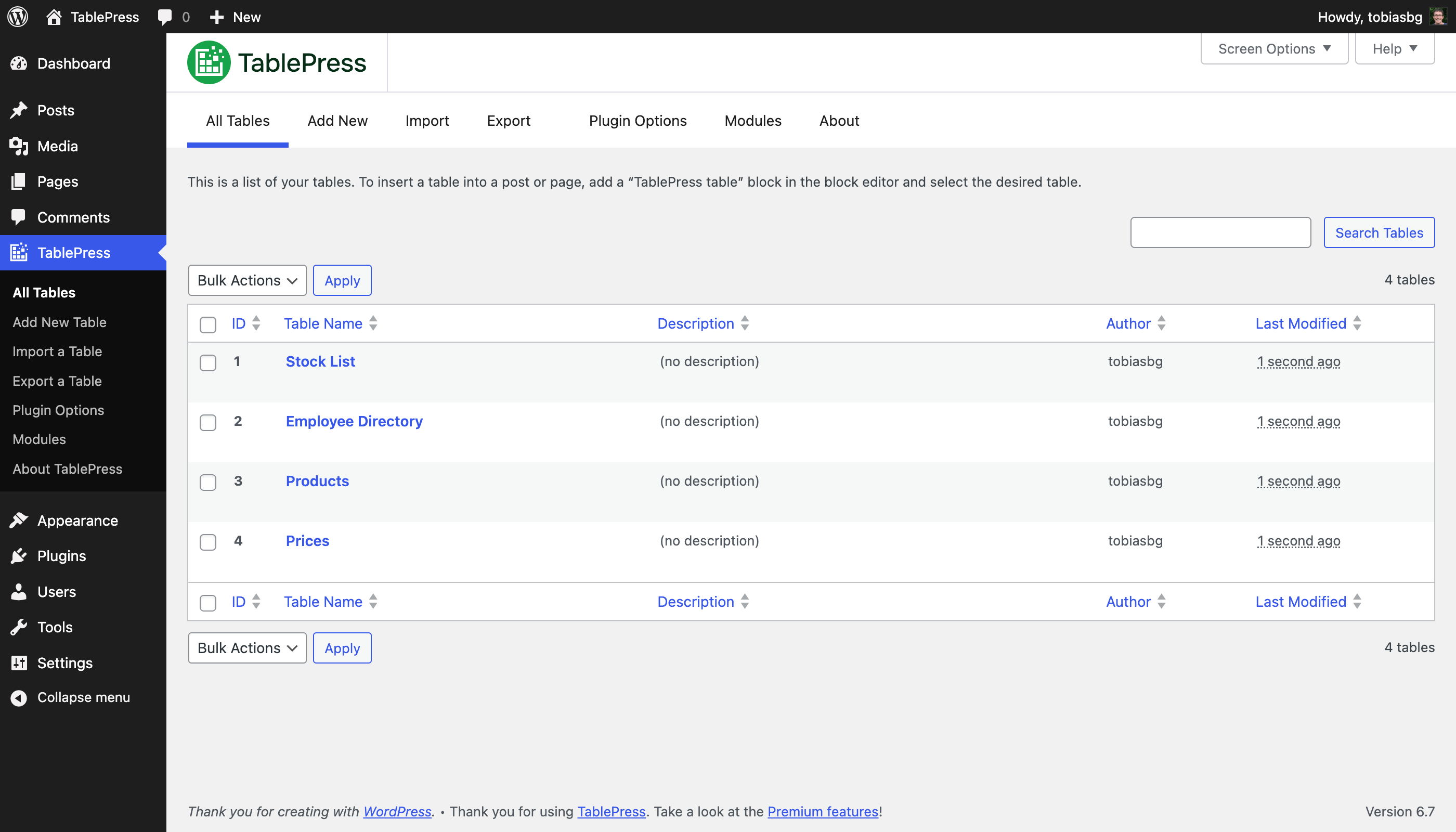
- TablePress — Best free option for simple, static tables
- Ninja Tables — Best for WooCommerce stores and Google Sheets auto-sync
- wpDataTables — Best for developers managing complex or large datasets
- WP Table Builder — Best drag-and-drop for bloggers and affiliate marketers
- Data Tables Generator (Supsystic) — Strong free tier with charts included
- Tableberg — Best Gutenberg-native option (still early-stage, use with care)
- Visualizer — Best when you need both charts and tables in the same plugin
Quick-pick guide:
- Need a free plugin for basic tables? → TablePress (just note: responsive requires paid upgrade)
- Running a WooCommerce store? → Ninja Tables
- Need Google Sheets auto-sync? → Ninja Tables (Pro) or TablePress (Pro/Max)
- Need data visualization alongside tables? → Visualizer or wpDataTables
- Building comparison tables without touching code? → WP Table Builder
- Working primarily in the Gutenberg block editor? → Tableberg
- Managing hundreds of rows or live database queries? → wpDataTables
Best WordPress plugins roundup
What to Look For in a WordPress Table Plugin
Five questions worth answering before you install anything.
Responsiveness — Does It Work on Mobile?
Over half of web traffic now comes from mobile devices. A table that looks fine on desktop but breaks on a phone is a real problem. Most modern table plugins handle this — but not all do it in the free version. TablePress, the most popular option in the repository, locks responsive behavior behind its paid Pro tier. That’s not a dealbreaker if you’re buying anyway, but it’s worth knowing before you assume free means fully featured.
Data Source Support
Static tables — where you type data directly — are fine for content that rarely changes. But if your data updates regularly, you want a plugin that can pull from Google Sheets, a CSV file, or a database. Ninja Tables and wpDataTables both support Google Sheets sync that refreshes automatically when the spreadsheet changes. That’s the kind of feature that saves hours of manual updates over time.
Page Builder Compatibility
Not all table plugins work equally well across different editors. If you’re using Elementor, Divi, or another page builder, check that the plugin offers a widget or block for it — not just a shortcode fallback. All major table plugins now support Gutenberg blocks, and most work with Elementor. wpDataTables goes further, with native support for Elementor, Divi, WPBakery, and Avada.
Free Tier Reality Check
The WordPress plugin repository lists several table plugins as “free,” but the free version often exists mainly to introduce you to the paid one. That’s not inherently bad — most premium features are worth paying for. What matters is knowing what you’re actually getting before you build tables around a free version that might not do what you need.
Free vs. premium WordPress plugins: what’s actually worth paying for
Performance Impact
Table plugins load JavaScript and CSS on every page that embeds a table — and sometimes site-wide. Heavier plugins can add meaningful page weight. For small sites this rarely matters, but on high-traffic sites or those already working to hit Core Web Vitals targets, plugin choice affects load time. Lightweight plugins like WP Table Builder and TablePress are generally less aggressive on page weight than feature-heavy options like wpDataTables or Visualizer.
Full Feature Comparison Table
Here’s what each plugin actually offers, based on verified data from their WordPress.org listings and official documentation as of March 2026.
| Plugin | Free Version | Paid (from) | Active Installs | Rating | Responsive (free) | Google Sheets | WooCommerce | Gutenberg Block | CSV Import | Server-Side |
|---|---|---|---|---|---|---|---|---|---|---|
| TablePress | ✅ | $89/yr | 700,000+ | 4.8/5 | ❌ (Pro) | ✅ (Pro) | ❌ | ✅ | ✅ | ✅ (Max) |
| Ninja Tables | ✅ | ~$79/yr | 80,000+ | 4.6/5 | ✅ | ✅ (Pro) | ✅ (Pro) | ✅ | ✅ | ❌ |
| wpDataTables | ✅ | $69/yr | 70,000+ | 4.5/5 | ✅ | ✅ (Pro) | ✅ (Pro) | ✅ | ✅ | ✅ (Pro) |
| WP Table Builder | ✅ | $59/yr | 50,000+ | 4.8/5 | ✅ | ❌ | ❌ | ✅ | ✅ | ❌ |
| Data Tables Gen. (Supsystic) | ✅ | $89/yr | 20,000+ | 4.7/5 | ✅ | ✅ | ❌ | ✅ | ✅ | ✅ |
| Tableberg | ✅ | ~$49/yr | 2,000+ | N/A | ✅ | ❌ | ✅ (Pro) | ✅ (native) | ❌ | ❌ |
| Visualizer | ✅ | $99/yr | N/A | N/A | ✅ | ✅ | ❌ | ✅ | ✅ | ❌ |
Data sourced from WordPress.org plugin pages and official pricing pages, March 2026. Pricing shown is for single-site annual plans. Verify current prices before purchasing.
The Best WordPress Table Plugins — Detailed Reviews
TablePress — Best Free Option for Simple Tables

TablePress dominates the WordPress table plugin category with over 700,000 active sites — more than all other table plugins combined. That number comes from a genuinely solid free version: you get unlimited tables, CSV and Excel import/export, math formula support, filtering, sorting, pagination, and a clean spreadsheet-style editor. No coding required.
The key limitation most reviews gloss over: responsive tables aren’t included in the free version. If you need tables that stack or scroll cleanly on mobile, you need at least the Pro plan.
Pricing (verified at tablepress.org, March 2026):
- Free: Unlimited tables, import/export, formulas, basic CSS
- Pro: $89/year (1 site), $169/yr (5 sites) — adds responsive tables, fixed headers, style customizer, row grouping, filter dropdowns, auto-export
- Max: $189/year (1 site), $369/yr (5 sites) — adds server-side processing, automatic periodic imports, REST API, fuzzy search, priority support
- Lifetime options: Pro $389, Max $789 (1 site)
Best for: Anyone who needs reliable, static tables and doesn’t mind either using the free version without mobile responsiveness or paying for Pro to unlock it. The most battle-tested option in the space — 4,500+ five-star reviews, regular updates, and a developer who takes security seriously (operates a formal vulnerability disclosure program with Patchstack).
Not ideal for: WooCommerce product tables, real-time data sync, or complex data visualization.
Ninja Tables — Best for WooCommerce and Live Data
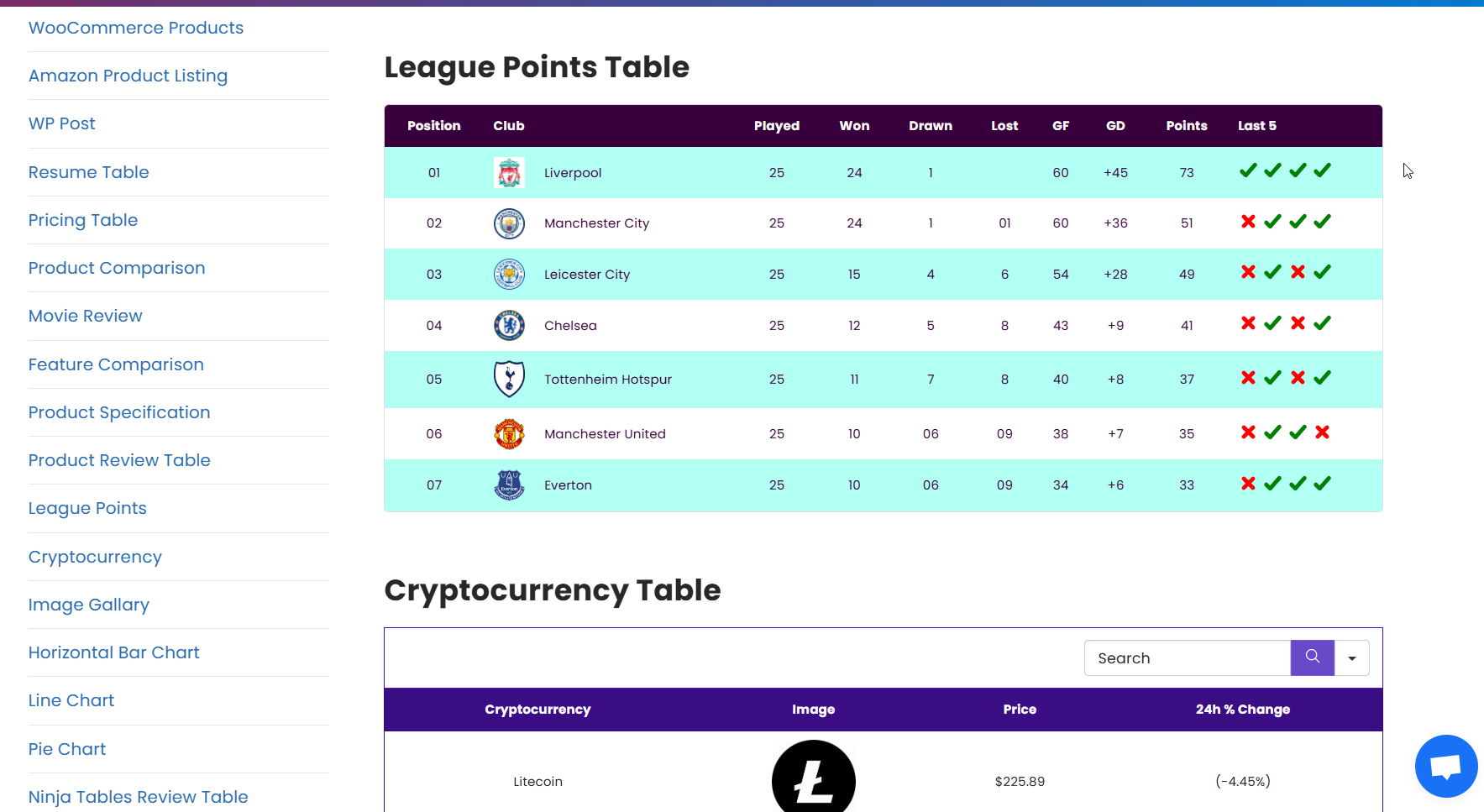
Ninja Tables is built by WPManageNinja — the same team behind Fluent Forms and FluentCRM. That track record matters. With 80,000+ active users and a 4.6-star rating from 469 reviews, it’s a well-maintained plugin with active development.
What separates Ninja Tables from most others is the breadth of its data sources: 11 different table creation methods, including Google Sheets sync, WooCommerce product tables with buy buttons, Fluent Forms integration, custom SQL queries, and external CSV feeds. The free version is genuinely useful — responsive tables, 50+ templates, and basic filtering are all included at no cost.
Pricing (verify at purchase — first-year discounts apply):
- Free: Responsive tables, 50+ templates, drag-and-drop builder, CSV import
- Single ($79/yr regular rate): 1 domain, Pro features including WooCommerce and Google Sheets
- Agency ($129/yr regular): 20 domains
- Unlimited ($299/yr regular): Unlimited domains
- Note: The site often shows discounted first-year pricing (approx. 30% off). Renewal rates are higher — check before committing.
Best for: WooCommerce store owners who want product tables with add-to-cart buttons; anyone syncing WordPress tables with a live Google Sheet; teams managing multiple client sites.
Not ideal for: Server-side processing for massive datasets (not supported); users who want only a visual drag-and-drop builder without any data source complexity.
wpDataTables — Best for Complex and Large Datasets
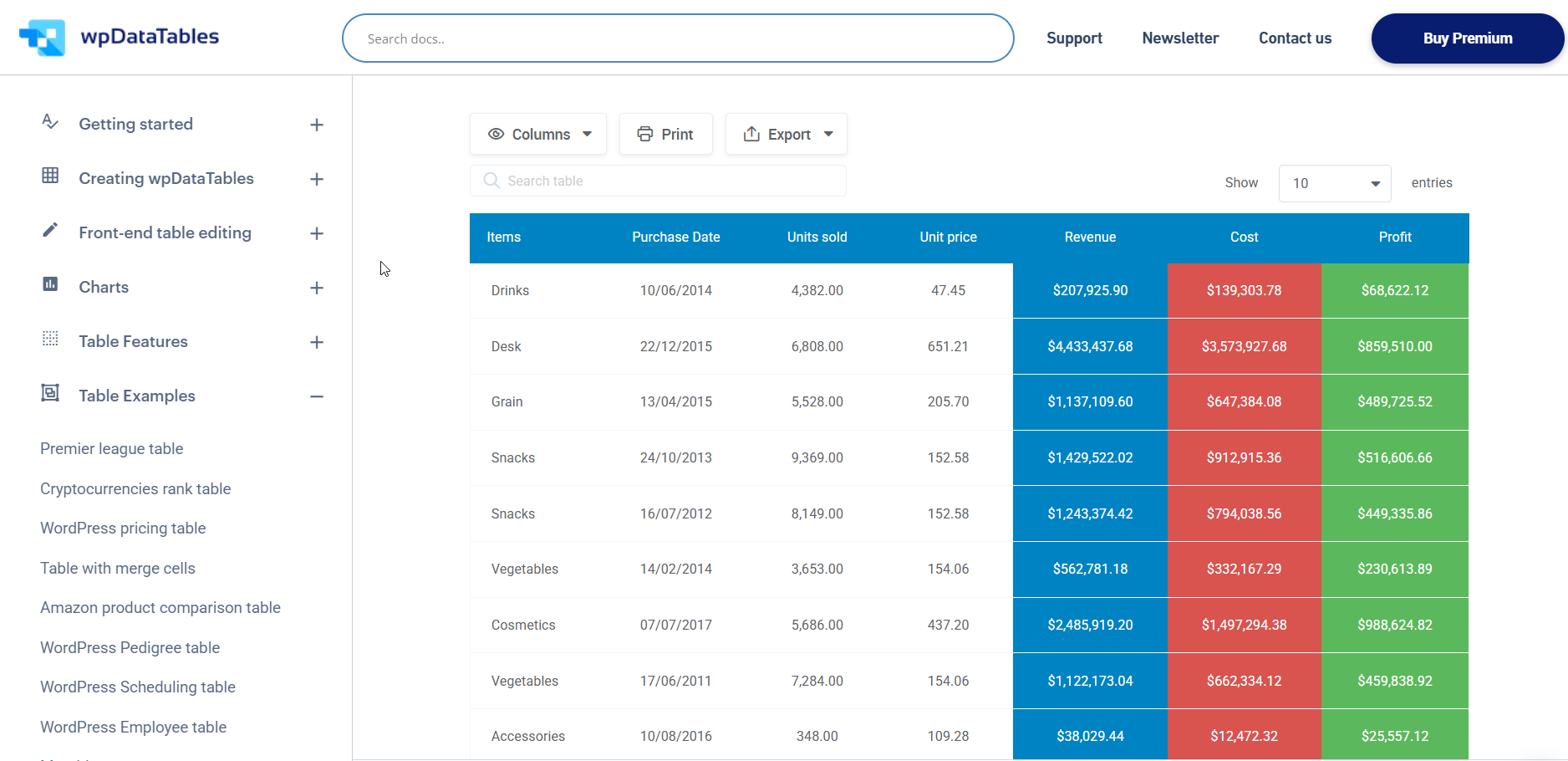
If your use case involves large datasets, live database queries, or complex data visualization, wpDataTables is built for it. The plugin connects to MySQL, PostgreSQL, Excel, CSV, JSON, Google Sheets, WooCommerce, and WordPress custom post types. The free version includes a capable base, with premium unlocking conditional formatting, Highcharts/ApexCharts, Google Sheets API sync, editable tables, and WooCommerce integration.
The chart support is broader than most: 23 chart types across Google Charts and Chart.js — and that’s on top of tables. For dashboards or reporting pages that need both, this is the plugin to consider.
Page builder compatibility is also the widest in this list: native support for Elementor, Divi, WPBakery, and Avada.
Pricing (verified March 2026):
- Free: Basic tables, charts, responsive, CSV/Excel/JSON import, search, sort, export
- Basic: $69/year (1 domain) — Excel-like editing, manual tables
- Pro: $109/year (3 domains) — WooCommerce, Google Sheets API, advanced filters, Highcharts
- Developer: $249/year (unlimited) — all features
- Lifetime options also available
Best for: Developers, data analysts, and site owners managing live data from databases or spreadsheets; anyone who needs complex charts alongside tables; WooCommerce product data management at scale.
Not ideal for: Users looking for quick drag-and-drop table creation; beginners unfamiliar with data structures; the free version, while functional, has a learning curve.
WP Table Builder — Best Drag-and-Drop for Non-Coders

Bloggers and affiliate marketers consistently gravitate toward WP Table Builder — and the 4.8-star rating from 678 reviews backs that up. The drag-and-drop interface lets you drop in text, images, buttons, star ratings, and custom HTML directly into table cells. The result looks polished without requiring CSS skills.
What’s notable: the free version includes responsive tables with no upgrade required. The paid plan ($59/year, unlimited sites) mainly adds priority support and updates. For comparison tables on affiliate content, the free version alone may be everything you need.
The plugin doesn’t support Google Sheets sync or WooCommerce integration — it’s built for manually crafted, visually styled tables, not live data. That’s the right trade-off for its target audience.
Pricing (verified March 2026):
- Free: Responsive tables, drag-and-drop, 25+ templates, pagination, search, lazy loading, Gutenberg block
- Pro Yearly: $59/year (unlimited sites, discounted from $99)
- Pro Lifetime: $179 (unlimited sites, discounted from $279)
- 30-day money-back guarantee
Best for: Bloggers, affiliate marketers, and content creators who need styled comparison or review tables without connecting to live data sources.
Not ideal for: Anything involving live data, Google Sheets sync, WooCommerce, or large datasets.
Data Tables Generator by Supsystic — Strong Free Tier
Data Tables Generator punches above its 20,000+ active install count. The free version includes more than most: responsive tables, CSV/Excel/Google Sheets import, integrated charts, custom CSS, and server-side processing for large tables. You don’t see server-side processing in many free plans.
The plugin has a 4.7-star rating from 494 reviews — strong for a less widely known option. Users consistently highlight its formula support and front-end editing capabilities (available in Pro). The interface is a bit older-looking compared to Ninja Tables or WP Table Builder, but the functionality is solid.
Pricing (verified March 2026):
- Free: Single site, no support/updates
- Personal: $89/year (1 site) or $29 lifetime — lifetime support and updates
- Developer: $149/year (5 sites) or $49 lifetime
- Enterprise: $299/year (6+ sites) or $99 lifetime
- Bundle pricing available when purchasing multiple Supsystic plugins
Note on lifetime pricing: The extremely low lifetime prices ($29–$99) are unusual and worth verifying directly with Supsystic before purchasing, as these may be limited-time offers.
Best for: Sites that need charts plus tables in a single free plugin; users comfortable with a slightly older interface in exchange for a generous free tier.
Not ideal for: Sites needing WooCommerce integration or a polished modern UI.
Tableberg — Best Gutenberg-Native Option

Tableberg takes a different approach: instead of a separate table builder interface, it works entirely inside the block editor. Tables are built with sub-blocks — images, buttons, lists — directly inside Gutenberg. Pre-built templates cover pricing charts, product comparisons, and menus.
The catch: Tableberg is early-stage. As of early 2026, the plugin is still in beta release stages. Security researchers have flagged that undiscovered vulnerabilities could exist in newer code, and there’s no public vulnerability history yet simply because the plugin hasn’t been around long enough for thorough auditing. That’s worth knowing if you’re running a production site handling sensitive data.
Pricing: Free version available; paid plans from approximately $49/year (1 site) to $149/year (unlimited).
Best for: Users who live in Gutenberg and want the cleanest native block integration; staging and personal projects where production stability isn’t critical.
Not ideal for: Mission-critical production sites until the plugin reaches a stable public release.
Visualizer — Best for Charts and Tables Combined

Visualizer is primarily a chart plugin that also handles tables well. You get 15 chart types — line, area, pie, gauge, scatter, and more — plus table functionality with pagination, sorting, and live data source support (Google Sheets, external APIs). If your site regularly presents data that benefits from visual context (trends, comparisons, distributions), Visualizer handles that in a way that pure table plugins can’t.
The trade-off is pricing — it starts at $99/year, which puts it on the premium end compared to plugins focused solely on tables. And a history of security vulnerabilities (nine patched since launch according to Patchstack) means staying up to date on updates is important.
Pricing:
- Free: Core table and chart creation
- Personal: $99/year (single site)
- Plus: $199/year (multi-site)
- Infinite: $399/year (unlimited sites)
Best for: Sites with data that tells a story — dashboards, analytics pages, report summaries where charts and tables are both needed.
Not ideal for: Budget-conscious users; those who only need tables without visualization features.
WordPress data visualization guide
Pricing Breakdown — What Each Plugin Actually Costs
Here’s the honest version of the pricing table, including what the free tier actually gives you and where the limits kick in.
| Plugin | Free Tier | Key Free Limitation | Paid Entry | License Type |
|---|---|---|---|---|
| TablePress | Unlimited tables, import/export, formulas | No responsive tables | $89/yr (Pro) | Per-site annual or lifetime |
| Ninja Tables | Responsive, 50+ templates, drag-and-drop | Google Sheets & WooCommerce need Pro | ~$79/yr (Single) | Per-site or agency/unlimited |
| wpDataTables | Tables, charts, responsive, import | WooCommerce & Google Sheets API need paid | $69/yr (1 domain) | Per-domain annual or lifetime |
| WP Table Builder | Full drag-and-drop, responsive, 25+ templates | Priority support needs paid plan | $59/yr (unlimited sites) | Unlimited sites (all plans) |
| Data Tables Gen. | Responsive, charts, Google Sheets, server-side | No support/updates in free | $89/yr (1 site) or $29 lifetime | Per-site or multi-site |
| Tableberg | Basic Gutenberg blocks, templates | Advanced elements (star ratings, HTML) need Pro | ~$49/yr (1 site) | Per-site annual |
| Visualizer | Core chart and table features | Multi-site, live data sources need paid | $99/yr (1 site) | Per-site annual |
Prices verified March 2026. Always confirm current pricing directly with the plugin vendor before purchasing.
Who Should Use Which Plugin?
The right choice depends on three things: what data you’re displaying, how technical you’re comfortable getting, and whether you need live data or static content.
- ✅ Beginners and non-coders: Start with WP Table Builder (free, drag-and-drop, responsive). If you need more data importing features, try Ninja Tables free version.
- ✅ Bloggers and affiliate marketers: WP Table Builder handles comparison tables with star ratings, images, and buttons better than anything else at this price point.
- ✅ WooCommerce store owners: Ninja Tables is the clear choice — it supports product tables with buy buttons, stock status, and attribute filters, plus WooCommerce reviews integration.
- ✅ Anyone syncing to Google Sheets: Both Ninja Tables Pro and TablePress Pro/Max handle this. Ninja Tables updates automatically when the sheet changes; TablePress can do automatic periodic imports on the Max plan.
- ✅ Developers and data teams: wpDataTables is built for this — MySQL/PostgreSQL queries, REST API, server-side processing, and the broadest page builder support in the category.
- ✅ Gutenberg-first users: Tableberg is the most native block editor experience, though its early-stage status means caution on production.
- ✅ Sites needing data visualization: Visualizer or wpDataTables — both support charts alongside tables from live data sources.
- ❌ Avoid Tableberg for production until it reaches a stable public release. Security auditing is still catching up to the plugin’s feature set.
- ⚠️ Large traffic sites: Test any table plugin in staging first. Server-side processing (available in TablePress Max and wpDataTables Pro) dramatically reduces frontend load for large tables.
WooCommerce product table plugins
Frequently Asked Questions
- What is the best free WordPress table plugin?
- TablePress is the most popular free option — over 700,000 active sites use it for good reason. The free version covers unlimited tables, import/export, sorting, filtering, and pagination. The main caveat: responsive behavior requires the paid Pro plan. If you need a fully featured free plugin that’s also responsive out of the box, WP Table Builder and Ninja Tables are strong alternatives.
- How do I make WordPress tables responsive on mobile?
- Most dedicated table plugins handle responsiveness either by stacking columns vertically on small screens, enabling horizontal scrolling, or collapsing less important columns. Ninja Tables, WP Table Builder, wpDataTables, and Data Tables Generator all include responsive behavior in their free versions. TablePress requires the Pro plan for responsive support. Check your plugin’s settings panel for options like “responsiveness mode” or “mobile breakpoints.”
- Which WordPress table plugin works best with WooCommerce?
- Ninja Tables is the strongest option for WooCommerce product tables. It supports displaying product details, prices, stock status, buy buttons, and customer reviews directly in a table. wpDataTables also handles WooCommerce data, though the setup is more technical. Neither plugin’s WooCommerce integration is available in the free version — both require a paid plan.
- Can I sync WordPress tables with Google Sheets?
- Yes — several plugins support this. Ninja Tables Pro syncs with Google Sheets and updates the WordPress table automatically when the spreadsheet changes. TablePress Pro and Max also support Google Sheets import, with the Max plan enabling automatic periodic reimports. wpDataTables Pro uses the Google Sheets API for live-updating tables. Data Tables Generator by Supsystic includes basic Google Sheets import even in the free version.
- Which table plugin handles large datasets best?
- wpDataTables and TablePress Max both support server-side processing — the approach that handles thousands of rows efficiently by loading data from the server on demand rather than all at once in the browser. For very large tables (thousands of rows), this is the feature to look for. Data Tables Generator by Supsystic also includes server-side processing in its free version, which is unusual and useful.
- Do WordPress table plugins slow down my site?
- They can, if used carelessly. Table plugins load JavaScript and CSS assets, and some load them site-wide even on pages without tables. Lighter options like WP Table Builder and TablePress typically add less page weight. Heavier feature sets — charts, live data connections, front-end editing — come with more asset loading. For performance-sensitive sites, check whether the plugin loads scripts only on pages with tables (not globally), and test with a performance tool like PageSpeed Insights before going live.
- What’s the difference between a data table plugin and a pricing table plugin?
- Data table plugins (TablePress, Ninja Tables, wpDataTables) are general-purpose tools for displaying and managing any tabular data — product listings, schedules, directories, comparison charts. Pricing table plugins (like ARPrice or Easy Pricing Tables) are specifically designed for creating stylized pricing cards with feature checklists, highlight tiers, and toggle pricing — the kind of layout you see on SaaS pricing pages. They’re built for different jobs, and most data table plugins can’t replicate the visual design of a proper pricing table without significant custom CSS.
- Which table plugin works best with the Gutenberg block editor?
- All major table plugins now include a Gutenberg block for embedding tables without shortcodes. Tableberg is the most native — it’s built entirely within the block editor, with tables constructed from sub-blocks. For most users, any of the major plugins work well with Gutenberg. TablePress, Ninja Tables, wpDataTables, and WP Table Builder all have proper block implementations.
- Can I create tables in WordPress without any coding?
- Yes. That’s the main reason these plugins exist. WP Table Builder and Ninja Tables both offer drag-and-drop interfaces where you add rows, columns, and content elements without writing HTML. TablePress uses a spreadsheet-style editor. For basic static tables, any of these requires no coding knowledge. More advanced features — custom CSS, SQL queries, API connections — do require some technical familiarity, but those are optional add-ons, not baseline requirements.
- How do WordPress table plugins store data?
- Most table plugins store table data in the WordPress database — typically in the wp_options table (for settings and table structure) or in custom database tables depending on the plugin. wpDataTables can query external databases in addition to storing data internally. When you migrate a WordPress site, table data moves with the database export, just like post content. This is generally reliable, though it’s worth checking plugin-specific migration notes if you’re moving between hosts or environments.
How to migrate a WordPress site safely
Final Thoughts
No single plugin wins across every use case here. TablePress is the safe default for simple static tables — the install count and review history reflect years of reliable performance. Ninja Tables is the better choice once WooCommerce or live data enters the picture. WP Table Builder solves a specific problem (styled comparison tables without coding) better than anything else at that price. And wpDataTables handles complexity that would break a lighter plugin.
The most important decision factors: whether you need responsive tables in the free tier, whether your data is static or live, and whether your page builder has native support. Get those three right and the plugin choice follows naturally.
