



Most roundups on this topic are written by people who have a financial stake in the answer. WPBeginner’s founder co-founded OptinMonster. The Popup Maker blog ranks Popup Maker first. Omnisend puts Omnisend second. That’s not criticism — disclosures are good — but it does mean you need a source that doesn’t benefit from nudging you toward any particular plugin.
This guide covers ten of the most-used WordPress popup tools based on actual feature sets, verified 2026 pricing, and documented performance characteristics. No affiliate deals here. The goal is to give you enough information to match the right solution to your specific situation.

What This Guide Covers — The Short Version
If you need a quick answer before reading the full breakdown, here it is:
| Your Situation | Best Pick | Why |
|---|---|---|
| Need popups, have zero budget | Popup Maker (free) | Unlimited popups, no pageview limits, integrates with any form plugin |
| Want the best all-around tool | OptinMonster | Cloud-hosted, fastest loading, most advanced targeting, 700+ templates |
| Running a WooCommerce store | OptiMonk or OptinMonster | Cart abandonment, exit-intent, discount campaigns built for eCommerce |
| Already use Divi/Elegant Themes | Bloom | Already included in Elegant Themes membership — no extra cost |
| Already use Elementor Pro | Elementor popup builder | Same drag-and-drop interface, no additional plugin needed |
| Need CRM-connected lead capture | HubSpot | Free CRM + popup forms + live chat in one plugin |
| Heavy A/B testing focus | Thrive Leads | Automatic winner selection, SmartLinks, deep segmentation |
| Adding social proof / FOMO | TrustPulse | Real-time activity notifications, not a traditional popup tool |
Not sure which profile fits you? Keep reading — the section on matching your profile goes into more detail, and the individual reviews explain what each plugin actually includes versus what gets paywalled.
The Real Problem With Most Popup Plugin Guides
Before the plugin list, a quick note on how to read any popup plugin comparison — including this one.
Three things actually separate good popup plugins from average ones:
- Where the script runs — on your server (self-hosted) or a third-party CDN (cloud-hosted). This has direct consequences for page speed and Core Web Vitals.
- How precise the targeting is — basic plugins trigger by time or page. Advanced tools trigger by scroll depth, exit intent, geo-location, cart contents, referral source, and user behavior.
- Whether the editor matches your skill level — a powerful tool that takes two hours to configure per popup isn’t “powerful” for a small business owner with limited time.
Keep those three dimensions in mind as you read. The “best” tool is whichever one scores highest on the dimensions that matter for your site.
Cloud-Hosted vs Self-Hosted Popup Plugins — Why the Difference Matters
This is probably the most under-explained concept in popup plugin guides. Most articles say something like “OptinMonster is fast because it’s cloud-based” without explaining what that actually means for your site.
Here’s how the two models work:
Cloud-hosted plugins (OptinMonster, TrustPulse, OptiMonk) deliver their JavaScript from an external CDN. The script loads asynchronously — meaning it doesn’t block your page from rendering while it fetches. Your WordPress server handles your content; the popup vendor’s servers handle the popup logic, analytics, and A/B testing. Your hosting bill and server resources are completely unaffected.
Self-hosted plugins (Popup Maker, Thrive Leads, Bloom, Convert Pro) run everything through WordPress. The PHP, JavaScript, and CSS all load from your server. On well-managed hosting — a proper managed WordPress plan with full-page caching — the performance difference is small. On shared hosting under heavy load, you’ll feel it.
| Model | Examples | Script Loading | Server Impact | Core Web Vitals Safety | Best For |
|---|---|---|---|---|---|
| Cloud-hosted | OptinMonster, TrustPulse, OptiMonk | Async from CDN | None | High — doesn’t block rendering | High-traffic sites, speed-critical pages |
| Self-hosted | Popup Maker, Thrive Leads, Bloom, Convert Pro | WordPress PHP/JS | Low to medium | Depends on hosting quality | Privacy-focused, data control, no recurring SaaS fees |
Worth noting: self-hosted solutions can also create conflicts with aggressive caching setups. Features like A/B testing and real-time analytics sometimes break when full-page caching is active, because the cached page doesn’t “know” which popup variant to serve. Cloud-hosted tools bypass this entirely since their logic runs off-server.
5 Types of WordPress Popups — and When to Actually Use Each
Most WordPress sites only need two or three of these. Understanding what each type does — and when it backfires — will save you hours of trial and error.
| Type | Trigger | Best Use Case | Common Mistake | Works on Mobile? |
|---|---|---|---|---|
| Exit-intent | Mouse moves toward browser chrome on desktop | Cart abandonment, last-chance offer, email opt-in | Using it on every page instead of just high-exit pages | Limited — mobile detection uses scroll velocity or back button |
| Scroll-triggered | User scrolls to 50–75% of page depth | Long blog posts, sales pages, tutorials | Setting trigger too low (25%) — user hasn’t had time to engage | Yes |
| Time-delayed | X seconds spent on page (20–45 seconds is common) | Landing pages, feature announcement pages | Short delays (5 seconds) — visitor hasn’t read anything yet | Yes |
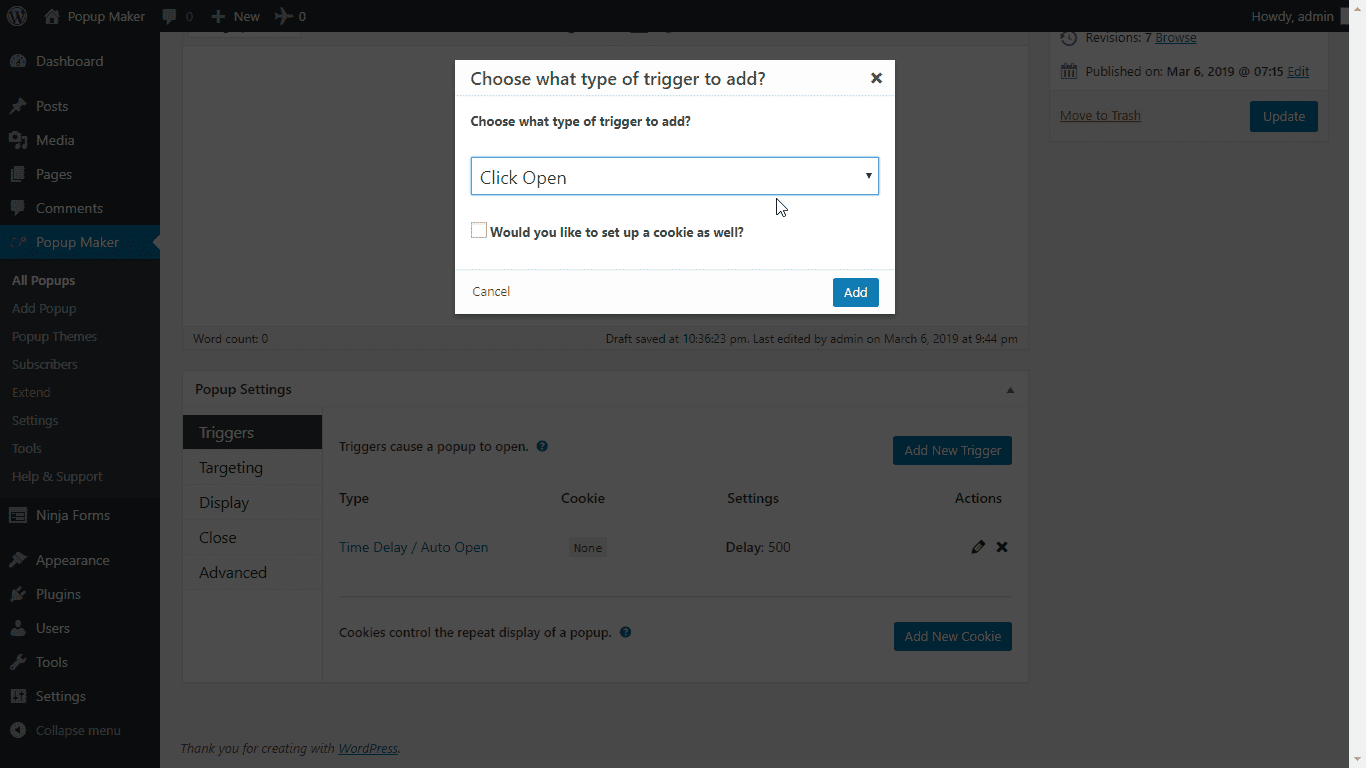
| Click-triggered (two-step) | User clicks a specific button or link | Lead magnets, “get the guide” buttons, contextual help | Hiding the trigger button — defeats the purpose | Yes |
| Sticky bar / slide-in | Page load or scroll; stays visible without blocking content | Announcements, ongoing promotions, non-urgent notices | Making it persistent and undismissable | Yes |
Click-triggered popups (also called two-step opt-ins) tend to have the highest conversion rates because the visitor has already made an intent signal by clicking. Exit-intent popups, while useful, require thoughtful offer quality — a generic “subscribe to our newsletter” popup at the exit point of a well-read article is a wasted trigger.
Best WordPress Popup Plugins — Reviewed and Compared
Verified pricing as of March 2026. Always confirm current rates on each plugin’s official site before purchasing.
| Plugin | Free Plan | Entry Paid | Hosting Model | Best For |
|---|---|---|---|---|
| OptinMonster | No | $7/mo (annual) | Cloud | Advanced targeting, scale |
| Popup Maker | Yes (unlimited) | ~$87–99/yr | Self-hosted | Free-first, flexible |
| TrustPulse | Yes (500 sessions) | $5/mo (annual) | Cloud | Social proof notifications |
| Thrive Leads | No | $299/yr (Suite, intro) | Self-hosted | A/B testing, marketers |
| Bloom | No | $89/yr (Elegant Themes) | Self-hosted | Divi users |
| OptiMonk | Yes (10k pageviews) | $29–59/mo | Cloud | eCommerce, cart recovery |
| Convert Pro | No | $89/yr (unlimited sites) | Self-hosted | Designers, performance focus |
| HubSpot | Yes (full CRM) | $20/mo (Starter) | Cloud | CRM-connected lead capture |
| Elementor Pro | No | $84/yr (Advanced Solo) | Self-hosted | Elementor page builder users |
| Icegram Engage | Yes (no traffic limit) | $129/yr | Self-hosted | High-traffic, tight budget |
OptinMonster — Best for Advanced Targeting and Scale
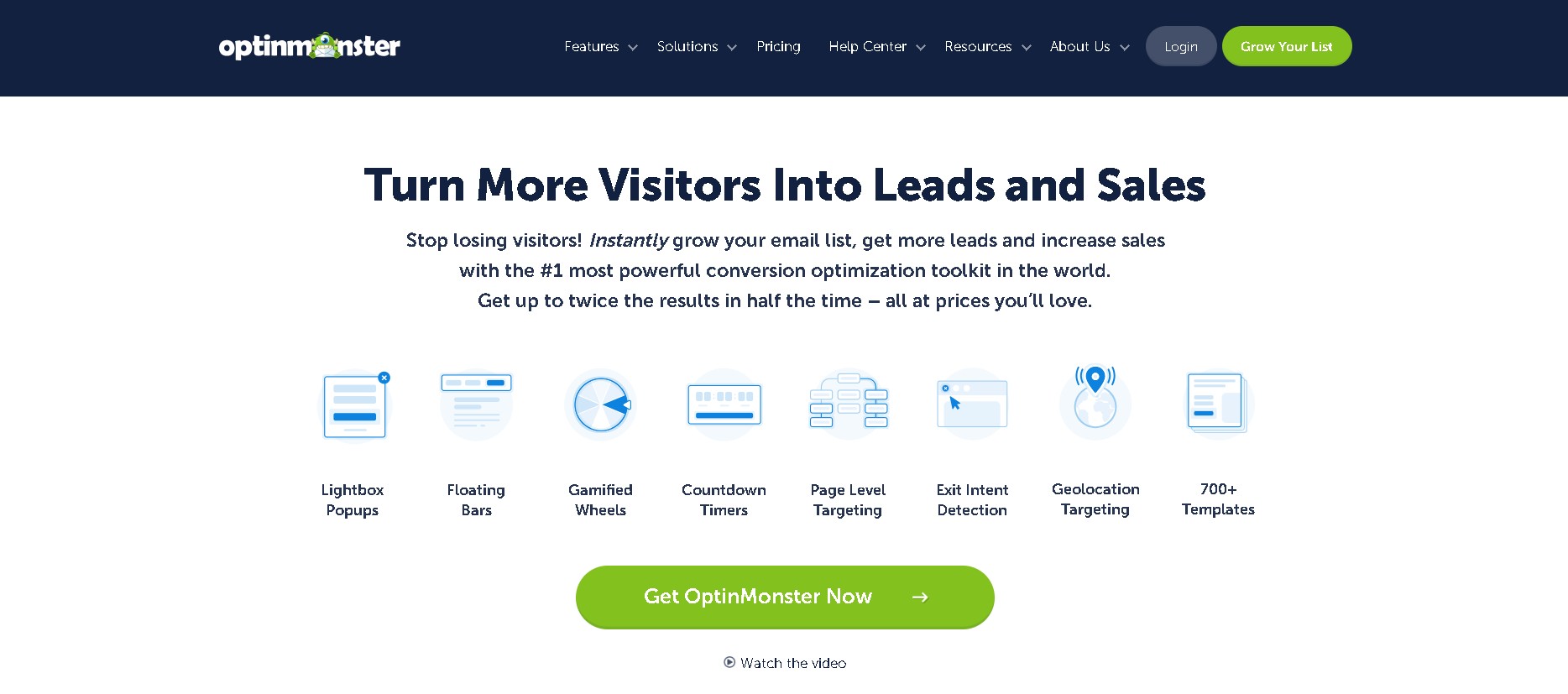
OptinMonster is cloud-hosted, which means the popup scripts load from their servers asynchronously — your WordPress site’s performance is unaffected. In a Pingdom performance test conducted by WPBeginner, OptinMonster produced a 1.03-second page load on a test site, making it the fastest-tested popup solution in the comparison.
The targeting system is where it genuinely separates from competitors. Beyond the standard time and scroll triggers, you can segment by geolocation, referral source, on-site behavior, device type, specific URL patterns, and custom JavaScript conditions. Exit Intent® technology tracks cursor movement on desktop with high accuracy.
Key features: Exit Intent®, 700+ templates, drag-and-drop builder, A/B testing (Plus and above), geo-targeting (Growth plan), WooCommerce integration, on-site retargeting, MonsterLeads™ built-in lead storage
Pricing (March 2026):
- Basic: $7/month billed annually — 1 site, 2,500 impressions/month
- Plus: $19/month — 2 sites, 10,000 impressions/month, A/B testing
- Pro: $29/month — 3 sites, 25,000 impressions/month, Exit Intent®
- Growth: $49/month — 5 sites, 100,000 impressions/month, geo-targeting
Note: Introductory pricing with 60% discount — verify current rate at optinmonster.com/pricing
Best for: Sites with real conversion goals, agencies managing multiple campaigns, eCommerce stores needing precision targeting
Limitations: No permanent free plan; impression limits can feel restrictive on lower tiers for high-traffic sites
Popup Maker — Best Free WordPress Popup Plugin

With 780,000+ active installations and 4,497 reviews averaging 4.9/5 on WordPress.org, Popup Maker has the largest real-world track record of any free popup plugin. The core plugin is genuinely free — not a trial, not a crippled preview — and it creates unlimited popups with no pageview caps.
The free version handles three trigger types (auto-open with optional delay, click-open, form-submission-open), page-level targeting by post type, category, and tag, and integrations with every major WordPress form plugin. That covers most use cases for blogs, small business sites, and informational pages.
What requires upgrading: exit-intent triggering, scroll-triggered popups, popup analytics, geo-targeting, and advanced behavioral conditions. A significant September 2025 update (v1.21.0) added Trackable CTAs, made the Block editor the default editing interface, integrated Bricks Builder support, and optimized Google Fonts loading by 83% — reducing font file sizes from 1.5MB to 255KB.
Key features (free): Unlimited popups, click/auto-open triggers, form plugin integrations (WPForms, Gravity Forms, CF7, Ninja Forms, Fluent Forms), page-level targeting, custom animations, cookie controls
Pricing (March 2026):
- Free: Forever — unlimited popups, basic triggers
- Start Plan: ~$87–99/year — 1 site, exit-intent, analytics, advanced targeting
- Grow Plan: ~$199/year — up to 6 sites
- Optimize Plan: ~$299/year — up to 10 sites
30-day money-back guarantee. Check wppopupmaker.com for current plan details.
Best for: Users who need functional popups without any budget commitment; WordPress developers who want full control without recurring SaaS costs
Limitations: Exit-intent requires paid plan; self-hosted performance depends on your hosting quality
TrustPulse — Best for Social Proof Notifications
TrustPulse operates differently from every other plugin on this list. Instead of showing forms or opt-in overlays, it displays small notification bubbles showing real activity on your site — “Maria from Chicago just signed up,” “14 people viewed this in the last hour.” These are pulled from actual WooCommerce orders, form submissions, or custom event tracking, not fabricated.
Because the script loads from TrustPulse’s cloud servers (same asynchronous model as OptinMonster), it adds no server load. In WPBeginner’s Pingdom test, TrustPulse produced an 0.894-second load time on a test site.
Key features: Real-time activity notifications, FOMO alerts, “On-Fire” group stats (“43 people purchased today”), smart timing controls, geo-location display, WooCommerce order tracking
Pricing (March 2026):
- Free: Up to 500 sessions/month — verify current limit at trustpulse.com
- Basic: $5/month (annual) — 1 site, 1,500 visitors/month
- Plus: $10/month — 2 sites, 10,000 visitors/month
- Pro: $19/month — 5 sites, 25,000 visitors/month, WooCommerce integration
- Growth: $39/month — 10 sites, 100,000 visitors/month
Best for: eCommerce stores, course platforms, or high-ticket service pages where trust is a primary conversion barrier
Limitations: Not a lead capture or email opt-in tool; requires meaningful traffic volume for notifications to feel authentic; free tier limitations are low
Thrive Leads — Best for A/B Testing
Thrive Leads keeps everything on your WordPress server — no external service dependency, no monthly SaaS fee beyond the annual subscription. All campaign data, A/B test results, and analytics live in your WordPress database.
The A/B testing system is the most sophisticated on this list. You can test across popup types (lightbox vs slide-in), headline copy, offer structure, and display triggers — and Thrive Leads automatically routes more traffic to the winner and stops the losing variant once statistical significance is reached. SmartLinks allow you to show different opt-in forms to existing subscribers versus new visitors, preventing opt-in fatigue.
Key features: A/B testing with automatic winner, SmartLinks (subscriber vs non-subscriber variants), multiple opt-in types (lightbox, slide-in, ribbon, screen filler, content lock), device-level control, exit-intent, detailed analytics
Pricing (March 2026):
- Thrive Suite: $299/year introductory pricing (includes Thrive Leads + Thrive Architect + other tools)
- Renewal rate: $599/year
- Quarterly option: $99/quarter
- 30-day money-back guarantee
Note: No standalone Thrive Leads purchase — requires Thrive Suite. Renewal pricing is significantly higher than introductory.
Best for: Content marketers and bloggers building large email lists who rely on data to make decisions; sites where A/B testing is the primary optimization method
Limitations: Renewal cost doubles; A/B testing and reporting can malfunction with aggressive full-page caching plugins; learning curve for new users
Bloom — Best for Divi and Elegant Themes Users
Bloom is made by Elegant Themes — the company behind Divi. If you’re already paying for an Elegant Themes membership ($89/year), Bloom is included at no extra cost. That changes the calculus significantly. You’re not choosing Bloom for its features versus alternatives; you’re choosing it because you have it.
What Bloom provides: six display types (lightbox popup, fly-in, below-post, inline, widget area, content lock), 100+ templates, time-delay and scroll triggers, basic A/B testing, and integrations with major email platforms including Mailchimp, ConvertKit, ActiveCampaign, and others.
What Bloom doesn’t provide: exit-intent targeting (a notable gap), a visual drag-and-drop editor (you customize via form fields, then preview), and performance comparable to cloud-hosted solutions.
Pricing: $89/year for Elegant Themes membership (includes Divi, Bloom, and all other Elegant Themes plugins); $249 lifetime option
Best for: Existing Divi or Elegant Themes users who want email opt-in popups without adding a separate plugin subscription
Limitations: No exit-intent; not available as a standalone purchase; limited compared to dedicated popup tools
OptiMonk — Best for eCommerce Cart Recovery
OptiMonk is built around eCommerce conversion — cart abandonment recovery, product-specific discount popups, unique coupon code generation, and WooCommerce integrations. It’s cloud-hosted, which means scripts load without affecting your server.
The free plan is among the most generous on this list: all features included for up to 10,000 monthly pageviews. For small online stores just getting started, that’s a meaningful runway before any payment is required.
Key features: Cart abandonment popups, unique discount code generation, 300+ templates, exit-intent, A/B testing, WooCommerce and Shopify integration, product-specific targeting, cloud-hosted
Pricing (March 2026):
- Free: All features, up to 10,000 monthly pageviews
- Essential: $29–$59/month (up to 50,000 pageviews, pricing scales with pageviews)
- Growth: $99/month (up to 100,000 pageviews)
- Premium: $249/month (up to 500,000 pageviews)
Best for: WooCommerce stores focused on reducing cart abandonment and running discount campaigns; stores with under 10,000 monthly pageviews that want a full-featured free option
Limitations: Paid tiers become expensive for medium-to-high traffic; fewer integrations than OptinMonster
Convert Pro — Best for Speed-Conscious Designers
Convert Pro is made by the Brainstorm Force team — the same company behind the Astra theme, one of WordPress’s fastest-loading themes. That background shows. The plugin is exceptionally lightweight: scripts are modular, loaded only when needed, and the drag-and-drop editor is built for design precision rather than just basic customization.
Features include exit-intent, advanced triggers, multi-step popups, A/B testing, and full design control over animations and layout. It works on unlimited sites with both the annual and lifetime license options.
Pricing: ~$89/year (annual), lifetime option available — both cover unlimited sites. Check convertpro.net for current pricing. 14-day money-back guarantee.
Best for: Web designers, agencies, and performance-conscious WordPress developers who want design flexibility without SaaS costs; Astra theme users who want a matched ecosystem
Limitations: Smaller template library than OptinMonster; less advanced behavioral targeting
HubSpot — Best for CRM-Connected Lead Capture
The HubSpot WordPress plugin bundles popup forms, live chat, chatbot, email marketing, and a full CRM into one free installation. When a visitor submits a HubSpot popup form, a contact record is automatically created in the CRM with their form data, browsing activity on your site, and the specific popup they interacted with.
The popup builder itself is straightforward — template selection, field customization, basic display rules. It’s not competing with OptinMonster on targeting sophistication. What it does offer is the downstream infrastructure: automated follow-up sequences, deal pipeline tracking, and contact segmentation, all without piecing together multiple tools.
Pricing: Free — popup forms, CRM, live chat, and basic email included. Marketing Hub Starter at $20/month removes HubSpot branding and adds email automation. Marketing Hub Professional at $890/month unlocks full marketing automation.
Best for: Service businesses, B2B companies, and consultants who need to track individual leads through a sales pipeline, not just build an email list
Limitations: Popup customization is basic; free plan displays HubSpot branding; advanced email sequences require paid upgrade
Elementor Pro Popup Builder — Best for Elementor Users
If you’ve already built your WordPress site with Elementor Pro, adding another popup plugin creates unnecessary overhead. The popup builder included in Elementor’s Advanced Solo plan ($84/year) and above uses the same drag-and-drop canvas you already know — no second learning curve, no second set of settings to manage.
Trigger options include exit-intent, scroll percentage, time delay, click, and inactivity. Conditional display rules can segment by page, post type, category, user role, and device. The design freedom matches the rest of Elementor’s visual builder.
The gaps are real: no native A/B testing, no built-in popup analytics dashboard, and no lead storage. You’d need to connect to an email service or CRM for list management.
Pricing: Popup builder requires Advanced Solo plan at minimum — $84/year for 1 site. Advanced (3 sites): $99/year. Expert (25 sites): $204/year.
Best for: Sites already built on Elementor Pro who want one fewer plugin to manage
Limitations: No A/B testing, no analytics; popup functionality is secondary to the page builder — don’t install Elementor Pro just for popups
Icegram Engage — Best for High-Traffic Sites on a Tight Budget
Icegram Engage takes an unusual position: the free version has no traffic limits. Most popup plugins cap pageviews or sessions and charge more as your site grows. Icegram charges for advanced features (geo-targeting, exit-intent, A/B testing, modern templates) but never for traffic volume. That makes it genuinely attractive for high-traffic blogs that need basic popups without per-pageview costs.
The free interface is dated compared to cloud-hosted alternatives — no drag-and-drop, template customization is form-based. For simple email signup popups or announcement bars, it works. For visually polished campaigns, the premium tier is necessary.
Pricing: Free forever (no traffic limits). Premium: $129/year — unlocks geo-targeting, exit-intent, A/B testing, modern templates, priority support. Max: $229/year.
Best for: High-traffic informational sites (50,000+ monthly visitors) that need basic popup functionality without traffic-based pricing penalties
Limitations: Dated free interface; advanced targeting requires paid upgrade
Match Your Profile — Which Plugin Fits Your Situation
Rather than “it depends,” here’s what that actually means broken down by the most common WordPress user profiles:
| Your Profile | Priority | Recommended Plugin | Why It Fits |
|---|---|---|---|
| Personal blogger, just starting | Free + simple setup | Popup Maker (free) or HubSpot (free) | No cost, functional, familiar WordPress interface |
| Small business, email list focus | Conversion features on a budget | OptinMonster Basic ($7/mo) or Popup Maker Pro ($99/yr) | OptinMonster for targeting precision; Popup Maker Pro if budget is one-time |
| eCommerce / WooCommerce store | Cart recovery + discount campaigns | OptiMonk (free tier to start) or OptinMonster Pro | OptiMonk’s free plan covers small stores; OptinMonster for scale |
| Already using Divi / Elegant Themes | Ecosystem fit, no extra cost | Bloom (already included) | Membership covers it — no additional payment required |
| Already using Elementor Pro | One fewer plugin | Elementor popup builder (already included) | Same interface, no extra tool to maintain |
| Agency / developer | Multi-site + performance | Convert Pro (~$89/yr unlimited sites) or OptinMonster | Convert Pro for unlimited client sites; OptinMonster for client-facing dashboards |
| CRM-first lead management | Lead tracking through sales pipeline | HubSpot (free) | Popup + CRM + automation in one system, genuinely free to start |
| Data-driven marketer, A/B testing | Statistically meaningful test results | Thrive Leads (via Thrive Suite) or OptinMonster Plus+ | Thrive Leads for WordPress-native data; OptinMonster for cloud speed + testing |
What You Actually Get for Free
Several plugins advertise a free version but bury important limitations in the fine print. Here’s what the free tiers realistically provide:
| Plugin | Free Plan Includes | Free Plan Limits | Key Paid Unlock |
|---|---|---|---|
| Popup Maker | Unlimited popups, click/auto triggers, form integrations, page targeting | No exit-intent, no analytics, no geo-targeting, no scroll triggers | Exit-intent, analytics, advanced targeting conditions |
| OptiMonk | All features including A/B testing, exit-intent, 300+ templates | 10,000 monthly pageviews — campaigns pause when exceeded | Higher pageview allowances |
| HubSpot | Popup forms, full CRM (unlimited contacts), live chat, basic email | HubSpot branding on all touchpoints, basic email only | Branding removal, email automation, advanced segmentation |
| TrustPulse | Social proof notification popups | ~500 sessions/month — verify current limit | More sessions, WooCommerce integration, custom branding removal |
| Icegram Engage | Basic popups, notification bars — no traffic limit | Dated interface, basic time/scroll triggers, limited templates | Exit-intent, geo-targeting, A/B testing, modern templates |
The standout here is OptiMonk — their free plan includes the full feature set, just capped at pageview volume. For a new eCommerce store, that’s a meaningful free runway. Popup Maker’s free plan is valuable for different reasons: no pageview cap, but the advanced features that drive the best conversion results (exit-intent, analytics) require payment.
When You Shouldn’t Use a Popup Plugin
This section won’t appear in guides written by popup plugin companies. These are the situations where adding a popup plugin is the wrong call:
- Your site gets fewer than 500 visitors per month. You don’t have enough traffic to generate meaningful data from popups, and you don’t have enough visitors to justify the overhead of managing campaigns. Focus on content and traffic first. Add popups when you have a volume that makes A/B testing meaningful.
- Your mobile landing pages rank in organic search. Google’s intrusive interstitial policy applies specifically to pages where a full-screen popup blocks the main content on mobile immediately after a user clicks from search results. This is a documented ranking signal. Sticky bars and slide-ins are safer alternatives for mobile pages targeting organic traffic.
- Your self-hosted plugin conflicts with your caching setup. Some self-hosted popup plugins break under full-page object caching — analytics stop working, A/B tests serve the wrong variant to cached visitors, or popups appear on pages they shouldn’t. If you can’t configure caching exceptions, a cloud-hosted plugin removes the problem entirely.
- You don’t have a specific offer. “Subscribe to our newsletter” with no stated benefit is not an offer. It’s noise. A popup without a compelling, clearly stated value proposition lowers trust and increases bounce rate. Build the offer first, then configure the popup.
- Your site’s overall trust signals are weak. On a site with no author information, no contact details, and generic stock photography, a popup asking for an email address accelerates the exit. Fix the trust signals first. Popups amplify whatever impression your site already makes — good or bad.
Frequently Asked Questions
Are popup plugins bad for SEO?
Popup plugins themselves are not an SEO problem. What Google does penalize is the intrusive interstitial — a full-screen popup that blocks main content on mobile pages immediately after a click from search results. This policy has been in place since 2017 and applies specifically to mobile pages in organic search. Time-delayed popups, scroll-triggered popups, and sticky bars that don’t block main content are outside the penalty scope. The safest approach for mobile pages targeting search traffic: use a non-blocking format (slide-in, sticky bar) or delay the popup until the visitor has had time to engage.
Do popup plugins slow down WordPress sites?
Cloud-hosted plugins (OptinMonster, TrustPulse, OptiMonk) load asynchronously from external CDNs and add zero load to your WordPress server. In a Pingdom test conducted by WPBeginner on a test WordPress site, OptinMonster produced a 1.03-second load time and TrustPulse produced 0.894 seconds — comparable to pages without any popup plugin. Self-hosted plugins (Popup Maker, Thrive Leads, Bloom) add server-side processing. On quality managed WordPress hosting with proper optimization, the impact is minor. On overloaded shared hosting, it can be noticeable. Bloom has been cited by multiple users as having a meaningful performance impact in some configurations.
What is exit-intent technology and does it work on mobile?
Exit-intent technology on desktop tracks cursor movement: when the mouse accelerates toward the browser’s address bar, close button, or tab bar, the popup fires. The logic is that this movement pattern predicts the visitor is about to close or navigate away. It’s reasonably accurate on desktop. On mobile, there’s no cursor to track, so mobile exit-intent uses proxy signals — scroll velocity (rapid upward scroll often precedes leaving), inactivity periods, or the browser’s back-button event. Mobile exit-intent is less reliable than desktop and varies by implementation. If exit-intent is a priority, test it on mobile and measure the actual trigger rate before relying on it.
Which popup plugin is best for beginners?
Three options stand out for low learning-curve setups: Popup Maker’s free version uses the standard WordPress block editor — if you can write a post, you can build a popup. HubSpot’s free plugin has a guided setup process that gets you to a working popup in minutes. OptinMonster’s template library (700+ designs) means you can launch a professionally designed campaign without design skills. Of these, Popup Maker requires zero budget; HubSpot requires account creation but stays free for core features; OptinMonster starts at $7/month.
Can I run multiple popup plugins simultaneously?
Not recommended as a general practice. Multiple popup scripts increase page load overhead, risk JavaScript conflicts, and create competing analytics — making it impossible to know which plugin is responsible for a conversion. The exception: TrustPulse (social proof notifications) is designed to run alongside traditional popup plugins without conflict, since it serves a distinct function. Running OptinMonster for email opt-ins alongside TrustPulse for social proof is a common and functional combination.
What conversion rates should I realistically expect from popups?
Realistic benchmarks by trigger type: click-triggered two-step opt-ins typically convert at 5–10% (user already signaled intent); exit-intent popups on quality offers average 2–5%; scroll-triggered popups on engaged long-form content average 1–3%; time-delayed popups vary widely based on timing and offer quality. These numbers depend more on the quality of the offer than the plugin. A relevant, valuable lead magnet with a clear benefit statement will outperform a generic “subscribe to our newsletter” prompt regardless of which plugin delivers it.
Are popup plugins GDPR compliant?
GDPR compliance depends on your configuration, not the plugin itself. The plugin provides the form; compliance requires: an unchecked (opt-in, not pre-checked) consent checkbox, a clearly visible link to your privacy policy, explicit language explaining what subscribers are agreeing to, and a record of consent. Most reputable popup plugins include GDPR-ready field options. The legal obligation is yours — the plugin enables it, but doesn’t automatically fulfill it. If you’re collecting leads from EU residents, consult your regional data protection authority’s guidance.
Is Popup Maker’s free version actually free, or is it a trial?
It’s genuinely free — not a trial, not a feature-limited preview that forces an upgrade after a certain time period. The free version creates unlimited popups with no pageview caps. The limitation is which features are included: click-trigger, auto-open, and form-submission triggers work free; exit-intent, scroll triggers, advanced analytics, and geo-targeting require a paid plan or standalone add-on. For basic popup functionality — announcement bars, contact form popups, email opt-ins triggered by button clicks — the free version handles it indefinitely.
The Bottom Line
No plugin on this list wins every category. The “best” answer is genuinely situational, which is why the match-your-profile table earlier matters more than any blanket recommendation.
If you’re starting from scratch with no budget: Popup Maker’s free version covers the basics, and OptiMonk’s free plan covers eCommerce needs for small stores. If you’re willing to spend and want the most capable tool: OptinMonster’s targeting system and cloud-hosted performance are the benchmarks the rest of the market is measured against. If you’re already inside an ecosystem — Divi, Elementor, or HubSpot — use what you have before adding another plugin.
The strategy behind the popup matters more than the tool. A well-timed, relevant popup with a clear value proposition will outperform a sophisticated campaign built on a vague offer. Get the offer right first; then the plugin selection becomes much simpler.
