


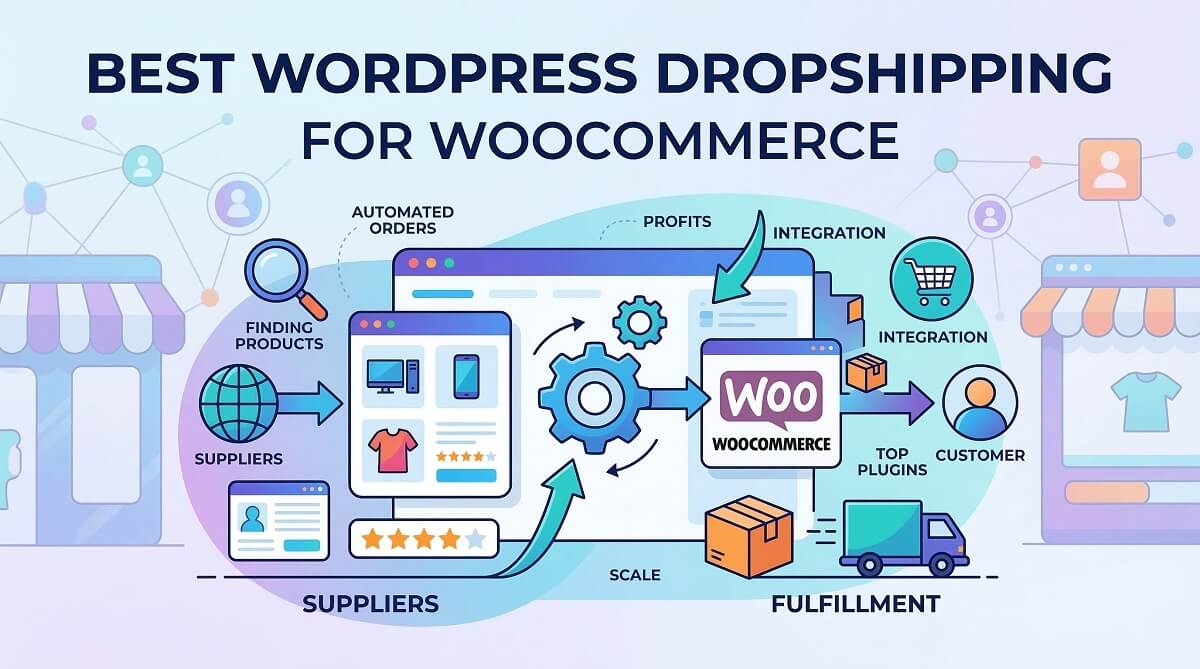
More than five million online stores run on WooCommerce — and a growing share of them are dropshipping businesses. The appeal is straightforward: you list products, customers place orders, and your supplier ships directly to them. No warehouse. No upfront inventory. But the plugin you choose matters far more than most guides let on, because each one connects you to a different supplier network, carries a different price tag, and demands a different level of technical comfort.
This guide compares seven of the best WordPress dropshipping plugins for WooCommerce in detail — covering pricing verified in February 2026, honest limitations most reviews skip, and a skill-level decision matrix to help you choose the right fit without guessing.
Learn more about WordPress ecommerce on WPlasma
BLUF — What You Need to Know Before You Start
If you only have two minutes, here is what matters:
- WooCommerce is free — the platform itself costs nothing. Your costs come from hosting (~$10–30/month), a domain (~$15/year), and optionally a paid dropshipping plugin ($0–99+/month).
- Seven plugins handle different supplier types. AliExpress sourcing, US and EU suppliers, and print-on-demand are separate ecosystems — each with its own tools.
- No transaction fees — unlike Shopify Basic (which charges 2% on third-party gateways), WooCommerce takes nothing from your sales.
- For beginners starting with AliExpress: the official WooCommerce Dropshipping extension ($49/year) or AliNext Lite (free) are the two simplest entry points.
- For faster shipping to US/EU customers: Spocket connects you to domestic suppliers with 1–7 day delivery.
- For custom branded products: Printful (free tier) or Printify (free tier) handle print-on-demand without any inventory.
Quick Decision Checklist
| Your Situation | Recommended Starting Point |
|---|---|
| Sourcing from AliExpress, want official integration | WooCommerce Dropshipping ($49/yr) |
| Sourcing from AliExpress, prefer free tool | AliNext Lite (Free) or DSers (Free) |
| High order volume with AliExpress | DSers (official AliExpress partner) |
| Want US/EU suppliers, fast shipping | Spocket (Starter from $8/mo annual) |
| Want to sell custom branded merchandise | Printful (Free) or Printify (Free) |
| Have local offline suppliers | WooCommerce Dropshipping ($49/yr) |
Why WooCommerce Is a Strong Foundation for Dropshipping
Hosted platforms like Shopify make it easy to start a store in an afternoon — and for some sellers that convenience is exactly what they need. But there are real structural differences that affect your business long-term, particularly around ownership, fees, and flexibility.
WooCommerce runs on WordPress, which means you host the software yourself. That single fact has meaningful consequences. No third-party company can decide your products violate their terms and shut you down. Your customer data lives in your own database, not in a platform’s closed ecosystem. You choose your hosting provider, your payment gateway, and your dropshipping plugin from a market of hundreds.

The cost difference is also meaningful over time. Shopify Basic starts at $39/month and charges a 2% transaction fee on any payment gateway that isn’t Shopify Payments. WooCommerce has no monthly fee beyond your hosting bill and takes zero transaction fees on your sales. A store processing $10,000/month would pay Shopify roughly $200 in transaction fees alone — money that stays with WooCommerce merchants.
WooCommerce vs. Shopify for Dropshipping — Side-by-Side
| Factor | WooCommerce | Shopify Basic |
|---|---|---|
| Monthly base cost | $0 (+ hosting ~$10–30/mo) | $39/month |
| Transaction fee (3rd-party gateway) | 0% | 2% |
| Platform ownership | Full — you own data and store | Shopify can terminate account |
| Dropshipping plugin options | 7+ dedicated plugins | DSers (main) + curated app store |
| Estimated annual cost (hosting + plugin) | ~$120–$409 | ~$468+ (before transaction fees) |
| Technical setup | Self-hosted (30–60 min typical setup) | Fully hosted (faster start) |
| SEO control | Full — edit any page/URL/schema | Restricted — limited URL structure |
| Open source | Yes — modify anything | No — closed platform |
Shopify’s advantage is speed. If you have no WordPress experience and want to start accepting orders this week, Shopify gets you there faster. For a business you intend to grow and own long-term, WooCommerce’s economics and flexibility become increasingly attractive as order volumes rise.
The 7 Best WordPress Dropshipping Plugins for WooCommerce — Overview
Before diving into individual reviews, here is the complete picture. Each plugin connects to different supplier networks, suits different skill levels, and carries a different annual cost. Use this table as a reference while reading the sections below.
More WooCommerce plugin guides at WPlasma
| Plugin | Price | Supplier Source | Best For | Skill Level |
|---|---|---|---|---|
| WooCommerce Dropshipping | $49/yr | AliExpress + Local | All-in-one official option | Beginner–Mid |
| AliNext (AliDropship) | Free / Pro ~€12+/mo | AliExpress | AliExpress with free start | Beginner |
| DSers | Free / Paid from ~$16/mo | AliExpress | High-volume AliExpress orders | Intermediate |
| Spocket | From $8/mo (annual) | US & EU suppliers | Fast domestic shipping | Intermediate |
| Printful | Free / Growth $24.99/mo | Print-on-demand | Custom branded products | Beginner |
| Printify | Free / Premium $24.99/mo (annual) | Print-on-demand | Larger POD product catalog | Beginner |
| Modalyst | From ~$35/mo | US/EU + AliExpress | Brand-name products | Intermediate |
Prices verified February 2026. Subscription rates can change — confirm at each provider’s pricing page before subscribing.
WooCommerce Dropshipping (Official Plugin) — Full Review
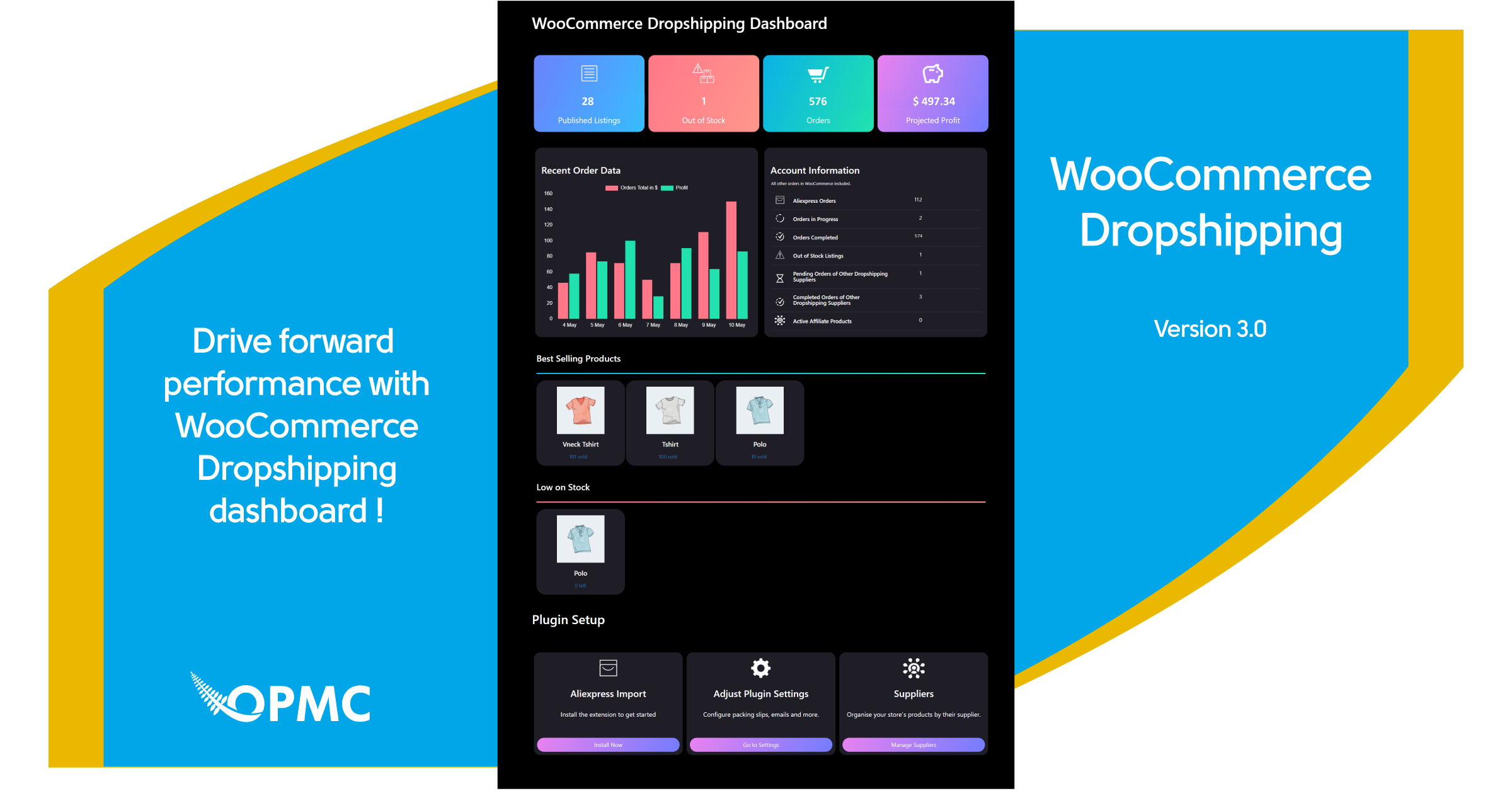
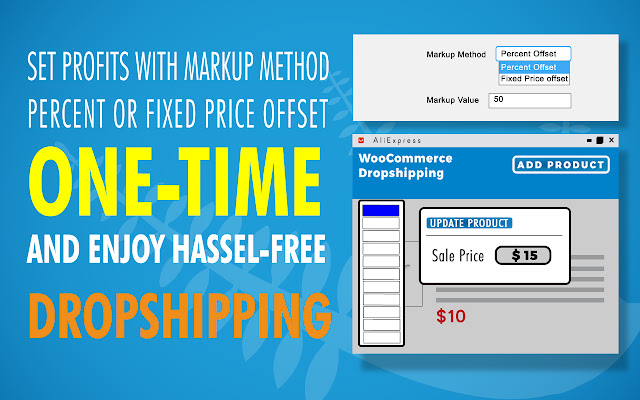
Built and maintained by the WooCommerce team, this extension handles the core mechanics of a dropshipping business: importing products from AliExpress, managing local suppliers, and sending automated order notifications. Its main differentiator is that it bridges both AliExpress-based and offline local supplier workflows — a combination most third-party plugins don’t offer in one package.
What It Does
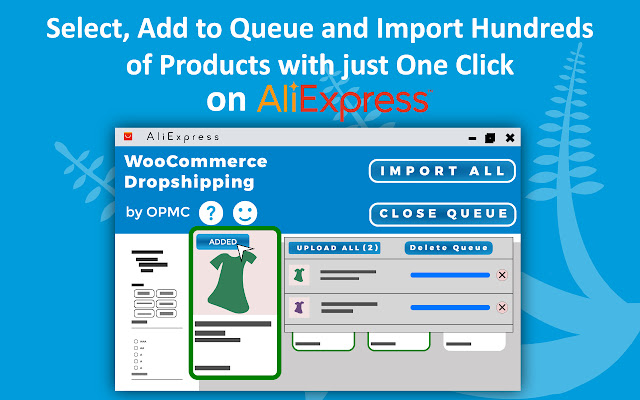
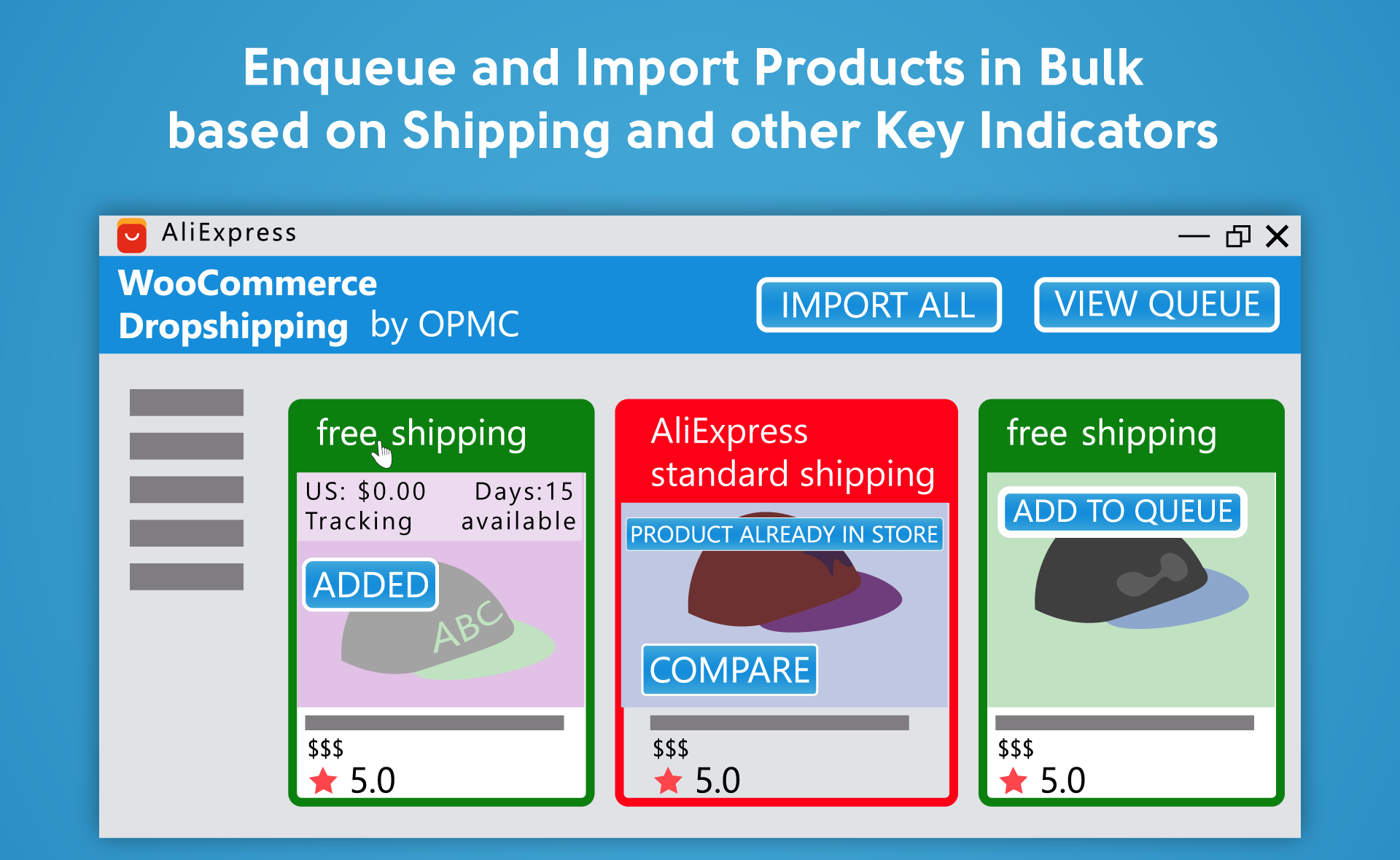
- AliExpress integration via a free Chrome extension — browse AliExpress, click to import product details, images, and variations directly into your store
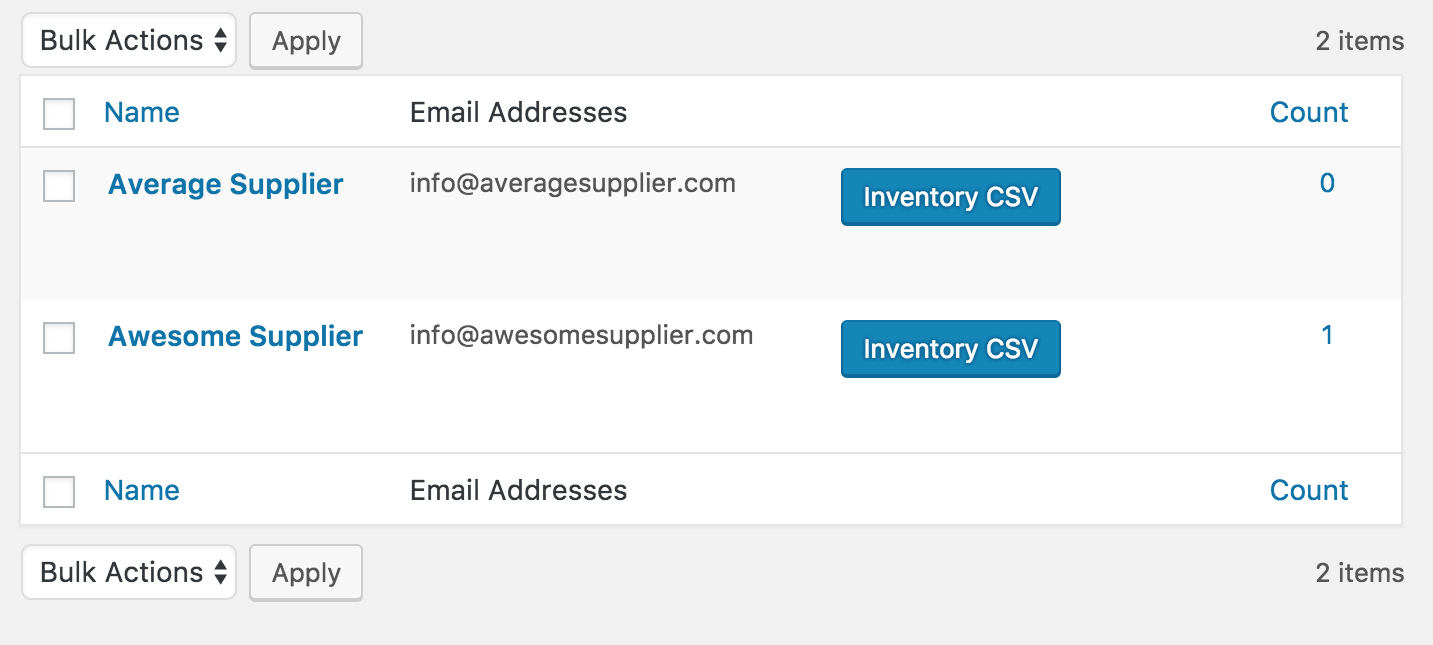
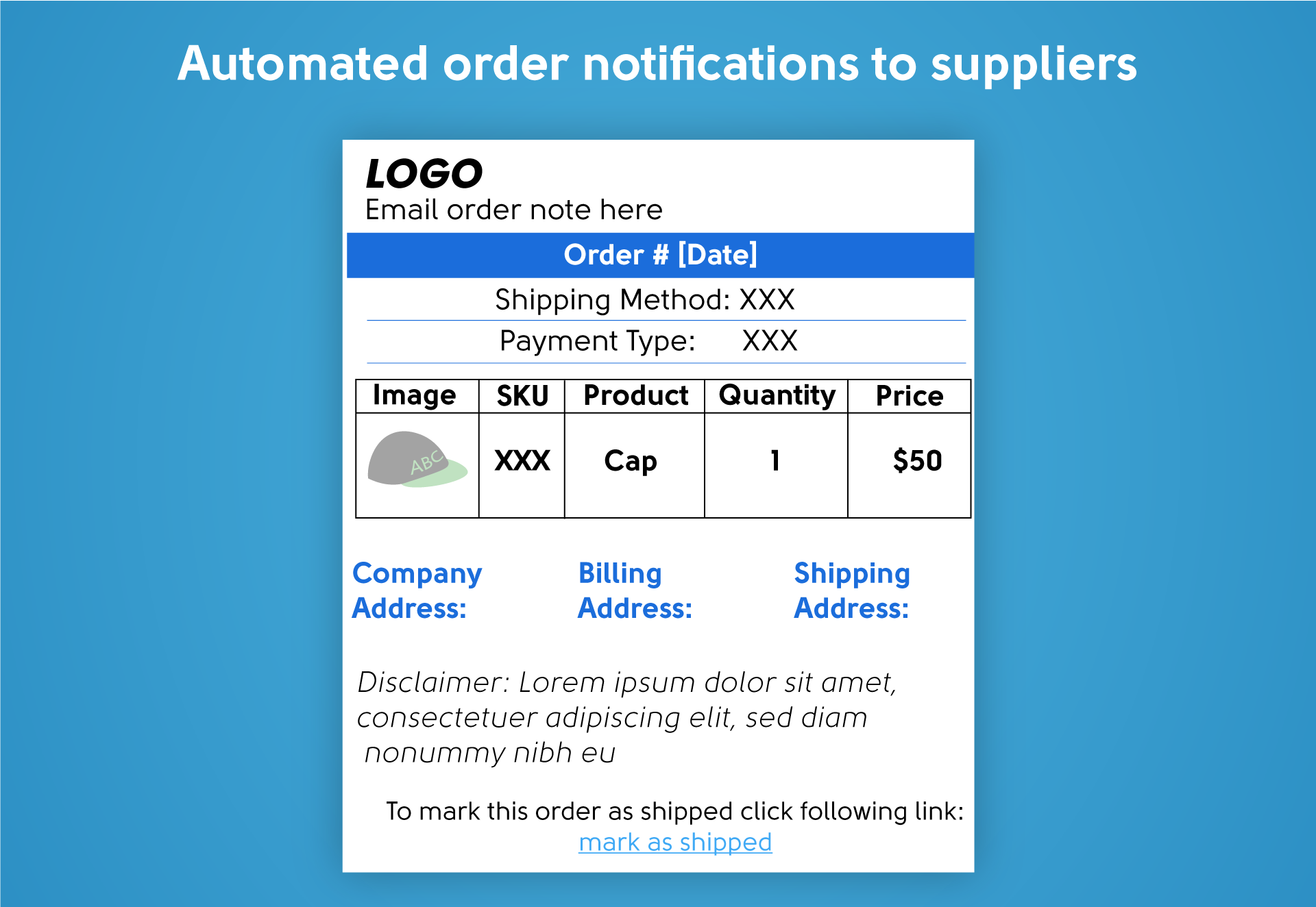
- Local supplier management — assign any product to a specific supplier; suppliers receive automated email notifications with packing slips when orders arrive
- Supplier portal — suppliers can log into a locked-down version of your WordPress site to view, process, and mark orders complete
- Profit margin calculator — set markup as a fixed dollar amount or percentage on imported AliExpress products
- Branded packing slips — add your logo, contact details, and custom text to the PDF packing slips attached to supplier emails
- Amazon affiliate support — list Amazon Associate products in your store; customers click through to Amazon to purchase
- 3,000+ active installs (wordpress.org)
Pros and Cons
Pros:
- Official WooCommerce extension — no compatibility issues with core WooCommerce updates
- Handles both AliExpress dropshipping and local offline suppliers from one plugin
- Supplier portal is a genuine time-saver for stores with multiple fulfillment partners
- Packing slips and branded emails look professional with minimal configuration
- Well-documented — setup guides, FAQ, and support forums maintained by Automattic
Cons:
- In February 2025, a change to AliExpress broke the product import process; the team released a fix in version 5.1.8, but it highlighted the plugin’s dependency on AliExpress API availability
- AliExpress shipping costs do not sync in real time — you set a fixed markup, not live-calculated shipping from AliExpress
- Chrome extension required for AliExpress product import; no bulk CSV import from AliExpress in the base plugin
- $49/year is not expensive, but entirely free alternatives (AliNext Lite, DSers Free) exist for AliExpress-only stores
- Amazon affiliate feature works differently from dropshipping — customers leave your site to purchase on Amazon
Pricing
$49/year for a single-site license (verified at woocommerce.com, February 2026). A Pro Add-on is available separately for additional packing slip customization and email styling.
AliNext (AliDropship for WooCommerce) — Full Review
AliNext started as “Ali2Woo” and has steadily grown into one of the most capable free AliExpress dropshipping tools for WooCommerce. Its Lite version does something most competitors charge for: actual order automation through the AliExpress API, albeit limited to 10 operations per day in the free tier.

What It Does
- Product import by AliExpress URL, product ID, category page, or Chrome extension — flexible sourcing methods
- Phrase filtering — define rules to strip supplier keywords (“free shipping from China”, brand name mentions) from titles, descriptions, and review text automatically
- Global pricing rules — fixed markup, percentage, or formula-based pricing applied to all imported products at once, with the option to include shipping costs in the formula
- Order automation — places AliExpress orders and syncs status through the AliExpress API (Lite: 10 operations/day; Pro: unlimited)
- Variation management — split or remove unwanted product variants (e.g., “Ship From” variants that clutter listings)
- External image URLs — optionally link to AliExpress image CDN instead of uploading to your server, saving hosting space
- Actively maintained — version 3.6.5 released January 2026

Pros and Cons
Pros:
- Genuinely functional free tier — not a trial or crippled demo, just limited API capacity
- Phrase filtering is unique in this category and noticeably improves product listing quality
- Formula-based pricing rules give more control than simple percentage markup
- Active changelog (monthly updates) signals ongoing development, not abandonware
- External AliExpress image URLs keep hosting costs down on large catalogs
Cons:
- The 10 API operations/day limit in Lite becomes a bottleneck quickly — stores processing more than 10 orders daily will need Pro
- Review import (with customer photos) requires Pro — a meaningful feature for conversion that free users can’t access
- AliExpress-only — no support for US/EU or print-on-demand suppliers
- Pro pricing listed in euros on ali2woo.com, which adds a conversion step for non-EU buyers; verify current rates at ali2woo.com/pricing

Pricing
- Lite: Free — available at wordpress.org/plugins/ali2woo-lite/
- Pro: Starts at approximately €12/month; annual plans include a 50% discount — verify current rates at ali2woo.com/pricing
DSers — Best WooCommerce Plugin for High-Volume AliExpress Dropshipping
When AliExpress retired Oberlo in 2022, DSers became its official partner app. That relationship matters: DSers maintains tighter API access to AliExpress than third-party alternatives, which shows in its order processing speed and bulk fulfillment capabilities.
Compare more dropshipping tools at WPlasma
What It Does
- Bulk order placement — process hundreds of AliExpress orders simultaneously with one click instead of placing them individually
- Multiple supplier mapping — assign two or three backup suppliers per product; if your primary supplier runs out, DSers automatically routes to the next
- Auto-pricing rules — preset profit margin formulas applied to imported products
- Bundle and BOGO mapping — create product bundles in your WooCommerce store that map to separate AliExpress items
- Tracking number sync — AliExpress tracking numbers automatically populate in WooCommerce orders when suppliers ship
- WooCommerce plugin installation — direct integration without Chrome extension dependency
Pros and Cons
Pros:
- Official AliExpress partner status means better API reliability than non-partner alternatives
- Bulk order management is the best in this category — genuinely speeds up fulfillment at scale
- Multiple supplier mapping per product reduces stockout risk
- Free plan includes AliExpress integration — not just a trial
- Bundle and BOGO mapping allows product strategies most plugins can’t execute
Cons:
- Supplier mapping features add complexity — new sellers often find DSers’ dashboard less intuitive than AliNext’s
- The free plan limits the number of products and orders managed per month
- Non-Pro accounts must choose between WooCommerce or Shopify — you can’t manage both store types from one DSers account on lower-tier plans
- Customer support response times vary; community forums are the primary resource for free plan users
Pricing
- Free: Limited products and orders — sufficient for starting out
- Advanced: ~$15.90–19.90/month (verify at dsers.com/pricing)
- Pro: ~$49.90/month — up to 25 stores, 75,000 products, WooCommerce + Shopify on one account
- 14-day free trial on all paid plans (February 2026)
Spocket — Best WooCommerce Dropshipping Plugin for US and EU Suppliers
The core tradeoff in dropshipping is margins vs. shipping speed. AliExpress products are cheap to source, but standard shipping takes 15–45 days. Spocket solves the shipping problem by connecting your WooCommerce store exclusively to vetted US and EU suppliers — products that can reach customers in 1–7 business days.

What It Does
- Curated US and EU supplier catalog — all suppliers are vetted before listing; fewer but higher-quality options than AliExpress
- 1–7 day shipping for US customers (supplier-dependent; verify at time of listing)
- Branded invoicing — orders arrive with your store name, not the supplier’s, on the packing materials
- Real-time inventory sync — product stock levels update automatically when suppliers change availability
- One-click import to WooCommerce — no Chrome extension needed
- Sample ordering — order product samples before listing to verify quality
Pros and Cons
Pros:
- Shipping speed is genuinely competitive — 1–7 days vs. AliExpress’s 2–6 weeks for US customers
- Vetted suppliers mean fewer quality surprises than open AliExpress sourcing
- Branded invoicing maintains your store’s identity from box to customer
- Real-time inventory sync prevents overselling out-of-stock products
- Sample ordering is a smart feature for quality assurance before you commit to a product
Cons:
- No truly functional free plan — the 14-day trial requires a credit card; after that, the cheapest paid tier limits you to 25 products
- Pricing is among the highest in this list — at $59.99/month for Pro, Spocket is a meaningful budget commitment
- Smaller product catalog than AliExpress — fewer niches covered, and some categories are thin
- US/EU focus means limited options for stores targeting Southeast Asian or South American customers
- Some users report that premium product selection on lower-tier plans is restrictive
Pricing (February 2026 — verify at spocket.co/pricing)
| Plan | Monthly Billing | Annual Billing | Product Limit |
|---|---|---|---|
| Starter | $24/mo | $8/mo ($96/yr) | 25 unique products |
| Pro | $59.99/mo | $24/mo ($288/yr) | 250 unique products |
| Empire | $99.99/mo | $57/mo ($684/yr) | 10,000 products |
| Unicorn | $299/mo | — | Bulk checkout, sourcing |
Printful and Printify — Best WooCommerce Plugins for Print-on-Demand
Print-on-demand dropshipping is a different model from AliExpress or supplier-based fulfillment. Instead of reselling existing products, you upload your own designs — graphics, logos, photography — and the fulfillment partner prints them on physical items (t-shirts, mugs, posters, phone cases) only when a customer orders. Nothing is printed in advance. No inventory is held anywhere.
Two plugins dominate this space for WooCommerce: Printful and Printify. Both are genuinely free to start; you only pay per item sold, not a monthly subscription (though paid plans exist and reduce per-item costs for higher-volume stores).
More print-on-demand guides at WPlasma
How Print-on-Demand Differs from AliExpress Dropshipping
| Factor | AliExpress Dropshipping | Print-on-Demand |
|---|---|---|
| Product source | Existing products from suppliers | Your custom designs on blank products |
| Brand identity | Generic (supplier packaging) | Fully branded (your label, your design) |
| Shipping time | 7–45 days | 5–10 days globally (Printful) |
| Per-unit cost | Lower (commodity pricing) | Higher (print cost + fulfillment) |
| Unique product potential | Low (same products widely available) | High (your designs can’t be copied easily) |
| Required upfront work | Product research, listing optimization | Design creation + listing setup |
Printful vs. Printify — Key Differences
| Factor | Printful | Printify |
|---|---|---|
| Production model | Owns its production facilities | Network of 900+ third-party print providers |
| Product range | ~300+ products | 900+ products |
| Free plan | Yes — pay per item sold | Yes — pay per item sold |
| Paid plan | Growth: $24.99/mo (up to 33% product discount) | Premium: $24.99/mo annual (up to 20% product discount); rising to $39/mo monthly Feb 2026 |
| Branding consistency | High — owns production, consistent quality | Varies by print provider selected |
| Shipping speed | Fast (North America: 3–6 business days) | Varies by print provider and location |
| WooCommerce plugin | Official plugin available | Official plugin available |
Printful is the better choice when consistency and quality control matter more than variety. Because Printful owns its production facilities, print quality and packaging are more standardized — you won’t see variation between orders the way you might with Printify’s multi-provider network.
Printify gives access to more products and often lower base prices, but quality can vary between providers. The larger catalog suits stores targeting a wider range of product types (especially home décor, accessories, and specialty items beyond the standard t-shirt/mug category).
For new stores, starting on either platform’s free tier and testing a small product catalog before committing to a paid plan is the practical approach.
Modalyst — Best WooCommerce Plugin for Mid-Market Dropshipping
Modalyst occupies a middle ground that the other plugins don’t cover: a catalog that includes both US/EU fast-shipping suppliers and access to real brand-name licensed products. That second feature is uncommon — instead of selling AliExpress clones or unbranded goods, Modalyst merchants can list actual brand-licensed products from recognizable names.
What It Does
- Supplier mix — US, EU, and AliExpress product sourcing from one interface
- Brand-name products — licensed goods from recognized brands (verify current brand partnerships at modalyst.co, as catalogs change)
- Automated inventory sync — stock levels update in real time as suppliers change availability
- Pricing rules — profit margin tools similar to AliNext and Spocket
- Branded invoicing — your store name on packing materials, not the supplier’s
Pros and Cons
Pros:
- Brand-name products are a genuine differentiator — not available in any other plugin on this list
- Hybrid supplier model (US/EU speed + AliExpress breadth) in one catalog
- Automated inventory sync prevents overselling
Cons:
- The hobby/free tier limits you to 25 products — barely enough to test a niche
- Startup plan runs approximately $35/month; Pro approximately $90/month — verify at modalyst.co, as pricing is updated periodically
- Smaller community and fewer tutorials than Spocket or AliExpress-based tools
- Brand partnerships change; the specific brands available today may not be available in six months
Pricing
Hobby plan: limited free tier (25 products). Startup: approximately $35/month. Pro: approximately $90/month. Verify current rates at modalyst.co before subscribing — February 2026.
How to Choose the Right WooCommerce Dropshipping Plugin
The most common mistake is choosing a plugin before deciding on a supplier type. The plugin is just the connector — the supplier network determines your shipping speed, margins, and product quality. Once you know where your products are coming from, the right plugin is usually obvious.
By Supplier Type
| Supplier Source | Best Plugin | Why |
|---|---|---|
| AliExpress (general) | WooCommerce Dropshipping or AliNext Lite | Both handle import and automation; WC Dropshipping adds local supplier support |
| AliExpress (high volume) | DSers | Bulk order placement and official AliExpress API access |
| US/EU suppliers | Spocket | Vetted domestic catalog with 1–7 day shipping |
| US/EU + brand-name | Modalyst | Brand-licensed products not available elsewhere |
| Print-on-demand | Printful or Printify | Free start, custom branding, no inventory |
| Your own offline suppliers | WooCommerce Dropshipping | Local supplier management + email/packing slip automation |
See WPlasma’s full WooCommerce plugin directory
By Skill Level
| Skill Level | Best Plugin | Reasoning |
|---|---|---|
| Beginner — no coding, want simple start | WooCommerce Dropshipping | Backed by Automattic; well-documented; official WooCommerce support |
| Beginner — AliExpress focus, prefer free | AliNext Lite | Clean interface; phrase filtering saves manual cleanup; no payment needed |
| Intermediate — want bulk order efficiency | DSers | Supplier mapping and bulk fulfillment reward time invested in setup |
| Intermediate — prioritize fast shipping | Spocket | Simple import process; more hands-on supplier research required |
| Any level — print-on-demand | Printful | Minimal technical setup; design skill matters more than WooCommerce expertise |
| Intermediate — brand-name products | Modalyst | Requires understanding of branded product restrictions and guidelines |
By Annual Budget
Here is a realistic cost breakdown for running a WooCommerce dropshipping store. These figures cover the infrastructure — not what you spend on advertising or products themselves.
| Cost Item | Budget Tier | Mid Tier |
|---|---|---|
| WordPress hosting | $60–120/yr | $200–400/yr |
| Domain name | $12–20/yr | $12–20/yr |
| SSL certificate | Free (Let’s Encrypt) | Free |
| WooCommerce core | Free | Free |
| Dropshipping plugin | $0–49/yr | $49–288/yr |
| Payment gateway fees | ~2.9% + $0.30/transaction | Same |
| Total annual est. (excl. transaction fees) | $72–189/yr | $261–708/yr |
For context: Shopify Basic costs $468/year at minimum, before transaction fees on third-party payment gateways. A WooCommerce store on the budget tier is meaningfully less expensive annually, assuming you’re comfortable with basic WordPress setup.
Setting Up Your WooCommerce Dropshipping Store — Step-by-Step
The technical setup is simpler than it looks. Most shared hosting providers include one-click WordPress installation, so you’re rarely starting from a blank command line.

- Choose and install WordPress — most hosts (SiteGround, Bluehost, Cloudways, etc.) include one-click WP install; this takes under 10 minutes
- Install and configure WooCommerce — free from wordpress.org; the setup wizard walks through store currency, payment gateways, and shipping basics
- Choose your dropshipping plugin — based on the supplier type and budget tables above
- Install and connect the plugin — for AliExpress plugins: generate API key and connect Chrome extension (if applicable); for Spocket/Printful/Printify: authorize the plugin to connect to your account on their platform
- Configure profit margin rules — set your markup formula before importing products so pricing is applied automatically
- Import your first products — start with 10–20 products in one niche; verify descriptions, titles, and images before making them live
- Set up payment gateway — WooPayments (official, 35+ countries), Stripe, or PayPal are the most common starting points
- Configure supplier notification emails and packing slips — for local suppliers or AliExpress via WooCommerce Dropshipping, configure the email template and branded packing slip settings before your first order
- Place a test order end-to-end — before launching publicly, run a real order through the full cycle: customer checkout → payment → supplier notification → order confirmation
Handling Returns and Refunds in WooCommerce Dropshipping
Returns are one of the most under-documented topics in dropshipping guides. The mechanics matter — especially because the process differs significantly depending on your supplier type.
Why Returns Are Different in Dropshipping
In traditional retail, a return goes back to your warehouse. In dropshipping, you don’t hold inventory — so a return either goes back to the supplier (possible but costly for international shipments) or you absorb the cost on your end. The right approach depends on the item’s value and your supplier’s policy.
Three Common Return Strategies
-
Refund without return (most common for low-ticket AliExpress products)
For items under ~$30–40, the cost of international return shipping often exceeds the item’s value. Most AliExpress dropshippers issue the customer a full refund and write off the product cost. This is faster, avoids customs complications, and keeps customer satisfaction high. The customer keeps the item; you absorb the product cost as a loss.
-
Return to supplier (for high-value items or US/EU suppliers)
Spocket and Modalyst suppliers typically have clearer return policies because they operate domestically. For products over $50–100, it may be worth coordinating a return — especially if the item was defective. Negotiate return terms with specific suppliers before listing their products. Don’t assume a blanket return policy exists across all suppliers in any platform’s catalog.
-
Store credit instead of cash refund
Offering store credit preserves the sale value and gives the customer an incentive to return. This works well when your return rate is low and you have enough product variety to make the credit useful. WooCommerce supports store credit through extensions like WooCommerce Store Credit.
Processing Refunds in WooCommerce
The customer-facing refund process in WooCommerce works in four steps:
- Go to WooCommerce → Orders
- Open the relevant order
- Click Refund at the bottom of the order items table
- Enter the refund amount — partial or full
- Choose to manually trigger the refund or automatically process via the payment gateway
The supplier negotiation (whether they credit your account, accept returns, or cover defective items) happens separately — outside WooCommerce. Set this up with each supplier before you start listing their products, not after your first return request arrives.
Before launching your store, publish a clear Return & Refund Policy page. Be specific about timeframes (e.g., “refunds requested within 14 days of delivery”) and the conditions under which you accept returns. Ambiguity in return policies generates customer service work that scales badly.
Frequently Asked Questions
Is WooCommerce free for dropshipping?
WooCommerce itself is free to install and use. You will need web hosting (typically $5–20/month), a domain name (~$15/year), and optionally a paid dropshipping plugin ($0–99+/month). The total entry cost is lower than Shopify’s minimum of $39/month, especially if you use a free plugin tier like AliNext Lite or DSers Free.
Can I dropship from AliExpress with WooCommerce?
Yes. Three main options work well: the official WooCommerce Dropshipping extension ($49/year) with a Chrome extension for product import, AliNext Lite (free) with up to 10 automated order operations per day, and DSers (free and paid tiers), which is AliExpress’s official partner app for bulk order management.
What is the best free WooCommerce dropshipping plugin?
AliNext Lite is the most functional free option for AliExpress dropshipping — it includes real order automation (limited to 10 API operations/day), phrase filtering, and flexible pricing rules. DSers also offers a free plan with AliExpress integration. Both require a self-hosted WooCommerce store and hosting.
How long does AliExpress shipping take for WooCommerce dropshipping orders?
Standard AliExpress shipping to most countries ranges from 15–45 business days via standard post or ePacket. AliExpress Standard Shipping (AliExpress’s own logistics network) typically runs 7–20 days. For 1–7 day delivery to US customers, use Spocket’s domestic supplier catalog instead. Actual delivery times vary by origin country, destination, shipping method selected, and customs processing — verify expected times with specific suppliers before listing.
Is AliExpress dropshipping legal?
Yes, dropshipping from AliExpress is legal in most countries. You are acting as a retailer sourcing from wholesale suppliers — a standard commercial arrangement. Ensure your product listings comply with local regulations (no counterfeit goods, accurate product descriptions, correct safety labeling), and review import duty rules for your customers’ countries. Some product categories (electronics, cosmetics, certain supplements) carry additional compliance requirements depending on your market.
WooCommerce dropshipping vs. Shopify — which is better?
WooCommerce has a lower long-term cost (no transaction fees, no mandatory monthly platform fee), full data ownership, and complete flexibility in plugin and payment gateway selection. Shopify is easier to start for complete beginners and keeps everything managed in one hosted environment. For businesses intending to grow past initial testing, WooCommerce’s three-year total cost is typically lower — particularly for stores processing significant monthly order volumes where Shopify’s 2% transaction fee compounds.
Do I need coding skills to start a WooCommerce dropshipping store?
No coding is required to start. WooCommerce setup takes 30–60 minutes with a standard hosting provider’s one-click installer. Most dropshipping plugins (AliNext, WooCommerce Dropshipping, Printful, Spocket) have visual dashboards that require no code. Some advanced customizations — custom packing slip templates, specific shipping rules, theme modifications — may require basic PHP or HTML knowledge, but you can launch and operate profitably without touching any code.
How do I handle returns in WooCommerce dropshipping?
For low-ticket AliExpress items, most sellers refund the customer without requiring the product back — international return shipping costs often exceed the item’s value. For higher-value orders or domestic suppliers (like Spocket), negotiate supplier return terms before listing products. WooCommerce’s built-in refund tool (Orders → select order → Refund) handles the customer-facing transaction; your supplier agreement handles whether you receive any credit on your end. Publish a clear Return Policy page before launch.
Can I use multiple dropshipping suppliers on one WooCommerce store?
Yes. The WooCommerce Dropshipping plugin supports both AliExpress and local suppliers simultaneously, with per-product supplier assignment. DSers maps multiple backup suppliers per product. You can also run multiple plugins concurrently — for example, Printful for custom merchandise alongside AliNext Lite for general products — as long as the plugins don’t conflict. Test any multi-plugin setup carefully before going live.
What payment gateways work best for WooCommerce dropshipping?
WooPayments (the official WooCommerce payment processor, available in 35+ countries), Stripe (153+ currencies, 40+ countries), and PayPal are the most commonly used. WooPayments charges the standard payment processor rate (~2.9% + $0.30 in the US) with no additional WooCommerce fee. For international stores, Stripe’s multi-currency support and local payment method options (iDEAL, SEPA, etc.) add meaningful flexibility. Choose based on the countries you sell to and the payment methods your customers expect.
Conclusion — Choosing Your WooCommerce Dropshipping Setup
The plugin that works best for your store depends almost entirely on two things: where your products come from and how much order volume you expect to process. For AliExpress sourcing with a tight budget, AliNext Lite or DSers Free let you start without spending anything beyond hosting. For US and EU customers who won’t wait three weeks for delivery, Spocket’s domestic supplier catalog justifies its subscription cost through better conversion rates on shipping-sensitive products. For custom branded products with no inventory risk, Printful and Printify’s free tiers are among the lowest-friction ways to launch a product line on WooCommerce.
WooCommerce itself — free, self-hosted, with no transaction fees — remains a structurally sound foundation for dropshipping businesses that expect to grow. The platform’s flexibility means you can switch plugins, add supplier types, or expand into additional product lines without migrating your entire store.
Whatever your starting point, the setup order that consistently works: choose supplier type first, then select the plugin that connects to that supplier ecosystem, then configure pricing rules and test one complete order before listing broadly. Building in small steps before scaling is how most successful WooCommerce dropshipping stores stay manageable.
