



Picking the right quiz plugin for WordPress sounds simple until you realize how many exist — and how differently they handle something as basic as “personality quiz” or “branching logic.” The wrong choice means rebuilding everything six months later. The right one can engage your audience, grow your email list, or run an entire certification program without friction.
This guide cuts through the noise. We reviewed the most-used quiz plugins on WordPress.org, tested what their free tiers actually deliver, verified current pricing, and mapped every plugin to the use cases it genuinely fits. No rankings driven by affiliate deals — just an honest breakdown of what each plugin does well and where it falls short.

More WordPress plugin guides on wplasma.com
What to Expect From This Comparison
There’s no single “best” quiz plugin for WordPress. That answer changes depending on three things: the type of quiz you want to build, how much you’re willing to spend (including whether you need a free option), and what you’ll do with the results.
Before picking, answer these questions:
- What type of quiz do you need? A graded knowledge test works differently than a personality quiz or a product recommendation finder. Not all plugins handle all types equally.
- Do you need to capture leads or just entertain visitors? Lead-gen quizzes require email integration; entertainment quizzes don’t.
- What’s your budget? Several solid options cost nothing. If you’re open to paying, one-time vs. annual subscription affects your long-term cost significantly.
The quick comparison table below maps each plugin to its primary use case. Detailed reviews follow.
| Plugin | Best For | Free Tier | Starting Price |
|---|---|---|---|
| Quiz Maker (AYS Pro) | Feature-rich free option, educators | ✅ Yes | $49 one-time (promo) |
| HD Quiz | Completely free quizzes | ✅ Yes (all features) | Free / $15 add-on |
| Quiz & Survey Master | Flexible quizzes + surveys | ✅ Yes | Add-on bundles |
| Thrive Quiz Builder | Marketing funnels, lead generation | ❌ No | ~$97+/year |
| WPForms | Teams already using WPForms | ✅ Forms only | $49.50+/year |
| Watu Quiz | Educators, lightweight graded quizzes | ✅ Yes | $67 one-time |
| Interact Quiz Maker | Viral quizzes, social lead generation | ⚠️ Limited | $27+/year |
| Formidable Forms | Complex data + quizzes | ✅ Forms only | $39.50+/year |
What Makes a Good WordPress Quiz Plugin?
Plenty of quiz plugins exist. Fewer deserve space on your WordPress site. Before getting into individual reviews, here are the factors that actually matter for most users:
- Quiz types supported: Does it handle graded quizzes, personality quizzes, branching logic, and timed assessments? Or just one type?
- Free tier value: Some plugins call themselves “free” but lock core features behind a paywall. A genuinely useful free tier matters.
- Ease of setup: Can someone without developer experience build a working quiz in under 30 minutes? For most site owners, this is non-negotiable.
- Integrations: If you want quiz results to flow into your email list or CRM, the plugin needs to support your tools (Mailchimp, ActiveCampaign, Zapier, etc.).
- Data privacy: Some plugins store quiz data on third-party servers. If GDPR compliance matters for your audience, prefer plugins that store data on your own WordPress installation.
- Performance: Lightweight plugins (HD Quiz, Watu Quiz) add minimal page weight. Feature-heavy ones (Thrive Quiz Builder, Formidable Forms) carry more overhead. For speed-sensitive sites, that’s worth knowing.
- Support quality and update frequency: A plugin last updated three years ago is a risk. Active maintenance signals that the developer stands behind their product.
With those criteria in mind, here’s how the leading options actually compare.
The Best WordPress Quiz Plugins — Reviewed
1. Quiz Maker by AYS Pro — Most Feature-Rich Free Option
With a 4.9/5 rating across 574 reviews on WordPress.org and over 3.4 million downloads, Quiz Maker by AYS Pro stands out as one of the most downloaded quiz plugins in the WordPress ecosystem. The free version is genuinely useful — not a stripped-down teaser. You get 7 question types, unlimited quizzes, a quiz timer, customizable themes, and basic form-based lead capture right out of the box.
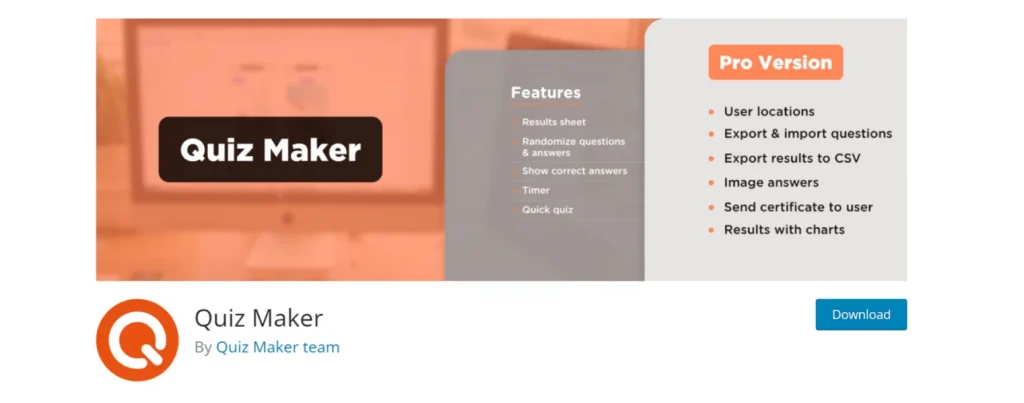
The plugin supports graded quizzes, personality-type outcomes (with Pro), timed assessments, and detailed results pages. Six customizable quiz themes with 50+ style options let you match your site’s look without touching CSS. The live preview feature — which shows design changes in real time — is notably useful for non-developers.
Upgrading unlocks PDF certificates, leaderboards, email notifications, payment integration (PayPal/Stripe), WooCommerce sales, and a ChatGPT-powered quiz generation option on the top-tier Agency plan. The one-time payment model is the biggest draw for many buyers: pay once, use the plugin indefinitely across multiple sites. The promotional Business plan (5 sites) runs $49 as of March 2026.
Pros:
- Generous free tier with 7 question types
- 4.9/5 rating, actively updated (last updated March 13, 2026)
- One-time payment, no annual subscription required
- 11 total question types in the Pro version
- Live style preview in the dashboard
Cons:
- Personality quizzes require Pro upgrade
- The sheer number of settings can overwhelm absolute beginners
Best for: Educators, site owners who want a rich feature set without committing to a subscription, and anyone who needs leaderboards or certificates.
2. HD Quiz — Best Completely Free Quiz Plugin
HD Quiz does something rare: it puts its full feature set behind no paywall at all. Timers, personality quizzes, image-based questions, answer randomization, social sharing, and Gutenberg block support — all free. The plugin carries a 4.9/5 rating on WordPress.org with 143 reviews and was last updated February 23, 2026.

The design automatically inherits your WordPress theme’s fonts and colors, which means your quiz looks on-brand without any manual styling work. It’s also WCAG accessible and screen reader compatible — a detail most quiz plugins skip entirely.
Where HD Quiz pulls back: there’s no native lead capture or email list integration built in. There’s a free “Light” version of a result-saving add-on, but advanced result tracking requires purchasing the premium add-on (~$15). If you need quizzes to feed your email list or CRM, you’ll need a different plugin or a separate form solution.
Pros:
- 100% free with no core feature limitations
- Personality quizzes, timers, image support — all included
- WCAG accessible
- Auto-inherits theme styling
Cons:
- No built-in lead capture or email integration
- No certificate generation
- Advanced result tracking costs extra
Best for: Bloggers, content creators, and anyone who needs a visually polished quiz for engagement or entertainment without spending anything.
3. Quiz and Survey Master (QSM) — Best for Flexible Quiz + Survey Combinations
QSM takes a modular approach: the core plugin is free and genuinely capable, with premium add-ons available for specialized needs. With 3.1 million+ downloads and a 4.7/5 rating from 1,277 reviews, it’s one of the most widely used quiz solutions in WordPress.
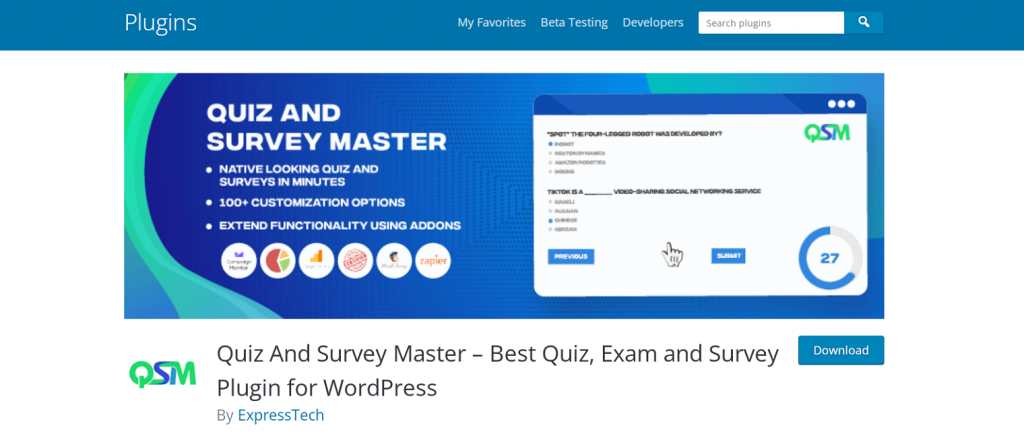
The free version includes 12+ question types — multiple choice, fill-in-the-blank, file upload, short answer, captcha, even a polar slider — plus countdown timers, randomization, score-based result pages, and social sharing. WPML compatibility makes it a reasonable pick for multilingual sites. The plugin also handles surveys well, making it a practical two-in-one if you need both formats.
The main friction point is the interface: it’s functional but not polished, and setting up complex quiz flows requires more clicks than most competitors. A known bug reported by at least one testing team (a “Page Not Found” error when previewing a published quiz) is worth knowing about, though it may be resolved in recent updates. Premium functionality — advanced analytics, email marketing integration, PDF certificates — comes through individual add-ons or bundled plans.
Pros:
- 12+ question types free
- Handles both quizzes and surveys
- WPML compatible for multilingual sites
- Score-based dynamic result pages included free
- Large user base and active support
Cons:
- Interface is dated and takes time to learn
- Advanced features scattered across multiple add-ons
- Reported page preview bug in some configurations
Best for: Developers and educators who need maximum flexibility and don’t mind a steeper setup curve. Also a strong pick for sites needing both quiz and survey functionality in one plugin.
4. Thrive Quiz Builder — Best for Marketing and Lead Generation
Thrive Quiz Builder is purpose-built for one thing: turning quizzes into marketing tools. It’s not trying to be the cheapest or the simplest. It’s for marketers and business owners who want quizzes to grow email lists, qualify leads, and drive conversions through carefully designed question flows.
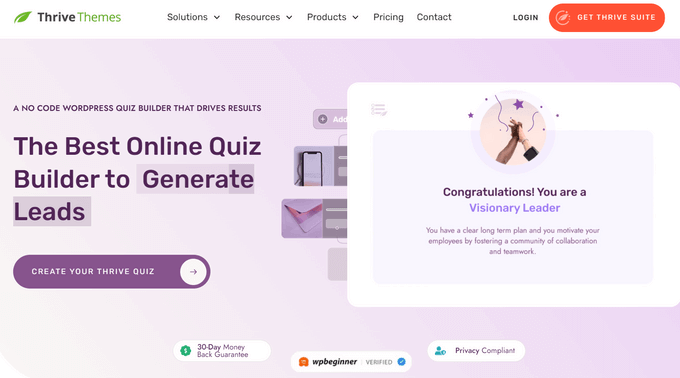
The visual branching logic editor is genuinely powerful — you can see your entire quiz flow on one screen, route users to different outcomes based on their answers, and set up email opt-in gates that collect contact details before showing results. Split A/B testing helps optimize quiz performance over time. The analytics dashboard tracks completion rates, drop-off points by question, and result distribution.
There’s no free version. The standalone plugin runs approximately $97/year for a single site as of March 2026 (Thrive Suite, which includes all Thrive products for five sites, is $299/year). Verify current pricing on the official site before purchasing, as plans occasionally change. The learning curve for complex personality quizzes with branching is steeper than most competitors — expect to invest real time in understanding the flow builder.
Pros:
- Visual branching logic — the best in this category
- Email opt-in gates before showing results
- A/B testing for quiz optimization
- Detailed analytics (completion rates, drop-off tracking)
- Multiple quiz types (right/wrong, number, percentage, personality, survey)
Cons:
- No free tier
- Steeper learning curve for complex quizzes
- No certificate generation
Best for: Marketers, business owners, and course creators who want quizzes to actively drive leads and segment audiences. If your quiz is a marketing asset, Thrive Quiz Builder is the most capable tool on this list.
5. WPForms — Best for Teams Already Using a Form Builder
WPForms is used by over 6 million websites — primarily as a form builder for contact forms, payment forms, and surveys. The Quiz addon transforms it into a quiz platform with AI-powered generation: describe what you want in plain text, and WPForms builds a working quiz in under a minute. It also supports three quiz types (graded, personality, and weighted scoring) with a drag-and-drop builder and built-in entry analytics.
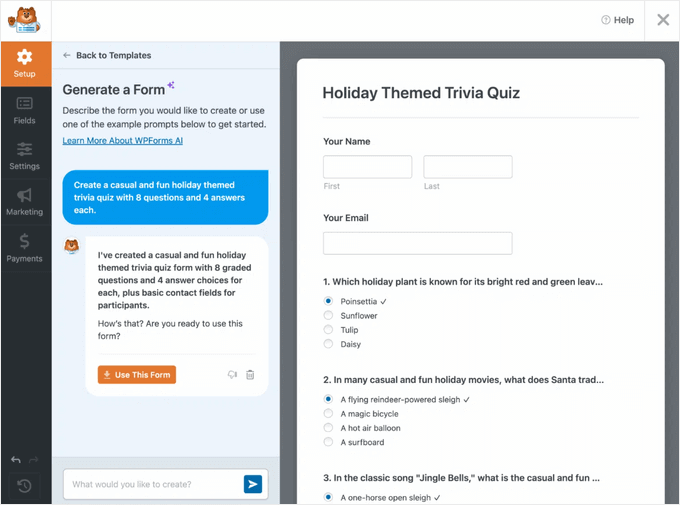
The catch: the quiz addon requires a Pro plan or above. If you’re already on WPForms Pro for your other forms, adding quiz capability is seamless. If you’re only looking to build quizzes, the cost-to-value ratio doesn’t hold up compared to dedicated options like Quiz Maker AYS Pro or QSM.
WordPress form builder and plugin reviews on wplasma.com
Pros:
- AI quiz generation — create quizzes from plain-text descriptions
- Three quiz types: graded, personality, weighted scoring
- Integrates natively with existing WPForms workflows
- Strong email marketing and CRM integrations
- Entry management with customizable analytics graphs
Cons:
- Quiz addon requires Pro plan (not available on basic tiers)
- No free quiz functionality — full forms plugin if you only need quizzes
- No timed quizzes or branching logic
Best for: WordPress sites already running WPForms who want to add quizzes without installing another plugin. Also the top choice if AI-assisted quiz creation is a priority.
6. Watu Quiz — Best Lightweight Option for Educators
Watu Quiz has been running on WordPress sites for over 12 years — a longevity that tells you something about its reliability. It’s not flashy. The admin interface is dated, and you won’t find drag-and-drop visual builders here. But it’s fast, clean code that handles graded quizzes and assessments without adding unnecessary overhead to your site.

The free version covers single-choice, multiple-choice, essay, and survey questions with point-based grading, question randomization, result export to CSV, and email notifications. Notably, it explicitly stores no IP addresses — a built-in GDPR consideration that most plugins don’t highlight. The paid Pro tier adds more advanced grading systems, student login tracking, and payments (PayPal/Stripe via add-on), starting at $67 one-time for the core Pro version.
Pros:
- Lightweight, clean code — minimal site performance impact
- 12+ years of active maintenance
- GDPR-friendly (no IP storage, personal data eraser integration)
- One-time pricing for Pro (no subscription)
- CSV export for results
Cons:
- Dated interface
- No personality quiz in the free version (add-on required)
- No built-in marketing or email list features
Best for: Teachers, trainers, and academic site owners who need reliable graded assessments without marketing features or visual complexity. Also a good choice for speed-sensitive sites where plugin weight matters.
7. Interact Quiz Maker — Best for Viral Quizzes and Social Sharing
Interact operates differently from every other plugin on this list: it’s a web-based SaaS platform that provides a dedicated WordPress plugin as an embed bridge. You build your quizzes on Interact’s platform, then embed them on your WordPress site via shortcode or block. This architecture means your quiz data is stored on Interact’s servers, not on your WordPress install — which is an important distinction for privacy-conscious site owners.
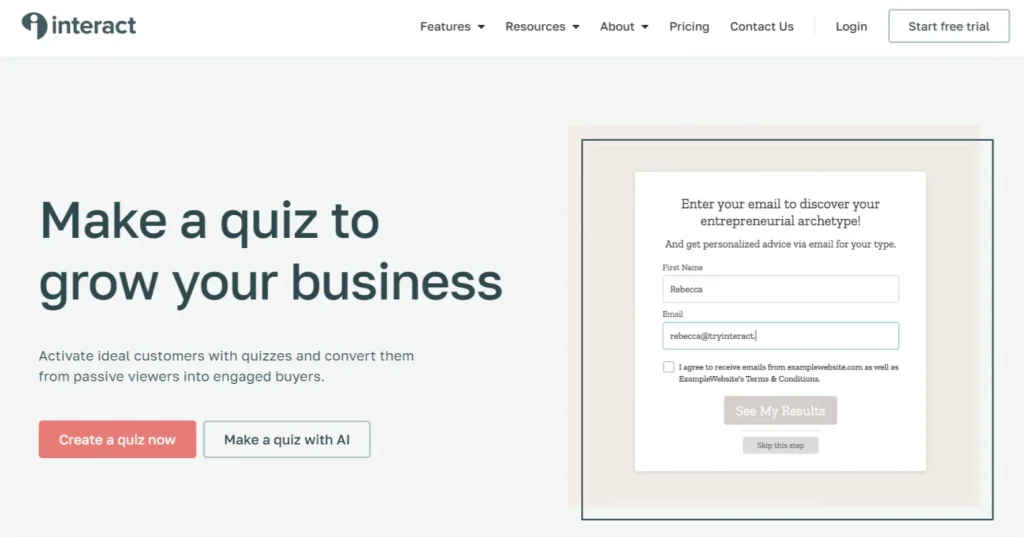
The template library (800+ options), AI-assisted quiz creation, and lead capture gates built directly into the quiz flow make it purpose-designed for marketers. Branching logic, conditional redirects, and deep integrations with marketing platforms (Mailchimp, HubSpot, ConvertKit) are all available. Pricing runs $27–$125/year depending on the plan. Full analytics and custom branding require higher tiers.
Pros:
- 800+ ready-made quiz templates
- AI quiz creation
- Strong lead capture and email marketing integrations
- Branching logic for personalized quiz paths
- Built for social sharing and viral reach
Cons:
- Data stored on third-party servers (GDPR consideration)
- Subscription-based pricing only
- Full features require higher-tier plans
Best for: Marketers and content creators focused on lead generation, email list growth, and creating BuzzFeed-style quizzes that drive social traffic. Less suited for sites where data sovereignty is a priority.
8. Formidable Forms — Best for Complex Data Collection Paired with Quizzes
Formidable Forms is one of the most powerful WordPress form builders available — and quizzes are one of many things it does. The quiz functionality comes through a Quiz Maker addon (available on the Business plan and above), which adds outcome quizzes, personality quizzes, auto-scoring, and conditional logic to the already-robust form builder.
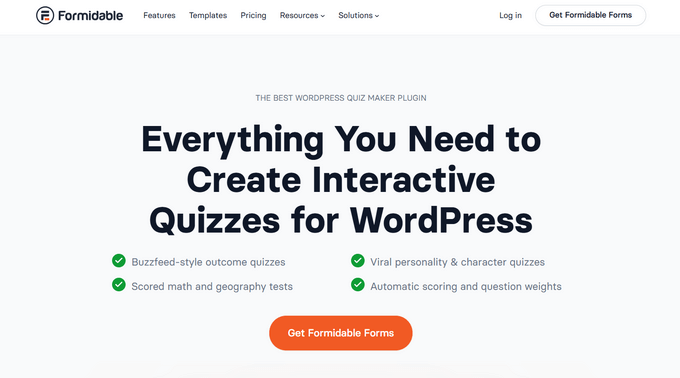
If you need a quiz that feeds into a calculator, routes results to a database, or integrates with a CRM and payment system in the same flow, Formidable is probably your most capable option. If you just need a quiz, it’s overkill. Pricing starts at $39.50/year, but quiz features require the Business plan — check current tiers on the official site before purchasing.
Pros:
- Combines quiz + form + data collection in one plugin
- Conditional logic and scoring
- 17+ quiz templates including product recommendation and personality types
- Wide range of integrations (Zapier, Google Analytics, AWeber)
Cons:
- Quiz addon requires Business plan
- Heavy for quiz-only use cases
- Steeper learning curve than dedicated quiz plugins
Best for: Developers and advanced users who need quizzes tightly integrated with complex form workflows, calculators, or data processing systems.
Quiz Type Feature Matrix — Which Plugin Supports What
This is the table competitors don’t provide. Before committing to a plugin, check whether it actually supports the quiz type you need in the tier you’re considering.
Compare more WordPress plugins on wplasma.com
| Plugin | Graded/Scored | Personality | Branching Logic | Timed | Survey | BuzzFeed-Style | AI Generation | Free Tier |
|---|---|---|---|---|---|---|---|---|
| Quiz Maker (AYS Pro) | ✅ | ⚠️ Pro | ⚠️ Pro | ✅ | ✅ | ✅ | ⚠️ Agency | ✅ |
| HD Quiz | ✅ | ✅ | ❌ | ✅ | ❌ | ✅ | ❌ | ✅ |
| Quiz & Survey Master | ✅ | ✅ | ✅ | ✅ | ✅ | ✅ | ❌ | ✅ |
| Thrive Quiz Builder | ✅ | ✅ | ✅ | ✅ | ✅ | ✅ | ❌ | ❌ |
| WPForms | ✅ | ✅ | ❌ | ❌ | ✅ | ❌ | ✅ | ❌ (quiz) |
| Watu Quiz | ✅ | ⚠️ add-on | ❌ | ❌ | ✅ | ❌ | ❌ | ✅ |
| Interact Quiz Maker | ✅ | ✅ | ✅ | ❌ | ✅ | ✅ | ✅ | ⚠️ limited |
| Formidable Forms | ✅ | ✅ | ✅ | ❌ | ✅ | ✅ | ❌ | ❌ (quiz) |
Pricing Breakdown — What You Actually Get for Free
One of the most misleading things about quiz plugin comparisons is how “free” gets used. Some plugins offer genuinely useful free tiers. Others give you just enough to be frustrating. Here’s the honest breakdown, verified as of March 2026 — pricing can change, so confirm before purchasing.
| Plugin | Free Tier Value | First Paid Tier | What Paid Unlocks |
|---|---|---|---|
| Quiz Maker (AYS Pro) | High — 7 question types, unlimited quizzes, timer, themes | $49/one-time (5 sites, promo) | Certificates, leaderboards, email notifications, payments, personality quiz |
| HD Quiz | Very High — full feature set including personality & timer | ~$15/add-on (result saving) | Advanced result tracking and export |
| Quiz & Survey Master | High — 12+ question types, timers, surveys, result pages | Add-on bundles (vary) | Analytics charts, PDF certificates, email marketing, advanced reporting |
| Thrive Quiz Builder | None | ~$97/year (1 site) | Everything — branching logic, opt-in gates, A/B testing, analytics |
| WPForms | Forms only (no quiz) | $49.50+/year (quiz needs Pro+) | AI quiz generation, graded/personality/weighted quizzes, analytics |
| Watu Quiz | Medium — basic graded quiz, shortcode, CSV export | $67/one-time (core Pro) | Advanced grading, personality quiz, student logins, PayPal/Stripe |
| Interact Quiz Maker | Limited (Interact’s free plan, not full WP integration) | $27/year | Lead capture, analytics, custom branding, integrations |
| Formidable Forms | Forms only (no quiz features) | $39.50+/year (quiz needs Business plan) | Quiz addon, conditional logic, outcome quizzes, advanced data tools |
Which Plugin Should You Choose?
Match your primary use case to the right tool. Most situations fall into one of these buckets:
More WordPress plugin comparisons on wplasma.com
| Your Situation | Best Pick | Why |
|---|---|---|
| Need quizzes at zero cost, with modern design | HD Quiz | Fully free, WCAG accessible, personality + timed quizzes included |
| Educator needing graded tests and certificates | Quiz Maker (AYS Pro) | One-time payment, certificates, detailed results, 4.9/5 rating |
| Running a membership or course site | Quiz & Survey Master or a dedicated LMS plugin | QSM handles course-style assessments well; LMS plugins (LearnDash, LifterLMS) for full course management |
| Marketing team building lead generation quizzes | Thrive Quiz Builder | Opt-in gates, branching logic, A/B testing — built for conversion |
| Viral quizzes for social media growth | Interact Quiz Maker | 800+ templates, social sharing, built for virality |
| Already using WPForms and want to add quizzes | WPForms Quiz addon | Seamless integration; AI generation saves time |
| Developer needing quizzes + complex data flows | Formidable Forms | Calculators, conditional logic, database integration all in one |
| Academic or training site, lightweight install | Watu Quiz | 12+ years maintained, lightweight, GDPR-friendly, one-time pricing |
| GDPR compliance is critical | HD Quiz, Watu Quiz, QSM, or Quiz Maker (AYS Pro) | These store all data locally on your WordPress install; Interact and similar SaaS tools use third-party servers |
A note on data privacy: plugins like HD Quiz, Watu Quiz, QSM, and Quiz Maker by AYS Pro store quiz responses directly in your WordPress database. If data sovereignty or GDPR compliance matters for your audience, prioritize these over SaaS-based tools like Interact, which routes data through external servers.
Frequently Asked Questions
- What is the best quiz plugin for WordPress in 2026?
- There’s no single best plugin — it depends on your use case. For free quizzes with no feature limitations, HD Quiz is the clear leader. For feature-rich options with one-time pricing, Quiz Maker by AYS Pro (4.9/5 rating, 3.4M+ downloads) is a strong choice. For marketing-focused quizzes with branching logic and lead capture, Thrive Quiz Builder is the most capable.
- What is the best FREE quiz plugin for WordPress?
- HD Quiz is the most generous free option — timers, personality quizzes, image support, and social sharing are all included at no cost. Quiz Maker by AYS Pro and Quiz and Survey Master also have useful free tiers, though some advanced features require paid upgrades.
- Which WordPress quiz plugin is best for growing my email list?
- Thrive Quiz Builder is built specifically for this, with opt-in gates that collect email addresses before revealing quiz results. Interact Quiz Maker is another strong choice, with deep integrations for Mailchimp, HubSpot, and ConvertKit. For a free alternative, QSM offers email marketing integrations through its add-on ecosystem.
- Can I create a personality quiz (BuzzFeed-style) in WordPress?
- Yes. HD Quiz, QSM, Thrive Quiz Builder, Interact, and Quiz Maker by AYS Pro (Pro version) all support personality quizzes. HD Quiz is the only fully free option that includes personality quiz support without an upgrade.
- Do I need coding skills to add a quiz to WordPress?
- No. Every plugin on this list is designed for non-developers. HD Quiz, Quiz Maker AYS Pro, and QSM each provide visual interfaces and shortcodes or Gutenberg blocks to embed quizzes on any page or post. The most technically complex option here — Formidable Forms — still doesn’t require code for standard quiz creation.
- Which quiz plugin works best for online courses?
- Quiz and Survey Master integrates well with course-style content and handles knowledge testing effectively. For full course management with quizzes, certificates, and progress tracking, consider a dedicated LMS plugin like LearnDash, LifterLMS, or MemberPress, which include built-in quiz features alongside course delivery.
- Does adding a quiz plugin slow down my WordPress site?
- Lightweight plugins like HD Quiz and Watu Quiz have minimal performance impact. Feature-heavy plugins like Thrive Quiz Builder or Formidable Forms load more assets and may affect page speed. If Core Web Vitals or page load time is a priority, stick to smaller, focused plugins. As a general rule, test any plugin on a staging site before deploying to production.
- Are WordPress quiz results GDPR-compliant?
- It depends on the plugin and your configuration. Plugins that store data locally on your WordPress server (HD Quiz, Watu Quiz, QSM, Quiz Maker AYS Pro) give you direct control over personal data and are generally easier to make GDPR-compliant. Watu Quiz explicitly notes that it stores no IP addresses. SaaS-based tools like Interact store data on third-party servers, which introduces additional data processing considerations. Always review a plugin’s privacy documentation and add appropriate consent mechanisms regardless of which tool you use.
Final Thoughts
The quiz plugin market in 2026 is well-stocked with capable options at every price point. For most WordPress site owners, the decision comes down to two factors: whether you need the quiz for engagement or for marketing, and how much you’re willing to pay.
If budget is a constraint, HD Quiz and the free tiers of Quiz Maker AYS Pro or QSM deliver genuine value without spending a dime. If you’re building quizzes as part of a lead-generation or marketing strategy, Thrive Quiz Builder’s branching logic and conversion tools justify the investment.
The quiz type matrix in this guide is designed to prevent a common mistake: choosing a plugin based on overall reputation, only to discover it doesn’t support the specific quiz format you need. Check that table against your requirements before committing. Most free tiers are solid enough to test before upgrading, so there’s no reason not to try your top choice on a staging environment first.
