


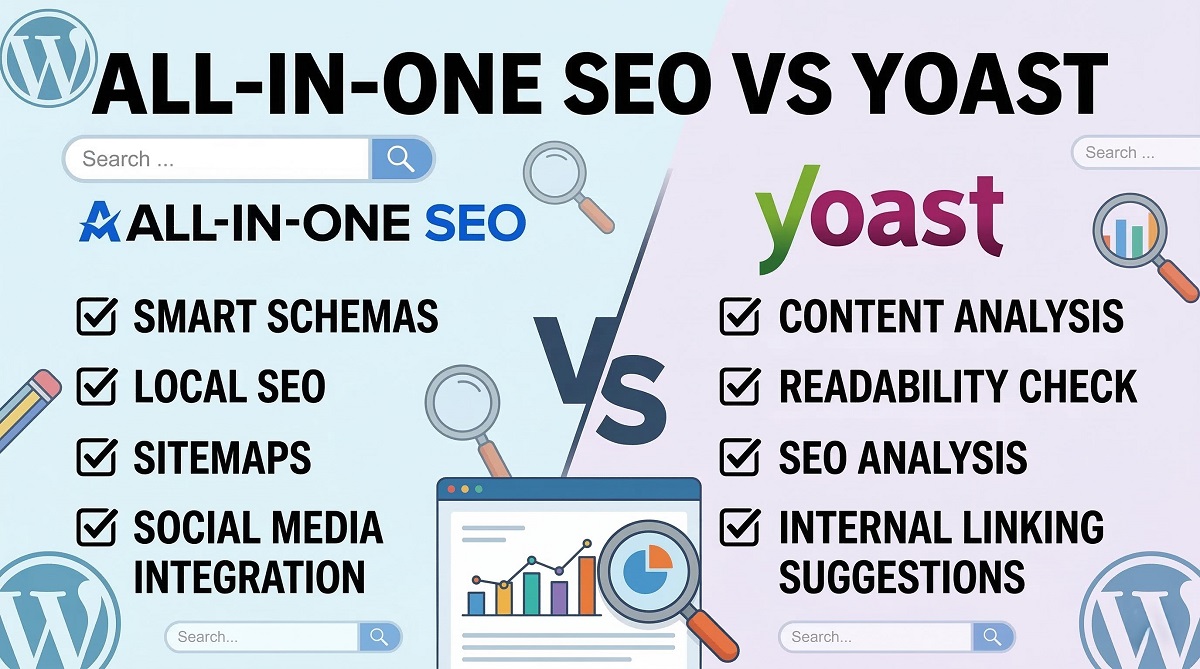
All in One SEO vs Yoast: Which SEO Plugin Actually Wins?
Ten million active installations on one side. Three million on the other. Both plugins have been around for over a decade, both are free to start, and both promise to help your WordPress site rank higher on Google. So which one do you actually need?
The honest answer: it depends on who you are. After analyzing both plugins across installation experience, content analysis, technical SEO, pricing, AI features, and ecommerce support — and cross-referencing multiple independent comparisons — the picture is clearer than most people think. Yoast SEO excels as an editorial guidance tool. All in One SEO (AIOSEO) excels as a technical toolkit that packs more features for less money, especially at scale.

This comparison covers everything a WordPress site owner needs to make an informed decision: what’s actually free, where the hidden costs are, how the 2026 AI features compare, and which plugin is the right fit for your specific situation. More WordPress SEO and optimization guides on WPlasma cover the broader range of plugin decisions, theme choices, and performance strategies that shape how a WordPress site ranks.
The Short Answer (BLUF)
Before diving into the details, here is a quick decision table based on your situation:
| Who You Are | Best Plugin | Key Reason |
|---|---|---|
| Blogger or content creator just starting out | Yoast SEO | Traffic light system teaches SEO as you write; schema markup free; Yoast Academy is excellent |
| Editorial team / news publisher | Yoast SEO | Readability checks, inclusive language (Premium), consistent content quality enforcement |
| WooCommerce store owner | AIOSEO | Product schema auto-generated; no $79/year addon needed; saves real money |
| Agency managing 5–100 sites | AIOSEO | Elite plan covers 100 sites for ~$299.50/year (intro price) vs thousands for Yoast |
| Medical, legal, or financial site (YMYL) | AIOSEO | Dedicated Author SEO module for E-E-A-T schema — no coding required |
| Small business (1 site, basic needs) | Either | Both work well; AIOSEO slightly cheaper at intro pricing; Yoast slightly better for learning |
| WordPress developer | AIOSEO | 19 redirect types, server-level redirect writing, granular technical controls |
Both plugins are free to download and use on WordPress. Premium versions unlock significantly more capability — but the cost difference becomes dramatic the moment you need more than one site or advanced ecommerce features.
What Each Plugin Actually Is
All in One SEO launched in 2007 — one of the earliest WordPress SEO plugins ever created. Originally called All in One SEO Pack, it was acquired by Awesome Motive in 2020 and rebranded. Today it has over 3 million active installations and operates on a modular architecture: you activate the features you need and leave the rest dormant.
Yoast SEO launched in 2010 under the name “WordPress SEO by Yoast” and was created by Joost de Valk. Acquired by Newfold Digital in 2021, it has grown to over 10 million active installations — making it the most widely used SEO plugin on WordPress.org. Its philosophy, borrowed from the WordPress core team: “Decisions, not options.” Yoast automates complex SEO decisions for you and guides you through the ones it can’t automate.
What they share: Both handle on-page SEO analysis, XML sitemaps, meta title and description editing, robots.txt management, social media Open Graph integration, and webmaster tool connections (Google Search Console, Bing, etc.).
The core philosophical difference: Yoast is a coach. It tells you how to improve your content, step by step. AIOSEO is a toolkit. It gives you more dials to turn — and trusts you to know what you’re doing.
Free vs. Paid — What You Actually Get Without Spending a Cent
Most comparison articles skim over the free version differences. This matters more than people realize, because the free Yoast plugin and the free AIOSEO plugin have one meaningful difference between them that most users miss.
Yoast SEO free version includes schema markup. AIOSEO’s free version does not.
Schema markup is the structured data that enables rich snippets in Google search results — things like star ratings, FAQs, breadcrumbs, and recipe cards. Getting this for free with Yoast is a genuine advantage for bloggers who want structured data without a premium subscription.
On the other hand, AIOSEO’s free version lets you optimize for unlimited focus keywords. Yoast free limits you to one. If you write long-form content targeting multiple keyword variations, AIOSEO’s free tier wins on this dimension.
| Feature | AIOSEO Free | Yoast Free |
|---|---|---|
| On-page SEO analysis | ✅ TruSEO score (0–100) | ✅ Traffic lights (Red/Orange/Green) |
| Focus keywords | ✅ Unlimited | ⚠️ 1 keyword only |
| Schema markup generator | ❌ Paid plans only | ✅ Basic schema (free) |
| Cornerstone content marking | ❌ Paid only | ✅ Free |
| Redirect manager | ❌ Paid only | ❌ Paid only |
| Breadcrumbs | ✅ Free | ✅ Free |
| Social media meta tags | ✅ Free (with social preview) | ⚠️ Free (basic); social preview is paid |
| SEO audit / site score | ✅ Free | ❌ Limited in free |
| Broken link checker | ✅ 200 links/month free | ❌ Not available |
| Robots.txt editor | ✅ Free | ✅ Free |
| LLMs.txt (AI optimization) | ✅ Pro plan | ✅ Premium plan |
| Author SEO / E-E-A-T schema | ✅ Pro/Elite plans | ❌ No dedicated module |
Bottom line for free users: Yoast’s free version is arguably stronger for sites that need structured data without paying. AIOSEO’s free version is better for content marketers targeting multiple keyword variations.
Installation and Setup — First Impressions Matter
The first 10 minutes with any plugin tells you a lot about how the rest of your experience will go.

AIOSEO Setup Wizard
AIOSEO launches a 5-step wizard immediately on activation, and it moves fast. Step one asks you to categorize your site (blog, news site, online store, corporate). That single choice pre-configures your schema settings — select “Online Store” and WooCommerce modules activate automatically.
One genuinely useful feature: AIOSEO scans your WordPress settings and flags the “Discourage search engines from indexing this site” checkbox if it’s accidentally enabled. This is a common silent killer for new sites and Yoast doesn’t catch it this prominently during setup.
If you’re migrating from another plugin, AIOSEO detects it and imports your data in one click. The whole process takes under five minutes for most sites.
Yoast First-Time Configuration
Yoast’s “First-time configuration” is more deliberate. It starts by verifying whether you’re on a production or staging environment — a detail that matters for larger sites. It then walks you through defining your “Site Representation” (Organization vs. Person), which directly affects your Knowledge Graph schema. This upfront entity definition is foundational for how Google understands your site’s structure.
The process is slightly more technical-feeling than AIOSEO’s wizard, but it’s thorough and does an excellent job of getting the fundamentals right from day one. Yoast also provides on-screen help explanations for each setting — useful when you’re not sure what something does.
Setup winner: Tie for most users. AIOSEO is faster; Yoast is more foundationally correct for Knowledge Graph setup.
On-Page SEO Analysis — Where You’ll Spend Most of Your Time
AIOSEO gives you a number. Yoast gives you a traffic light. This difference shapes everything about how each plugin guides your content optimization.

AIOSEO’s TruSEO Score (0–100)
AIOSEO’s content analysis centers on a numeric TruSEO score. A score of 92 feels meaningfully different from 78, and the accompanying checklist tells you exactly what to fix: “Shorten title,” “Add internal link,” “Include keyword in first paragraph.” It’s an optimization checklist more than a writing guide.
The free version allows unlimited focus keywords — a real edge if you’re targeting a page at multiple related search terms. AIOSEO also analyzes your title separately, checking for length, power words, and sentiment to improve click-through rates.

Yoast’s Traffic Light System
Yoast uses red, orange, and green lights. Green means you’ve met the criteria for that check. Orange means improvement is possible. Red means there’s a problem. Many WordPress beginners find this color-coded approach more immediately understandable than a number.
Where Yoast genuinely excels is readability analysis. It measures Flesch Reading Ease score, checks the percentage of sentences using transition words, flags passive voice usage, and — in the Premium version — checks for inclusive language. For editorial teams wanting consistent writing quality across multiple authors, Yoast acts as an automated editor-in-chief.
The one drawback: real-time content analysis on very long posts (3,000+ words) can occasionally cause typing lag, particularly on older computers. AIOSEO does not have this issue because its architecture processes analysis differently.


Content analysis verdict: AIOSEO wins on precision and flexibility (unlimited keywords, numeric scoring). Yoast wins on linguistic depth and readability coaching, especially for teams that need writing consistency enforced automatically.
Technical SEO — The Infrastructure That Actually Determines Crawlability
Most WordPress users never think about redirect types — until they break a URL and watch their traffic drop. Or until Google starts crawling pages you didn’t want indexed. Technical SEO is where the gap between these two plugins becomes most pronounced.
XML Sitemaps
Both plugins generate XML sitemaps automatically. The difference is control. AIOSEO lets you choose exactly which post types, taxonomies, and individual pages to include or exclude. It also generates RSS sitemaps and HTML sitemaps (visible to users, helpful for orphan page navigation) out of the box. Video and news sitemaps are included in Pro plans.
Yoast generates standard XML sitemaps but offers less granular control. Video and news sitemaps require separate purchases — the Yoast Video SEO plugin or News SEO plugin, each $79/year. For news publishers or video content sites, this cost difference matters.
Redirect Manager
AIOSEO supports 19 redirect types. That includes the standard 301, 302, and 307, but also 410 (Content Deleted — tells Google to immediately de-index a page, faster than a 404), 451 (Unavailable for Legal Reasons — critical for GDPR compliance on international sites), and Regex redirects for pattern-based bulk redirections during large site migrations.
Yoast’s redirect manager handles 5–6 types and has one clear advantage: when you change a URL slug in WordPress, Yoast automatically creates a 301 redirect. This prevents accidental broken links during routine content updates — something AIOSEO also does, but Yoast has been doing longer.
AIOSEO can write redirects at the server level, directly to your .htaccess or nginx.conf file. This means the redirect happens before WordPress even loads, reducing server load and improving Time to First Byte (TTFB) — a Core Web Vital.
Schema Markup (Structured Data)
AIOSEO takes an “explicit” approach to schema. You choose the schema type for any page from a visual catalog — no coding required. This works well for niche industries that need custom schema types not in the default WordPress content types.
Yoast uses a “knitted” graph approach. Its schema is nested hierarchically (Article within WebPage within WebSite within Organization), creating a semantically coherent structure that’s very hard to break. The downside is that customizing the graph — adding custom properties or schema types — often requires PHP filter hooks and developer knowledge.

Performance Impact
| Performance Factor | AIOSEO | Yoast |
|---|---|---|
| Front-end speed | ✅ Faster (unused modules don’t load JS/CSS) | ⚠️ Slightly heavier |
| Back-end metadata speed | ✅ Smooth | ✅ Fast via Indexables (pre-computed data) |
| Editor typing lag | ✅ None | ⚠️ Possible on 3,000+ word posts |
| Database footprint | Moderate custom tables | More extensive custom tables (wp_yoast_indexable) |
| Database cleaner tool | ✅ Built-in | ❌ Not built-in |
On managed hosting platforms like WP Engine or Kinsta, these performance differences are largely negligible due to server-level caching. On shared hosting with limited resources, AIOSEO’s modular architecture gives it a meaningful advantage.
AI Features in 2026 — Which Plugin Is Ready for AI-Powered Search?
Search is no longer just about keywords and backlinks. Google’s Gemini-powered search overviews and Bing’s Copilot integration mean that AI systems are now reading your content and synthesizing answers. Both AIOSEO and Yoast have responded with 2026 features designed to optimize for this new reality.
LLMs.txt — Talking to AI Crawlers
The llms.txt standard is the newest element of technical SEO. Similar to robots.txt, it tells AI bots (OpenAI’s crawler, Google’s extended Gemini crawler, Anthropic’s Claude crawler) which content to prioritize, what format to expect it in, and what they’re allowed to use.
AIOSEO’s LLMs.txt Generator converts your content into clean Markdown format — stripping navigation menus, footers, and other HTML clutter that makes AI ingestion less efficient. The result is content more likely to be accurately cited by AI chatbots when users ask questions in your topic area.
Yoast’s LLMs.txt implementation takes a different approach: it highlights your Cornerstone Content. The philosophy is that if an AI is going to learn about your site, it should learn from your best and most authoritative articles — protecting brand integrity in AI-generated answers.
AI-Powered Metadata and Content Tools
| AI Feature | AIOSEO | Yoast |
|---|---|---|
| LLMs.txt generator | ✅ Pro plan — full site, Markdown format | ✅ Premium — cornerstone content focus |
| AI title generator | ✅ Available (limited credits free, Pro = more) | ✅ Premium only — 5–10 suggestions per use |
| AI description generator | ✅ Available | ✅ Premium only |
| AI content writing/optimization | ✅ via SEOBoost integration (~$30/month separately) | ⚠️ AI Optimize (Beta) — readability rewrites only |
| Inclusive language checker | ❌ Not available | ✅ Premium only |
| Extra AI cost | SEOBoost is a separate subscription | Bundled into Premium (no extra cost) |
Practical verdict: Yoast’s AI features are better value if you’re in the Premium plan — they’re bundled at no extra cost and handle metadata generation well. AIOSEO’s AI ecosystem (through SEOBoost) is more powerful for full content creation and competitive analysis, but it comes with additional monthly costs. For most small business owners, Yoast’s bundled AI tools are sufficient. Agencies and content teams generating high volumes of content may find the SEOBoost integration worth the extra spend.
E-E-A-T and Author SEO — Why Credentials Matter in 2026
Google’s E-E-A-T guidelines (Experience, Expertise, Authoritativeness, Trustworthiness) have evolved from a content quality concept into a technical ranking signal. For YMYL (Your Money Your Life) sites — medical, legal, financial, and health content — proving author credentials through structured data is increasingly important for maintaining rankings.
AIOSEO has built a dedicated Author SEO module that addresses this directly. It adds structured schema fields to author profiles that go far beyond what WordPress includes by default:
- AlumniOf — university or institution credentials
- HonorificSuffix — professional designations (PhD, MD, JD, etc.)
- KnowsAbout — explicit topic expertise declarations
- WorksFor — organizational affiliation
- SameAs — verification links to LinkedIn, Wikipedia, Google Scholar, etc.
This outputs as JSON-LD schema — the format Google prefers — without requiring any coding. For a medical site where you want Google to understand that a specific article was written by a board-certified physician affiliated with a recognized hospital, this module provides the technical mechanism to communicate that.
Yoast relies on standard WordPress user profiles for author information. These profiles don’t include the specific schema fields that E-E-A-T requires. A developer can add custom fields and output them as schema using Yoast’s PHP filter hooks, but this requires technical knowledge and ongoing maintenance.
Winner for YMYL and E-E-A-T: AIOSEO — the Author SEO module is a purpose-built tool for exactly this requirement.
WooCommerce and Local SEO — Where the Hidden Costs Live
This is arguably where the pricing difference between the two plugins becomes most consequential. The “all in one” in AIOSEO’s name is most accurate when you look at ecommerce and local search optimization.
WooCommerce SEO
AIOSEO automatically detects WooCommerce products and generates Product schema (including price, availability, and currency) without any manual configuration. This structured data enables product rich snippets in search results — price and availability showing directly in Google. This capability is included in the Plus plan ($99.50/year for 3 sites, intro pricing).
Yoast’s core plugin provides very basic WooCommerce support. To get product schema, XML product sitemaps, and WooCommerce-specific optimization — you need the separate Yoast WooCommerce SEO plugin, priced at $79/year per site. Combined with the $99/year Yoast Premium, an ecommerce site owner pays $178/year for a single site. With AIOSEO Plus at $99.50/year for up to 3 sites, the same store owner saves substantially and gets multi-site support included.
Local SEO
Yoast offers Local SEO functionality through its separate Local SEO plugin ($79/year). It handles LocalBusiness schema, a store locator page, and KML file generation for Google Earth.
AIOSEO bundles Local SEO in its Plus and Pro plans, with one notable advantage: multi-location support. A business with 10 different physical locations can manage each location’s schema — opening hours, addresses, coordinates — within a single plugin interface. Yoast’s separate Local SEO plugin handles this less efficiently for multi-location businesses.
Pricing — The Real Numbers (and the Renewal Gotcha)
A single site costs $99/year with Yoast Premium. With AIOSEO, the advertised price starts at about $49.50/year. That sounds like a clear win for AIOSEO — and it often is — but there’s an important detail most buyers miss.
AIOSEO’s introductory prices typically double at renewal. A $49.50/year Basic plan becomes approximately $99/year in Year 2. The gap is narrower than it appears for single-site users in the long run. Always verify current pricing and renewal rates at aioseo.com/pricing before purchasing.

Where AIOSEO’s pricing model becomes decisively advantageous is at scale. The cost comparison below uses research-validated pricing for 2026:
| Scenario | Yoast Annual Cost | AIOSEO Annual Cost (Intro) | Winner |
|---|---|---|---|
| Single hobby blog | $0 (Free) | $0 (Free) | Tie |
| Small business (1 site, premium) | $99/year | ~$49.50/year (intro); ~$99/year renewal | AIOSEO Year 1; Tie Year 2+ |
| WooCommerce store (1 site) | ~$178–$229/year (Premium + WooSEO) | ~$99.50/year (Plus — includes WooSEO) | AIOSEO |
| Small agency (10 sites) | ~$990+/year (10 × $99) | ~$199.50/year (Pro, 10 sites) | AIOSEO |
| Large agency (100 sites) | ~$3,000+/year | ~$299.50/year (Elite, 100 sites) | AIOSEO |
⚠️ Note: These prices reflect typical 2026 figures from multiple verified sources. Prices change frequently. Always check current rates at aioseo.com/pricing and yoast.com/wordpress-seo before making a purchase decision. Verify February 2026.
Support and Learning Resources
Getting help when you’re stuck matters. So does having access to resources that make you less likely to get stuck in the first place.

Yoast’s Premium support team is trained in SEO strategy, not just plugin troubleshooting. They can answer “why” questions, not just “how” questions. Yoast Academy provides structured SEO courses covering Technical SEO, SEO copywriting, local SEO, and more — available to Premium subscribers. The combination of 24/7 support and educational resources makes Yoast the better choice for teams who are actively building their SEO knowledge.
AIOSEO’s priority support (Pro and Elite plans) resolves technical bugs faster, according to user reports, but is less consultative on general SEO strategy. Documentation is comprehensive, and there’s an active YouTube channel. For users who already understand SEO and need technical help quickly, AIOSEO’s support works well.
Free users with either plugin are limited to WordPress.org forum support, with typical response times of 1–3 business days. Both plugins have active support threads on WordPress.org.
Winner for ongoing education: Yoast — Yoast Academy is a genuine differentiator with no equivalent from AIOSEO.
How Easy Is It to Switch Between Plugins?
Switching SEO plugins used to be terrifying — the prospect of losing years of carefully crafted meta titles and descriptions stopped many users from making the move. Both plugins have solved this problem with import tools that make migration painless.
Moving from Yoast to AIOSEO: During AIOSEO’s setup wizard, it automatically detects Yoast and offers one-click data import. All SEO titles, meta descriptions, and focus keywords transfer over. Alternatively, go to All in One SEO > Tools > Import/Export after installation. The process takes under 10 minutes on most sites.
Moving from AIOSEO to Yoast: In the Yoast dashboard, go to SEO > Tools > Import and Export > Import from other SEO plugins, then select All in One SEO from the dropdown. After import, run the First-time configuration to ensure Yoast is properly set up. A cleanup step removes the old AIOSEO data.
Both migrations preserve: SEO titles, meta descriptions, focus keywords, and custom canonical URLs. Before any migration, create a full WordPress backup — the process is reliable but backups are always worth the extra 10 minutes.
Who Should Use Which Plugin? A Decision Framework
The right plugin depends on your specific situation, not on which one “wins” in a generic feature count.
| Who You Are | Recommended Plugin | Why |
|---|---|---|
| Blogger learning SEO for the first time | Yoast SEO | Traffic light feedback teaches best practices; Yoast Academy builds skills; schema free |
| Content creator targeting multiple keywords | AIOSEO | Unlimited focus keywords in free version; TruSEO scoring tracks optimization precisely |
| Editorial team with multiple writers | Yoast SEO | Readability enforcement + inclusive language (Premium) creates consistent content quality |
| News publisher (Google News) | AIOSEO | News sitemap bundled in Pro plan; Yoast requires a separate $79/year plugin |
| WooCommerce store (single site) | AIOSEO | Product schema auto-generated; WooCommerce SEO included in Plus plan |
| Local business (single location) | Either | Both handle LocalBusiness schema; check pricing for your total stack |
| Local business (multiple locations) | AIOSEO | Multi-location management built into Plus/Pro; Yoast requires separate plugin |
| Agency (5–100 client sites) | AIOSEO | Elite plan: 100 sites for ~$299.50/year intro; massive cost advantage over per-site Yoast licensing |
| Medical, legal, or financial site | AIOSEO | Author SEO module adds E-E-A-T schema (credentials, affiliations, verification links) |
| WordPress developer managing complex setups | AIOSEO | 19 redirect types, server-level redirect writing, in-dashboard file editing |
| User prioritizing education and community | Yoast SEO | Yoast Academy, blog resources, webinars — no equivalent from AIOSEO |
Frequently Asked Questions About All in One SEO vs Yoast
Is All in One SEO or Yoast SEO better for beginners?
Both work for beginners. Yoast’s traffic light system (Red/Orange/Green) is more intuitive to learn from, especially for understanding why a change improves SEO. AIOSEO’s TruSEO numeric score feels more like a performance dashboard. If building SEO knowledge is a goal alongside optimizing your site, Yoast SEO combined with Yoast Academy gives you the better learning environment. If you just want to optimize efficiently and move on, AIOSEO’s checklist approach may suit you better.
Can I use both AIOSEO and Yoast SEO at the same time?
No. Running two full SEO plugins simultaneously creates conflicts — duplicate meta tags in your page source, competing XML sitemaps, and schema markup errors. Pick one and deactivate the other before activating your new choice. Both plugins include data migration tools to transfer your SEO settings cleanly.
Is Yoast SEO’s free version enough for most websites?
Yes, for most straightforward WordPress sites. The free version includes on-page analysis, XML sitemaps, basic schema markup, breadcrumbs, social media meta tags, and webmaster tool integration. You’ll want to consider upgrading when you need a redirect manager, multiple focus keywords per post, internal link suggestions, or AI-powered metadata generation.
Does AIOSEO’s free version include schema markup?
No. Schema markup — the structured data that enables rich snippets in Google search results — requires one of AIOSEO’s paid plans. This is a clear differentiator for Yoast’s free version, which includes basic schema markup for common content types (articles, pages, author pages) at no cost. If schema support without a paid subscription matters to you, Yoast has the advantage here.
How much does All in One SEO cost compared to Yoast?
AIOSEO’s introductory pricing starts at approximately $49.50/year for a single site (Basic plan). Note that renewal pricing is typically double — around $99/year in Year 2. Yoast Premium starts at $99/year for a single site with no intro/renewal distinction. The gap widens significantly at scale: AIOSEO’s Pro plan covers 10 sites for approximately $199.50/year (intro), while Yoast charges $99/year per site. Always verify the current pricing at aioseo.com/pricing before purchasing — prices change frequently (verified February 2026).
Which plugin is better for WooCommerce stores?
AIOSEO. It automatically generates Product schema from your WooCommerce data without any manual configuration, and WooCommerce SEO features are bundled into the Plus plan ($99.50/year for 3 sites, intro pricing). Yoast requires a separate Yoast WooCommerce SEO plugin ($79/year per site), which combined with Yoast Premium ($99/year) brings the per-site cost to roughly $178–$229/year. For most WooCommerce stores, AIOSEO is significantly more cost-effective.
Which plugin is better for Google E-E-A-T compliance in 2026?
AIOSEO, for sites where author expertise directly affects rankings. Its dedicated Author SEO module adds structured data fields that WordPress doesn’t include by default: academic credentials (AlumniOf, HonorificSuffix), expertise topics (KnowsAbout), employer affiliation (WorksFor), and verification links (SameAs connecting to LinkedIn, Wikipedia, etc.). This outputs as JSON-LD schema without any coding. Yoast relies on standard WordPress user profiles, which lack these specific E-E-A-T schema fields unless a developer adds custom code.
Can I switch from Yoast to AIOSEO without losing my SEO data?
Yes — and the process is straightforward. AIOSEO’s setup wizard automatically detects Yoast and imports your SEO titles, meta descriptions, and focus keywords with a single click. The migration preserves all post-level SEO data and takes under 10 minutes on most sites. Moving the other direction (AIOSEO to Yoast) works via Yoast’s Tools > Import and Export section. Always create a complete WordPress backup before any plugin migration.
Which plugin is better for 2026 AI search optimization?
Both plugins have implemented LLMs.txt support — the emerging standard for communicating with AI search crawlers (Google Gemini, ChatGPT, Bing Copilot, etc.). AIOSEO’s implementation converts your content to clean Markdown format for efficient AI ingestion, which may improve how often your content is cited in AI-generated answers. Yoast’s implementation prioritizes surfacing your Cornerstone Content to AI crawlers, focusing on brand integrity. Neither approach is clearly superior yet — the LLMs.txt standard is still maturing in 2026.
Does Yoast SEO slow down your WordPress site?
Minimally, for most sites. Yoast’s Indexables architecture pre-computes metadata in custom database tables, meaning page load doesn’t require on-the-fly database queries for SEO data. The practical performance impact is small. One real-world exception: very long posts (3,000+ words) can sometimes experience slight typing lag in the WordPress editor due to Yoast’s real-time readability analysis. AIOSEO’s modular front-end architecture means unused features don’t load any JavaScript or CSS, giving it a marginal speed advantage on the visitor-facing side — though on managed WordPress hosting, both perform comparably.
Final Verdict: The Coach vs. The Toolkit
After comparing every meaningful dimension — features, pricing, technical depth, AI readiness, ecommerce, and learning resources — the conclusion is clear but nuanced.
Choose Yoast SEO if: You are a blogger or editorial team where content quality guidance matters. You want structured data (schema markup) without a paid subscription. You value Yoast Academy’s educational resources. You run a single site or a small number of sites where the per-site pricing is manageable.
Choose AIOSEO if: You manage multiple sites and pricing at scale matters. You run a WooCommerce store and don’t want to pay extra for ecommerce SEO features. You need technical controls like server-level redirects, 19 redirect types, or granular sitemap management. You run a YMYL site and need E-E-A-T author schema without custom coding. You are an agency where the cost difference between the two plugins at 10+ sites represents real savings.
Neither plugin will rank your site for you. Both establish the technical foundation and the on-page signals that give your content its best opportunity to perform. The right choice is the one that fits how you work, what you’re building, and what you can sustain financially across multiple years. Explore more WordPress plugin comparisons and SEO guides on WPlasma to continue building your understanding of the WordPress ecosystem.
