


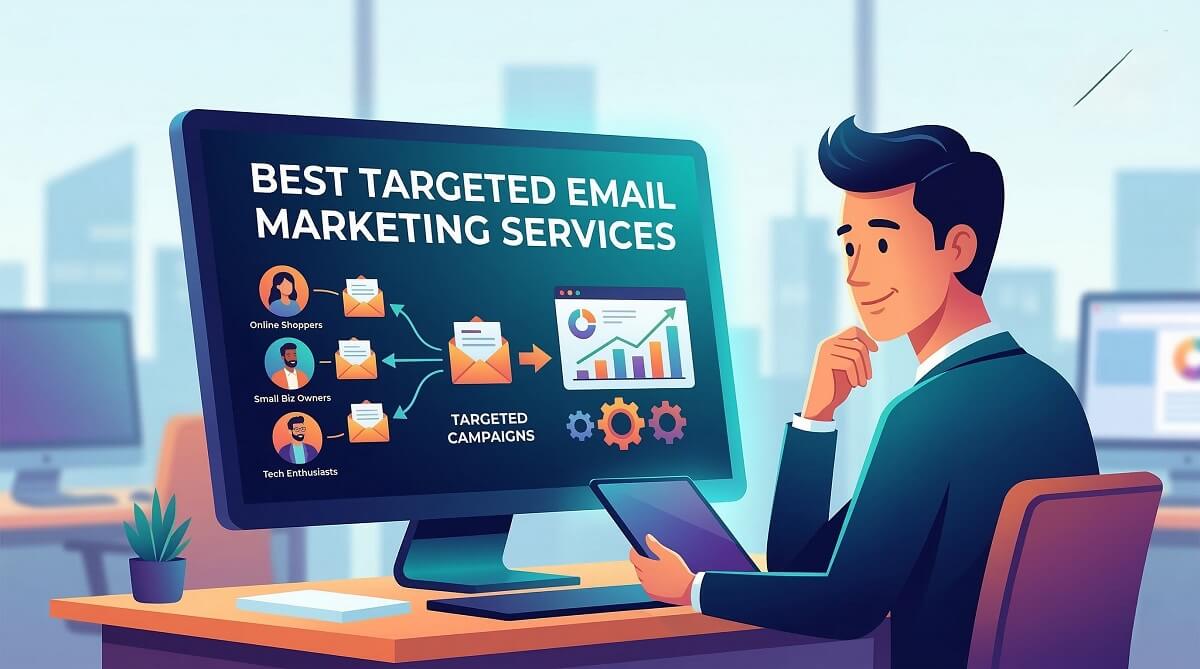
Best Targeted Email Marketing Services – Honest Comparison for Small Businesses
What You Need to Know First
Targeted email marketing — sending relevant, segmented messages to specific subscriber groups instead of blasting everyone on your list — consistently outperforms every other digital marketing channel when done right. Industry benchmark data from Litmus and the Data & Marketing Association shows email returns an estimated $36–$42 for every dollar spent. But the key word is targeted. Generic batch-and-blast campaigns drag those numbers down considerably.
The good news: there are more capable, affordable email marketing platforms available today than at any point in the past decade. The challenge is matching the right tool to your actual situation — not the situation a vendor’s marketing team wants you to believe you’re in.
Here’s what matters for small business owners specifically:
| Your Situation | Budget/Month | Best Starting Point | Key Reason |
|---|---|---|---|
| Just getting started, small list | Free | Mailerlite or Brevo | Most generous free plans; no daily sending limits |
| eCommerce store (Shopify/WooCommerce) | $20–$50+ | Klaviyo | Best native eCommerce integrations and segmentation depth |
| Creator / newsletter business | Free–$39 | Kit (ConvertKit) | Best-in-class for creator monetization and subscriber management |
| Need automation on a budget | $9–$19 | Brevo or GetResponse | Affordable with decent automation; multichannel support |
| Advanced CRM + email automation | $15–$79+ | ActiveCampaign | Best-in-class automation depth and CRM integration |
| Beginner, needs hand-holding | Free–$13 | Mailchimp | Largest template library, strongest learning resources |
Who should invest in targeted email now: Any business with 500 or more email subscribers, some behavioral or purchase data to work with, and a product or service that naturally divides into customer segments.
Who should wait: Businesses with fewer than 200 subscribers, no defined audience personas, or still in the early testing phase of product-market fit. Build the list first; segment it second.
What Targeted Email Marketing Actually Means (And Why It Differs from Mass Email)
Targeted email marketing is the practice of dividing your subscriber list into specific groups — called segments — based on shared characteristics or behaviors, then sending each segment content that speaks directly to their situation. It sounds straightforward, but it’s easy to confuse with personalization, which is a related but different concept.
Personalization means inserting someone’s name into a subject line or email body. Targeted marketing means the entire email exists because of something that person did or who they are. A Sephora reminder about restocking a product you bought three months ago is targeted. A birthday discount email using your name in the subject line is personalized — but if it goes to every subscriber regardless of whether they’ve ever bought anything, it’s still a mass send.
The distinction matters because the results are dramatically different. Segmented campaigns generate up to 760% more revenue than non-segmented sends to the same list, according to data compiled by Campaign Monitor and widely corroborated across the industry. That’s not a rounding error — that’s the difference between email marketing that covers its own costs and email marketing that funds other channels.
Common Targeted Email Campaign Types
Concrete examples make this easier to understand. Here are the most common targeted campaign types and what makes them work:
- Abandoned cart emails: Sent to subscribers who added items to a cart but didn’t complete checkout. These convert at 5–15% in eCommerce — far above the industry average for promotional emails.
- Post-purchase sequences: Cross-sell or upsell emails triggered by a completed purchase, timed to the product’s typical repurchase cycle.
- Re-engagement campaigns: Sent to subscribers who haven’t opened an email in 90–180 days. The goal is to win them back before removing them from your list entirely.
- Lead nurturing sequences: A series of educational emails sent to new subscribers or trial users to guide them toward a decision point.
- Loyalty reward emails: Sent to high-value customers to strengthen the relationship and encourage repeat purchases.
- Behavioral trigger emails: Sent when a subscriber takes a specific action on your site — visiting a pricing page, watching a demo, downloading a resource.
Each of these requires two things: a platform capable of tracking the trigger event, and a list segmented in a way that captures the relevant behavior. Most modern email marketing platforms handle both — the question is how much configuration you’re willing to do and how much you’re willing to spend.
The Real Benefits of Targeted Email — With Numbers, Not Buzzwords
Most articles about email marketing list the same six benefits in the same order: better open rates, higher conversions, improved retention, lower unsubscribe rates, stronger brand loyalty, better ROI. They’re all true. They’re also useless without context. Here’s what the data actually shows.

Higher Open Rates and Click-Through Rates
The average email open rate across all industries hovers around 38–42%, according to Mailchimp’s 2025 benchmark report and similar analyses from Campaign Monitor and Moosend. That’s the average for all emails — segmented and non-segmented combined.
Properly segmented campaigns consistently outperform those averages. The reason is straightforward: when a subscriber receives an email about something they specifically care about — a category they’ve browsed, a product similar to what they bought, a topic they opted into — they’re more likely to open it and click through. The content earns the engagement instead of demanding it.
Industry benchmarks by vertical show significant variation. Tech companies tend to see open rates in the 20–25% range, while nonprofit emails regularly hit 30–40%. If your numbers are significantly below your industry benchmark, audience mismatch (sending the wrong content to the wrong people) is usually the primary cause — and segmentation is the fix.
Better Deliverability and Sender Reputation
This benefit rarely gets enough attention. When you send targeted, relevant emails, recipients engage with them — opening, clicking, scrolling. Email service providers (ESPs) like Gmail and Outlook track these engagement signals and use them to decide whether your future emails land in the inbox or the spam folder.
The flip side: consistently sending irrelevant content drives up spam complaints and list decay. A spam complaint rate above 0.1% triggers automatic deliverability problems on most major sending infrastructure. Sending relevant content to interested segments keeps that rate well below the threshold and protects your sender reputation over time.
ROI That Actually Makes Sense for Small Budgets
Email marketing returns an estimated $36–$42 for every dollar spent, according to data from Litmus (which reports a 36:1 ratio) and the Data & Marketing Association (which cited $42 in their widely-referenced benchmark report). Even at the lower end of that range, no other digital marketing channel comes close — not social ads, not search, not display.
But those figures reflect well-executed campaigns. Here’s the cost-of-inaction calculation worth understanding:
Suppose you have a list of 10,000 subscribers and you send everyone the same promotional email. Your open rate is 22%, your click rate is 2.5%. That’s 250 clicks on a message most of your list didn’t find relevant.
Now segment that same list. You identify 2,200 subscribers who purchased a related product in the last six months. You send them a targeted email about a complementary item. Your open rate climbs to 38%, your click rate to 8%. That’s 670 clicks from a subset of your list — more than double the engagement with 78% fewer sends. You’ve also preserved your sender reputation with the 7,800 subscribers who didn’t receive a message that wasn’t relevant to them.
The cost of sending the targeted campaign is lower (fewer sends). The revenue impact is higher. The list health impact is positive. That’s what targeted email marketing actually delivers.
How Email List Segmentation Works (Practical Guide)
Say you run a fitness gear store with 4,000 subscribers. Half of them bought running shoes in the last year. A quarter of them bought yoga equipment. The remaining 25% signed up via a blog post about home gym setups but haven’t purchased yet. Sending the same promotional email to all three groups is a waste — and potentially damaging. Segmenting them and sending targeted content to each group is the entire point of this channel.
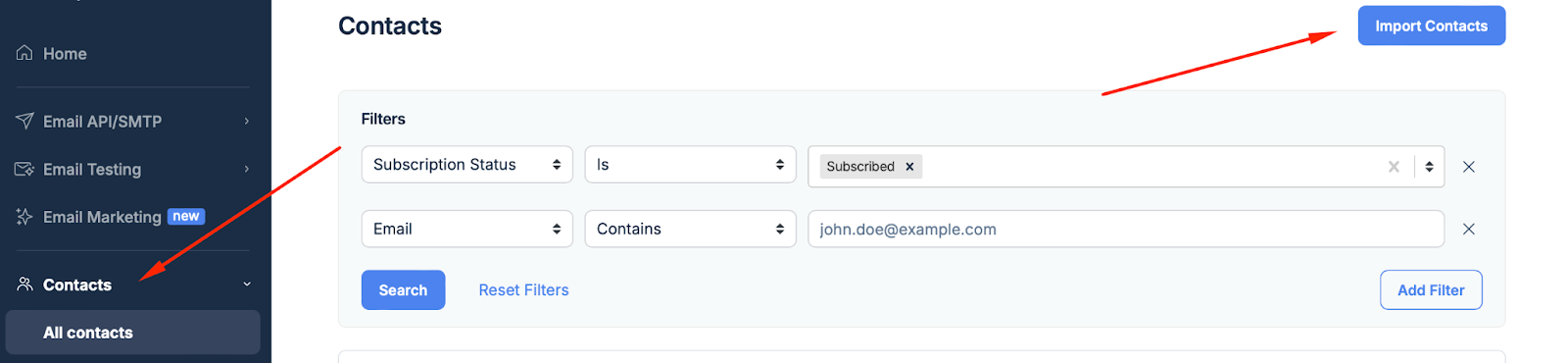
The 5 Types of Segmentation Data
| Segmentation Type | Data Source | Best Use Case | Example |
|---|---|---|---|
| Demographic | Sign-up form, CRM, survey | Age-specific products, gender-targeted lines | Sending children’s gear promotions to subscribers who indicated they have kids |
| Geographic | IP address, shipping address, time zone | Seasonal products, local events, regional pricing | Promoting winter jackets to Northern Hemisphere subscribers in October |
| Behavioral | Purchase history, browse history, email engagement | Cross-sell, upsell, re-engagement, abandoned cart | Sending a restock reminder 90 days after a supplement purchase |
| Psychographic | Survey responses, content preferences, quiz results | Value-based messaging, lifestyle alignment | Segmenting between subscribers who prioritize sustainability vs. price |
| Engagement-based | Open rate, click rate, last open date | Re-engagement campaigns, list cleaning, VIP programs | Sending a win-back offer to subscribers who haven’t opened in 90 days |
Where to Start If You Have No Segmentation Data Yet
Most small business owners starting out have one thing: an email list with no useful metadata attached. Here’s how to change that without overwhelming your subscribers.
Progressive profiling is the technique of collecting information incrementally across multiple touchpoints instead of demanding it all upfront. Your welcome email might ask one question. A check-in email three weeks later might ask another. Over six months, you build a detailed profile without ever feeling intrusive.
Sign-up form micro-segmentation works well from day one. Instead of a generic “subscribe” form, offer options: “I want emails about running” / “I want emails about yoga” / “I want emails about home fitness.” Subscribers self-select into segments immediately. The data quality is excellent because they chose it.
Behavioral data from your website or eCommerce platform is typically the richest segmentation source. Google Analytics, Shopify, WooCommerce, and most CRM tools can pass behavioral data to your email platform via integration. Someone who visits your pricing page twice in a week is a different segment than someone who reads your blog and never looks at products.
List Hygiene — The Overlooked Foundation
Segmenting a dirty list produces bad results. Before you invest significant time in segmentation strategy, clean your list.
Hard bounces — emails that permanently don’t exist — should be removed immediately. Every hard bounce you send to damages your sender reputation. Most email platforms handle this automatically, but review your bounce reports monthly to confirm.
Soft bounces (temporary delivery failures) need monitoring. If a contact soft bounces consistently across three to five campaigns, treat them as a hard bounce and remove them.
Inactive subscribers — those who haven’t opened an email in six or more months — should be put through a re-engagement campaign before being removed. A single “Are you still interested?” email with a clear value proposition gives them a chance to re-engage. If they don’t respond, remove them. Sending to chronically unengaged subscribers inflates your list size without adding value and gradually degrades your deliverability.
Tools for automated list verification include NeverBounce, ZeroBounce, and Snov.io. Running your list through one of these quarterly catches invalid emails before you pay to send to them.
The Best Targeted Email Marketing Services Compared (2026)
Eight platforms cover the needs of the vast majority of small businesses and growing companies. They divide cleanly into two categories: platforms that focus on email as their primary or only channel, and platforms that treat email as one channel in a larger marketing stack. Which category fits you depends less on your aspirations and more on your current operations and budget.
Platform Pricing at a Glance (Verified February 2026)
| Platform | Free Plan | Starting Paid Price/mo | Free Plan Limits | Best For | Biggest Limitation |
|---|---|---|---|---|---|
| Mailchimp | ✅ | ~$13 | 250 contacts, 500 emails/mo | Beginners; rich template library | Free plan reduced significantly in 2026; gets expensive at scale |
| Brevo | ✅ | ~$9 | 300 emails/day, unlimited contacts | Budget-conscious businesses needing email + SMS | Daily email limit on free plan; some users report deliverability inconsistencies |
| Klaviyo | ✅ | ~$20 | 500 contacts, 500 emails/mo | eCommerce businesses (Shopify/WooCommerce) | Pricing scales rapidly with contact count; steeper learning curve |
| GetResponse | ✅ | ~$19 | 500 contacts, 2,500 emails/mo | Businesses that also need landing pages and webinars | Automation features require higher-tier plan (~$59/mo) |
| Mailerlite | ✅ | ~$10 | 500 contacts, 12,000 emails/mo | Creators and bloggers on a budget | Smaller template library; less advanced automation |
| Kit (ConvertKit) | ✅ | ~$39 | Unlimited subscribers (basic features) | Content creators, newsletter businesses | Fewer design options; Creator plan is pricier than alternatives at scale |
| ActiveCampaign | ❌ | ~$15 | No free plan (trial only) | Automation-heavy workflows; CRM + email in one | No free plan; learning curve; price hike in 2026 |
| Moosend | ❌ | ~$9 | 30-day trial only | Growing businesses wanting no email-send caps | No free plan; smaller user community; verify pricing at moosend.com |
Prices are approximate starting rates and may vary by plan configuration. Always verify current pricing directly at each platform’s official website before making a decision. Data verified February 2026.
Best for Beginners and Small Budgets — Mailchimp vs Mailerlite vs Brevo
Three platforms compete credibly for the attention of small business owners just getting started: Mailchimp, Mailerlite, and Brevo. Each has a meaningfully different approach to pricing and feature access.
Mailchimp is the most recognized name in email marketing for good reason — it has the largest template library, the most robust learning resources, and integrations with nearly every tool a small business might use. The tradeoff is that Mailchimp’s free plan shrank considerably in 2026 (now capped at 250 contacts and 500 sends per month), and its paid plans become noticeably expensive as your list grows past 2,500 contacts.
Mailerlite offers one of the most generous free plans in the industry: 500 contacts and 12,000 emails per month, with no daily sending cap. It’s simpler than Mailchimp — fewer templates, less advanced automation — but for a small business sending a weekly newsletter to a few hundred subscribers, Mailerlite’s simplicity is a feature, not a limitation. Paid plans start around $10 per month.
Brevo takes a completely different approach to pricing: rather than charging by subscriber count, it charges by email volume. The free plan allows 300 emails per day to an unlimited number of contacts. That means you can build a list of 5,000 contacts and pay nothing — you’re only limited by how many emails you can send per day. For businesses with large lists but low send frequency, Brevo’s economics are unusually favorable. Paid plans start around $9 per month for 5,000 emails per month.
Best for eCommerce — Klaviyo vs Omnisend
If you run an online store on Shopify, WooCommerce, or BigCommerce, the conversation about targeted email marketing gets very specific. eCommerce email is built around behavioral data — what customers browsed, what they bought, what they abandoned — and the platform you choose needs native integrations with your store to access that data automatically.
Klaviyo is the market leader for eCommerce email segmentation. Its Shopify integration pulls in detailed purchase and browse data, and its segmentation engine is among the most sophisticated available at any price point. You can segment by: last purchase date, average order value, number of purchases, product categories purchased, predicted lifetime value, and dozens of other criteria. The tradeoff is pricing: Klaviyo starts around $20 per month but scales rapidly as your active profile count grows.
Omnisend is a credible alternative, particularly for businesses that want to add SMS or web push notifications alongside email without moving to a more complex enterprise platform. Its paid plans start around $11–$16 per month and include multichannel templates that work across email, SMS, and push from a single campaign builder.
Best for Creators and Newsletter Businesses — Kit vs Mailerlite
Kit (formerly ConvertKit) was built specifically for content creators — bloggers, podcasters, newsletter writers, course sellers, musicians — and it shows in the product’s feature set. Kit’s free Newsletter plan is genuinely generous: unlimited subscribers with basic email sending and limited automation. The Creator paid plan (starting around $39/month for 1,000 contacts) unlocks advanced automations, subscriber tagging, and creator-specific monetization tools like paid newsletter subscriptions.
The honest downside: Kit’s email design tools are deliberately minimal. If visual polish matters to your brand, Kit may frustrate you. If your brand is built on writing and ideas rather than visual identity, that minimalism keeps the focus where it belongs.
Mailerlite is a strong alternative for creators who want more design flexibility without paying Kit’s per-subscriber rates at scale. Its automation tools aren’t as creator-specific as Kit’s, but they cover the core use cases — welcome sequences, click-based triggers, course completion emails — at a lower price point.
Best for Advanced Automation — ActiveCampaign
When a business outgrows simple “if subscribed, send sequence” automations and needs true conditional branching, lead scoring, CRM-connected workflows, and multi-step behavioral journeys, ActiveCampaign is the most complete tool at a small-business-accessible price point.
The Starter plan begins around $15/month for 1,000 contacts. The automation builder uses a visual drag-and-drop canvas that lets you map out complex journeys — send email A, wait for a click, then branch: if clicked, send email B; if not, wait 3 days and send email C — with genuine depth rather than the simplified version most platforms offer.
The honest tradeoff: ActiveCampaign has no free plan, and its learning curve is steeper than simpler alternatives. For a business sending a basic monthly newsletter, it’s significant overkill. For a business with a multi-stage sales cycle and multiple audience segments requiring different journeys, it’s genuinely valuable.
AI Features: What Actually Matters vs. What’s Marketing
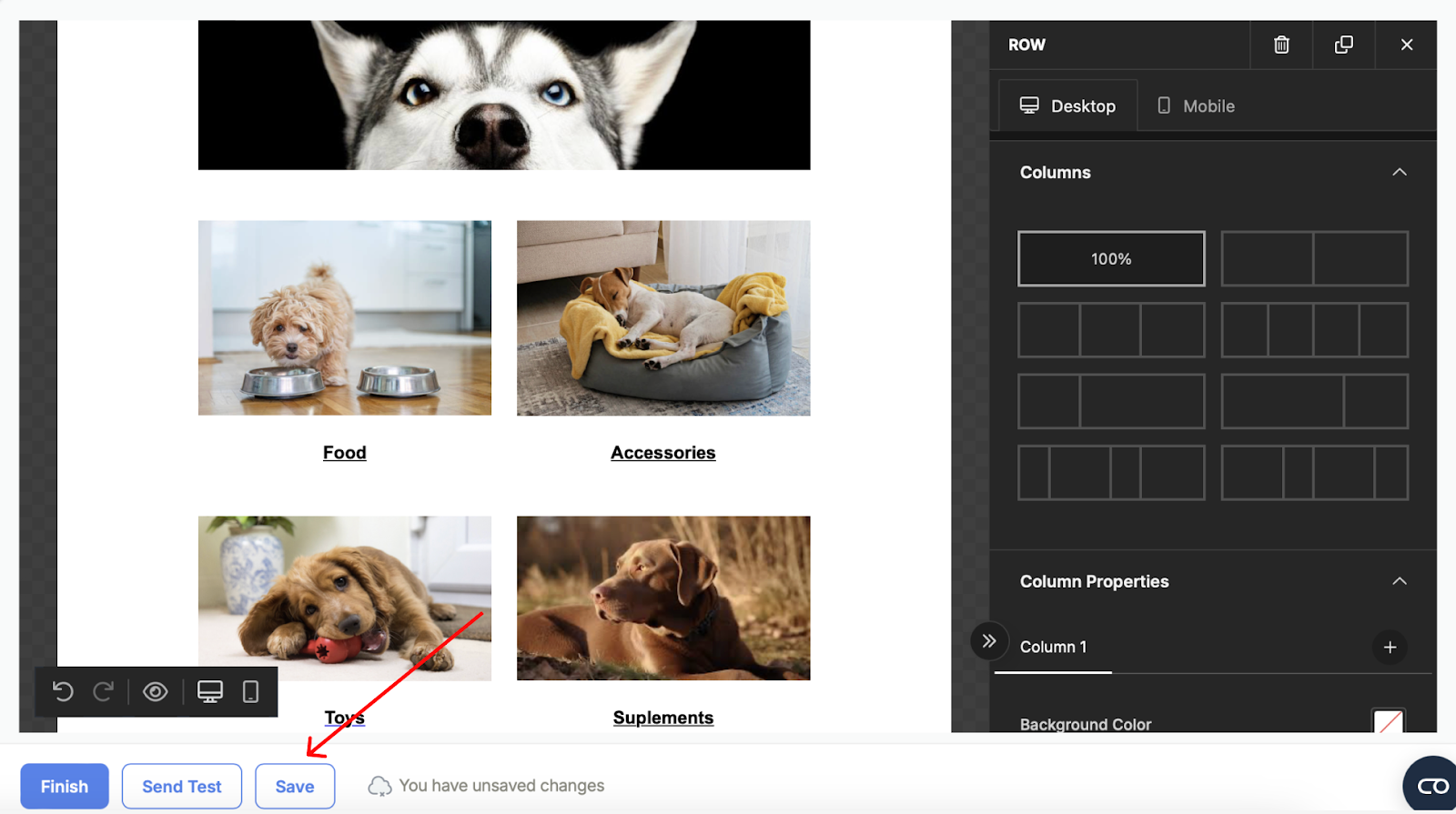
| Platform | Send Time Optimization | AI Copywriting | Predictive Segmentation | Available From |
|---|---|---|---|---|
| Mailchimp | ✅ | ✅ (basic) | Limited | Standard plan (~$20/mo) |
| Klaviyo | ✅ | ✅ | ✅ (predicted CLV, churn) | Paid plans |
| ActiveCampaign | ✅ | ✅ | ✅ (lead scoring) | Plus plan (~$49/mo) |
| Brevo | ✅ | Limited | Limited | Business plan |
| GetResponse | ✅ | ✅ | Limited | Marketing Automation plan |
| Kit | ❌ | Limited | ❌ | N/A |
| Mailerlite | ✅ (basic) | ✅ (basic) | ❌ | Growing Business plan |
| Moosend | ✅ | Limited | Limited | Pro plan |
The practical verdict on AI features: send time optimization has the clearest, most consistently verified impact on open rates. Predictive segmentation (like Klaviyo’s predicted lifetime value or churn likelihood modeling) delivers genuine value for eCommerce businesses with enough purchase history data. AI copywriting tools are improving but still produce generic output that requires significant editing — treat them as a first draft, not a final copy.
Key Features to Look For in a Targeted Email Marketing Service
Not every feature on a tool’s marketing page matters to your business. Here’s how to evaluate the capabilities that actually drive results.
Segmentation and Personalization Depth
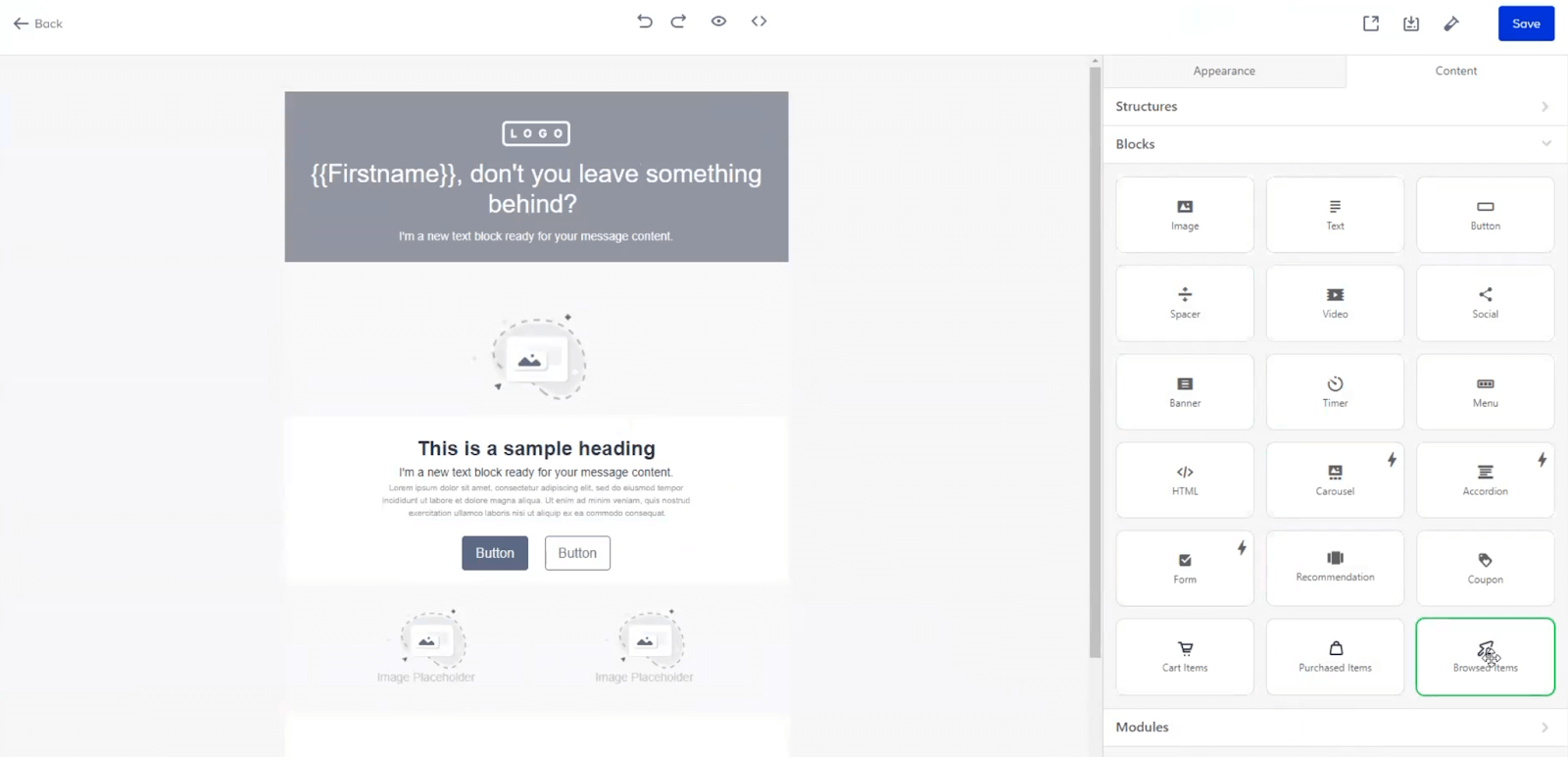
The critical question isn’t “can this platform segment?” — they all can. The question is how it segments. Tag-based segmentation (Klaviyo, Kit, ActiveCampaign) is more flexible than list-based segmentation (traditional Mailchimp model) because tags apply to individual contacts rather than requiring separate lists for each segment.
Dynamic content blocks — sections of an email that show different content to different segments — let you send one campaign to multiple segments simultaneously while each recipient sees content tailored to their profile. This reduces campaign management overhead significantly as your segmentation strategy matures.
Custom fields matter more than most people realize. Beyond name, most platforms let you store and use any data point as a personalization variable — purchase count, subscription tier, geographic region, product preference — as long as you’re passing that data to the platform via your CRM or integration.
Automation and Workflow Builders
Automation quality varies more dramatically between tools than almost any other feature. The surface-level description (“automated email workflows”) covers a wide range of actual capability.
Basic automation: Welcome email on subscribe, birthday email on date, abandoned cart email on trigger. Every platform in this list handles this.
Intermediate automation: Multi-step sequences with wait conditions, click-based branching, conditional logic (“if subscriber clicked link A, send email B; otherwise send email C”). Covered by Mailchimp Standard, Klaviyo, GetResponse Marketing Automation, Brevo Business, and ActiveCampaign Starter.
Advanced automation: Full visual journey builders with lead scoring, CRM field updates, deal stage triggers, predictive branching based on engagement likelihood. ActiveCampaign and Klaviyo lead here. HubSpot and enterprise platforms above them.
Deliverability Infrastructure
Deliverability — whether your emails actually reach the inbox rather than the spam folder — is the metric that makes everything else possible. A 45% open rate means nothing if 30% of your sends never reached the inbox.
Most email services offer shared sending infrastructure by default. Your emails share an IP address with other senders on the same service. If a bad actor on the same IP sends spam, your deliverability suffers. Dedicated IPs — available on higher-tier plans from Mailchimp, Klaviyo, and ActiveCampaign — isolate your sender reputation, but they’re generally only worthwhile when you’re sending more than 50,000–100,000 emails per month.
More immediately important: SPF, DKIM, and DMARC authentication. These three DNS records tell receiving email servers that your messages are legitimately sent from your domain. Every reputable email platform provides setup instructions. Google and Yahoo tightened their authentication requirements for bulk senders in 2024; having all three properly configured is now effectively mandatory for reliable inbox placement.
Analytics and Reporting
Track at minimum: open rate, click-through rate (CTR), unsubscribe rate, and bounce rate. For eCommerce, revenue per email and conversion rate are equally important.
Heatmaps and click maps — showing which links in an email subscribers clicked and where they clicked within the email template — are offered by Mailchimp, Klaviyo, and a handful of others. They’re genuinely useful for template optimization over time.
Integration Ecosystem
Your email platform will rarely exist in isolation. At minimum, consider how well it connects to:
- Your CRM: HubSpot, Salesforce, Zoho, Pipedrive — passing customer data to and from your email platform enables sophisticated segmentation
- Your eCommerce platform: Shopify, WooCommerce, BigCommerce — required for behavioral triggers and revenue tracking
- Lead capture tools: WPForms, Gravity Forms, Typeform — feeding new subscribers directly into the right segment
- Analytics: Google Analytics (UTM tracking), your data warehouse if you have one
Zapier and Make (formerly Integromat) can bridge gaps between platforms that don’t have native integrations, but they add cost and technical overhead.
How to Launch Your First Targeted Email Campaign (Step-by-Step)
You’ve chosen your platform. Your list has 1,200 subscribers in Mailerlite, Brevo, or Klaviyo. You’ve never sent a targeted campaign — only occasional newsletters. Here’s how to run your first segmented send from scratch.
Step 1: Audit Your Existing List
Before you segment, clean. Export your list and identify: hard bounces (remove them), subscribers inactive for 6+ months (put them in a re-engagement segment), and contacts missing key fields you want to segment by.
Step 2: Define Your First Segment
Start with one behavioral trigger, not five demographic variables. The simplest effective first segmentation: customers who purchased in the last 90 days vs. subscribers who have never purchased.
These two groups should receive completely different emails. The purchasers deserve recognition, upsell, or loyalty content. The non-purchasers need something that bridges the gap between interest and purchase — typically a compelling offer or content that addresses a common objection.
Step 3: Map the Email Content to the Segment’s Need
Write the email’s goal before writing the email. For the purchaser segment: the goal might be introducing a complementary product 45 days after purchase. For the non-purchaser segment: the goal might be answering the top three reasons people hesitate to buy.
The subject line, preview text, and email body should all serve that single goal. Resist the urge to include multiple offers in one email — it dilutes the message and reduces conversion on each.
Step 4: Build and Test Your Template
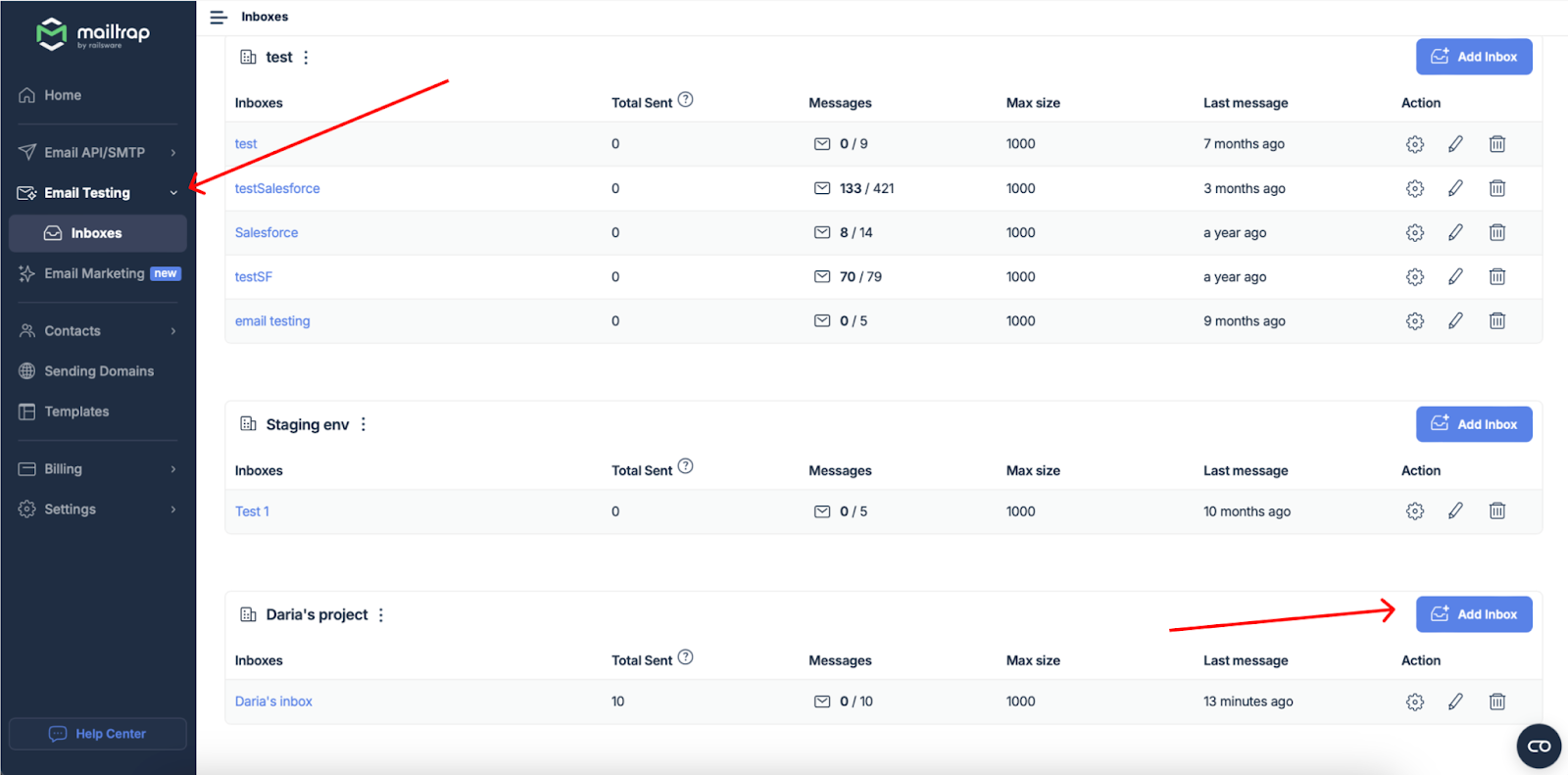
Most platforms offer HTML email testing that shows how your email renders across major clients (Gmail, Outlook, Apple Mail, mobile). Run this check on every campaign — Outlook in particular renders CSS differently from every other major client.
Check your spam score — most platforms provide this before sending. A spam score above 2.0 on the SpamAssassin scale warrants attention; above 5.0 means significant inbox placement risk. Common causes: too many image-to-text ratio, spam trigger words in subject lines, missing physical address in footer.
Step 5: Set Up Tracking
Add UTM parameters to all links in your email so Google Analytics or your analytics platform attributes traffic and conversions accurately to the campaign. Most platforms generate these automatically or have built-in UTM fields in campaign settings.
Define a conversion goal before sending: is success a product page visit? A checkout completion? A form submission? You can’t optimize what you don’t measure from the start.
Step 6: Schedule and Send
Tuesday and Wednesday mornings consistently show the highest open rates across industries, according to benchmark data from Mailchimp, Campaign Monitor, and Moosend. That said, your specific audience may behave differently — test send times after you have enough campaign data to draw conclusions (typically after 5–10 campaigns).
Send time optimization features (available on Mailchimp Standard, Klaviyo, and ActiveCampaign) analyze each subscriber’s individual engagement history and automatically send at the predicted optimal time for each recipient. This produces meaningful open rate improvements compared to a fixed send time — worth activating if your platform supports it.
Step 7: Review and Iterate
Within 48–72 hours of sending, review: open rate vs. your platform benchmark, CTR vs. your historical average, unsubscribe rate (anything above 0.5% warrants examination), revenue generated if you have eCommerce tracking enabled.
The most valuable data comes from comparing segments against each other. If your purchaser segment opened at 45% and your non-purchaser segment opened at 18%, that gap tells you something meaningful about how each group perceives value from your emails — and informs how to approach each group differently next time.
Legal Compliance for Targeted Email Marketing
Getting email compliance wrong costs real money. A single CAN-SPAM violation can result in a penalty of up to $53,088 per email (2026 inflation-adjusted figure, per the FTC’s CAN-SPAM compliance guide). GDPR fines for serious violations reach €20 million or 4% of global annual revenue — whichever is higher. These are not theoretical risks; they’re actively enforced.
The practical requirements vary by the regulation that applies to your recipients, not just your business location. If you’re a US-based business emailing EU residents, GDPR applies. If you’re in the EU emailing Canadian residents, CASL applies to those recipients.
| Regulation | Region | Consent Required? | Key Requirement | Maximum Penalty |
|---|---|---|---|---|
| CAN-SPAM | USA | No (opt-out required) | Clear sender ID, functioning unsubscribe, no deceptive subject lines, physical address | ~$53,088 per email |
| GDPR | EU / EEA | Yes (explicit consent) | Documented consent, right to erasure, data minimization, privacy policy | €20M or 4% global revenue |
| CASL | Canada | Yes (express or implied) | Clear ID, opt-out mechanism honored within 10 days | Up to CAD $10M/violation |
| PDPA | Singapore | Yes (consent) | Consent before sending, opt-out honored promptly | Up to SGD $1M |
| POPIA | South Africa | Yes (lawful basis) | Purpose limitation, data minimization, consent or legitimate interest | Up to ZAR 10M + prison |
This table provides a simplified overview for reference. Consult legal counsel for compliance decisions affecting your specific business.
Why Buying Email Lists Is Always a Bad Idea
Purchasing an email list to jumpstart your targeted marketing seems appealing — instant reach, no waiting. The reality is uniformly bad across four dimensions:
Legal exposure: Under GDPR and CASL, sending commercial emails requires prior consent. A purchased list contains no consent from your business. Under CAN-SPAM, you must honor opt-out requests — but if someone doesn’t know who you are, they’re extremely likely to hit “spam” rather than “unsubscribe,” which is worse for your deliverability.
Deliverability damage: Purchased lists frequently contain spam traps — email addresses operated by inbox providers specifically to identify and blacklist bulk spammers. Hitting even a small number of spam traps will get your sending domain and IP address blacklisted. Recovery takes weeks and is never guaranteed.
Poor results: The entire premise of targeted email marketing is relevance. A purchased list contains people who don’t know you, didn’t ask to hear from you, and have no reason to care about what you’re sending. Open rates from purchased lists routinely fall below 1%.
ESP account risk: Most email service providers explicitly prohibit sending to purchased lists in their terms of service. Doing so risks account suspension.
How to Stay Compliant Without a Legal Team
For most small businesses, compliance comes down to four non-negotiable practices:
- Double opt-in: After someone submits their email, they receive a confirmation email and must click to verify. Double opt-in creates documented consent and removes most typo-email addresses from your list simultaneously. Every platform covered in this article supports double opt-in.
- Clear sender identification: Every email must clearly identify who sent it — your business name or person name, and a physical postal address in the footer.
- Functioning unsubscribe mechanism: The unsubscribe link must work and be processed within the timeframe required by applicable law. All major platforms handle this automatically.
- Privacy policy link: Include a link to your privacy policy in every email footer. It should specify what data you collect and how you use it.
WordPress tools for building compliant email sign-up forms can simplify the technical side of GDPR-friendly opt-in collection.
Who Should Use Targeted Email Marketing Services — And Who Shouldn’t Yet
Not every business is ready to invest time in segmentation strategy. Here’s an honest assessment.
✅ Good fit if you:
- Have 500 or more email subscribers with some behavioral or purchase data attached
- Sell products or services that naturally divide into customer segments (by product type, use case, purchase history, or subscription tier)
- Run an eCommerce store where purchase history and browse behavior are trackable
- Produce content — a newsletter, blog, podcast — where subscriber topic preferences are identifiable
- Have a defined sales funnel with measurable stages (lead → trial → customer → retained customer)
- Currently send the same email to everyone and notice declining engagement over time
❌ Not ready yet if you:
- Have fewer than 200 subscribers and no behavioral data to work with
- Haven’t defined your customer personas or product-market fit yet
- Don’t have a website, sign-up form, or consistent content production
- Have an email list but no idea where the subscribers came from or what they’re interested in
⚠️ Consider carefully if you:
- Run a very simple single-product business where segmentation might add complexity without proportional benefit — a basic welcome sequence and monthly update may be all you need
- Are a freelancer or independent consultant with a small personal newsletter — an email-focused tool like Kit or Mailerlite will serve you better and cost less than enterprise platforms
- Are tempted to buy email automation software before you’ve validated that email is actually the right channel for your audience — build the list organically first
Frequently Asked Questions About Targeted Email Marketing Services
1. What is the difference between targeted email marketing and email personalization?
Personalization is a technique: inserting a subscriber’s name, location, or other data point into an email. Targeted email marketing is a strategy: the entire campaign is designed for a specific audience segment and wouldn’t be relevant to subscribers outside that segment. Personalization can be applied to any email, including mass sends. Targeted marketing requires prior segmentation — dividing your list before you write the email. The most effective campaigns use both: targeting ensures relevance at the audience level, personalization strengthens relevance at the individual level.
2. Which email marketing service is best for small businesses with a tight budget?
For free plans, Mailerlite (500 contacts, 12,000 emails/month) and Brevo (300 emails/day, unlimited contacts) offer the most practical starting points. For paid plans under $15/month, Brevo’s Starter (~$9), Mailerlite’s Growing Business (~$10), and Moosend’s Pro (~$9) are the strongest options. Mailchimp is a reasonable choice for template variety but its free plan shrank significantly in 2026. Always verify current pricing directly with the platform before committing.
3. How many subscribers do I need before segmentation makes sense?
There’s no hard minimum, but segmentation starts producing meaningful results when you have at least 500–1,000 subscribers with enough behavioral data to divide them into segments of 100 or more contacts each. Sending to a segment of 30 people produces too little data to draw conclusions or optimize from. With a list under 500, focus on building the list and capturing clean data (purchase history, sign-up source, topic preferences) so segmentation is effective when you’re ready to invest in it.
4. What is a realistic open rate for targeted email campaigns?
Industry benchmarks show average email open rates of 38–42% across platforms and industries (Mailchimp 2025 benchmark data). Well-segmented campaigns typically outperform these averages by 10–25 percentage points. If your segmented campaigns are achieving open rates below 20%, look at subject line quality, sender name recognition, and audience relevance — not just segmentation criteria. If they’re above 50%, your audience is highly engaged and your segmentation is working well.
5. How much does targeted email marketing cost per month?
Costs vary widely by list size, send volume, and platform choice. A small business with 1,000 subscribers sending weekly campaigns can expect to pay $0 (Mailerlite free, Brevo free) to $20/month (Mailchimp Standard, Klaviyo) at the low end. Platforms like ActiveCampaign or higher-tier Klaviyo plans can run $50–$150/month for larger lists or more advanced features. Budget separately for any ESP migration services, template design, or list verification tools. Verify all prices at official platform websites — pricing changes frequently.
6. Do I need to comply with GDPR if I’m based outside the EU?
Yes — if you’re emailing EU residents, GDPR applies regardless of where your business is located. The test is where your subscribers are, not where you are. This is frequently misunderstood by small businesses in the US, Australia, and elsewhere. Practically, this means you need documented consent from EU subscribers, a privacy policy that covers GDPR requirements, and the ability to honor deletion requests. Most major email platforms have compliance features built in; the responsibility for implementation is yours.
7. How often should I clean my email list?
At minimum, quarterly. Remove hard bounces immediately after each campaign (most platforms do this automatically). Run the full list through a verification tool (NeverBounce, ZeroBounce) quarterly to catch addresses that have gone invalid since they were added. Review engagement segments every 90 days: subscribers who haven’t opened any email in six months should go through a re-engagement campaign. Those who don’t respond should be removed. A clean list of 2,000 engaged subscribers outperforms a dirty list of 10,000 with a 5% engagement rate.
8. Can I use AI to help with email segmentation and personalization?
Yes, and the capability is expanding rapidly. Send time optimization (predicting when each subscriber is most likely to open) is available on Mailchimp Standard, Klaviyo, ActiveCampaign, and others — and produces documented open rate improvements. Klaviyo’s predictive CLV and churn likelihood modeling helps eCommerce businesses prioritize high-value segments. AI copywriting tools (available on Mailchimp, Brevo, GetResponse, and others) help generate subject lines and email copy drafts, though the output requires editing for voice and brand alignment. Fully automated AI-driven segmentation without human strategy input is not yet reliable enough to deploy without oversight.
9. What is the difference between transactional and marketing emails?
Transactional emails are triggered by a specific user action — order confirmation, shipping notification, password reset, account creation. They’re expected, often required, and have higher open rates than marketing emails. Marketing emails are sent to promote a product, share content, or nurture a relationship — they require explicit opt-in consent under most regulations. Under CAN-SPAM and GDPR, the distinction matters for compliance: transactional emails don’t require marketing consent, but adding promotional content to a transactional email makes it partially commercial and subject to commercial email rules. Most platforms handle both types but send them through different infrastructure.
10. How long does it take to see results from targeted email campaigns?
Initial results — open rates, click rates, unsubscribe rates — are visible within 48–72 hours of your first segmented send. Meaningful revenue impact and trend data typically take 60–90 days of consistent segmented sending to emerge. Building a fully mature segmentation strategy — with multiple behavioral segments, automated journey sequences, and tested subject line patterns — is a 6–12 month process for most small businesses starting from scratch. The compounding nature of email marketing means results improve substantially over time as your list grows, your segments become more refined, and your content hits closer to what each audience segment cares about.
Final Thoughts — Choosing the Right Service for Your Business
The best targeted email marketing service isn’t the most feature-rich or the most expensive — it’s the one you’ll actually use consistently, that fits your current list size and budget, and that grows with you as your segmentation strategy matures.
For most small businesses just getting started, Mailerlite or Brevo offer the best combination of free plan generosity and practical capability. eCommerce businesses will find Klaviyo’s investment worthwhile once their store generates enough purchase history to power meaningful segments. Creators and newsletter businesses are well served by Kit. Businesses with complex multi-stage sales processes will eventually benefit from ActiveCampaign’s automation depth.
Whatever platform you choose, the strategic principles don’t change: start with list hygiene, define your segments before writing content, test before sending, and treat deliverability as a non-negotiable foundation. Compliance with applicable email regulations isn’t optional — build it into your setup from day one, not as an afterthought when you’ve grown large enough to attract attention.
Targeted email marketing rewards patience and consistency more than it rewards tool selection. A well-segmented, relevant email to 800 subscribers will outperform a generic blast to 8,000 subscribers almost every time. Start small, segment thoughtfully, and let the data show you what your audience actually responds to.
